mirror CHEVROLET SSR 2005 1.G Owners Manual
[x] Cancel search | Manufacturer: CHEVROLET, Model Year: 2005, Model line: SSR, Model: CHEVROLET SSR 2005 1.GPages: 388, PDF Size: 2.5 MB
Page 1 of 388
Seats and Restraint Systems........................... 1-1
Front Seats
............................................... 1-2
Safety Belts
.............................................. 1-6
Child Restraints
.......................................1-19
Airbag System
.........................................1-38
Restraint System Check
............................1-51
Features and Controls..................................... 2-1
Keys
........................................................ 2-3
Doors and Locks
....................................... 2-9
Windows
.................................................2-11
Theft-Deterrent Systems
............................2-13
Starting and Operating Your Vehicle
...........2-15
Mirrors
....................................................2-28
HomeLink
®Transmitter
.............................2-30
Storage Areas
.........................................2-35
Convertible Top
.......................................2-51
Vehicle Personalization
.............................2-59
Instrument Panel............................................. 3-1
Instrument Panel Overview
.......................... 3-4
Climate Controls
......................................3-20
Warning Lights, Gages, and Indicators
........3-23
Driver Information Center (DIC)
..................3-42
Audio System(s)
.......................................3-58Driving Your Vehicle....................................... 4-1
Your Driving, the Road, and Your Vehicle
..... 4-2
Towing
...................................................4-34
Service and Appearance Care.......................... 5-1
Service
..................................................... 5-3
Fuel
......................................................... 5-5
Checking Things Under the Hood
...............5-10
Rear Axle
...............................................5-43
Headlamp Aiming
.....................................5-44
Bulb Replacement
....................................5-44
Windshield Wiper Blade Replacement
.........5-50
Tires
......................................................5-52
Appearance Care
.....................................5-74
Vehicle Identication
.................................5-82
Electrical System
......................................5-83
Capacities and Specications
.....................5-93
Maintenance Schedule..................................... 6-1
Maintenance Schedule
................................ 6-2
Customer Assistance and Information.............. 7-1
Customer Assistance and Information
........... 7-2
Reporting Safety Defects
...........................7-11
Index................................................................ 1
2005 Chevrolet SSR Owner ManualM
Page 55 of 388

To turn off the passenger’s frontal airbag, insert your
ignition key into the switch, push in, and move the
switch to off position.
The airbag off light, located on the roof panel above
the rearview mirror, will come on and stay on to let
you know that the passenger’s frontal airbag is off. United States
Canada
United States
Canada
1-49
Page 59 of 388

Keys...............................................................2-3
Remote Keyless Entry System.........................2-5
Remote Keyless Entry System Operation...........2-6
Doors and Locks.............................................2-9
Door Locks....................................................2-9
Power Door Locks........................................2-10
Programmable Automatic Door Locks..............2-10
Tailgate.......................................................2-11
Windows........................................................2-11
Power Windows............................................2-12
Sun Visors...................................................2-13
Theft-Deterrent Systems..................................2-13
Content Theft-Deterrent.................................2-13
Passlock
®....................................................2-15
Starting and Operating Your Vehicle................2-15
New Vehicle Break-In....................................2-15
Ignition Positions..........................................2-16
Retained Accessory Power (RAP)...................2-17
Starting Your Engine.....................................2-17
Automatic Transmission Operation...................2-19
Manual Transmission Operation......................2-21
Parking Brake..............................................2-23
Shifting Into Park (P)
(Automatic Transmission)............................2-24Shifting Out of Park (P)
(Automatic Transmission)............................2-25
Parking Your Vehicle
(Manual Transmission)...............................2-25
Parking Over Things That Burn.......................2-26
Engine Exhaust............................................2-26
Running Your Engine While You Are Parked.......2-27
Mirrors...........................................................2-28
Manual Rearview Mirror.................................2-28
Automatic Dimming Rearview Mirror
with HomeLink
®........................................2-28
Outside Power Heated Mirrors........................2-29
Outside Convex Mirror...................................2-29
Outside Automatic Dimming
Heated Mirror...........................................2-30
HomeLink
®Transmitter...................................2-30
HomeLink®..................................................2-30
Programming the HomeLink®..........................2-31
Storage Areas................................................2-35
Glove Box...................................................2-35
Cupholder(s)................................................2-35
Instrument Panel Storage Area.......................2-35
Center Console Storage Area.........................2-35
Map Pocket.................................................2-35
Section 2 Features and Controls
2-1
Page 71 of 388

To program the windows, follow these steps:
1. With the ignition in ACCESSORY or RUN,
close the doors.
2. Fully lower the windows using the driver’s power
window switches. Then raise the windows
completely.
The windows are now programmed.
Sun Visors
To block out glare, you can swing down the sun visors.
You can also move them from side to side.
Lighted Visor Vanity Mirrors
Pull the visor down and lift the cover to expose the
mirror. The light will automatically come on. The light
will go out when you close the cover.
Theft-Deterrent Systems
Vehicle theft is big business, especially in some cities.
Although your vehicle has a number of theft-deterrent
features, we know that nothing we put on it can make
it impossible to steal.
Content Theft-Deterrent
Your vehicle is equipped with a content theft-deterrent
alarm system.
With this system, the
security light will ash
as you open the door
(if your ignition is off).
This light reminds you to activate the theft-deterrent
system. Here’s how to do it:
1. Open the door.
2. Lock the door with the power door lock switch or
the remote keyless entry transmitter. The security
light should come on and stay on.
3. Close all doors. The security light should go off
after approximately 30 seconds. The alarm is not
armed until the security light goes off.
Your vehicle has a feature that allows you to
program alarm warning feedback when locking the
doors using the remote keyless entry transmitter.
See “Alarm Warning Type” underDIC Vehicle
Personalization on page 3-52, for programing
instructions.
2-13
Page 86 of 388

Mirrors
Manual Rearview Mirror
The vehicle may have a manual rearview mirror. While
sitting in a comfortable driving position, adjust the mirror
so you can see clearly behind your vehicle. Grip the
mirror in the center to move it up or down and side to
side. The control at the bottom of the mirror is the
day/night feature that allows adjustment to the mirror so
that the glare of headlamps from behind is reduced.
Push the control for daytime use; pull it for night use.
Automatic Dimming Rearview Mirror
with HomeLink
®
The vehicle may have an automatic dimming rearview
mirror with map lamps and HomeLink®Transmitter
buttons. For more information about this feature, see
HomeLink
®on page 2-30.
While sitting in a comfortable driving position, adjust
the mirror so you can see clearly behind your vehicle.
Grip the mirror in the center to move it up or down
and side to side.
Mirror Operation
The mirror automatically changes to reduce glare from
headlamps behind you. A time delay feature prevents
rapid changing from the day to night positions while
driving under lights and through traffic.
[(On/Off):The automatic dimming feature is
automatically activated when the vehicle is started.
The automatic dimming feature is turned on or off
by pressing this button located on the lower part
of the mirror. Press and hold the button for up to
three seconds to turn this feature on or off.
T(Indicator Light):This light will turn on when the
automatic dimming feature is on.
+(Map Lamps):Press this button to turn the map
lamps on and off.
Press the two outside mirror buttons to light the
transmission positions on the console.
Cleaning the Mirror
When cleaning the mirror, use a paper towel or similar
material dampened with glass cleaner. Do not spray
glass cleaner directly on the mirror as this could damage
the mirror housing.
2-28
Page 87 of 388
Outside Power Heated Mirrors
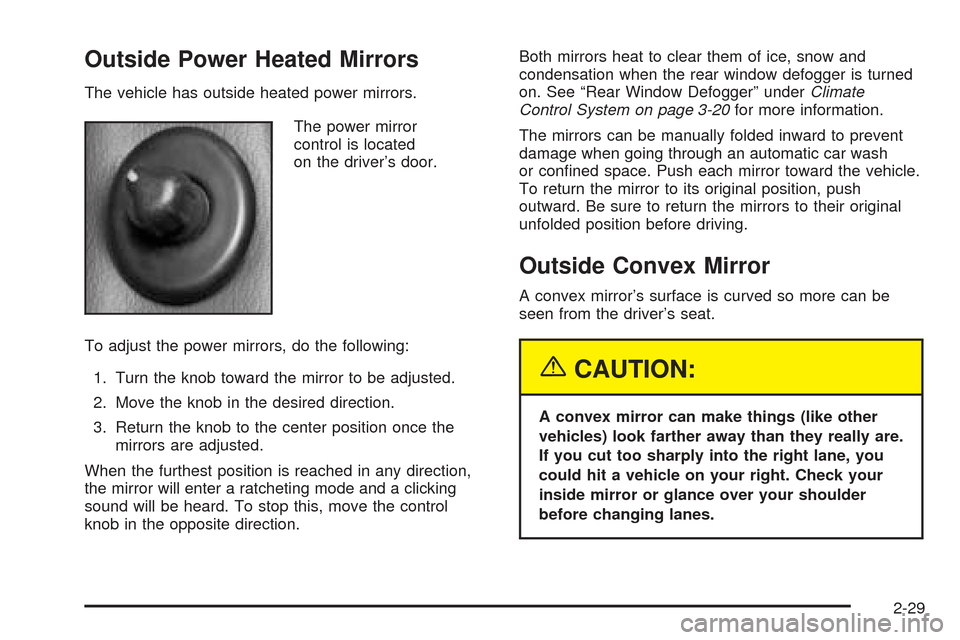
The vehicle has outside heated power mirrors.
The power mirror
control is located
on the driver’s door.
To adjust the power mirrors, do the following:
1. Turn the knob toward the mirror to be adjusted.
2. Move the knob in the desired direction.
3. Return the knob to the center position once the
mirrors are adjusted.
When the furthest position is reached in any direction,
the mirror will enter a ratcheting mode and a clicking
sound will be heard. To stop this, move the control
knob in the opposite direction.Both mirrors heat to clear them of ice, snow and
condensation when the rear window defogger is turned
on. See “Rear Window Defogger” underClimate
Control System on page 3-20for more information.
The mirrors can be manually folded inward to prevent
damage when going through an automatic car wash
or conned space. Push each mirror toward the vehicle.
To return the mirror to its original position, push
outward. Be sure to return the mirrors to their original
unfolded position before driving.
Outside Convex Mirror
A convex mirror’s surface is curved so more can be
seen from the driver’s seat.
{CAUTION:
A convex mirror can make things (like other
vehicles) look farther away than they really are.
If you cut too sharply into the right lane, you
could hit a vehicle on your right. Check your
inside mirror or glance over your shoulder
before changing lanes.
2-29
Page 88 of 388

Outside Automatic Dimming
Heated Mirror
If the vehicle has this feature, the driver’s side outside
rearview mirror will adjust for the glare of headlamps
from behind by pushing the on and off settings on the
mirror. SeeAutomatic Dimming Rearview Mirror
with HomeLink
®on page 2-28for more information.
Both outside mirrors are also heated when the
rear window defogger is turned on. See “Rear Window
Defogger” underClimate Control System on page 3-20.
The mirrors can be manually folded inward to prevent
damage when going through an automatic car wash.
To fold, push the mirror toward the vehicle. To return
the mirror to its original position, push outward. Be sure
to return the mirrors to their original unfolded position
before driving.
HomeLink®Transmitter
HomeLink®
If your vehicle has this feature, the HomeLink®
transmitter buttons are located on the automatic
dimming rearview mirror. The three buttons on the left
side of the mirror are the HomeLink
®transmitter buttons.
HomeLink
®, a combined universal transmitter and
receiver, provides a way to replace up to three
hand-held transmitters used to activate devices such
as gate operators, garage door openers, entry door
locks, security systems and home lighting. Additional
HomeLink
®information can be found on the Internet at
www.homelink.com or by calling 1-800-355-3515.
2-30
Page 135 of 388

Theater Dimming
This feature allows for a three to ®ve-second fade out
of the courtesy lamps instead of immediate turn off.
Exit Lighting
With the exit lighting, the interior lamps will come on
when you remove the key from the ignition to help you
see while exiting the vehicle.
Perimeter Lighting
When the button with the unlock symbol on the remote
keyless entry transmitter is pressed, the DRL, parking
lamps and back-up lamps will come on if it is dark
enough outside.
This feature can be personalized for up to two drivers.
See
DIC Vehicle Personalization on page 3-52for
more information.
Map Lamps
If your vehicle has front map lamps, they are located on
the inside rearview mirror. They will automatically come
on for approximately 40 seconds when the doors are
unlocked with the remote keyless entry transmitter or
until the ignition key is turned to RUN or ACCESSORY.
The lamps will also stay on for approximately 40 seconds
after you exit the vehicle unless you lock the doors with
the remote keyless entry transmitter.
You can also turn the lamps on and off by pressing the
button near each lamp.
Battery Run-Down Protection
This feature shuts off all lamps that are left on for
more than 10 minutes when the ignition is off. This
will keep your battery from running down.
3-17
Page 140 of 388
1(Maximum Defrost):This mode directs most of
the air to the windshield, with some air directed to
the side window outlets and the ¯oor outlets. The rear
window defogger and heated outside mirrors will turn on,
and the fan speed will be at the highest setting (5).
The temperature will be at the hottest setting also.
Recirculation is not available in this mode.
If this mode was selected when you turn your vehicle
off, the warmest temperature and highest fan speed will
be restored when the vehicle is started, regardless of
the temperature and fan setting.
Do not drive the vehicle until all the windows are clear.
Rear Window Defogger
The rear window defogger uses a warming grid to
remove fog from the rear window.
The rear window defogger will only work when the
ignition is on.
=(Rear): Press this button on the right knob to turn
the rear window defogger on or off. An indicator light
on the button will come on to let you know that the rear
window defogger is activated. When the rear defogger button is pressed, the outside
heated mirrors will warm to help clear any fog or
frost from the surface of the mirrors.
Notice:Using a razor blade or sharp object to
clear the inside rear window may damage the rear
window defogger. Repairs would not be covered
by your warranty. Do not clear the inside of the rear
window with sharp objects.
Outlet Adjustment
Use the levers located in the center of each outlet to
change the direction of the air¯ow.
Operation Tips
·
Clear away any ice, snow or leaves from the air
inlets at the base of the windshield that may
block the ¯ow of air into your vehicle.
·Use of non-GM approved hood de¯ectors may
adversely affect the performance of the system.
·Keep the path under the front seats clear of objects
to help circulate the air inside of your vehicle more
effectively.
3-22
Page 146 of 388
Airbag Off Light
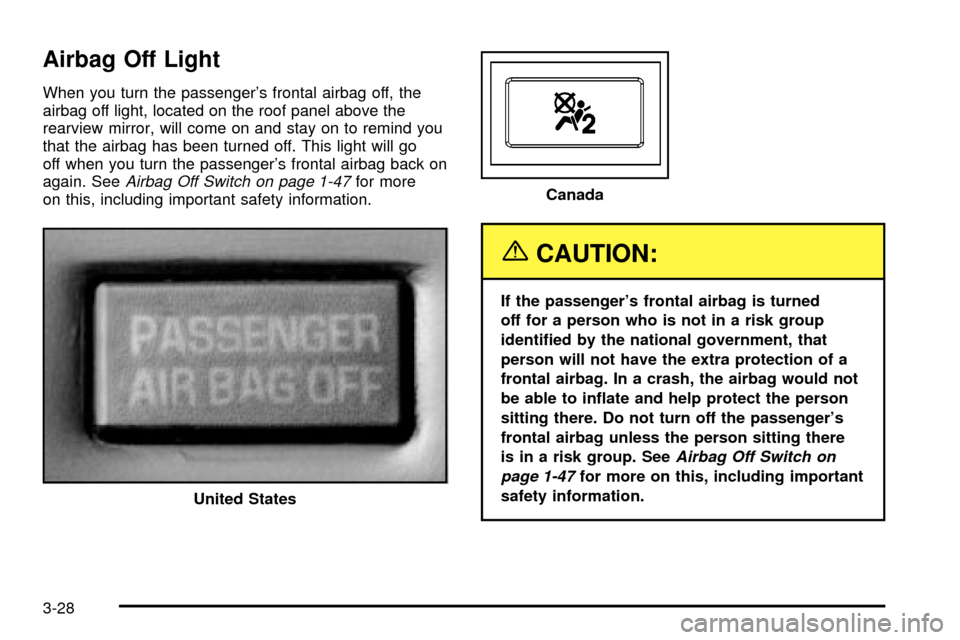
When you turn the passenger's frontal airbag off, the
airbag off light, located on the roof panel above the
rearview mirror, will come on and stay on to remind you
that the airbag has been turned off. This light will go
off when you turn the passenger's frontal airbag back on
again. See
Airbag Off Switch on page 1-47for more
on this, including important safety information.
{CAUTION:
If the passenger's frontal airbag is turned
off for a person who is not in a risk group
identi®ed by the national government, that
person will not have the extra protection of a
frontal airbag. In a crash, the airbag would not
be able to in¯ate and help protect the person
sitting there. Do not turn off the passenger's
frontal airbag unless the person sitting there
is in a risk group. See
Airbag Off Switch on
page 1-47
for more on this, including important
safety information.
United States
Canada
3-28