light CHEVROLET SSR 2006 1.G User Guide
[x] Cancel search | Manufacturer: CHEVROLET, Model Year: 2006, Model line: SSR, Model: CHEVROLET SSR 2006 1.GPages: 390, PDF Size: 2.44 MB
Page 74 of 390

Your vehicle has a feature that allows you to program
alarm warning feedback when locking the doors
using the remote keyless entry transmitter. See “Alarm
Warning Type” underDIC Vehicle Personalization
on page 3-52, for programing instructions.
If a locked door is opened without the key, or the
remote keyless entry transmitter, the alarm will go
off. The headlamps and parking lamps will flash for
two minutes, and the horn will sound for 30 seconds,
then will turn off to save the battery power. You can
disable the alarm using the remote keyless entry
transmitter or by putting the key in the ignition and
starting the vehicle.
Remember, the theft-deterrent system won’t activate if
you lock the doors with a key or use the manual
door lock. It activates only if you use a power door lock
switch with the door open, or with the remote keyless
entry transmitter. You should also remember that
you can start your vehicle with the correct ignition key if
the alarm has been set off.
Here’s how to avoid setting off the alarm by accident:
•If you don’t want to activate the theft-deterrent
system, the vehicle should be locked with the door
keyafterthe doors are closed.
•Always unlock a door with a key, or use the remote
keyless entry transmitter. Unlocking a door any
other way will set off the alarm.If you set off the alarm by accident, unlock any door with
the key. You can also turn off the alarm by pressing
unlock on the remote keyless entry transmitter. The alarm
won’t stop if you try to unlock a door any other way.
Testing the Alarm
The alarm can be tested by following these steps:
1. From inside the vehicle, lower the driver’s window
and open the driver’s door.
2. Activate the system by locking the doors with the
power door lock switch while the door is open, or
with the remote keyless entry transmitter.
3. Get out of the vehicle, close the door and wait for
the security light to go out.
4. Then reach in through the window, unlock the door
with the manual door lock and open the door. This
should set off the alarm.
When the alarm is set the power door unlock switch is
not operational.
If the alarm does not sound when it should but the
headlamps flash, check to see if the horn works. The
horn fuse may be blown. To replace the fuse, seeFuses
and Circuit Breakers on page 5-86.
If the alarm does not sound or the headlamps do not
flash, the vehicle should be serviced by your dealer.
2-14
Page 75 of 390
Passlock®
Your vehicle is equipped with the
Passlock®theft-deterrent system.
Passlock®is a passive theft-deterrent system.
Passlock®enables fuel if the ignition lock cylinder is
turned with a valid key. If a correct key is not used or the
ignition lock cylinder is tampered with, the fuel system
is disabled and the vehicle will not start.
During normal operation, the security light will turn off
approximately five seconds after the key is turned
to RUN. SeeSecurity Light on page 3-37.
If the engine stalls and the security light flashes, wait
about 10 minutes until the light stops flashing before
trying to restart the engine. Remember to release
the key from START as soon as the engine starts.
If the engine does not start after three tries, the vehicle
needs service.
If the engine is running and the security light comes on,
you will be able to restart the engine if you turn the
engine off. However, your Passlock
®system is
not working properly and must be serviced by your
dealer. Your vehicle is not protected by Passlock
®at this
time. You may also want to check the fuse. See
Fuses and Circuit Breakers on page 5-86. See your
dealer for service.
In an emergency, call the GM Roadside Assistance
Center. SeeRoadside Assistance Program on page 7-6.
Starting and Operating
Your Vehicle
New Vehicle Break-In
Notice:Your vehicle does not need an elaborate
break-in. But it will perform better in the long run if
you follow these guidelines:
Keep your speed at 55 mph (88 km/h) or less for
the rst 500 miles (805 km).
Do not drive at any one constant speed, fast or
slow, for the rst 500 miles (805 km). Do not
make full-throttle starts. Avoid downshifting to
brake, or slow, the vehicle.
Avoid making hard stops for the rst 200 miles
(322 km) or so. During this time your new brake
linings are not yet broken in. Hard stops with new
linings can mean premature wear and earlier
replacement. Follow this breaking-in guideline
every time you get new brake linings.
Do not tow a trailer during break-in. SeeTowing a
Trailer on page 4-35for the trailer towing
capabilities of your vehicle and more
information.
Following break-in, engine speed and load can be
gradually increased.
2-15
Page 83 of 390
Parking Brake
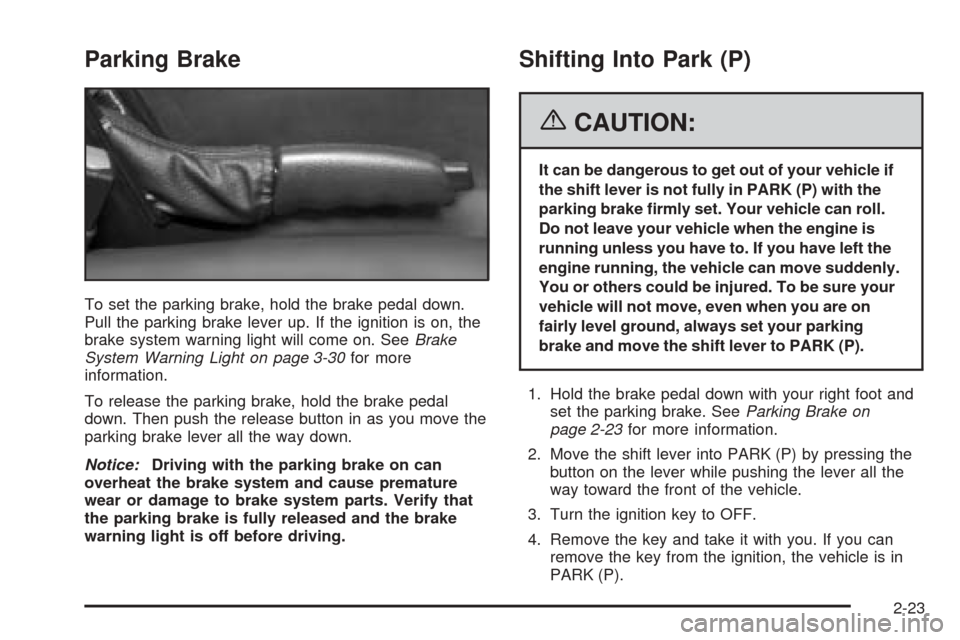
To set the parking brake, hold the brake pedal down.
Pull the parking brake lever up. If the ignition is on, the
brake system warning light will come on. SeeBrake
System Warning Light on page 3-30for more
information.
To release the parking brake, hold the brake pedal
down. Then push the release button in as you move the
parking brake lever all the way down.
Notice:Driving with the parking brake on can
overheat the brake system and cause premature
wear or damage to brake system parts. Verify that
the parking brake is fully released and the brake
warning light is off before driving.
Shifting Into Park (P)
{CAUTION:
It can be dangerous to get out of your vehicle if
the shift lever is not fully in PARK (P) with the
parking brake rmly set. Your vehicle can roll.
Do not leave your vehicle when the engine is
running unless you have to. If you have left the
engine running, the vehicle can move suddenly.
You or others could be injured. To be sure your
vehicle will not move, even when you are on
fairly level ground, always set your parking
brake and move the shift lever to PARK (P).
1. Hold the brake pedal down with your right foot and
set the parking brake. SeeParking Brake on
page 2-23for more information.
2. Move the shift lever into PARK (P) by pressing the
button on the lever while pushing the lever all the
way toward the front of the vehicle.
3. Turn the ignition key to OFF.
4. Remove the key and take it with you. If you can
remove the key from the ignition, the vehicle is in
PARK (P).
2-23
Page 88 of 390
Mirror Operation
The mirror automatically changes to reduce glare from
headlamps behind you. A time delay feature prevents
rapid changing from the day to night positions while
driving under lights and through traffic.
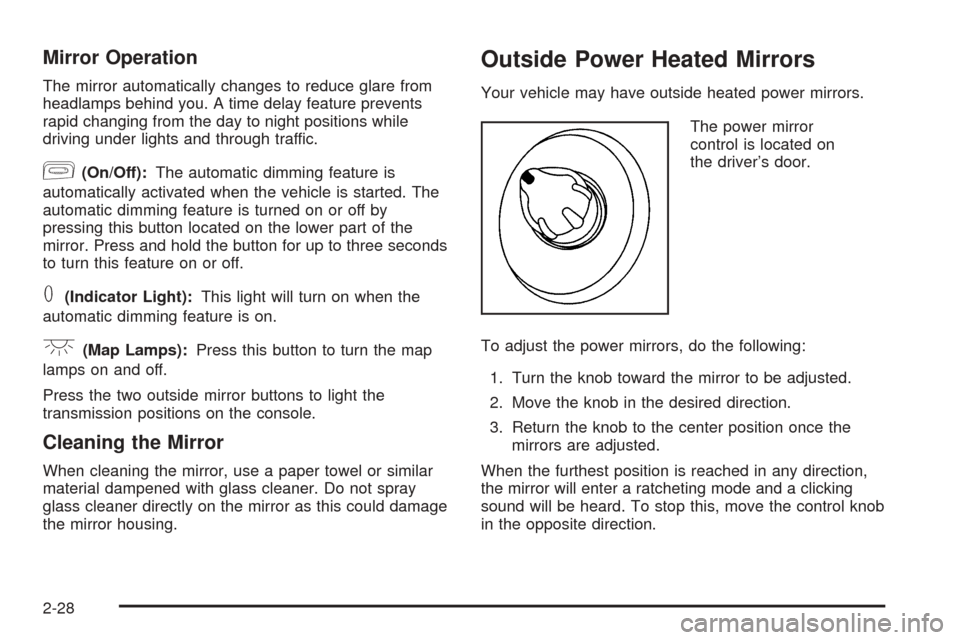
[(On/Off):The automatic dimming feature is
automatically activated when the vehicle is started. The
automatic dimming feature is turned on or off by
pressing this button located on the lower part of the
mirror. Press and hold the button for up to three seconds
to turn this feature on or off.
T(Indicator Light):This light will turn on when the
automatic dimming feature is on.
+(Map Lamps):Press this button to turn the map
lamps on and off.
Press the two outside mirror buttons to light the
transmission positions on the console.
Cleaning the Mirror
When cleaning the mirror, use a paper towel or similar
material dampened with glass cleaner. Do not spray
glass cleaner directly on the mirror as this could damage
the mirror housing.
Outside Power Heated Mirrors
Your vehicle may have outside heated power mirrors.
The power mirror
control is located on
the driver’s door.
To adjust the power mirrors, do the following:
1. Turn the knob toward the mirror to be adjusted.
2. Move the knob in the desired direction.
3. Return the knob to the center position once the
mirrors are adjusted.
When the furthest position is reached in any direction,
the mirror will enter a ratcheting mode and a clicking
sound will be heard. To stop this, move the control knob
in the opposite direction.
2-28
Page 90 of 390

Universal Home Remote
System
If your vehicle has this feature, the Universal Home
Remote transmitter buttons are located on the automatic
dimming rearview mirror. The three buttons on the left
side of the mirror are the Universal Home Remote
transmitter buttons.
The Universal Home Remote Wireless Control System,
a combined universal transmitter and receiver,
provides a way to replace up to three hand-held
transmitters used to activate devices such as gate
operators, garage door openers, entry door locks,
security systems, and home lighting.If your vehicle is equipped with the Universal Home
Remote Transmitter, it complies with Part 15 of the
FCC Rules. Operation is subject to the following
two conditions: (1) this device may not cause harmful
interference, and (2) this device must accept any
interference received, including interference that may
cause undesired operation.
This device complies with RSS-210 of Industry Canada.
Operation is subject to the following two conditions:
(1) this device may not cause interference, and
(2) this device must accept any interference received,
including interference that may cause undesired
operation of the device.
Changes and modifications to this system by other than
an authorized service facility could void authorization
to use this equipment.
Universal Home Remote
System Operation
Do not use the Universal Home Remote with any garage
door opener that does not have the “stop and reverse”
feature. This includes any garage door opener model
manufactured before April 1, 1982. If you have a newer
garage door opener with rolling codes, please be sure to
follow Steps 6 through 8 to complete the programming of
your Universal Home Remote Transmitter.
2-30
Page 91 of 390
Read the instructions completely before attempting to
program the Universal Home Remote. Because of
the steps involved, it may be helpful to have another
person available to assist you in the programming steps.
Keep the original hand-held transmitter for use in
other vehicles as well as for future Universal Home
Remote programming. It is also recommended that upon
the sale of the vehicle, the programmed Universal
Home Remote buttons should be erased for security
purposes. See “Erasing Universal Home Remote
Buttons” later in this section or, for assistance, see
Customer Assistance Offices on page 7-4.
Be sure that people and objects are clear of the garage
door or gate operator you are programming. When
programming a garage door, it is advised to park outside
of the garage.
It is recommended that a new battery be installed in
your hand-held transmitter for quicker and more
accurate transmission of the radio-frequency signal.Programming Universal Home Remote
Follow these steps to program up to three channels:
1. Press and hold down the two outside Universal
Home Remote buttons, releasing only when the
Universal Home Remote indicator light begins
to flash, after 20 seconds. Do not hold down the
buttons for longer than 30 seconds and do not
repeat this step to program a second and/or third
hand-held transmitter to the remaining two Universal
Home Remote buttons.
2. Position the end of your hand-held transmitter
about 1 to 3 inches (3 to 8 cm) away from the
Universal Home Remote buttons while keeping the
indicator light in view.
3. Simultaneously press and hold both the desired
Universal Home Remote button and the hand-held
transmitter button. Do not release the buttons
until Step 4 has been completed.
Some entry gates and garage door openers may
require you to substitute Step 3 with the procedure
noted in “Gate Operator and Canadian
Programming” later in this section.
4. The indicator light will flash slowly at first and then
rapidly after Universal Home Remote successfully
receives the frequency signal from the hand-held
transmitter. Release both buttons.
2-31
Page 92 of 390

5. Press and hold the newly-trained Universal Home
Remote button and observe the indicator light.
If the indicator light stays on constantly,
programming is complete and your device should
activate when the Universal Home Remote button is
pressed and released.
To program the remaining two Universal Home
Remote buttons, begin with Step 2 under
“Programming Universal Home Remote.” Do not
repeat Step 1 as this will erase all of the
programmed channels.
If the indicator light blinks rapidly for two seconds
and then turns to a constant light, continue with
Steps 6 through 8 following to complete the
programming of a rolling-code equipped device,
most commonly, a garage door opener.
6. Locate in the garage, the garage door opener
receiver (motor-head unit). Locate the “Learn”
or “Smart” button. This can usually be found where
the hanging antenna wire is attached to the
motor-head unit.7. Firmly press and release the “Learn” or “Smart”
button. The name and color of the button may
vary by manufacturer.
You will have 30 seconds to start Step 8.
8. Return to the vehicle. Firmly press and hold the
programmed Universal Home Remote button for
two seconds, then release. Repeat the
press/hold/release sequence a second time, and
depending on the brand of the garage door opener,
or other rolling code device, repeat this sequence
a third time to complete the programming.
The Universal Home Remote should now activate
your rolling-code equipped device.
To program the remaining two Universal Home Remote
buttons, begin with Step 2 of “Programming Universal
Home Remote.” You do not want to repeat Step 1,
as this will erase all previous programming from
the Universal Home Remote buttons.
2-32
Page 93 of 390
Gate Operator and Canadian
Programming
Canadian radio-frequency laws require transmitter
signals to time out or quit after several seconds of
transmission. This may not be long enough for Universal
Home Remote to pick up the signal during programming.
Similarly, some U.S. gate operators are manufactured
to time out in the same manner.
If you live in Canada, or you are having difficulty
programming a gate operator or garage door opener
by using the “Programming Universal Home Remote”
procedures, regardless of where you live, replace
Step 3 under “Programming Universal Home Remote”
with the following:
Continue to press and hold the Universal Home Remote
button while you press and release every two seconds
(cycle) the hand-held transmitter button until the
frequency signal has been successfully accepted by the
Universal Home Remote. The Universal Home Remote
indicator light will flash slowly at first and then rapidly.
Proceed with Step 4 under “Programming Universal
Home Remote” to complete.
Using Universal Home Remote
Press and hold the appropriate Universal Home Remote
button for at least half of a second. The indicator light
will come on while the signal is being transmitted.
Erasing Universal Home
Remote Buttons
To erase programming from the three Universal Home
Remote buttons do the following:
1. Press and hold down the two outside buttons until
the indicator light begins to flash, after 20 seconds.
Do not hold the two outside buttons for longer
than 30 seconds.
2. Release both buttons.
The Universal Home Remote is now in the train
(learning) mode and can be programmed at any time
beginning with Step 2 under “Programming Universal
Home Remote” shown earlier in this section.
Individual buttons cannot be erased, but they can be
reprogrammed. See “Reprogramming a Single Universal
Home Remote Button” following this section.
2-33
Page 94 of 390
Reprogramming a Single Universal
Home Remote Button
To program a device to Universal Home Remote using
a Universal Home Remote button previously trained,
follow these steps:
1. Press and hold the desired Universal Home
Remote button. Do not release the button.
2. The indicator light will begin to flash after
20 seconds. While still holding the Universal Home
Remote button, proceed with Step 2 under
“Programming Universal Home Remote” shown
earlier in this section.
For additional information on Universal Home Remote,
seeCustomer Assistance Offices on page 7-4.
Storage Areas
Glove Box
To open the glove box, pull on the lever. Use your door
key to lock or unlock it.
Cupholder(s)
Your vehicle has one cupholder located on your
instrument panel and it may have one cupholder that is
removable and snaps to the passenger’s side of the
center console in the bracket provided.
To open the cupholder on the instrument panel, push in
the center of the cupholder door. The cupholder will
then release and move outward toward you for use. To
return the cupholder to its closed position, push in
the center of the cupholder door near the top. If you
press in the center middle of the cupholder door,
the cupholder will not close properly.
Instrument Panel Storage Area
There is a storage tray located to the right of the
steering wheel on the instrument panel. Press on the
tray to release it. The tray will slide out of the instrument
panel toward you. You can then put small items into
the tray. To close the tray, push forward on the center of
the tray until it latches back into the instrument panel.
2-34
Page 98 of 390
Emergency Cargo Cover
Release Handle
Notice:Using the emergency cargo cover release
handle as a tie-down or anchor point when securing
items in the cargo area may damage it. Use the
emergency cargo cover release handle only to help
you open the cargo cover.
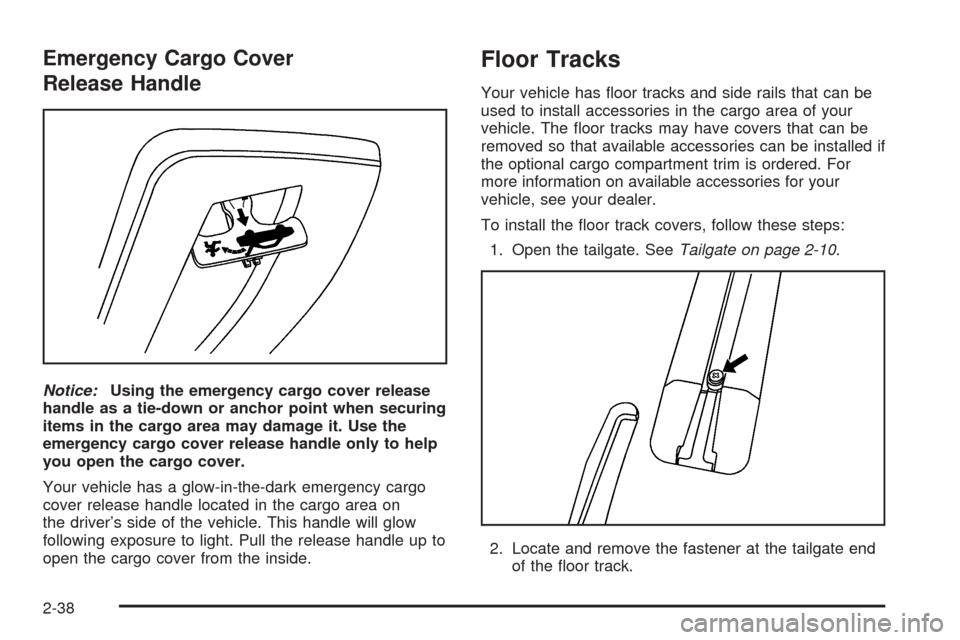
Your vehicle has a glow-in-the-dark emergency cargo
cover release handle located in the cargo area on
the driver’s side of the vehicle. This handle will glow
following exposure to light. Pull the release handle up to
open the cargo cover from the inside.
Floor Tracks
Your vehicle has floor tracks and side rails that can be
used to install accessories in the cargo area of your
vehicle. The floor tracks may have covers that can be
removed so that available accessories can be installed if
the optional cargo compartment trim is ordered. For
more information on available accessories for your
vehicle, see your dealer.
To install the floor track covers, follow these steps:
1. Open the tailgate. SeeTailgate on page 2-10.
2. Locate and remove the fastener at the tailgate end
of the floor track.
2-38