lock CHEVROLET SSR 2006 1.G Owner's Manual
[x] Cancel search | Manufacturer: CHEVROLET, Model Year: 2006, Model line: SSR, Model: CHEVROLET SSR 2006 1.GPages: 390, PDF Size: 2.44 MB
Page 76 of 390

Ignition Positions
Use the key to turn the ignition switch to four different
positions.Notice:Using a tool to force the key from the
ignition switch could cause damage or break the
key. Use the correct key and turn the key only with
your hand. Make sure the key is in all the way. If
none of this works, then your vehicle needs service.
A (OFF):This is the only position in which you can
insert or remove the key. This position locks the ignition
and transmission. It is a theft-deterrent feature.
Notice:Lengthy operation of features such as the
radio in the accessory ignition position may drain the
battery and prevent your vehicle from starting. Do not
operate your vehicle in the accessory ignition
position for a long period of time.
B (ACCESSORY):This position lets you use things like
the radio and the windshield wipers when the engine
is off.
C (RUN):This is the position for driving.
D (START):This position starts the engine.
2-16
Page 79 of 390
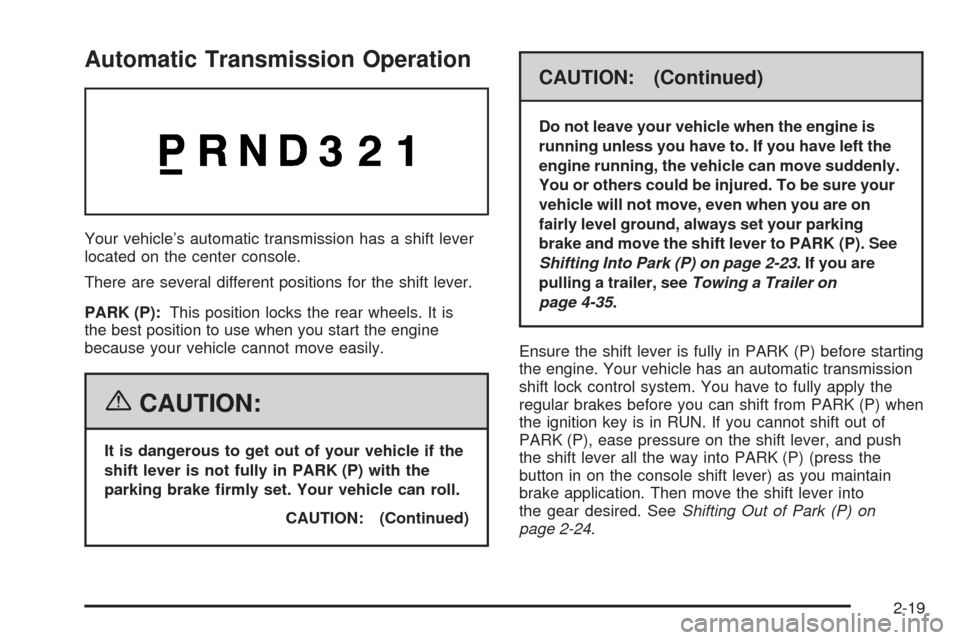
Automatic Transmission Operation
Your vehicle’s automatic transmission has a shift lever
located on the center console.
There are several different positions for the shift lever.
PARK (P):This position locks the rear wheels. It is
the best position to use when you start the engine
because your vehicle cannot move easily.
{CAUTION:
It is dangerous to get out of your vehicle if the
shift lever is not fully in PARK (P) with the
parking brake rmly set. Your vehicle can roll.
CAUTION: (Continued)
CAUTION: (Continued)
Do not leave your vehicle when the engine is
running unless you have to. If you have left the
engine running, the vehicle can move suddenly.
You or others could be injured. To be sure your
vehicle will not move, even when you are on
fairly level ground, always set your parking
brake and move the shift lever to PARK (P). See
Shifting Into Park (P) on page 2-23. If you are
pulling a trailer, seeTowing a Trailer on
page 4-35.
Ensure the shift lever is fully in PARK (P) before starting
the engine. Your vehicle has an automatic transmission
shift lock control system. You have to fully apply the
regular brakes before you can shift from PARK (P) when
the ignition key is in RUN. If you cannot shift out of
PARK (P), ease pressure on the shift lever, and push
the shift lever all the way into PARK (P) (press the
button in on the console shift lever) as you maintain
brake application. Then move the shift lever into
the gear desired. SeeShifting Out of Park (P) on
page 2-24.
2-19
Page 82 of 390

SECOND (2):Press the clutch pedal as you release
the accelerator pedal and shift into SECOND (2). Then,
slowly let up on the clutch pedal as you press the
accelerator pedal.
THIRD, FOURTH, FIFTH and SIXTH (3, 4, 5
and 6):Shift into THIRD (3), FOURTH (4), FIFTH (5)
and SIXTH (6) the same way you do for SECOND (2).
Slowly release the clutch pedal as you press the
accelerator pedal.
To stop, release the accelerator pedal and press the
brake pedal. Just before the vehicle stops, press
the clutch pedal and the brake pedal, and shift
to NEUTRAL.
NEUTRAL:Use this position when you start or idle
your engine.
REVERSE (R):To back up, press the clutch pedal. After
the vehicle stops, shift into REVERSE (R). Slowly release
the clutch pedal as you press the accelerator pedal. If it is
hard to shift, let the shift lever return to NEUTRAL and
release the clutch pedal. Then press the clutch again and
shift into REVERSE (R). Do not attempt to shift into the
fifth gear position prior to shifting into REVERSE (R).
Your transmission has a lock out feature which prevents
a fifth gear to reverse gear shift.Notice:Shifting to REVERSE (R) while your
vehicle is moving forward could damage the
transmission. The repairs would not be covered by
your warranty. Shift to REVERSE (R) only after
your vehicle is stopped.
Use REVERSE (R), along with the parking brake, for
parking your vehicle.
Shift Speeds
{CAUTION:
If you skip a gear when you downshift,
you could lose control of your vehicle. You
could injure yourself or others. Do not shift
down more than one gear at a time when
you downshift.
2-22
Page 84 of 390

Leaving Your Vehicle With the Engine
Running (Automatic Transmission)
{CAUTION:
It can be dangerous to leave your vehicle with
the engine running. Your vehicle could move
suddenly if the shift lever is not fully in
PARK (P) with the parking brake rmly set.
And, if you leave the vehicle with the engine
running, it could overheat and even catch re.
You or others could be injured. Do not leave
your vehicle with the engine running.
If you have to leave your vehicle with the engine
running, be sure your vehicle is in PARK (P) and your
parking brake is firmly set before you leave it. After you
have moved the shift lever into PARK (P), hold the
regular brake pedal down. Then, see if you can move
the shift lever away from PARK (P) without first pressing
the button on the console shift lever. If you can, it
means that the shift lever was not fully locked
into PARK (P).
Torque Lock (Automatic Transmission)
If you are parking on a hill and you don’t shift your
transmission into PARK (P) properly, the weight of the
vehicle may put too much force on the parking pawl
in the transmission. You may find it difficult to pull the
shift lever out of PARK (P). This is called “torque
lock.” To prevent torque lock, set the parking brake and
then shift into PARK (P) properly before you leave
the driver’s seat. To find out how, see “Shifting
Into PARK (P)” listed previously in this section.
When you are ready to drive, move the shift lever out of
PARK (P) before you release the parking brake.
Shifting Out of Park (P)
Your vehicle has an automatic transmission shift lock
control system. You have to fully apply your regular
brake before you can shift from PARK (P) when
the ignition is in RUN. SeeAutomatic Transmission
Operation on page 2-19.
If you cannot shift out of PARK (P), ease pressure on the
shift lever, push the shift lever all the way into PARK (P),
and release the shift lever button as you maintain brake
application. Then press the shift lever button and move
the shift lever into the gear you wish.
2-24
Page 90 of 390

Universal Home Remote
System
If your vehicle has this feature, the Universal Home
Remote transmitter buttons are located on the automatic
dimming rearview mirror. The three buttons on the left
side of the mirror are the Universal Home Remote
transmitter buttons.
The Universal Home Remote Wireless Control System,
a combined universal transmitter and receiver,
provides a way to replace up to three hand-held
transmitters used to activate devices such as gate
operators, garage door openers, entry door locks,
security systems, and home lighting.If your vehicle is equipped with the Universal Home
Remote Transmitter, it complies with Part 15 of the
FCC Rules. Operation is subject to the following
two conditions: (1) this device may not cause harmful
interference, and (2) this device must accept any
interference received, including interference that may
cause undesired operation.
This device complies with RSS-210 of Industry Canada.
Operation is subject to the following two conditions:
(1) this device may not cause interference, and
(2) this device must accept any interference received,
including interference that may cause undesired
operation of the device.
Changes and modifications to this system by other than
an authorized service facility could void authorization
to use this equipment.
Universal Home Remote
System Operation
Do not use the Universal Home Remote with any garage
door opener that does not have the “stop and reverse”
feature. This includes any garage door opener model
manufactured before April 1, 1982. If you have a newer
garage door opener with rolling codes, please be sure to
follow Steps 6 through 8 to complete the programming of
your Universal Home Remote Transmitter.
2-30
Page 94 of 390
Reprogramming a Single Universal
Home Remote Button
To program a device to Universal Home Remote using
a Universal Home Remote button previously trained,
follow these steps:
1. Press and hold the desired Universal Home
Remote button. Do not release the button.
2. The indicator light will begin to flash after
20 seconds. While still holding the Universal Home
Remote button, proceed with Step 2 under
“Programming Universal Home Remote” shown
earlier in this section.
For additional information on Universal Home Remote,
seeCustomer Assistance Offices on page 7-4.
Storage Areas
Glove Box
To open the glove box, pull on the lever. Use your door
key to lock or unlock it.
Cupholder(s)
Your vehicle has one cupholder located on your
instrument panel and it may have one cupholder that is
removable and snaps to the passenger’s side of the
center console in the bracket provided.
To open the cupholder on the instrument panel, push in
the center of the cupholder door. The cupholder will
then release and move outward toward you for use. To
return the cupholder to its closed position, push in
the center of the cupholder door near the top. If you
press in the center middle of the cupholder door,
the cupholder will not close properly.
Instrument Panel Storage Area
There is a storage tray located to the right of the
steering wheel on the instrument panel. Press on the
tray to release it. The tray will slide out of the instrument
panel toward you. You can then put small items into
the tray. To close the tray, push forward on the center of
the tray until it latches back into the instrument panel.
2-34
Page 95 of 390
Center Console Storage Area
Your center console has a storage area that can be
locked and unlocked with the center console storage
key. SeeKeys on page 2-3for more information.
Map Pocket
The map/storage pockets are located on both the driver
and passenger side doors.
Cargo Cover
Opening the Cargo Cover
Notice:Opening the cargo cover manually when
the convertible top is not in the full-open or
full-closed position could damage the tonneau
cover and the convertible top. Always make sure
the convertible top is in the full-closed or
full-opened position before manually opening the
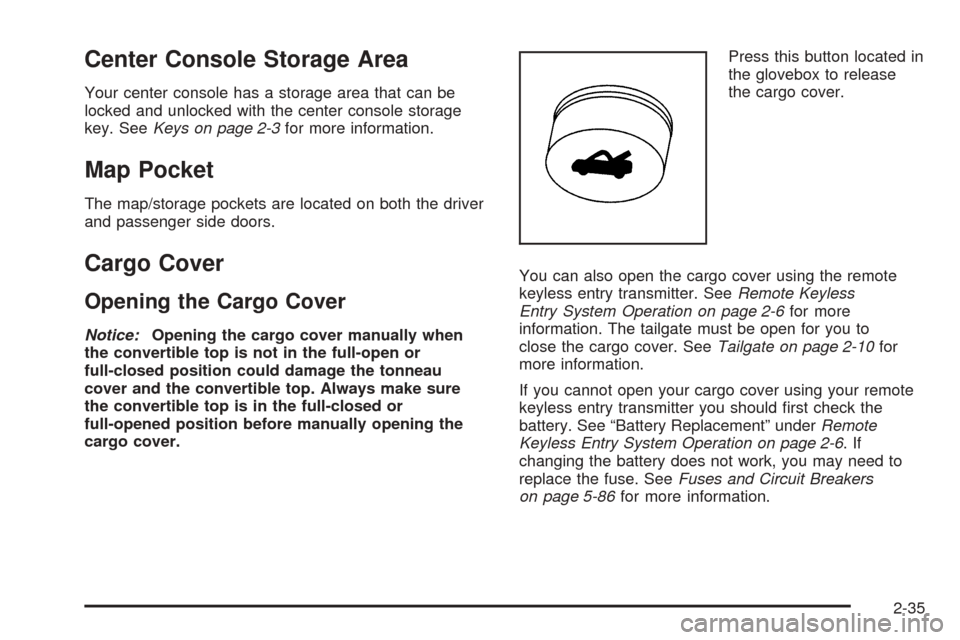
cargo cover.Press this button located in
the glovebox to release
the cargo cover.
You can also open the cargo cover using the remote
keyless entry transmitter. SeeRemote Keyless
Entry System Operation on page 2-6for more
information. The tailgate must be open for you to
close the cargo cover. SeeTailgate on page 2-10for
more information.
If you cannot open your cargo cover using your remote
keyless entry transmitter you should first check the
battery. See “Battery Replacement” underRemote
Keyless Entry System Operation on page 2-6.If
changing the battery does not work, you may need to
replace the fuse. SeeFuses and Circuit Breakers
on page 5-86for more information.
2-35
Page 101 of 390
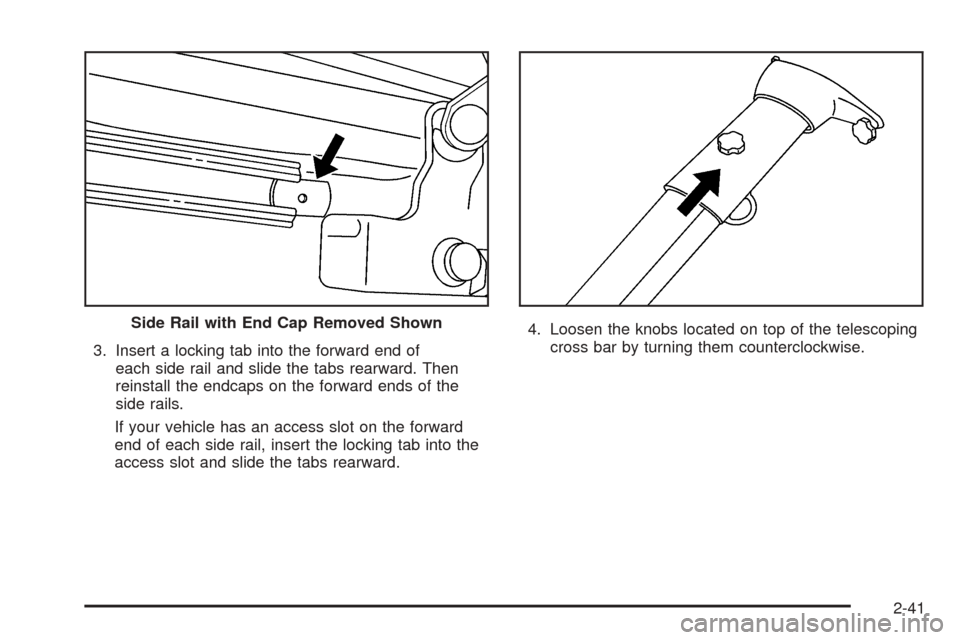
3. Insert a locking tab into the forward end of
each side rail and slide the tabs rearward. Then
reinstall the endcaps on the forward ends of the
side rails.
If your vehicle has an access slot on the forward
end of each side rail, insert the locking tab into the
access slot and slide the tabs rearward.4. Loosen the knobs located on top of the telescoping
cross bar by turning them counterclockwise. Side Rail with End Cap Removed Shown
2-41
Page 103 of 390
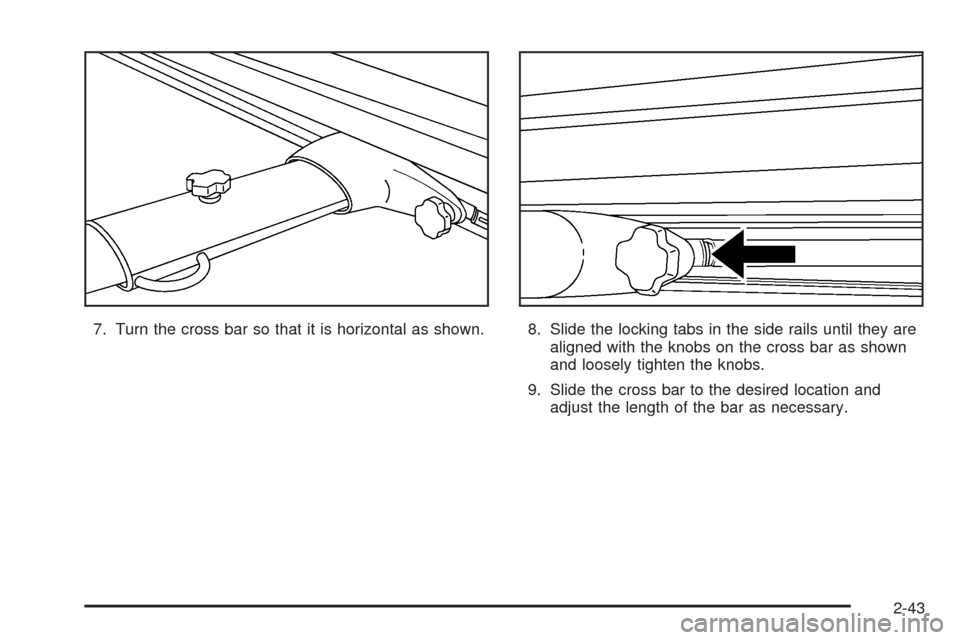
7. Turn the cross bar so that it is horizontal as shown. 8. Slide the locking tabs in the side rails until they are
aligned with the knobs on the cross bar as shown
and loosely tighten the knobs.
9. Slide the cross bar to the desired location and
adjust the length of the bar as necessary.
2-43
Page 112 of 390

13. Insert the convertible top release tool into the latch
closing mechanism between the sun visors and turn
it counterclockwise until the latches are secured
and the convertible top is fully closed.14. From the upright position, push down on the outer
area of the boot cover panel where the hinges and
hydraulic cylinders are located to separate it
from the roof tonneau. Then, continue to push the
boot cover panel down as far as it will go.
2-52