clock CHEVROLET SUBURBAN 1996 User Guide
[x] Cancel search | Manufacturer: CHEVROLET, Model Year: 1996, Model line: SUBURBAN, Model: CHEVROLET SUBURBAN 1996Pages: 486, PDF Size: 26.58 MB
Page 171 of 486
FADE - Press lightly on the FADE knob to release it from its stored
position and
pull it out to the fully extended position. Rotate the knob
clockwise to adjust sound
to the front speakers and counterclockwise to
adjust sound to the rear speakers. Push the knob back
in to the stored
position when done.
BAL
- Press lightly on the BAL knob to release it from its stored position
and pull it
out to the fully extended position. Rotate the knob clockwise to
adjust sound to the right speakers and counterclockwise to adjust sound
to
the left speakers. Push the knob back in to the stored position when done.
BASS
- Press lightly on the BASS knob to release it from its stored
position and pull
it out to the fully extended position. Rotate the knob
clockwise
to increase the bass response and counterclockwise to decrease
bass response. Any time the BASS control is rotated,
tone is automatically
set back to
MAN (manual). Push the knob back in to the stored position
when done.
TREBLE
- Press lightly on the TREB knob to release it from its stored
position and pull
it out to the fully extended position. Rotate the knob
clockwise to increase the treble response and counterclockwise
to decrease
treble response. Any time the TREB control is rotated,
tone is automatically
set back
to MAN (manual). Push the knob back in to the stored position
when done.
To Play a Cassette
Your tape player is built to work best with tapes that are 30 to 45 minutes
long
on each side. Tapes longer than that are so thin they may not work well
in this player.
To load a cassette tape with the ignition off, first press EJECT or RCL.
Then, insert the cassette tape.
Once the tape is playing, use the control knobs for volume, balance, fade,
treble and bass just
as you do for the radio. A lighted tape symbol shows
when a cassette tape is in the player. A lighted arrow
will also appear and
show the direction of play when a tape
is active.
The player automatically senses if the cassette tape
is metal or CR02 and
adjusts for best playback sound. For metal tapes,
00 (Dolby' Noise
Reduction) will appear
in the display.
Any time
a cassette tape is inserted, the top side is selected for play first.
PREV (1)
- Press PREV or 4 SEEK (in the direction that the lighted tape
direction
arrow points) to search for the previous selection. A minimum
three-second blank gap is needed for the player to stop at the beginning
of
the selection. The tape direction arrow will blink during the SEEK
operation.
3-16
..
ProCarManuals.com
Page 175 of 486
Upper Knob (PWR-VOL) - The upper knob has these two functions:
Push it to switch the system on and off.
Turn it to control the volume.
SCV (Speed Compensated Volume) - Move the control ring behind the
upper knob clockwise
to adjust the Speed Compensated Volume feature. As
you drive, this feature increases the volume to overcome noise at any
particular speed. Each clockwise position
on the control ring allows more
compensation and at
a faster rate.
AM/FM - Press this button to switch between AM, FMl and FM2. The
display will
show what mode the receiver is in.
RCL (Recall) - Press this button to change between the clock and the radio
station frequency displayed when the radio is
on. Also, press this button to
display the time when the ignition is off.
TUNE
- Press lightly on the TUNE button to release it from its stored
position. Rotate the knob clockwise
to increase frequency and
counterclockwise
to decrease radio frequency. When done, press the knob
again to return it to its stored position.
Pushbuttons
- The six pushbuttons let you return to favorite stations. To
set the pushbuttons for up
to 18 favorite stations (6 AM, 6 FM1 and 6 FM2):
1. Tune in the desired station.
2. Press AUTO TONE to select the best setting for the type of station
chosen.
3. Press and hold one of the pushbuttons until sound returns
(approximately two seconds). Whenever
you press that button, the
preset station will return.
Repeat these steps for each pushbutton.
SEEK - Press SEEK to cause the receiver to seek the next higher
station.
Press
4 SEEK to cause the receiver to seek the next lower station.
SCAN - Press and hold the center of the SEEK button to momentarily hear
each available station. Release the button when SCAN appears in the
display. The receiver will
continue to scan and momentarily stop at each
station until you press the center of the
SEEK button again.
P. SCAN (Preset Scan) - Press this button to scan each preset pushbutton
station. The receiver will continue to scan and momentarily stop at each
station until you press either P.
SCAN again or one of the six pushbuttons.
The AUTO
SCAN setting for that preset button will also return. The
pushbutton number (Pl-P6) will appear momentarily just before frequency
is displayed.
3-20
ProCarManuals.com
Page 176 of 486
AUTO TONE -Press this button to select between five preset equalization
settings and tailor the sound to the music or voice being heard. Each time
you press the button, the selection will switch to one of the preset settings of
CLASSIC, NEWS, ROCK, POP, or JAZZ. The display will show which
mode the receiver is in.
To return to the manual mode, press and release
AUTO TONE until
MAN (manual) appears in the display. This will return
the tone adjustment to the
TREB and BASS controls. Also, any time a
TREB or BASS control is rotated, tone
is automatically set back to MAN
(manual).
FADE
- Press lightly on the FADE knob to release it from its stored
position and pull it out
to the fully extended position. Rotate the knob
clockwise to adjust sound to the front speakers and counterclockwise to
adjust sound to the rear speakers. Push the knob back
in to the stored
position when done.
BAL
- Press lightly on the BAL knob to release it from its stored position
and pull
it out to the fully extended position. Rotate the knob clockwise to
adjust sound to the right speakers and counterclockwise to adjust sound to
the left speakers. Push the knob back in
to the stored position when done.
BASS
- Press lightly on the BASS knob to release it from its stored
position and pull it out to the
fully extended position. Rotate the knob
clockwise to increase the bass response and counterclockwise to decrease
bass response. Any time the BASS control is rotated, tone is automatically
set back to MAN (manual). Push the knob back
in to the stored position
when done.
TREBLE
- Press lightly on the TREB knob to release it from its stored
position and pull it out to the fully extended position. Rotate the knob
clockwise to increase the treble response and counterclockwise to decrease
treble response. Any time the TREB control is rotated, tone is automatically
set back to MAN (manual). Push the knob back
in to the stored position
when
done.
To Play A Compact Disc
NOTICE:
DO NOT use mini-discs that are called singles. They won’t eject.
USE FULL-SIZE COMPACT DISCS.
Press the PWR knob to turn the player on. Inserting a disc partway with the
power
off and ignition on will also turn the player on. Insert a disc into the
slot, label side up. The player will pull
it in. Wait a few seconds and the disc
should play. When a disc is
in the player, a CD symbol will appear in the
display. When a disc is playing, the letters CD will appear next to the CD
symbol.
3-21
ProCarManuals.com
Page 191 of 486
Speed limit signs near curves warn that you should adjust your speed. Of
course, the posted speeds are based on good weather and road conditions.
Under less favorable conditions you’ll want
to go slower.
If you need to reduce your speed as you approach a curve, do it before you
enter
the curve, while your front wheels are straight ahead.
Try
to adjust your speed so you can “drive” through the curve. Maintain a
reasonable, steady speed. Wait to accelerate until you are out of the curve,
and then accelerate gently into the straightaway.
Steering in Emergencies
There are times when steering can be more effective than braking. For
example, you come over a hill and find a truck stopped in your lane, or a car
suddenly pulls
out from nowhere, or a child darts out from between parked
cars and stops right
in front of you. You can avoid these problems by
braking
- if you can stop in time. But sometimes you can’t; there isn’t
room. That’s the time for evasive action
- steering around the problem.
Your vehicle can perform very well in emergencies like
these. First apply
your brakes. (See “Braking in Emergencies” earlier
in this section.) It is
better
to remove as much speed as you can from a possible collision. Then
steer around the problem, to the left or right depending on the space
available.
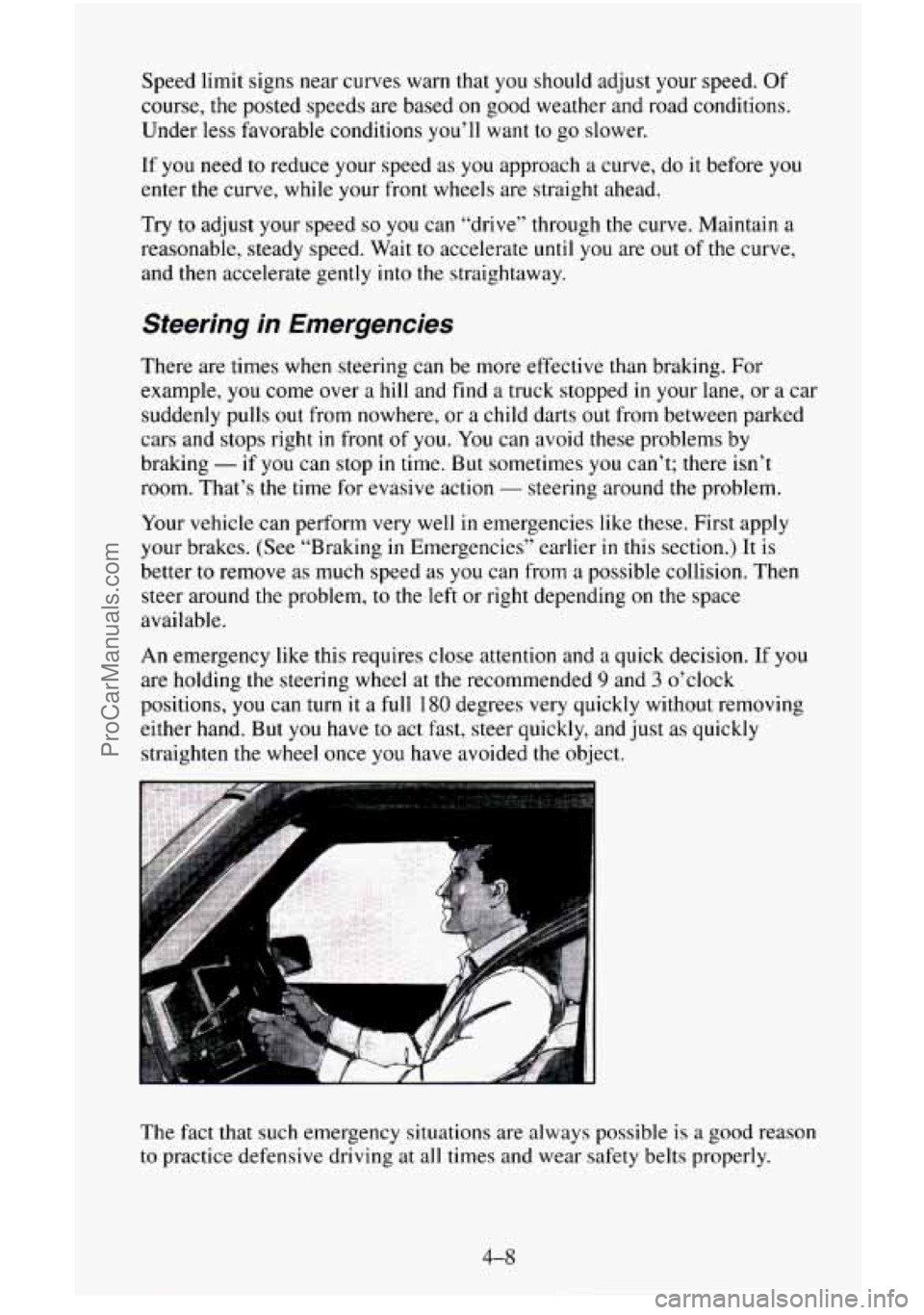
An emergency like this requires close attention and
a quick decision. If you
are holding the steering wheel at the recommended 9 and 3 o’clock
positions, you can
turn it a full 180 degrees very quickly without removing
either hand. But you have to act fast, steer quickly, and just as quickly
straighten the wheel once
you have avoided the object.
The fact that such emergency situations are always possible is
a good reason
to practice defensive driving at
all times and wear safety belts properly.
4-8
ProCarManuals.com
Page 200 of 486
Q: What should I do if my vehicle stalls, or is about to stall, and I
can’t make it up the hill?
A: If this happens, there are some things you should do, and there are
some things you must not do. First, here’s what you should do:
0 Push the brake pedal to stop the vehicle and keep it from rolling
0 If your engine is still running, shift the transmission into reverse,
backwards.
Also, apply the parking brake.
release the parking brake, and
slowly back down the hill in reverse.
If your engine has stopped running, you’ll need to restart it. With the
brake pedal depressed and the parking brake still applied, shift the
transmission to
PARK (P) (or, shift to NEUTRAL (N) if your vehicle
has a manual transmission) and restart the engine. Then, shift to
reverse, release the parking brake, and slowly back down
the hill as
straight
as possible in reverse.
0 As you are backing down the hill, put your left hand on the steering
wheel at
the 12 o’clock position. This way, you’ll be able to tell if your
wheels are straight and maneuver as you back down. It’s best that you
back down the
hill with your wheels straight rather than in the left or
right direction. Turning
the wheel too far to the left or right will
increase the possibility of a rollover.
Here are
some things you must not do if you stall, or are about to stall,
when going up
a hill.
0 Never attempt to prevent a stall by shifting into NEUTRAL (N) (or
depressing the clutch, if you have a manual transmission) to “rev-up”
the engine and regain forward momentum. This won’t work. Your
vehicle
will roll backwards very quickly and you could go out of
control.
4-17
ProCarManuals.com
Page 259 of 486
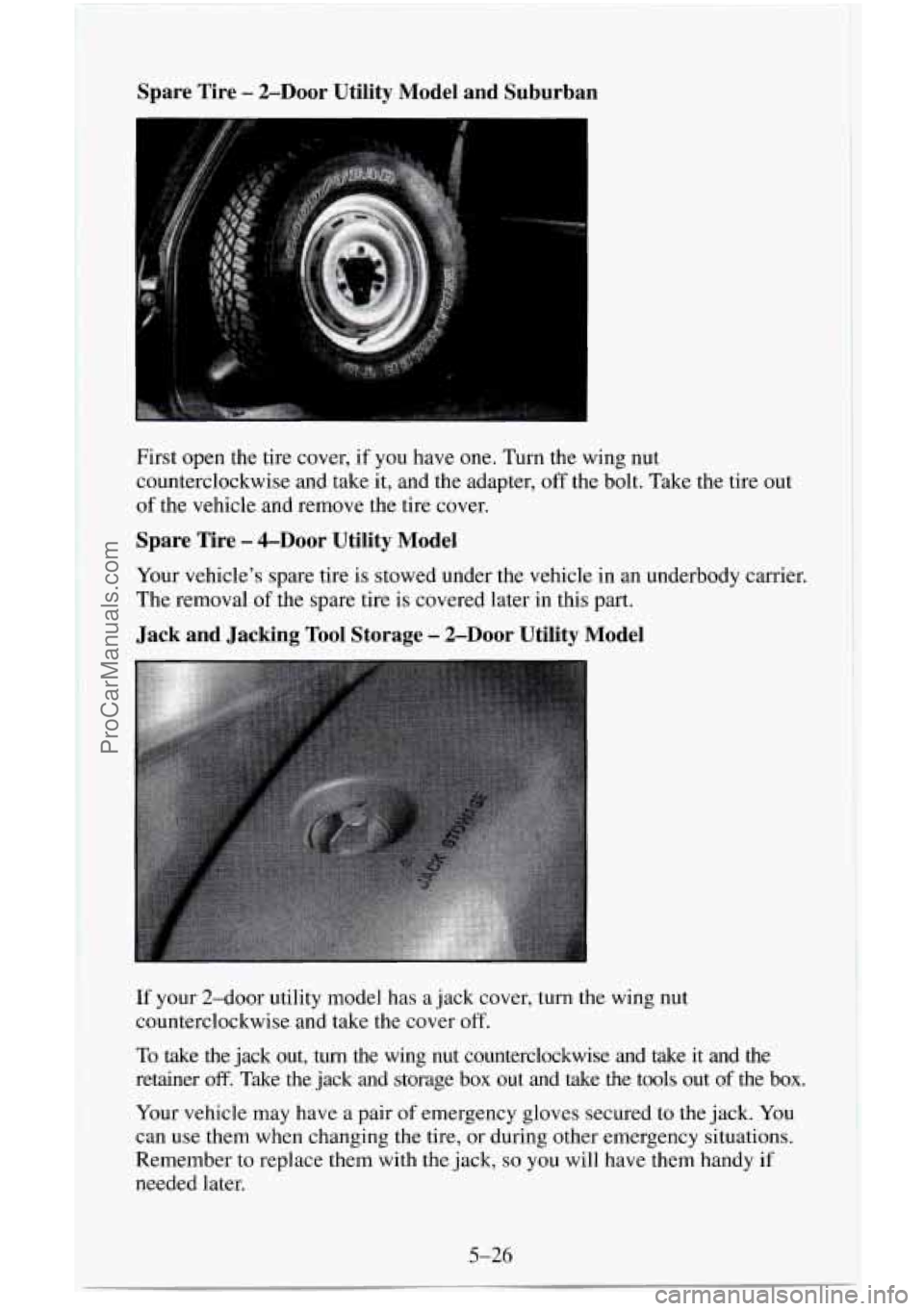
Spare Tire - ZDoor Utility Model and Suburban
I
c
I
First open the tire cover, if you have one. Turn the wing nut
counterclockwise and take it, and the adapter,
off the bolt. Take the tire out
of the vehicle and remove the tire cover.
Spare Tire - &Door Utility Model
Your vehicle’s spare tire is stowed under the vehicle in an underbody carrier.
The removal
of the spare tire is covered later in this part.
Jack and Jacking Tool Storage - 2-Door Utility Model
If your 2-door utility model has a jack cover, turn the wing nut
counterclockwise and take the cover off.
To take the jack out, turn the wing nut counterclockwise and take it and the
retainer
off. Take the jack and storage box out and take the tools out of the box.
Your vehicle may have a pair
of emergency gloves secured to the jack. You
can use them when changing the tire,
or during other emergency situations.
Remember
to replace them with the jack, so you will have them handy if
needed later.
5-26
ProCarManuals.com
Page 260 of 486
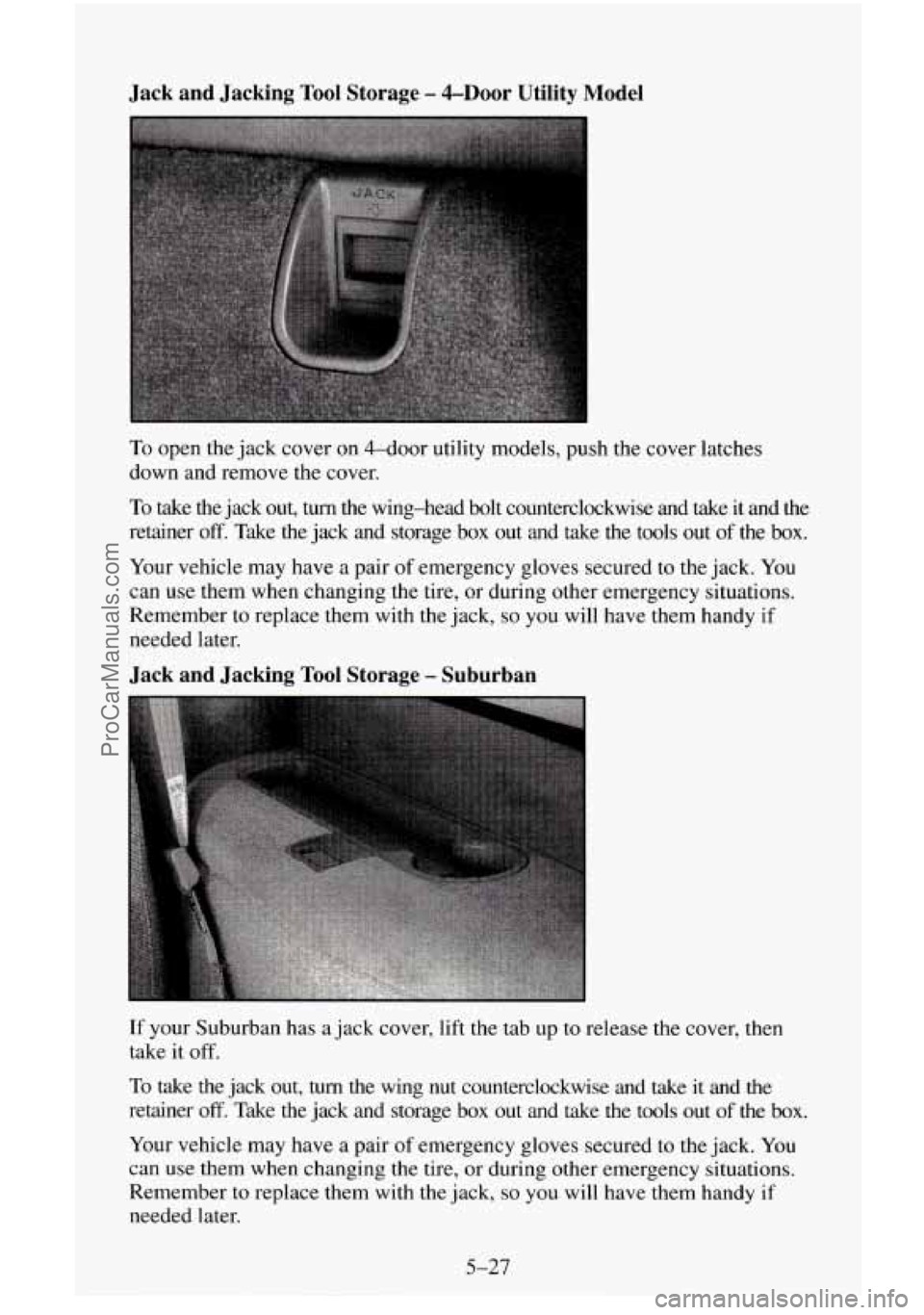
Jack and Jacking Tool Storage - &Door Utility Model
To open the jack cover on 4-dOOr utility models, push the cover latches
down and remove the cover.
To take the jack out, turn the wing-head bolt counterclockwise and take it and the
retainer
off. Take the jack and storage box out and take the tools out of the box.
Your vehicle may have a pair of emergency gloves secured to the jack. You
can use them when changing the tire, or during other emergency situations.
Remember
to replace them with the jack, so you will have them handy if
needed later.
Jack and Jacking Tool Storage - Suburban
If your Suburban has a jack cover, lift the tab up to release the cover, then
take it
off.
To
take the jack out, turn the wing nut counterclockwise and take it and the
retainer
off. Take the jack and storage box out and take the tools out of the box.
Your vehicle may have a pair
of emergency gloves secured to the jack. You
can use them when changing the tire, or during other emergency situations.
Remember to replace them with the jack,
so you will have them handy if
needed later.
5-27
ProCarManuals.com
Page 266 of 486
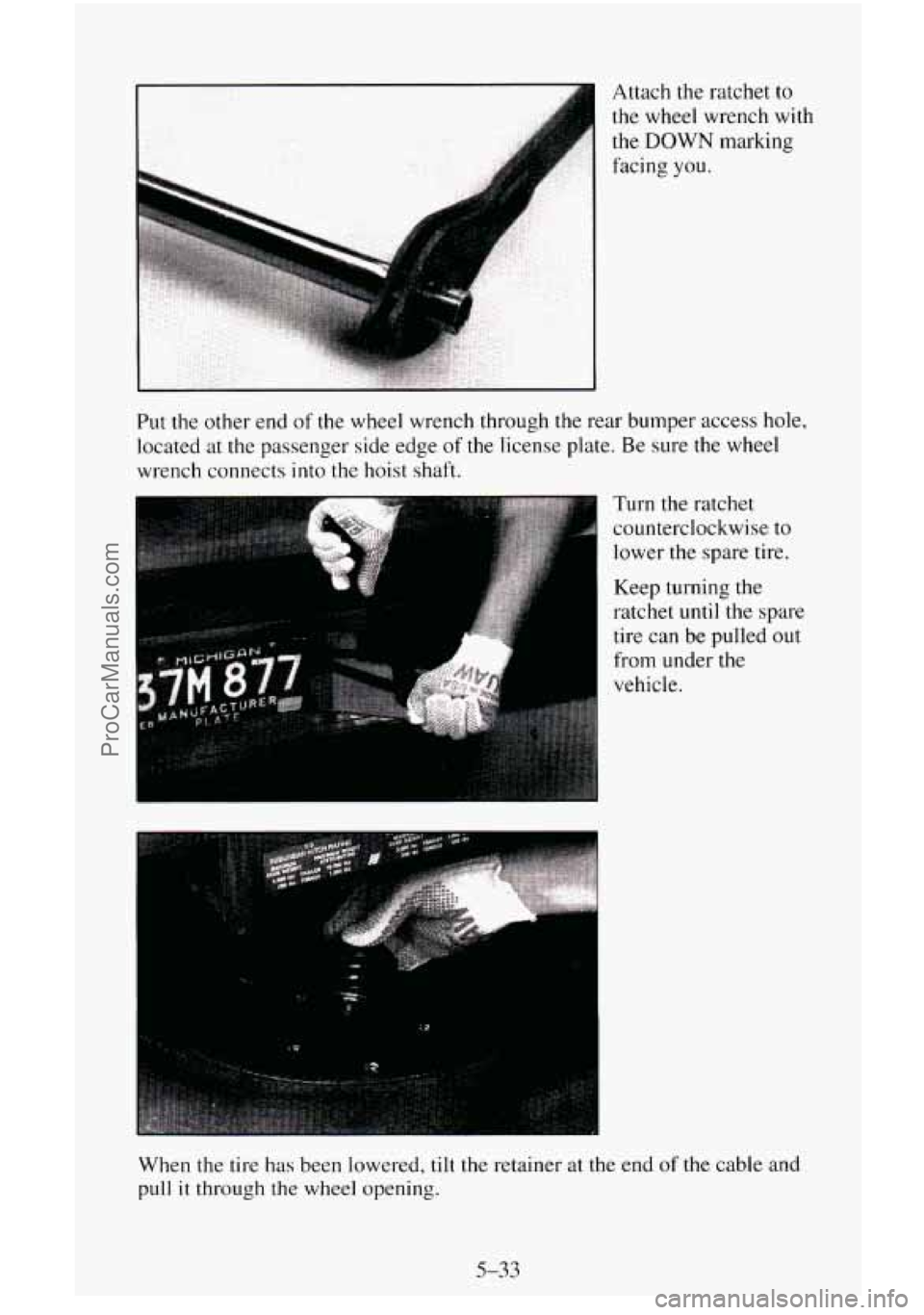
I .. Attach the ratchet to
the wheel wrench with
the
DOWN marking
facing
you.
Put the other end of the wheel wrench through the rear bumper access hole,
located
at the passenger side edge of the license plate. Be sure the wheel
wrench connects
into the hoist shaft.
I
Turn the ratchet
counterclockwise to
lower the spare tire.
Keep turning the
ratchet
until the spare
tire can be pulled out
from under the
vehicle.
When the tire has been lowered,
tilt the retainer at the end of the cable and
pull
it through the wheel opening.
5-33
ProCarManuals.com
Page 267 of 486
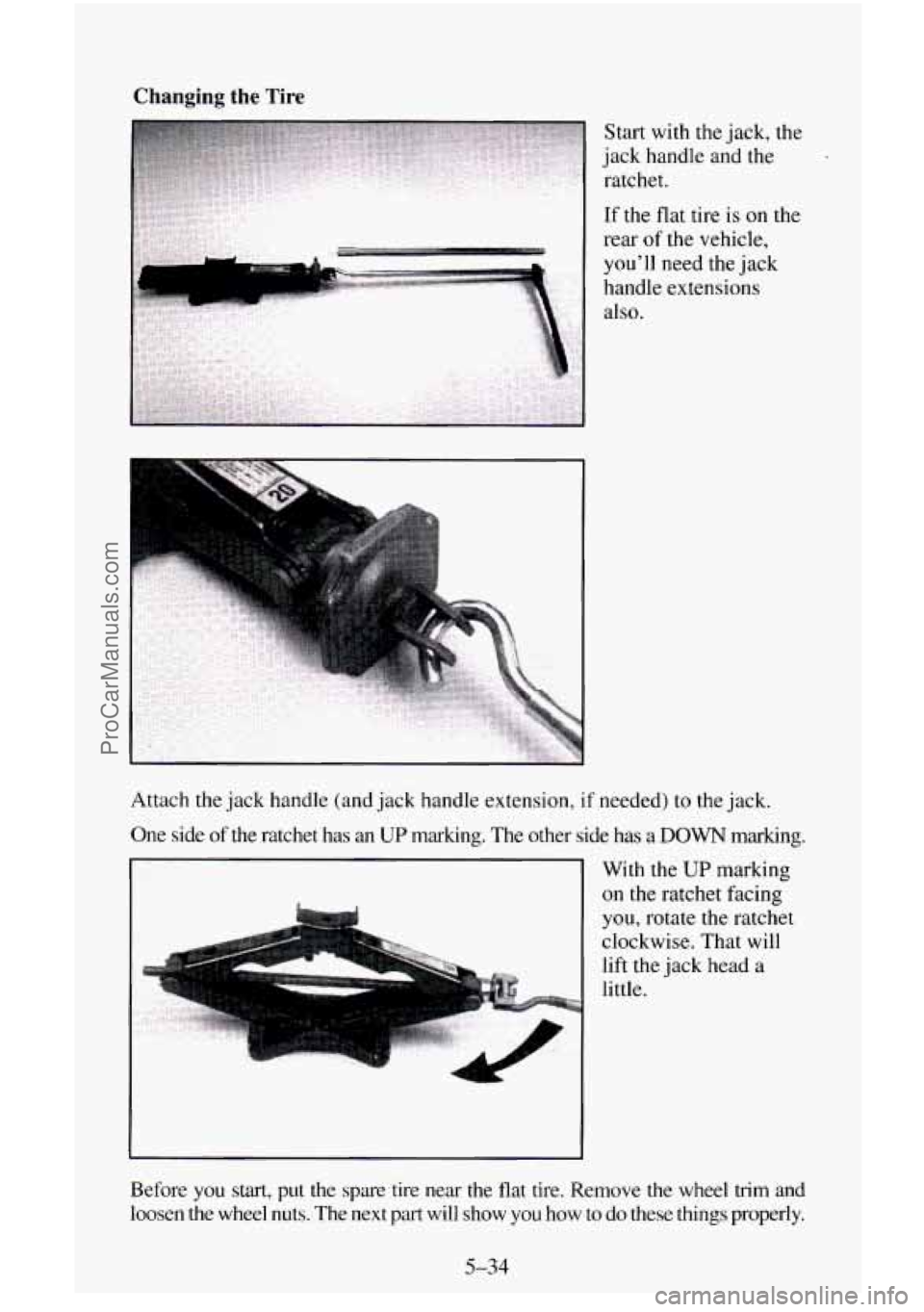
Changing the Tire
Start with the jack, the
jack handle and
the
ratchet.
If the flat tire
is on the
rear of the vehicle,
you'll need the jack
handle extensions
also.
Attach the jack handle (and jack handle extension, if needed)
to the jack.
One side of the ratchet has an
UP marking. The other side has a DOWN marking.
With the
UP marking
on the ratchet facing
you, rotate the ratchet
clockwise. That will
lift
the jack head a
little.
Before
you start, put the spare tire near the flat tire. Remove the whee\
l trim and
loosen the wheel nuts. The next part will show
you how to do these things properly.
5-34
ProCarManuals.com
Page 268 of 486
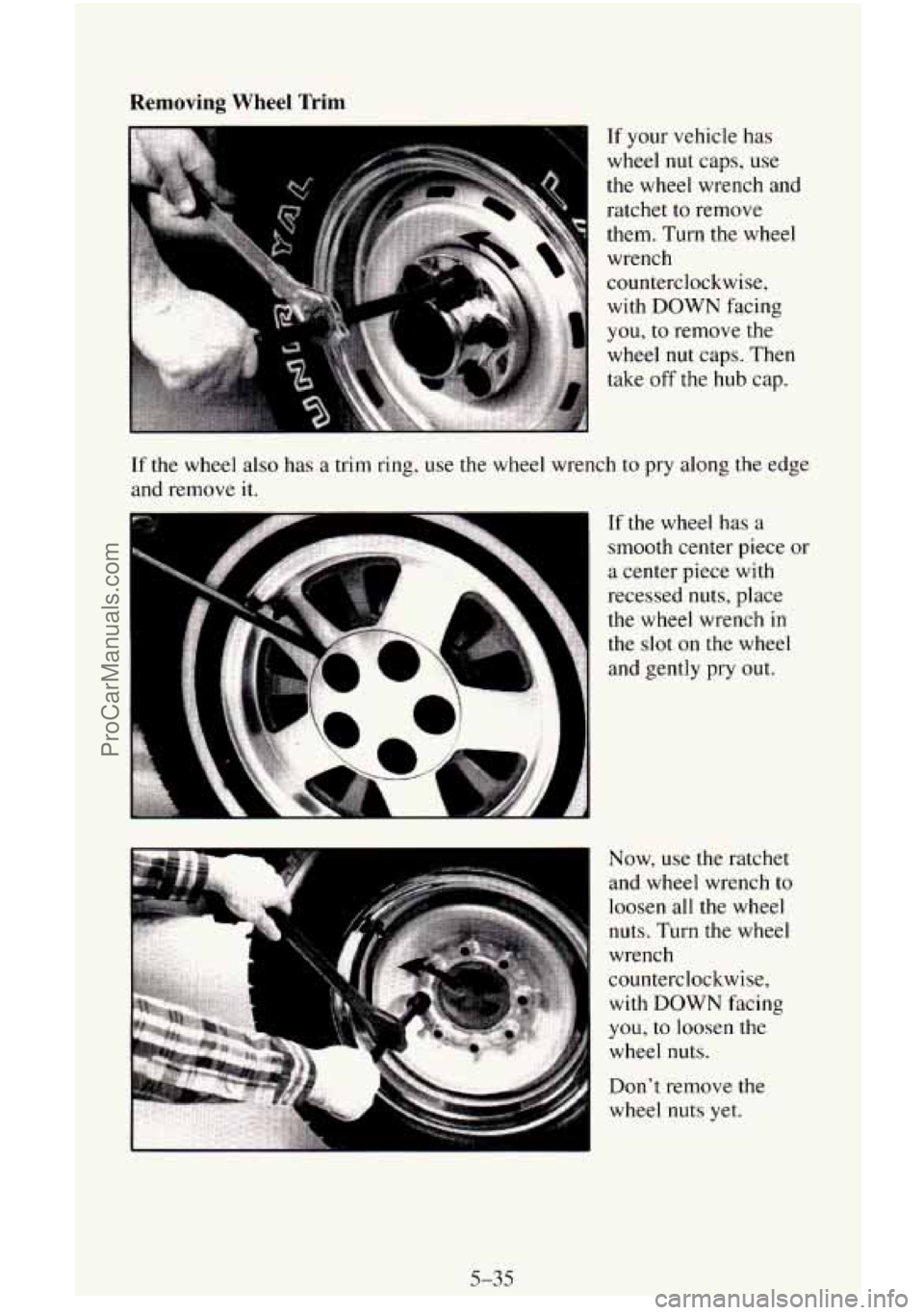
Removing Wheel Trim
If your vehicle has
wheel
nut caps, use
the wheel wrench and ratchet to remove
them. Turn
the wheel
wrench
counterclockwise,
with DOWN facing
you, to remove the
wheel
nut caps. Then
take
off the hub cap.
If the wheel also has a trim ring, use the wheel wrench to pry along the edge
and remove it.
If the wheel has a
smooth center piece or
a center piece with
recessed nuts, place
the wheel wrench
in
the slot on the wheel
and gently pry out.
Now, use the ratchet
and wheel wrench
to
loosen all the wheel
nuts. Turn
the wheel
wrench
counterclockwise, with DOWN facing
you, to loosen the
wheel nuts.
Don’t remove the
wheel nuts yet.
5-35
ProCarManuals.com