set clock CHEVROLET SUBURBAN 1997 User Guide
[x] Cancel search | Manufacturer: CHEVROLET, Model Year: 1997, Model line: SUBURBAN, Model: CHEVROLET SUBURBAN 1997Pages: 433, PDF Size: 21.49 MB
Page 163 of 433
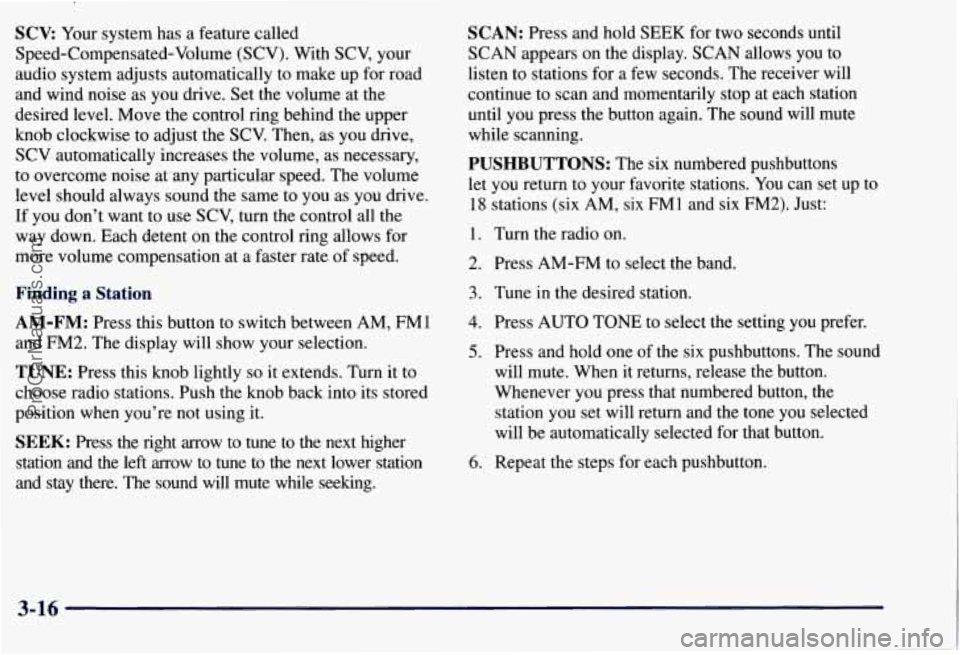
SCV: Your system has a feature called
Speed-Compensated-Volume (SCV). With SCV, your
audio system adjusts automatically to make up for road
and wind noise as you drive. Set the volume at the
desired level. Move the control ring behind the upper
knob clockwise to adjust the SCV. Then, as you drive,
SCV automatically increases the volume, as necessary,
to overcome noise at any particular speed. The volume
level should always sound the same to you as you drive.
If you don’t want to
use SCV, turn the control all the
way down. Each detent on the control ring allows for
more volume compensation at a faster rate
of speed.
Finding a Station
AM-FM:
Press this button to switch between AM, FMI
and FM2. The display will show your selection.
TUNE: Press this knob lightly so it extends. Turn it to
choose radio stations. Push the knob back into its stored
position when you’re not using it.
SEEK: Press the right arrow to tune to the next higher
station and the left arrow to tune to
the next lower station
and stay there. The sound will mute while seeking.
SCAN: Press and hold SEEK for two seconds until
SCAN appears on the display. SCAN allows you to
listen to stations for a few seconds. The receiver will
continue
to scan and momentarily stop at each station
until you press the button again. The sound will mute
while scanning.
PUSHBUTTONS: The six numbered pushbuttons
let you return to your favorite stations. You can set up to
18 stations (six AM, six FM1 and six FM2). Just:
1. Turn the radio on.
2. Press AM-FM to select the band.
3. Tune in the desired station.
4. Press AUTO TONE to select the setting you prefer.
5. Press and hold one of the six pushbuttons. The sound
will mute. When it returns, release the button.
Whenever you press that numbered button, the
station
you set will return and the tone you selected
will be automatically selected for that button.
6. Repeat the steps for each pushbutton.
3-16
ProCarManuals.com
Page 164 of 433
P.SCAN: The preset scan button lets you scan through
your favorite stations stored on your pushbuttons. Select
either the
AM, FMl or FM2 mode and then press
PSCAN. It will scan through each station stored on your
pushbuttons and stop for a few seconds before continuing
to scan through all of the pushbuttons. Press RSCAN again or one of the pushbuttons to stop scanning to listen
to a specific preset station. P.SCAN will light up
on the
display while in this mode.
If one of the stations stored on
a pushbutton is too weak for the location you are in, the
radio display will show the channel number (Pl-P6) for
several seconds before advancing to the next preset station.
Setting the Tone
BASS:
Press lightly on this knob to release it from its
stored position. Turn the knob clockwise to increase bass
and counterclockwise to decrease
bass. When the BASS
control is rotated, the AUTO TONE display will go blank.
TREB: Press lightly on this knob to release it from its
stored position. Turn the knob clockwise to increase
treble and counterclockwise to decrease treble. When
the TREB control is rotated, the AUTO TONE display
will go blank. If a station is weak or noisy, you may
want to decrease the treble.
Push these knobs back into their stored positions when
you’re not using them.
AUTO TONE: Press this button to select among the
six preset equalization settings and tailor the sound to
the music or voice being heard. Each time you press
the button, the selection will switch to one of the
preset settings of CLASSIC, NEWS, ROCK, POP,
COUNTRYNESTERN or JAZZ. To return to the
manual mode, press and release this button until the
AUTO TONE display goes blank. This will return the
tone adjustment to the BASS and TREB controls.
If a
BASS or TREB control is rotated, the AUTO TONE
display will go blank.
Adjusting the Speakers
BAL:
Press lightly on this knob to release it from its
stored position. Turn the control clockwise to adjust
sound to the right speakers and counterclockwise to
adjust sound to the left speakers. The middle position
balances the sound between the speakers.
FADE: Press lightly on this knob to release it from its
stored position. Turn the control clockwise to adjust the
sound to the front speakers and counterclockwise for
rear speakers. The middle position balances the sound
between the speakers.
Push these knobs back into their stored positions when
you’re
not using them.
3-17
ProCarManuals.com
Page 167 of 433
AM-FM Stereo with Compact Disc Player
and Automatic Tone Control
(If Equipped)
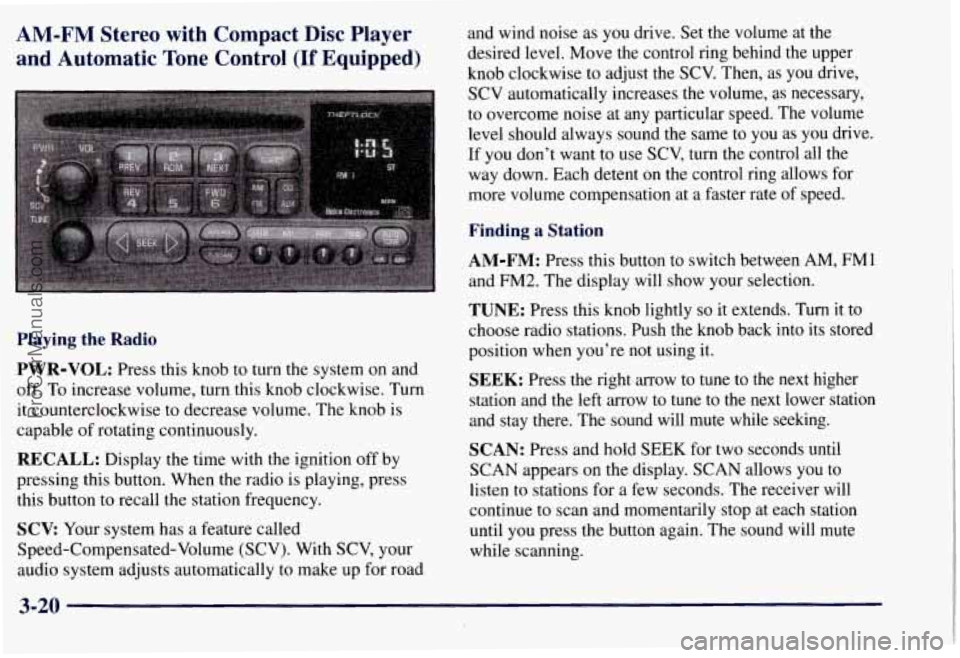
Playing the Radio
PWR-VOL:
Press this knob to turn the system on and
off. To increase volume, turn this knob clockwise. Turn
it counterclockwise to decrease volume. The knob is
capable of rotating continuously.
RECALL: Display the time with the ignition off by
pressing this button. When the radio is playing, press
this button to recall the station frequency.
SCV Your system has a feature called
Speed-Compensated-Volume (SCV). With SCV, your
audio system adjusts automatically to make up
for road and wind noise
as
you drive. Set the volume at the
desired level. Move the control ring behind the upper
knob clockwise to adjust the SCV. Then, as you drive,
SCV automatically increases the volume, as necessary,
to overcome noise at any particular speed. The volume
level should always sound the same to
you as you drive.
If you don't want
to use SCV, turn the control all the
way down. Each detent on the control ring allows for
more volume compensation at a faster rate of speed.
Finding a Station
AM-FM: Press this button to switch between AM, FMl
and FM2. The display will show your selection.
TUNE: Press this knob lightly so it extends. Turn it to
choose radio stations. Push the knob back into its stored
position when you're not using it.
SEEK: Press the right arrow to tune to the next higher
station and the left arrow to tune
to the next lower station
and stay there. The sound will mute while seeking.
SCAN: Press and hold SEEK for two seconds until
SCAN appears on the display. SCAN allows you to
listen to stations for a few seconds. The receiver
will
continue to scan and momentarily stop at each station
until
you press the button again. The sound will mute
while scanning.
3-20
ProCarManuals.com
Page 168 of 433
PUSHBUTTONS: The six numbered pushbuttons
let you return to your favorite stations. You can set up to
18 stations (six AM, six FM 1 and six FM2). Just:
1. Turn the radio on.
2. Press AM-FM to select the band.
3. Tune in the desired station.
4. Press AUTO TONE to select the setting you prefer.
5. Press and hold one of the six pushbuttons. The sound
will mute. When it returns, release the button.
Whenever you press that numbered button, the
station
you set will return and the tone you selected
will be automatically selected for that button.
6. Repeat the steps for each pushbutton.
PSCAN: The preset scan button lets you scan through
your favorite stations stored
on your pushbuttons. Select
either the
AM, FM1 or FM2 mode and then press
P.SCAN. It will scan through each station stored on your
pushbuttons and stop for a few seconds before continuing
to scan through all of the pushbuttons. Press P.SCAN
again or one of the pushbuttons to stop scanning to listen
to a specific stored station. P.SCAN will light up on the
display while in this mode.
If one of the stations stored on
a pushbutton is too weak for the location you
are in, the
radio display will show the channel number (PI-P6) for
several seconds before advancing to the next preset station.
Setting the Tone
BASS: Press lightly on this knob to release it from its
stored position. Turn the knob clockwise to increase
bass and counterclockwise to decrease bass. When the
BASS control is rotated, the AUTO TONE display will
go blank.
TREB: Press lightly on this knob to release it from its
stored position. Turn the knob clockwise to increase
treble and counterclockwise to decrease treble. When
the TREB control is rotated, the AUTO TONE display
will go blank. If a station
is weak or noisy, you may
want to decrease the treble.
Push these knobs back into their stored positions when
you’re not using them.
AUTO TONE: Press this button to select among the
six preset equalization settings and tailor the sound to
the music or voice being heard. Each time you press the
button, the selection will switch to one of the preset
settings of CLASSIC, NEWS, ROCK, POP,
COUNTRYNESTERN
or JAZZ. To return to the
manual mode, press and release this button until the
AUTO TONE display goes blank. This will return the
tone adjustment to the
BASS and TREB controls. If a
BASS or TREB control is rotated, the AUTO TONE
display will
go blank.
3-21
ProCarManuals.com
Page 424 of 433
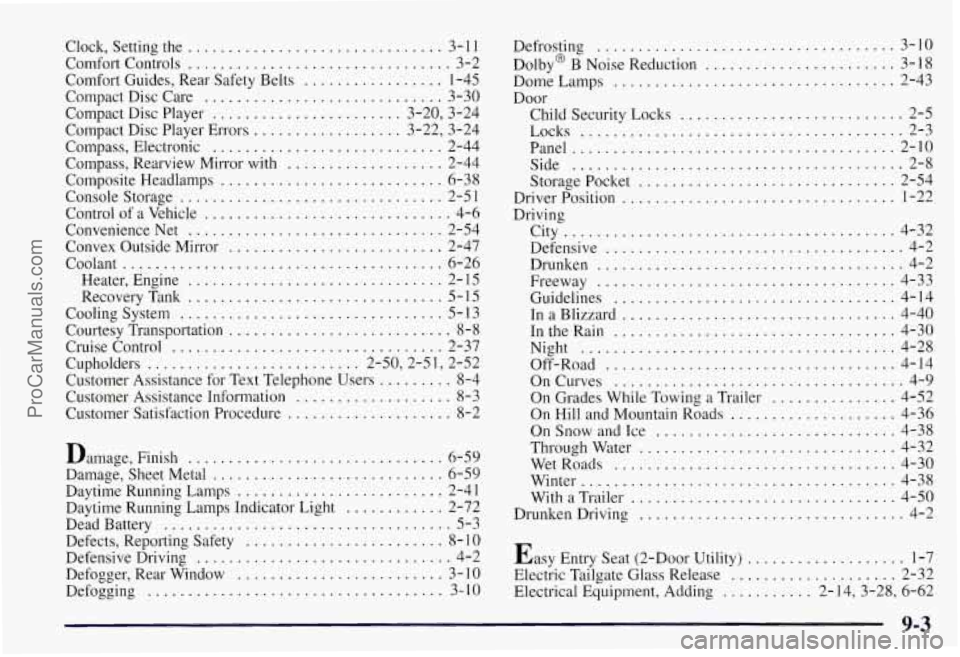
Clock. Setting the ............................... 3- 1 1
Comfort Controls ................................ 3-2
Comfort Guides. Rear Safety Belts
................. 1-45
Compact Disc Care
............................. 3-30
Compact Disc Player
....................... 3.20. 3.24
Compact Disc Player Errors
.................. 3.22. 3.24
Compass. Electronic
............................ 2-44
Compass. Rearview Mirror with
................... 2-44
Composite Headlamps
........................... 6-38
Console Storage
................................ 2-5 1
Control of a Vehicle .............................. 4-6
ConvenienceNet
............................... 2-54
Convex Outside Mirror
.......................... 2-47
Coolant
....................................... 6-26
Heater. Engine
............................... 2- 15
RecoveryTank
............................... 5-15
Cooling System
................................ 5- 13
Courtesy Transportation
........................... 8-8
Cruise Control ................................. 2-37
Cupholders
.......................... 2-50.2-51. 2-52
Customer Assistance for Text Telephone Users
......... 8-4
Customer Assistance Information
................... 8-3
Customer Satisfaction Procedure
.................... 8-2
Damage. Finish
............................... 6-59
Damage. Sheet Metal
............................ 6-59
Daytime Running Lamps
......................... 2-41
Daytime Running Lamps Indicator Light
............ 2-72
Dead Battery
................................... 5-3
Defects. Reporting Safety
........................ 8- 10
Defensive Driving ............................... 4-2
Defogger. Rear Window
......................... 3- IO
Defogging .................................... 3- 10
Defrosting ..................... ........... 3-10
Dolby
8 B Noise Reduction ....................... 3-18
Dome Lamps
................................ 2-43
Door Child Security Locks
........... ............ 2-5
Locks
..................................... 2-3
Panel
....................................... 2-10
Side
........................ ............ 2-8
Storagepocket
............................... 2-54
Driver Position
................................. 1-22
Driving City
........................................ 4-32
Defensive
.................................... 4-2
Drunken
..................................... 4-2
Freeway
.................................... 4-33
Guidelines
.................................. 4-14
InaBlizzard
................................. 4-40
IntheRain
.................................. 4-30
Night
...................................... 4-28
Off-Road
................................... 4-14
OnCurves
................................... 4-9
On Grades While Towing
a Trailer ............... 4-52
On Hill and Mountain Roads
.................... 4-36
On Snow and Ice
............................. 4-38
Through Water
............................... 4-32
WetRoads
.................................. 4-30
Winter
...................................... 4-38
With
a Trailer ................................ 4-50
Drunken Driving
................................ 4-2
Easy Entry Seat (2-Door Utility)
................... 1-7
Electric Tailgate Glass Release
.................... 2-32
Electrical Equipment. Adding
........... 2-14. 3.28. 6-62
9-3
ProCarManuals.com