ignition CHEVROLET SUBURBAN 2009 Repair Manual
[x] Cancel search | Manufacturer: CHEVROLET, Model Year: 2009, Model line: SUBURBAN, Model: CHEVROLET SUBURBAN 2009Pages: 578, PDF Size: 3.04 MB
Page 276 of 578
Noise Compensation Technology:Vehicles with The
LTZ package and a Bose®Audio System include the
Bose AudioPilot®noise compensation technology. When
turned on, AudioPilot®continuously adjusts the audio
system equalization, to compensate for background
noise, so that music always sounds the same at the set
volume level.
This feature is most effective at lower radio volume
settings where background noise can affect how well the
music is heard. At higher volume settings, where the
music is much louder than the background noise, there
might be little or no adjustments by AudioPilot
®.
To activate:
1. Set the radio volume to the desired level.
2. Press the MENU button to display the radio
setup menu.
3. Press the pushbutton under the AUTO VOLUM
label on the radio display.
4. Press the pushbutton under the ON label. The
display times out after approximately 10 seconds.
For additional information on AudioPilot
®, please visit
bose.com/audiopilot.
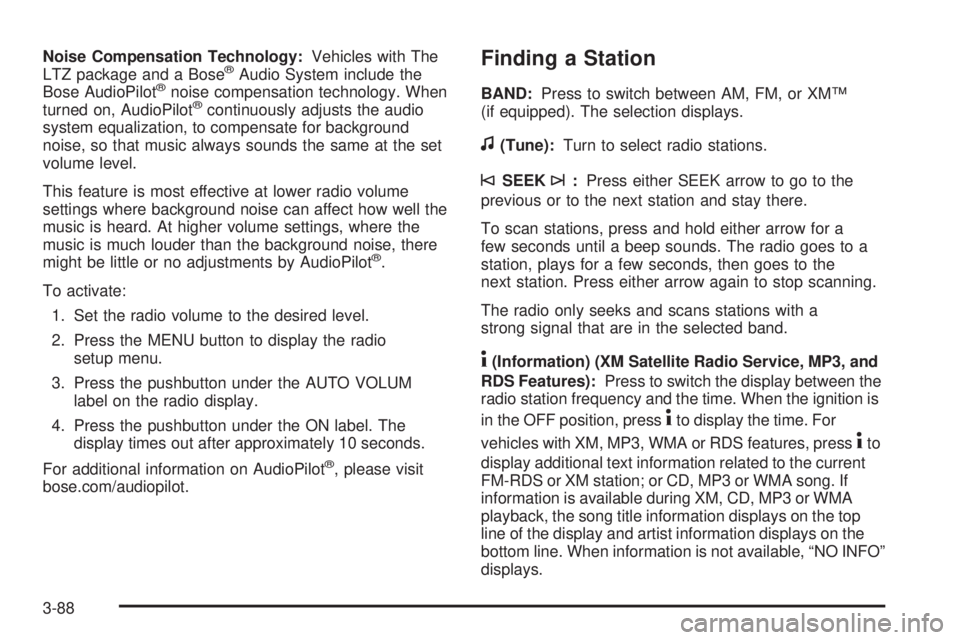
Finding a Station
BAND:Press to switch between AM, FM, or XM™
(if equipped). The selection displays.
f(Tune):Turn to select radio stations.
©SEEK¨:Press either SEEK arrow to go to the
previous or to the next station and stay there.
To scan stations, press and hold either arrow for a
few seconds until a beep sounds. The radio goes to a
station, plays for a few seconds, then goes to the
next station. Press either arrow again to stop scanning.
The radio only seeks and scans stations with a
strong signal that are in the selected band.
4(Information) (XM Satellite Radio Service, MP3, and
RDS Features):Press to switch the display between the
radio station frequency and the time. When the ignition is
in the OFF position, press
4to display the time. For
vehicles with XM, MP3, WMA or RDS features, press
4to
display additional text information related to the current
FM-RDS or XM station; or CD, MP3 or WMA song. If
information is available during XM, CD, MP3 or WMA
playback, the song title information displays on the top
line of the display and artist information displays on the
bottom line. When information is not available, “NO INFO”
displays.
3-88
Page 281 of 578
Radio Messages for XM Only
SeeXM Radio Messages on page 3-114later in this
section for further detail.
Playing a CD (Single CD Player)
Insert a CD partway into the slot, label side up. The
player pulls it in and the CD should begin playing.
Playing a CD(s) (Six-Disc CD Player)
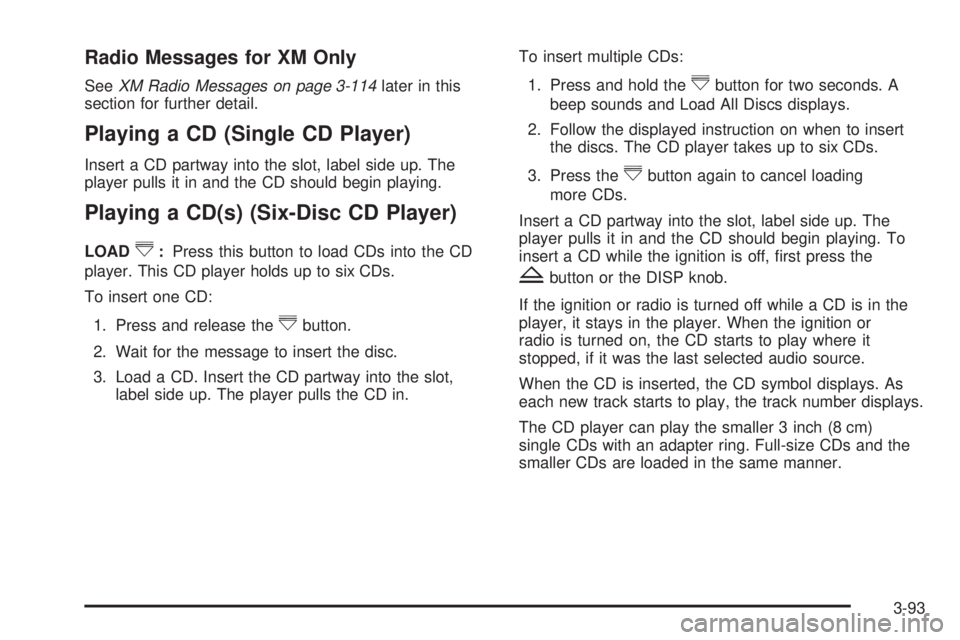
LOAD^:Press this button to load CDs into the CD
player. This CD player holds up to six CDs.
To insert one CD:
1. Press and release the
^button.
2. Wait for the message to insert the disc.
3. Load a CD. Insert the CD partway into the slot,
label side up. The player pulls the CD in.To insert multiple CDs:
1. Press and hold the
^button for two seconds. A
beep sounds and Load All Discs displays.
2. Follow the displayed instruction on when to insert
the discs. The CD player takes up to six CDs.
3. Press the
^button again to cancel loading
more CDs.
Insert a CD partway into the slot, label side up. The
player pulls it in and the CD should begin playing. To
insert a CD while the ignition is off, rst press the
Zbutton or the DISP knob.
If the ignition or radio is turned off while a CD is in the
player, it stays in the player. When the ignition or
radio is turned on, the CD starts to play where it
stopped, if it was the last selected audio source.
When the CD is inserted, the CD symbol displays. As
each new track starts to play, the track number displays.
The CD player can play the smaller 3 inch (8 cm)
single CDs with an adapter ring. Full-size CDs and the
smaller CDs are loaded in the same manner.
3-93
Page 282 of 578
Playing a CD (In Either the DVD or
CD Slot)
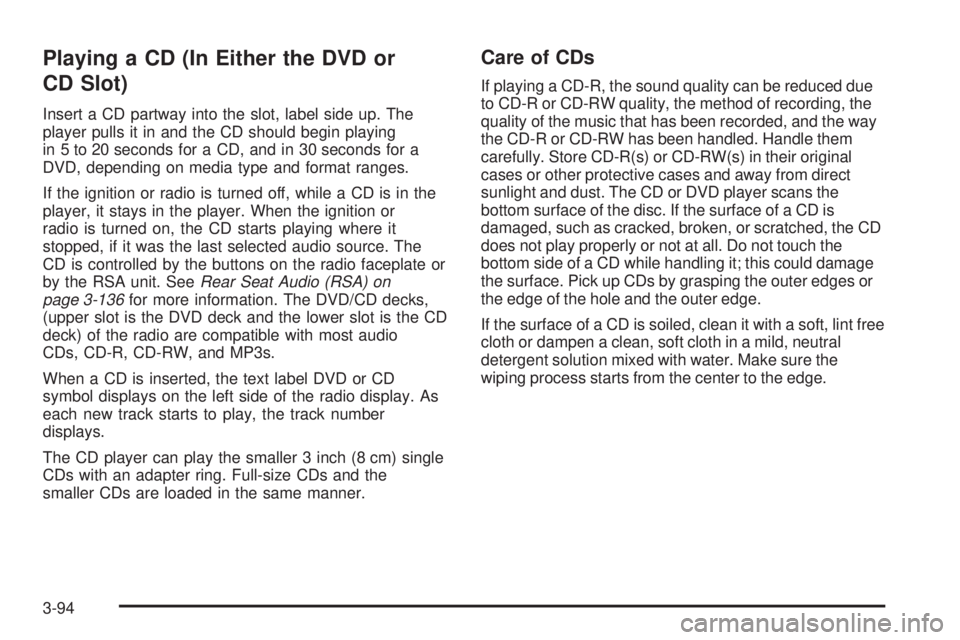
Insert a CD partway into the slot, label side up. The
player pulls it in and the CD should begin playing
in 5 to 20 seconds for a CD, and in 30 seconds for a
DVD, depending on media type and format ranges.
If the ignition or radio is turned off, while a CD is in the
player, it stays in the player. When the ignition or
radio is turned on, the CD starts playing where it
stopped, if it was the last selected audio source. The
CD is controlled by the buttons on the radio faceplate or
by the RSA unit. SeeRear Seat Audio (RSA) on
page 3-136for more information. The DVD/CD decks,
(upper slot is the DVD deck and the lower slot is the CD
deck) of the radio are compatible with most audio
CDs, CD-R, CD-RW, and MP3s.
When a CD is inserted, the text label DVD or CD
symbol displays on the left side of the radio display. As
each new track starts to play, the track number
displays.
The CD player can play the smaller 3 inch (8 cm) single
CDs with an adapter ring. Full-size CDs and the
smaller CDs are loaded in the same manner.
Care of CDs
If playing a CD-R, the sound quality can be reduced due
to CD-R or CD-RW quality, the method of recording, the
quality of the music that has been recorded, and the way
the CD-R or CD-RW has been handled. Handle them
carefully. Store CD-R(s) or CD-RW(s) in their original
cases or other protective cases and away from direct
sunlight and dust. The CD or DVD player scans the
bottom surface of the disc. If the surface of a CD is
damaged, such as cracked, broken, or scratched, the CD
does not play properly or not at all. Do not touch the
bottom side of a CD while handling it; this could damage
the surface. Pick up CDs by grasping the outer edges or
the edge of the hole and the outer edge.
If the surface of a CD is soiled, clean it with a soft, lint free
cloth or dampen a clean, soft cloth in a mild, neutral
detergent solution mixed with water. Make sure the
wiping process starts from the center to the edge.
3-94
Page 288 of 578
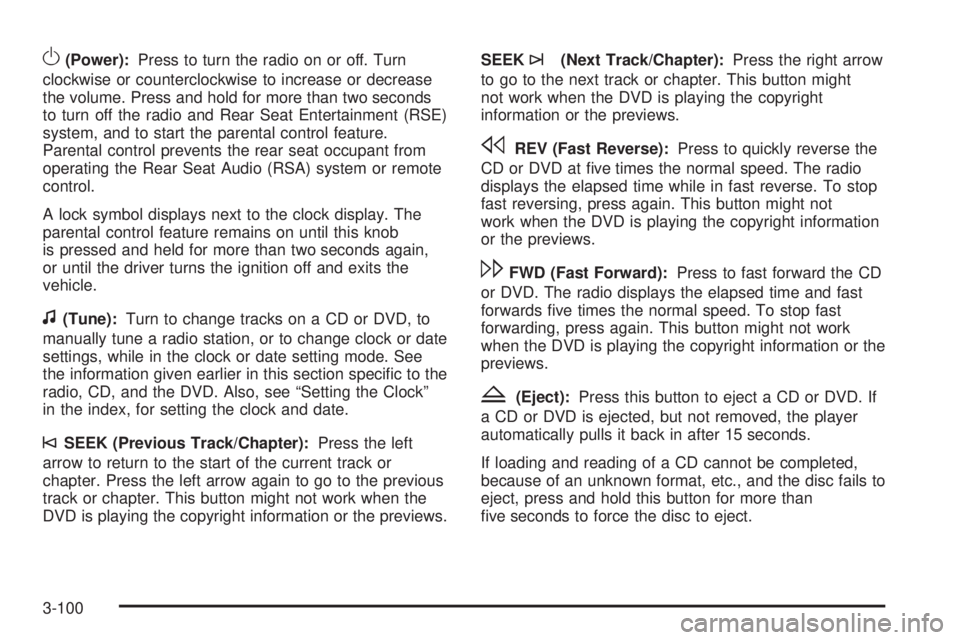
O(Power):Press to turn the radio on or off. Turn
clockwise or counterclockwise to increase or decrease
the volume. Press and hold for more than two seconds
to turn off the radio and Rear Seat Entertainment (RSE)
system, and to start the parental control feature.
Parental control prevents the rear seat occupant from
operating the Rear Seat Audio (RSA) system or remote
control.
A lock symbol displays next to the clock display. The
parental control feature remains on until this knob
is pressed and held for more than two seconds again,
or until the driver turns the ignition off and exits the
vehicle.
f(Tune):Turn to change tracks on a CD or DVD, to
manually tune a radio station, or to change clock or date
settings, while in the clock or date setting mode. See
the information given earlier in this section specic to the
radio, CD, and the DVD. Also, see “Setting the Clock”
in the index, for setting the clock and date.
©SEEK (Previous Track/Chapter):Press the left
arrow to return to the start of the current track or
chapter. Press the left arrow again to go to the previous
track or chapter. This button might not work when the
DVD is playing the copyright information or the previews.SEEK
¨(Next Track/Chapter):Press the right arrow
to go to the next track or chapter. This button might
not work when the DVD is playing the copyright
information or the previews.
sREV (Fast Reverse):Press to quickly reverse the
CD or DVD at ve times the normal speed. The radio
displays the elapsed time while in fast reverse. To stop
fast reversing, press again. This button might not
work when the DVD is playing the copyright information
or the previews.
\FWD (Fast Forward):Press to fast forward the CD
or DVD. The radio displays the elapsed time and fast
forwards ve times the normal speed. To stop fast
forwarding, press again. This button might not work
when the DVD is playing the copyright information or the
previews.
Z(Eject):Press this button to eject a CD or DVD. If
a CD or DVD is ejected, but not removed, the player
automatically pulls it back in after 15 seconds.
If loading and reading of a CD cannot be completed,
because of an unknown format, etc., and the disc fails to
eject, press and hold this button for more than
ve seconds to force the disc to eject.
3-100
Page 295 of 578
File System and Naming
The song name that displays is the song name that is
contained in the ID3 tag. If the song name is not present
in the ID3 tag, then the radio displays the le name
without the extension (such as .mp3) as the track name.
Track names longer than 32 characters or four pages are
shortened. Parts of words on the last page of text and the
extension of the lename does not display.
Preprogrammed Playlists
Preprogrammed playlists that were created using
WinAmp™, MusicMatch™, or Real Jukebox™ software
can be accessed, however, they cannot be edited using
the radio. These playlists are treated as special folders
containing compressed audio song les.
Playing an MP3
Insert a CD-R or CD-RW partway into the slot (Single
CD Player), or press the load button and wait for
the message to insert disc (Six-Disc CD Player), label
side up. The player pulls it in, and the CD-R or CD-RW
should begin playing.
If the ignition or radio is turned off with a CD-R or CD-RW
in the player it stays in the player. When the ignition or
radio is turned on, the CD-R or CD-RW starts to play
where it stopped, if it was the last selected audio source.
As each new track starts to play, the track number and
song title displays.
ZEJECT:Press this button to eject CD-R(s) or
CD-RW(s). To eject the CD-R or CD-RW that is currently
playing, press and release this button. A beep sounds
and Ejecting Disc displays. Once the disc is ejected,
Remove Disc displays. The CD-R or CD-RW can be
removed. If the CD-R or CD-RW is not removed, after
several seconds, the CD-R or CD-RW automatically pulls
back into the player and begins playing. For the Six-Disc
CD player, press and hold this button for two seconds to
eject all discs.
f(Tune):Turn this knob to select MP3 les on the
CD-R currently playing.
©SEEK¨:Press the left SEEK arrow to go to the
start of the current MP3 le, if more than ten seconds
have played. Press the right SEEK arrow to go to
the next MP3 le. If either SEEK arrow is held or
pressed multiple times, the player continues moving
backward or forward through MP3 les on the CD.
Sc(Previous Folder):Press the pushbutton
positioned under the Folder label to go to the rst track
in the previous folder.
cT(Next Folder):Press the pushbutton positioned
under the Folder label to go to the rst track in the
next folder.
3-107
Page 299 of 578
Order of Play
Tracks recorded to the CD-R or CD-RW are played in
the following order:
Play begins from the rst track in the rst playlist
and continues sequentially through all tracks in
each playlist. When the last track of the last playlist
has played, play continues from the rst track of
the rst playlist.
Play begins from the rst track in the rst folder and
continues sequentially through all tracks in each
folder. When the last track of the last folder has
played, play continues from the rst track of the rst
folder.
When play enters a new folder, the display does not
automatically show the new folder name unless
folder mode has been chosen as the default display.
The new track name displays.
File System and Naming
The song name that is displayed is the song name that
is contained in the ID3 tag. If the song name is not
present in the ID3 tag, then the radio displays the le
name without the extension (such as .mp3) as the
track name.
Track names longer than 32 characters or four pages
are shortened. Parts of words on the last page of
text and the extension of the lename displays.
Preprogrammed Playlists
Preprogrammed playlists that were created using
WinAmp™, MusicMatch™, or Real Jukebox™ software
can be accessed, however, they cannot be edited
using the radio. These playlists are treated as special
folders containing compressed audio song les.
Playing an MP3/WMA (In Either the DVD or
CD Slot)
Insert a CD-R or CD-RW partway into either the top or
bottom slot, label side up. The player pulls it in, and
the CD-R or CD-RW should begin playing.
Depending on the format of the disc, a softkey menu
appears and allows navigation of the disc. The menu
reads left to right as RDM (Randomize song play order), a
Folder icon with left and right arrows (to move up or down
through available folders), a PL tag if the disc has a
Playlist available, and a Music Navigator tag. If a Playlist
tag is shown, toggling this key brings up a Folder softkey
only or the menu as previously described.
If the ignition or radio is turned off with a CD-R or
CD-RW in the player it stays in the player. When the
ignition or radio is turned back on, the CD-R starts
to play where it stopped, if it was the last selected
audio source.
As each new track starts to play, the track number and
song title displays.
3-111
Page 315 of 578
Rear Seat Entertainment (RSE)
System
The vehicle may have a DVD Rear Seat Entertainment
(RSE) system. The RSE system works with the
vehicle’s audio system. The DVD player is part of the
front radio. The RSE system includes a radio with a DVD
player, a video display screen, audio/video jacks, two
wireless headphones, a remote control, and if the
vehicle has a third row seat, it may have a second video
display screen and two additional wireless headphones.
SeeRadio(s) on page 3-86for more information on
the vehicle’s audio/DVD system.
Before Driving
The RSE is designed for rear seat passengers only.
The driver cannot safely view the video screen
while driving and should not try to do so.
In severe or extreme weather conditions the RSE
system might not work until the temperature is within
the operating range. The operating range for the
RSE system is above−4°F (−20°C) or below
140°F (60°C). If the temperature of the vehicle is
outside of this range, heat or cool the vehicle until the
temperature is within the operating range of the
RSE system.
Parental Control
The RSE system may have a Parental Control feature,
depending on which radio the vehicle has. To enable
Parental Control, press and hold the radio power button
for more than two seconds to stop all system features
such as: radio, video screen, RSA, DVD and/or CD.
While Parental Control is on, a padlock icon displays.
The radio can be turned back on with a single press of
the power button, but the RSE system will remain
under Parental Control.
To turn Parental Control off, press and hold the radio
power button for more than two seconds. The RSE
returns from where it was previously left and the padlock
icon disappears from the radio display.
Parental Control can also be turned off by inserting or
ejecting any disc, pressing the play icon on the
radio DVD display menu, or changing an ignition
position.
3-127
Page 322 of 578
\(Clear):Press this button within three seconds after
entering a numeric selection, to clear all numerical
inputs.
}10 (Double Digit Entries):Press this button to
select chapter or track numbers greater than nine. Press
this button before entering the number.
If the remote control becomes lost or damaged, a new
universal remote control can be purchased. If this
happens, make sure the universal remote control uses a
code set of Toshiba
®.
Battery Replacement
To change the remote control batteries:
1. Slide the rear cover back on to the remote control.
2. Replace the two batteries in the compartment.
Make sure that they are installed correctly, using
the diagram on the inside of the battery
compartment.
3. Replace the battery cover.
If the remote control is to be stored for a long period of
time, remove the batteries and keep them in a cool,
dry place.
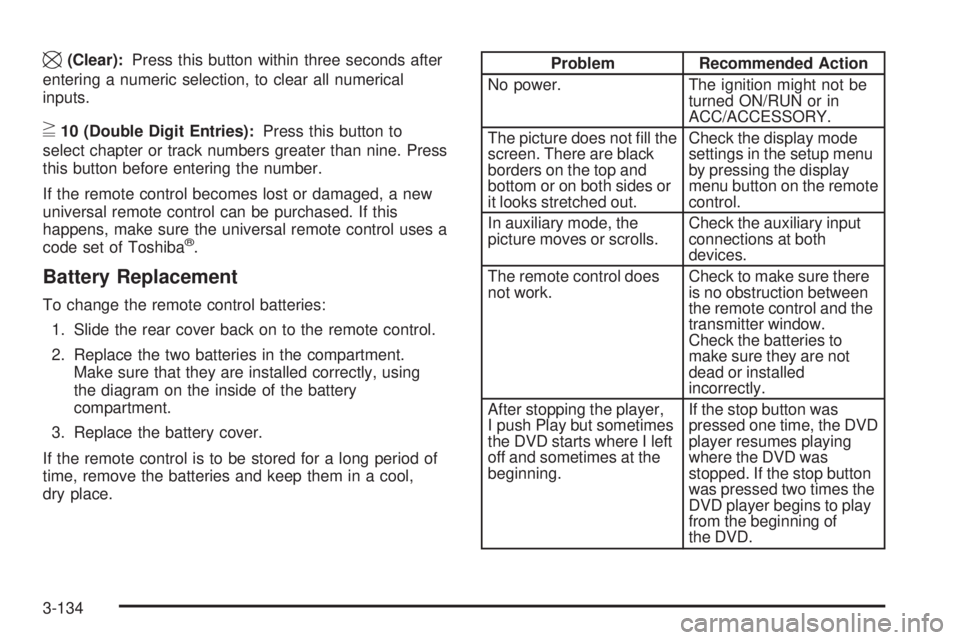
Problem Recommended Action
No power. The ignition might not be
turned ON/RUN or in
ACC/ACCESSORY.
The picture does not ll the
screen. There are black
borders on the top and
bottom or on both sides or
it looks stretched out.Check the display mode
settings in the setup menu
by pressing the display
menu button on the remote
control.
In auxiliary mode, the
picture moves or scrolls.Check the auxiliary input
connections at both
devices.
The remote control does
not work.Check to make sure there
is no obstruction between
the remote control and the
transmitter window.
Check the batteries to
make sure they are not
dead or installed
incorrectly.
After stopping the player,
I push Play but sometimes
the DVD starts where I left
off and sometimes at the
beginning.If the stop button was
pressed one time, the DVD
player resumes playing
where the DVD was
stopped. If the stop button
was pressed two times the
DVD player begins to play
from the beginning of
the DVD.
3-134
Page 333 of 578
Antilock Brake System (ABS)
This vehicle has the Antilock Brake System (ABS), an
advanced electronic braking system that helps prevent a
braking skid.
When the engine is started and the vehicle begins to
drive away, ABS checks itself. A momentary motor
or clicking noise might be heard while this test is
going on. This is normal.
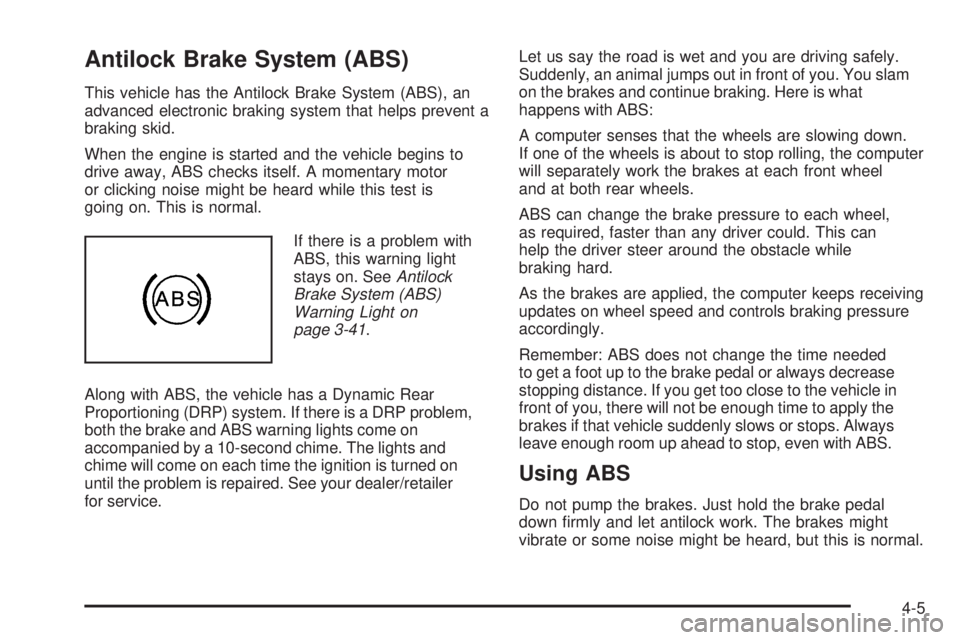
If there is a problem with
ABS, this warning light
stays on. SeeAntilock
Brake System (ABS)
Warning Light on
page 3-41.
Along with ABS, the vehicle has a Dynamic Rear
Proportioning (DRP) system. If there is a DRP problem,
both the brake and ABS warning lights come on
accompanied by a 10-second chime. The lights and
chime will come on each time the ignition is turned on
until the problem is repaired. See your dealer/retailer
for service.Let us say the road is wet and you are driving safely.
Suddenly, an animal jumps out in front of you. You slam
on the brakes and continue braking. Here is what
happens with ABS:
A computer senses that the wheels are slowing down.
If one of the wheels is about to stop rolling, the computer
will separately work the brakes at each front wheel
and at both rear wheels.
ABS can change the brake pressure to each wheel,
as required, faster than any driver could. This can
help the driver steer around the obstacle while
braking hard.
As the brakes are applied, the computer keeps receiving
updates on wheel speed and controls braking pressure
accordingly.
Remember: ABS does not change the time needed
to get a foot up to the brake pedal or always decrease
stopping distance. If you get too close to the vehicle in
front of you, there will not be enough time to apply the
brakes if that vehicle suddenly slows or stops. Always
leave enough room up ahead to stop, even with ABS.
Using ABS
Do not pump the brakes. Just hold the brake pedal
down rmly and let antilock work. The brakes might
vibrate or some noise might be heard, but this is normal.
4-5
Page 352 of 578
Driving in Water
{CAUTION:
Driving through rushing water can be dangerous.
Deep water can sweep your vehicle downstream
and you and your passengers could drown. If it is
only shallow water, it can still wash away the
ground from under your tires, and you could lose
traction and roll the vehicle over. Do not drive
through rushing water.
Heavy rain can mean ash ooding, and ood waters
demand extreme caution.
Find out how deep the water is before driving through it.
Do not try it if it is deep enough to cover the wheel hubs,
axles, or exhaust pipe — you probably will not get
through. Deep water can damage the axle and other
vehicle parts.If the water is not too deep, drive slowly through it.
At faster speeds, water splashes on the ignition system
and the vehicle can stall. Stalling can also occur if you get
the tailpipe under water. If the tailpipe is under water, you
will never be able to start the engine. When going through
water, remember that when the brakes get wet, it might
take longer to stop. SeeDriving in Rain and on Wet
Roads on page 4-26.
After Off-Road Driving
Remove any brush or debris that has collected
on the underbody, chassis, or under the hood.
These accumulations can be a re hazard.
After operation in mud or sand, have the brake linings
cleaned and checked. These substances can cause
glazing and uneven braking. Check the body structure,
steering, suspension, wheels, tires, and exhaust system
for damage and check the fuel lines and cooling system
for any leakage.
The vehicle requires more frequent service due to
off-road use. Refer to the Maintenance Schedule for
additional information.
4-24