traction control CHEVROLET SUBURBAN 2012 10.G User Guide
[x] Cancel search | Manufacturer: CHEVROLET, Model Year: 2012, Model line: SUBURBAN, Model: CHEVROLET SUBURBAN 2012 10.GPages: 514, PDF Size: 7.54 MB
Page 269 of 514
Black plate (7,1)Chevrolet Tahoe/Suburban Owner Manual - 2012
Driving and Operating 9-7
WARNING (Continued)
.Keep cargo in the cargo area
as far forward and as low
as possible. The heaviest
things should be on the floor,
forward of the rear axle.
.Heavy loads on the roof raise
the vehicle's center of gravity,
making it more likely to roll
over. You can be seriously or
fatally injured if the vehicle
rolls over. Put heavy loads
inside the cargo area, not on
the roof.
For more information about loading
the vehicle, see Vehicle Load Limits
and Tires.
Environmental Concerns
.Always use established trails,
roads, and areas that have been
set aside for public off-road
recreational driving and obey all
posted regulations.
.Do not damage shrubs, flowers,
trees, or grasses or disturb
wildlife.
.Do not park over things that
burn. See Parking Over Things
that Burn..
Driving on Hills
Driving safely on hills requires good
judgment and an understanding of
what the vehicle can and cannot do.
{WARNING
Many hills are simply too steep
for any vehicle. Driving up hills
can cause the vehicle to stall.
Driving down hills can cause loss
of control. Driving across hills can (Continued)
WARNING (Continued)
cause a rollover. You could be
injured or killed. Do not drive on
steep hills.
Before driving on a hill, assess
the steepness, traction, and
obstructions. If the terrain ahead
cannot be seen, get out of the
vehicle and walk the hill before
driving further.
When driving on hills:
.Use a low gear and keep a firm
grip on the steering wheel.
.Maintain a slow speed.
.When possible, drive straight up
or down the hill.
.Slow down when approaching
the top of the hill.
Page 272 of 514
Black plate (10,1)Chevrolet Tahoe/Suburban Owner Manual - 2012
9-10 Driving and Operating
Driving in Mud, Sand, Snow,
or Ice
Use a low gear when driving in
mud–the deeper the mud, the
lower the gear. Keep the vehicle
moving to avoid getting stuck.
Traction changes when driving on
sand. On loose sand, such as on
beaches or sand dunes, the tires
tend to sink into the sand. This
affects steering, accelerating, and
braking. Drive at a reduced speed
and avoid sharp turns or abrupt
maneuvers.
Traction is reduced on hard packed
snow and ice and it is easy to lose
control. Reduce vehicle speed
when driving on hard packed snow
and ice.
{WARNING
Driving on frozen lakes, ponds,
or rivers can be dangerous. Ice
conditions vary greatly and the
vehicle could fall through the ice;
you and your passengers could
drown. Drive your vehicle on safe
surfaces only.
Driving in Water
{WARNING
Driving through rushing water can
be dangerous. Deep water can
sweep your vehicle downstream
and you and your passengers
could drown. If it is only shallow
water, it can still wash away the
ground from under your tires.
Traction could be lost, and the
vehicle could roll over. Do not
drive through rushing water. Notice:
Do not drive through
standing water if it is deep
enough to cover the wheel hubs,
axles or exhaust pipe. Deep water
can damage the axle and other
vehicle parts.
If the standing water is not too deep,
drive slowly through it. At faster
speeds, water splashes on the
ignition system and the vehicle can
stall. Stalling can also occur if you
get the tailpipe under water. While
the tailpipe is under water, you will
not be able to start the engine.
When going through water, the
brakes get wet, and it might take
longer to stop. See Driving on Wet
Roads.
Page 273 of 514
Black plate (11,1)Chevrolet Tahoe/Suburban Owner Manual - 2012
Driving and Operating 9-11
After Off-Road Driving
Remove any brush or debris that
has collected on the underbody,
or chassis, or under the hood.
These accumulations can be a fire
hazard.
After operation in mud or sand,
have the brake linings cleaned and
checked. These substances can
cause glazing and uneven braking.
Check the body structure, steering,
suspension, wheels, tires, and
exhaust system for damage and
check the fuel lines and cooling
system for any leakage.
More frequent maintenance
service is required. Refer to the
Maintenance Schedule for more
information.
Driving on Wet Roads
Rain and wet roads can reduce
vehicle traction and affect your
ability to stop and accelerate.
Always drive slower in these types
of driving conditions and avoid
driving through large puddles and
deep‐standing or flowing water.
{WARNING
Wet brakes can cause crashes.
They might not work as well in
a quick stop and could cause
pulling to one side. You could
lose control of the vehicle.
After driving through a large
puddle of water or a car/vehicle
wash, lightly apply the brake
pedal until the brakes work
normally.
Flowing or rushing water creates
strong forces. Driving through
flowing water could cause the
vehicle to be carried away. If this(Continued)
WARNING (Continued)
happens, you and other vehicle
occupants could drown. Do not
ignore police warnings and be
very cautious about trying to drive
through flowing water.
Hydroplaning
Hydroplaning is dangerous. Water
can build up under the vehicle's
tires so they actually ride on the
water. This can happen if the road
is wet enough and you are going
fast enough. When the vehicle is
hydroplaning, it has little or no
contact with the road.
There is no hard and fast rule about
hydroplaning. The best advice is to
slow down when the road is wet.
Page 275 of 514
Black plate (13,1)Chevrolet Tahoe/Suburban Owner Manual - 2012
Driving and Operating 9-13
{WARNING
Coasting downhill in N (Neutral)
or with the ignition off is
dangerous. The brakes will have
to do all the work of slowing down
and they could get so hot that
they would not work well. You
would then have poor braking or
even none going down a hill. You
could crash. Always have the
engine running and the vehicle in
gear when going downhill.
.Stay in your own lane. Do not
swing wide or cut across the
center of the road. Drive at
speeds that let you stay in your
own lane.
.Be alert on top of hills,
something could be in your
lane (stalled car, accident).
.Pay attention to special road
signs (falling rocks area, winding
roads, long grades, passing or
no-passing zones) and take
appropriate action.
Winter Driving
Driving on Snow or Ice
Drive carefully when there is snow
or ice between the tires and the
road, creating less traction or grip.
Wet ice can occur at about 0°C
(32°F) when freezing rain begins to
fall, resulting in even less traction.
Avoid driving on wet ice or in
freezing rain until roads can be
treated with salt or sand.
Drive with caution, whatever the
condition. Accelerate gently so
traction is not lost. Accelerating too
quickly causes the wheels to spin
and makes the surface under the
tires slick, so there is even less
traction.Try not to break the fragile traction.
If you accelerate too fast, the drive
wheels will spin and polish the
surface under the tires even more.
The
Antilock Brake System (ABS)
on page 9‑43 improves vehicle
stability during hard stops on
slippery roads, but apply the brakes
sooner than when on dry pavement.
Allow greater following distance on
any slippery road and watch for
slippery spots. Icy patches can
occur on otherwise clear roads in
shaded areas. The surface of a
curve or an overpass can remain icy
when the surrounding roads are
clear. Avoid sudden steering
maneuvers and braking while
on ice.
Turn off cruise control on slippery
surfaces.
Page 277 of 514
Black plate (15,1)Chevrolet Tahoe/Suburban Owner Manual - 2012
Driving and Operating 9-15
If it takes some time for help to
arrive, now and then when you run
the engine, push the accelerator
pedal slightly so the engine runs
faster than the idle speed. This
keeps the battery charged to restart
the vehicle and to signal for help
with the headlamps. Do this as little
as possible to save fuel.
If the Vehicle Is Stuck
Slowly and cautiously spin the
wheels to free the vehicle when
stuck in sand, mud, ice, or snow.
If the vehicle has a traction system,
it can often help to free a stuck
vehicle. Refer to the vehicle's
traction system in the Index. If stuck
too severely for the traction system
to free the vehicle, turn the traction
system off and use the rocking
method.
{WARNING
If the vehicle's tires spin at high
speed, they can explode, and you
or others could be injured. The
vehicle can overheat, causing an
engine compartment fire or other
damage. Spin the wheels as little
as possible and avoid going
above 55 km/h (35 mph).
For information about using tire
chains on the vehicle, see Tire
Chains on page 10‑64.
Rocking the Vehicle to Get
it Out
Turn the steering wheel left and
right to clear the area around the
front wheels. For four-wheel-drive
vehicles, shift into Four‐Wheel High
or, if the vehicle has a two‐speed
automatic transfer case, Four‐Wheel
Low. For vehicles with StabiliTrak
®, turn the traction control part of the
system off. Shift back and forth
between R (Reverse) and a forward
gear, spinning the wheels as little as
possible. To prevent transmission
wear, wait until the wheels stop
spinning before shifting gears.
Release the accelerator pedal
while shifting, and press lightly on
the accelerator pedal when the
transmission is in gear. Slowly
spinning the wheels in the forward
and reverse directions causes a
rocking motion that could free the
vehicle. If that does not get the
vehicle out after a few tries, it might
need to be towed out. Recovery
hooks can be used, if the vehicle
has them. If the vehicle does need
to be towed out, see
Towing the
Vehicle on page 10‑87.
Page 297 of 514
Black plate (35,1)Chevrolet Tahoe/Suburban Owner Manual - 2012
Driving and Operating 9-35
Grade Braking is not available when
Range Selection Mode is active.
SeeTow/Haul Mode on page 9‑35.
While using Range Selection Mode,
Cruise Control and the Tow/Haul
Mode can be used.
Notice: Spinning the tires
or holding the vehicle in one
place on a hill using only the
accelerator pedal may damage
the transmission. The repair will
not be covered by the vehicle
warranty. If you are stuck, do not
spin the tires. When stopping on
a hill, use the brakes to hold the
vehicle in place.
Low Traction Mode
If the vehicle has the Hydra-Matic®
6-Speed Automatic Transmission,
it has a Low Traction Mode that
assists in vehicle acceleration when
road conditions are slippery, such
as with ice or snow. While the
vehicle is at a stop, select the
second gear range using Range Selection Mode. This will limit
torque to the wheels after it detects
wheel slip, preventing the tires from
spinning.
Tow/Haul Mode
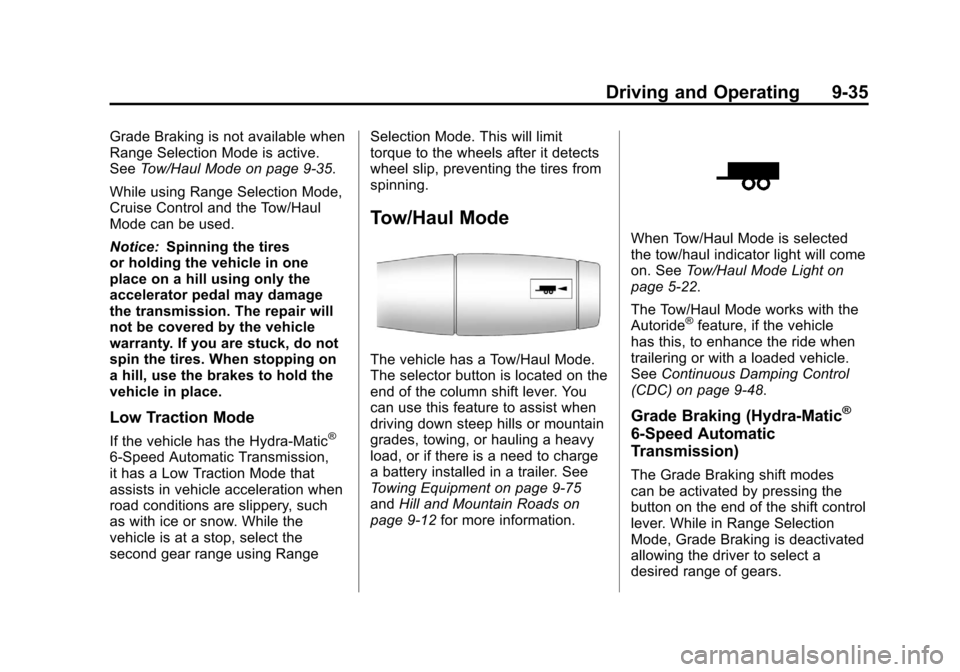
The vehicle has a Tow/Haul Mode.
The selector button is located on the
end of the column shift lever. You
can use this feature to assist when
driving down steep hills or mountain
grades, towing, or hauling a heavy
load, or if there is a need to charge
a battery installed in a trailer. See
Towing Equipment on page 9‑75
and
Hill and Mountain Roads on
page 9‑12 for more information.
When Tow/Haul Mode is selected
the tow/haul indicator light will come
on. SeeTow/Haul Mode Light on
page 5‑22.
The Tow/Haul Mode works with the
Autoride
®feature, if the vehicle
has this, to enhance the ride when
trailering or with a loaded vehicle.
See Continuous Damping Control
(CDC) on page 9‑48.
Grade Braking (Hydra-Matic®
6-Speed Automatic
Transmission)
The Grade Braking shift modes
can be activated by pressing the
button on the end of the shift control
lever. While in Range Selection
Mode, Grade Braking is deactivated
allowing the driver to select a
desired range of gears.
Page 298 of 514
Black plate (36,1)Chevrolet Tahoe/Suburban Owner Manual - 2012
9-36 Driving and Operating
Grade Braking is only active while
the Tow/Haul Mode is selected and
you are not in the Range Selection
Mode. See“Tow/Haul Mode” listed
previously and Manual Mode on
page 9‑34 for more information on
the Range Selection Mode. Grade
Braking assists in maintaining
desired vehicle speeds when driving
on downhill grades by automatically
implementing a shift schedule that
utilizes the engine and transmission
to slow the vehicle. This reduces
wear on the braking system and
increases control of the vehicle.
Grade Braking monitors vehicle
speed, acceleration, engine torque
and brake pedal usage. Using this
information, it detects when the
truck is on a downhill grade and the
driver desires to slow the vehicle by
pressing the brake.
Also see Towing Equipment on
page 9‑75 for more information.Drive Systems
Four-Wheel Drive
(Two Speed Automatic
Transfer Case)
If the vehicle has four-wheel drive,
you can send the engine's driving
power to all four wheels for extra
traction. Read the following before
using four-wheel drive.
Notice:Driving on clean, dry
pavement in Four-Wheel Drive
High or Four-Wheel Drive Low
for an extended period of time
may cause premature wear on
the vehicle's powertrain. Do not
drive on clean, dry pavement
in Four-Wheel Drive High or
Four-Wheel Drive Low for
extended periods of time. While driving on clean dry pavement
and during tight turns, you may
experience a vibration in the
steering system.
The vehicle has StabiliTrak
®.
Shifting into Four-Wheel Drive Low
will turn Traction Control and
StabiliTrak off. See StabiliTrak
®
System on page 9‑45.
Front Axle
The front axle engages and
disengages automatically when you
shift the transfer case. Some delay
for the axle to engage or disengage
is normal.
Page 300 of 514
Black plate (38,1)Chevrolet Tahoe/Suburban Owner Manual - 2012
9-38 Driving and Operating
The vehicle has StabiliTrak. Shifting
into Four-Wheel Drive Low will turn
Traction Control and StabiliTrak
off. SeeStabiliTrak
®System on
page 9‑45.
{WARNING
Shifting the transfer case to
N (Neutral) can cause the vehicle
to roll even if the transmission is
in P (Park). You or someone else
could be seriously injured. Be
sure to set the parking brake
before placing the transfer case in
N (Neutral). See Parking Brake on
page 9‑44.
N (Neutral): Shift the vehicle's
transfer case to N (Neutral) only
when towing the vehicle. See
Recreational Vehicle Towing on
page 10‑87 orTowing the Vehicle
on page 10‑87 for more information.
If the SERVICE 4 WHEEL DRIVE
message stays on, you should
take the vehicle to your dealer for service. See
“SERVICE 4 WHEEL
DRIVE” message under
Transmission Messages on
page 5‑43.
Shifting Into Four-Wheel Drive
High or AUTO (Automatic
Four-Wheel Drive)
Turn the knob to the Four-Wheel
Drive High or AUTO position. This
can be done at any speed, except
when shifting from Four-Wheel
Drive Low. The indicator light will
flash while shifting. It will remain on
when the shift is completed.
Shifting Into Two-Wheel
Drive High
Turn the knob to the Two-Wheel
Drive High position. This can be
done at any speed, except when
shifting from Four-Wheel Drive Low.
See “Shifting Out of Four-Wheel
Drive Low” in this section for more
information. Shifting Into Four-Wheel
Drive Low
When Four-Wheel Drive Low is
engaged, vehicle speed should
be kept below 72 km/h (45 mph).
Extended high-speed operation
in 4L may damage or shorten the life
of the drivetrain.
To shift to the Four-Wheel Drive
Low position, the ignition must be in
ON/RUN and the vehicle must be
stopped or moving less than 5 km/h
(3 mph) with the transmission in
N (Neutral). The preferred method
for shifting into Four-Wheel Drive
Low is to have the vehicle moving
1.6 to 3.2 km/h (1 to 2 mph). Turn
the knob to the Four-Wheel Drive
Low position. You must wait for the
Four-Wheel Drive Low indicator light
to stop flashing and remain on
before shifting the transmission
into gear.
Page 308 of 514
Black plate (46,1)Chevrolet Tahoe/Suburban Owner Manual - 2012
9-46 Driving and Operating
If a DIC message appears, make
sure the StabiliTrak system has not
been turned off using the Traction
Control System (TCS)/StabiliTrak
button. Then turn the vehicle off,
wait 15 seconds, and then turn it
back on again to reset the system.
If any of the messages still appear
on the DIC, the vehicle should be
taken in for service. For more
information on the DIC messages,
seeRide Control System Messages
on page 5‑41.
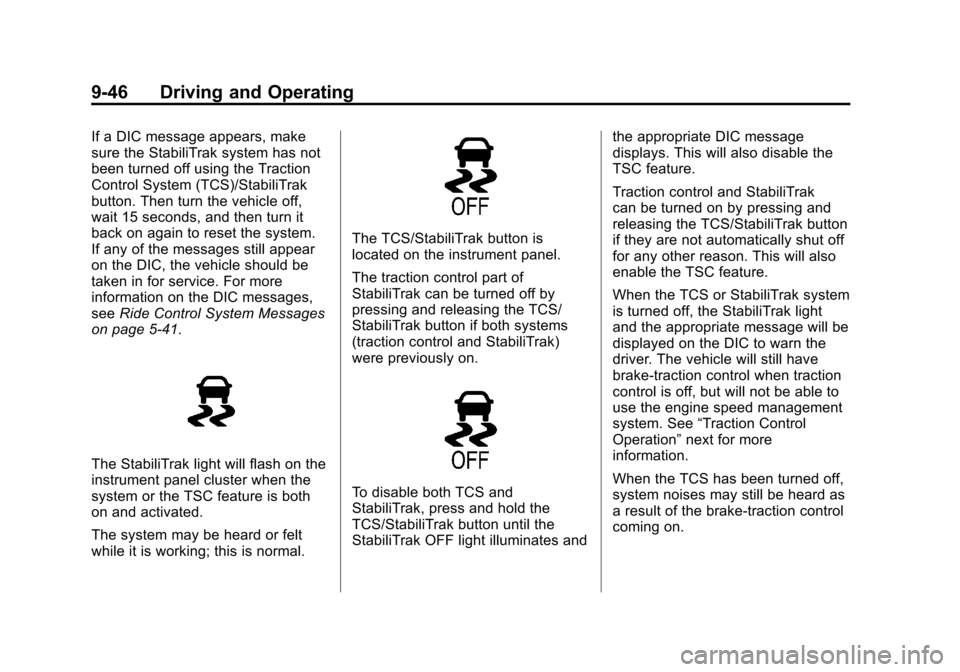
The StabiliTrak light will flash on the
instrument panel cluster when the
system or the TSC feature is both
on and activated.
The system may be heard or felt
while it is working; this is normal.
The TCS/StabiliTrak button is
located on the instrument panel.
The traction control part of
StabiliTrak can be turned off by
pressing and releasing the TCS/
StabiliTrak button if both systems
(traction control and StabiliTrak)
were previously on.
To disable both TCS and
StabiliTrak, press and hold the
TCS/StabiliTrak button until the
StabiliTrak OFF light illuminates and the appropriate DIC message
displays. This will also disable the
TSC feature.
Traction control and StabiliTrak
can be turned on by pressing and
releasing the TCS/StabiliTrak button
if they are not automatically shut off
for any other reason. This will also
enable the TSC feature.
When the TCS or StabiliTrak system
is turned off, the StabiliTrak light
and the appropriate message will be
displayed on the DIC to warn the
driver. The vehicle will still have
brake-traction control when traction
control is off, but will not be able to
use the engine speed management
system. See
“Traction Control
Operation” next for more
information.
When the TCS has been turned off,
system noises may still be heard as
a result of the brake-traction control
coming on.
Page 309 of 514
Black plate (47,1)Chevrolet Tahoe/Suburban Owner Manual - 2012
Driving and Operating 9-47
It is recommended to leave the
system on for normal driving
conditions, but it may be necessary
to turn the system off if the vehicle
is stuck in sand, mud, ice or snow,
and you want to“rock”the vehicle to
attempt to free it. It may also be
necessary to turn off the system
when driving in extreme off-road
conditions where high wheel spin is
required. See If the Vehicle Is Stuck
on page 9‑15.
When the transfer case is in 4LO,
the stability system is automatically
disabled, the StabiliTrak light comes
on, and the appropriate message
will appear on the DIC. Both
traction control and StabiliTrak are
automatically disabled in this
condition.Traction Control Operation
The TCS is part of the StabiliTrak
system. Traction control limits
wheel spin by reducing engine
power to the wheels (engine speed
management) and by applying
brakes to each individual wheel
(brake-traction control) as
necessary.
The TCS is enabled automatically
when the vehicle is started. It will
activate and the StabiliTrak light will
flash if it senses that any of the
wheels are spinning or beginning
to lose traction while driving.
If traction control is turned off, only
the brake-traction control portion
of traction control will work. The
engine speed management will be
disabled. In this mode, engine
power is not reduced automatically
and the driven wheels can spin
more freely. This can cause the
brake-traction control to activate
constantly. Notice:
If the wheel(s) of one axle
is allowed to spin excessively
while the StabiliTrak®, ABS, brake
warning lights, and any relevant
DIC messages are displayed, the
transfer case could be damaged.
The repairs would not be covered
by the vehicle warranty. Reduce
engine power and do not spin
the wheel(s) excessively while
these lights and messages are
displayed.
The TCS may activate on dry or
rough roads or under conditions
such as heavy acceleration while
turning or abrupt upshifts/downshifts
of the transmission. When this
happens, a reduction in acceleration
may be noticed, or a noise or
vibration may be heard. This is
normal.
If cruise control is being used when
the system activates, the StabiliTrak
light will flash and cruise control will
automatically disengage. Cruise
control may be reengaged when
road conditions allow. See Cruise
Control on page 9‑49.