ignition CHEVROLET SUBURBAN 2020 Workshop Manual
[x] Cancel search | Manufacturer: CHEVROLET, Model Year: 2020, Model line: SUBURBAN, Model: CHEVROLET SUBURBAN 2020Pages: 438, PDF Size: 6.76 MB
Page 209 of 438
Chevrolet Tahoe/Suburban Owner Manual (GMNA-Localizing-U.S./Canada/
Mexico-13566622) - 2020 - CRC - 4/24/19
208 Driving and Operating
while turning the key to ACC/
ACCESSORY. If this does not work,
then the vehicle needs service.
{Warning
Turning off the vehicle while
moving may cause loss of power
assist in the brake and steering
systems and disable the airbags.
While driving, turn off the vehicle
only in an emergency.
In an emergency, if the vehicle
cannot be pulled over and must be
turned off while driving: 1. Push the key all the way in toward the steering column,
then turn the key to ACC/
ACCESSORY.
2. Brake using firm and steady pressure. Do not pump the
brakes repeatedly. This may
deplete power assist, requiring
increased brake pedal force. 3. Shift the vehicle to N (Neutral).
This can be done while the
vehicle is moving. Continue
braking and steer the vehicle to
a safe location.
4. Come to a complete stop.
5. Shift to P (Park).
6. Push the key all the way in toward the steering column (1),
then turn the ignition to
LOCK/OFF (2).
7. Set the parking brake. See Parking Brake 0228.
8. Remove the key.
9. Release the brake pedal.
Caution
Use the correct key, make sure it
is all the way in —or pushed all
the way in toward the steering
column when turning off the
vehicle —and turn it only with
your hand. 1 (ACC/ACCESSORY) :
This
position allows features such as the
infotainment system to operate
while the vehicle is off. It also
unlocks the steering column,
if equipped with a locking steering
column. Use this position if the
vehicle must be pushed or towed.
See Retained Accessory Power
(RAP) 0212.
From ON/RUN, push the key all the
way in toward the steering column,
then turn the key to ACC/
ACCESSORY.
If the key is left in ACC/
ACCESSORY with the engine off,
the battery could drain and the
vehicle may not start.
A warning chime will sound when
the driver door is opened and the
key is in the ignition.
2 (ON/RUN) : This position can be
used to operate the electrical
accessories and to display some
instrument cluster warning and
indicator lights. This position can
also be used for service and
diagnostics, and to verify the proper
Page 210 of 438
Chevrolet Tahoe/Suburban Owner Manual (GMNA-Localizing-U.S./Canada/
Mexico-13566622) - 2020 - CRC - 4/24/19
Driving and Operating 209
operation of the malfunction
indicator lamp as may be required
for emission inspection purposes.
The switch stays in this position
when the engine is running. The
transmission is also unlocked in this
position.
If the key is left in ON/RUN with the
engine off, the battery could drain
and the vehicle may not start. The
transmission can be shifted in this
position.
3 (START) :This is the position that
starts the engine. When the engine
starts, release the key. The ignition
returns to ON/RUN for driving.
Starting the Engine
Move the shift lever to P (Park) or
N (Neutral). The engine will not start
in any other position. To restart the
engine when the vehicle is already
moving, use N (Neutral) only.
Caution
Do not try to shift to P (Park) if the
vehicle is moving. If you do, you
could damage the transmission.
Shift to P (Park) only when the
vehicle is stopped.
Caution
If you add electrical parts or
accessories, you could change
the way the engine operates. Any
resulting damage would not be
covered by the vehicle warranty.
See Add-On Electrical Equipment
0 282.
Starting Procedure (Key
Access)
1. With your foot off the
accelerator pedal, turn the
ignition key to START. When
the engine starts, let go of the key. The idle speed will go
down as the engine gets warm.
Do not race the engine
immediately after starting it.
Operate the engine and
transmission gently to allow the
oil to warm up and lubricate all
moving parts.
When the low fuel warning light
is on and the FUEL LEVEL
LOW message is displayed in
the Driver Information
Center (DIC), hold the ignition
switch in the START position to
continue engine cranking.
Caution
Cranking the engine for long
periods of time, by returning the
ignition to the START position
immediately after cranking has
ended, can overheat and damage
the cranking motor, and drain the
battery. Wait at least 15 seconds
between each try, to let the
cranking motor cool down.
Page 213 of 438
Chevrolet Tahoe/Suburban Owner Manual (GMNA-Localizing-U.S./Canada/
Mexico-13566622) - 2020 - CRC - 4/24/19
212 Driving and Operating
Warning (Continued)
vehicle. Possible heater
cord and thermostat
damage could occur.
. While in use, do not let the
heater cord touch vehicle
parts or sharp edges. Never
close the hood on the
heater cord.
. Before starting the vehicle,
unplug the cord, reattach
the cover to the plug, and
securely fasten the cord.
Keep the cord away from
any moving parts.
4. Before starting the engine, be sure to unplug and store the
cord as it was before to keep it
away from moving engine
parts. If you do not, it could be
damaged.
The length of time the heater should
remain plugged in depends on
several factors. Ask a dealer in the
area where you will be parking the
vehicle for the best advice on this.
Retained Accessory
Power (RAP)
When the ignition is turned from on
to off, the following features (if
equipped) will continue to function
for up to 10 minutes, or until the
driver door is opened. These
features will also work when the
ignition is in RUN or ACC/
ACCESSORY:
. Infotainment System
. Power Windows (during RAP
this functionality will be lost
when any door is opened)
. Sunroof (during RAP this
functionality will be lost when
any door is opened)
. Auxiliary Power Outlet
. Audio System
. OnStar System
Shifting Into Park
{Warning
It can be dangerous to get out of
the vehicle if the shift lever is not
fully in P (Park) with the parking
brake firmly set. The vehicle can
roll. If you have left the engine
running, the vehicle can move
suddenly. You or others could be
injured. To be sure the vehicle will
not move, even when you are on
fairly level ground, use the steps
that follow. If the vehicle has a
four-wheel-drive transfer case
with an N (Neutral) position, and
the transfer case is in N (Neutral),
the vehicle will be free to roll,
even if the shift lever is in
P (Park). Be sure the transfer
case is in a drive gear. If towing a
trailer, see Driving Characteristics
and Towing Tips 0262.
1. Hold the brake pedal down, then set the parking brake. See
Parking Brake 0228.
Page 214 of 438
Chevrolet Tahoe/Suburban Owner Manual (GMNA-Localizing-U.S./Canada/
Mexico-13566622) - 2020 - CRC - 4/24/19
Driving and Operating 213
2. Move the shift lever into theP (Park) position by pulling the
shift lever toward you and
moving it up as far as it will go.
3. Be sure the transfer case is in a drive gear –not in
N (Neutral).
4. Turn the ignition off.
Leaving the Vehicle with the
Engine Running
{Warning
It can be dangerous to leave the
vehicle with the engine running.
The vehicle could move suddenly
if the shift lever is not fully in
P (Park) with the parking brake
firmly set.
If you have four-wheel drive and
the transfer case is in N (Neutral),
the vehicle will be free to roll,
even if the shift lever is in (Continued)
Warning (Continued)
P (Park). So be sure the transfer
case is in a drive gear –not in
N (Neutral).
And, if you leave the vehicle with
the engine running, it could
overheat and even catch fire. You
or others could be injured. Do not
leave the vehicle with the engine
running unless you have to.
If you have to leave the vehicle with
the engine running, be sure the
vehicle is in P (Park) and the
parking brake is firmly set before
you leave it. After you move the shift
lever into P (Park), hold the regular
brake pedal down. Then, see if you
can move the shift lever away from
P (Park) without first pulling it toward
you. If you can, it means that the
shift lever was not fully locked into
P (Park).
Torque Lock
If you are parking on a hill and you
do not shift the transmission into
P (Park) properly, the weight of the
vehicle may put too much force on
the parking pawl in the
transmission. You may find it difficult
to pull the shift lever out of P (Park).
This is called torque lock. To
prevent torque lock, set the parking
brake and then shift into P (Park)
properly before you leave the
driver seat.
When you are ready to drive, move
the shift lever out of P (Park) before
you release the parking brake.
If torque lock does occur, you may
need to have another vehicle push
yours a little uphill to take some of
the pressure from the parking pawl
in the transmission. You will then be
able to pull the shift lever out of
P (Park).
Page 215 of 438
Chevrolet Tahoe/Suburban Owner Manual (GMNA-Localizing-U.S./Canada/
Mexico-13566622) - 2020 - CRC - 4/24/19
214 Driving and Operating
Shifting out of Park
This vehicle is equipped with an
electronic shift lock release system.
The shift lock release system is
designed to prevent movement of
the shift lever out of P (Park), unless
the ignition is on and the brake
pedal is applied.
The shift lock release is always
functional except in the case of an
uncharged or low voltage (less than
9 volt) battery.
If the vehicle has an uncharged
battery or a battery with low voltage,
try charging or jump starting the
battery. SeeJump Starting - North
America 0363.
To shift out of P (Park): 1. Apply the brake pedal.
2. Move the shift lever to the desired position.
If you still are unable to shift out of
P (Park): 1. Ease the pressure on the shift lever. 2. While holding down the brake
pedal, push the shift lever all
the way into P (Park).
3. Move the shift lever to the desired position.
If you are still having a problem
shifting, then have the vehicle
serviced soon.
Parking over Things
That Burn
{Warning
Things that can burn could touch
hot exhaust parts under the
vehicle and ignite. Do not park
over papers, leaves, dry grass,
or other things that can burn.
Active Fuel Management
Vehicles with V8 engines may have
Active Fuel Management. This
system allows the engine to operate
on either all or half of its cylinders,
depending on the driving conditions. When less power is required, such
as cruising at a constant vehicle
speed, the system will operate in
the half cylinder mode, allowing the
vehicle to achieve better fuel
economy. When greater power
demands are required, such as
accelerating from a stop, passing,
or merging onto a freeway, the
system will maintain full-cylinder
operation.
If the vehicle has an Active Fuel
Management indicator, see
Driver
Information Center (DIC) (Base
Level) 0145 or
Driver Information Center (DIC)
(Uplevel) 0147 for more information
on using this display.
Extended Parking
It is best not to park with the vehicle
running. If the vehicle is left running,
be sure it will not move and there is
adequate ventilation.
See Shifting Into Park 0212 and
Engine Exhaust 0215.
Page 217 of 438
Chevrolet Tahoe/Suburban Owner Manual (GMNA-Localizing-U.S./Canada/
Mexico-13566622) - 2020 - CRC - 4/24/19
216 Driving and Operating
Running the Vehicle
While Parked
It is better not to park with the
engine running.
If the vehicle is left with the engine
running, follow the proper steps to
be sure the vehicle will not move.
SeeShifting Into Park 0212 and
Engine Exhaust 0215.
If parking on a hill and pulling a
trailer, see Driving Characteristics
and Towing Tips 0262.
Automatic
Transmission
There is an electronic shift lever
position indicator within the
instrument cluster. This display
comes on when the ignition is on or
in ACC/ACCESSORY.
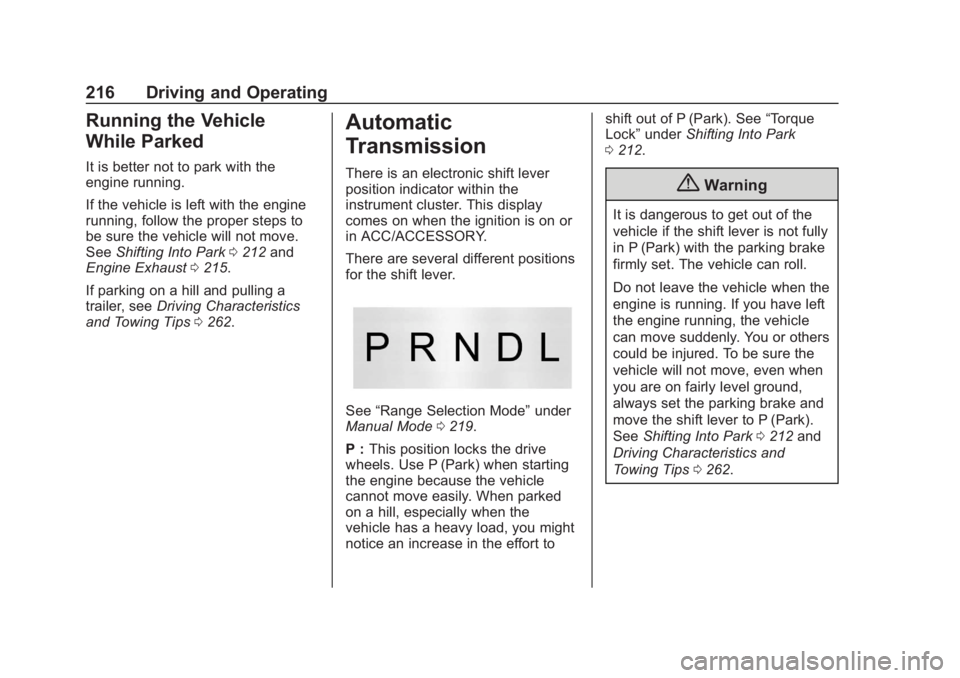
There are several different positions
for the shift lever.
See “Range Selection Mode” under
Manual Mode 0219.
P : This position locks the drive
wheels. Use P (Park) when starting
the engine because the vehicle
cannot move easily. When parked
on a hill, especially when the
vehicle has a heavy load, you might
notice an increase in the effort to shift out of P (Park). See
“Torque
Lock” under Shifting Into Park
0 212.
{Warning
It is dangerous to get out of the
vehicle if the shift lever is not fully
in P (Park) with the parking brake
firmly set. The vehicle can roll.
Do not leave the vehicle when the
engine is running. If you have left
the engine running, the vehicle
can move suddenly. You or others
could be injured. To be sure the
vehicle will not move, even when
you are on fairly level ground,
always set the parking brake and
move the shift lever to P (Park).
See Shifting Into Park 0212 and
Driving Characteristics and
Towing Tips 0262.
Page 220 of 438
Chevrolet Tahoe/Suburban Owner Manual (GMNA-Localizing-U.S./Canada/
Mexico-13566622) - 2020 - CRC - 4/24/19
Driving and Operating 219
The first time the system engages
for each ignition cycle, a DIC
message will be displayed.
To disable or enable Normal Mode
Grade Braking within the current
ignition cycle, press and hold the
Tow/Haul button for five seconds.
When the button is released, the
requested mode change is made.
A DIC message displays.
For other forms of grade braking,
seeTow/Haul Mode 0221 and
Cruise Control 0232.
Kickdown Mode
The accelerator pedal provides an
additional downshift after pressing
through the kickdown feature.
It requires extra pedal pressure near
the end of its travel to engage.
Manual Mode
Range Selection Mode
If equipped, Range Selection Mode
helps control the vehicle's
transmission and vehicle speed
while driving downhill or towing a
trailer by letting you select a desired
range of gears.
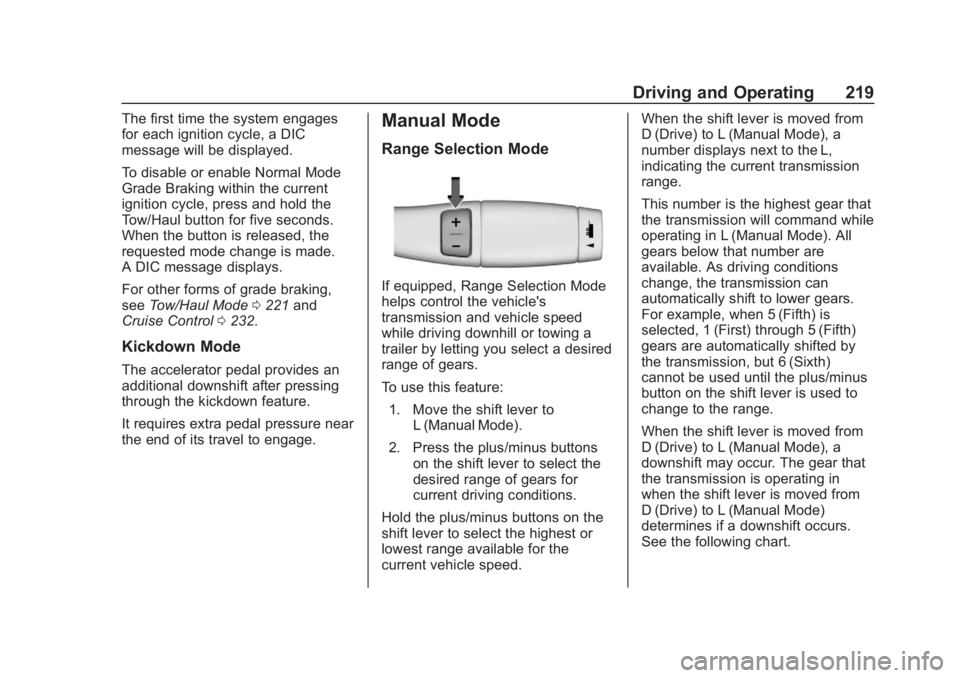
To use this feature:
1. Move the shift lever to L (Manual Mode).
2. Press the plus/minus buttons on the shift lever to select the
desired range of gears for
current driving conditions.
Hold the plus/minus buttons on the
shift lever to select the highest or
lowest range available for the
current vehicle speed. When the shift lever is moved from
D (Drive) to L (Manual Mode), a
number displays next to the L,
indicating the current transmission
range.
This number is the highest gear that
the transmission will command while
operating in L (Manual Mode). All
gears below that number are
available. As driving conditions
change, the transmission can
automatically shift to lower gears.
For example, when 5 (Fifth) is
selected, 1 (First) through 5 (Fifth)
gears are automatically shifted by
the transmission, but 6 (Sixth)
cannot be used until the plus/minus
button on the shift lever is used to
change to the range.
When the shift lever is moved from
D (Drive) to L (Manual Mode), a
downshift may occur. The gear that
the transmission is operating in
when the shift lever is moved from
D (Drive) to L (Manual Mode)
determines if a downshift occurs.
See the following chart.
Page 223 of 438
Chevrolet Tahoe/Suburban Owner Manual (GMNA-Localizing-U.S./Canada/
Mexico-13566622) - 2020 - CRC - 4/24/19
222 Driving and Operating
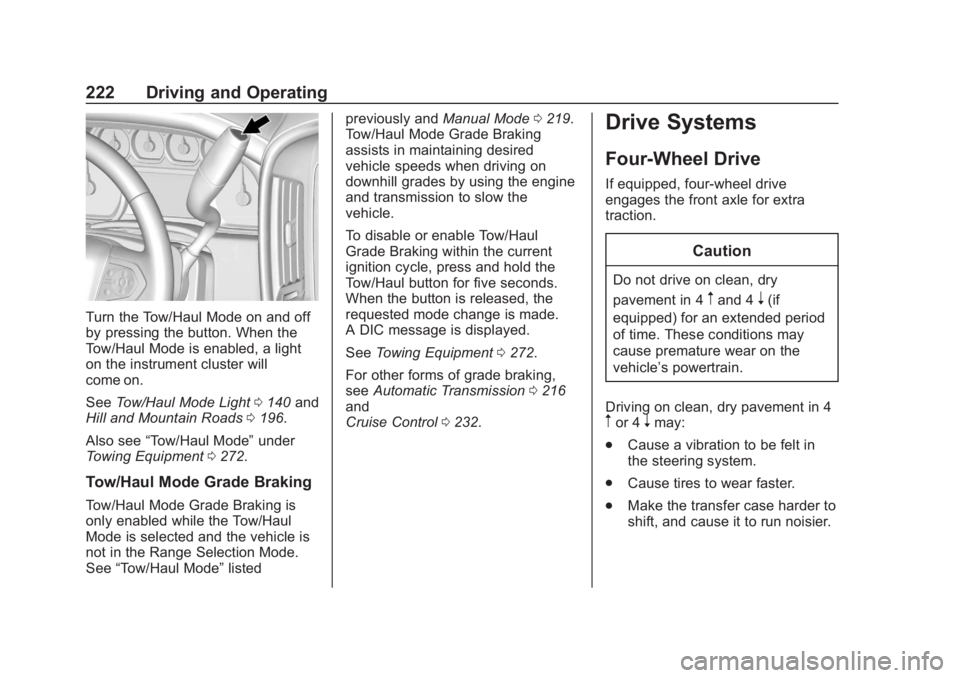
Turn the Tow/Haul Mode on and off
by pressing the button. When the
Tow/Haul Mode is enabled, a light
on the instrument cluster will
come on.
SeeTow/Haul Mode Light 0140 and
Hill and Mountain Roads 0196.
Also see “Tow/Haul Mode” under
Towing Equipment 0272.
Tow/Haul Mode Grade Braking
Tow/Haul Mode Grade Braking is
only enabled while the Tow/Haul
Mode is selected and the vehicle is
not in the Range Selection Mode.
See “Tow/Haul Mode” listed previously and
Manual Mode0219.
Tow/Haul Mode Grade Braking
assists in maintaining desired
vehicle speeds when driving on
downhill grades by using the engine
and transmission to slow the
vehicle.
To disable or enable Tow/Haul
Grade Braking within the current
ignition cycle, press and hold the
Tow/Haul button for five seconds.
When the button is released, the
requested mode change is made.
A DIC message is displayed.
See Towing Equipment 0272.
For other forms of grade braking,
see Automatic Transmission 0216
and
Cruise Control 0232.
Drive Systems
Four-Wheel Drive
If equipped, four-wheel drive
engages the front axle for extra
traction.
Caution
Do not drive on clean, dry
pavement in 4
mand 4n(if
equipped) for an extended period
of time. These conditions may
cause premature wear on the
vehicle’s powertrain.
Driving on clean, dry pavement in 4
mor 4nmay:
. Cause a vibration to be felt in
the steering system.
. Cause tires to wear faster.
. Make the transfer case harder to
shift, and cause it to run noisier.
Page 224 of 438
Chevrolet Tahoe/Suburban Owner Manual (GMNA-Localizing-U.S./Canada/
Mexico-13566622) - 2020 - CRC - 4/24/19
Driving and Operating 223
{Warning
Shifting the transfer case to
N (Neutral) can cause the vehicle
to roll even if the transmission is
in P (Park). You or someone else
could be seriously injured. Be
sure to set the parking brake
before placing the transfer case in
N (Neutral). SeeParking Brake
0 228.
Caution
Extended high-speed operation in
4
nmay damage or shorten the
life of the drivetrain.
Engagement noise and bump when
shifting between 4
nand 4mor from
N (Neutral), with the engine running,
is normal. Shifting into 4
nwill turn Traction
Control and StabiliTrak/Electronic
Stability Control (ESC) off. See
Traction Control/Electronic Stability
Control 0229.
Two-Speed Automatic
Transfer Case
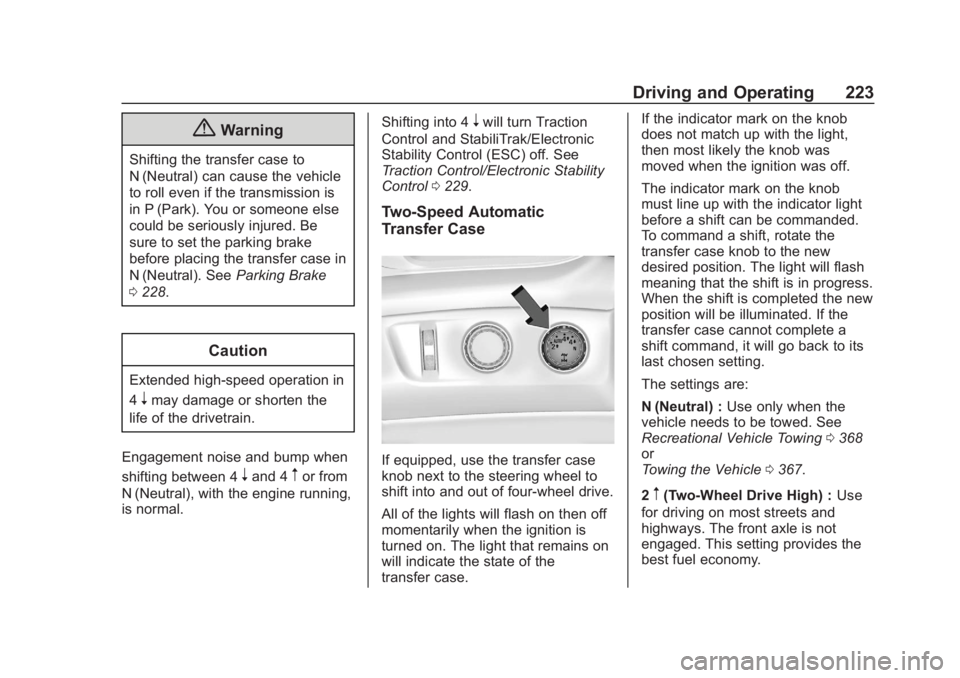
If equipped, use the transfer case
knob next to the steering wheel to
shift into and out of four-wheel drive.
All of the lights will flash on then off
momentarily when the ignition is
turned on. The light that remains on
will indicate the state of the
transfer case. If the indicator mark on the knob
does not match up with the light,
then most likely the knob was
moved when the ignition was off.
The indicator mark on the knob
must line up with the indicator light
before a shift can be commanded.
To command a shift, rotate the
transfer case knob to the new
desired position. The light will flash
meaning that the shift is in progress.
When the shift is completed the new
position will be illuminated. If the
transfer case cannot complete a
shift command, it will go back to its
last chosen setting.
The settings are:
N (Neutral) :
Use only when the
vehicle needs to be towed. See
Recreational Vehicle Towing 0368
or
Towing the Vehicle 0367.
2
m(Two-Wheel Drive High) : Use
for driving on most streets and
highways. The front axle is not
engaged. This setting provides the
best fuel economy.
Page 225 of 438
Chevrolet Tahoe/Suburban Owner Manual (GMNA-Localizing-U.S./Canada/
Mexico-13566622) - 2020 - CRC - 4/24/19
224 Driving and Operating
AUTO (Automatic Four-Wheel
Drive) :Use when road surface
traction conditions are variable.
When driving in AUTO, the front
axle is engaged, and the vehicle's
power is sent to the front and rear
wheels automatically based on
driving conditions. This setting
provides slightly lower fuel economy
than 2
m.
Do not use AUTO mode,
if equipped, to park on a steep
grade with poor traction such as ice,
snow, mud, or gravel. In AUTO
mode only the rear wheels will hold
the vehicle from sliding when
parked. If parking on a steep grade,
use 4
mto keep all four wheels
engaged.
4
m(Four-Wheel Drive High) : Use
this position when extra traction is
needed, such as when driving on
snowy or icy roads, when
off-roading, or when plowing snow.
4
n(Four-Wheel Drive Low) : This
setting engages the front axle and
delivers extra torque. Choose 4
n
when driving off-road in deep sand,
deep mud, or deep snow, and while
climbing or descending steep hills.
Shifting into 4
nwill turn Traction
Control and StabiliTrak/ESC off.
See Traction Control/Electronic
Stability Control 0229.
Shifting Into 4
mor AUTO
Turn the knob to the 4
mor AUTO
position at any speed, except from 4
n. The indicator light will flash while
shifting and will remain on when the
shift is completed.
Shifting Into 2
m
Turn the knob to 2mat any speed,
except when shifting from 4
n. The
indicator light will flash while shifting
and will remain on when the shift is
completed.
Shifting Into 4
n
When 4nis engaged, keep vehicle
speed below 72 km/h (45 mph).
To shift: 1. The ignition must be on and
the vehicle must be stopped or
moving less than
5 km/h (3 mph) with the
transmission in N (Neutral). It is
best for the vehicle to be
moving
1.6 to 3.2 km/h (1 to 2 mph).
2. Turn the knob to 4
n. Wait for
the 4
nindicator light to stop
flashing before shifting the
transmission into gear.
Caution
Shifting the transmission into gear
before the requested mode
indicator light has stopped
flashing could damage the
transfer case.
If the transmission is in gear and/or
moving more than 5 km/h (3 mph),
the 4
nindicator light will flash for
30 seconds and the shift will not be
completed. After 30 seconds the
transfer case will shift to 4
m. Turn