Service mode CHEVROLET TAHOE 2023 Owner's Guide
[x] Cancel search | Manufacturer: CHEVROLET, Model Year: 2023, Model line: TAHOE, Model: CHEVROLET TAHOE 2023Pages: 443, PDF Size: 18.73 MB
Page 420 of 443
Chevrolet Tahoe/Suburban Owner Manual (GMNA-Localizing-U.S./Canada/
Mexico-16416971) - 2023 - CRC - 4/25/22
Customer Information 419
Customer literature publications available for
purchase include owner’s manuals, warranty
manuals, and portfolios. Portfolios include an
owner’s manual, warranty manual,
if applicable, and zip lock bag or pouch.
Current and Past Models
Service manuals and customer literature are
available for many current and past model
year GM vehicles.
To order, call 1-800-551-4123 Monday–Friday,
8:00 a.m.–6:00 p.m. Eastern Time
For credit card orders only (VISA,
MasterCard, or Discover), see Helm, Inc. at:
www.helminc.com.
To order by mail, write to:
Helm, Incorporated
Attention: Customer Service
47911 Halyard Drive
Plymouth, MI 48170
Make checks payable in U.S. funds.
Radio Frequency Statement
This vehicle uses license-exempt transmitters
/ receivers / systems that operate on a
radio frequency that complies with Part 15/
Part 18 of the Federal Communications
Commission (FCC) rules and with Innovation,Science and Economic Development (ISED)
Canada's license-exempt RSS(s) / RSP-100 /
ICES-GEN.
Operation is subject to the following two
conditions:
1. The device may not cause harmful interference.
2. The device must accept any interference received, including interference that may
cause undesired operation of the device.
Changes or modifications to any of these
systems by other than an authorized service
facility could void authorization to use this
equipment.
Reporting Safety Defects
Reporting Safety Defects to the
United States Government
If you believe that your vehicle has a
defect which could cause a crash or
could cause injury or death, you should
immediately inform the National
Highway Traffic Safety Administration
(NHTSA) in addition to notifying General
Motors. If NHTSA receives similar complaints, it
may open an investigation, and if it
finds that a safety defect exists in a
group of vehicles, it may order a recall
and remedy campaign. However, NHTSA
cannot become involved in individual
problems between you, your dealer,
or General Motors.
To contact NHTSA, you may call the
Vehicle Safety Hotline toll-free at
1-888-327-4236 (TTY: 1-800-424-9153); go
to
https://www.safercar.gov;or write to:
Administrator, NHTSA
1200 New Jersey Avenue, S.E.
Washington, D.C. 20590
You can also obtain other information
about motor vehicle safety from
https://www.safercar.gov.
Reporting Safety Defects to the
Canadian Government
If you live in Canada, and you believe
that the vehicle has a safety defect,
notify Transport Canada immediately,
Page 425 of 443
Chevrolet Tahoe/Suburban Owner Manual (GMNA-Localizing-U.S./Canada/
Mexico-16416971) - 2023 - CRC - 4/25/22
424 OnStar
information, a full description of OnStar
services, system limitations, and OnStar User
Terms, Privacy Statement, and Software
Terms:
.Call 1-888-4ONSTAR (1-888-466-7827).
.See www.onstar.com (U.S.).
.See www.onstar.ca (Canada).
.Call TTY 1-877-248-2080.
.PressQto speak with an Advisor.
OnStar or connected services cannot work
unless the vehicle is in a place where OnStar
has an agreement with a wireless service
provider for service in that area. The
wireless service provider must also have
coverage, network capacity, reception, and
technology compatible with OnStar or
connected services. Service involving location
information about the vehicle cannot work
unless GPS signals are available,
unobstructed, and compatible with the
OnStar hardware. OnStar or connected
services may not work if the OnStar
equipment is not properly installed or it has
not been properly maintained. If equipment
or software is added, connected,
or modified, OnStar or connected services
may not work. Other problems beyond the
control of OnStar —such as hills, tall
buildings, tunnels, weather, electrical system design and architecture of the vehicle,
damage to the vehicle in a crash, or wireless
phone network congestion or jamming
—
may prevent service.
See Radio Frequency Statement 0419.
Services for People with Disabilities
Advisors provide services to help with
physical disabilities and medical conditions.
Press
Qto help:
.Locate a gas station with an attendant to
pump gas.
.Find a hotel, restaurant, etc., that meets
accessibility needs.
.Provide directions to the closest hospital
or pharmacy in urgent situations.
TTY Users
OnStar has the ability to communicate to
deaf, hard-of-hearing, or speech-impaired
customers while in the vehicle. The available
TTY system can provide in-vehicle access to
all OnStar services, except Virtual Advisor
and OnStar Turn-by-Turn Navigation. If equipped, TTY mode can be turned on or
off by touching Settings, then Apps, and
then Phone. When TTY mode is on, phone
calls can be made or received with OnStar
using the infotainment display.
OnStar Personal Identification
Number (PIN)
A PIN is needed to access some OnStar
services. The PIN will need to be changed
the first time when speaking with an
Advisor. To change the OnStar PIN, contact
an OnStar Advisor by pressing
Qor calling
1-888-4ONSTAR.
Warranty
OnStar equipment may be warranted as part
of the vehicle warranty.
Languages
The vehicle can be programmed to respond
in multiple languages. Press
Qand ask for
an Advisor. Advisors are available in English,
Spanish, and French. Available languages
may vary by country.
Page 428 of 443
Chevrolet Tahoe/Suburban Owner Manual (GMNA-Localizing-U.S./Canada/
Mexico-16416971) - 2023 - CRC - 4/25/22
Connected Services 427
Connected Services
Connected Services
Navigation . . . . . . . . . . . . . . . . . . . . . . . . . . . . 427
Connections . . . . . . . . . . . . . . . . . . . . . . . . . . . 427
Diagnostics . . . . . . . . . . . . . . . . . . . . . . . . . . . . 429
Connected Services
Navigation
Navigation requires a specific OnStar or
connected service plan.
Press
Qto receive Turn-by-Turn directions
or have them sent to the vehicle’s
navigation screen, if equipped. Select
Turn-by-Turn Directions from the Services
tab of the OnStar app to call an Advisor or
select a recent or favorite destination. Touch
the navigation icons to select home, address,
or place. A destination transfer from OnStar
will show the detail view of the destination
when it is transferred from OnStar to the
Navigation application. See www.onstar.com
for a coverage map. Services vary by model.
Map coverage is available in the United
States and Canada.
Turn-by-Turn Navigation
1. PressQto connect to an Advisor.
2. Request directions to be downloaded to the vehicle.
3. Follow the voice-guided commands.
Using Voice Commands During a
Planned Route
Functionality of the Voice Command button,
if equipped, may vary by vehicle and region.
For some vehicles, press
=to open the
OnStar app on the infotainment display.
Send Destination to Vehicle
Directions can be sent to the vehicle’s
navigation screen, if equipped.
Press
Q, then ask the Advisor to download
directions to the vehicle’s navigation system,
if equipped. After the call ends, the
navigation screen will provide prompts to
begin driving directions. Routes that are sent
to the navigation screen can only be
canceled through the navigation system.
See www.onstar.com (U.S.) or www.onstar.ca
(Canada).
Connections
The following services help with staying
connected.
For coverage maps, see www.onstar.com
(U.S.) or www.onstar.ca (Canada).
Page 430 of 443
Chevrolet Tahoe/Suburban Owner Manual (GMNA-Localizing-U.S./Canada/
Mexico-16416971) - 2023 - CRC - 4/25/22
Connected Services 429
Remote Services
Contact an OnStar Advisor to unlock the
doors or sound the horn and flash the
lamps.
Marketplace
OnStar Advisors can provide offers from
restaurants and retailers on your route, help
locate hotels, or book a room. These services
vary by market.
Diagnostics
By monitoring and reporting on the vehicle's
key systems, OnStar Advanced Diagnostics,
if equipped, provides a way to keep up on
maintenance. Capabilities vary by model.
See www.onstar.com for details and system
limitations. Features are subject to change.
For updates on feature capabilities, see
my.chevrolet.com. Message and data rates
may apply.
Page 437 of 443
Chevrolet Tahoe/Suburban Owner Manual (GMNA-Localizing-U.S./Canada/-
Mexico-16416971) - 2023 - CRC - 4/25/22
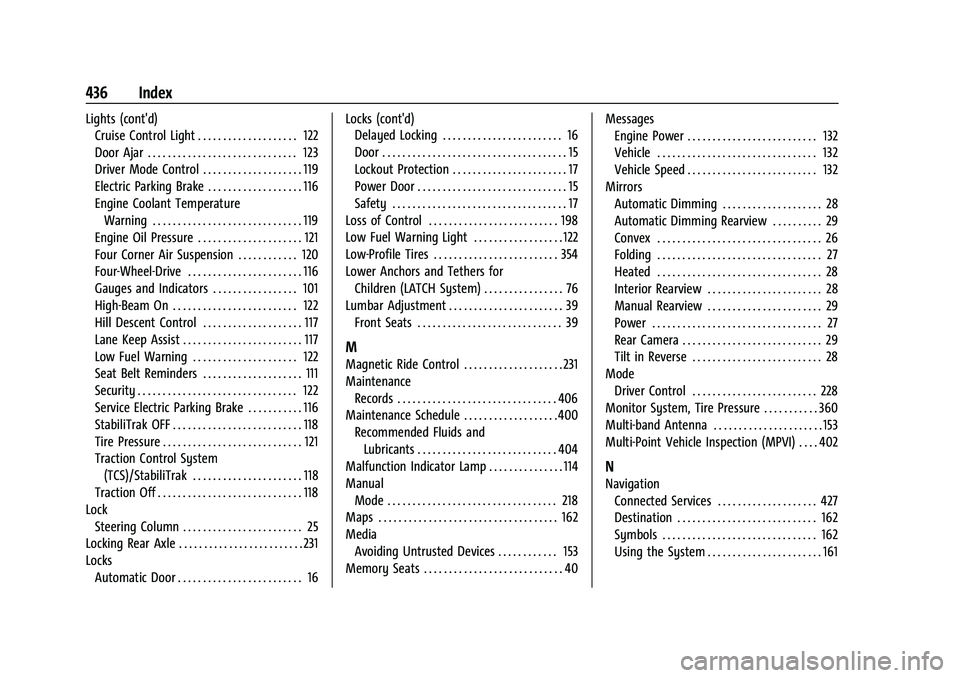
436 Index
Lights (cont'd)Cruise Control Light . . . . . . . . . . . . . . . . . . . . 122
Door Ajar . . . . . . . . . . . . . . . . . . . . . . . . . . . . . . 123
Driver Mode Control . . . . . . . . . . . . . . . . . . . . 119
Electric Parking Brake . . . . . . . . . . . . . . . . . . . 116
Engine Coolant Temperature
Warning . . . . . . . . . . . . . . . . . . . . . . . . . . . . . . 119
Engine Oil Pressure . . . . . . . . . . . . . . . . . . . . . 121
Four Corner Air Suspension . . . . . . . . . . . . 120
Four-Wheel-Drive . . . . . . . . . . . . . . . . . . . . . . . 116
Gauges and Indicators . . . . . . . . . . . . . . . . . 101
High-Beam On . . . . . . . . . . . . . . . . . . . . . . . . . 122
Hill Descent Control . . . . . . . . . . . . . . . . . . . . 117
Lane Keep Assist . . . . . . . . . . . . . . . . . . . . . . . . 117
Low Fuel Warning . . . . . . . . . . . . . . . . . . . . . 122
Seat Belt Reminders . . . . . . . . . . . . . . . . . . . . 111
Security . . . . . . . . . . . . . . . . . . . . . . . . . . . . . . . . 122
Service Electric Parking Brake . . . . . . . . . . . 116
StabiliTrak OFF . . . . . . . . . . . . . . . . . . . . . . . . . . 118
Tire Pressure . . . . . . . . . . . . . . . . . . . . . . . . . . . . 121
Traction Control System (TCS)/StabiliTrak . . . . . . . . . . . . . . . . . . . . . . 118
Traction Off . . . . . . . . . . . . . . . . . . . . . . . . . . . . . 118
Lock Steering Column . . . . . . . . . . . . . . . . . . . . . . . . 25
Locking Rear Axle . . . . . . . . . . . . . . . . . . . . . . . . . 231
Locks
Automatic Door . . . . . . . . . . . . . . . . . . . . . . . . . 16 Locks (cont'd)
Delayed Locking . . . . . . . . . . . . . . . . . . . . . . . . 16
Door . . . . . . . . . . . . . . . . . . . . . . . . . . . . . . . . . . . . . 15
Lockout Protection . . . . . . . . . . . . . . . . . . . . . . . 17
Power Door . . . . . . . . . . . . . . . . . . . . . . . . . . . . . . 15
Safety . . . . . . . . . . . . . . . . . . . . . . . . . . . . . . . . . . . 17
Loss of Control . . . . . . . . . . . . . . . . . . . . . . . . . . 198
Low Fuel Warning Light . . . . . . . . . . . . . . . . . . 122
Low-Profile Tires . . . . . . . . . . . . . . . . . . . . . . . . . 354
Lower Anchors and Tethers for
Children (LATCH System) . . . . . . . . . . . . . . . . 76
Lumbar Adjustment . . . . . . . . . . . . . . . . . . . . . . . 39
Front Seats . . . . . . . . . . . . . . . . . . . . . . . . . . . . . 39
M
Magnetic Ride Control . . . . . . . . . . . . . . . . . . . . 231
MaintenanceRecords . . . . . . . . . . . . . . . . . . . . . . . . . . . . . . . . 406
Maintenance Schedule . . . . . . . . . . . . . . . . . . .400 Recommended Fluids andLubricants . . . . . . . . . . . . . . . . . . . . . . . . . . . . 404
Malfunction Indicator Lamp . . . . . . . . . . . . . . . 114
Manual
Mode . . . . . . . . . . . . . . . . . . . . . . . . . . . . . . . . . . 218
Maps . . . . . . . . . . . . . . . . . . . . . . . . . . . . . . . . . . . . 162
Media Avoiding Untrusted Devices . . . . . . . . . . . . 153
Memory Seats . . . . . . . . . . . . . . . . . . . . . . . . . . . . 40 Messages
Engine Power . . . . . . . . . . . . . . . . . . . . . . . . . . 132
Vehicle . . . . . . . . . . . . . . . . . . . . . . . . . . . . . . . . 132
Vehicle Speed . . . . . . . . . . . . . . . . . . . . . . . . . . 132
Mirrors Automatic Dimming . . . . . . . . . . . . . . . . . . . . 28
Automatic Dimming Rearview . . . . . . . . . . 29
Convex . . . . . . . . . . . . . . . . . . . . . . . . . . . . . . . . . 26
Folding . . . . . . . . . . . . . . . . . . . . . . . . . . . . . . . . . 27
Heated . . . . . . . . . . . . . . . . . . . . . . . . . . . . . . . . . 28
Interior Rearview . . . . . . . . . . . . . . . . . . . . . . . 28
Manual Rearview . . . . . . . . . . . . . . . . . . . . . . . 29
Power . . . . . . . . . . . . . . . . . . . . . . . . . . . . . . . . . . 27
Rear Camera . . . . . . . . . . . . . . . . . . . . . . . . . . . . 29
Tilt in Reverse . . . . . . . . . . . . . . . . . . . . . . . . . . 28
Mode
Driver Control . . . . . . . . . . . . . . . . . . . . . . . . . 228
Monitor System, Tire Pressure . . . . . . . . . . . 360
Multi-band Antenna . . . . . . . . . . . . . . . . . . . . . . 153
Multi-Point Vehicle Inspection (MPVI) . . . . 402
N
Navigation Connected Services . . . . . . . . . . . . . . . . . . . . 427
Destination . . . . . . . . . . . . . . . . . . . . . . . . . . . . 162
Symbols . . . . . . . . . . . . . . . . . . . . . . . . . . . . . . . 162
Using the System . . . . . . . . . . . . . . . . . . . . . . . 161