wheel CHEVROLET TRACKER 1993 User Guide
[x] Cancel search | Manufacturer: CHEVROLET, Model Year: 1993, Model line: TRACKER, Model: CHEVROLET TRACKER 1993Pages: 339, PDF Size: 15.75 MB
Page 63 of 339
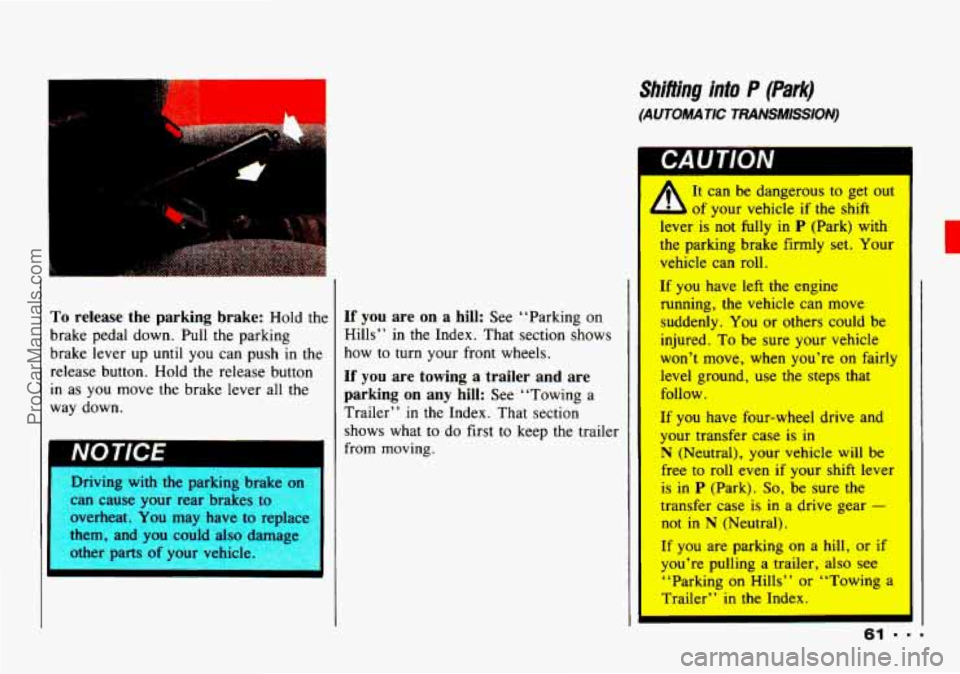
To release the parking brake: Hold the
brake pedal down. Pull the parking
brake lever up
until you can push in the
release button. Hold the release button
in as you move the brake lever all the
way down.
I NOTICE
Driving with the parking brake on
can cause your rear brakes to
overheat.
You may have to replac=
them, and
you could also dvwe
other parts
of your vehicle.
If you are on a hill: See “Parking on
Hills” in
the Index. That section shows
how to turn your front wheels.
If you are towing a trailer and are
parking on any hill:
See “Towing a
Trailer”
in the Index. That section
shows what to
do first to keep the trailer
from moving.
Shifiing into P (Park)
(AUTOMATIC TRANSMlSS/ON)
It can be dangerous to get out
of your vehicle if
the shift
lever is not fully in
P (Park) with
the parking brake firmly set. Your
vehicle can roll,
If you have left the engine
running, the vehicle can move
suddenly. You or others could be
injured. To be sure your vehicle
won’t move, when you’re on fairly
level ground, use the steps that
follow.
If you have four-wheel drive and
your transfer case
is in
N (Neutral), your vehicle will be
free
to roll even if your shift lever
is in
P (Park). So, be sure the
transfer case
is in a drive gear -
not in N (Neutral).
If
you are parking on a hill, or if
you’re pulling a trailer, also see
‘‘Parking on Hills”
or ‘‘Towing a
Trailer” in the Index.
ProCarManuals.com
Page 64 of 339
Features & Controls
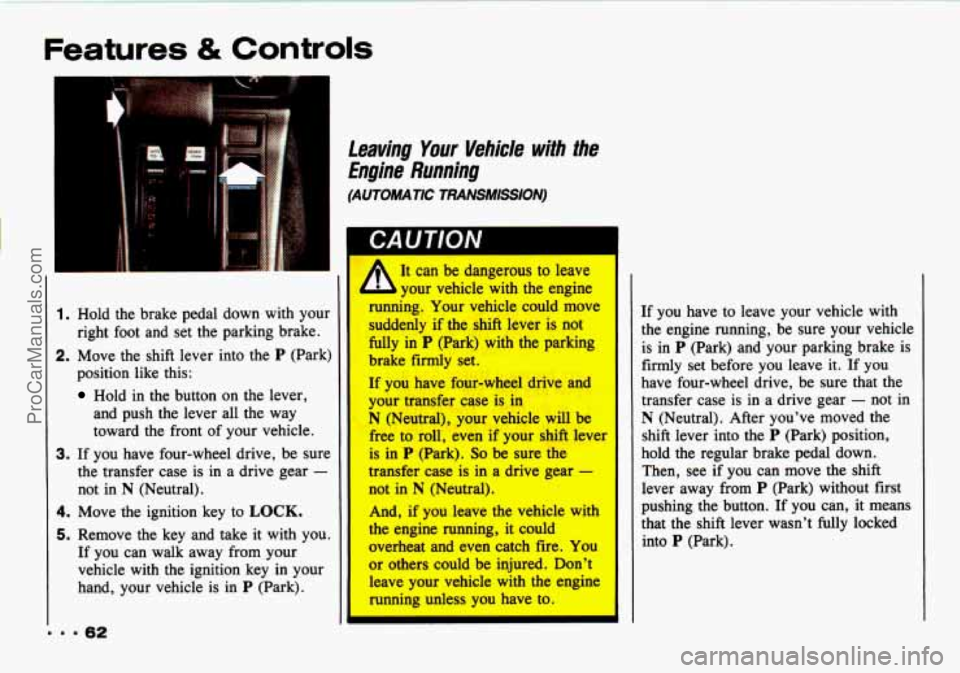
1. Hold the brake pedal down with your
right foot and set the parking brake.
2. Move the shift lever into the P (Park)
position like this:
Hold in the button on the lever,
and push the lever all the way
toward the front of your vehicle.
3. If you have four-wheel drive, be sure
the transfer case is in a drive gear
-
not in N (Neutral).
4. Move the ignition key to LOCK.
5. Remove the key and take it with you.
If you can walk away from your
vehicle with the ignition key in your
hand, your vehicle is
in P (Park).
Leaving Your Vehide with the
Engine Running
(AUTOMATIC TRANSMISSION)
A It can be dangerous to leave
your vehicle with the engine
running. Your vehicle could move
suddenly if the &ifl lever is not
fully in P (Park) with the parking
brake firmly set.
If you have f0.w-wheel drive and
your -fer we is. in
N (Neutral), your vehicle will be
free to roll, even if your shift lever
is in P (Park). So be sure the
transfer case is in a drive gear -
not in N (Neutral).
And, if you leave the vehicle with
the
engine running, it could
overheat and even catch fire. You
or others could be injured. Don't
leave your vehicle with the engine
running unless you have to.
If you have to leave your vehicle with
the engine running, be sure your vehicle
is in
P (Park) and your parking brake is
firmly set before you leave
it. If you
have four-wheel drive, be sure that the
transfer case is in a drive gear
- not in
N (Neutral). After you've moved the
shift lever into the
P (Park) position,
hold the regular brake pedal down.
Then, see if you can move the shift
lever away from
P (Park) without first
pushing the button. If you can, it means
that the shift lever wasn't fully locked
into
P (Park).
ProCarManuals.com
Page 65 of 339
Shifling out of P (Park)
(AUTOMATIC TRANSMISSION)
Your Geo has a brake-transmission shift
interlock. You have to fully
apply your
regular brake
before you can shift from
P (Park) when the ignition is in the ON
position. See “Automatic Transmission”
in the Index.
If you cannot shift out of P (Park), ease
pressure on the shift lever
- push the
shift lever all the way into P (Park) and
also release
the shift lever button on
floor shift console models as you
maintain brake application. Then move
the shift lever into the gear you wish.
(Press
the shift lever button before
moving
the shift lever.)
I
If you ever hold the brake pedal down
but still can’t shift out of
P (Park), try
this:
1. Apply and hold the brake until the
end
of step 3.
2. Start the vehicle if it’s not already
running.
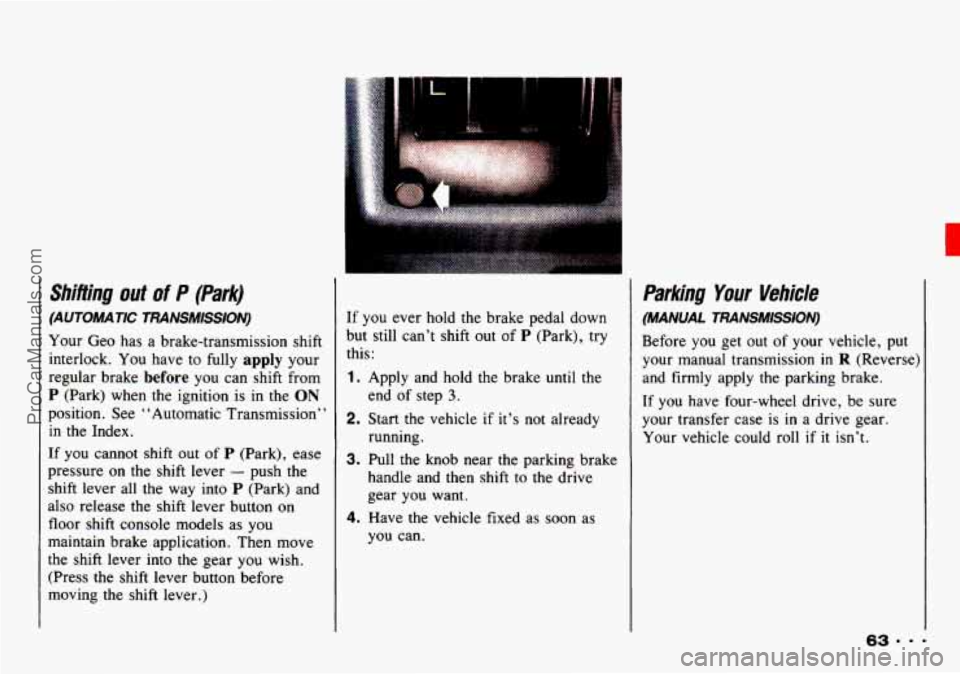
3. Pull the knob near the parking brakc
handle and then shift
to the drive
gear you want.
4. Have the vehicle fixed as soon as
you can.
Parking Your Vehicle
(MANUAL TRANSMISSION)
Before you get out of your vehicle, put
your manual transmission in
R (Reverse)
and firmly apply the parking brake.
If you have four-wheel drive, be sure
your transfer case is in a drive gear.
Your vehicle could roll
if it isn’t.
ProCarManuals.com
Page 67 of 339
Running Your Engine While
You’re Parked
(AUTOMATIC TRANSMISSION)
It’s better not to park with the engine
running. But if
you ever have to, here
are some things to
know.
CAUTION
A
Idling the engine with the air system control off could allow dangerous
exhaust into your vehicle (see
the earlier Caution under “Engine
Exhaust’
’).
Also, idling in a closed-in place can let deadly carbon monoxide (CO) into
your vehicle even if
the fan switch is at the highest setting. One place this
can happen is a garage. Exhaust - with CO - can come in easily. NEVER
park in a garage with
the engine running.
Another closed-in place can be a blizzard. (See “Blizzard”
in the Index.)
It can be dangerous to get out of your vehicle if the shift lever is not
fully in
P (Park) with the parking brake firmly set. Your vehicle can roll. Don’t
leave your vehicle when
the engine is running unless you have to. If you’ve
left the engine running, the vehicle can move suddenly. You or others could
be injured.
To be sure your vehicle won’t move, even when you’re on fairly
level ground, always set your parking brake and move the shift lever
to P
(Park).
If you have four-wheel drive and your transfer case
is in N (Neutral), your
vehicle will be free to roll, even
if your shift lever is in P (Park). So, be sure
the transfer case
is in a drive gear - not in N (Neutral). Follow the proper
steps to be sure your vehicle won’t move. See “Shifting into
P (Park)” in
the Index.
If you are parking on a hill, or if you’re pulling a trailer, also see “Parking
on Hills” or “Towing a Trailer” in the Index.
c
ProCarManuals.com
Page 69 of 339

H Horn
To sound the horn, press the horn
symbol on your steering wheel.
I Tilt meel (OPTION)
1 tilt steerng wheel allows you to adjust
he steering wheel before you drive.
lou can also raise it to the highest level
o give your legs more room when you
:xit and enter the vehicle.
?o tilt the wheel, hold the steering
vheel and lower the lever. Move the
teering wheel
to a comfortable level,
hen raise the lever to its highest
losition to lock the wheel in place.
H I;he Turn SignaULights
CoPttrolHeadlight Beam
Lever
The lever on the left side of the steering
column includes your:
Turn Signal and Lane Change
Headlight High/Low Beam and
Indicator
Passing Signal
Lighting Operation
67
c
ProCarManuals.com
Page 86 of 339
Features & Controls
. . .a4
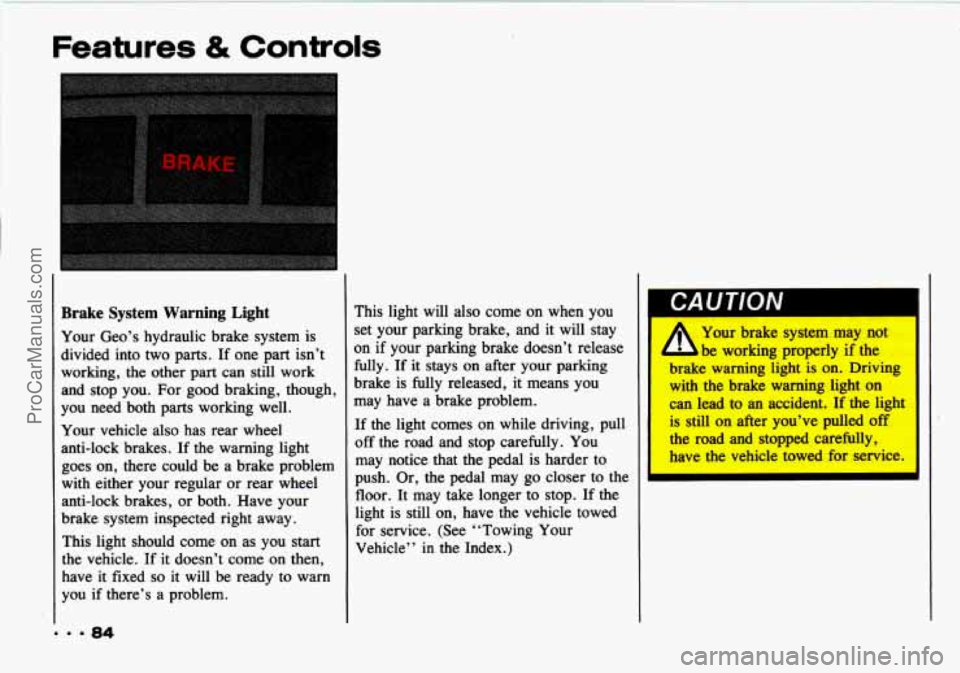
Brake System Warning Light
Your Geo’s hydraulic brake system is
divided into two parts.
If one part isn’t
working, the other part can still work
and stop you.
For good braking, though,
you need both parts working well.
Your vehicle also has rear wheel
anti-lock brakes. If the warning light
goes on, there could be a brake problem
with either your regular or rear wheel
anti-lock brakes,
or both. Have your
brake system inspected right away.
This light should come
on as you start
the vehicle. If it doesn’t come on then,
have
it fixed so it will be ready to warn
you if there’s a problem. This light will
also come on when you
set your parking brake, and it
will stay
on if your parking brake doesn’t release
fully. If it stays on after your parking
brake is fully released, it means you
may have a brake problem.
If the light comes on while driving, pull
off the road and stop carefully. You
may notice that the pedal is harder to
push.
Or, the pedal may go closer to the
floor. It may take longer to stop. If the
light is still on, have the vehicle towed
for service. (See “Towing
Your
Vehicle” in the Index.)
$ Your brake system may not
be working properly if the
brake warning light
is on. Driving
with the brake warning light on
can lead to an accident.
If the light
is still on after you’ve pulled off
the road and stopped carefully,
have the vehicle towed for service.
I
ProCarManuals.com
Page 119 of 339
Here YOU’II find information
about driving on different kinds
of roads and in varying weather
conditions
. We’ve also included
many other useful tips on driving
.
Part 4
Your Driving and the Road
Roadsigns .......................................................... 118
DefensiveDriving
.................................................... 122
DrunkenDriving
..................................................... 123
Control of a Vehicle
.................................................. 126
Driving Guidelines
................................................... 140
Off-Road Driving with Your
Geo
Four-Wheel-Drive Vehicle ....................................... 140
Drivingat Night
..................................................... 157
Driving in the Rain
................................................... 160
Driving in Fog. Mist and Haze
......................................... 162
City Driving
........................................................ 164
Freeway Driving
..................................................... 165
Driving a Long Distance
.............................................. 167
Hilland MountainRoads
.............................................. 169
ParkingonHills
..................................................... 171
Winter Driving
...................................................... 173
TowingaTrailer
..................................................... 177
Recreational Towing
.................. ......................... 186
117 . =
ProCarManuals.com
Page 131 of 339
L
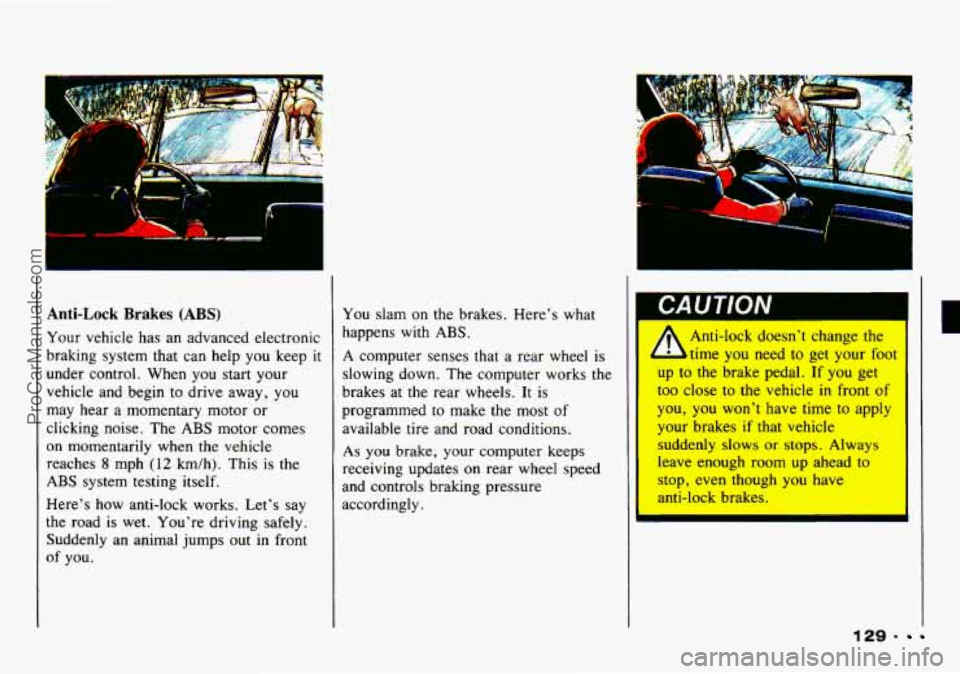
Anti-Lock Brakes (ABS) You slam on the brakes. Here’s what
Your vehicle has an advanced electronic happens with
ABS.
braking system that can help you keep it A computer senses that a rear wheel is
under control. When you stag your
-
vehicle and begin to drive away, you
may hear a momentary motor or
clicking noise. The ABS motor comes
on momentarily when the vehicle
reaches
8 mph (12 km/h). This is the
ABS system testing itself.
Here’s how anti-lock works. Let’s say
the road
is wet. You’re driving safely.
Suddenly an animal jumps
out in front
of you. slowing
down. The computer works the
brakes at the rear wheels. It is
programmed to make the most
of
available tire and road conditions.
As you brake, your computer keeps
receiving updates on rear wheel speed
and controls braking pressure
accordingly.
I
A
Anti-lock doesn’t change the
time you need to get your foot
up to the brake pedal.
If you get
too close to
the vehicle in front of
you, you won’t have time to apply
your brakes
if that vehicle
suddenly slows
or stops. Always
leave enough room up ahead to
stop, even though you have
anti-lock brakes.
129.
ProCarManuals.com
Page 132 of 339
Your Driving and the Road
To Use Anti-Lock:
Use rear wheel anti-lock like regular
brakes.
You may feel the brakes vibrate,
or you may notice some noise outside
your vehicle, but this is normal. Let
anti-lock work for you, but remember:
Your front wheels can still stop rolling.
If that happens, release enough pressure
on the brakes to get the wheels rolling
again
so that you can steer.
With the four-wheel-drive option, you
won't have anti-lock braking when you
shift into four-wheel drive. But you will
have regular braking. When you shift
back into two-wheel drive, you will
have anti-lock again.
- 130
Disc Brake Wear Indicators
Your Geo has front disc and rear drum
brakes.
Disc brake pads have built-in wear
worn and new pads are needed. The
sound may come and go
or be heard all
the time your vehicle is moving (except
when you are pushing on the brake
pedal firmly).
t
The brake wear warning
l sound means that sooner or
1; : your brakes won't work well.
I'hat could lead to an accident.
When you hear the brake wear
cerviced.
indicators
that make
a high-pitched
warning
sound when the brake Pads are I I warning sound, have your vehicle
I
II
IVV I IUL
Continuing to drive with worn-out
brake pads cc
in cost'
brake rep;
'I
ProCarManuals.com
Page 134 of 339
Your Driving and the Road
II. 132
Braking in Emergencies
At some time, nearly every driver gets
into a situation that requires hard
braking.
You have the rear wheel
anti-lock braking system. Your front
wheels can stop rolling when you brake
very hard. Once they do, the vehicle
can’t respond to your steering.
Momentum will carry it in whatever
direction it was headed when
the wheels
stopped rolling. That could be off the
road, into the very thing you
were
trying to avoid, or into traffic.
So, use a “squeeze” braking technique.
This
will give you maximum braking
while maintaining steering control. You
do this by pushing on the brake pedal
with steadily increasing pressure. When
you do, you can maintain steering
control. In many emergencies, steering
can help you more than even the very
best braking.
Steering
Power Steering
If you lose power steering assist because
the engine stops or the system fails to
function, you can steer but
it will take
much more effort.
Steering Tips
Driving on Curves
It’s important to take curves at a
reasonable speed.
A lot of the ‘‘driver lost control”
accidents mentioned on the news happen
on curves. Here’s why:
Experienced driver or beginner, each of
us
is subject to the same laws of physics
when driving on curves. The traction
of
ProCarManuals.com