light CHEVROLET TRACKER 1993 Manual PDF
[x] Cancel search | Manufacturer: CHEVROLET, Model Year: 1993, Model line: TRACKER, Model: CHEVROLET TRACKER 1993Pages: 339, PDF Size: 15.75 MB
Page 262 of 339
Service & Appearance Care
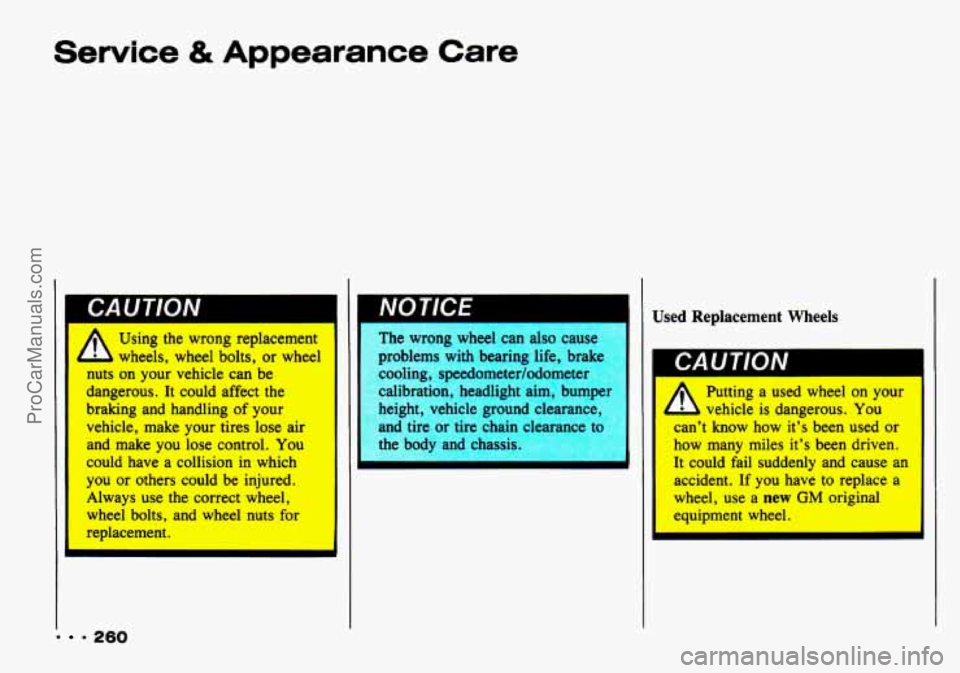
nuts on your vehicle can be
dangerous. It could affect the
braking and handling of your
vehicle, make your tires lose air
and make you lose control.
You
could have a collision in which
you or others could be injured.
Always use the correct wheel,
wheel bolts, and wheel nuts for
replacement.
NOTlCE
= 260
The wrong wheel can also cause
problems with bearing life, brakc
cooling, speedometer/odometer
calibration, headlight aim, bump
height, vehicle ground cleara
and tire or tire chain clearance
tc
the body and chassis Used
Replacement Wheels
I
Ab
Putting a used wheel on your
vehicle is dangerous. You
can’t
know how it’s been used or
how many miles it’s been driven.
It could fail suddenly and
cause an
accident. If you have to replace a
wheel, use a new GM original
equipment wheel.
ProCarManuals.com
Page 265 of 339
Using Foam-Type Cleaner on Fabric
Vacuum and brush the area to remove
Always clean a whole trim panel or
any
loose dirt.
section. Mask surrounding trim along
stitch or welt lines.
Mix Multi-Purpose Powdered Cleaner
following
the directions on the
container label.
Use suds only and apply with clean
Don’t saturate the material.
Don’t rub it roughly.
As soon as you’ve cleaned the
sponge.
section,
use a sponge to remove
the
suds.
Rinse the section with a clean, wet
sponge.
Wipe off what’s left with a slightly
damp paper towel or cloth.
Then dry it immediately with an air
hose, a hair dryer or a heat lamp.
Be careful with a nalr aryer or
heat lamp. You could scorch thl
Wipe with a clean cloth. Using
Solvent-Type Cleaner on
Fabric
First, see if you have to use solvent-type
cleaner at all. Some spots and stains will
clean off better with
just water and mild
soap.
If you need to use it, then:
Gently scrape excess soil from the
trim material with a clean, dull knife
or scraper. Use very little cleaner,
light pressure and clean cloths
263 - -
ProCarManuals.com
Page 267 of 339
Non-Greasy Stains: Like catsup, coffee
(black), egg, fruit, fruit juice, milk,
soft
drinks, wine, vomit, urine and blood.
Carefully scrape off excess stain, then
sponge the soiled area with
cool
water.
If a stain remains, follow the
foam-type instructions above.
If an odor lingers after cleaning vomit
or urine, treat the area with
a
watedbaking soda solution: 1
teaspoon (5 ml) of baking soda to 1
cup (250 ml) of lukewarm water.
Finally, if needed, clean lightly with
solvent-type cleaner.
I
Combination Stains: Like candy, ice
cream, mayonnaise, chili sauce and
unknown stains.
Carefully scrape off excess stain, then
clean with cool water and allow to
dry.
solvent-type cleaner.
If a stain remains, clean it with
Cleaning Vinyl or Leather
Just use warm water and a clean cloth.
Rub with a clean, damp cloth to
remove dirt. You may have to do it
more than once.
polish will stain if you don’t get them
off quickly. Use a clean cloth and
solvent-type vinyl/leather cleaner.
Things like tar, asphalt and shoe
ProCarManuals.com
Page 270 of 339
Service & Appearance Care
268
Machine compounding or
aggressive polishing on a
basecoat/clearcoat paint finish
IT
dull tl sh or lea sw’ ’
marks
Special Care for Canvas Top
To protect the canvas top:
After you wash the vehicle, make
sure the top is completely dry before
you open or remove
it.
Don’t get any vinyl cleaner on the
vehicle’s painted finish; it could leave
streaks.
Don’t go through automatic car
washes;
the canvas top could be
damaged.
The plastic windows are pliable and can
be scratched
if you don’t take these
precautions when you clean them:
Wipe off dust with a soft cotton cloth
moistened
with clean, cool or
lukewarm water. Don’t use a “dry”
cloth. Wipe
in one direction only, not
back and forth.
To remove frost, snow or ice, use
lukewarm water. Don’t use a scraper
or any de-icing fluids.
Wash the windows with a soft cloth
and clean, cool or lukewarm water. Never
use a dry cloth, hot water,
strong soap or detergent, solvents or
harsh cleaning agents. Rinse
thoroughly and wipe with a slightly
moist
soft, clean cloth.
Don’t put any labels, stickers or tape
on windows. It’s hard to remove
adhesives left on the window when such items are removed. If a sticker
or label must be removed, remove
any adhesive
left on the window while
the adhesive is still soft and sticky.
Press
on a new sticker or piece of
tape and then lift it off again; keep
doing this until all the adhesive lifts
off with the sticker or tape.
ProCarManuals.com
Page 275 of 339
1
I Fuses and Circuit
Breakers
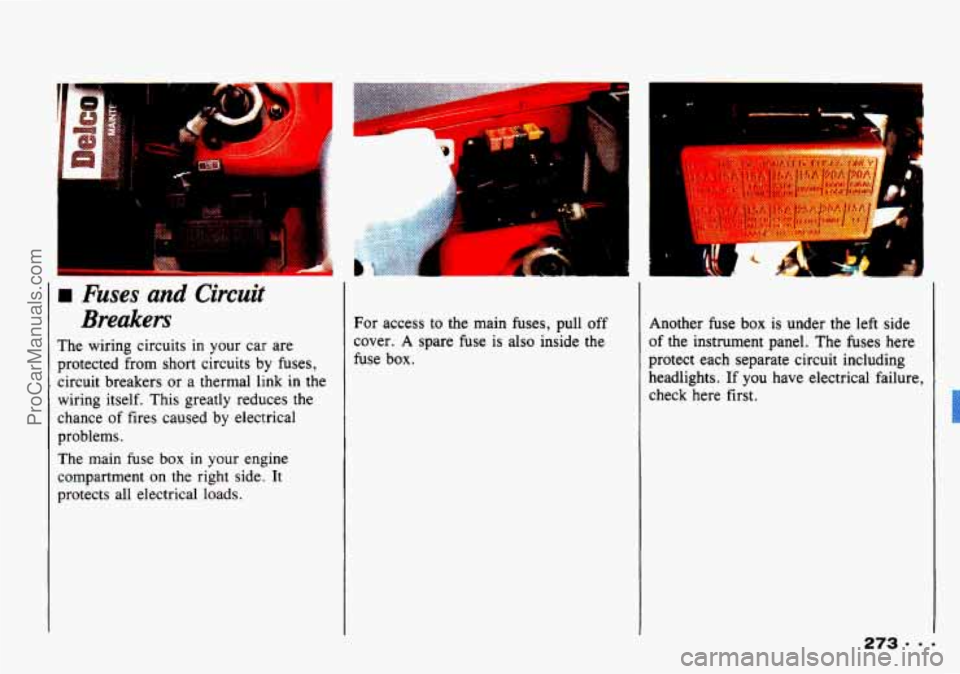
The wiring circuits in your car are
protected from short circuits
by fuses,
circuit breakers
or a thermal link in the
wiring itself. This greatly reduces
the
chance of fires caused by electrical
problems.
The main fuse
box in your engine
compartment
on the right side. It
protects all electrical loads. For
access to the main fuses, pull off
cover.
A spare fuse is also inside the
fuse box. Another fuse
box is under
the left side
of the instrument panel. The fuses here
protect each separate circuit including
headlights.
If you have electrical failure,
check here first.
ProCarManuals.com
Page 276 of 339
Service & Appearance Care
b. . /. , ,.
s Y
Look at the silver-colored band inside
the fuse.
If the band is broken or
melted, replace the fuse. Be sure you
replace a bad fuse with a new
one of the
correct size.
If you ever have a problem on the road
and don't have a spare fuse, you can
borrow one. Just pick some feature of
your car that
you can get along without
- like the radio or cigarette lighter -
and use its fuse, if it is the size you
need. Replace it as soon as you can.
Before replacing a fuse turn every
vehicle electrical switch off.
... 274
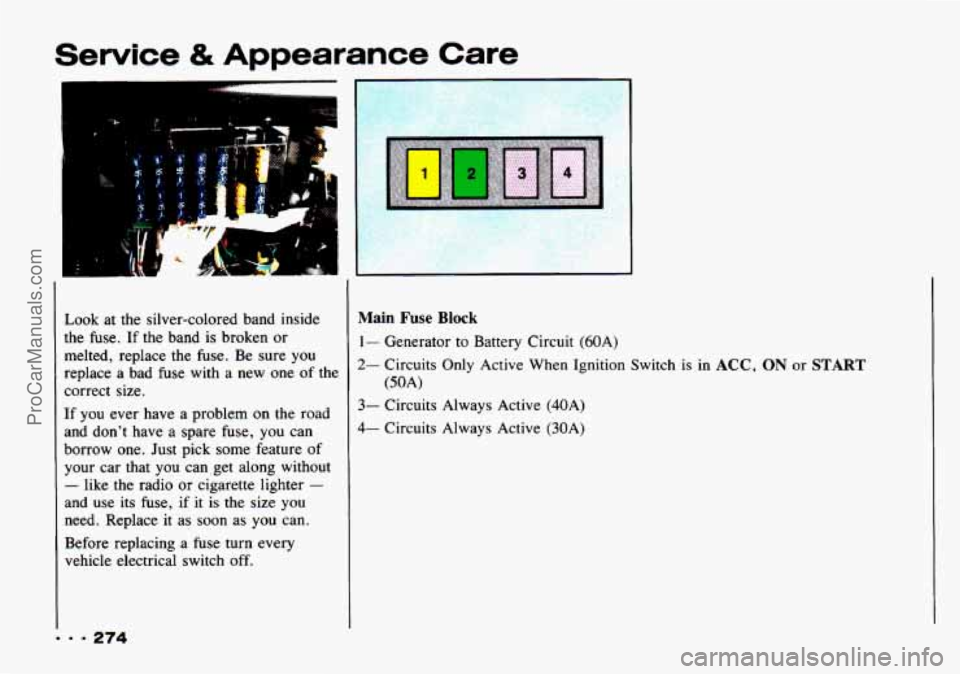
Main Fuse Block
1- Generator to Battery Circuit (60A)
2- Circuits Only Active When Ignition Switch is in ACC, ON or START
3- Circuits Always Active (40A)
4- Circuits Always Active (30A)
(50A)
ProCarManuals.com
Page 277 of 339
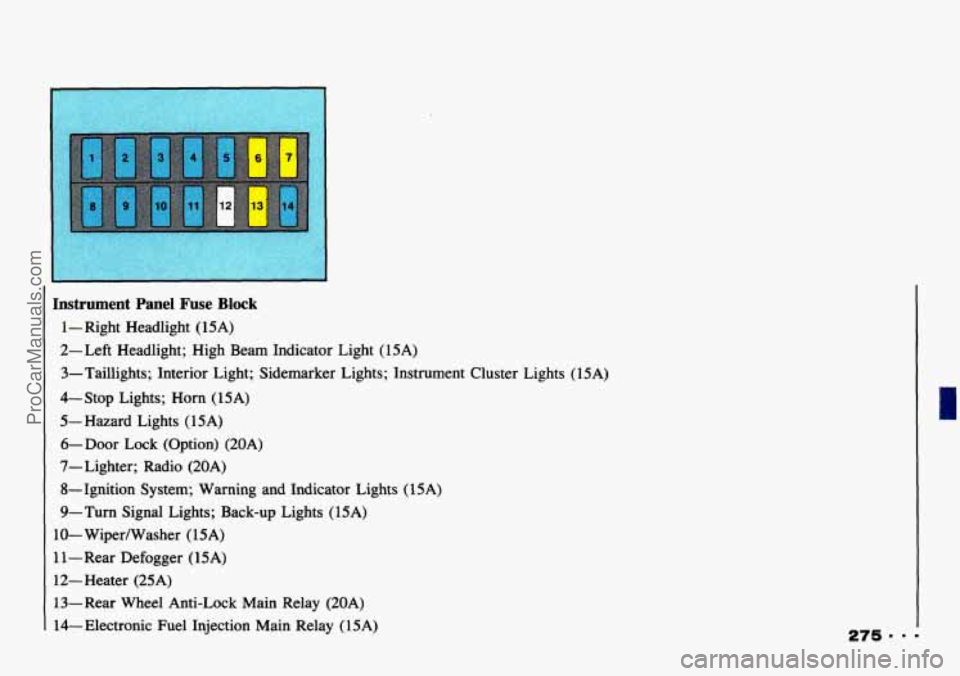
[ Instrument Panel Fuse Block
1 - Right Headlight (15A)
2- Left Headlight; High Beam Indicator Light (1 5A)
3-Taillights; Interior Light; Sidemarker Lights; Instrument Cluster Lights (15A)
4-Stop Lights; Horn (15A)
5- Hazard Lights (15A)
6-Door Lock (Option) (20A)
7- Lighter; Radio (20A)
8-Ignition System; Warning and Indicator Lights (15A)
9-Turn Signal Lights; Back-up Lights (15A)
10- Wiperwasher
(1 SA)
1 1 - Rear Defogger ( 15A)
12-Heater (25A) 13-Rear Wheel Anti-Lock Main Relay (20A)
14-Electronic Fuel Injection Main Relay (15A)
ProCarManuals.com
Page 278 of 339
Service & Appearance
I Replacement Bulbs
Care
Back-up ............................................................. 1156
Dome
............................................................. 9605 1559
Front Parking and Turn Signal
......................................... 1157 NA
Headlight (Halogen) ..................................................... 9004
Heater or Air Conditioning Control
.................................... 96052599
Charging System
................................................... 9433184
Check Engine
..................................................... 9433 184
Engineoil Pressure
................................................ 9433184
Indicator
and Warning
Brake
............................................................ 9433184
4WD
............................................................. 9433184
Headlight HighBeam
............................................... 9433184
Safety Belt
........................................................ 9433184
TurnSignal
....................................................... 9433184
Instrument Cluster
.................................................... 9605 156
License Plate
............................................................ 194
Lighter
............................................................. 9433184
Rear Defogger Switch
............................................. 96061736
Rear Wiper/Washer Switch
........................................... 9606 1736
Rear
Hazard and Turn Signal
........................................... 1156
Rear Parking andstop
................................................... 1157
Sidemarker
................................................. ........ 194
9 - 276
ProCarManuals.com
Page 306 of 339
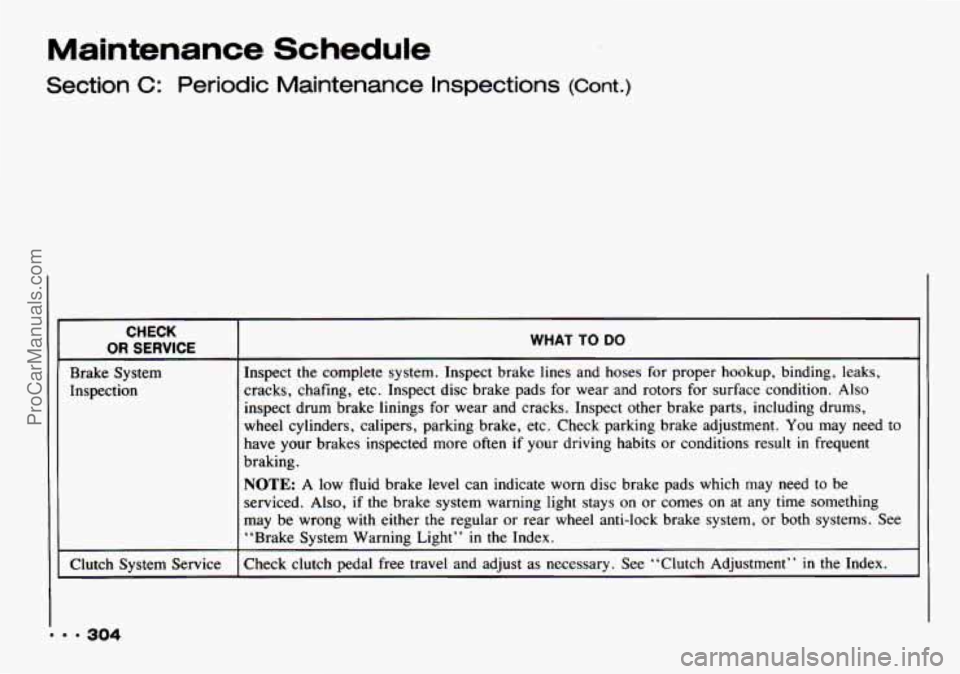
Maintenance Schedule
Section C: Periodic Maintenance Inspections (Cont.)
CHECK
OR SERVICE
Brake System
Inspection
Clutch System Service
~
WHAT TO DO
Inspect the complete system. Inspect brake lines and hoses for proper hookup, binding, leaks,
cracks, chafing, etc. Inspect disc brake pads for wear and rotors for surface condition.
Also
inspect drum brake linings for wear and cracks. Inspect other brake parts, including drums,
wheel cylinders, calipers, parking brake, etc. Check parking brake adjustment.
You may need to
have your brakes inspected more often if your driving habits or conditions result in frequent
braking.
NOTE: A low fluid brake level can indicate worn disc brake pads which may need to be
serviced. Also,
if the brake system warning light stays on or comes on at any time something
may be wrong with either the regular or rear wheel anti-lock brake system, or both systems. See
“Brake Svstem Warning Light” in the Index.
Check clutch pedal free travel and adjust as necessary. See “Clutch Adjustment”
in the Index.
ProCarManuals.com
Page 320 of 339
Customer Assistance Information
Please refer to the Roadside Assistance
brochure inside your portfolio for
full
program details.
In Canada please consult your GM
dealer regarding availability of Roadside Assistance.
Service Publications
Information on how to obtain Product
Service Publications and Indexes as
described below
is applicable only in the
fifty U.S. states (and the District of
Columbia) and
only for cars and light
trucks with GVWR less than
10,OOO
pounds (4 536 kg).
In Canada, information pertaining to
Product Service Bulletins and Indexes
can be obtained by writing to:
General Motors
of Canada Limited
Service Publications Department
1908 Colonel Sam Dr.
Oshawa, Ontario
L1H 8P7
Chevrolet/Geo regularly sends its
dealers useful service bulletins about Chevrolet/Geo products.
Chevrolet/Geo
monitors product performance in the
field. We then prepare bulletins for
servicing
our products better. Now, you
can get these bulletins too.
Bulletins cover various subjects. Some
pertain to the proper use and care of
your vehicle. Some describe costly
repairs. Others describe inexpensive
repairs which, if done on time with the
latest parts, may avoid future costly
repairs. Some bulletins tell a technician
how to repair a new or unexpected
condition. Others describe a quicker way
to fix your vehicle. They can help a
technician service your vehicle better.
= 318
ProCarManuals.com