ECU CHEVROLET TRACKER 1994 User Guide
[x] Cancel search | Manufacturer: CHEVROLET, Model Year: 1994, Model line: TRACKER, Model: CHEVROLET TRACKER 1994Pages: 258, PDF Size: 14.43 MB
Page 92 of 258

Previous Selection: Press “PREV” to go
back
to the beginning of the last selection.
Press “PREV” again or press
“RCL/PROG” or
“HA’, to cancel this
function.
Program: Press “RCL/PROG” to switch
from one side of the tape
to the other.
Your cassette tape player can play
continuously because the player has
an
auto-reverse feature.
Noise Reduction: Press 00 @to remove
noise from Dolby@
B NR-encoded tapes.
Dolby@
B Noise Reduction manufactured
under license from Dolby Laboratories
Licensing Corporation.
“Dolby@” and the
00 @symbol are
trademarks of Dol by Laboratories
Licensing Corporation.
Eject: Press “HA’, to remove the tape
and
switch to radio.
Radio Monitor: Press the “RADIO
MNTR” button to hear the radio when
you are fast forwarding or reversing
a
cassette tape. You can use the “TUNE,“
“SEEK” and “PRESET-SCAN?’ buttons
while
in the radio monitor mode.
rheft Deterrent Feature
The theft deterrent feature for the AM/FM
;tereo
with cassette tape player can be
lsed or ignored. If ignored, the system
Aays normally.
If it is used, your system
won‘t be usable
if it’s ever stolen.
Setting Your Security Code
The instructions below tell you how to
mter a security code into the system. If
qour vehicle loses battery power for any
-eason, you must enter the security code
lgain before
the system will turn on.
1. Write down any four-digit number and
keep
it in a safe place.
2. Turn on the ignition switch to the
“ACC” or “ON” position.
3. Turn the audio system off.
4. Press the “1” and “4” buttons together.
Hold them down
until “- - - -” shows
on the display. You
are now ready
to enter your security
code. Don’t wait more than 15 seconds
between steps.
5. Press “4 SEEK b’’ and/or
“+ TUNE ,’’ and “0000” will appear
on the display.
first digit of your code appears.
Release the button.
6. Press “SEEK+” and hold it until the
7. Press “SEEK F” and hold it until the
second digit of your code appears.
Release the button.
8. Press “TUNE +” and hold it until the
third digit
of your code appears.
Release the button.
9. Press “TUNE F” and hold it until the
fourth digit of your code appears.
Release the button.
10. Press “AM-FM” after you have
checked that the code you entered is
the one you wrote down. “rEP” will
appear
in the display, which means
you need
to repeat steps 5 through 9.
will now show “SEC.”
11. Press “AM-FM” again and the displaJ
91 ...
ProCarManuals.com
Page 93 of 258

Comfort Controls and Audio Systems
How to Shut Off the Theft-Deterrent
Feature
If your radio is secured (“SEC” shows on
the display) and you wish to disable
it,
enter your security code as follows,
pausing no more than 15 seconds between
steps:
1. Press the “1” and “4” buttons together.
Hold them down until “SEC” shows
on the display.
You are now ready to
enter your security code.
until the first digit
of your code
appears.
3. Press the “SEEK b” button and hold it
until the second digit
of your code
appears.
4. Press the “TUNE 4” button and hold
it until the third digit
of your code
appears.
2. Press the “SEEKA” button and hold it
5. Press the “TUNE b” button and hold
it until the fourth digit of your code
appears.
checked that the code you entered
matches the one you wrote down.
display.
6. Press “AM-F’”’ after you have
64 ---- ” should now appear in the
If the code is correct, the radio will now
operate.
If the code is wrong, “Err” will
appear in the display.
To Unlock the System After a Power
Loss
If power is disrupted to the radio while in
the “SEC” mode, the unit will not work
and
“LOC” will show on the display
whenever the ignition is on.
To unlock the
unit:
1. Press ‘‘4 SEEK F’’ and/or
‘‘4 TUNE by’ and “000.0” will appear
on the display.
2. Press the “SEEKd” button and hold it
until the first digit
of your code
appears.
3. Press the “SEEK b” button and hold it
until the second digit of your code
appears.
4. Press the “TUNE 4” button and hold
it until the third digit
of your code
appears.
5. Press the “TUNE b” button and hold
, it until the fourth digit of your code
appears.
checked that the code matches the one
you wrote down. Now
“SEC” will
appear on the display.
6. Press “AM-FM” after you have
... 92
ProCarManuals.com
Page 97 of 258

Comfort Controls and Audio Systems
Theft Deterrent Feature
The theft deterrent feature for the AMEM
stereo with cassette tape and compact disc
player can be used or ignored. If ignored,
the system plays normally. If it is used,
your system won’t be usable if it’s ever
stolen.
Setting Your Security Code
The instructions below tell you how to
enter a security code into the system. If
your vehicle loses battery power for any
reason, you must enter the security code
again before the system will turn on.
1. Write down any four-digit number and
keep it in a safe place.
2. Turn on the ignition switch to the
“ACC” or “ON’ position.
3. Turn the audio system off.
4. Press the “1” and “4” buttons together.
Hold them down until
“- - - -” shows
on the display.
You are now ready to enter your security
code. Don’t wait more than 15 seconds
between steps.
5. Press “4 SEEK b” and/or
“4 TUNE b” and “0000” will appear
on the display.
first digit of your code appears.
Release the button.
6. Press “SEEKI” and hold it until the
7. Press “SEEK b” and hold it until the
second digit of your code appears.
Release the button.
8. Press “TUNE 4” and hold it until the
third digit
of your code appears.
Release the button.
9. Press “TUNE b” and hold it until the
fourth digit of your code appears.
Release the button.
checked that the code you entered is
the one you wrote down. “rEP’ will
appear
in the display, which means
you need to repeat steps
5 through 9.
11. Press “AM-FM” again and the
display will now show
“SEC.”
1 p. Press “AM-FM’ after you have
How to Shut Off the Theft-Deterrent
Feature
If your radio is secured (“SEC” shows on
the display) and you wish to disable it,
enter your security code as follows,
pausing no more than
15 seconds between
steps:
1. Press the “1” and “4” buttons together.
Hold them down until
“SEC” shows
on the display. You are now ready to
enter your security code.
until the fist digit of your code
appears.
3. Press the “SEEK b” button and hold it
until the second digit
of your code
appears.
4. Press the “TUNE 4” button and hold
it until the third digit of your code
appears.
5. Press the “TUNE b” button and hold
it until the fourth digit
of your code
appears.
checked that the code you entered
matches the one you wrote down.
display.
2. Press the “SEEKI” button and hold it
6. Press “AM-F’”’ after you have
LL ---- ” should now appear in the
... 96
ProCarManuals.com
Page 109 of 258
Your Driving and the Road
As with other vehicles of this type, failure
to operate this vehicle correctly may
result
in loss of control or vehicle
rollover.
Off-Road Driving with
Your Geo Four-wheel
Drive Vehicle
This off-road guide is for vehicles that
have four-wheel drive.
Also, see “Anti-lock Brakes”
in the Index.
If your vehicle doesn’t have four-wheel
drive, you shouldn’t drive off-road unless
you’re
on a level, solid surface.
Off-road driving can be great fun. But
it
does have some definite hazards. The
greatest of these is the terrain itself.
“Off-roading” means
you’ve left the great
North American road system behind.
Traffic lanes aren‘t marked. Curves aren’t
banked. There are no road signs. Surfwes
can be slippery, rough, uphill
or downhill.
In short, you’ve gone right back to nature.
Off-road driving involves
some new
skills. And that’s
why it’s very important
that
you read this guide. You’ll find many
driving tips and suggestions. These
will
help make your off-road driving safer and
more enjoyable.
=. .lo8
Before You Go Off-Roading
There are some things to do before you
go out. For example, be sure to have all
necessary maintenance and service work
done. Be sure you read all the information
about your four-wheel drive vehicle in
this manual. Is there enough fuel? Is the
spare tire
fully inflated‘? Are the fluid
levels up where they should
be‘? What are
the local laws
that apply to off-roacting
where you’ll be driving?
If you don’t
know, you should check with law
enforcement people
in the area. Will you
be on someone’s private land?
If so, be
sure
to get the necessary permission.
Loading Your Vehicle for Off-Road
Driving
There are some important things to
remember
about how to load your
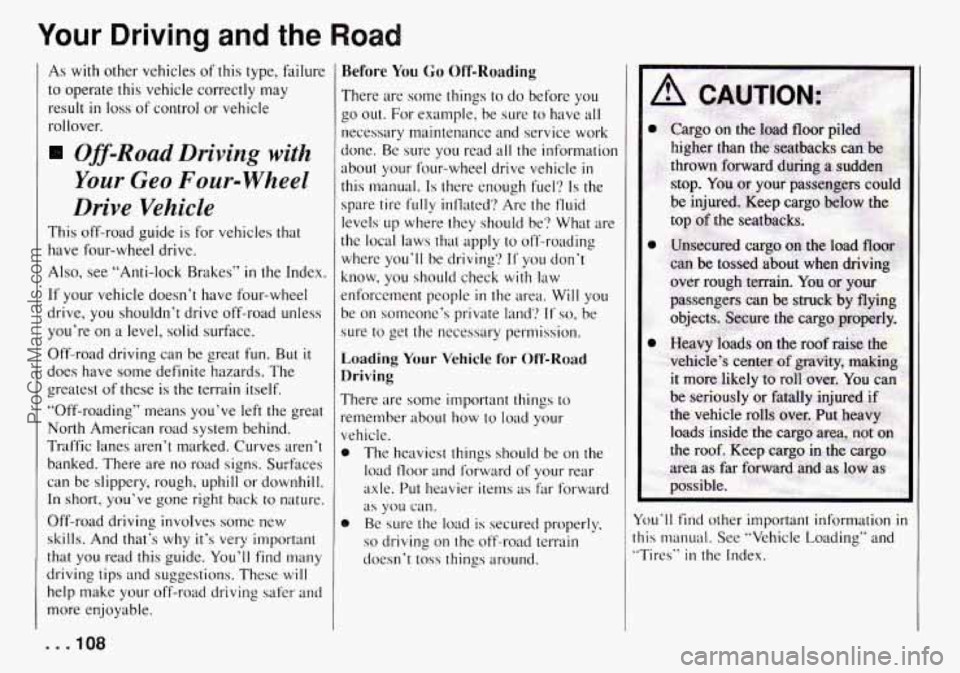
vehicle. The heavies1 things should
be on the
load floor and forward of your rear
axle. Put heavier items
as far forward
as you can.
e Be sure the load is secured properly,
so driving on the off-road terrain
doesn’t
toss things around.
You’ll find other important information in
this manual. See “Vehicle Loading” and
”Tires”
in the Index.
ProCarManuals.com
Page 124 of 258
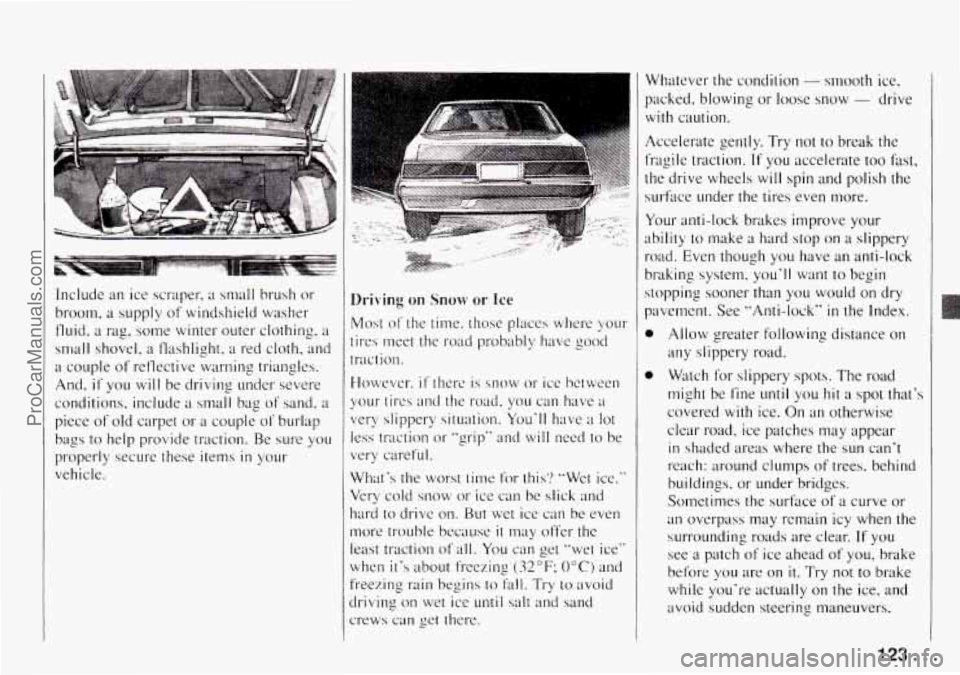
Include an ice scraper7 a small brush or
broom. a supply of windshield washer
fluid,
a rag, some winter outer clothing, a
small shovel, a flashlight, a red cloth, and
a couple of reflective warning triangles.
And,
if you will be driving under severe
conditions, include
:I small bag of sand, ;I
piece of old carpet or a couple of burlap
bags to
help provide traction. Be sure yo11
properl}, secure these item in your
vehicle.
Driving on Snow or Ice
Most of the time. those placcs where your
tires meet the road probably have good
traction.
Howe\w-.
it’ thcrc is snow or ice between
your tires antl the road, you can Iwve ;I
very slippery situation. You‘ll have ;t lot
less traction or “grip“ and will need to be
very careful.
What‘s the worst time
for this’? “Wet ice.”
Very cold snow
or ice can be slick and
hurd to drive on. Rut wet ice can be even
more trouble because
it nlay offer the
least traction
of all. You can get ”wet ice”
when it’s about freezing
(32°F; 0°C) and
freezing rain begins to fall. Try to avoid
hiving on wet ice
until salt and sand
:rews
can get there. Whatever the condition
- smooth ice.
packed. blowing or loose snow
- drive
with caution.
Accelerate gently. Try not
to break the
fragile traction. If you accelerate too fast,
the drive wheels will spin and polish the
surface under the tires even more.
Your anti-lock brakes improve your
ability
to make a hard stop on a slippery
road. Even though you have
an anti-lock
braking system.
you’ll want to begin
stopping sooner than
you would on dry
pavement.
See “Anti-lock” in the Index.
0
0
Allow greater following distance on
any slippery road.
Watch for slippery spots. The road
might be fine
until you hit H spot that’s
covered with ice.
On an otherwise
clear road. ice patches may appear
in shaded areas where the sun can’t
reach: around clumps
of trees. behind
buildings, or under bridges.
Sometimes the surftlce
of a curve or
an overpass may remain icy when the
surrounding roads are clear.
If you
see a patch of ice ahead of you, brake
before you are on
it. Try not to brake
while
you’re actually on the ice, and
avoid sudden steerins maneuvers.
123 ...
ProCarManuals.com
Page 128 of 258

0
distance is less than 12 inches, take
the foot off the trailer tongue.
Will you have to make any holes
in
the body of your vehicle when you
install a trailer hitch?
If you do, then
be sure
to seal the holes later when
you remove the hitch. If you don't
seal them, deadly carbon monoxide
(CO) from your exhaust can get into
your vehicle (see "Carbon Monoxide"
in the Index). Dirt and water can, too.
Safety Chains
You should always attach chains between
your vehicle and your trailer. Cross the
safety chains under the tongue of the
trailer
so that the tongue will not drop to
the road if
it becomes separated from the
hitch. Instructions about safety chains
may be provided by the hitch
manufacturer
or by the trailer
manufacturer. Follow the manufacturer's
recommendation
for attaching safety
chains. Always leave just enough slack
so
you can turn with pour rig. And, never
allow safety chains
to drag on the ground.
Trailer Brakes
If your trailer weighs more than 1,000
pounds (450 kg) loaded, then it needs its
own brakes -and they must be adequate.
Be sure
to read and follow the instructions
for the trailer brakes so you'll be able to
install, ad-just and maintain them properly.
Don't tap into your vehicle's brake
system
if the trailer's brake system
will use more than 0.02 cubic inch
(0.3 cc) of fluid from your vehicle's
master cylinder.
If it does. both
systems won't work well. You could
even lose your brakes.
Will the trailer brake parts take
3,000
psi (20 650 kPa) of pressure? If not,
the trailer brake system must not be
used
with your vehicle.
If everything checks out this far. then
make the brake fluid tap at the port on
the master cylinder that sends fluid
to
the rear brakes. But don't use copper
tubing for
this. If you do, it will bend
and finally break off. Use steel brake
tubing.
Driving with a Trailer
Towing a trailer requires a certain amount
of experience. Before setting out for the
open road, you'll want
to get to know
your rig. Acquaint yourself
with the feel
of handling and braking with the added
weight
of the trailer. And always keep in
mind that the vehicle you are driving is
now a good deal longer and not nearly so
responsive as your vehicle is by itself.
Before you start, check the trailer hitch
and platform. safety chains, electrical
contwxtor. lights, tires and mirror
adjustment. If the trailer has electric
brakes, start your vehicle and trailer
moving and then apply the trailer brake
controller by hand to be sure the brakes
are working. This lets you check your
electrical connection
at the same time.
During your trip, check occasionally to be
sure that the load is secure. and that the
lights and any trailer brakes are
still
working.
Following Distance
Stay at least twice as far behind the
vehicle ahead as
you would when driving
your vehicle without
a trailer. This can
help you avoid situations that require
heavy braking and sudden turns.
Passing
You'll need more passing distance up
ahead when you're towing a tnliler. And.
because you're
B good deal longer, you'll
need to go much farther beyond the
127 ...
ProCarManuals.com
Page 138 of 258

G
A CAUTION:
To help avoid injury to you or others:
0
i.
0
0
0
0
Never let passengers ride in a
vehicle that
is being towed.
Never
tow faster than safe or
Never tow with damaged parts
not fully secured.
Never get under
your vehicle
after
it has been lifted by the tow
truck.
Always use seperate safety
chains
on each side when towing
a vehicle.
Never use
T-hooks. Use “J”
hooks instead.
posted speeds.
When your vehicle is being towed, have
the ignition key
off. The steering wheel
should
be clamped in a straight-ahead
position, with a clamping device designed
for towing service.
Do not use the
vehicle’s steering column
lock for this.
The transmi.ssion and transfer case,
if you
have one, should be in “Neutral” and the
parking brake released.
Don’t have
your vehicle towed with the
rear wheels
in contact with the ground. If
a vehicle must be towed from the front
with sling-type or wheel lift equipment,
the rear wheels
must be supported on a
If your vehicle has four-wheel drive,
don’t have
it towed on the front wheels
unless
you must. If a vehicle with
four-wheel drive
must be towed on the
front wheels,
set your tnanual,
freewheeling hubs
to “FREE” or unlock
your automatic freewheeling hubs, and set
your transfer case to two-wheel drive. If
your vehicle must be towed on the front
wheels, don‘t
go more than 55 rnph (90
km/h).
dolly.
131 . . . ProCarManuals.com
Page 189 of 258
Service and Appearance Care
If you need to replace any of your wheels,
wheel bolts, or wheel nuts, replace them
only
with new GM original equipment
parts. This way, you
will be sure to have
the right wheel, wheel bolts, and wheel
nuts for your Geo model.
NOTICE:
The wrong wheel can also cause
problems
with bearing life, brake
cooling, speedometer/odometer
calibration, headlight aim, bumper
height, vehicle ground clearance,
and
tire or tire chain clearance to the
body and chassis.
Used Replacement Wheels
A CAUTION:
Putting a used wheel on your vehicle
is dangerous. You can’t know how
it’s been used or how many miles it’s
been driven. It could
fail suddenly
and cause an accident.
If you have
to replace a wheel
use a new GM
original equipment wheel.
Tire Chains
NOTICE:
Use tire chains only where legal and
only when you must. Use only SAE
Class “S” type chains that are the
proper size for your tires. Install them
on the tires of the drive axle (four-
wheel drive vehicles can use chains
on both axles). Tighten them
as
tightly as possible with the ends
securely fastened. Drive slowly and
follow the chain manufacturer’s
instructions.
If you can hear the
chains contacting your vehicle, stop
and retighten them.
If the contact
continues, slow down until
it stops.
Driving too fast with chains
on will
damage your vehicle.
. . .188 ProCarManuals.com
Page 249 of 258

Paint Chemical Spotting
............ 194
Finish Care
.................. 192
Finish Damage
............... 194
Foreign Material
.............. 194
Brake
...................... 48
On Hills (Trailer Towing)
...... 128
Over Things That
Burn ........ 51
Your Vehicle
................. 50
Parts. Replacement .............. 200
Passenger Assist Grips
........... 62
Passenger Positions (Safety Belts)
. . 23
Rear Seat ................... 24
Right Front .................. 23
Passengers. Rear Seat (Safety Belts)
................ 24
Passing ....................... 106
Passing Signal ................. 56
Pedal Travel. Brake
............. 176
Periodic Maintenance Inspections
. . 223
Pockets. Front Seat Side
.......... 61
Power Steering
................. 104
Power Steering Fluid
............ 173
Pregnancy. Safety Belt
Use
during .................... 23
Preparing Your Canvas Top for
Storage
..................... 80
Pressure Cap. Radiator ........... 172
Problems
on the Road ........... 13 1
Parking Protecting Exterior Bright Metal
Parts
....................... 192
Publications. Service
............ 238
Questions Many People Ask about
Safety Belts
- and the Answers.
Here are
.................. 18
Radiator Pressure Cap .......... 172
Radiator. How to Add Coolant
to the
....................... 144
Radio Reception. Understanding ... 97
Radio.
To Play the
AM/FM Stereo
............... 88
AM/FM Stereo with Cassette Tape
and Compact Disc Player
..... 93
AM/FM Stereo with Cassette Tape
Player
.................... 89
Rain. Driving in the
............. 11 7
Rainy Weather Tips. Some Other
... 118
Rear Ashtray
..................... 63
Axle
....................... 169
Seat Passengers (Safety Belts)
... 33
Seat. Folding
................ 13
Seat. Securing a Child Restraint
in the ..................... 28
Swing-Out Side Windows ...... 52
Towing Hook-Ups
............ 139 Rear
Window Defogger
............ 86
Window Wipermasher
........ 59
Window. Opening and Closing
Your
..................... 75
Window. Removing and Installing Your
..................... 76
Inside
...................... 59
Inside Daymight
............. 59
Reclining Front Seatbacks
........ 10
Recommended Fluids and Lubricants
............... 225
Recovery
Hooks. Using the ....... 154
Recovery. Off-Road
............. 105
Recreational Vehicle Towing
...... 129
Release.
Hood ................. 159
Reminder Light. Safety Belt ...... 19
Reminder. Lights On
............ 55
Remote Areas. Traveling to ....... 109
Removing and Installing
Your
Canvas Top .................. 76
Removing
and Installing Your
Rear Window
................ 76
Replacement Air Filter
.................... 166
Bulbs (Part Numbers)
.......... 199
Bulbs (Service)
............... 177
Parts ....................... 200
Wheel ...................... 187
Wheels. Used
................ 188
Rearview Mirror
ProCarManuals.com
Page 250 of 258

Replacing Brake System Parts ..... 176
Replacing Safety Belts after
a Crash
..................... 34
Restraint Systems. Seats and
...... 9
Restraints Checking Your System
......... 33
Child
....................... 27
Head
....................... I1
Where to Put the .............. 27
Right Front Passenger Position
(Safety Belts)
................ 23
Right Front Seat. Securing a Child
Restraint
in the ............... 30
Road. Problems on the ........... 13 I
Road. Your Driving and the ....... 99
Roads. Hill and Mountain ........ 121
Roadside Assistance Program.
Chevrolet/Geo
............... 237
Roadside Assistance. Canadian
.... 237
Rocking Your Vehicle to Get
It out ...................... 154
Rotation. Tire .................. 185
Running Lights. Daytime
......... 56
Running Your Engine while
You’re Parked
................ 51
Safety Belts
Reporting Safety Defects
......... 236
Adults
... ............ 19
Care of ..................... 191
Children
.................... 26
Safety Belts
Extender
.................... 33
How
to Wear Properly ......... 19
Lap-Shoulder ................ 20
Larger Children
.............. 32
Questions People Ask
......... 18
Reminder Light
.............. 19
Replacing after a Crash ........ 34
Smaller Children and Babies
.... 26
They’re for Everyone
.......... 15
Use during Pregnancy
......... 23
Why They Work .............. 16
Safety Chains
.................. 127
Safety Defects
Reporting
to General Motors .... 236
Reporting
to the Canadian
Government
...........
Reporting to the United States
Government
............... 236
Safety Warnings and Symbols ..... 5
Scanning the Terrain ............ 109
Schedule. Maintenance .......... 203
Scheduled Maintenance Services ... 206
Scheduled Maintenance Services.
Explanation
of ............... 2 14
Seats
And Restraint Systems
......... 9
And Seat Controls ............ 10
Easy Entry .................. 12
Folding Rear
................. 13
Seatback. Reclining Front ........ 10
.. 236 Securing
a Child Restraint
Rear Seat
................... 28
Right Front Seat
.............. 30
Service
....................... 156
And Appearance Care
......... 155
Parts Identification Label ....... 196
Publications ................. 238
Publications Ordering Information.
Chevrolet/Geo
............. 240
Work. Doing Your Own
........ 156
Setting the Clock
............... 88
Sheet Metal Damage
............ 193
Shift Speeds
................... 45
Shifting into P (Park)
............ 48
Shifting out of P (Park) .......... 49
Skidding
...................... 107
Smaller Children and Babies
(Safety Belts)
................ 26
Snow or Ice. Driving on .......... 123
Speakers. Adjusting the
AM/FM Stereo
............... 89
AM/FM Stereo with Cassette Tape
and Compact Disc Player
..... 94
AM/FM Stereo with Cassette Tape
Player
.................... 90
Special Care for Canvas Top ...... 193
Specifications. Capacities and
..... 200
Speedometer and Odometer ....... 66
Stalling
on an Incline ............ 114
Starting Your Engine ............ 40
Starting. Jump
................. 133
249 . .
ProCarManuals.com