instrument panel CHEVROLET TRACKER 1996 User Guide
[x] Cancel search | Manufacturer: CHEVROLET, Model Year: 1996, Model line: TRACKER, Model: CHEVROLET TRACKER 1996Pages: 387, PDF Size: 18.54 MB
Page 83 of 387
Horn
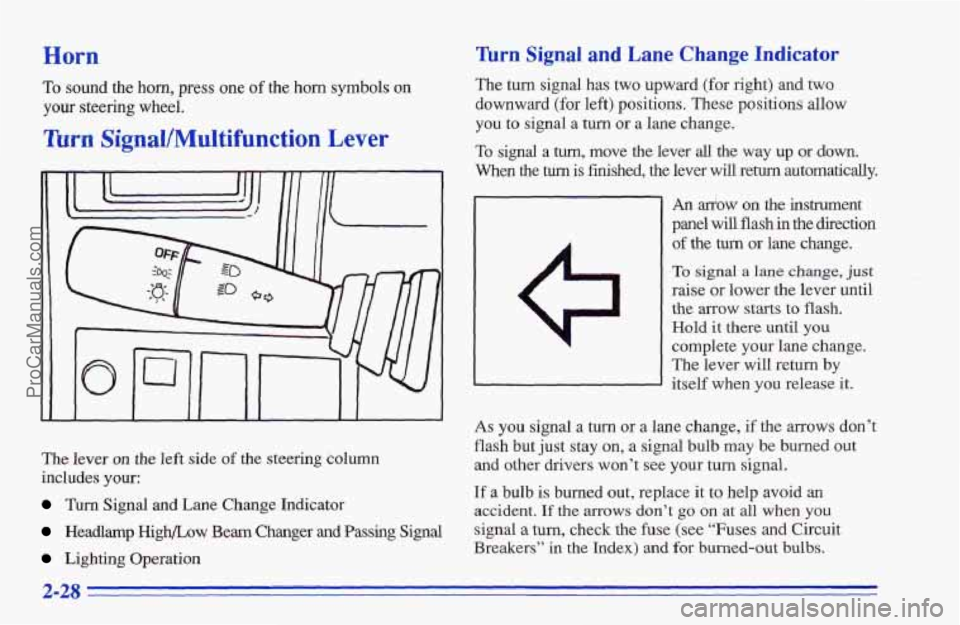
The lever on the left side of the steering column
includes
your:
Turn Signal and Lane Change Indicator
Headlamp High/Low Beam Changer and Passing Signal
Lighting Operation
Turn Signal and Lane Change Indicator
The turn signal has two upward (for right) and two
downward (for left) positions. These positions allow
you to signal a turn
or a lane change.
To signal a tum, move the lever all the way up or down.
When the turn is finished, the lever will return automatically.
To sound the horn, press one of the horn symbols on
your steering wheel.
?ttm Signal/Multifunction Lever
An &ow on the instrument
panel will
flash in the direction
of the turn or lane change.
To signal a lane change, just
raise or lower the lever until
the arrow starts to flash.
Hold it there until you
complete your lane change.
The lever will return
by
itself when you release it.
As you signal a turn or a lane change, if the mows don’t
flash but just stay on, a signal bulb may be burned out
and other drivers won’t see your turn signal.
If a bulb is burned out, replace it to help avoid an
accident. If the arrows don’t go on at all when you
signal a turn, check the fuse (see “Fuses and Circuit
Breakers” in
the Index) and for burned-out bulbs.
2-28
ProCarManuals.com
Page 84 of 387
Lamps Control
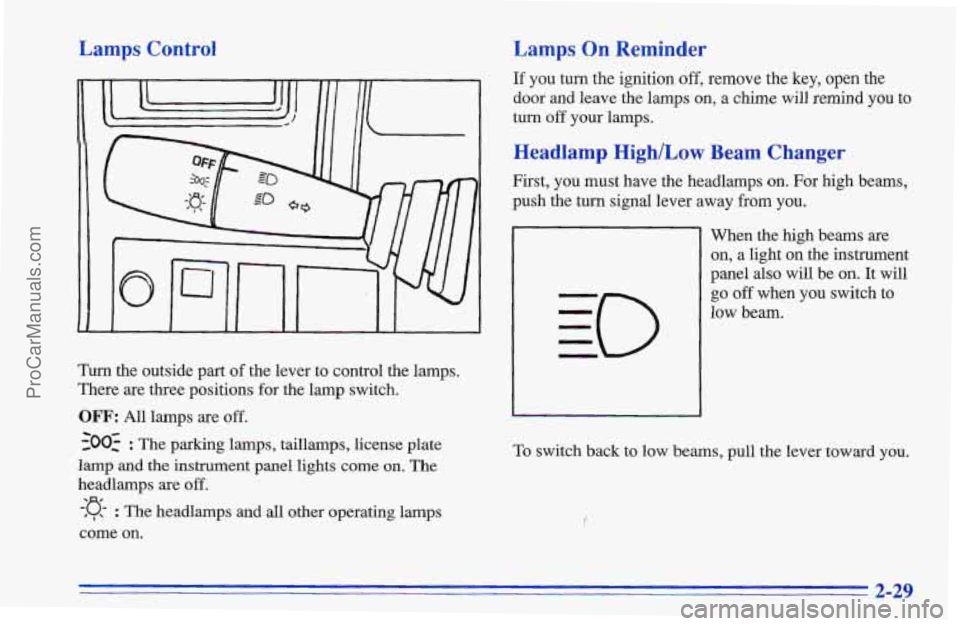
Turn the outside part of the lever to control the lamps.
There are three positions for the lamp switch.
OFF: All lamps are off.
-300: : The parking lamps, taillamps, license plate
lamp and
the instrument panel lights come on. The
headlamps are off.
-:g- : The headlamps and all other operating lamps
come on.
Lamps On Reminder
If you turn the ignition off, remove the key, open the
door and leave the lamps
on, a chime will remind you to
turn off your lamps.
Headlamp High/Low Beam Changer
First, you must have the headlamps on. For high beams,
push the turn signal lever away
from you.
When the high beams are
on, a light on the instrument
panel also
will be on. It will
go off when you switch to
low beam.
To switch back to low beams, pull the lever toward you.
2-29
ProCarManuals.com
Page 88 of 387
Setting Cruise Control 2. Get up to the speed you want.
A CAUTION: I
If you leave your cruise control switch on when
you’re not using cruise, you might hit a button and
go into cruise when you don’t want
to. You could
be startled and even lose control. Keep the cruise
control switch
OFF until you want to use it.
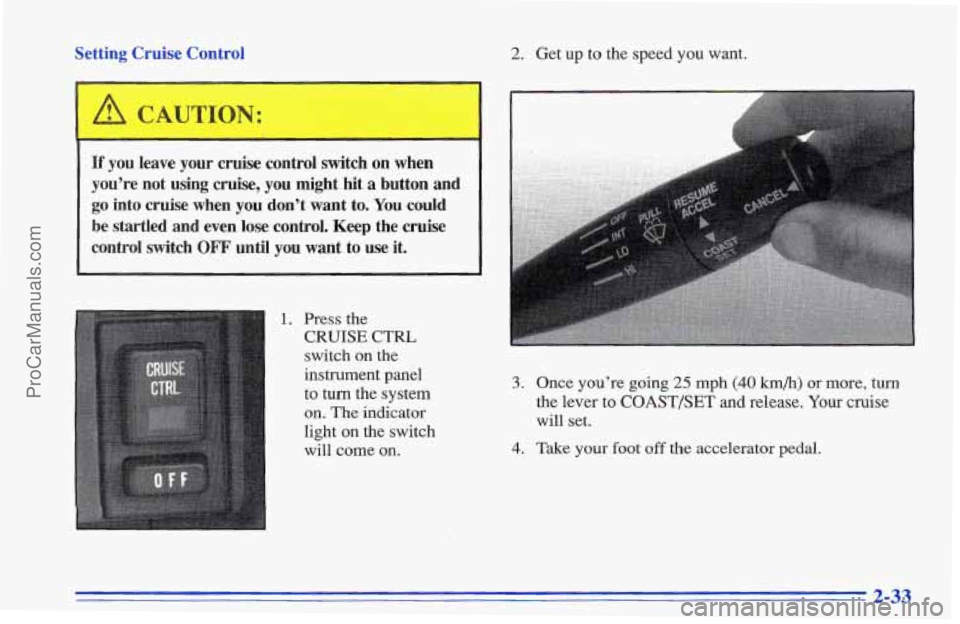
1. Press the
CRUISE Cm’L
switch on the
instrument panel
to turn the system
on. The indicator
light
on the switch
will come on.
3. Once you’re going 25 mph (40 km/h) or more, turn
the lever to COAST/SET and release. Your cruise
will set.
4. Take your foot off the accelerator pedal.
2-33
ProCarManuals.com
Page 91 of 387
Interior Lamps
Instrument Panel Brightness Control
This knob controls the
brightness
of your
instrument panel lights.
Turn the knob to the right to
brighten the lights
or to the
left to dim them.
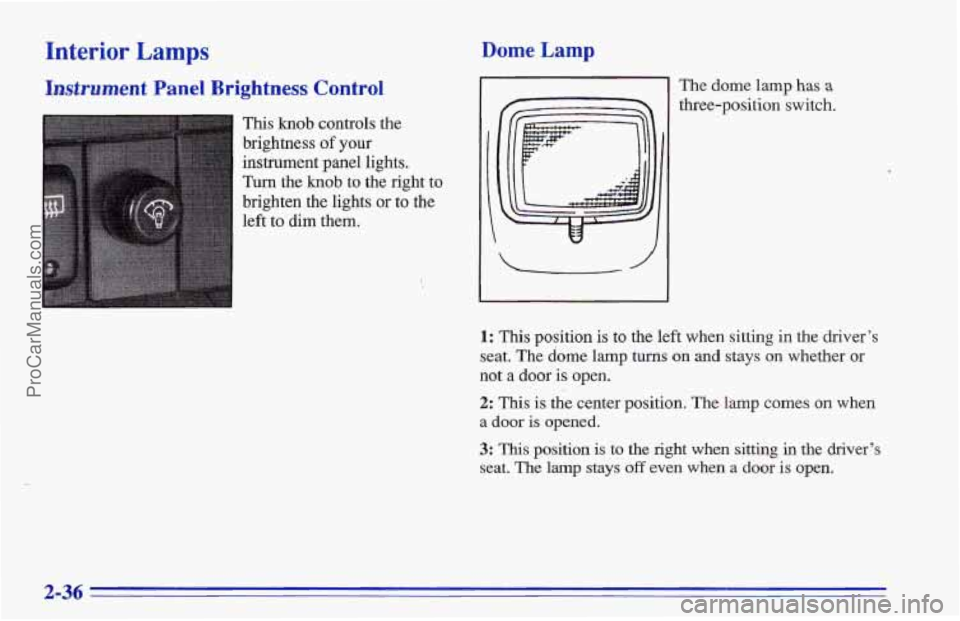
Dome Lamp
The dome lamp has a
three-position switch.
1: This position is to the left when sitting in the driver’s
seat. The dome lamp
turns on and stays on whether or
not a door is open.
2: This is the center position. The lamp comes on when
a door is opened.
3: This position is to the right when sitting in the driver’s
seat. The lamp stays off even when a door is open.
2-36
ProCarManuals.com
Page 93 of 387
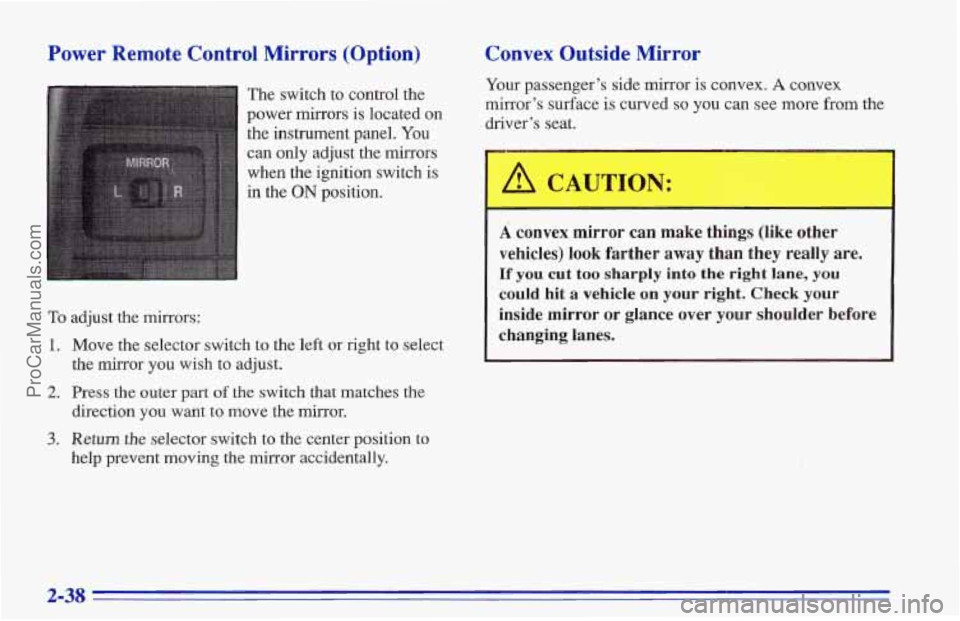
Power Remote Control Mirrors (Option)
The switch to control the
power mirrors is located on
the instrument panel.
You
can only adjust the mirrors
when the ignition switch is
in the
ON position.
Convex Outside Mirror
To adjust the mirrors:
1.
2.
3.
Move the select,or switch to the left or right to select
the mirror you wish to adjust.
Press the outer part of the switch that matches the
direction you want to move the mirror.
Return the selector switch to the center position to
help prevent moving the mirror accidentally.
Your passenger’s side mirror is convex. A convex
mirror’s surface
is curved so you can see more from the
driver’s seat.
A CAT-TION:
A convex mirror can make things (like other
vehicles) look farther away than they really are.
If you cut too sharply into the right lane, you
could hit a vehicle on your right. Check your
inside mirror or glance over
your shoulder before
changing lanes.
2-38
ProCarManuals.com
Page 111 of 387
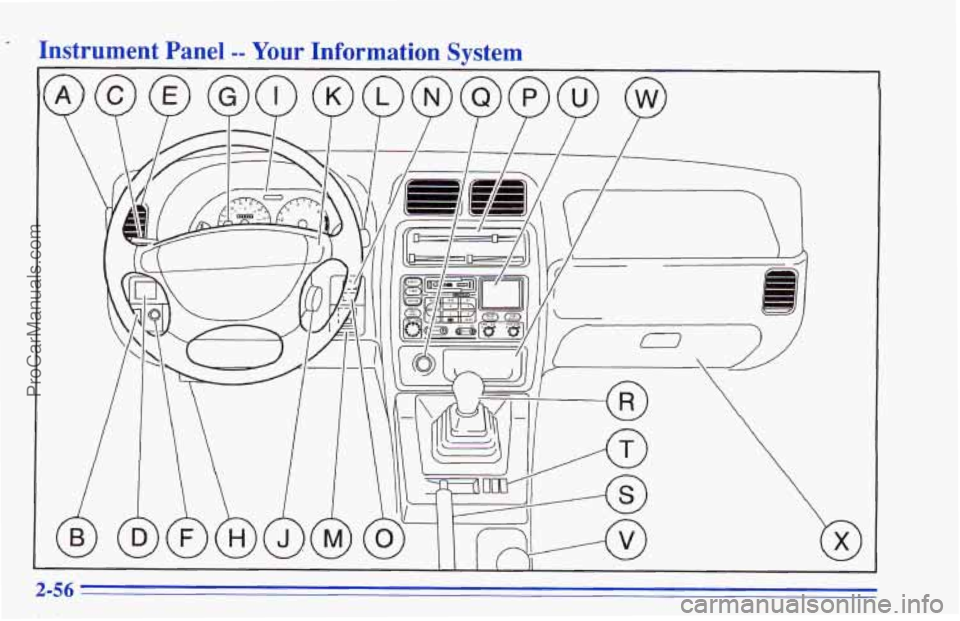
Instrument Panel -- Your Information Svstem
2-56
ProCarManuals.com
Page 112 of 387
A. Defroster
B. Rear Defogger (Option)
C. Turn Signal/Multifunction Lever
D. Power Mirror Control (Option)
E. Air Vent
E Instrument Panel Brightness Control
G. Hazard Switch
H. Fuse Block
I. Instrument Cluster
J. Ignition Switch
K. Horn
L. Windshield Wipermasher Lever
M. Cruise Control ON/OFF Button (Option)
N. Rear Window Wiper Button (Option)
0. Rear Window Washer Button (Option)
P. Comfort Controls
Q. Cigarette Lighter
R. Shift Lever
S. Parking Brake Lever
T. Coinholder/Bin
U. Audio System
V. Transfer Case Shift Lever
W. Ashtray
X. Glove Box
2-57
ProCarManuals.com
Page 113 of 387
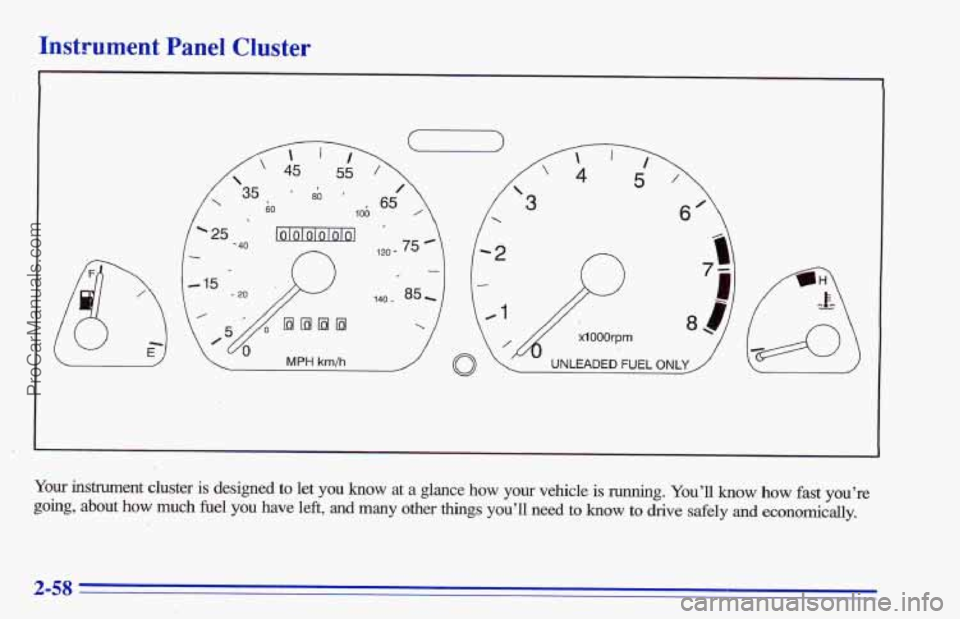
Instrument Panel Cluster
Your instrument cluster is designed to let you know at a glance how your vehicle is running. You’ll how how fast you’re
going, about how much fuel you have left, and many other things you’ll need to know to drive safely and economically.
2-58
ProCarManuals.com
Page 116 of 387
Air Bag Readiness Light
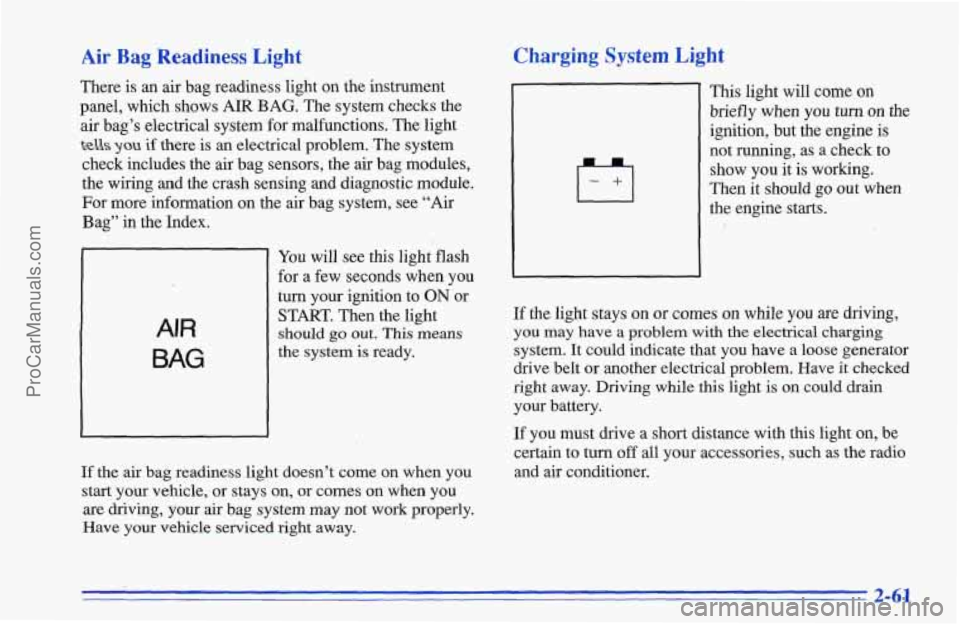
There is an air bag readiness light on the instrument
panel, which shows AIR
BAG. The system checks the
air bag’s electrical system for malfunctions. The light
tells you if there is an electrical problem. The system
check includes the air bag sensors, the air bag modules,
the wiring and the crash sensing and diagnostic module.
For more information on the air bag system, see “Air
Bag” in the Index.
AIR
BAG
You will see this light flash
for a few seconds when you
turn your ignition to
ON or
START. Then the light
should go out. This means
the system is ready.
If the
air bag readiness light doesn’t come on when you
start your vehicle, or stays on, or comes on when you
are driving, your
air bag system may not work properly.
Have your vehicle serviced right away.
Charging System Light
This light will come on
briefly when you turn on the
ignition, but the engine is
not running, as a check to
show you it is working.
Then it should go out when
the engine starts.
If the light stays
on or comes on while you are driving,
you
may have a problem with the electrical charging
system. It could indicate that you have a loose generator
drive belt
or another electrical problem. Have it checked
right away. Driving while this light
is on could drain
your battery.
If you must drive a short distance with this light on, be
certain to
turn off all your accessories, such as the radio
and air conditioner.
2-61
ProCarManuals.com
Page 126 of 387
Section 3 Comfort Controls and Audio Systems
In this section you’ll find out how to operate the comfort
control and audio systems offered with your Geo. Be
sure to read about the particular systems supplied with
your vehicle.
Comfort Controls
With this system, you can control the heating and
ventilation
in your Geo. If you have the air conditioning
option, you can also control cooling.
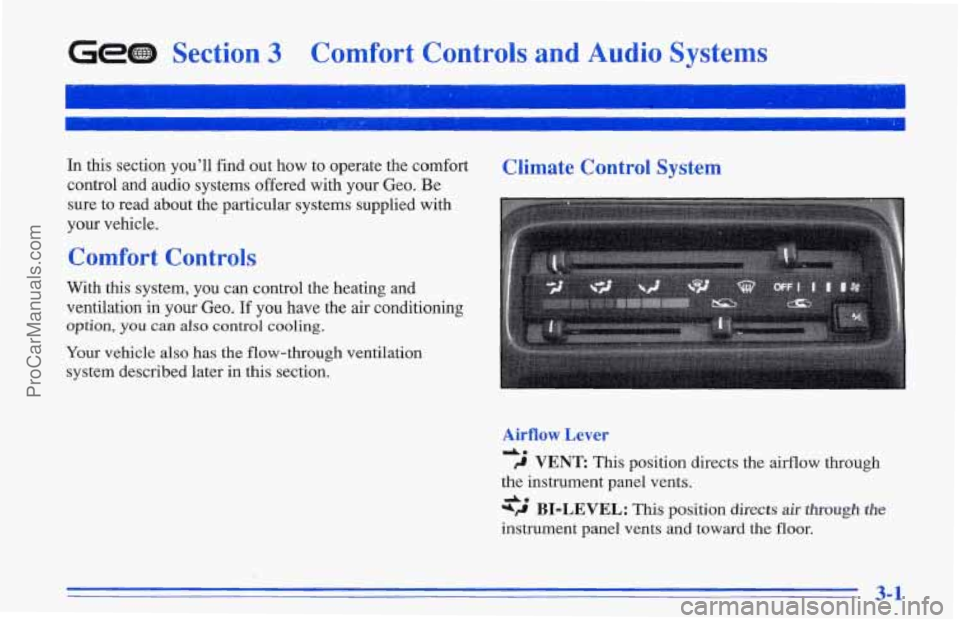
Climate Control System
Your vehicle also has the flow-through ventilation
system described later in this section.
Airflow Lever
dm 9 VENT This position directs the airflow through
the instrument panel vents.
*+ BI-LEVEL: This position directs air though the
instrument panel vents and toward the floor.
Am
3-1
ProCarManuals.com