engine CHEVROLET TRACKER 1996 Owner's Manual
[x] Cancel search | Manufacturer: CHEVROLET, Model Year: 1996, Model line: TRACKER, Model: CHEVROLET TRACKER 1996Pages: 387, PDF Size: 18.54 MB
Page 120 of 387

Malfunction Indicator Lamp
(Service Engine Soon Light)
SERVICE
ENGINE
SOON
Your Geo is equipped with
a computer which monitors
operation of the fuel,
ignition and emission
control systems.
This system is called OBD I1 (On-Board
Diagnostics-Second Generation) and is intended
to
assure that emissions are at acceptable levels for
the life
of the vehicle, helping to produce a cleaner
environment.
(In Canada, OBD I1 is replaced by
Enhanced Diagnostics.) The SERVICE ENGINE
SOON
light comes on to indicate that there is a problem and
service
is required. Malfunctions often will be indicated
by the system before any problem is apparent, which
may prevent more serious damage to your vehicle. This
system is also designed to assist your service technician
in correctly diagnosing any malfunction.
NOTICE:
If you keep driving your vehicle with this light
on, after
a while, your emission controls may not
work as well, your fuel economy may not be as
good and your engine may not run as smoothly.
This could lead to costly repairs that may not be
covered
by your warranty.
This light should come on, as a check to show you it is
working, when the ignition is on and the engine
is not
running.
If the light doesn’t come on, have it repaired.
This light will also come on during a malfunction in one
of two ways:
0 Light Flashing -- A misfire condition has been
detected, A misfire increases vehicle emissions and
may damage the emission tontrol system on your
vehicle. Dealer or qualified service center diagnosis and service is required.
0 Light On Steady -- An emission control system
malfunction has been detected
on your vehicIe.
Dealer or qualified service center diagnosis and
service may be required.
2-65
ProCarManuals.com
Page 121 of 387
If the Light Is Flashing
The following may prevent more serious damage to
your vehicIe:
Reduce vehicle speed.
Avoid hard accelerations.
@ Avoid steep uphill grades.
If towing a trailer, reduce the amount of cargo being
hauled as soon as it is possible.
If the light stops flashing and remains on steady, see “If
the Light Is On Steady” following.
If the light continues to flash, when it is safe to do so,
stop the vehicle. Put your vehicle in PARK (P). Turn the
key
off, wait at least 10 seconds and restart the engine.
If the light remains on steady, see “If the Light Is On
Steady” following.
If the light is still flashing follow the
previous steps, and drive the vehicle to
your dealer or
qualified service center for service.
If the Light Is On Steady
You may be able to correct the emission system
malfunction
by considering the following:
Did you
just put fuel into your vehicle?
If so, reinstall the fuel cap, making sure to fully install
the cap.
The diagnostic system can determine if the fuel
cap has been left off or improperly installed. This will
allow fuel to evaporate into
the atmosphere. A few
driving trips should
turn the light off.
Did you just drive through a deep puddle of water?
If so, your electrical system may be wet. The condition
will usually be corrected when the electrical system
dries out.
A few driving trips should turn the light off.
Are you low on fuel?
As your engine starts to run out of fuel, your engine may
not run as efficiently as designed since small amounts
of
air are sucked into the fuel line causing a misfire. The
system can detect this. Adding fuel should correct
this
condition. Make sure to install the fuel cap properly. It
will take a few driving trips to turn the light off.
2-66 ProCarManuals.com
Page 122 of 387
Have you recently changed brands of fuel?
If so, be sure to fuel your vehicle with quality fuel (see
“Fuel” in the Index). Poor fuel quality
will cause your
engine not to mn
as efficiently as designed. You may
notice this as stalling after start-up, stalling when you
put the vehicle into gear, misfiring, hesitation on
acceleration or stumbling on acceleration. (These
conditions may go away once the engine is warmed up.)
This will be detected by the system and cause the light
to turn on.
Oil Pressure Light
If you have a problem with
your oil, this light may stay
on after you start your
engine, or come
on when
you are driving.
If you experience this condition, change the fuel brand
you use. It will require at least one full tank of the
proper fuel to turn the light off.
If none of the above steps have made the light turn off, your engine properly lubricated and cool. The engine
have your dealer or qualified service center check the could be low on oil, or have some other oil related
vehicle. Your dealer has the proper test equipment and problem. Have it fixed right away.
diagnostic
tools to fix any mechanical or electrical
problems that may have developed. This indicates
that there
is not enough pressure to keep
2-67
ProCarManuals.com
Page 123 of 387
The oil light could also come on in three other situations.
When the ignition is on but the engine is not running,
&e light. wLU come on as a test to show you it is
working, but the light will go out when
you turn the
engine to START.
If it doesn’t come on with the
ignition on, you may have a problem with the fuse
or
bulb. Have it fixed right away.
light
may blink on and off. This is normal.
Sometimes when the engine is idling at a stop, the
If you make a hard stop, the light may come on for a
moment. This is normal.
Don’t keep driving if the oil pressure is low. If
you
do, your engine can become so hot that it
catches
fire. You or others could be burned.
Check your oil as soon
as possible and have your
vehicle serviced.
NOTICE:
Damage to your engine from neglected oil
problems
can be costly and is not covered by
your warranty.
Power Indicator Light (Option)
POWER
- This light comes on
when the power mode
selector switch is turned to
P (power) with the ignition
switch
in the.ON position.
-
2-68
ProCarManuals.com
Page 124 of 387
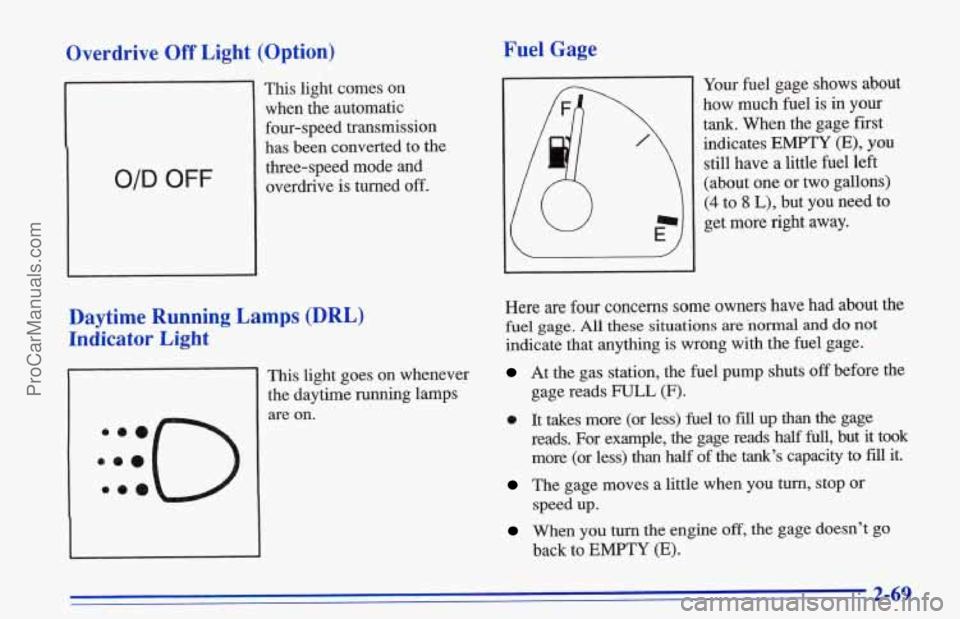
Overdrive Off Light (Option) Fuel Gage
O/D OFF
This light comes on
when the automatic four-speed transmission
has been converted to the
three-speed mode and
overdrive
is turned off.
Daytime Running Lamps .(DRL)
Indicator Light
This light goes on whenever
the daytime running lamps are on. Your
fuel gage shows about
how much fuel is in your
tank. When the gage first
indicates
EMPTY (E), you
still have a little fuel left
(about one or two gallons)
(4 to 8 L), but you need to
get more right away.
Here are four concerns some owners have had about the
fuel gage. All these situations are normal and do not
indicate that anything is wrong with the fuel gage.
At the gas station, the fuel pump shuts off before the
0 It takes more (or less) fuel to fill up than the gage
gage reads
FULL (F).
reads. For example, the gage reads half full, but it took
more (or less)
than half of the tank’s capacity to fii it.
The gage moves a little when you turn, stop or
When you turn the engine off, the gage doesn’t go
speed
up.
back to
EMPTY (E).
2-69
ProCarManuals.com
Page 131 of 387
Audio Systems
Your Delco@ audio system has been designed to operate
easiIy and
give years of listening pleasure. You will get
th,e most enjoyment out of it if
you acquaint yourself
with
it first. Find out what your Delco system can do
and how to operate all its controls, to be sure you're
getting the most out of the advanced engineering that
went into it.
Setting the Clock for AM-FM Stereo
Press and hold RCL (TIME SET) to set the correct hour.
At
the same time, press and hold the TUNE left arrow
(HR) until the correct hour appears,
Press
and hold RCL (TIME SET) to set the correct
minute.
At the same time, press and hold the TUNE
right
arrow ("IN) until the correct minute appears. ,
Setting the Clock for AM-FM Stereo with
Cassette
Tape Player
Press and hold RCL-PROC (TIME SET) to set the
correct hour. At the same time,
press and hold the
TUNE left arrow (HR) until the correct hour appears.
~ Press and hold RCL-PROG (TIME SET) to set the correct
minute. At the same
time, press and hold the TUNE right
arrow (MIN) until the correct minute appears.
Setting the Clock for AM-FM Stereo with
Cassette Tape and Compact Disc Players
Press and hold the RCL up and down arrow (TIME
SET). At the same time, press and hold the TUNE left
arrow (HR) until the correct hour appears.
Press
and hold the RCL up and down arrow (TIME
SET). At the same time press and hold TUNE right
arrow (MIN) until the correct minute appears.
3-6
ProCarManuals.com
Page 143 of 387

To help avoid bearing loss or darnage:
Adjust the volume control to the lowest setting.
Increase volume slowly until you hear comfortably
and clearly.
NOTICE:
Before you add any sound equipment to your
vehicle
-- like a tape player, CB radio, mobile
telephone or two-way radio
-- be sure you can add
what you want. If you can, it’s very important to
do
it properly. Added sound equipment may
interfere with the operation of your vehicle’s
engine, Delco radio
or other systems, and even
damage them.
Your vehicle’s systems may
interfere with the operation of sound equipment
that
has been added improperly.
So, before adding sound equipment, check with
your dealer
and be sure to check Federal rules
covering mobile radio and telephone units.
Care of Your Cassette Tape Player
A tape player that is not cleaned regularly can cause
reduced sound quality, ruined cassettes
or a damaged
mechanism. Cassette tapes should be stored in their
cases
away from contaminants, direct sunlight and
extreme heat.
If they aren’t, they may not operate
properly or may cause failure of the tape player.
Your tape player should be cleaned regularly after
every 50 hours of use. Your radio may display CLN
to indicate that you have used your tape player for
50 hours without resetting the tape clean timer. If you
notice
a reduction in sound quality, try a known good
cassette to see if the tape or the tape player is at fault.
If this other cassette has no improvement in sound
quality, clean the tape player.
ProCarManuals.com
Page 151 of 387

Avoid needless heavy braking. Some people drive in
spurts -- heavy acceleration followed by heavy
braking
-- rather than keeping pace with traffic. This is a
mistake. Your brakes may not have time to cool between
hard stops. Your brakes will wear
out much faster if you
do a lot of heavy braking. If you keep pace with the
traffic and allow realistic following distances, you will
eliminate a lot
of unnecessary braking. That means
better braking and longer brake life.
If your engine ever stops while you’re driving, brake
norrnally but don’t
pump your brakes. If you do, the
pedal may get harder to
push down. If your engine
stops, you will still have some power brake assist. But
you will use
it when you brake. Once the power assist is
used up, it may take longer to stop and the brake pedal
will be harder to
push.
Anti-Lack Brakes (Option)
Your vehicle may have anti-lock brakes (ABS). ABS is
an advanced electronic braking system that will help
prevent
a braking shd.
ABS
If your vehicle has anti-lock
brakes, this warning light
on
the instrument panel will
come on briefly when you
start your vehicle.
When you start your engine, or when you begin to drive
away, your anti-lock .brake system will check itself.
You
may hear a momentary motor’or clicking noise while
this test
is going on, and you may even notice that your
brake pedal moves
a little. This is normal.
If there’s a problem with the anti-lock brake system, the
anti-lock brake system warning light will stay on or
flash. See “Anti-Lock
Brake System Warning Light” in
the Index.
4-6
ProCarManuals.com
Page 154 of 387
Steering
Power Steering
If you lose power steering assist because the engine
stops or the system is not functioning, you can steer but
it will take much more effort.
Steering Tips
Driving on Curves
It’s important to take curves at a reasonable speed.
A lot of the “driver lost control” accidents mentioned on
the news happen on curves. Here’s why:
Experienced
driver or beginner, each of us is subject to
the same laws of physics when driving on curves. The
traction of the tires against the road surface makes it
possible for the vehicle to change.its path when you turn
the front wheels.
If there’s no traction, inertia will keep
the vehicle going in the same direction.
If you’ve ever
tried
to steer a vehicle on wet ice, you’ll understand this.
The traction you can get in a curve depends on the
condition
of your tires and the road surface, the angle at
which the curve is banked, and your speed. While you’re
in a curve, speed is the one factor you can control. Suppose
you’re steering through a sharp curve.
Then you suddenly apply the brakes. Both control
systems
-- steering and braking -- have to do
their work where the tires meet the road. Unless
you
have four-wheel anti-lock brakes, adding the hard
braking can demand too much
of those places. You
can lose control.
The same thing can happen if you’re steering through
a
sharp curve. and you suddenly accelerate. Those two
control systems
-- steering and acceleration -- can
overwhelm those places where the tires meet the road
and make you lose control.
What should you do
if this ever happens? Ease up on the
brake or accelerator pedal, steer the vehicle the way you
want it to go, and slow. down.
Speed limit signs near curves warn that you should
adjust your speed. Of course, the posted speeds
are
based on good weather and road conditions. Under less
favorable conditions you’ll want to
go slower.
If you need to reduce your speed as you approach a
curve, do it before you enter the curve, while your front
wheels are straight ahead.
Try to adjust your speed
so you can “drive” though the
curve. Maintain a reasonable, steady speed. Wait to
accelerate until you are out of the curve, and then
accelerate gently into the straightaway.
4-9
ProCarManuals.com
Page 158 of 387
Skidding
In a skid, a driver can lose control of the vehicle.
Defensive drivers avoid most skids by taking
reasonable care suited to existing conditions, and
by not “overdriving” those conditions, But skids
are always possible.
The three types of skids correspond to your Geo’s three
control systems. In the braking skid, your wheels aren’t
rolling. In the steering or cornering skid, too much speed
or steering in a curve causes tires to slip and lose
cornering force. And in the acceleration skid, too much
throttle causes the driving wheels to
spin.
A cornering skid and an acceleration skid are best
handled by easing your foot
off the accelerator pedal.
If your vehicle starts to slide, ease your foot
off the
accelerator pedal and quickly steer the way you want
the
vehicle to go. If you start steering quickly enough, your
vehicle may straighten
out. Always be ready for a
second
skid if it occurs.
Of course, traction is reduced when water, snow, ice,
gravel or other material
is on the road. For safety, you’ll
want to slow down and adjust your driving to
these
conditions. It is important to slow down on slippery
surfaces because stopping distance will be longer and
vehicle control more limited.
mle driving on a surface with reduced traction, try your
best to avoid sudden steering, acceleration or braking (including engine braking by shifting
to a lower gear).
Any sudden changes could cause the tires to slide. You
may not realize the surface is slippery until your vehicle
is skidding. Learn to recognize warning clues
-- such as
enough water, ice
or packed snow on the road to make a
“,mirrored surface”
-- and slow down when you have
any doubt.
If you have the anti-lock braking system, remember: It
helps avoid only the braking skid. If you do not have
anti-lock, then in a braking skid (where the wheels are
no longer rolling), release enough pressure
on the brakes
to get the wheels rolling again. This restores steering
control. Push the brake pedal down steadily when you
have
to stop suddenly. As long as the wheels are rolling,
you will have steering control.
4-13 ProCarManuals.com