clock CHEVROLET TRACKER 1997 User Guide
[x] Cancel search | Manufacturer: CHEVROLET, Model Year: 1997, Model line: TRACKER, Model: CHEVROLET TRACKER 1997Pages: 388, PDF Size: 20.12 MB
Page 229 of 388
k
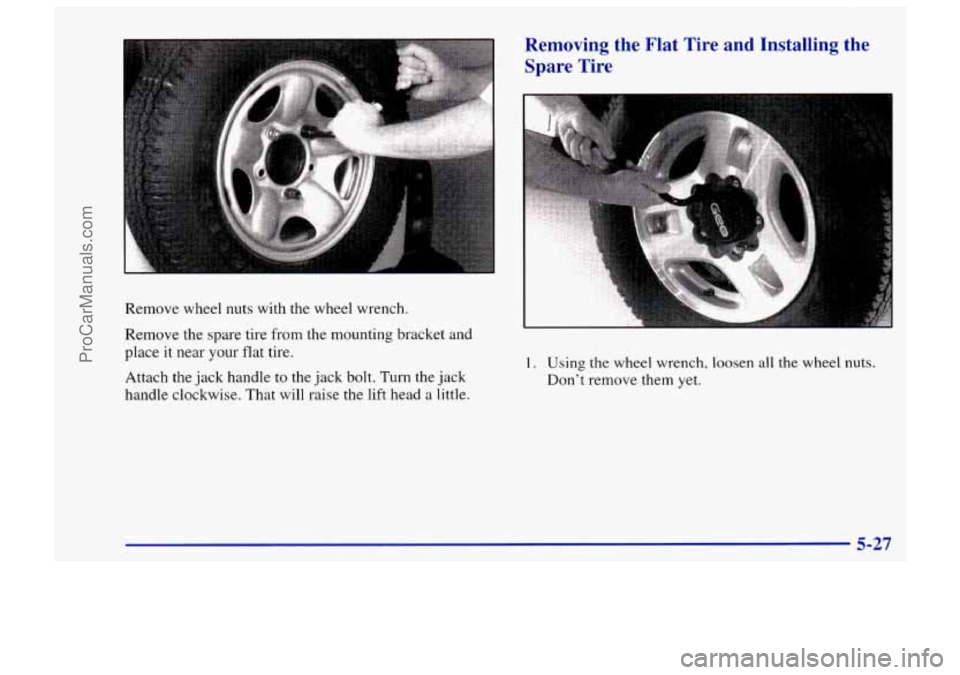
Remove wheel nuts with the wheel wrench.
Remove the spare tire from the mounting bracket and
place it near your flat tire.
Attach the jack handle to the jack bolt. Turn the jack
handle clockwise. That will raise the lift head
a little.
Removing the Flat Tire and Installing the
Spare Tire
I. Using the wheel wrench, loosen all the wheel nuts.
Don't remove them yet.
5-27
I
ProCarManuals.com
Page 231 of 388
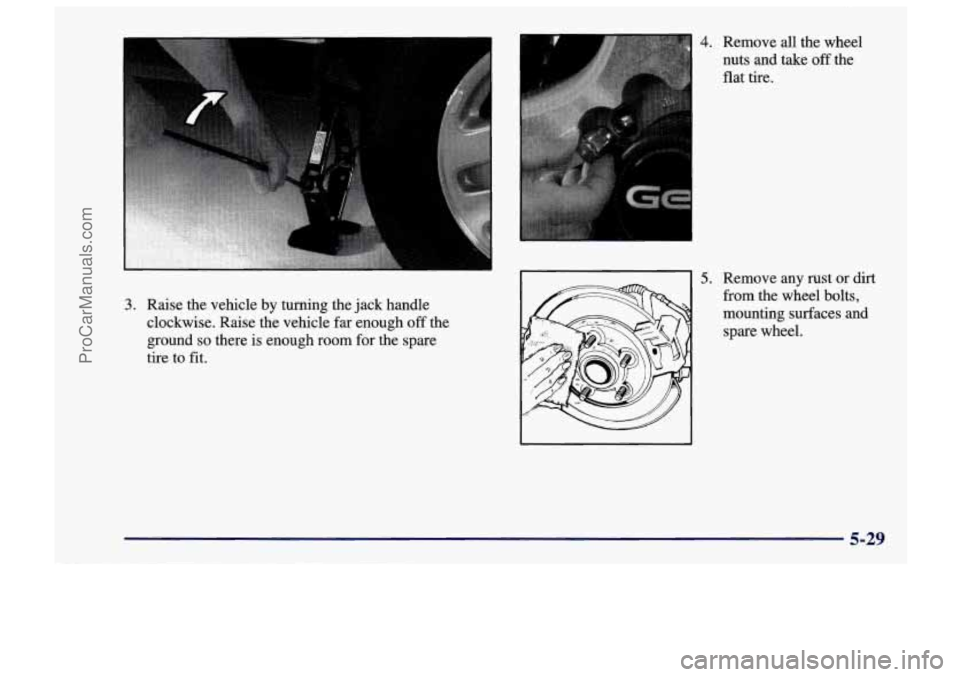
4. Remove all the wheel
nuts and take off the
flat tire.
3. Raise the vehicle by turning the jack handle
clockwise. Raise the vehicle far enough
off the
ground
so there is enough room for the spare
tire to fit.
5. Remove any rust or dirt
from the wheel bolts,
mounting surfaces and
spare wheel.
5-29
ProCarManuals.com
Page 233 of 388
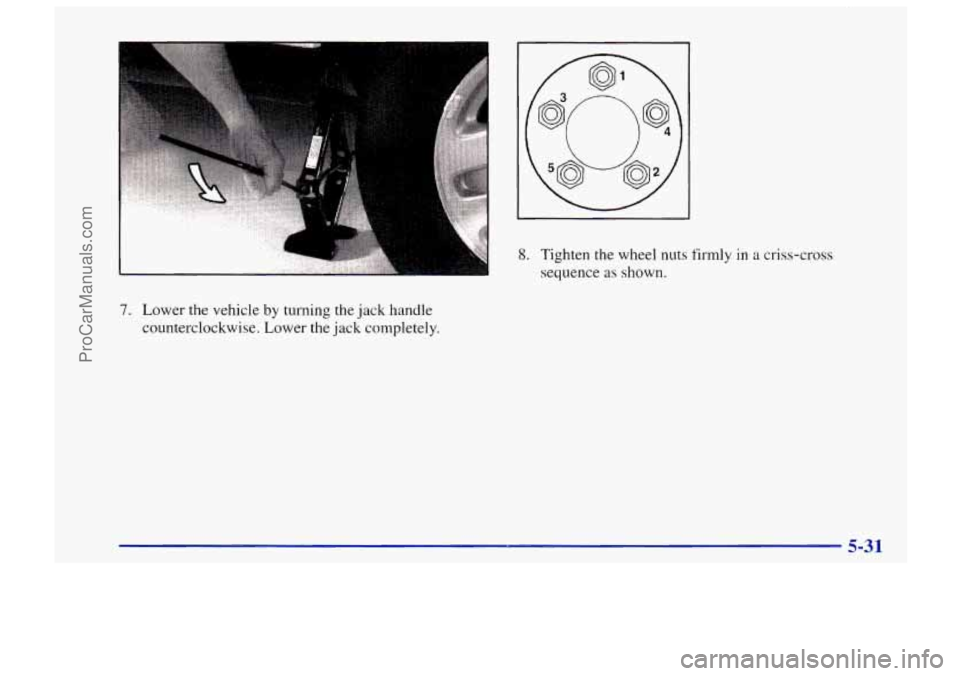
a 8. Tighten the wheel nuts firmly in a criss-cross
sequence
as shown.
7. Lower the vehicle by turning the jack handle
counterclockwise. Lower the jack completely.
5-31
ProCarManuals.com
Page 244 of 388
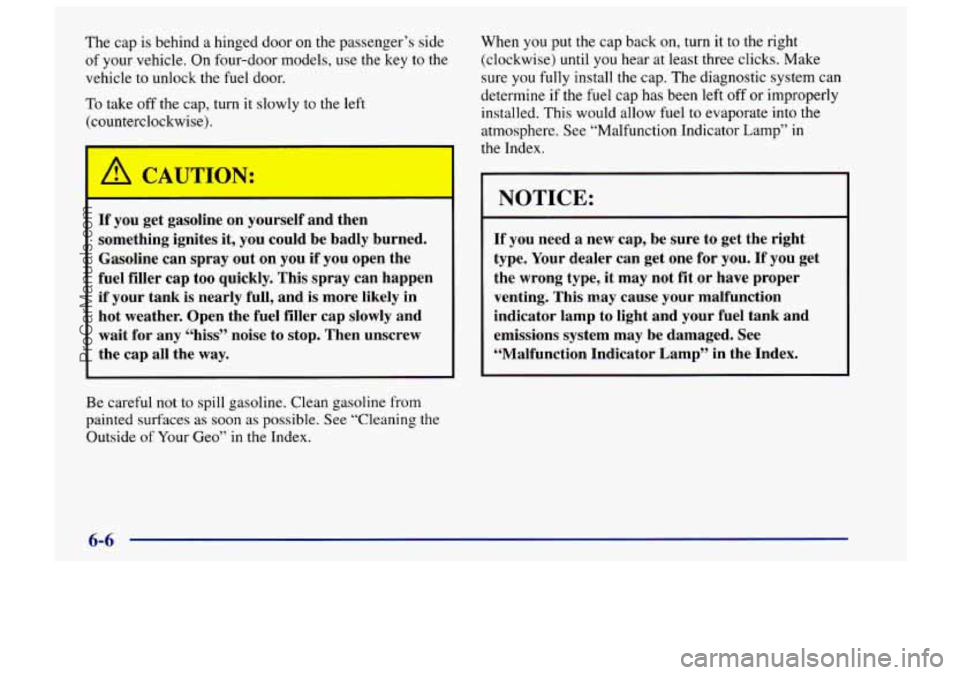
The cap is behind a hinged door on the passenger’s side
of your vehicle. On four-door models, use the key to the
vehicle to unlock the
fuel door.
To take off the cap, turn it slowly
to the left
(counterclockwise).
1 /1 CAUTION:
If you get gasoline on yourself and then
something ignites it, you could be badly burned.
Gasoline can spray out on you
if you open the
fuel filler cap
too quickly. This spray can happen
if your tank is nearly full, and is more likely in
hot weather. Open the fuel filler cap slowly and
wait for any “hiss” noise
to stop. Then unscrew
the cap all the
way.
Be careful not to spill gasoline. Clean gasoline from
painted surfaces
as soon as possible. See “Cleaning the
Outside of Your Geo”
in the Index. When you
put the cap back on, turn it to the right
(clockwise)
until you hear at least three clicks. Make
sure you
fully install the cap. The diagnostic system can
determine
if the fuel cap has been left off or improperly
installed. This would allow fuel to evaporate into the
atmosphere. See “Malfunction Indicator Lamp”
in
the Index.
I
NOTICE:
If you need a new cap, be sure to get the right
type. Your dealer can get one for you. If you get
the wrong type, it may not fit or have proper
venting. This may cause
your malfunction
indicator lamp to light and your fuel tank and
emissions system may be damaged. See
“Malfunction Indicator Lamp” in the Index.
6-6
ProCarManuals.com
Page 272 of 388
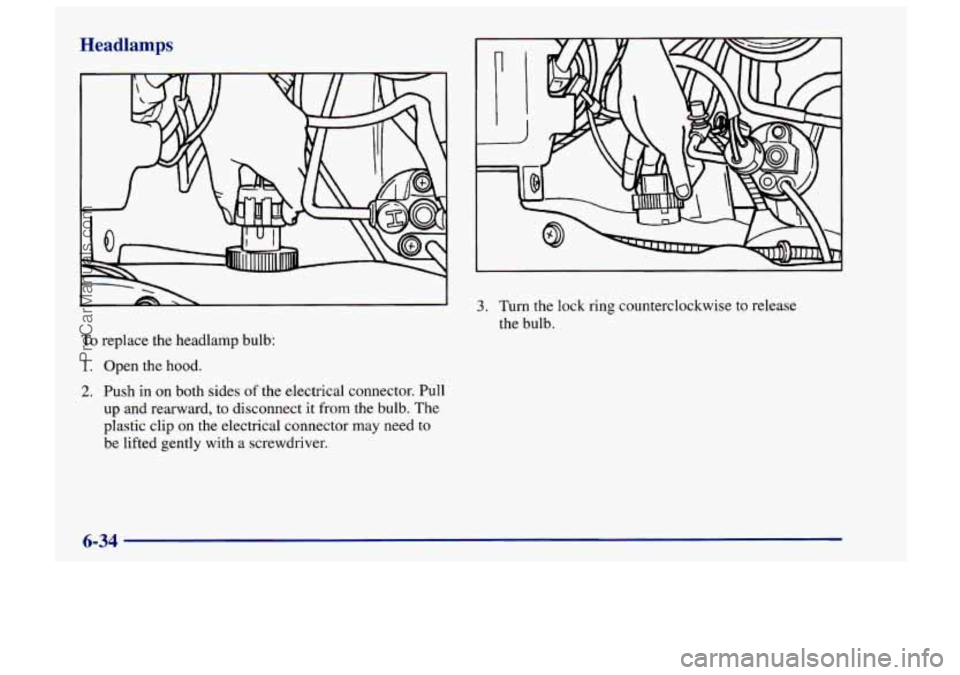
Headlamps
To replace the headlamp bulb:
1. Open the hood.
2. Push in on both sides of the electrical connector. Pull
up and rearward, to disconnect it from the bulb. The
plastic clip on the electrical connector may need
to
be lifted gently with a screwdriver.
3. Turn the lock ring counterclockwise to release
the bulb.
6-34
ProCarManuals.com
Page 273 of 388
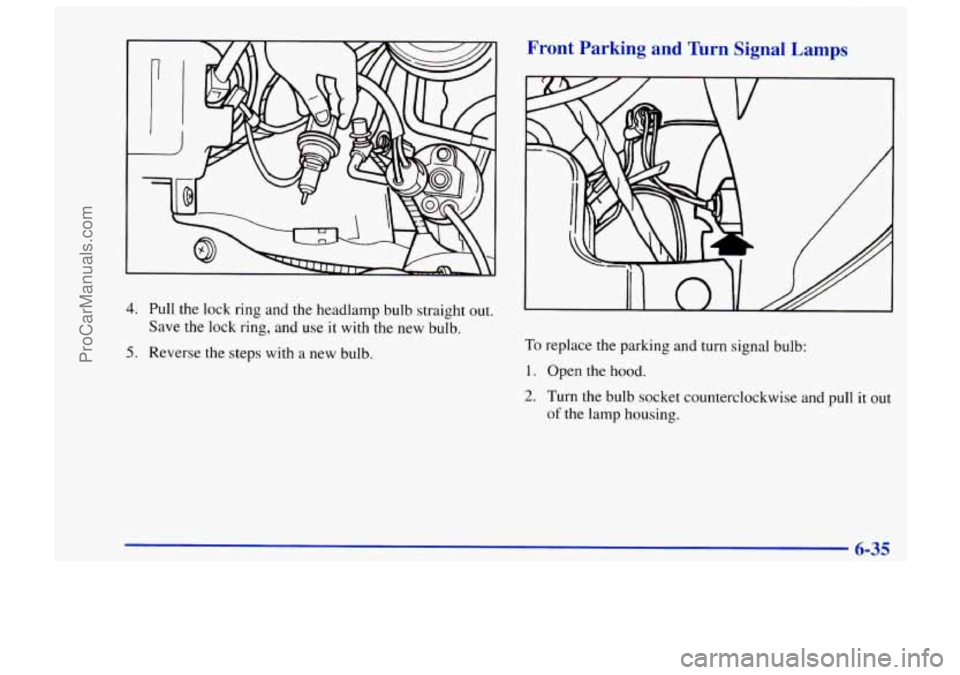
4. Pull the lock ring and the headlamp bulb straight out.
Save the lock ring, and use it with the new bulb.
5. Reverse the steps with a new bulb.
Front Parking and Turn Signal Lamps
To replace the parking and turn signal bulb:
I. Open the hood.
2. Turn the bulb socket counterclockwise and pull it out
of the lamp housing.
6-35
I
ProCarManuals.com
Page 274 of 388
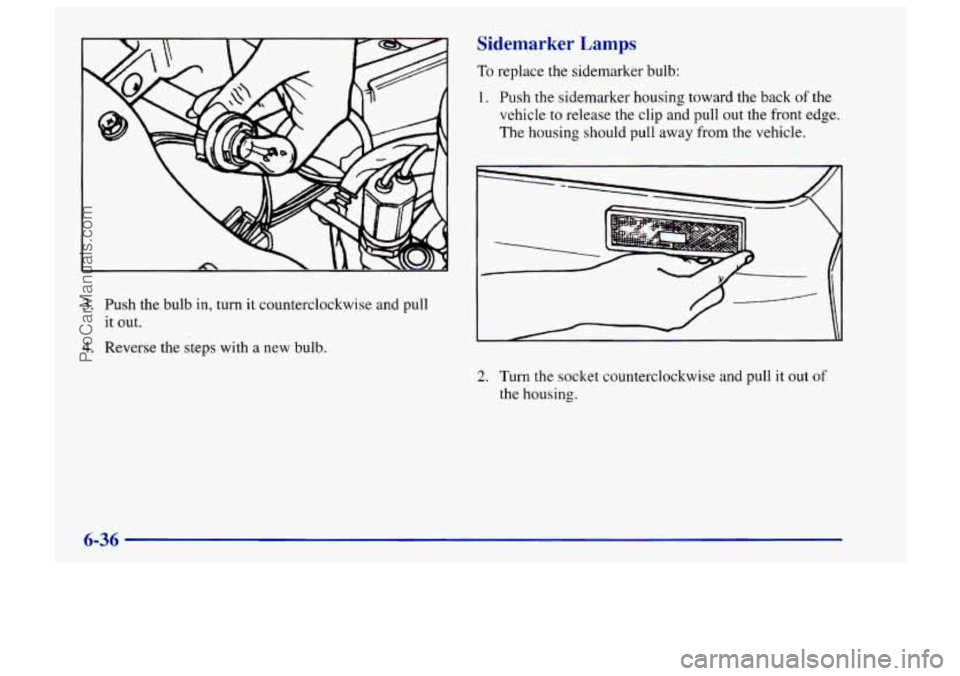
Sidemarker Lamps
To replace the sidemarker bulb:
1. Push the sidemarker housing toward the back
of the
vehicle to release the clip and pull out the front edge.
The housing should pull away from the vehicle.
3. Push the bulb in, turn it counterclockwise and pull
it out.
4. Reverse the steps with a new bulb.
2. Turn the socket counterclockwise and pull it out of
the housing.
6-36
ProCarManuals.com
Page 377 of 388
Clock. Setting the ................................ 3-6
ClutchAdjustment
.............................. 6-21
Coinholder
.................................... 2-42
Comfort Controls
................................ 3-1
Compact Disc Care
............................. 3- 19
Control. Loss of
................................ 4-14
Control of a Vehicle
.............................. 4-6
ConvertibleTop
................................ 2-44
Convex Outside Mirror
.......................... 2-41
Coolant
....................................... 6-23
Level Check
................................. 5-16
Radiator
.................................... 5-20
Recovery Tank
............................... 5- 17
Temperature Gage
............................ 2-66
CoolingSystem
................................ 5-15
Courtesy Transportation
........................... 8-7
Cruise Control
................................. 2-34
Clutch
System Service
........................... 7-54
Compact Disc Player
............................ 3 . 11
CruiseLight
................................... 2-35
Cupholders
.................................... 2-42
Customer Assistance for Text Telephone Users
......... 8-4
Customer Assistance Information
................... 8- 1
Customer Satisfaction Procedure
..................... 8-2
Damage. Finish
............................... 6-56
Damage. Sheet Metal
............................ 6-55
Daytime Running Lamps
......................... 2-37
Daytime Running Lamps Indicator Light
............ 2-71
Dead Battery
................................... 5-3
Defects. Reporting Safety
........................ 8-10
Defensive Driving
............................... 4-2
Defogger. Rear Window .......................... 3-5
Defrosting
..................................... 3-5
Dimensions. Vehicle
............................ 6-64
Dome Lamp
Bulb Replacement .................... 6-39
Dome Lamps
.................................. 2-39
Door Defogging
..................................... 3-5
Locks
....................................... 2-3
Storage
..................................... 2-41
Downshifting
.................................. 2-16
Drive Position. Automatic Transmission
............. 2-12
DriverPosition
................................. 1-18
Driving
City
........................................ 4-35
Defensive
.................................... 4-2
Drunken
..................................... 4-2
Freeway
.................................... 4-36
Guidelines
.................................. 4-15
InaBlizzard
................................. 4-42
In Foreign Countries ........................... 6-5
IntheRain
.................................. 4-32
Night ...................................... 4-30
Off-Road ................................... 4-15
OnCurves
.................................. 4-10
On Grades
While Towing a Trailer ............... 4-55
On Hill and Mountain Roads
.................... 4-38
On Snow and Ice
............................. 4-41
Throughwater
............................... 4-34
WetRoads
.................................. 4-32
Winter
...................................... 4-40
WithaTrailer
................................ 4-53
DrunkenDriving
................................ 4-2
9-3
ProCarManuals.com