manual radio set CHEVROLET TRACKER 1998 1.G Owners Manual
[x] Cancel search | Manufacturer: CHEVROLET, Model Year: 1998, Model line: TRACKER, Model: CHEVROLET TRACKER 1998 1.GPages: 386, PDF Size: 21.17 MB
Page 128 of 386
Downloaded from www.Manualslib.com manuals search engine 0 Section 3 Comfort Controls and Audio Systems
In this section, you'll find out how to operate the comfort control and audio systems offered w\
ith your vehicle. Be
sure to read about the particular systems supplied with your vehicle.
3-2
3-2
3-3 3-3
3-4
3-5
3-5 3-6
3-6
3-6 Comfort Controls
Climate Control
System
Air Conditioner Controls (Option)
Heating Ventilation System
Defogging and Defrosting Rear Window Defogger (If Equipped)
Audio Systems
Setting the Clock
AM-FM Stereo (If Equipped)
3-8 AM-FM Stereo with Cassette Tape Player and
Automatic Tone Control
(If Equipped)
Automatic Tone Control
(If Equipped)
3-11 AM-FM
Stereo with Compact Disc Player and
3- 15 Understanding Radio Reception
3- 15 Tips About Your Audio System
3- 16 Care
of Your Cassette Tape Player
3- 17 Care of Your Compact Discs
3-17 Care of Your Compact Disc Player
3- 17 Antenna
J'
Page 133 of 386
Downloaded from www.Manualslib.com manuals search engine NOTICE:
Don't use a razor blade or something else sharp on the inside
of the rear window. If you do, you
could cut or damage the warming grid, and the
repairs wouldn't be covered
by your warranty.
Audio Systems
Your Delco Electronics audio system has been designed
to operate easily and give years
of listening pleasure.
You will get the most enjoyment out
of it if you acquaint
yourself with it first. Find out what your Delco
Electronics system can do and how to operate all its
controls, to be sure you're getting the most out of the
advanced engineering that went into it.
Setting the Clock
Press and hold RECALL (TIME SET) to set the correct
hour. At the same time, press and hold the TUNE left arrow
(H) until the correct hour appears.
Press and hold
RECALL (TIME SET) to set the correct
minute. At the same time, press and hold the TUNE
right arrow
(M) until the correct minute appears.
AM-FM Stereo (If Equipped)
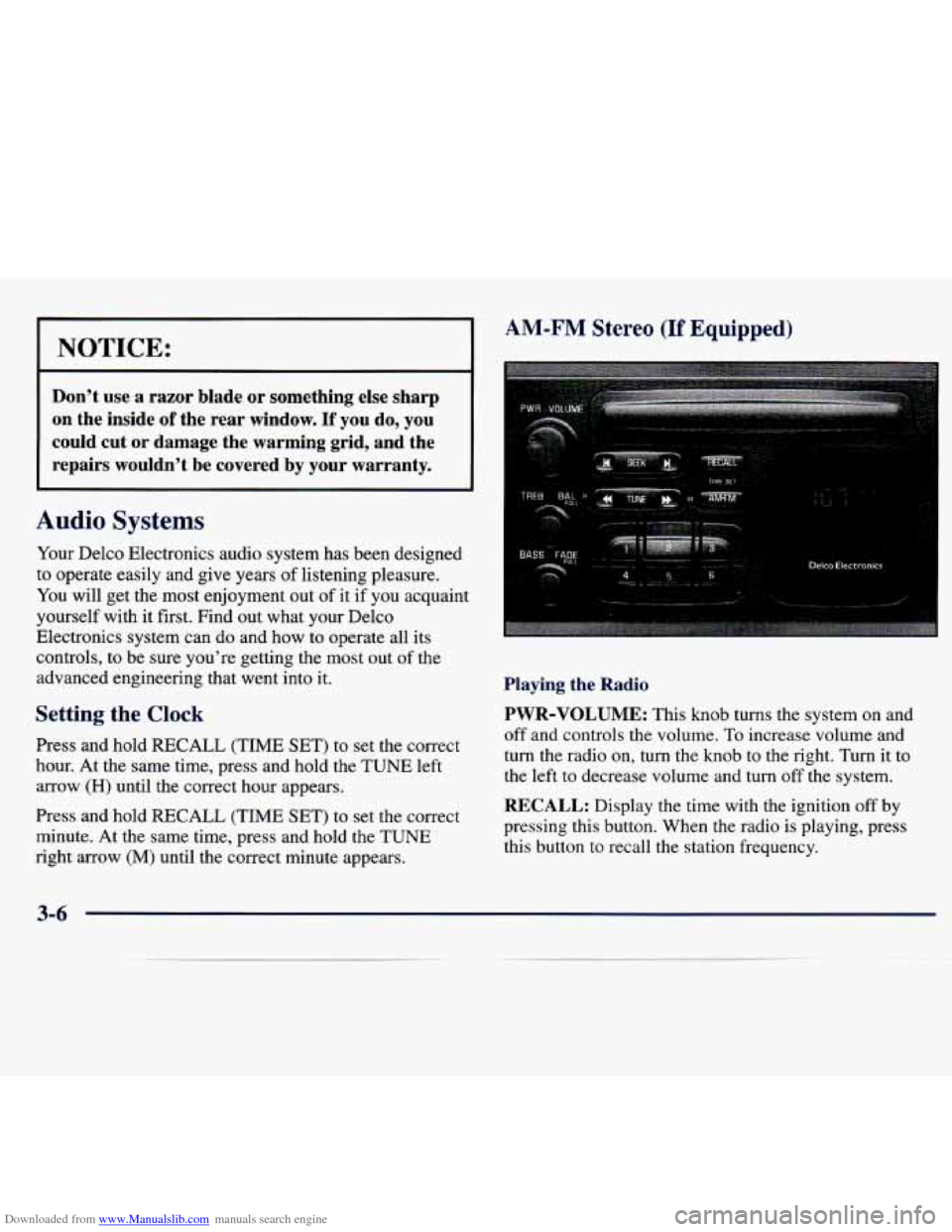
Playing the Radio
PWR-VOLUME:
This knob turns the system on and
off and controls the volume. To increase volume and
turn the radio on, turn the knob to the right. Turn it to
the left to decrease volume and
turn off the system.
RECALL: Display the time with the ignition off by
pressing this button. When the radio
is playing, press
this button to recall the station frequency.
3-6
Page 134 of 386

Downloaded from www.Manualslib.com manuals search engine Finding a Station Setting the
Tone
AM.FM:
Press this button to switch between AM and
FM. The display shows your selection.
TUNE: Press the right or left arrows to go to a higher or
lower station. Press and hold to continue tuning and
release when you find your station. The display will
show the frequency of each station tuned.
SEEK: Press the right or left arrow to go to the next
higher or lower station and stay there.
PUSHBUTTONS: The six numbered pushbuttons let
you return to your previously played stations. You can
set
up to 12 stations (six AM and six FM). Just:
1. Turn the radio on.
2. Press
AM.FM to select the band.
3. Tune in the desired station.
4. Press and hold one of the six pushbuttons for at least
two seconds. The sound will mute and then return
when the station
is stored. Whenever you press that
numbered button, the station you set will return.
5. Repeat the steps for each pushbutton.
BASS: Press this knob lightly so it extends. Turn the
knob to the right to increase bass and to the left to
decrease bass.
TREB: Press this knob lightly so it extends. Turn the
knob to the right to increase treble and to the left to
decrease treble.
If a station is weak or noisy, you may
want to decrease the treble.
hsh these knobs back into their stored positions when
you’re not using them.
Adjusting the Speakers
BAL:
Press this knob lightly so it extends. Then pull the
knob
all the way out. Turn the knob to the right for the
right speakers and to the left for the left speakers. The
middle position balances the sound between the speakers.
FADE: Press this knob lightly so it extends. Then pull
the knob all the way out. Turn the knob to the right to
adjust the sound to the rear speakers and to the left
for
the fi-ont speakers. The middle position balances the
sound between the speakers.
Push these knobs back into their stored positions when
you’re not using them.
3-7
Page 135 of 386

Downloaded from www.Manualslib.com manuals search engine AM-FM Stereo with Cassette Tape Player
and Automatic Tone Control (If Equipped)
Playing the Radio
PWR-VOLUME:
This knob turns the system on and
off and controls the volume. To increase volume and
turn the radio on, turn the
knob to the right. Turn it to
the left to decrease volume and turn
off the system.
RECALL: Display the time with the ignition off by
pressing this button. When the radio is playing, press
this button to recall the station frequency.
Finding a Station
AM-FM: Press this button to switch between AM, FM1
and
FM2. The display shows your selection.
TUNE: Press the right or left arrows to go to a higher or
lower station. Press and hold to continue tuning and
release when you find your station. The display will
show the frequency of each station tuned.
SEEK: Press the right or left arrow to go to the next
higher or lower station and stay there.
PUSHBUTTONS: The six numbered pushbuttons
let you return to your previously played stations. You
can
set up to 18 stations (six AM, six FM1 and six
FM2). Just:
1. Turn the radio on.
2. Press AM-FM to select the band.
3. Tune in the desired station.
4. Press and hold one of the six pushbu ittons
for a .t least
two seconds. The sound will mute and then return
when the station is stored. Whenever you press that
numbered button, the station you set will return.
5. Repeat the steps for each pushbutton.
3-8
Page 137 of 386

Downloaded from www.Manualslib.com manuals search engine Playing a Cassette Tape
With the ignition and radio on, insert a cassette tape.
The tape will begin playing as soon as it is inserted.
Press EJECT or RECALL to load a tape with the
ignition
off. Then insert the cassette tape. A tape symbol
is shown in the center
of the graphic display whenever a
tape is inserted. When a tape is active, the tape symbol
will be accompanied by a direction arrow.
Your tape player is built to work best with tapes that are
30 to 45 minutes long on each side. Tapes longer than
that are
so thin they may not work well in this player.
The longer side with the tape visible should face to the
right.
If you hear nothing or hear just a garbled sound, it
may not be in squarely. Press
EJECT to remove the tape
and start over.
While the tape is playing, use the VOLUME, FADE,
BAL, TREB, BASS and TONE controls just as you do for
the
radio. The display will show an arrow to show which
side of the tape is playing. When the down indicator arrow
is lit, selections listed on the bottom side of the cassette \
are
playing. When the up arrow is lit, selections listed on the top side of the cassette are playing.
REV (TUNE): Press the left arrows to reverse the tape
rapidly. Press
REV (TUNE) or TAPE to return to
playing speed.
FWD (TUNE): Press the right arrows to advance
rapidly to another part
of the tape. Press FWD (TUNE)
or TAPE to return to playing speed.
PREV (SEEK): Press the left arrow to go to the start of
the current selection if more than eight seconds have
played. If you hold the button or press it more than once,
the player will continue moving back through the tape.
Press the left arrow or TAPE to return to playing speed.
NEXT (SEEK): Press the right arrow to go to the start of
the next selection if more than eight seconds have played. If
you hold the button or press it more than once, the player
will continue moving forward through
the tape. Press the
right
arrow or TAPE to return to playing speed.
01 (2): Press this button to reduce background noise
from tapes encoded with Dolby
NR.
Dolby Noise Reduction is manufactured under a license
from Dolby Laboratories Licensing Corporation. Dolby and the double-D symbol are trademarks of Dolby
Laboratories Licensing Corporation.
Page 138 of 386
Downloaded from www.Manualslib.com manuals search engine MTL: Your bias is set automatically. MTL will appear
on your display when a metal or chrome tape is inserted.
AMeFM: Press this button to play the radio when a tape
is playing.
TAPE: With a tape loaded in the player and the radio
playing, press this button once to play the tape.
To
switch from the tape to the radio when the tape is
playing, press the AMeFM button. Press this button to
switch from one side of the tape to the other. Your
cassette tape player can play continuously because the
player has an auto-reverse feature.
EJECT: Press this button to remove the tape. The radio
will play.
CLEAN: If this message appears on the display, the
cassette tape player needs to be cleaned. It will still play
tapes, but you should clean
it as soon as possible to
prevent damage to the tapes and player. See “Care of
Your Cassette Tape Player” in the Index. After you clean
the player, press and hold EJECT for five seconds to
reset the
CLEAN indicator. The radio will display --- to
show the indicator was reset.
AM-FM Stereo with Compact Disc Player
and Automatic Tone Control
(If Equipped)
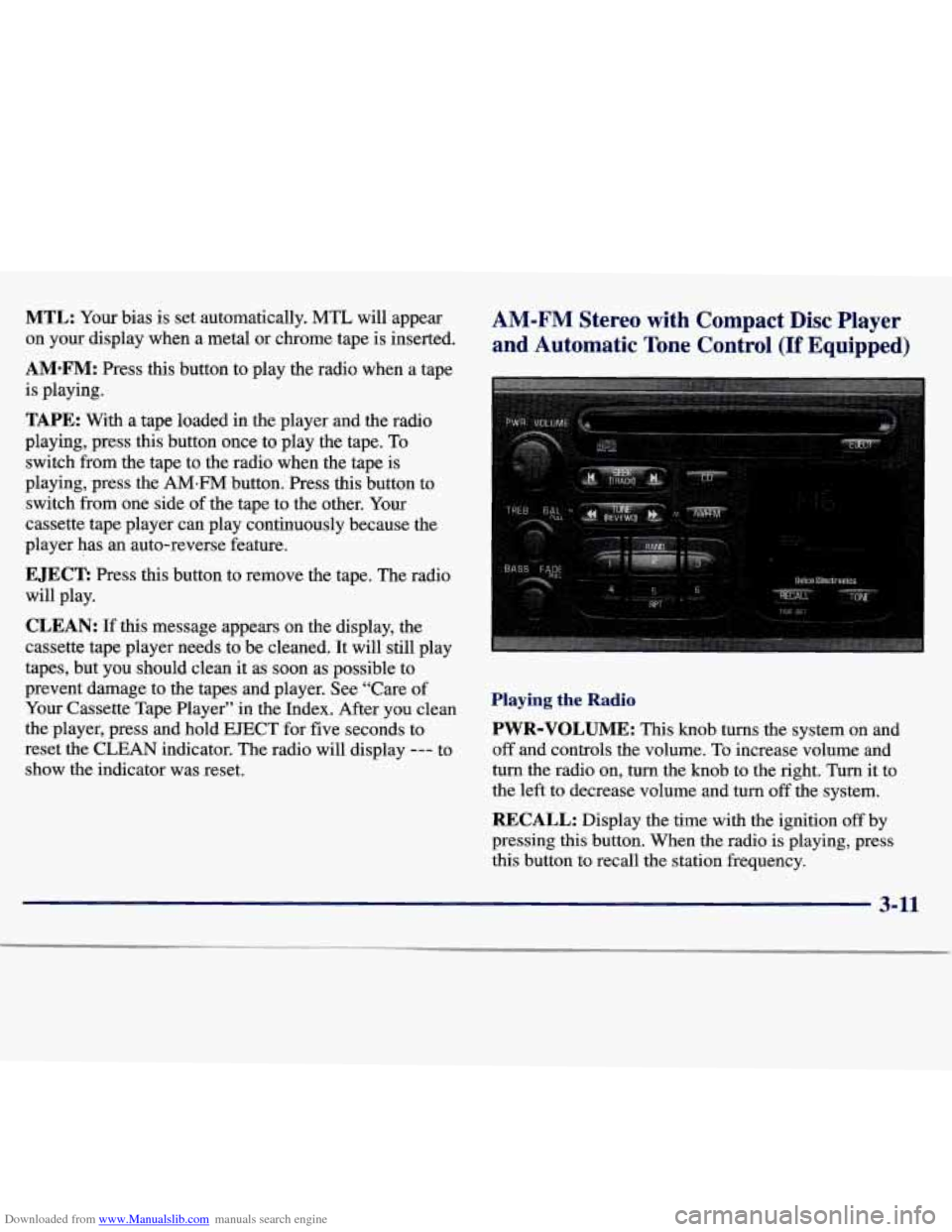
Playing the Radio
PWR-VOLUME: This knob turns the system on and
off and controls the volume. To increase volume and
turn the radio on, turn the knob to the right. Turn it to
the left to decrease volume and turn
off the system.
RECALL: Display the time with the ignition off by
pressing this button. When the radio is playing, press
this button to recall the station frequency.
3-11
Page 139 of 386

Downloaded from www.Manualslib.com manuals search engine Finding a Station
AM-FM: Press this button to switch between AM, FM1
and FM2. The display shows your selection.
TUNE: Press the right or left arrows to go to a higher or
lower station. Press and hold to continue tuning and
release when you find your station. The display will
show the frequency of each station tuned.
SEEK: Press the right or left arrow to go to the next
higher or lower station and stay there.
Setting the Tone
BASS: Press this knob lightly so it extends. Turn the
knob to the right to increase
bass and to the left to
decrease bass.
PUSHBUTTONS: The six numbered pushbuttons
let you return to your previously played stations.
You
can set up to 18 stations (six AM, six FM1 and six
FM2). Just:
1. Turn the radio on.
2. Press AM.FM to select the band.
3. Tune in the desired station.
4. Press and hold one of the six pushbuttons for at least
two seconds. The sound will mute and then return
when the station is stored. Whenever you press that
numbered button, the station you set will return.
5. Repeat the steps for each pushbutton.
TREB: Press this knob lightly so it extends. Turn the
knob to the right to increase treble and to the left to
decrease treble.
If a station is weak or noisy, you may
want to decrease the treble.
Push these knobs back into their stored positions when
you’re not using them.
TONE: Press this button to choose preset bass and
treble equalization settings designed for ROCK,
NEWS,
POP, JAZZ and CLASSIC. ROCK will appear when
you first press TONE. Each time you press it, another
setting will appear on the display.
If you press it one
more time, after CLASSIC appears
on the display, tone
control will be back to the
BASS and TREB knobs.
3-12
Page 142 of 386

Downloaded from www.Manualslib.com manuals search engine Understanding Radio Reception
AM
The range for most AM stations is greater than for FM,
especially at night. The longer range, however, can
cause stations to interfere with each other.
AM can pick
up noise from things like storms and power lines. Try
reducing the treble to reduce this noise
if you ever get it.
FM Stereo
FM stereo will give you the best sound, but
FM signals
will reach only about 10 to
40 miles (16 to 65 km). Tall
buildings or hills can interfere with
FM signals, causing
the sound to come and go.
Tips About Your Audio System
Hearing damage from loud noise is almost undetectable
until it is too late. Your hearing can adapt to higher
volumes of sound. Sound that seems normal can be loud
and harmful to your hearing. Take precautions by
adjusting the volume control on your radio to a safe
sound level before your hearing adapts to it. To help avoid hearing loss or damage:
Adjust
the volume control to the lowest setting.
0 Increase volume slowly until you hear comfortably
and clearly.
NOTICE:
Before you add any sound equipment to your
vehicle
-- like a tape player, CB radio, mobile
telephone
or two-way radio -- be sure you can
add what you want.
If you can, it’s very
important to do
it properly. Added sound
equipment may interfere with the operation
of
your vehicle’s engine, Delco Electronics radio or
other systems, and even damage them. Your
vehicle’s systems may interfere with the
operation
of sound equipment that has been
added improperly.
So, before adding sound equipment, check with
your dealer and be sure to check Federal rules
covering mobile radio and telephone units.
3-15
Page 143 of 386

Downloaded from www.Manualslib.com manuals search engine Care of Your Cassette Tape Player
A tape player that is not cleaned regularly can cause
reduced sound quality, ruined cassettes or a damaged
mechanism. Cassette tapes should be stored in their
cases away from contaminants, direct sunlight and
extreme heat. If they aren’t, they may not operate
properly or may cause failure of the tape player.
Your tape player should be cleaned regularly after every
50 hours of use. Your radio may display CLEAN to
indicate that you have used your tape player for
50 hours without resetting the tape clean timer. If this
message appears on the display, your cassette tape
player needs to be cleaned. It will still play tapes, but
you should clean it as soon as possible to prevent
damage to your tapes and player. If you notice a
reduction in sound quality, try a known good cassette to
see if it is the tape or the tape player at fault.
If this other
cassette has no improvement in sound quality, clean the
tape player.
The recommended cleaning method for your cassette
tape player is the use
of a scrubbing action,
non-abrasive cleaning cassette with pads which scrub
the tape head as the hubs of the cleaner cassette turn.
The recommended cleaning cassette is available through
your dealership
(GM Part No. 12344789). When
using a scrubbing action, non-abrasive cleaning
cassette, it is normal
for the cassette to eject because
your unit is equipped with a cut tape detection feature and a cleaning cassette may appear as a broken tape.
To
prevent the cleaning cassette from being ejected, use the
following’steps.
1. Turn the ignition to ON or ACC.
2. Turn the radio off.
3. Press and hold the
TAPE button for five seconds. The
tape symbol on the display will flash for two seconds.
4. Insert the scrubbing action cleaning cassette.
5. Eject the cleaning cassette after the manufacturer’s
recommended cleaning time.
When the cleaning cassette has been ejected, the cut tape
detection feature is active again.
You may also choose a non-scrubbing action, wet-type
cleaner which uses a cassette with a fabric belt to clean
the tape head. This type of cleaning cassette will not
eject on its own.
A non-scrubbing action cleaner may
not clean as thoroughly as the scrubbing type cleaner.
The use of a non-scrubbing action, dry-type cleaning
cassette is not recommended.
Page 144 of 386
Downloaded from www.Manualslib.com manuals search engine After you clean the player, press and hold EJECT for
five seconds to reset the CLEAN indicator. The radio
will display
--- to show the indicator was reset.
Cassettes are subject to wear and the sound quality
may degrade over time. Always make sure the cassette
tape is in good condition before you have your tape
player serviced.
Care of Your Compact Discs
Handle discs carefully. Store them in their original cases
or other protective cases and away from direct sunlight
and dust. If the surface of a disc is soiled, dampen
a
clean, soft cloth in a mild, neutral detergent solution and
clean it, wiping from the center to the edge.
Be sure never to touch the signal surface when handling
discs.
Pick up discs by grasping the outer edges or the
edge of the hole and the outer edge.
Care of Your Compact Disc Player
The use of CD lens cleaner discs is not advised, due to
the risk of contaminating the lens of the CD optics with
lubricants internal to the CD mechanism.
Antenna
Use the knob on the end of the antenna to raise the
antenna.
To lower it, hold the antenna mast near the roof
and feed it into the holder. Do not try to lower the
antenna using
the knob. Keep the antenna mast clean for
good performance.
Always lower the antenna before entering a car wash. If
you have the convertible top, also lower the antenna
before removing or installing the top.
3-17