instrument panel CHEVROLET TRACKER 2004 2.G Owner's Manual
[x] Cancel search | Manufacturer: CHEVROLET, Model Year: 2004, Model line: TRACKER, Model: CHEVROLET TRACKER 2004 2.GPages: 374, PDF Size: 2.57 MB
Page 112 of 374

Setting Cruise Control
1. Press the CRUISE
ON/OFF button located
on the instrument
panel to turn the
system on. The
indicator light in the
button will come
on. Wait at least one
second after turning the
system on before
setting a speed.
Once the CRUISE ON/OFF switch is turned on, it
will come on each time you start your vehicle
until you manually turn if off.2. Accelerate to the speed you want, turn the end of
the lever to COAST SET and release it; the
CRUISE light will come on. Cruise will not set below
25 mph (40 km/h).
3. Take your foot off the accelerator pedal.
3-10
Page 114 of 374

Passing Another Vehicle While Using
Cruise Control
Use the accelerator pedal to increase your speed.
When you take your foot off the pedal, your vehicle will
slow down to the cruise control speed you set earlier.
Using Cruise Control on Hills
How well your cruise control will work on hills depends
upon your speed, load and the steepness of the
hills. When going up steep hills, you may have to step
on the accelerator pedal to maintain your speed.
When going downhill, you may have to brake or shift to
a lower gear to keep your speed down. Of course,
applying the brake suspends cruise control. Many
drivers ®nd this to be too much trouble and don't use
cruise control on steep hills.
Suspending Cruise Control
There are two ways to suspend cruise control:
·Step lightly on the brake pedal, or push the clutch
pedal if you have a manual transmission.
·Push in the CANCEL button on the end of the
cruise control lever.
Ending Cruise Control
To end cruise control press CRUISE ON/OFF on the
instrument panel.
Erasing Speed Memory
Cruise control set speed memory is erased when you
turn off the CRUISE ON/OFF switch or anytime you turn
the ignition off.
3-12
Page 115 of 374

Exterior Lamps
The lever on the left side of the steering column
operates the exterior lamps.
Turn the outside part of the lever to operate the lamps.The exterior lamps control has three positions:
OFF:Turn the control to this position to turn off all
lamps, except the Daytime Running Lamps (DRL) or if
the Automatic Headlamp System is working.
;(Parking Lamps):Turn the control to this position
to turn on the parking lamps, together with the
following:
·Sidemarker Lamps
·Taillamps
·License Plate Lamp
·Instrument Panel Lights
P(Headlamps):Turn the control to this position to
turn on the headlamps, together with the previously
listed lamps and lights.
3-13
Page 116 of 374

Daytime Running Lamps
Daytime Running Lamps (DRL) can make it easier for
others to see the front of your vehicle during the
day. DRL can be helpful in many different driving
conditions, but they can be especially helpful in the short
periods after dawn and before sunset. Fully functional
daytime running lamps are required on all vehicles
®rst sold in Canada.
The DRL system will make your headlamps come on at
a reduced brightness when the three following
conditions are met:
·The ignition is on with the engine running,
·the exterior lamps control is off or the parking lights
are on, and
·the parking brake is released.When the DRL are on, only your headlamps will be on
at a reduced brightness. The taillamps, sidemarker
and other lamps won't be on. Your instrument panel
won't be lit up either.
When you move the exterior lamps control to the
headlamp position, your DRL will go off and your
headlamps will come on. The other lamps that come on
with your headlamps will also come on.
When it begins to get dark, the headlamps will
automatically switch from DRL to the regular headlamps.
See ªAutomatic Headlamp Systemº following.
When you turn the exterior lamp control to off, the
regular lamps will go off and your headlamps will change
to the reduced brightness of DRL provided it is not
dark outside. DRL will also come on if only the parking
lamps are being used.
As with any vehicle, you should turn on the regular
headlamp system when you need it.
3-14
Page 117 of 374

Automatic Headlamp System
Your vehicle is equipped with an automatic light sensor
on top of the instrument panel, on the passenger's
side of the vehicle, so be sure it is not covered. If it is,
the headlamps will remain on continuously.
There is a delay in the transition between the daytime
and nighttime operation of the DRL and the Automatic
Headlamp Systems so that driving under bridges or
bright overhead street lights does not affect the system.
The DRL and Automatic Headlamp Systems will only
be affected when the light sensor sees a change
in lighting lasting longer than this delay.
When it is dark enough outside, or you are driving
through a parking garage, heavy overcast weather or a
tunnel, the system will turn on your low-beam
headlamps at normal brightness. Along with your
vehicle's headlamps, the taillamps, sidemarker, parking
lamps and the instrument panel lights will also turn
on. The radio display will dim.
As with any vehicle, you should turn on the regular
headlamps when you need them.
To temporarily disable your vehicle's DRL and Automatic
Headlamp Systems functions, do the following:
1. Before turning the ignition key to ON or START, set
the parking brake.2. Then turn the ignition key to ON or START.·The Automatic Headlamp System will not turn on
under any conditions, even in darkness.
·The DRL will not turn on.
The DRL and Automatic Headlamp System functions
will stay off with the ignition on, until you release
the parking brake. Once the parking brake is released
the DRL will turn on if it is daylight or the Automatic
Headlamp System will turn on if it is dark enough
outside.
If you turn the ignition key to ON or START and then
set the parking brake, the DRL will turn off (in all
conditions) and the Automatic Headlamp System will
remain on (if dark enough outside). Any other uses
of the parking brake after the engine is turned on will
have no effect on the normal Automatic Headlamp
System operation.
Headlamps On Reminder
If you turn the ignition off, remove the key, open the
door and leave the lamps on, a tone will remind you to
turn off your lamps.
3-15
Page 118 of 374
Interior Lamps
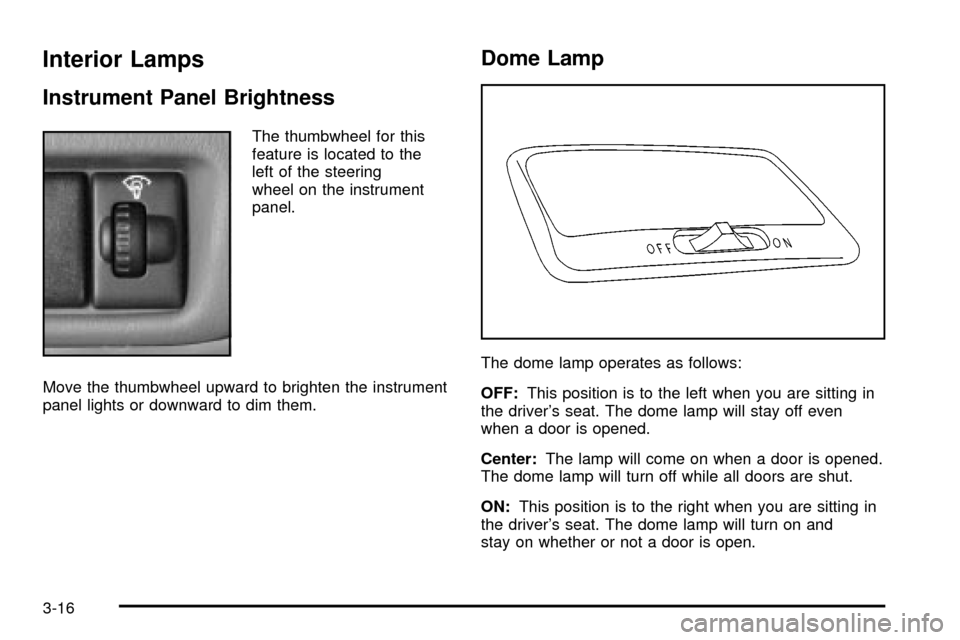
Instrument Panel Brightness
The thumbwheel for this
feature is located to the
left of the steering
wheel on the instrument
panel.
Move the thumbwheel upward to brighten the instrument
panel lights or downward to dim them.
Dome Lamp
The dome lamp operates as follows:
OFF:This position is to the left when you are sitting in
the driver's seat. The dome lamp will stay off even
when a door is opened.
Center:The lamp will come on when a door is opened.
The dome lamp will turn off while all doors are shut.
ON:This position is to the right when you are sitting in
the driver's seat. The dome lamp will turn on and
stay on whether or not a door is open.
3-16
Page 122 of 374

Operation
9
(Fan):Move the lever away from OFF to turn the
system on. Slide the top right lever to the left or right to
increase or decrease the fan speed.
If the air¯ow seems low when the fan is at the highest
setting, the passenger compartment air ®lter, if
equipped, may need to be replaced. For more
information, see
Passenger Compartment Air Filter on
page 3-23andShort Trip/City Scheduled Maintenance
on page 6-7.
Slide the top left lever to the left or right to direct the
air¯ow inside of your vehicle.
To change the current mode, select one of the following:
H(Vent):This mode directs air to the instrument
panel outlets.
)(Bi-Level):This mode directs most of the air to the
instrument panel outlets, and then directs the remaining
air to the ¯oor outlets.
6(Floor):This mode directs half of the air to the
¯oor outlets with some air directed to the outboard
outlets (for the side windows) and some air directed to
the windshield.
This lever can also be used to select defog or defrost
mode. Information on defogging and defrosting can
be found later in this section.
:(Outside Air):Slide the lower right lever to the
right for outside air. With the lever in this position,
outside air will circulate throughout your vehicle.
?(Recirculation):Slide the lower right lever to the
left for recirculated air. With the lever in this position
outside air and odors can be prevented from entering
your vehicle and also helps heat or cool the air
inside your vehicle more quickly.
If the lever is in the middle of the two positions, you will
have both outside and recirculated air inside your
vehicle.
If you are in city traffic, your vehicle is stopped and
idling or the weather is hot, the system may be switched
from the outside air mode to the recirculation mode.
To help prevent the air inside of your vehicle from
becoming too stale, be sure to return to outside air
periodically.
3-20
Page 123 of 374

Temperature Control:Slide the lever located on the
lower left side to change the temperature. Move it to the
right for warmer air and to the left for cooler air.
Without air conditioning, the air temperature cannot be
less than the outside air temperature.
Air Conditioning (A/C):Press the air conditioning
(A/C) button to turn the air-conditioning system on or off.
When A/C is pressed, an indicator light in the button
will come on to let you know that the air conditioning is
activated.
On hot days, open the windows to let hot inside air
escape; then close them. This helps to reduce the time
it takes for your vehicle to cool down. It also helps
the system to operate more efficiently.
For quick cool down on hot days:
1. Select the vent mode.
2. Select the recirculation mode.
3. Select A/C.
4. Select the coolest temperature.
5. Select the highest fan speed.
The air-conditioning system removes moisture from the
air, so you may sometimes notice a small amount of
water dripping underneath your vehicle while idling
or after turning off the engine. This is normal.Defogging and Defrosting
Fog on the inside of windows is a result of high humidity
(moisture) condensing on the cool window glass. This
can be minimized if the climate control system is
used properly. There are two modes to clear fog or frost
from your windshield. Use the defog mode to clear
the windows of fog or moisture and warm the
passengers. Use the defrost mode to remove fog or
frost from the windshield more quickly.
-(Defog):This mode directs the air between the
windshield, side windows, instrument panel outlets and
the ¯oor outlets. The air-conditioning compressor
will run automatically in this setting without pressing
A/C, unless the outside temperature is at or below
freezing.
1(Defrost):This mode directs the air to the
windshield and the side windows. The air-conditioning
compressor will run automatically in this setting
without pressing A/C, unless the outside temperature is
at or below freezing. Do not drive the vehicle until all
the windows are clear.
3-21
Page 124 of 374
Rear Window Defogger
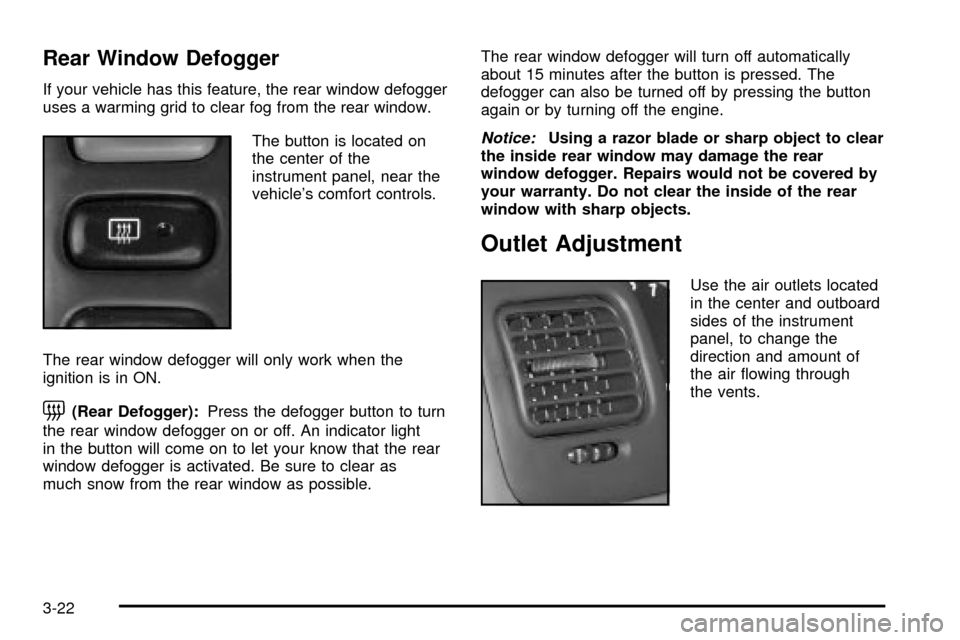
If your vehicle has this feature, the rear window defogger
uses a warming grid to clear fog from the rear window.
The button is located on
the center of the
instrument panel, near the
vehicle's comfort controls.
The rear window defogger will only work when the
ignition is in ON.
=(Rear Defogger):Press the defogger button to turn
the rear window defogger on or off. An indicator light
in the button will come on to let your know that the rear
window defogger is activated. Be sure to clear as
much snow from the rear window as possible.The rear window defogger will turn off automatically
about 15 minutes after the button is pressed. The
defogger can also be turned off by pressing the button
again or by turning off the engine.
Notice:Using a razor blade or sharp object to clear
the inside rear window may damage the rear
window defogger. Repairs would not be covered by
your warranty. Do not clear the inside of the rear
window with sharp objects.
Outlet Adjustment
Use the air outlets located
in the center and outboard
sides of the instrument
panel, to change the
direction and amount of
the air ¯owing through
the vents.
3-22
Page 129 of 374

Instrument Panel Cluster
Your instrument cluster is designed to let you know at a glance how your vehicle is running. You'll know how fast
you're going, about how much fuel you have left, and many other things you'll need to know to drive safely and
economically.
United States cluster shown, Canada similar
3-27