wheel CHEVROLET TRACKER 2004 2.G Owner's Manual
[x] Cancel search | Manufacturer: CHEVROLET, Model Year: 2004, Model line: TRACKER, Model: CHEVROLET TRACKER 2004 2.GPages: 374, PDF Size: 2.57 MB
Page 103 of 374

Instrument Panel Overview...............................3-2
Hazard Warning Flashers................................3-4
Other Warning Devices...................................3-5
Horn.............................................................3-5
Tilt Wheel.....................................................3-5
Turn Signal/Multifunction Lever.........................3-6
Exterior Lamps.............................................3-13
Interior Lamps..............................................3-16
Accessory Power Outlets...............................3-18
Ashtrays and Cigarette Lighter........................3-19
Climate Controls............................................3-19
Climate Control System.................................3-19
Outlet Adjustment.........................................3-22
Passenger Compartment Air Filter...................3-23
Warning Lights, Gages and Indicators.............3-26
Warning Lights, Gages, and Indicators.............3-26
Instrument Panel Cluster................................3-27
Speedometer and Odometer...........................3-28
Tachometer.................................................3-28Safety Belt Reminder Light.............................3-28
Air Bag Readiness Light................................3-29
Charging System Light..................................3-30
Brake System Warning Light..........................3-30
Anti-Lock Brake System Warning Light.............3-31
Engine Coolant Temperature Gage..................3-32
Malfunction Indicator Lamp.............................3-33
Oil Pressure Light.........................................3-36
Overdrive Off Light........................................3-37
Four-Wheel-Drive Light..................................3-37
Power Indicator Light.....................................3-37
Fuel Gage...................................................3-38
Audio System(s).............................................3-39
Setting the Time...........................................3-39
Radio with CD..............................................3-40
Radio Reception...........................................3-45
Care of Your CDs.........................................3-45
Care of Your CD Player................................3-45
Fixed Mast Antenna......................................3-45
Section 3 Instrument Panel
3-1
Page 105 of 374

The main components of your instrument panel are the following:
A. Side Defroster Outlets. See
Outlet Adjustment on
page 3-22.
B. Air Outlets. See
Outlet Adjustment on page 3-22.
C. Turn Signal/Multifunction Lever. See
Turn
Signal/Multifunction Lever on page 3-6.
D. Instrument Panel Cluster. See
Instrument Panel
Cluster on page 3-27.
E. Windshield Wipers Lever. See ªWindshield Wipersº
under
Turn Signal/Multifunction Lever on page 3-6.
F. Hazard Button. See
Hazard Warning Flashers
on page 3-4.
G. Rear Window Defogger Button (If Equipped). See
ªRear Window Defoggerº under
Climate Control
System on page 3-19.
H. Cruise Control Button (If Equipped). See ªCruise
Controlº under
Turn Signal/Multifunction Lever
on page 3-6.
I. Climate Controls. See
Climate Control System on
page 3-19.
J. Rear Window Washer/Wiper Button (If Equipped).
See ªRear Window Washer/Wiperº under
Turn
Signal/Multifunction Lever on page 3-6.
K. Coinholder (If Equipped). See
Coinholder(s) on
page 2-33.L. Outside Power Mirrors (If Equipped). See
Outside
Power Mirrors on page 2-32.
M. Instrument Panel Brightness Thumbwheel. See
ªInstrument Panel Brightnessº under
Interior Lamps
on page 3-16.
N. Hood Release. See
Hood Release on page 5-10.
O. Instrument Panel Fuse Block. See ªInstrument Panel
Fuse Blockº under
Fuses and Circuit Breakers on
page 5-94.
P. Ignition Switch. See
Ignition Positions on page 2-12.
Q. Cigarette Lighter/Accessory Power Outlet (If
Equipped). See
Accessory Power Outlets on
page 3-18.
R. Power Mode Selector Button (If Equipped). See
ªPower Modeº under
Automatic Transmission
Operation on page 2-16.
S. Shift Lever. See
Shifting Into Park (P) on page 2-25.
T. Ashtray. See
Ashtrays and Cigarette Lighter on
page 3-19.
U. Audio System (If Equipped). See
Audio System(s)
on page 3-39.
V. Vent Shut-off Thumbwheel. See
Outlet Adjustment
on page 3-22.
3-3
Page 107 of 374
Other Warning Devices
If you carry re¯ective triangles, you can set one up at
the side of the road about 300 feet (100 m) behind your
vehicle.
Horn
To sound the horn, press the portion of your steering
wheel marked with the horn symbol.
Tilt Wheel
If your vehicle has a tilt wheel, you can adjust the
steering wheel before you drive. You can raise it to the
highest level to give your legs more room when you
exit and enter your vehicle.
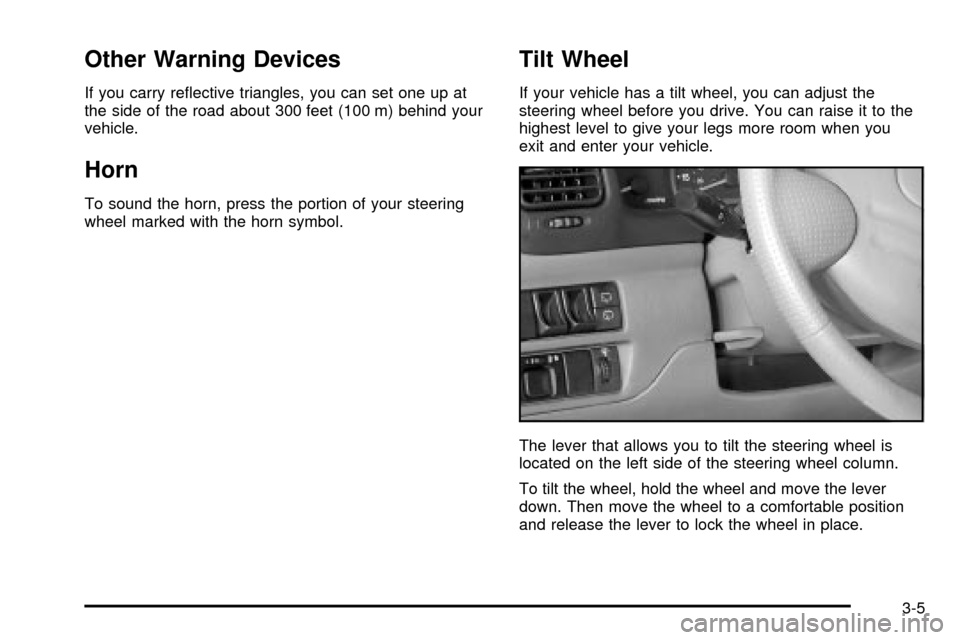
The lever that allows you to tilt the steering wheel is
located on the left side of the steering wheel column.
To tilt the wheel, hold the wheel and move the lever
down. Then move the wheel to a comfortable position
and release the lever to lock the wheel in place.
3-5
Page 109 of 374

Headlamp High/Low-Beam Changer
First, you must have the headlamps on. For high beams,
push the turn signal lever toward the instrument
panel.
While the high beams are
on, a light on the
instrument panel cluster
also will be on. It will go
off when you switch to
low beam.
To switch back to low beams, pull the lever toward you.
Flash to Pass
With the lever in the low-beam position, pull the lever
toward you to momentarily switch to high beam (to
signal that you are going to pass). When you release
the lever, the headlamps will return to low-beam
operation.
Windshield Wipers
Use this lever located on the right side of the steering
wheel to operate the windshield wipers and washers.
OFF:Move the lever to OFF to turn off the windshield
wipers.
INT (Intermittent):Move the stalk to INT (Intermittent)
then turn the inner band and choose the delay you
want. Turn the inner band up for longer intervals
between wiper cycles. Turn the band down for shorter
intervals.
3-7
Page 111 of 374
Rear Window Washer/Wiper
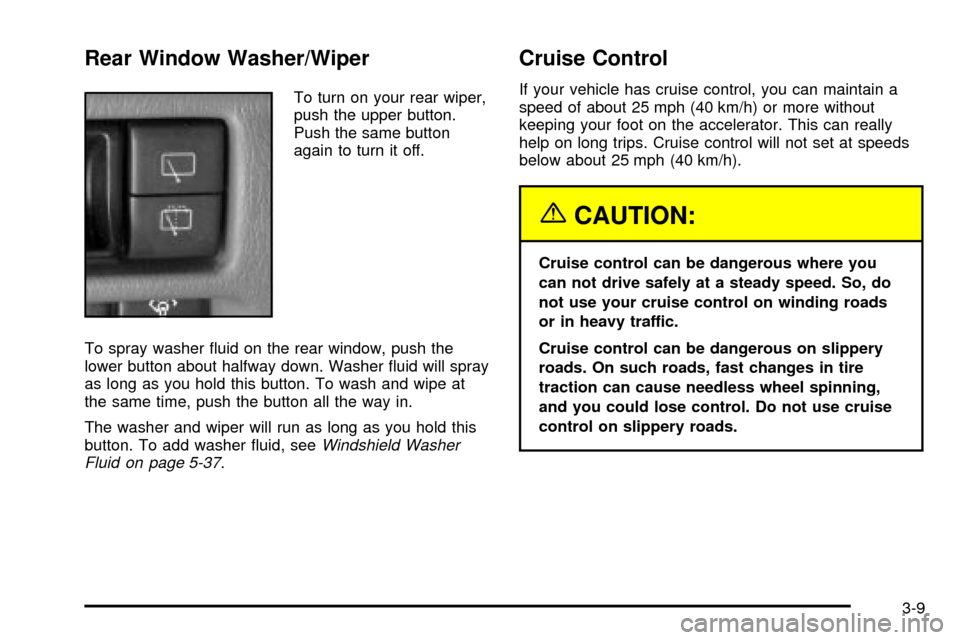
To turn on your rear wiper,
push the upper button.
Push the same button
again to turn it off.
To spray washer ¯uid on the rear window, push the
lower button about halfway down. Washer ¯uid will spray
as long as you hold this button. To wash and wipe at
the same time, push the button all the way in.
The washer and wiper will run as long as you hold this
button. To add washer ¯uid, see
Windshield Washer
Fluid on page 5-37.
Cruise Control
If your vehicle has cruise control, you can maintain a
speed of about 25 mph (40 km/h) or more without
keeping your foot on the accelerator. This can really
help on long trips. Cruise control will not set at speeds
below about 25 mph (40 km/h).
{CAUTION:
Cruise control can be dangerous where you
can not drive safely at a steady speed. So, do
not use your cruise control on winding roads
or in heavy traffic.
Cruise control can be dangerous on slippery
roads. On such roads, fast changes in tire
traction can cause needless wheel spinning,
and you could lose control. Do not use cruise
control on slippery roads.
3-9
Page 118 of 374
Interior Lamps
Instrument Panel Brightness
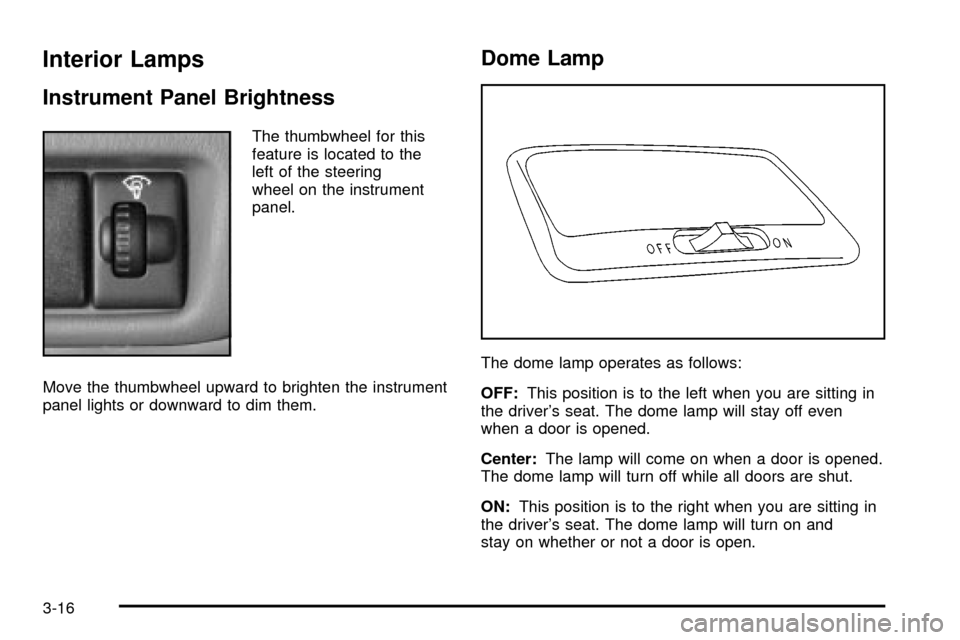
The thumbwheel for this
feature is located to the
left of the steering
wheel on the instrument
panel.
Move the thumbwheel upward to brighten the instrument
panel lights or downward to dim them.
Dome Lamp
The dome lamp operates as follows:
OFF:This position is to the left when you are sitting in
the driver's seat. The dome lamp will stay off even
when a door is opened.
Center:The lamp will come on when a door is opened.
The dome lamp will turn off while all doors are shut.
ON:This position is to the right when you are sitting in
the driver's seat. The dome lamp will turn on and
stay on whether or not a door is open.
3-16
Page 139 of 374

Overdrive Off Light
This light comes on when
the automatic four-speed
transmission, if equipped,
has been converted to
the three-speed mode
and the overdrive is
turned off.
This light also comes on as a check for about
®ve seconds when the ignition key is turned to ON
or START.
Four-Wheel-Drive Light
If you have four-wheel
drive, this light comes on
when the ignition switch is
on and the transfer
case lever is in one of the
four-wheel drive positions.
See
Four-Wheel Drive on page 5-49.
Power Indicator Light
This light comes on when
the power mode selector
switch, if equipped, is
turned to P (power) with
the ignition switch in
the ON position.
This light comes on as a check for about ®ve seconds
when the ignition key is turned to ON or START.
3-37
Page 149 of 374

Your Driving, the Road, and Your Vehicle..........4-2
Driver Behavior..............................................4-2
Driving Environment........................................4-2
Vehicle Design...............................................4-3
Defensive Driving...........................................4-3
Drunken Driving.............................................4-4
Control of a Vehicle........................................4-7
Braking.........................................................4-7
Steering......................................................4-10
Off-Road Recovery.......................................4-13
Passing.......................................................4-13
Loss of Control.............................................4-15
Off-Road Driving with Your Four-Wheel-Drive
Vehicle....................................................4-16
Driving at Night............................................4-30Driving in Rain and on Wet Roads..................4-32
City Driving..................................................4-34
Freeway Driving...........................................4-35
Before Leaving on a Long Trip.......................4-36
Highway Hypnosis........................................4-37
Hill and Mountain Roads................................4-38
Winter Driving..............................................4-40
If You Are Stuck: In Sand, Mud, Ice
or Snow...................................................4-44
Towing..........................................................4-47
Towing Your Vehicle.....................................4-47
Recreational Vehicle Towing...........................4-47
Loading Your Vehicle....................................4-51
Towing a Trailer...........................................4-57
Section 4 Driving Your Vehicle
4-1
Page 151 of 374

Vehicle Design
According to the U.S. Department of Transportation,
utility vehicles have a signi®cantly higher rollover
rate than other types of vehicles. Utility vehicles do
have higher ground clearance and a narrower track or
shorter wheelbase than passenger cars, to make
them more capable for off-road driving. Speci®c design
characteristics like these give the driver a better
view of the road, but also give utility vehicles a higher
center of gravity than other types of vehicles. This
means that you should not expect a utility vehicle to
handle the same way a vehicle with a lower center
of gravity, like a car, would in similar situations.
But driver behavior factors are far more often the cause
of a utility vehicle rollover than are environmental or
vehicle factors. Safe driver behavior and understanding
the environment in which you will be driving can help
avoid a rollover crash in any type of vehicle, including
utility vehicles.
Defensive Driving
The best advice anyone can give about driving is: Drive
defensively.
Please start with a very important safety device in your
vehicle: Buckle up. See
Safety Belts: They Are for
Everyone on page 1-9.
Defensive driving really means ªbe ready for anything.º
On city streets, rural roads or freeways, it means
ªalways expect the unexpected.º
Assume that pedestrians or other drivers are going to
be careless and make mistakes. Anticipate what
they might do. Be ready for their mistakes.
Rear-end collisions are about the most preventable of
accidents. Yet they are common. Allow enough following
distance. It is the best defensive driving maneuver, in
both city and rural driving. You never know when the
vehicle in front of you is going to brake or turn suddenly.
Defensive driving requires that a driver concentrate on
the driving task. Anything that distracts from the
driving task Ð such as concentrating on a cellular
telephone call, reading, or reaching for something on
the ¯oor Ð makes proper defensive driving more difficult
and can even cause a collision, with resulting injury.
Ask a passenger to help do things like this, or pull off the
road in a safe place to do them yourself. These simple
defensive driving techniques could save your life.
4-3
Page 157 of 374
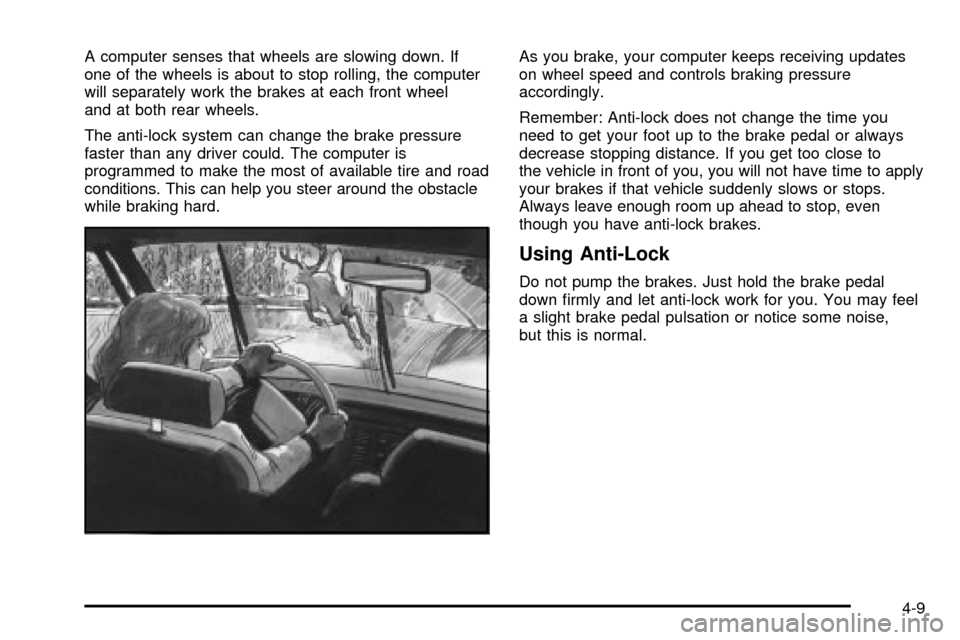
A computer senses that wheels are slowing down. If
one of the wheels is about to stop rolling, the computer
will separately work the brakes at each front wheel
and at both rear wheels.
The anti-lock system can change the brake pressure
faster than any driver could. The computer is
programmed to make the most of available tire and road
conditions. This can help you steer around the obstacle
while braking hard.As you brake, your computer keeps receiving updates
on wheel speed and controls braking pressure
accordingly.
Remember: Anti-lock does not change the time you
need to get your foot up to the brake pedal or always
decrease stopping distance. If you get too close to
the vehicle in front of you, you will not have time to apply
your brakes if that vehicle suddenly slows or stops.
Always leave enough room up ahead to stop, even
though you have anti-lock brakes.
Using Anti-Lock
Do not pump the brakes. Just hold the brake pedal
down ®rmly and let anti-lock work for you. You may feel
a slight brake pedal pulsation or notice some noise,
but this is normal.
4-9