service CHEVROLET TRACKER 2004 2.G Owner's Guide
[x] Cancel search | Manufacturer: CHEVROLET, Model Year: 2004, Model line: TRACKER, Model: CHEVROLET TRACKER 2004 2.GPages: 374, PDF Size: 2.57 MB
Page 236 of 374
How to Add Fluid
Here's how to add ¯uid. Refer to the Maintenance
Schedule to determine what kind of ¯uid to use. See
Part D: Recommended Fluids and Lubricants on
page 6-30.
1. Remove the ®ller plug.
2. Remove the drain plug, drain the ¯uid and reinstall
the drain plug.
3. Add ¯uid at the ®ller plug hole. Add only enough
¯uid to bring the ¯uid level up to the bottom of the
®ller plug hole.
4. Reinstall the ®ller plug. Be sure the plug is fully
seated.
Hydraulic Clutch
It is not necessary to regularly check clutch ¯uid unless
you suspect there is a leak in the system. Adding
¯uid won't correct a leak.
A ¯uid loss in this system could indicate a problem.
Have the system inspected and repaired.
When to Check and What to Use
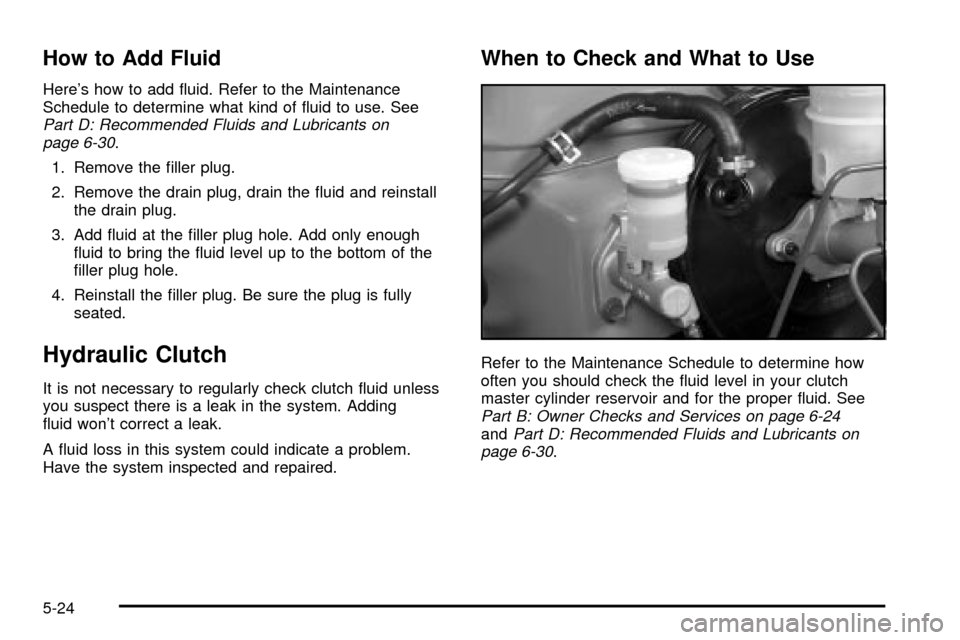
Refer to the Maintenance Schedule to determine how
often you should check the ¯uid level in your clutch
master cylinder reservoir and for the proper ¯uid. See
Part B: Owner Checks and Services on page 6-24andPart D: Recommended Fluids and Lubricants on
page 6-30.
5-24
Page 242 of 374

If No Steam Is Coming From Your
Engine
If you get an engine overheat warning but see or hear
no steam, the problem may not be too serious.
Sometimes the engine can get a little too hot when you:
·Climb a long hill on a hot day.
·Stop after high-speed driving.
·Idle for long periods in traffic.
·Tow a trailer.
If you get the overheat warning with no sign of steam,
try this for a minute or so:
1. In heavy traffic, let the engine idle in NEUTRAL (N)
while stopped. If it is safe to do so, pull off the road,
shift to PARK (P) or NEUTRAL (N) and let the
engine idle.
2. Turn on your heater to full hot at the highest fan
speed and open the window as necessary.If you no longer have the overheat warning, you can
drive. Just to be safe, drive slower for about 10 minutes.
If the warning doesn't come back on, you can drive
normally.
If the warning continues, pull over, stop, and park your
vehicle right away.
If there's still no sign of steam, push down the
accelerator until the engine speed is about twice as fast
as normal idle speed for at least three minutes while
you're parked. If you still have the warning,
turn off the
engine and get everyone out of the vehicleuntil it
cools down.
You may decide not to lift the hood but to get service
help right away.
5-30
Page 244 of 374
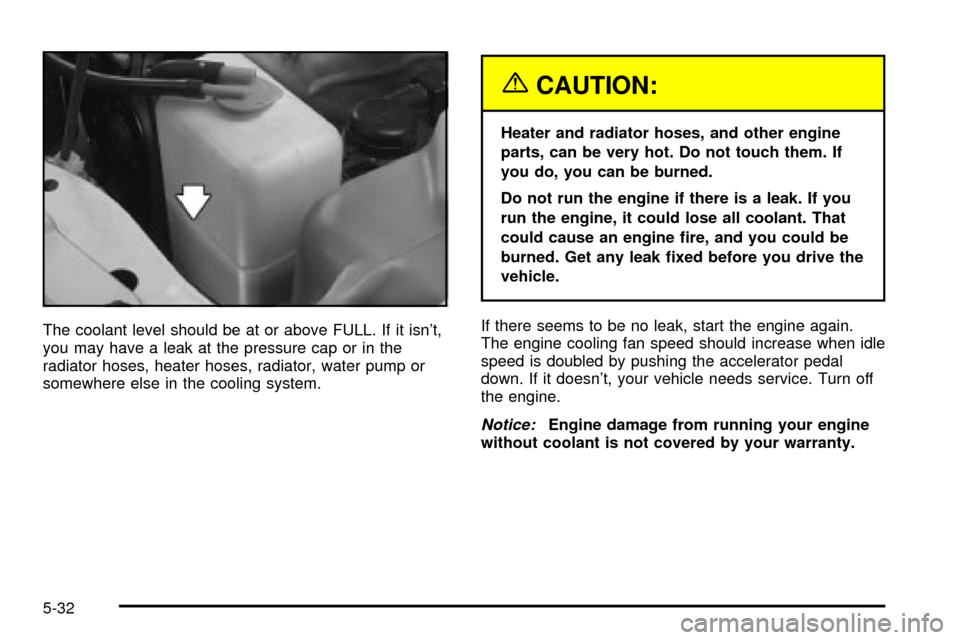
The coolant level should be at or above FULL. If it isn't,
you may have a leak at the pressure cap or in the
radiator hoses, heater hoses, radiator, water pump or
somewhere else in the cooling system.
{CAUTION:
Heater and radiator hoses, and other engine
parts, can be very hot. Do not touch them. If
you do, you can be burned.
Do not run the engine if there is a leak. If you
run the engine, it could lose all coolant. That
could cause an engine ®re, and you could be
burned. Get any leak ®xed before you drive the
vehicle.
If there seems to be no leak, start the engine again.
The engine cooling fan speed should increase when idle
speed is doubled by pushing the accelerator pedal
down. If it doesn't, your vehicle needs service. Turn off
the engine.
Notice:Engine damage from running your engine
without coolant is not covered by your warranty.
5-32
Page 253 of 374
Brake Wear
Your vehicle has front disc brakes and rear drum
brakes.
Disc brake pads have built-in wear indicators that make
a high-pitched warning sound when the brake pads
are worn and new pads are needed. The sound
may come and go or be heard all the time your vehicle
is moving (except when you are pushing on the
brake pedal ®rmly).
{CAUTION:
The brake wear warning sound means that
soon your brakes will not work well. That
could lead to an accident. When you hear the
brake wear warning sound, have your vehicle
serviced.
Notice:Continuing to drive with worn-out brake
pads could result in costly brake repair.
Some driving conditions or climates may cause a brake
squeal when the brakes are ®rst applied or lightly
applied. This does not mean something is wrong with
your brakes.Properly torqued wheel nuts are necessary to help
prevent brake pulsation. When tires are rotated, inspect
brake pads for wear and evenly tighten wheel nuts in
the proper sequence to GM torque speci®cations.
Your rear drum brakes do not have wear indicators, but
if you ever hear a rear brake rubbing noise, have the
rear brake linings inspected immediately. Also, the rear
brake drums should be removed and inspected each
time the tires are removed for rotation or changing.
When you have the front brake pads replaced, have the
rear brakes inspected, too.
Brake linings should always be replaced as complete
axle sets.
See
Brake System Inspection on page 6-29.
Brake Pedal Travel
See your dealer if the brake pedal does not return to
normal height, or if there is a rapid increase in
pedal travel. This could be a sign of brake trouble.
Brake Adjustment
Every time you make a brake stop, your disc brakes
adjust for wear.
5-41
Page 258 of 374
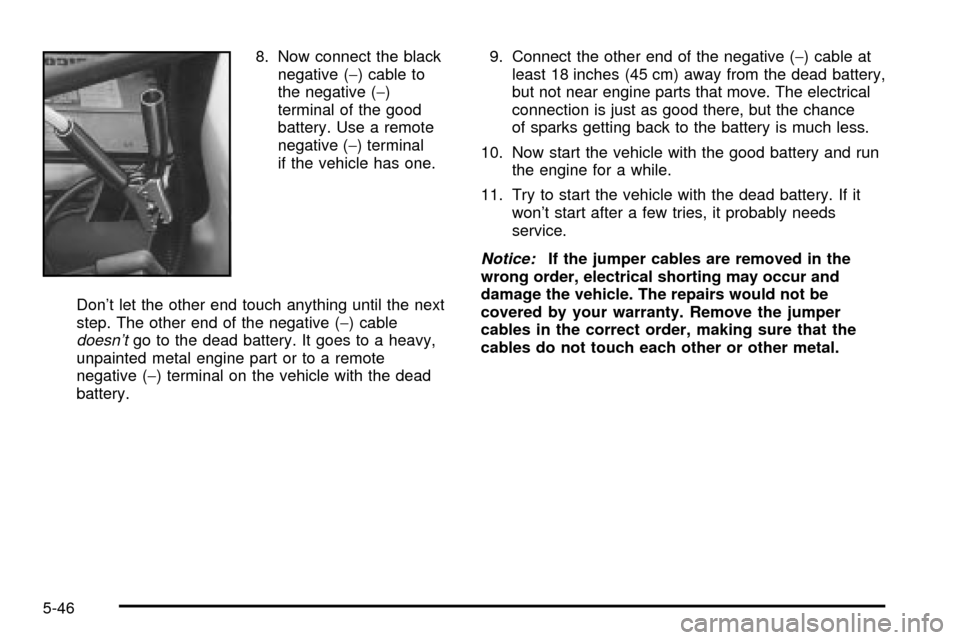
8. Now connect the black
negative (-) cable to
the negative (-)
terminal of the good
battery. Use a remote
negative (-) terminal
if the vehicle has one.
Don't let the other end touch anything until the next
step. The other end of the negative (-) cable
doesn'tgo to the dead battery. It goes to a heavy,
unpainted metal engine part or to a remote
negative (-) terminal on the vehicle with the dead
battery.9. Connect the other end of the negative (-) cable at
least 18 inches (45 cm) away from the dead battery,
but not near engine parts that move. The electrical
connection is just as good there, but the chance
of sparks getting back to the battery is much less.
10. Now start the vehicle with the good battery and run
the engine for a while.
11. Try to start the vehicle with the dead battery. If it
won't start after a few tries, it probably needs
service.
Notice:If the jumper cables are removed in the
wrong order, electrical shorting may occur and
damage the vehicle. The repairs would not be
covered by your warranty. Remove the jumper
cables in the correct order, making sure that the
cables do not touch each other or other metal.
5-46
Page 260 of 374
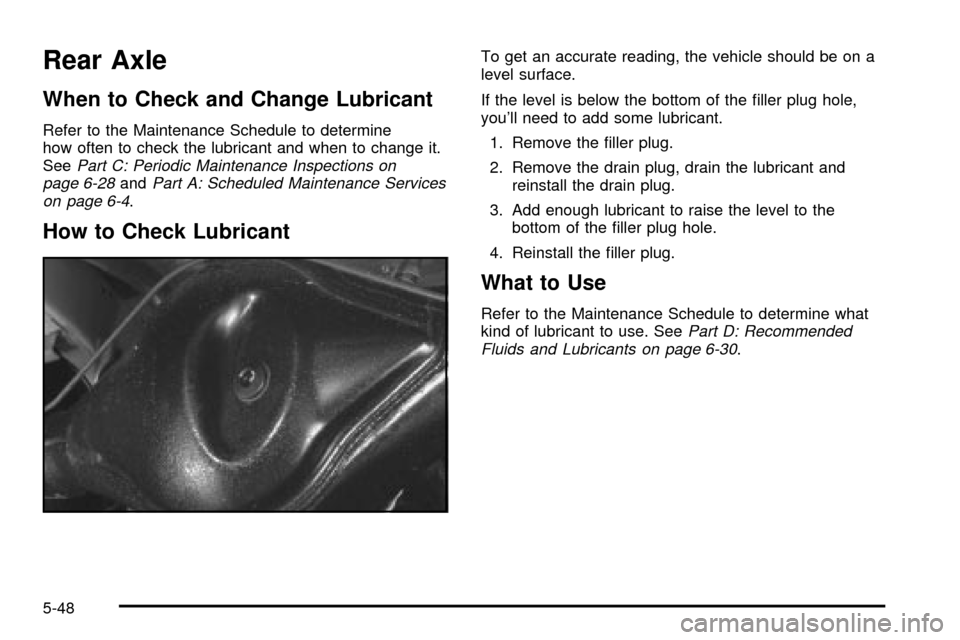
Rear Axle
When to Check and Change Lubricant
Refer to the Maintenance Schedule to determine
how often to check the lubricant and when to change it.
See
Part C: Periodic Maintenance Inspections on
page 6-28andPart A: Scheduled Maintenance Services
on page 6-4.
How to Check Lubricant
To get an accurate reading, the vehicle should be on a
level surface.
If the level is below the bottom of the ®ller plug hole,
you'll need to add some lubricant.
1. Remove the ®ller plug.
2. Remove the drain plug, drain the lubricant and
reinstall the drain plug.
3. Add enough lubricant to raise the level to the
bottom of the ®ller plug hole.
4. Reinstall the ®ller plug.
What to Use
Refer to the Maintenance Schedule to determine what
kind of lubricant to use. SeePart D: Recommended
Fluids and Lubricants on page 6-30.
5-48
Page 261 of 374
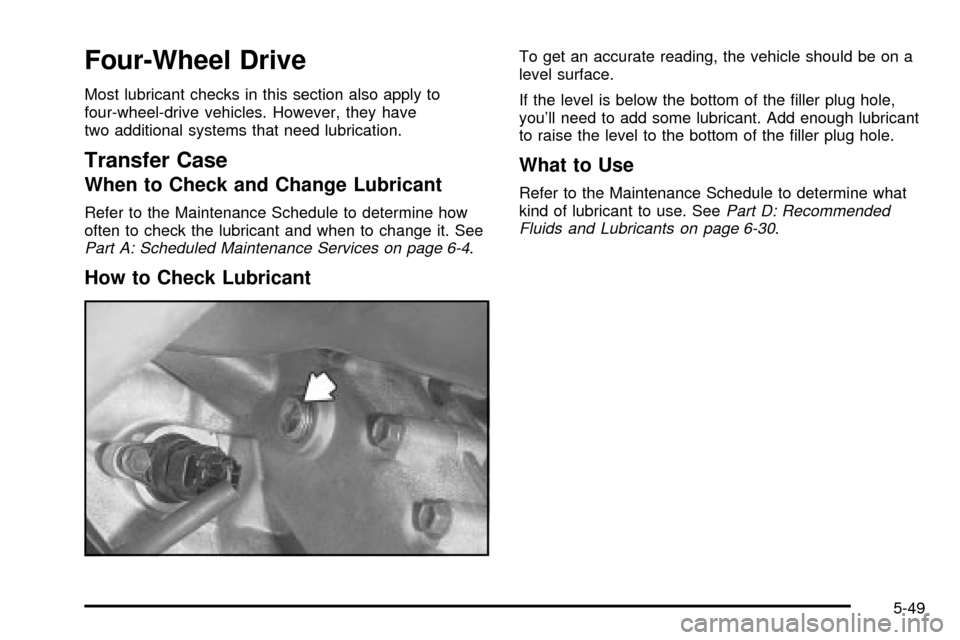
Four-Wheel Drive
Most lubricant checks in this section also apply to
four-wheel-drive vehicles. However, they have
two additional systems that need lubrication.
Transfer Case
When to Check and Change Lubricant
Refer to the Maintenance Schedule to determine how
often to check the lubricant and when to change it. See
Part A: Scheduled Maintenance Services on page 6-4.
How to Check Lubricant
To get an accurate reading, the vehicle should be on a
level surface.
If the level is below the bottom of the ®ller plug hole,
you'll need to add some lubricant. Add enough lubricant
to raise the level to the bottom of the ®ller plug hole.
What to Use
Refer to the Maintenance Schedule to determine what
kind of lubricant to use. SeePart D: Recommended
Fluids and Lubricants on page 6-30.
5-49
Page 262 of 374
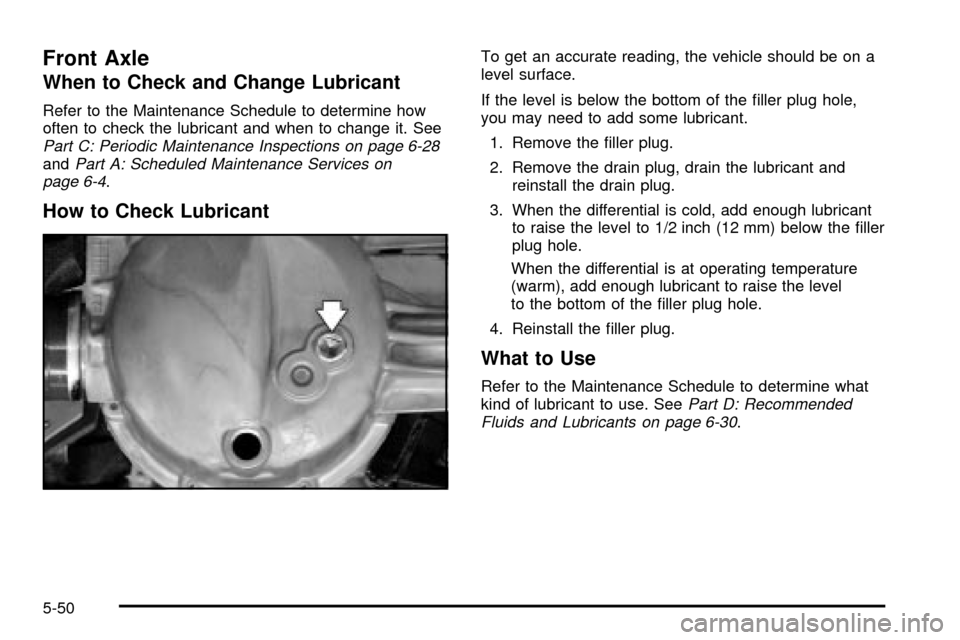
Front Axle
When to Check and Change Lubricant
Refer to the Maintenance Schedule to determine how
often to check the lubricant and when to change it. See
Part C: Periodic Maintenance Inspections on page 6-28andPart A: Scheduled Maintenance Services on
page 6-4.
How to Check Lubricant
To get an accurate reading, the vehicle should be on a
level surface.
If the level is below the bottom of the ®ller plug hole,
you may need to add some lubricant.
1. Remove the ®ller plug.
2. Remove the drain plug, drain the lubricant and
reinstall the drain plug.
3. When the differential is cold, add enough lubricant
to raise the level to 1/2 inch (12 mm) below the ®ller
plug hole.
When the differential is at operating temperature
(warm), add enough lubricant to raise the level
to the bottom of the ®ller plug hole.
4. Reinstall the ®ller plug.
What to Use
Refer to the Maintenance Schedule to determine what
kind of lubricant to use. SeePart D: Recommended
Fluids and Lubricants on page 6-30.
5-50
Page 267 of 374
Replacement Bulbs
Exterior Lamp Bulb Number
Back-up Lamp 921
Front Turn Signal and Parking 1157 NA
Headlamps (Halogen)GM Part
No. 91171148 or
equivalent
Rear Hazard and Turn Signal 921
Rear Parking and BrakeGM Part
No. 91174349 or
equivalent
Sidemarker 194
For any bulb not listed here contact your dealer.
Tires
Your new vehicle comes with high-quality tires made by
a leading tire manufacturer. If you ever have questions
about your tire warranty and where to obtain service,
see your GM Warranty booklet for details. For additional
information refer to the tire manufacturer's booklet
included with your vehicle's Owner's Manual.
{CAUTION:
Poorly maintained and improperly used tires
are dangerous.
·Overloading your tires can cause
overheating as a result of too much
friction. You could have an air-out and a
serious accident. See ªLoading Your
Vehicleº in the Index.
·Underin¯ated tires pose the same danger
as overloaded tires. The resulting accident
could cause serious injury. Check all tires
frequently to maintain the recommended
pressure. Tire pressure should be checked
when your tires are cold.
·Overin¯ated tires are more likely to be
cut, punctured or broken by a sudden
impact Ð such as when you hit a pothole.
Keep tires at the recommended pressure.
·Worn, old tires can cause accidents. If
your tread is badly worn, or if your tires
have been damaged, replace them.
5-55
Page 269 of 374

(A) Tire Size Code:The tire size code is a combination
of letters and numbers used to de®ne a particular
tire's width, height, aspect ratio, construction type and
service description. See the ªTire Size Codeº illustration
later in this section for more detail.
(B) Tire Performance Criteria Speci®cation (TPC
Spec):Original equipment tires designed to GM's
speci®c tire performance criteria have a TPC
speci®cation code molded onto the sidewall. GM's TPC
speci®cations meet or exceed all federal safety
guidelines.
(C) Department of Transportation (DOT):The
Department of Transportation (DOT) code indicates that
the tire is in compliance with the U.S. Department of
Transportation Motor Vehicle Safety Standards.(D) Tire Identi®cation Number (TIN):The letters and
numbers following DOT code are the Tire Identi®cation
Number (TIN). The TIN shows the manufacturer
and plant code, tire size, and date the tire was
manufactured. The TIN is molded onto both sides of the
tire, although only one side may have the date of
manufacture.
(E) Tire Ply Material:The type of cord and number of
plies in the sidewall and under the tread.
(F) Uniform Tire Quality Grading (UTQG):Tire
manufacturers are required to grade tires based on three
performance factors: treadwear, traction and
temperature resistance. For more information, see
Uniform Tire Quality Grading on page 5-68.
(G) Maximum Cold In¯ation Load Limit:Maximum
load that can be carried and the maximum pressure
needed to support that load. For information on
recommended tire pressure see
In¯ation - Tire Pressure
on page 5-63andLoading Your Vehicle on page 4-51.
5-57