light CHEVROLET TRAIL BLAZER 2003 1.G User Guide
[x] Cancel search | Manufacturer: CHEVROLET, Model Year: 2003, Model line: TRAIL BLAZER, Model: CHEVROLET TRAIL BLAZER 2003 1.GPages: 436, PDF Size: 2.98 MB
Page 83 of 436

Here's how to avoid setting off the alarm by accident:
·If you don't want to activate the theft-deterrent
system, the vehicle should be locked with the door
key
afterthe doors are closed.
·Always unlock a door with a key, or use the remote
keyless entry transmitter. Unlocking a door any
other way will set off the alarm.
If you set off the alarm by accident, unlock any
door with the key. You can also turn off the alarm by
pressing unlock on the remote keyless entry transmitter.
The alarm won't stop if you try to unlock a door any
other way.
Testing the Alarm
The alarm can be tested by following these steps:
1. From inside the vehicle, lower the driver's window
and open the driver's door.
2. Activate the system by locking the doors with the
power door lock switch while the door is open, or
with the remote keyless entry transmitter.
3. Get out of the vehicle, close the door and wait for
the SECURITY light to go out.
4. Then reach in through the window, unlock the door
with the manual door lock and open the door. This
should set off the alarm.
When the alarm is set the power door unlock switch is
not operational.
If the alarm does not sound when it should but the
headlamps ¯ash, check to see if the horn works. The
horn fuse may be blown. To replace the fuse, see
Fuses
and Circuit Breakers on page 5-89.
If the alarm does not sound or the headlamps do not
¯ash, the vehicle should be serviced by your dealer.
2-17
Page 84 of 436

Passlockž
Your vehicle is equipped with the Passlockž
theft-deterrent system.
Passlock
žis a passive theft-deterrent system that
enables fuel if the ignition lock cylinder is turned with a
valid key. If a correct key is not used or the ignition
lock cylinder is tampered with, the fuel system is
disabled and the vehicle will not start.
During normal operation, the security light will turn off
approximately ®ve seconds after the key is turned
to RUN.
If the engine stalls and the security light ¯ashes, wait
about 10 minutes until the light stops ¯ashing before
trying to restart the engine. Remember to release
the key from START as soon as the engine starts.
If the engine does not start after three tries, the vehicle
needs service.
If the engine is running and the security light comes on,
you will be able to restart the engine if you turn the
engine off. However, your Passlock
žsystem is
not working properly and must be serviced by your
dealer. Your vehicle is not protected by Passlock
žat this
time. You may also want to check the fuse. See
Fuses and Circuit Breakers on page 5-89. See your
dealer for service.In an emergency, call the GM Roadside Assistance
Center. See
Roadside Assistance Program on page 7-5.
Starting and Operating Your
Vehicle
New Vehicle Break-In
Notice:Your vehicle does not need an elaborate
ªbreak-in.º But it will perform better in the long run
if you follow these guidelines:
·Keep your speed at 55 mph (88 km/h) or less for
the ®rst 500 miles (805 km).
·Do not drive at any one speed Ð fast or
slow Ð for the ®rst 500 miles (805 km).
Do not make full-throttle starts.
·Avoid making hard stops for the ®rst 200 miles
(322 km) or so. During this time your new
brake linings are not yet broken in. Hard stops
with new linings can mean premature wear
and earlier replacement. Follow this breaking-in
guideline every time you get new brake
linings.
·Do not tow a trailer during break-in. SeeTowing
a Trailer on page 4-50
for more information.
2-18
Page 91 of 436
Automatic Transfer Case
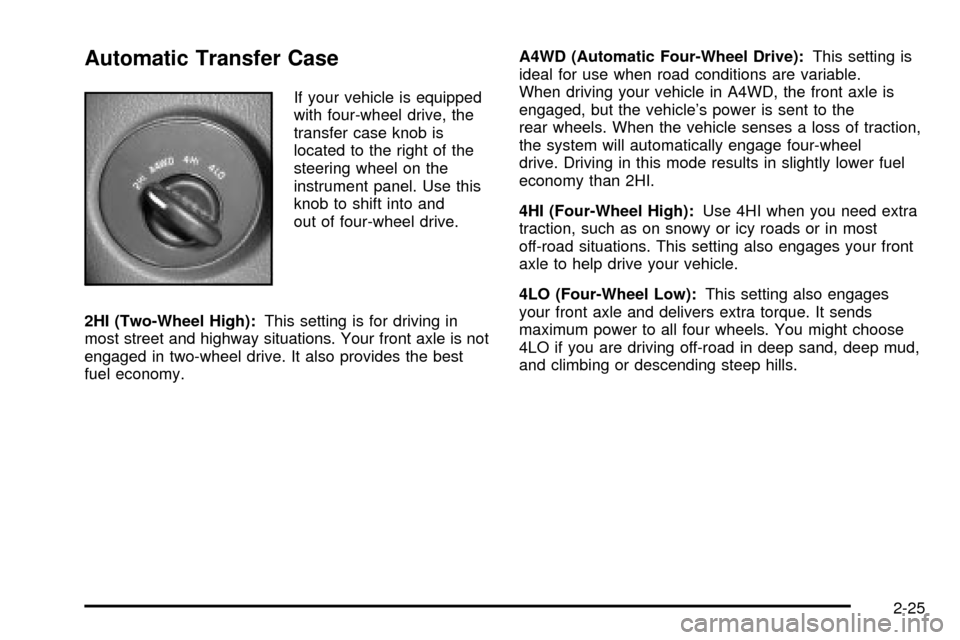
If your vehicle is equipped
with four-wheel drive, the
transfer case knob is
located to the right of the
steering wheel on the
instrument panel. Use this
knob to shift into and
out of four-wheel drive.
2HI (Two-Wheel High):This setting is for driving in
most street and highway situations. Your front axle is not
engaged in two-wheel drive. It also provides the best
fuel economy.A4WD (Automatic Four-Wheel Drive):This setting is
ideal for use when road conditions are variable.
When driving your vehicle in A4WD, the front axle is
engaged, but the vehicle's power is sent to the
rear wheels. When the vehicle senses a loss of traction,
the system will automatically engage four-wheel
drive. Driving in this mode results in slightly lower fuel
economy than 2HI.
4HI (Four-Wheel High):Use 4HI when you need extra
traction, such as on snowy or icy roads or in most
off-road situations. This setting also engages your front
axle to help drive your vehicle.
4LO (Four-Wheel Low):This setting also engages
your front axle and delivers extra torque. It sends
maximum power to all four wheels. You might choose
4LO if you are driving off-road in deep sand, deep mud,
and climbing or descending steep hills.
2-25
Page 92 of 436

{CAUTION:
Shifting the transfer case to NEUTRAL can
cause your vehicle to roll even if the
transmission is in PARK (P). You or someone
else could be seriously injured. Be sure to set
the parking brake before placing the transfer
case in NEUTRAL. See ªParking Brakeº in
the Index.
NEUTRAL:Shift the vehicle's transfer case to
NEUTRAL only when towing your vehicle. See
Recreational Vehicle Towing on page 4-44for
more information.
An indicator light in the knob will show you which
position the transfer case is in. The indicator lights will
come on brie¯y when you turn on the ignition and
one will stay on. If the lights do not come on, you should
take your vehicle to your dealer for service. An
indicator light will ¯ash while shifting the transfer case. It
will remain illuminated when the shift is complete. If
for some reason the transfer case cannot make a
requested shift, it will return to the last chosen setting.
If the service four-wheel drive light on the instrument
panel cluster stays on, you should take your vehicle toyour dealer for service. See
Service Four-Wheel Drive
Warning Light on page 3-49for further information.
Shifting into 4HI or A4WD
Turn the knob to 4HI or A4WD. This can be done at any
speed unless you are shifting out of 4LO. The indicator
light will ¯ash while shifting. It will remain illuminated
when the shift is complete.
Shifting into 2HI
Turn the knob to 2HI. This can be done at any speed
unless you are shifting out of 4LO.
Shifting into 4LO
To shift to 4LO, the vehicle's engine must be running
and the vehicle must be stopped or moving less
than 2 mph (3.2 km/h) with the transmission in
NEUTRAL (N). The preferred method for shifting into
4LO is to have your vehicle moving 1 or 2 mph
(1.6 to 3.2 km/h). Turn the knob to 4LO. You must wait
for the 4LO indicator light to stop ¯ashing and remain
illuminated before shifting your transmission into gear.
If you turn the knob to 4LO when your vehicle is in gear
and/or moving, the 4LO indicator light will ¯ash for
30 seconds and not complete the shift unless your
vehicle is moving less than 2 mph (3.2 km/h) and the
transmission is in NEUTRAL (N). After 30 seconds, the
transfer case will return to the setting last chosen.
2-26
Page 93 of 436

Shifting Out of 4LO
To shift from 4LO to 4HI, A4WD or 2HI your vehicle
must be stopped or moving less than 2 mph (3.2 km/h)
with the transmission in NEUTRAL (N) and the
engine running. The preferred method for shifting
out of 4LO is to have your vehicle moving 1 or 2 mph
(1.6 to 3.2 km/h). Turn the knob to 4HI, A4WD or
2HI. You must wait for the 4HI, A4WD or 2HI indicator
light to stop ¯ashing and remain illuminated before
shifting your transmission into gear.
If the knob is turned to 4HI, A4WD or 2HI when your
vehicle is in gear and/or moving, the 4HI, A4WD or
2HI indicator light will ¯ash for 30 seconds. It will
not complete the shift unless your vehicle is moving less
than 2 mph (3.2 km/h) with the transmission in
NEUTRAL (N).
Shifting into NEUTRAL
Before shifting the transfer case to NEUTRAL, ®rst
make sure the vehicle is parked so that it will not roll.
1. Set the parking brake.
2. Start the vehicle.
3. Put the transmission in NEUTRAL (N).
4. Shift the transfer case to 2HI.5. Turn the transfer case knob all of the way past 4LO
and hold it there for a minimum of 10 seconds. The
neutral indicator light will come on.
6. Shift the transmission to REVERSE (R) for one
second, then shift the transmission to DRIVE (D)
for one second.
7. Place the transmission shift lever in PARK (P).
8. Release the parking brake prior to towing.
9. Turn the ignition to LOCK.
Shifting Out of NEUTRAL
To shift the transfer case out of NEUTRAL, do the
following:
1. Set the parking brake and apply the regular brake
pedal.
2. Start the vehicle with the transmission in PARK (P).
3. Turn the transfer case knob to the desired shift
position (2HI, 4HI or A4WD).
4. Put the transmission in NEUTRAL (N).
5. Release the parking brake.
6. After the transfer case has shifted out of NEUTRAL,
the indicator light will go out. Shift the transmission
lever to the desired position.
A re-engagement sound is normal when shifting out of
NEUTRAL.
2-27
Page 94 of 436
Parking Brake
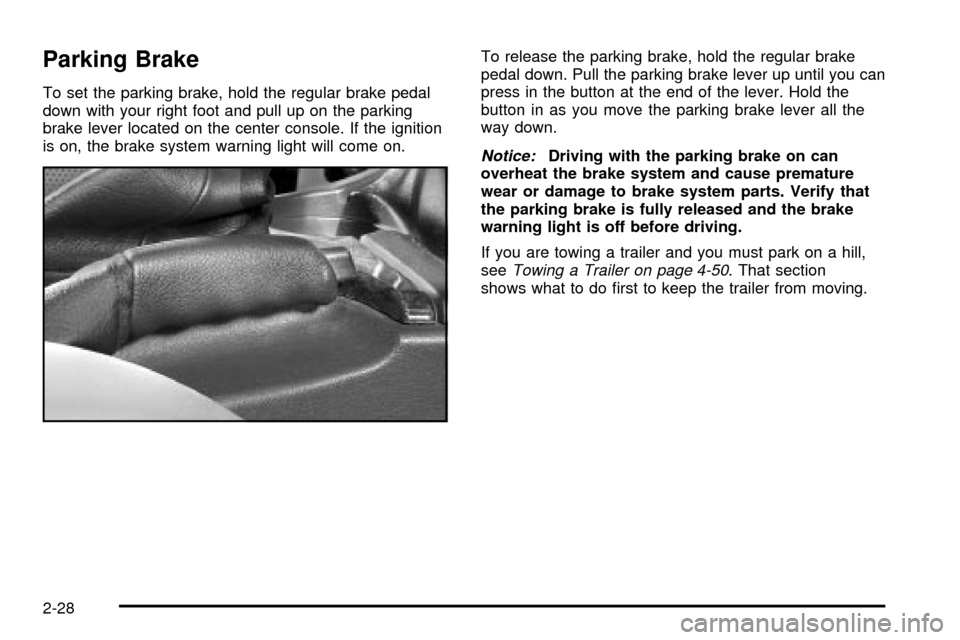
To set the parking brake, hold the regular brake pedal
down with your right foot and pull up on the parking
brake lever located on the center console. If the ignition
is on, the brake system warning light will come on.To release the parking brake, hold the regular brake
pedal down. Pull the parking brake lever up until you can
press in the button at the end of the lever. Hold the
button in as you move the parking brake lever all the
way down.
Notice:Driving with the parking brake on can
overheat the brake system and cause premature
wear or damage to brake system parts. Verify that
the parking brake is fully released and the brake
warning light is off before driving.
If you are towing a trailer and you must park on a hill,
see
Towing a Trailer on page 4-50. That section
shows what to do ®rst to keep the trailer from moving.
2-28
Page 100 of 436
Mirrors
Automatic Dimming Rearview Mirror
with OnStar
žand Compass
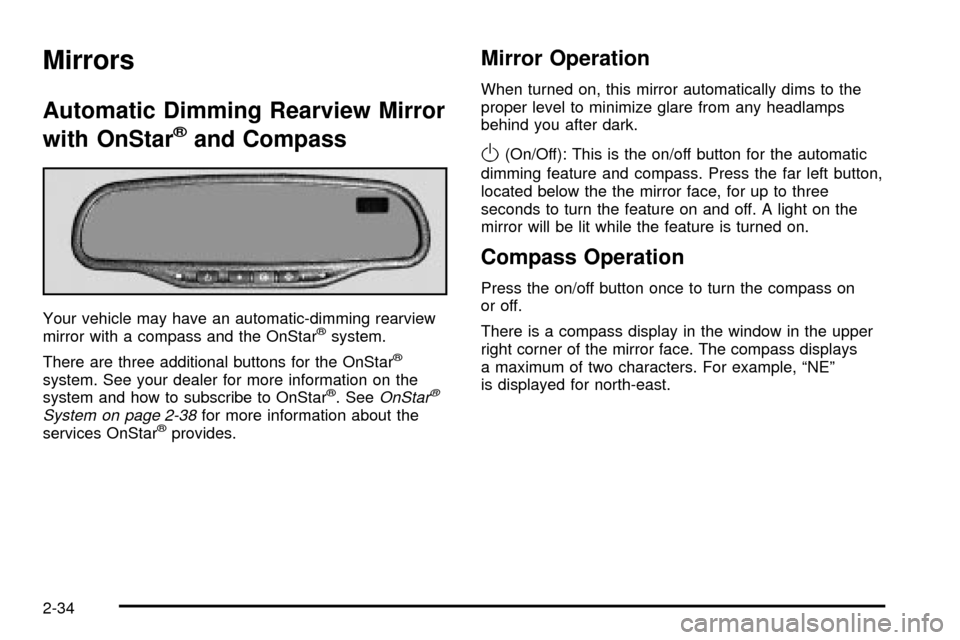
Your vehicle may have an automatic-dimming rearview
mirror with a compass and the OnStaržsystem.
There are three additional buttons for the OnStar
ž
system. See your dealer for more information on the
system and how to subscribe to OnStarž. SeeOnStarž
System on page 2-38for more information about the
services OnStaržprovides.
Mirror Operation
When turned on, this mirror automatically dims to the
proper level to minimize glare from any headlamps
behind you after dark.
O(On/Off): This is the on/off button for the automatic
dimming feature and compass. Press the far left button,
located below the the mirror face, for up to three
seconds to turn the feature on and off. A light on the
mirror will be lit while the feature is turned on.
Compass Operation
Press the on/off button once to turn the compass on
or off.
There is a compass display in the window in the upper
right corner of the mirror face. The compass displays
a maximum of two characters. For example, ªNEº
is displayed for north-east.
2-34
Page 105 of 436
Luxury and Leisure Plan
·
All Directions and Connections Plan services
·Personal Concierge
OnStaržPersonal Calling
With OnStaržPersonal Calling, you have a safer way to
stay connected while driving. It's a hands-free wireless
phone that's integrated into your vehicle. You can place
calls nationwide using voice-activated dialing with no
contracts and no additional roaming charges. To ®nd out
more about OnStar
žPersonal Calling, refer to the
OnStaržowner's guide in your vehicle's glove box, or
call OnStaržat 1-888-4-ONSTAR (1-888-466-7827).
OnStaržVirtual Advisor
With OnStaržVirtual Advisor you can listen to your
favorite news, entertainment and information topics,
such as traffic and weather reports, stock quotes
and sports scores. You listen to your e-mail through
your vehicle's speakers, and reply with your hands on
the wheel and your eyes on the road.
HomeLinkžTransmitter
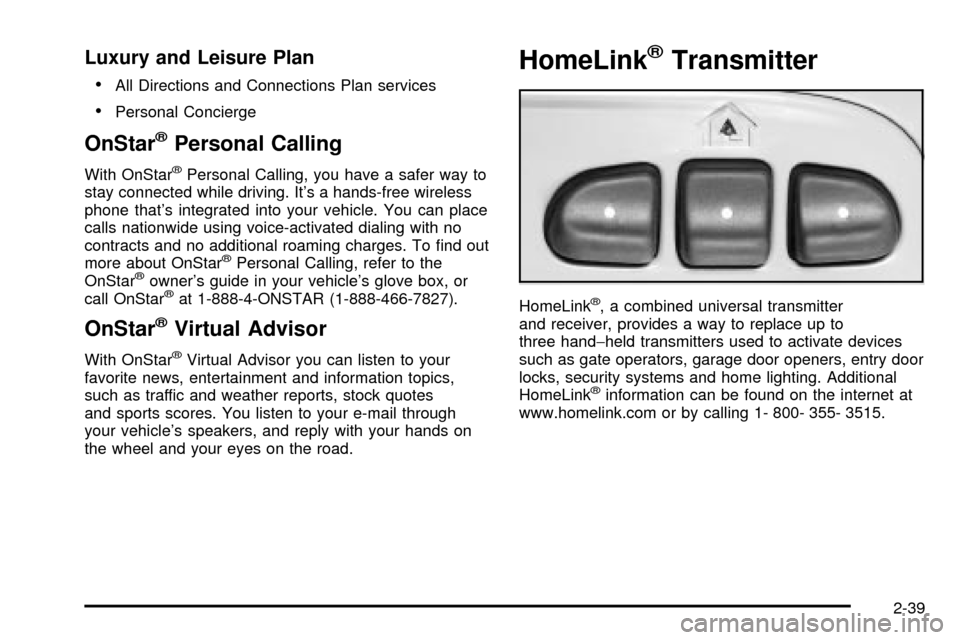
HomeLinkž, a combined universal transmitter
and receiver, provides a way to replace up to
three hand-held transmitters used to activate devices
such as gate operators, garage door openers, entry door
locks, security systems and home lighting. Additional
HomeLink
žinformation can be found on the internet at
www.homelink.com or by calling 1- 800- 355- 3515.
2-39
Page 106 of 436

If your vehicle is equipped with the HomeLinkž
Transmitter, it complies with Part 15 of the FCC Rules.
Operation is subject to the following two conditions:
(1) this device may not cause harmful interference, and
(2) this device must accept any interference received,
including interference that may cause undesired
operation.
This device complies with RSS- 210 of Industry Canada.
Operation is subject to the following two conditions:
(1) this device may not cause interference, and (2) this
device must accept any interference received,
including interference that may cause undesired
operation of the device.
Changes and modi®cations to this system by other than
an authorized service facility could void authorization
to use this equipment.
Programming the HomeLinkž
Transmitter
Do not use the HomeLinkžTransmitter with any garage
door opener that does not have the ªstop and reverseº
feature. This includes any garage door opener model
manufactured before April 1, 1982. If you have a newer
garage door opener with rolling codes, please be
sure to follow steps 6 through 8 to complete the
programming of your HomeLink
žTransmitter.Read the instructions completely before attempting to
program the HomeLink
žTransmitter. Because of
the steps involved, it may be helpful to have another
person available to assist you in programming the
transmitter.
Keep the original transmitter for use in other vehicles as
well as for future HomeLink
žprogramming. It is also
recommended that upon the sale of the vehicle,
the programmed HomeLink
žbuttons should be erased
for security purposes. Refer to ªErasing HomeLinkž
Buttonsº or, for assistance, contact HomeLinkžon the
internet at: www.homelink.com or by calling
1-800-355-3515.
Be sure that people and objects are clear of the garage
door or gate operator you are programming. When
programming a garage door, it is advised to park outside
of the garage.
It is recommended that a new battery be installed in
your hand-held transmitter for quicker and more
accurate transmission of the radio frequency.
Your vehicle's engine should be turned off while
programming the transmitter. Follow these steps to
program up to three channels:
1. Press and hold down the two outside buttons,
releasing only when the indicator light begins to
¯ash, after 20 seconds. Do not hold down the
buttons for longer than 30 seconds and do not
repeat this step to program a second and/or third
transmitter to the remaining two HomeLink
žbuttons.
2-40
Page 107 of 436

2. Position the end of your hand-held transmitter
about 1 to 3 inches (3 to 8 cm) away from the
HomeLink
žbuttons while keeping the indicator
light in view.
3. Simultaneously press and hold both the desired
button on HomeLink
žand the hand-held transmitter
button. Do not release the buttons until Step 4
has been completed.
Some entry gates and garage door openers may
require you to substitute Step 3 with the procedure
noted in ªGate Operator and Canadian
Programmingº later in this section.
4. The indicator light will ¯ash slowly at ®rst and then
rapidly after HomeLink
žsuccessfully receives the
frequency signal from the hand-held transmitter.
Release both buttons.
5. Press and hold the newly-trained HomeLink
žbutton
and observe the indicator light.
If the indicator light stays on constantly,
programming is complete and your device should
activate when the HomeLink
žbutton is pressed and
released.
To program the remaining two HomeLink
žbuttons,
begin with Step 2 under ªProgramming HomeLinkž.º
Do not repeat Step 1 as this will erase all of the
programmed channels.If the indicator light blinks rapidly for two seconds
and then turns to a constant light, continue with
Steps 6 through 8 following to complete the
programming of a rolling-code equipped device
(most commonly, a garage door opener).
6. Locate in the garage, the garage door opener
receiver (motor-head unit). Locate the ªLearnº
or ªSmartº button. This can usually be found where
the hanging antenna wire is attached to the
motor-head unit.
7. Firmly press and release the ªLearnº or ªSmartº
button. The name and color of the button may
vary by manufacturer.
You will have 30 seconds to start Step 8.
8. Return to the vehicle. Firmly press and hold the
programmed HomeLink
žbutton for two seconds,
then release. Repeat the press/hold/release
sequence a second time, and depending on the
brand of the garage door opener (or other rolling
code device), repeat this sequence a third time
to complete the programming.
HomeLink
žshould now activate your rolling-code
equipped device.
To program the remaining two HomeLink
žbuttons,
begin with Step 2 of ªProgramming HomeLinkž.º Do not
repeat Step 1.
2-41