steering CHEVROLET TRAIL BLAZER 2003 1.G User Guide
[x] Cancel search | Manufacturer: CHEVROLET, Model Year: 2003, Model line: TRAIL BLAZER, Model: CHEVROLET TRAIL BLAZER 2003 1.GPages: 436, PDF Size: 2.98 MB
Page 125 of 436
Horn
To sound the horn, press the horn symbols on the
steering wheel pad.
Tilt Wheel
You should adjust the
steering wheel before you
drive. The tilt lever is
located to the left of the
steering column, under the
turn signal lever.
You can raise it to the highest level to give your legs
more room when you enter and exit the vehicle.
To tilt the wheel, hold the steering wheel and pull the
lever toward you. Move the steering wheel to a
comfortable level, then release the lever to lock the
wheel in place.
Do not adjust the steering wheel while driving.
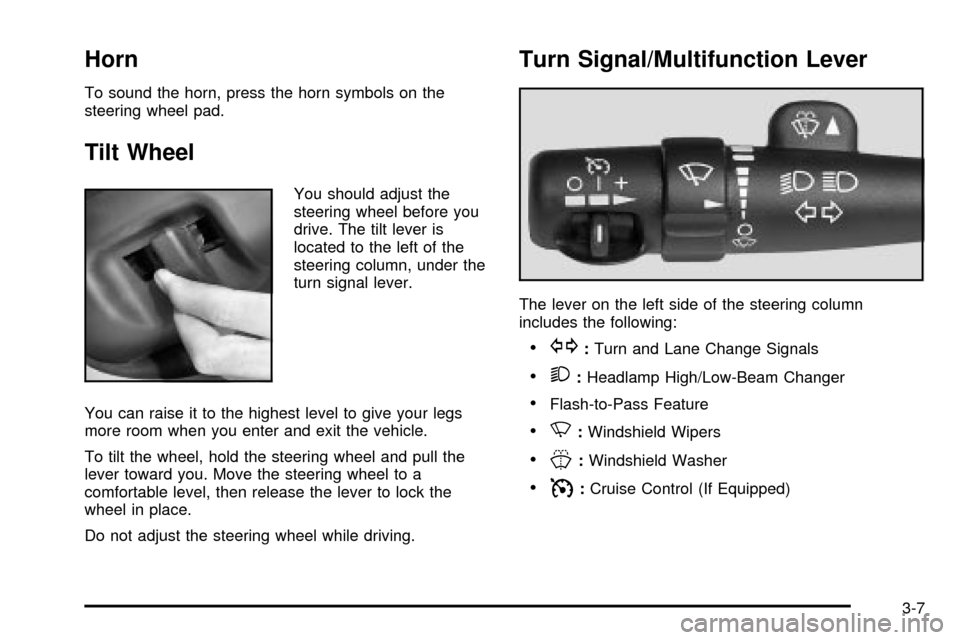
Turn Signal/Multifunction Lever
The lever on the left side of the steering column
includes the following:
·G:Turn and Lane Change Signals
·2:Headlamp High/Low-Beam Changer
·Flash-to-Pass Feature
·N:Windshield Wipers
·J:Windshield Washer
·I:Cruise Control (If Equipped)
3-7
Page 129 of 436
Rear Window Washer/Wiper
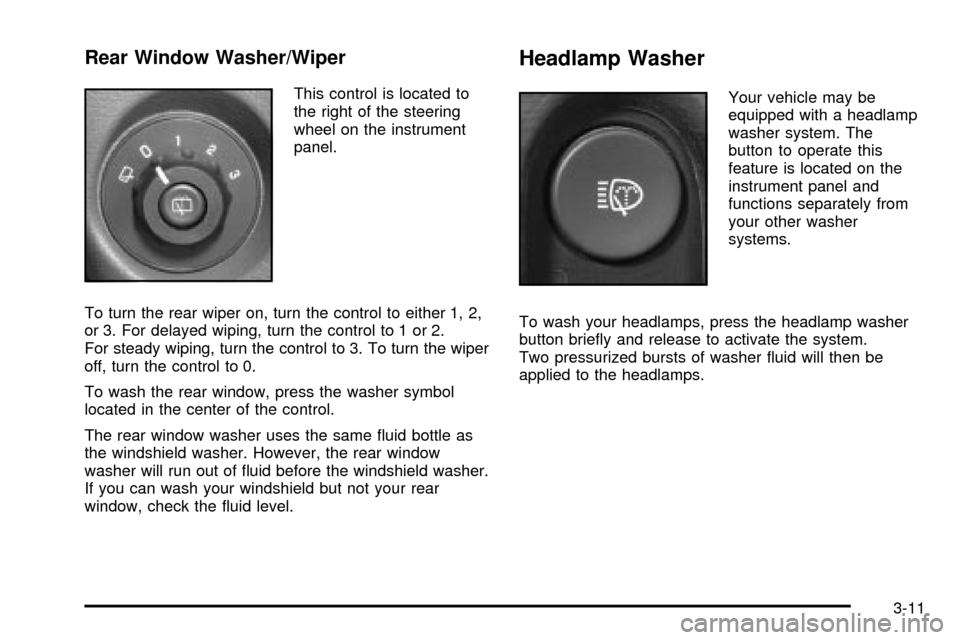
This control is located to
the right of the steering
wheel on the instrument
panel.
To turn the rear wiper on, turn the control to either 1, 2,
or 3. For delayed wiping, turn the control to 1 or 2.
For steady wiping, turn the control to 3. To turn the wiper
off, turn the control to 0.
To wash the rear window, press the washer symbol
located in the center of the control.
The rear window washer uses the same ¯uid bottle as
the windshield washer. However, the rear window
washer will run out of ¯uid before the windshield washer.
If you can wash your windshield but not your rear
window, check the ¯uid level.
Headlamp Washer
Your vehicle may be
equipped with a headlamp
washer system. The
button to operate this
feature is located on the
instrument panel and
functions separately from
your other washer
systems.
To wash your headlamps, press the headlamp washer
button brie¯y and release to activate the system.
Two pressurized bursts of washer ¯uid will then be
applied to the headlamps.
3-11
Page 133 of 436
Exterior Lamps
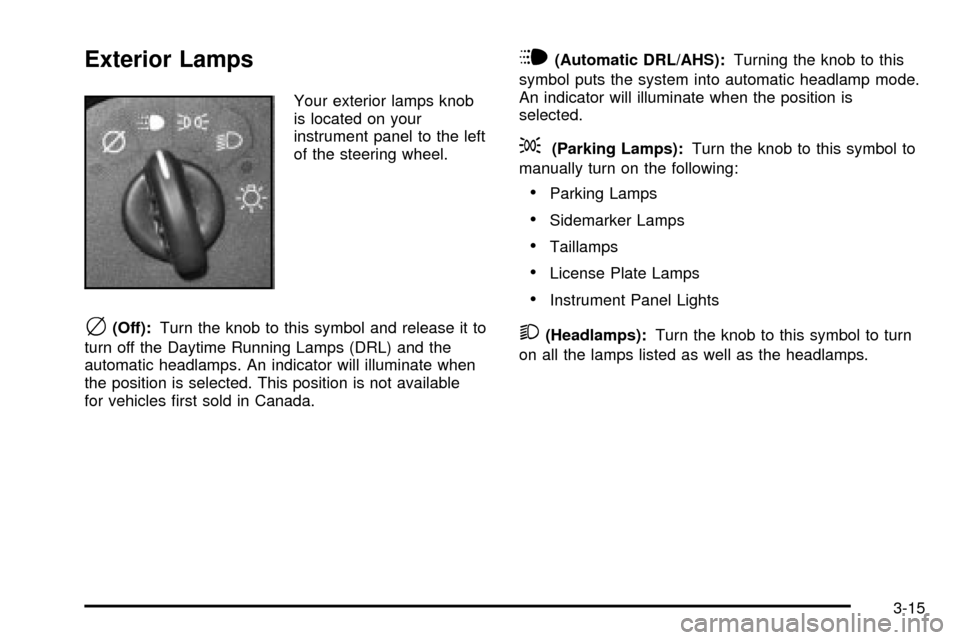
Your exterior lamps knob
is located on your
instrument panel to the left
of the steering wheel.
c(Off):Turn the knob to this symbol and release it to
turn off the Daytime Running Lamps (DRL) and the
automatic headlamps. An indicator will illuminate when
the position is selected. This position is not available
for vehicles ®rst sold in Canada.
i(Automatic DRL/AHS):Turning the knob to this
symbol puts the system into automatic headlamp mode.
An indicator will illuminate when the position is
selected.
;(Parking Lamps):Turn the knob to this symbol to
manually turn on the following:
·Parking Lamps
·Sidemarker Lamps
·Taillamps
·License Plate Lamps
·Instrument Panel Lights
2(Headlamps):Turn the knob to this symbol to turn
on all the lamps listed as well as the headlamps.
3-15
Page 152 of 436
Steering Wheel Climate Controls
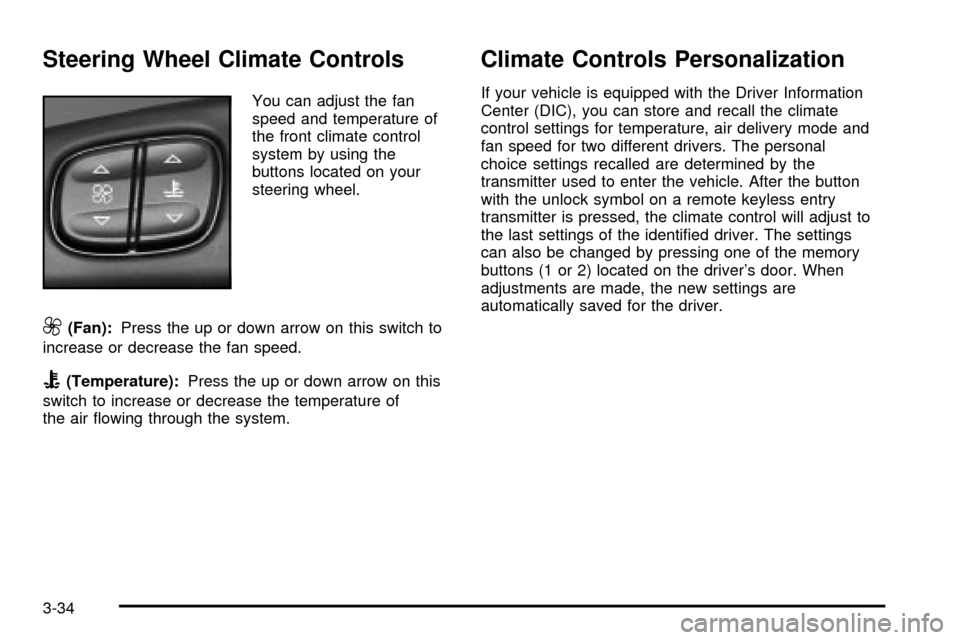
You can adjust the fan
speed and temperature of
the front climate control
system by using the
buttons located on your
steering wheel.
9(Fan):Press the up or down arrow on this switch to
increase or decrease the fan speed.
B(Temperature):Press the up or down arrow on this
switch to increase or decrease the temperature of
the air ¯owing through the system.
Climate Controls Personalization
If your vehicle is equipped with the Driver Information
Center (DIC), you can store and recall the climate
control settings for temperature, air delivery mode and
fan speed for two different drivers. The personal
choice settings recalled are determined by the
transmitter used to enter the vehicle. After the button
with the unlock symbol on a remote keyless entry
transmitter is pressed, the climate control will adjust to
the last settings of the identi®ed driver. The settings
can also be changed by pressing one of the memory
buttons (1 or 2) located on the driver's door. When
adjustments are made, the new settings are
automatically saved for the driver.
3-34
Page 169 of 436
Here are four things that some owners ask about. None
of these show a problem with your fuel gage:
·At the gas station, the gas pump shuts off before
the gage reads full.
·It takes a little more or less fuel to ®ll up than the
gage indicated. For example, the gage may have
indicated the tank was half full, but it actually took a
little more or less than half the tank's capacity to
®ll the tank.
·The gage moves a little when you turn a corner or
speed up.
·The gage doesn't go back to empty when you turn
off the ignition.
Low Fuel Warning Light
The light next to the fuel gage will come on brie¯y when
you are starting the engine.
This light comes on when the fuel tank is low on fuel.
To turn it off, add fuel to the fuel tank.
Driver Information Center (DIC)
Your vehicle may have this feature. The DIC display
is located on the instrument panel cluster above
the steering wheel. The DIC can display information
such as the trip odometer, fuel economy and
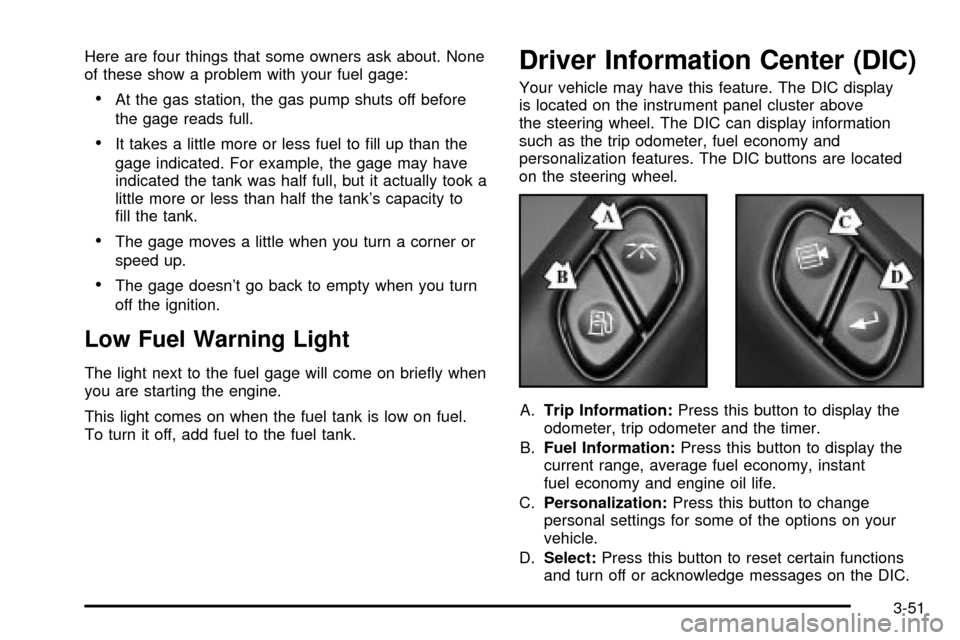
personalization features. The DIC buttons are located
on the steering wheel.
A.Trip Information:Press this button to display the
odometer, trip odometer and the timer.
B.Fuel Information:Press this button to display the
current range, average fuel economy, instant
fuel economy and engine oil life.
C.Personalization:Press this button to change
personal settings for some of the options on your
vehicle.
D.Select:Press this button to reset certain functions
and turn off or acknowledge messages on the DIC.
3-51
Page 224 of 436
Audio Steering Wheel Controls
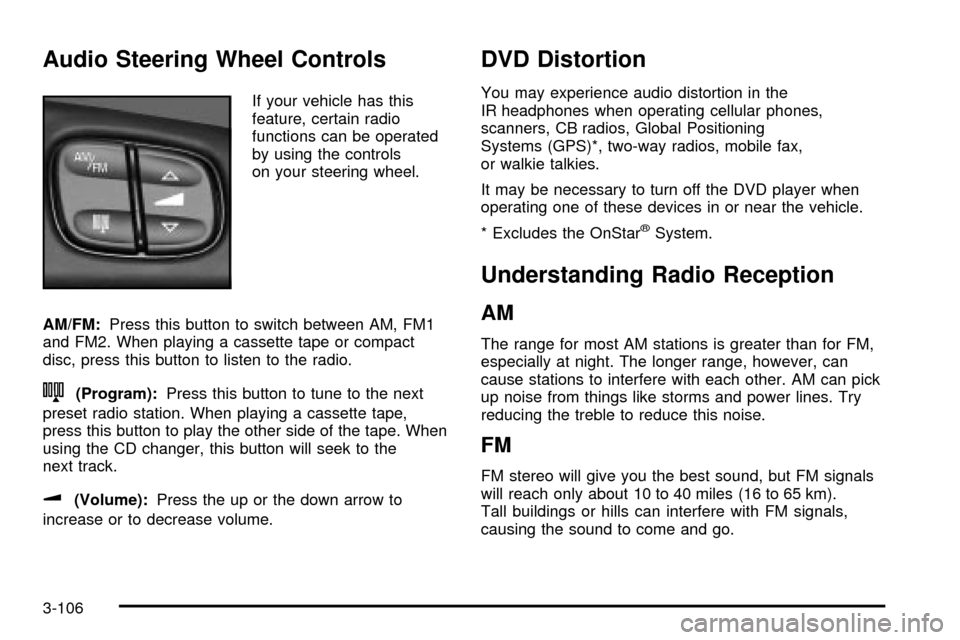
If your vehicle has this
feature, certain radio
functions can be operated
by using the controls
on your steering wheel.
AM/FM:Press this button to switch between AM, FM1
and FM2. When playing a cassette tape or compact
disc, press this button to listen to the radio.
n(Program):Press this button to tune to the next
preset radio station. When playing a cassette tape,
press this button to play the other side of the tape. When
using the CD changer, this button will seek to the
next track.
u(Volume):Press the up or the down arrow to
increase or to decrease volume.
DVD Distortion
You may experience audio distortion in the
IR headphones when operating cellular phones,
scanners, CB radios, Global Positioning
Systems (GPS)*, two-way radios, mobile fax,
or walkie talkies.
It may be necessary to turn off the DVD player when
operating one of these devices in or near the vehicle.
* Excludes the OnStar
žSystem.
Understanding Radio Reception
AM
The range for most AM stations is greater than for FM,
especially at night. The longer range, however, can
cause stations to interfere with each other. AM can pick
up noise from things like storms and power lines. Try
reducing the treble to reduce this noise.
FM
FM stereo will give you the best sound, but FM signals
will reach only about 10 to 40 miles (16 to 65 km).
Tall buildings or hills can interfere with FM signals,
causing the sound to come and go.
3-106
Page 227 of 436

Your Driving, the Road, and Your Vehicle..........4-2
Defensive Driving...........................................4-2
Drunken Driving.............................................4-2
Control of a Vehicle........................................4-5
Braking.........................................................4-6
Traction Assist System (TAS)...........................4-9
Locking Rear Axle........................................4-10
Steering......................................................4-10
Off-Road Recovery.......................................4-12
Passing.......................................................4-13
Loss of Control.............................................4-14
Off-Road Driving with Your Four-Wheel-Drive
Vehicle....................................................4-15
Driving at Night............................................4-29
Driving in Rain and on Wet Roads..................4-30City Driving..................................................4-33
Freeway Driving...........................................4-34
Before Leaving on a Long Trip.......................4-35
Highway Hypnosis........................................4-36
Hill and Mountain Roads................................4-36
Winter Driving..............................................4-38
If You Are Stuck: In Sand, Mud, Ice
or Snow...................................................4-42
Towing..........................................................4-44
Towing Your Vehicle.....................................4-44
Recreational Vehicle Towing...........................4-44
Loading Your Vehicle....................................4-48
Adding a Snow Plow or Similar Equipment.......4-50
Towing a Trailer...........................................4-50
Section 4 Driving Your Vehicle
4-1
Page 231 of 436
There is something else about drinking and driving that
many people do not know. Medical research shows
that alcohol in a person's system can make crash
injuries worse, especially injuries to the brain, spinal
cord or heart. This means that when anyone who has
been drinking Ð driver or passenger Ð is in a crash,
that person's chance of being killed or permanently
disabled is higher than if the person had not been
drinking.
{CAUTION:
Drinking and then driving is very dangerous.
Your re¯exes, perceptions, attentiveness
and judgment can be affected by even a
small amount of alcohol. You can have a
serious Ð or even fatal Ð collision if you drive
after drinking. Please do not drink and drive or
ride with a driver who has been drinking. Ride
home in a cab; or if you are with a group,
designate a driver who will not drink.
Control of a Vehicle
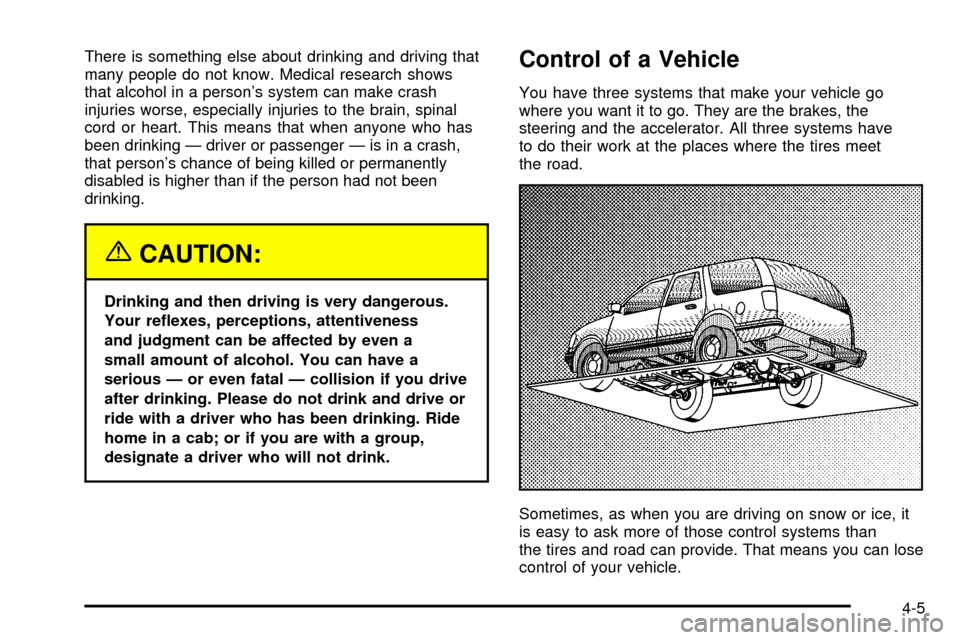
You have three systems that make your vehicle go
where you want it to go. They are the brakes, the
steering and the accelerator. All three systems have
to do their work at the places where the tires meet
the road.
Sometimes, as when you are driving on snow or ice, it
is easy to ask more of those control systems than
the tires and road can provide. That means you can lose
control of your vehicle.
4-5
Page 234 of 436
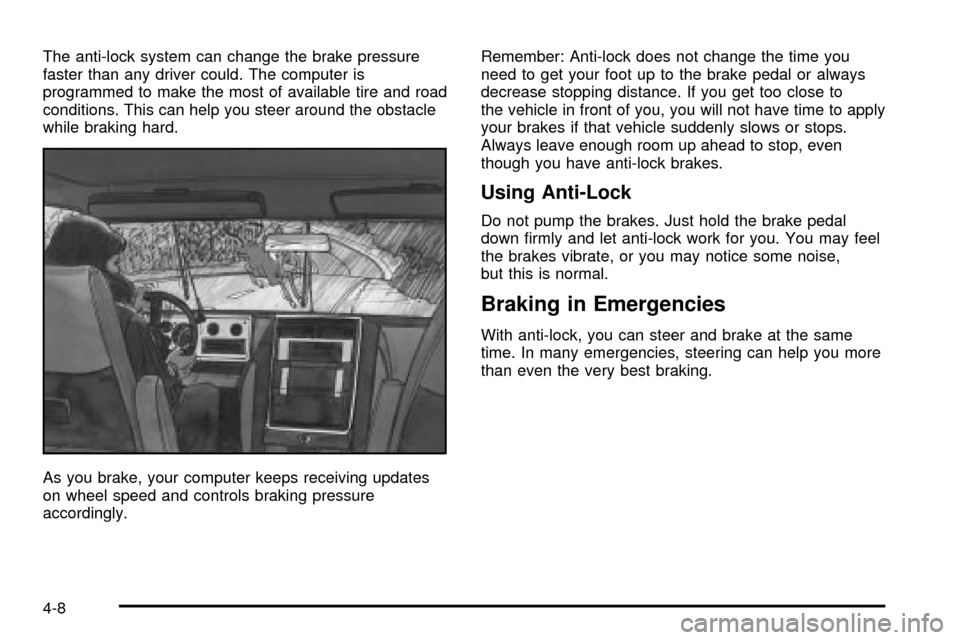
The anti-lock system can change the brake pressure
faster than any driver could. The computer is
programmed to make the most of available tire and road
conditions. This can help you steer around the obstacle
while braking hard.
As you brake, your computer keeps receiving updates
on wheel speed and controls braking pressure
accordingly.Remember: Anti-lock does not change the time you
need to get your foot up to the brake pedal or always
decrease stopping distance. If you get too close to
the vehicle in front of you, you will not have time to apply
your brakes if that vehicle suddenly slows or stops.
Always leave enough room up ahead to stop, even
though you have anti-lock brakes.
Using Anti-Lock
Do not pump the brakes. Just hold the brake pedal
down ®rmly and let anti-lock work for you. You may feel
the brakes vibrate, or you may notice some noise,
but this is normal.
Braking in Emergencies
With anti-lock, you can steer and brake at the same
time. In many emergencies, steering can help you more
than even the very best braking.
4-8
Page 236 of 436

You can turn the system back on at any time by
pressing the button again. The traction control off symbol
on the button should go off.
If desired, you can change the TAS automatic
engagement feature so that the system will not come on
automatically when the engine is started. To do so:
1. Turn the ignition to RUN.
2. Move the shift lever to NEUTRAL.
3. Apply the brake pedal and press the accelerator
pedal to the ¯oor.
4. Press and hold the TAS button for at least six
seconds.
5. Release the TAS button and both pedals.
6. Start the engine and wait a few seconds.
The next time you start your vehicle, the TAS will not
automatically come on. You can restore the automatic
feature by using the same procedure. Whether the TAS
is set to come on automatically or not, you can always
turn the system on or off by pressing the TAS button.Locking Rear Axle
If your vehicle has this feature, your locking rear axle
can give you additional traction on snow, mud, ice, sand
or gravel. It works like a standard axle most of the
time, but when one of the rear wheels has no traction
and the other does, this feature will allow the wheel with
traction to move the vehicle.
Steering
Power Steering
If you lose power steering assist because the engine
stops or the system is not functioning, you can steer but
it will take much more effort.
Steering Tips
Driving on Curves
It is important to take curves at a reasonable speed.
A lot of the ªdriver lost controlº accidents mentioned on
the news happen on curves. Here is why:
Experienced driver or beginner, each of us is subject to
the same laws of physics when driving on curves.
4-10