mirror CHEVROLET TRAIL BLAZER 2003 1.G Owners Manual
[x] Cancel search | Manufacturer: CHEVROLET, Model Year: 2003, Model line: TRAIL BLAZER, Model: CHEVROLET TRAIL BLAZER 2003 1.GPages: 436, PDF Size: 2.98 MB
Page 1 of 436

Seats and Restraint Systems........................... 1-1
Front Seats
............................................... 1-2
Rear Seats
............................................... 1-6
Safety Belts
.............................................. 1-8
Child Restraints
.......................................1-28
Air Bag Systems
......................................1-49
Restraint System Check
............................1-59
Features and Controls..................................... 2-1
Keys
........................................................ 2-3
Doors and Locks
....................................... 2-8
Windows
.................................................2-14
Theft-Deterrent Systems
............................2-16
Starting and Operating Your Vehicle
...........2-18
Mirrors
....................................................2-34
OnStar
žSystem
......................................2-38
HomeLinkžTransmitter
.............................2-39
Storage Areas
.........................................2-43
Sunroof
..................................................2-50
Vehicle Personalization
.............................2-50
Instrument Panel............................................. 3-1
Instrument Panel Overview
.......................... 3-4
Climate Controls
......................................3-21
Warning Lights, Gages and Indicators
.........3-35
Driver Information Center (DIC)
..................3-51Audio System(s)
.......................................3-64
Driving Your Vehicle....................................... 4-1
Your Driving, the Road, and Your Vehicle
..... 4-2
Towing
...................................................4-44
Service and Appearance Care.......................... 5-1
Service
..................................................... 5-3
Fuel
......................................................... 5-4
Checking Things Under the Hood
...............5-10
Rear Axle
...............................................5-47
Four-Wheel Drive
.....................................5-48
Bulb Replacement
....................................5-50
Windshield Wiper Blade Replacement
.........5-51
Tires
......................................................5-54
Appearance Care
.....................................5-79
Vehicle Identi®cation
.................................5-87
Electrical System
......................................5-88
Capacities and Speci®cations
...................5-100
Normal Maintenance Replacement Parts
....5-102
Maintenance Schedule..................................... 6-1
Maintenance Schedule
................................ 6-2
Customer Assistance Information.................... 7-1
Customer Assistance Information
.................. 7-2
Reporting Safety Defects
............................ 7-8
Index................................................................ 1
2003 Chevrolet TrailBlazerM
Page 68 of 436

Mirrors...........................................................2-34
Automatic Dimming Rearview Mirror with
OnStar
žand Compass...............................2-34
Outside Manual Mirrors..................................2-36
Outside Power Mirrors...................................2-36
Outside Curb View Assist Mirror.....................2-36
Outside Convex Mirror...................................2-37
Outside Heated Mirrors..................................2-37
OnStar
žSystem.............................................2-38
HomeLinkžTransmitter...................................2-39
Programming the HomeLinkžTransmitter.........2-40Storage Areas................................................2-43
Glove Box...................................................2-43
Overhead Console........................................2-43
Front Storage Area.......................................2-44
Table..........................................................2-47
Luggage Carrier...........................................2-47
Rear Floor Storage Lid..................................2-48
Convenience Net..........................................2-49
Cargo Cover................................................2-49
Sunroof.........................................................2-50
Vehicle Personalization...................................2-50
Memory Seat...............................................2-50
Section 2 Features and Controls
2-2
Page 81 of 436
Power Windows
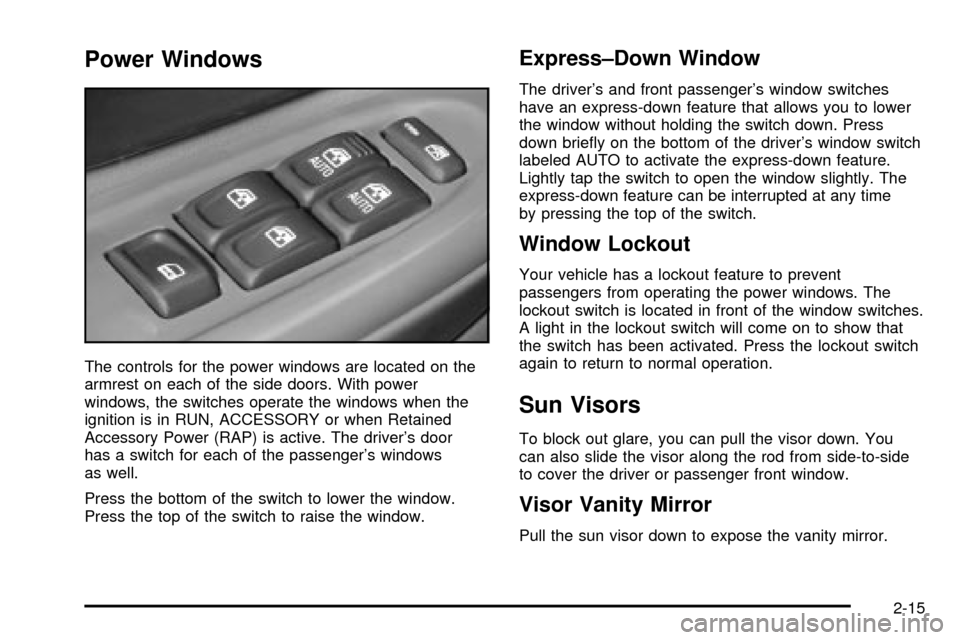
The controls for the power windows are located on the
armrest on each of the side doors. With power
windows, the switches operate the windows when the
ignition is in RUN, ACCESSORY or when Retained
Accessory Power (RAP) is active. The driver's door
has a switch for each of the passenger's windows
as well.
Press the bottom of the switch to lower the window.
Press the top of the switch to raise the window.
Express±Down Window
The driver's and front passenger's window switches
have an express-down feature that allows you to lower
the window without holding the switch down. Press
down brie¯y on the bottom of the driver's window switch
labeled AUTO to activate the express-down feature.
Lightly tap the switch to open the window slightly. The
express-down feature can be interrupted at any time
by pressing the top of the switch.
Window Lockout
Your vehicle has a lockout feature to prevent
passengers from operating the power windows. The
lockout switch is located in front of the window switches.
A light in the lockout switch will come on to show that
the switch has been activated. Press the lockout switch
again to return to normal operation.
Sun Visors
To block out glare, you can pull the visor down. You
can also slide the visor along the rod from side-to-side
to cover the driver or passenger front window.
Visor Vanity Mirror
Pull the sun visor down to expose the vanity mirror.
2-15
Page 82 of 436
Lighted Visor Vanity Mirror
Your vehicle may have this feature. Pull the sun visor
down and lift the mirror cover to turn on the lamps.
The lamps will turn off when the cover is closed.
Theft-Deterrent Systems
Vehicle theft is big business, especially in some cities.
Although your vehicle has a number of theft-deterrent
features, we know that nothing we put on it can make
it impossible to steal. However, there are ways you
can help.
Content Theft-Deterrent
Your vehicle may be equipped with a content
theft-deterrent alarm system.Here's how to operate the system:
1. Open the door.
2. Lock the door with the power door lock switch or
the remote keyless entry transmitter. The
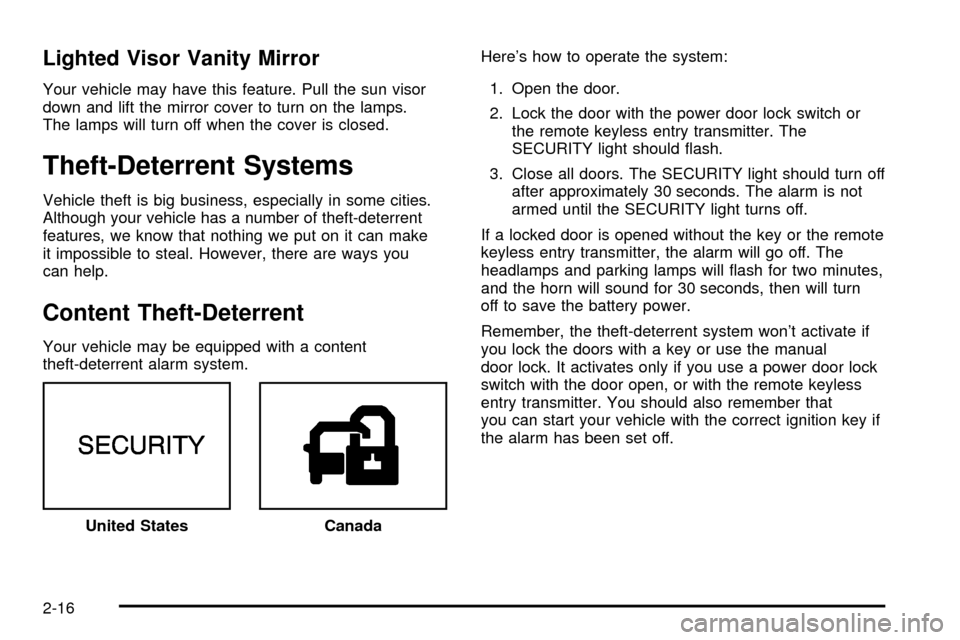
SECURITY light should ¯ash.
3. Close all doors. The SECURITY light should turn off
after approximately 30 seconds. The alarm is not
armed until the SECURITY light turns off.
If a locked door is opened without the key or the remote
keyless entry transmitter, the alarm will go off. The
headlamps and parking lamps will ¯ash for two minutes,
and the horn will sound for 30 seconds, then will turn
off to save the battery power.
Remember, the theft-deterrent system won't activate if
you lock the doors with a key or use the manual
door lock. It activates only if you use a power door lock
switch with the door open, or with the remote keyless
entry transmitter. You should also remember that
you can start your vehicle with the correct ignition key if
the alarm has been set off.
United States
Canada
2-16
Page 100 of 436
Mirrors
Automatic Dimming Rearview Mirror
with OnStar
žand Compass
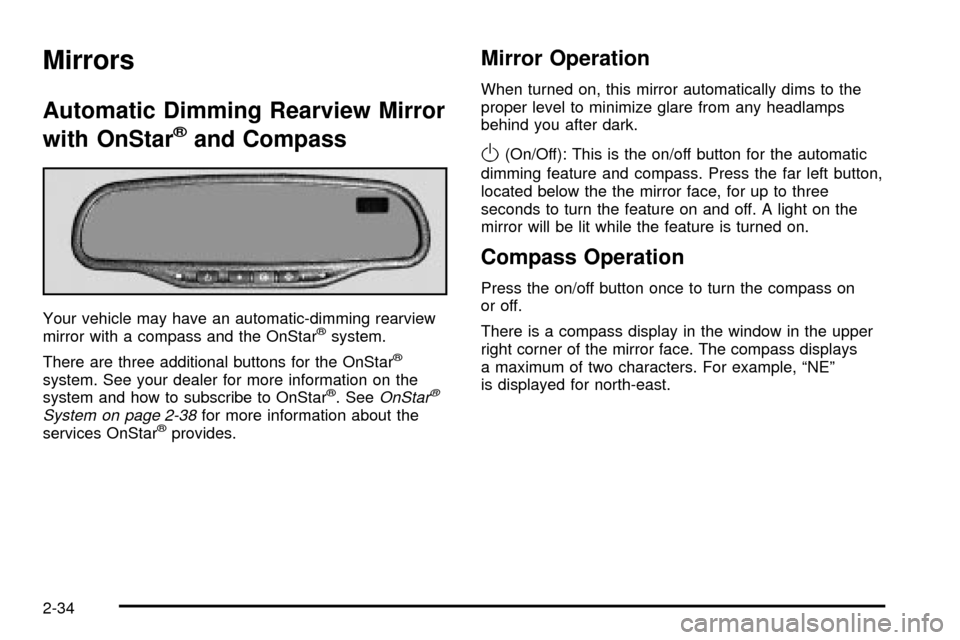
Your vehicle may have an automatic-dimming rearview
mirror with a compass and the OnStaržsystem.
There are three additional buttons for the OnStar
ž
system. See your dealer for more information on the
system and how to subscribe to OnStarž. SeeOnStarž
System on page 2-38for more information about the
services OnStaržprovides.
Mirror Operation
When turned on, this mirror automatically dims to the
proper level to minimize glare from any headlamps
behind you after dark.
O(On/Off): This is the on/off button for the automatic
dimming feature and compass. Press the far left button,
located below the the mirror face, for up to three
seconds to turn the feature on and off. A light on the
mirror will be lit while the feature is turned on.
Compass Operation
Press the on/off button once to turn the compass on
or off.
There is a compass display in the window in the upper
right corner of the mirror face. The compass displays
a maximum of two characters. For example, ªNEº
is displayed for north-east.
2-34
Page 101 of 436

Compass Calibration
Press and hold the on/off button down for nine seconds
to activate the compass calibration mode. CAL will
be displayed in the compass window on the mirror.
The compass can be calibrated by driving the vehicle in
circles at 5 mph (8 km/h) or less until the display
reads a direction.
Compass Variance
Compass variance is the difference between earth's
magnetic north and true geographic north. The mirror is
set to zone eight upon leaving the factory. It will be
necessary to adjust the compass to compensate
for compass variance if you live outside zone eight.
Under certain circumstances, such as during a
long distance cross-country trip, it will be necessary to
adjust for compass variance. If not adjusted to
account for compass variance, your compass could give
false readings.
To adjust for compass variance, do the following:
1. Find your current location and variance zone
number on the map.2. Press and hold the on/off button for six seconds.
Release the button when ZONE is displayed. The
number shown is the current zone number.
3. Scroll through the zone numbers that appear in the
compass/temperature window on the mirror by
pressing the on/off button. Once you ®nd your
zone number, release the button. After about
four seconds, the mirror will return to the compass
display, and the new zone number will be set.
2-35
Page 102 of 436
Outside Manual Mirrors
Adjust your outside mirrors so you can see a little of the
side of your vehicle.
Fold the mirrors in before entering a car wash. To do
this, pull the mirrors in toward the vehicle. Push the
mirrors back out when ®nished.
Outside Power Mirrors
Your vehicle may have this feature.
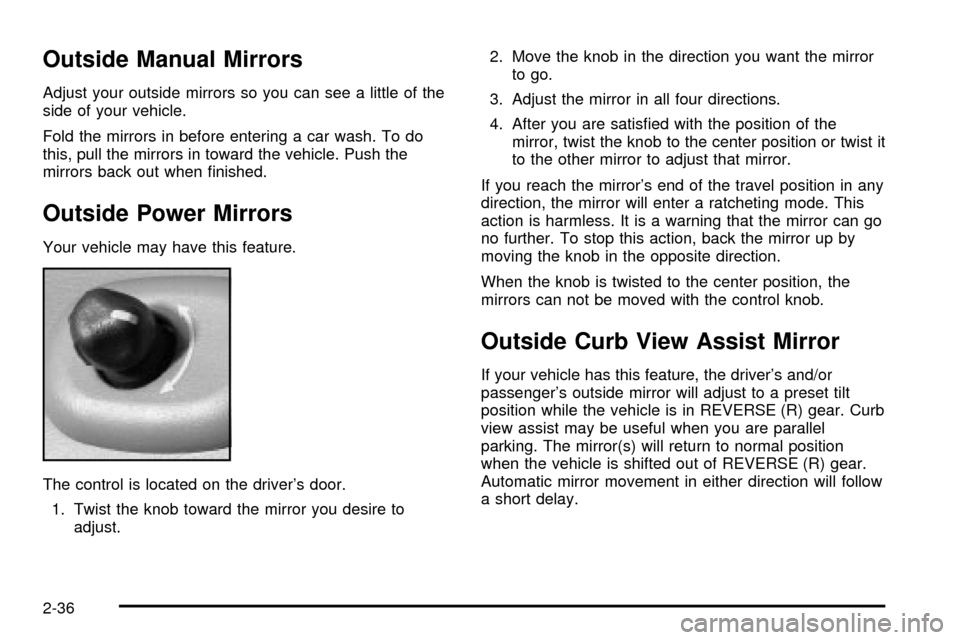
The control is located on the driver's door.
1. Twist the knob toward the mirror you desire to
adjust.2. Move the knob in the direction you want the mirror
to go.
3. Adjust the mirror in all four directions.
4. After you are satis®ed with the position of the
mirror, twist the knob to the center position or twist it
to the other mirror to adjust that mirror.
If you reach the mirror's end of the travel position in any
direction, the mirror will enter a ratcheting mode. This
action is harmless. It is a warning that the mirror can go
no further. To stop this action, back the mirror up by
moving the knob in the opposite direction.
When the knob is twisted to the center position, the
mirrors can not be moved with the control knob.
Outside Curb View Assist Mirror
If your vehicle has this feature, the driver's and/or
passenger's outside mirror will adjust to a preset tilt
position while the vehicle is in REVERSE (R) gear. Curb
view assist may be useful when you are parallel
parking. The mirror(s) will return to normal position
when the vehicle is shifted out of REVERSE (R) gear.
Automatic mirror movement in either direction will follow
a short delay.
2-36
Page 103 of 436
To ®rst activate this feature, perform the following steps:
1. Press the Personalization button, located on the
steering wheel, until ªTilt Mirror in REVERSE (R)º
is displayed on the DIC display.
2. Press the Select button once to select the
passenger's side mirror, twice for the driver's side
mirror and three times for both mirrors. Then
press the Personalization button repeatedly until the
display goes blank.
3. With the engine running, engage the parking brake,
press the brake pedal and place the vehicle in
REVERSE (R) gear.
4. Adjust the passenger's side and then the driver's
side outside mirrors to the desired tilt positions.
These positions will be stored into memory once the
vehicle is shifted out of REVERSE (R).
When the vehicle is placed in PARK (P) or in any
forward gear, the mirror(s) will return to normal
driving position, following a short delay.
To change the tilt position, adjust the mirror while the
vehicle is in REVERSE (R) gear with the engine running,
the parking brake engaged and the brake pedal
pressed. The new position will be saved into memory
once the vehicle is shifted out of REVERSE (R).Outside Convex Mirror
A convex mirror's surface is curved so you can see
more from the driver's seat.
{CAUTION:
A convex mirror can make things (like other
vehicles) look farther away than they really are.
If you cut too sharply into the right or left lane,
you could hit a vehicle. Check your inside
mirror or glance over your shoulder before
changing lanes.
Outside Heated Mirrors
Your vehicle may have this feature.
When you operate the rear window defogger, a defogger
also warms the heated driver's and passenger's
outside rearview mirrors to help clear them of ice, snow
and condensation.
2-37
Page 116 of 436
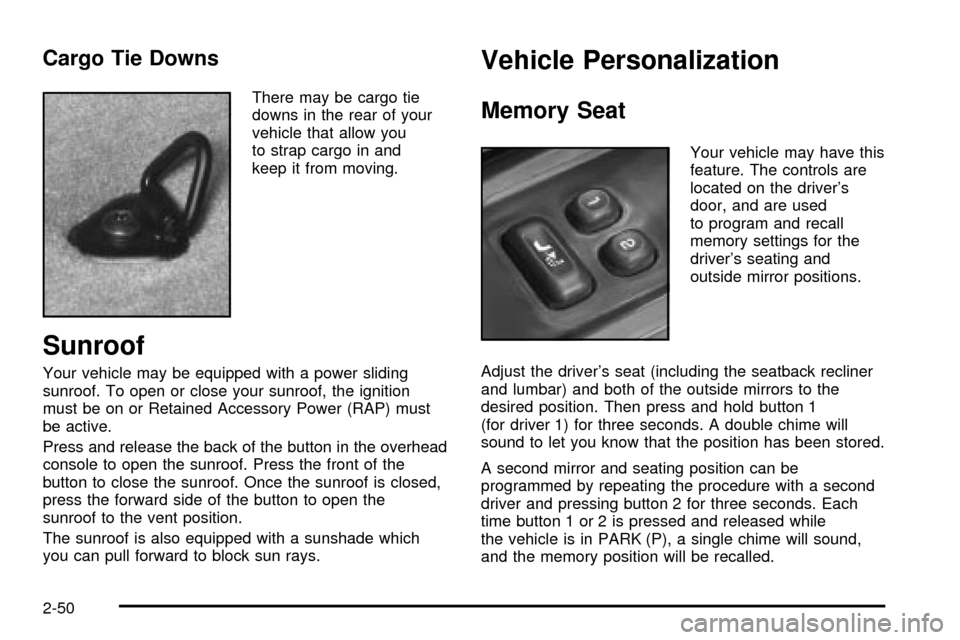
Cargo Tie Downs
There may be cargo tie
downs in the rear of your
vehicle that allow you
to strap cargo in and
keep it from moving.
Sunroof
Your vehicle may be equipped with a power sliding
sunroof. To open or close your sunroof, the ignition
must be on or Retained Accessory Power (RAP) must
be active.
Press and release the back of the button in the overhead
console to open the sunroof. Press the front of the
button to close the sunroof. Once the sunroof is closed,
press the forward side of the button to open the
sunroof to the vent position.
The sunroof is also equipped with a sunshade which
you can pull forward to block sun rays.
Vehicle Personalization
Memory Seat
Your vehicle may have this
feature. The controls are
located on the driver's
door, and are used
to program and recall
memory settings for the
driver's seating and
outside mirror positions.
Adjust the driver's seat (including the seatback recliner
and lumbar) and both of the outside mirrors to the
desired position. Then press and hold button 1
(for driver 1) for three seconds. A double chime will
sound to let you know that the position has been stored.
A second mirror and seating position can be
programmed by repeating the procedure with a second
driver and pressing button 2 for three seconds. Each
time button 1 or 2 is pressed and released while
the vehicle is in PARK (P), a single chime will sound,
and the memory position will be recalled.
2-50
Page 117 of 436

If you use the unlock button on the remote keyless entry
transmitter to enter your vehicle, the preset driver's
seat and mirror positions will be recalled if programmed
to do so through the Driver Information Center (DIC).
The numbers on the back of the transmitters,
1 or 2, correspond to the numbers on the memory
controls.
The seat and mirror positions can also be recalled by
placing the key in the ignition if programmed to do
so through the Driver Information Center (DIC).
To stop recall movement of the memory feature at any
time, press one of the power seat controls or memory
buttons.
Two personalized exit positions can be set by ®rst
recalling the driver's position (by pressing 1 or 2), then
positioning the seat in the desired exit position for
that driver. Press and hold the button with the exit
symbol for three seconds. A double chime will sound to
let you know that the position has been stored.With the vehicle in PARK (P), the exit position for that
driver can be recalled by pressing the exit button.
The mirrors, power lumbar and recline positions will not
be stored or recalled for the exit positions. If no exit
position is stored, the default is all the way rearward.
Further programming for automatic seat and mirror
movement can be done through the Driver Information
Center (DIC). You may choose to either select or
not select the following:
·Automatic seat and mirror movement when the
vehicle is unlocked with the remote keyless entry,
·automatic seat and mirror movement when a key is
placed in the ignition, and
·automatic seat movement to the exit position when
the vehicle is in PARK (P).
2-51