check engine CHEVROLET TRAIL BLAZER 2007 1.G User Guide
[x] Cancel search | Manufacturer: CHEVROLET, Model Year: 2007, Model line: TRAIL BLAZER, Model: CHEVROLET TRAIL BLAZER 2007 1.GPages: 574, PDF Size: 2.94 MB
Page 219 of 574
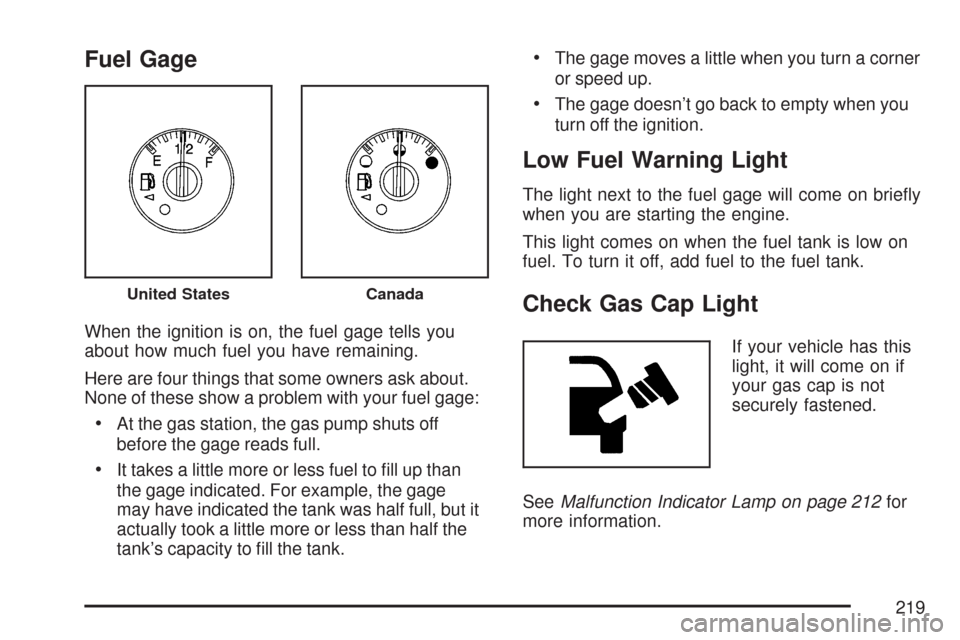
Fuel Gage
When the ignition is on, the fuel gage tells you
about how much fuel you have remaining.
Here are four things that some owners ask about.
None of these show a problem with your fuel gage:
At the gas station, the gas pump shuts off
before the gage reads full.
It takes a little more or less fuel to ll up than
the gage indicated. For example, the gage
may have indicated the tank was half full, but it
actually took a little more or less than half the
tank’s capacity to ll the tank.
The gage moves a little when you turn a corner
or speed up.
The gage doesn’t go back to empty when you
turn off the ignition.
Low Fuel Warning Light
The light next to the fuel gage will come on briey
when you are starting the engine.
This light comes on when the fuel tank is low on
fuel. To turn it off, add fuel to the fuel tank.
Check Gas Cap Light
If your vehicle has this
light, it will come on if
your gas cap is not
securely fastened.
SeeMalfunction Indicator Lamp on page 212for
more information.
United StatesCanada
219
Page 225 of 574
CHANGE ENGINE OIL
This message displays when the engine oil needs
to be changed and service is required for your
vehicle. SeeScheduled Maintenance on page 519
andEngine Oil on page 402for more information.
Also seeEngine Oil Life System on page 408
for information on how to reset the message.
This message clears itself after 10 seconds until
the next ignition cycle.
CHECK TIRE PRESSURE
This message displays when the tire pressure in
one of the vehicle’s tires needs to be checked.
Press any of the DIC buttons, or the trip stem,
to acknowledge this message and clear it from the
DIC display.
If this message appears on the DIC, stop as soon
as you can. Have the tire pressures checked
and set to those shown on the Tire Loading
Information label. SeeTires on page 448,Loading
Your Vehicle on page 356, andInation - Tire
Pressure on page 457. If the tire pressure is low,
the low tire pressure warning light comes on.
SeeTire Pressure Light on page 211.
CHECK WASHER FLUID
This message displays if the washer uid level is
low. Adding washer uid to the windshield washer
uid reservoir clears this message. SeeWindshield
Washer Fluid on page 427. This message clears
itself after 10 seconds, or you can press any of the
DIC buttons, or the trip stem, to acknowledge this
message and clear it from the DIC display.
CURB VIEW ACTIVATED
This message displays when the passenger
outside rearview mirror moves into the curb view
position. SeeOutside Curb View Assist Mirror
on page 144for more information.
DRIVER DOOR AJAR
This message displays and a chime sounds if
the driver’s door is not fully closed. Stop and turn
off the vehicle, check the door for obstructions,
and close the door again. Check to see if the
message still appears on the DIC. Press any of
the DIC buttons, or the trip stem, to acknowledge
this message and clear it from the DIC display.
225
Page 226 of 574
ENGINE COOLANT HOT/ENGINE
OVERHEATED
Notice:If you drive your vehicle while the
engine is overheating, severe engine damage
may occur. If an overheat warning appears
on the instrument panel cluster and/or
DIC, stop the vehicle as soon as possible.
Do not increase the engine speed above
normal idling speed. SeeEngine Overheating
on page 418for more information.
This message displays and a chime sounds if the
cooling system temperature gets hot. SeeEngine
Overheating on page 418for the proper course of
action. This message clears when the coolant
temperature drops to a safe operating temperature.
FUEL LEVEL LOW
This message displays and a chime sounds if the
fuel level is low in the vehicle’s fuel tank. Refuel as
soon as possible. Press any of the DIC buttons, or
the trip stem, to acknowledge this message and
clear it from the DIC display. SeeLow Fuel Warning
Light on page 219,Filling the Tank on page 391,
andFuel on page 388for more information.
ICE POSSIBLE
This message may display if the outside
temperature reaches a level where ice could form
on the roadway. If the temperature rises to a safe
level, the message clears. This message clears
itself after 10 seconds, or you can press any of the
DIC buttons, or the trip stem, to acknowledge this
message and clear it from the DIC display.
KEY FOB # BATTERY LOW
This message displays if a Remote Keyless
Entry (RKE) transmitter battery is low. Replace
the battery in the transmitter. See “Battery
Replacement” underRemote Keyless Entry (RKE)
System Operation on page 96. Press any of the
DIC buttons, or the trip stem, to acknowledge
this message and clear it from the DIC display.
LEFT REAR DOOR AJAR
This message displays and a chime sounds if the
driver’s side rear door is not fully closed. Stop and
turn off the vehicle, check the door for obstructions,
and close the door again. Check to see if the
message still appears on the DIC. Press any of the
DIC buttons, or the trip stem, to acknowledge this
message and clear it from the DIC display.
226
Page 227 of 574
OIL PRESSURE LOW/STOP ENGINE
Notice:If you drive your vehicle while
the engine oil pressure is low, severe engine
damage may occur. If a low oil pressure
warning appears on the Driver Information
Center (DIC), stop the vehicle as soon as
possible. Do not drive the vehicle until the
cause of the low oil pressure is corrected. See
Engine Oil on page 402for more information.
This message displays if low oil pressure levels
occur. Stop the vehicle as soon as safely possible
and do not operate it until the cause of the low oil
pressure has been corrected. Check the oil as soon
as possible and have your vehicle serviced by your
dealer/retailer. SeeEngine Oil on page 402.
PASSENGER DOOR AJAR
This message displays and a chime sounds if the
passenger’s door is not fully closed. Stop and turn
off the vehicle, check the door for obstructions,
and close the door again. Check to see if the
message still appears on the DIC. Press any of
the DIC buttons, or the trip stem, to acknowledge
this message and clear it from the DIC display.
REAR ACCESS OPEN
This message displays and a chime sounds if the
liftgate or liftglass is open while the ignition is in
RUN. Turn off the vehicle and check the liftgate
and liftglass. SeeLiftgate/Liftglass on page 104.
Restart the vehicle and check for the message on
the DIC display. Press any of the DIC buttons, or
the trip stem, to acknowledge this message and
clear it from the DIC display.
RIGHT REAR DOOR AJAR
This message displays and a chime sounds if
the passenger’s side rear door is not fully closed.
Stop and turn off the vehicle, check the door
for obstructions, and close the door again.
Check to see if the message still appears on the
DIC. Press any of the DIC buttons, or the trip stem,
to acknowledge this message and clear it from
the DIC display.
227
Page 228 of 574
SERVICE AIR BAG
This message displays if there is a problem with
the airbag system. Have your dealer/retailer
inspect the system for problems. SeeAirbag
Readiness Light on page 202andAirbag System
on page 69for more information. Press any of
the DIC buttons, or the trip stem, to acknowledge
this message and clear it from the DIC display.
SERVICE BRAKE SYSTEM
This message displays if a problem occurs with
the brake system. If this message appears, stop
as soon as possible and turn off the vehicle.
Restart the vehicle and check for the message
on the DIC display. If the message is still
displayed, or appears again when you begin
driving, the brake system needs service.
See your dealer/retailer.
SERVICE CHARGING SYS (System)
This message displays if there is a problem with the
battery charging system. Under certain conditions,
the charging system light may also turn on in the
instrument panel cluster. SeeCharging System
Light on page 206. The battery will not be charging
at an optimal rate and the vehicle will lose the ability
to enter the fuel economy mode. The vehicle is safe
to drive, however you should have the electrical
system checked by your dealer/retailer. Press any
of the DIC buttons, or the trip stem, to acknowledge
this message and clear it from the DIC display.
SERVICE STABILITRAK
If this message displays, it means there may be
a problem with the StabiliTrak®system. If this
message appears, try to reset the system by
performing the following: stop; turn off the engine;
then start the engine again. If this message still
comes on, it means there is a problem. You should
see your dealer/retailer for service. The vehicle is
safe to drive, however, you do not have the benet
of StabiliTrak
®, so reduce your speed and drive
accordingly. Press any of the DIC buttons, or the
trip stem, to acknowledge this message and clear it
from the DIC display.
228
Page 239 of 574
Notice:Before adding any sound equipment
to your vehicle, such as an audio system,
CD player, CB radio, mobile telephone,
or two-way radio, make sure that it can be
added by checking with your dealer/retailer.
Also, check federal rules covering mobile radio
and telephone units. If sound equipment can
be added, it is very important to do it properly.
Added sound equipment may interfere with
the operation of your vehicle’s engine, radio,
or other systems, and even damage them.
Your vehicle’s systems may interfere with
the operation of sound equipment that
has been added.
Notice:The chime signals related to safety
belts, parking brake, and other functions
of your vehicle operate through the radio/
entertainment system. If that equipment
is replaced or additional equipment is added
to your vehicle, the chimes may not work.
Make sure that replacement or additional
equipment is compatible with your vehicle
before installing it. SeeAccessories and
Modifications on page 386.Your vehicle may have a feature called Retained
Accessory Power (RAP). With RAP, the audio
system can be played even after the ignition is
turned off. SeeRetained Accessory Power (RAP)
on page 113for more information.
Setting the Time
The radio may have a button marked with
an H or HR to represent hours and an M or MN
to represent minutes.
Press and hold the hour button until the correct
hour displays. AM or PM displays for morning
or evening hours. Press and hold the minute
button until the correct minute displays. The
time can be set with the ignition on or off.
To synchronize the time with an FM station
broadcasting Radio Data System (RDS)
information, press and hold the hour and minute
buttons at the same time until UPDATED and the
clock symbol appear on the display. If the time
is not available from the station, NO UPDATE
or NO UPDAT will appear on the display.
RDS time is broadcast once a minute. After
tuning to an RDS broadcast station, it could
take a few minutes for the time to update.
239
Page 311 of 574
If you keep pace with the traffic and allow realistic
following distances, you will eliminate a lot of
unnecessary braking. That means better braking
and longer brake life.
If your vehicle’s engine ever stops while you are
driving, brake normally but do not pump the
brakes. If you do, the pedal may get harder to
push down. If the engine stops, you will still have
some power brake assist. But you will use it
when you brake. Once the power assist is used
up, it may take longer to stop and the brake pedal
will be harder to push.
Adding non-GM accessories can affect your
vehicle’s performance. SeeAccessories and
Modications on page 386.Anti-Lock Brake System (ABS)
Your vehicle has the Anti-Lock Brake
System (ABS), an advanced electronic braking
system that will help prevent a braking skid.
When you start the engine and begin to drive
away, ABS will check itself. You might hear
a momentary motor or clicking noise while this
test is going on. This is normal.
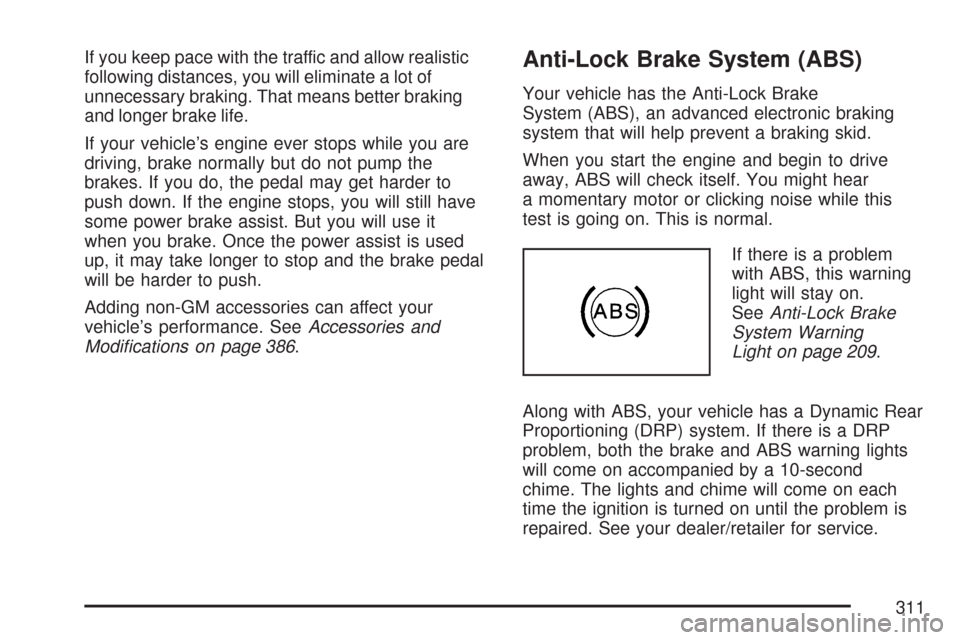
If there is a problem
with ABS, this warning
light will stay on.
SeeAnti-Lock Brake
System Warning
Light on page 209.
Along with ABS, your vehicle has a Dynamic Rear
Proportioning (DRP) system. If there is a DRP
problem, both the brake and ABS warning lights
will come on accompanied by a 10-second
chime. The lights and chime will come on each
time the ignition is turned on until the problem is
repaired. See your dealer/retailer for service.
311
Page 313 of 574
Remember: ABS does not change the time you
need to get your foot up to the brake pedal or
always decrease stopping distance. If you get too
close to the vehicle in front of you, you will not have
time to apply the brakes if that vehicle suddenly
slows or stops. Always leave enough room up
ahead to stop, even though you have ABS.
Using ABS
Do not pump the brakes. Just hold the brake
pedal down rmly and let anti-lock work for you.
You might feel the brakes vibrate or notice
some noise, but this is normal.
Braking in Emergencies
With ABS, you can steer and brake at the same
time. In many emergencies, steering can help you
more than even the very best braking.
Locking Rear Axle
If your vehicle has this feature, your locking rear
axle can give you additional traction on snow, mud,
ice, sand or gravel. It works like a standard axle
most of the time, but when one of the rear wheels
has no traction and the other does, this feature will
allow the wheel with traction to move the vehicle.
StabiliTrak®System
Your vehicle is equipped with StabiliTrak®,
Electronic Stability Control (ESC) which combines
antilock brake, traction and stability control
systems and helps the driver maintain directional
control of the vehicle in most driving conditions.
Traction control activates when the controller
senses wheel spin. StabiliTrak
®will selectively
apply the brakes and reduce engine torque to
help regain traction.
Stability control activates when the controller
senses a discrepancy between your intended
path and the direction the vehicle is travelling.
StabiliTrak
®selectively applies braking pressure
at any one of the vehicle’s brakes to help guide the
vehicle in the direction which you are steering.
When you rst start your vehicle and begin to drive
away, the system performs several diagnostic
checks to insure there are no problems. You may
hear or feel the system working. This is normal
and does not mean there is a problem with
your vehicle. If driving conditions delay system
initialization, the STABILITRAK NOT READY
message may be displayed. If this is the case,
your vehicle does not need servicing.
313
Page 323 of 574
If your vehicle starts to slide, ease your foot off
the accelerator pedal and quickly steer the
way you want the vehicle to go. If you start
steering quickly enough, your vehicle may
straighten out. Always be ready for a second
skid if it occurs.
Of course, traction is reduced when water, snow,
ice, gravel, or other material is on the road. For
safety, you want to slow down and adjust your
driving to these conditions. It is important to slow
down on slippery surfaces because stopping
distance is longer and vehicle control more limited.
While driving on a surface with reduced traction, try
your best to avoid sudden steering, acceleration, or
braking, including reducing vehicle speed by
shifting to a lower gear. Any sudden changes could
cause the tires to slide. You might not realize the
surface is slippery until your vehicle is skidding.
Learn to recognize warning clues — such as
enough water, ice, or packed snow on the road to
make a mirrored surface — and slow down when
you have any doubt.
Remember: Any Anti-Lock Brake System (ABS)
helps avoid only the braking skid.Competitive Driving
See your warranty book before using your vehicle
for competitive driving. After reviewing your
warranty book, please see the GM Performance
Parts website or catalog for parts and equipment
required for competitive driving.
Notice:If you use your vehicle for competitive
driving, the engine may use more oil than it
would with normal use. Low oil levels can
damage the engine. Be sure to check the oil
level often during competitive driving and keep
the level at or near the upper mark that
shows the proper operating range on the
engine oil dipstick. For information on how to
add oil, seeEngine Oil on page 402.
Off-Road Driving (Except SS)
This off-road guide is for vehicles that have
four-wheel drive. Also, seeBraking on page 310.
If your vehicle does not have four-wheel drive,
you should not drive off-road unless you are
on a level, solid surface.
323
Page 338 of 574
Driving in Water
{CAUTION:
Driving through rushing water can be
dangerous. Deep water can sweep your
vehicle downstream and you and your
passengers could drown. If it is only
shallow water, it can still wash away the
ground from under your tires, and you
could lose traction and roll the vehicle
over. Do not drive through rushing water.
Heavy rain can mean ash ooding, and ood
waters demand extreme caution.
Find out how deep the water is before you drive
through it. If it is deep enough to cover the
wheel hubs, axles, or exhaust pipe, do not try
it — you probably will not get through. Also, water
that deep can damage the axle and other
vehicle parts.If the water is not too deep, drive slowly through it.
At faster speeds, water splashes on the ignition
system and your vehicle can stall. Stalling can also
occur if you get the tailpipe under water. And,
as long as the tailpipe is under water, you
will never be able to start the engine. When you
go through water, remember that when the brakes
get wet, it may take you longer to stop.
SeeDriving in Rain and on Wet Roads on page 340
for more information on driving through water.
After Off-Road Driving
Remove any brush or debris that has collected on
the underbody, chassis, or under the hood.
These accumulations can be a re hazard.
After operation in mud or sand, have the brake
linings cleaned and checked. These substances
can cause glazing and uneven braking. Check the
body structure, steering, suspension, wheels,
tires, and exhaust system for damage. Also, check
the fuel lines and cooling system for any leakage.
Your vehicle will require more frequent service
due to off-road use. Refer to the Maintenance
Schedule for additional information.
338