display CHEVROLET TRAIL BLAZER 2008 1.G User Guide
[x] Cancel search | Manufacturer: CHEVROLET, Model Year: 2008, Model line: TRAIL BLAZER, Model: CHEVROLET TRAIL BLAZER 2008 1.GPages: 472, PDF Size: 2.57 MB
Page 132 of 472
Cruise Control Light......................................3-46
Reduced Engine Power Light.........................3-46
Highbeam On Light.......................................3-47
Service Four-Wheel Drive
Warning Light...........................................3-47
Check Gages Warning Light...........................3-47
Gate Ajar Light.............................................3-47
Fuel Gage...................................................3-48
Low Fuel Warning Light.................................3-48
Check Gas Cap Light....................................3-48
Driver Information Center (DIC).......................3-49
DIC Operation and Displays...........................3-50
DIC Warnings and Messages.........................3-53
DIC Vehicle Customization.............................3-58Audio System(s).............................................3-64
Setting the Clock..........................................3-66
Radio(s)......................................................3-66
Using an MP3..............................................3-83
XM Radio Messages.....................................3-87
Navigation/Radio System...............................3-89
Rear Seat Entertainment (RSE) System...........3-89
Rear Seat Audio (RSA)................................3-103
Theft-Deterrent Feature................................3-104
Audio Steering Wheel Controls......................3-105
Radio Reception.........................................3-106
Fixed Mast Antenna....................................3-106
XM™ Satellite Radio Antenna System............3-107
Chime Level Adjustment...............................3-107
Section 3 Instrument Panel
3-2
Page 148 of 472
Entry Lighting
The vehicle has entry lighting.
When any door is opened, the dome lamps come on as
long as the dome override lamp override button is
not pressed in. When all the doors are closed, the lamps
stay on for a short period of time and then turn off
automatically. If you use the Remote Keyless Entry
(RKE) transmitter to unlock the vehicle, the interior
lamps come on for a short time whether or not the
dome lamp override is on.
Exit Lighting
With exit lighting, the interior lamps come on when you
remove the key from the ignition. If the dome override
is off, these lamps stay on for a short period of time and
then go out.
Reading Lamps
The reading lamps are located in the front console.
Press the lens on the lamps to turn the reading lamps
on or off.
Electric Power Management
The vehicle has Electric Power Management (EPM)
that estimates the battery’s temperature and state
of charge. It then adjusts the voltage for best
performance and extended life of the battery.
When the battery’s state of charge is low, the voltage is
raised slightly to quickly put the charge back in. When
the state of charge is high, the voltage is lowered slightly
to prevent overcharging. If the vehicle has a voltmeter
gage or a voltage display on the Driver Information
Center (DIC), you may see the voltage move up
or down. This is normal. If there is a problem, an alert
will be displayed.
The battery can be discharged at idle if the electrical
loads are very high. This is true for all vehicles.
This is because the generator (alternator) may not be
spinning fast enough at idle to produce all the power that
is needed for very high electrical loads.
3-18
Page 149 of 472
A high electrical load occurs when several of the
following loads are on: headlamps, high beams, fog
lamps, rear window defogger, climate control fan at high
speed, heated seats, engine cooling fans, trailer
loads, and loads plugged into accessory power outlets.
EPM works to prevent excessive discharge of the
battery. It does this by balancing the generator’s output
and the vehicle’s electrical needs. It can increase
engine idle speed to generate more power, whenever
needed. It can temporarily reduce the power demands of
some accessories.
Normally, these actions occur in steps or levels, without
being noticeable. In rare cases at the highest levels
of corrective action, this action may be noticeable to
the driver. If so, a Driver Information Center (DIC)
message might be displayed, such as Battery Saver
Active or Service Battery Charging System. If this
message is displayed, it is recommended that the
driver reduce the electrical loads as much as possible.
SeeDIC Warnings and Messages on page 3-53.Battery Run-Down Protection
This feature shuts off the dome, courtesy, and vanity
lamps if they are left on for more than 20 minutes
when the ignition is off. This will keep the battery from
running down.
If the battery run-down protection shuts off the interior
lamps, it may be necessary to do one of the following to
return to normal operation:
Shut off all lamps and close all doors.
Turn the ignition key to RUN.
This feature will also turn off the parking lamps and
headlamps under most circumstances, if they are left on.
If you would like to turn them back on, turn the exterior
lamps knob.
3-19
Page 154 of 472
Dual Automatic Climate Control
System
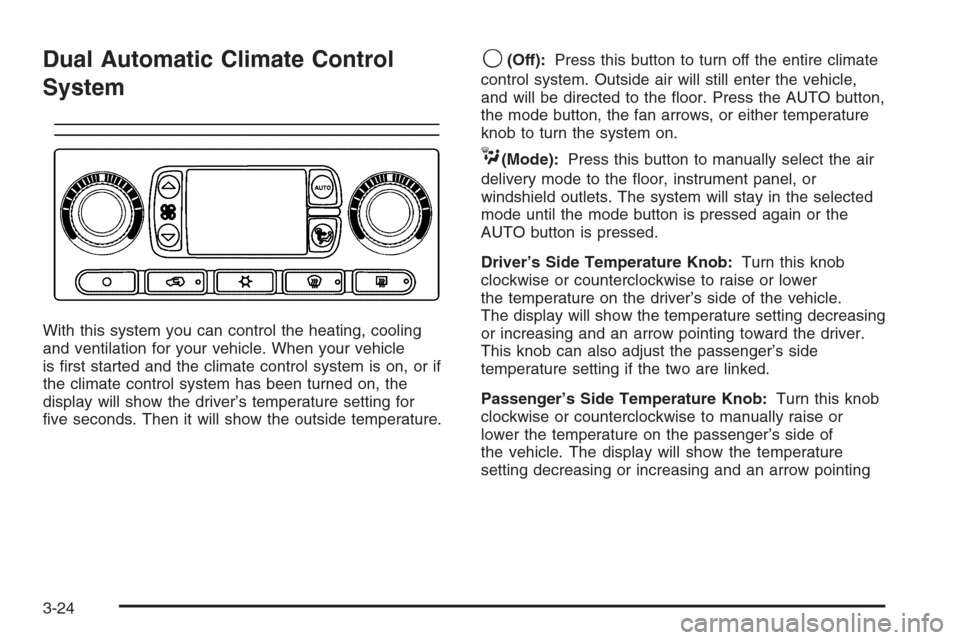
With this system you can control the heating, cooling
and ventilation for your vehicle. When your vehicle
is rst started and the climate control system is on, or if
the climate control system has been turned on, the
display will show the driver’s temperature setting for
ve seconds. Then it will show the outside temperature.
9(Off):Press this button to turn off the entire climate
control system. Outside air will still enter the vehicle,
and will be directed to the oor. Press the AUTO button,
the mode button, the fan arrows, or either temperature
knob to turn the system on.
C(Mode):Press this button to manually select the air
delivery mode to the oor, instrument panel, or
windshield outlets. The system will stay in the selected
mode until the mode button is pressed again or the
AUTO button is pressed.
Driver’s Side Temperature Knob:Turn this knob
clockwise or counterclockwise to raise or lower
the temperature on the driver’s side of the vehicle.
The display will show the temperature setting decreasing
or increasing and an arrow pointing toward the driver.
This knob can also adjust the passenger’s side
temperature setting if the two are linked.
Passenger’s Side Temperature Knob:Turn this knob
clockwise or counterclockwise to manually raise or
lower the temperature on the passenger’s side of
the vehicle. The display will show the temperature
setting decreasing or increasing and an arrow pointing
3-24
Page 155 of 472
toward the passenger. The passenger’s temperature
setting can be set to match and link to the driver’s
temperature setting by pressing and holding the AUTO
button for three seconds. When adjusting the driver’s
side temperature setting, the passenger’s side
temperature setting will follow and both arrows will
appear on the display. The passenger’s side
temperature setting also resets and relinks to the
driver’s side temperature setting if the vehicle has been
off for more than three hours.
Outside Air Temperature Display
A new outside temperature reading will be displayed if
the vehicle has been off for more than three hours.
If the vehicle has been off for less than three hours,
the old temperature reading may be displayed because
underhood heat is affecting the true outside temperature.
Underhood heat can also affect the outside temperature
while the engine is running. It may also take several
minutes of driving before the display updates to
the actual outside temperature.
Automatic Operation
AUTO (Automatic):When automatic operation is
active, the system will control the inside temperature,
the air delivery mode, and the fan speed.
Use the steps below to place the entire system in
automatic mode:
1. Press the AUTO button.
When AUTO is selected, the air conditioning
operation and air outlet mode will be automatically
controlled. The air conditioning compressor will run
continuously when the outside temperature is over
approximately 40°F (4°C). The air inlet will normally
be set to outside air. If it’s hot outside, the air inlet will
automatically switch to recirculate inside air to help
quickly cool down your vehicle.
2. Set the driver’s and passenger’s temperature.
To nd your comfort setting, start with a 72°F (22°C)
temperature setting and allow about 20 minutes
for the system to adjust. Turn the driver’s or
passenger’s side temperature knob to adjust the
temperature setting as necessary. If you choose the
temperature setting of 60°F (15°C), the system
will remain at the maximum cooling setting. If you
choose the temperature setting of 90°F (32°C),
the system will remain at the maximum heat setting.
Choosing either maximum setting may not cause
the vehicle to heat or cool any faster.
3-25
Page 156 of 472
Manual Operation
To change the current setting, select one of the
following:
w9x(Fan):This button allows you to manually adjust
the fan speed. Press the up arrow to increase fan speed
and the down arrow to decrease fan speed. The display
will change to show you the selected fan speed and the
driver’s side temperature setting for ve seconds.
C(Mode):Press this button to manually change the
direction of the airow in your vehicle. Keep pressing the
button until the desired mode appears on the display.
The display will change to show you the selected
air delivery mode and the driver’s temperature setting
for ve seconds.
H(Vent):This mode directs air to the instrument
panel outlets.
)(Bi-Level):This mode directs approximately half of
the air to the instrument panel outlets, then directs
the remaining air to the oor outlets. A little air is
directed toward the windshield and the side window
outlets. Cooler air is directed to the upper outlets and
warmer air to the oor outlets.
6(Floor):This mode directs most of the air to the
oor outlets. Some air also comes out of the defroster
and side window outlets. The recirculation button
cannot be selected in oor mode.
@(Recirculation):Press this button to turn
recirculation mode on or off. When this button is
pressed, an indicator light in the button will also come
on to let you know that it is activated. Recirculation
mode is used to recirculate the air inside of your vehicle.
Use this mode to help prevent outside odors and/or
dust from entering your vehicle or to help cool the air
inside of your vehicle more quickly. Recirculation
mode can be used with vent and bi-level modes, but it
cannot be used with oor, defog or defrost modes.
Defog and defrost modes are described later in
this section.
If recirculation mode is selected with oor, defog, or
defrost modes, the indicator will ash three times and
then turn off indicating the selection is not available.
You may also notice that the air conditioning compressor
will run while in recirculation mode. This is normal
and will help to prevent fogging.
If the weather is cold and damp, the system may cause
the windows to fog while using recirculation mode.
If the windows do start to fog, select defog or defrost
mode and increase fan speed.
Recirculation mode, if selected, will be cleared when the
engine is turned off.
3-26
Page 157 of 472
#A/C (Air Conditioning):Press this button to
manually turn the air conditioning system on or off.
When the system is on, the system will automatically
begin to cool and dehumidify the air inside of your
vehicle. The air conditioning symbol will appear on the
display when the air conditioning is on and will turn
off when the air conditioning is off.
If you turn the air conditioning off while in front defrost
or defog mode, the air conditioning symbol will turn
off, however, the A/C compressor will remain on to help
de-humidify the air inside the vehicle. If one of the
other modes is selected the compressor will then turn
the A/C off until it is selected again or the AUTO button
is pressed.
To avoid fogging the inside glass on rainy and humid
days at a temperature above freezing, press the
air conditioning button to run the A/C compressor.
Also it is best to avoid the use of the recirculation mode
except when maximum air conditioning performance
is needed or for short times to avoid exterior odors.
You may notice a slight change in engine performance
when the air-conditioning compressor shuts off and
turns on again. This is normal.Defogging and Defrosting
Fog on the inside of the windows is a result of moisture
condensing on the cool window glass. This can be
reduced if the climate control system is used properly.
You can use either defog or front defrost to clear
fog or frost from your windshield.
-(Defog):Use this setting to clear the windows of
fog or moisture. This setting will deliver air to the
oor and windshield outlets.
0(Front Defrost):Press the front defrost button to
clear the windshield and side windows of frost or
fog quickly. The system will automatically control the fan
speed if you select defrost from AUTO mode. If the
outside temperature is 40°F (4°C) or warmer, your air
conditioning compressor will automatically run to help
dehumidify the air and dry the windshield. Do not drive
the vehicle until all the windows are clear.
3-27
Page 162 of 472
Speedometer and Odometer
The speedometer lets you see your speed in both miles
per hour (mph) and kilometers per hour (km/h).
The odometer shows how far your vehicle has been
driven, in either miles (used in the United States)
or kilometers (used in Canada).
The odometer mileage can be checked without the
vehicle running. Press the trip stem located on
the instrument panel cluster.
If your vehicle needs a new odometer installed,
the new one will be set to the correct mileage total
of the old odometer.
Trip Odometer
The trip odometer can tell you how far your vehicle has
been driven since you last set the trip odometer to zero.
The odometer works together with the Driver Information
Center (DIC). You can set a Trip A and Trip B odometer.
See “Trip Information” underDIC Operation and Displays
on page 3-50.
The odometer mileage can be checked without the
vehicle running. Press the trip stem on the instrument
panel cluster.
Tachometer
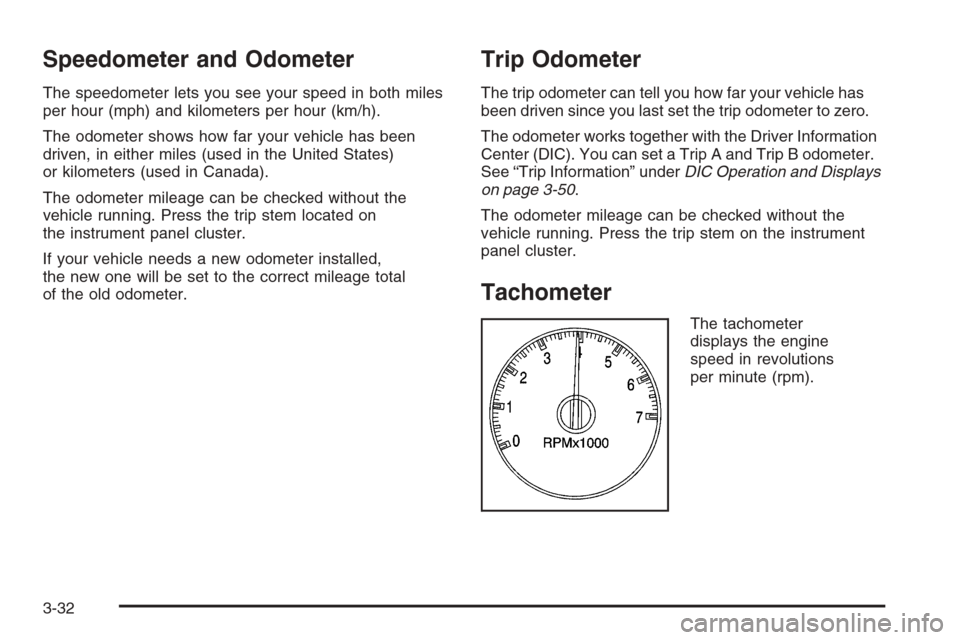
The tachometer
displays the engine
speed in revolutions
per minute (rpm).
3-32
Page 167 of 472
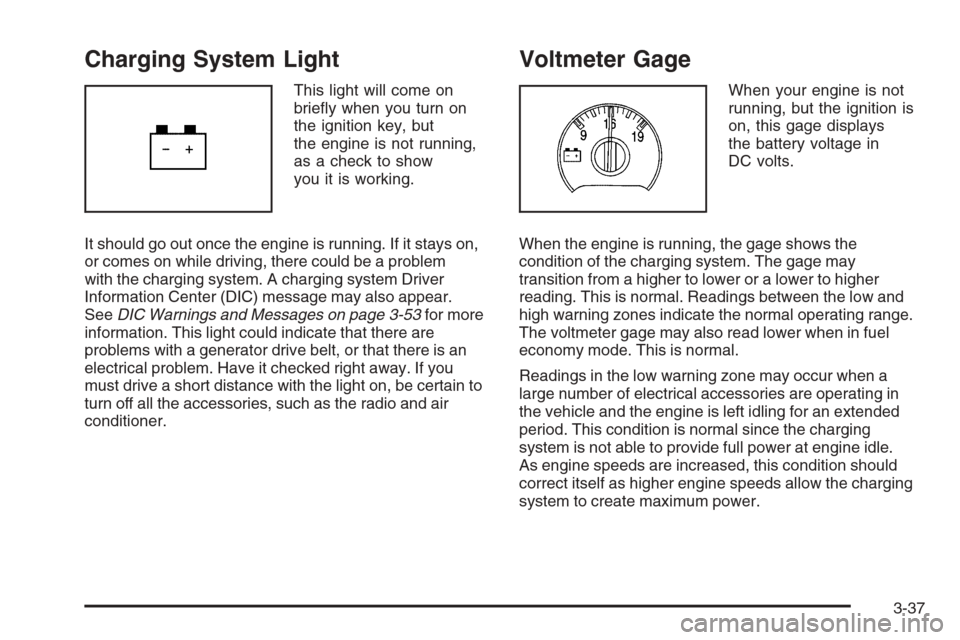
Charging System Light
This light will come on
briey when you turn on
the ignition key, but
the engine is not running,
as a check to show
you it is working.
It should go out once the engine is running. If it stays on,
or comes on while driving, there could be a problem
with the charging system. A charging system Driver
Information Center (DIC) message may also appear.
SeeDIC Warnings and Messages on page 3-53for more
information. This light could indicate that there are
problems with a generator drive belt, or that there is an
electrical problem. Have it checked right away. If you
must drive a short distance with the light on, be certain to
turn off all the accessories, such as the radio and air
conditioner.
Voltmeter Gage
When your engine is not
running, but the ignition is
on, this gage displays
the battery voltage in
DC volts.
When the engine is running, the gage shows the
condition of the charging system. The gage may
transition from a higher to lower or a lower to higher
reading. This is normal. Readings between the low and
high warning zones indicate the normal operating range.
The voltmeter gage may also read lower when in fuel
economy mode. This is normal.
Readings in the low warning zone may occur when a
large number of electrical accessories are operating in
the vehicle and the engine is left idling for an extended
period. This condition is normal since the charging
system is not able to provide full power at engine idle.
As engine speeds are increased, this condition should
correct itself as higher engine speeds allow the charging
system to create maximum power.
3-37
Page 179 of 472
Driver Information Center (DIC)
Your vehicle may have this feature. The Driver
Information Center (DIC) display is located on the
instrument panel cluster, below the speedometer. If your
vehicle has DIC buttons, they are located on the
steering wheel. The DIC can display information such
as the trip odometer, fuel economy, customization
features, and warning/status messages.
If your vehicle does not have DIC steering wheel
buttons, you will not have all of the features listed.
Scroll through the odometer and trip odometer by
pressing the trip odometer reset stem located on the
instrument panel cluster. Turn off, or acknowledge,
DIC messages by pressing the trip odometer reset stem.
SeeSpeedometer and Odometer on page 3-32for
information on features for vehicles without DIC buttons.
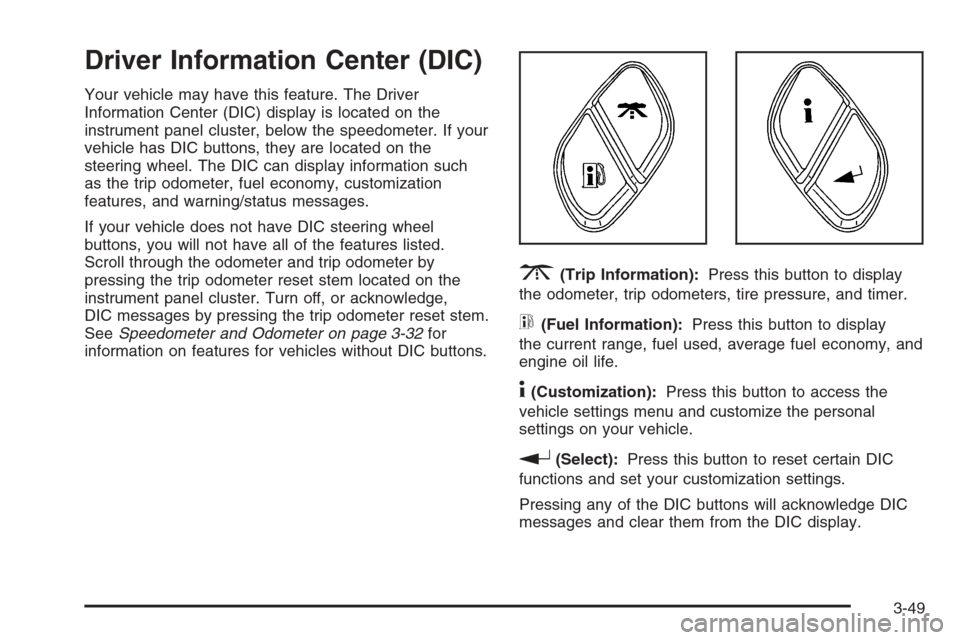
3(Trip Information):Press this button to display
the odometer, trip odometers, tire pressure, and timer.
t(Fuel Information):Press this button to display
the current range, fuel used, average fuel economy, and
engine oil life.
4(Customization):Press this button to access the
vehicle settings menu and customize the personal
settings on your vehicle.
r(Select):Press this button to reset certain DIC
functions and set your customization settings.
Pressing any of the DIC buttons will acknowledge DIC
messages and clear them from the DIC display.
3-49