ECO mode CHEVROLET TRAILBLAZER 2022 Owner's Manual
[x] Cancel search | Manufacturer: CHEVROLET, Model Year: 2022, Model line: TRAILBLAZER, Model: CHEVROLET TRAILBLAZER 2022Pages: 363, PDF Size: 6.76 MB
Page 195 of 363
Chevrolet Trailblazer Owner Manual (GMNA-Localizing-U.S./Canada-
14400528) - 2021 - CRC - 11/7/19
194 Driving and Operating
Service Mode
This power mode is available for service and
diagnostics, and to verify the proper
operation of the malfunction indicator lamp
as may be required for emission inspection
purposes. With the vehicle off and the brake
pedal not applied, pressing and holding the
button for more than five seconds will place
the vehicle in Service Mode. The instruments
and audio systems will operate as they do
in ON/RUN, but the vehicle will not be able
to be driven. The engine will not start in
Service Mode. Press the button again to turn
the vehicle off.
Starting the Engine
Move the shift lever to P (Park) or
N (Neutral). The engine will not start in any
other position. To restart the engine when
the vehicle is already moving, use
N (Neutral) only.
Caution
Do not try to shift to P (Park) if the
vehicle is moving. If you do, you could
damage the transmission. Shift to P (Park)
only when the vehicle is stopped.
Caution
If you add electrical parts or accessories,
you could change the way the engine
operates. Any resulting damage would
not be covered by the vehicle warranty.
SeeAdd-On Electrical Equipment 0241.
Starting Procedure (Key Access)
1. With your foot off the accelerator pedal,
turn the ignition key to START. When
the engine starts, let go of the ignition.
The idle speed will go down as the
engine gets warm. Do not race the
engine immediately after starting it.
Operate the engine and transmission
gently to allow the oil to warm up and
lubricate all moving parts.
Caution
Cranking the engine for long periods of
time, by returning the ignition to the
START position immediately after
cranking has ended, can overheat and
damage the cranking motor, and drain
the battery. Wait at least 15 seconds
between each try, to let the cranking
motor cool down. 2. If the engine does not start after five to
10 seconds, especially in very cold
weather (below −18 °C or 0 °F), it could
be flooded with too much gasoline. Try
pushing the accelerator pedal all the way
to the floor and holding it there as you
hold the key in START for up to a
maximum of 15 seconds. Wait at least
15 seconds between each try, to allow
the cranking motor to cool down. When
the engine starts, let go of the key and
the accelerator. If the vehicle starts
briefly but then stops again, do the
same thing. This clears the extra gasoline
from the engine.
Do not race the engine immediately
after starting it.
Operate the engine and transmission
gently until the oil warms up and
lubricates all moving parts.Starting Procedure (Keyless Access)
1. With the Keyless Access system, the Remote Keyless Entry (RKE) transmitter
must be in the vehicle. Press ENGINE
START/STOP with the brake pedal
applied. When the engine begins
cranking, let go of the button.
Page 205 of 363
Chevrolet Trailblazer Owner Manual (GMNA-Localizing-U.S./Canada-
14400528) - 2021 - CRC - 11/7/19
204 Driving and Operating
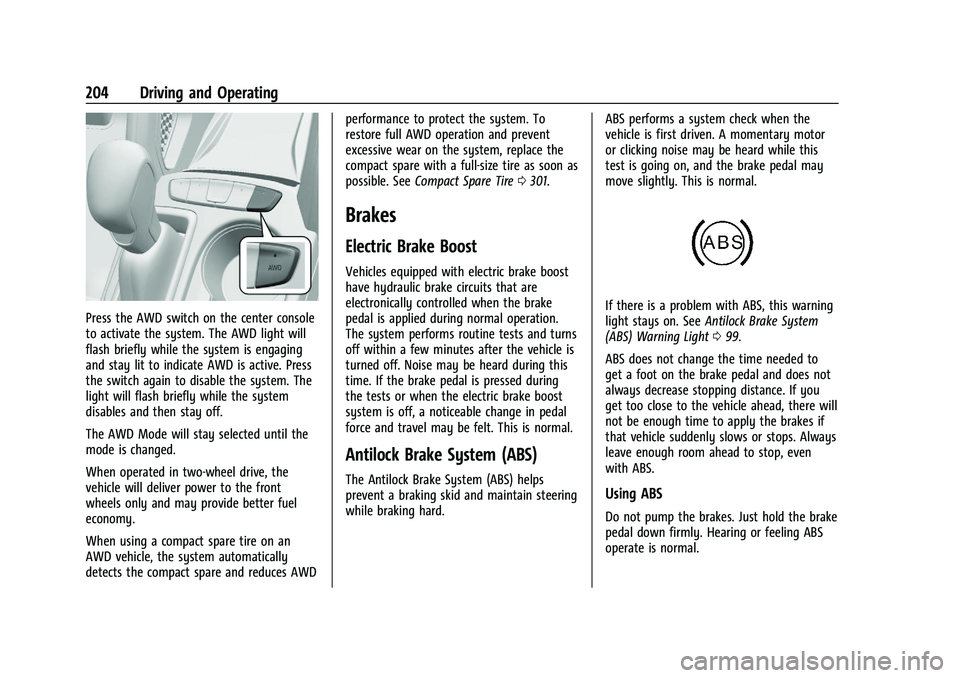
Press the AWD switch on the center console
to activate the system. The AWD light will
flash briefly while the system is engaging
and stay lit to indicate AWD is active. Press
the switch again to disable the system. The
light will flash briefly while the system
disables and then stay off.
The AWD Mode will stay selected until the
mode is changed.
When operated in two-wheel drive, the
vehicle will deliver power to the front
wheels only and may provide better fuel
economy.
When using a compact spare tire on an
AWD vehicle, the system automatically
detects the compact spare and reduces AWDperformance to protect the system. To
restore full AWD operation and prevent
excessive wear on the system, replace the
compact spare with a full-size tire as soon as
possible. See
Compact Spare Tire 0301.
Brakes
Electric Brake Boost
Vehicles equipped with electric brake boost
have hydraulic brake circuits that are
electronically controlled when the brake
pedal is applied during normal operation.
The system performs routine tests and turns
off within a few minutes after the vehicle is
turned off. Noise may be heard during this
time. If the brake pedal is pressed during
the tests or when the electric brake boost
system is off, a noticeable change in pedal
force and travel may be felt. This is normal.
Antilock Brake System (ABS)
The Antilock Brake System (ABS) helps
prevent a braking skid and maintain steering
while braking hard. ABS performs a system check when the
vehicle is first driven. A momentary motor
or clicking noise may be heard while this
test is going on, and the brake pedal may
move slightly. This is normal.
If there is a problem with ABS, this warning
light stays on. See
Antilock Brake System
(ABS) Warning Light 099.
ABS does not change the time needed to
get a foot on the brake pedal and does not
always decrease stopping distance. If you
get too close to the vehicle ahead, there will
not be enough time to apply the brakes if
that vehicle suddenly slows or stops. Always
leave enough room ahead to stop, even
with ABS.
Using ABS
Do not pump the brakes. Just hold the brake
pedal down firmly. Hearing or feeling ABS
operate is normal.
Page 210 of 363
Chevrolet Trailblazer Owner Manual (GMNA-Localizing-U.S./Canada-
14400528) - 2021 - CRC - 11/7/19
Driving and Operating 209
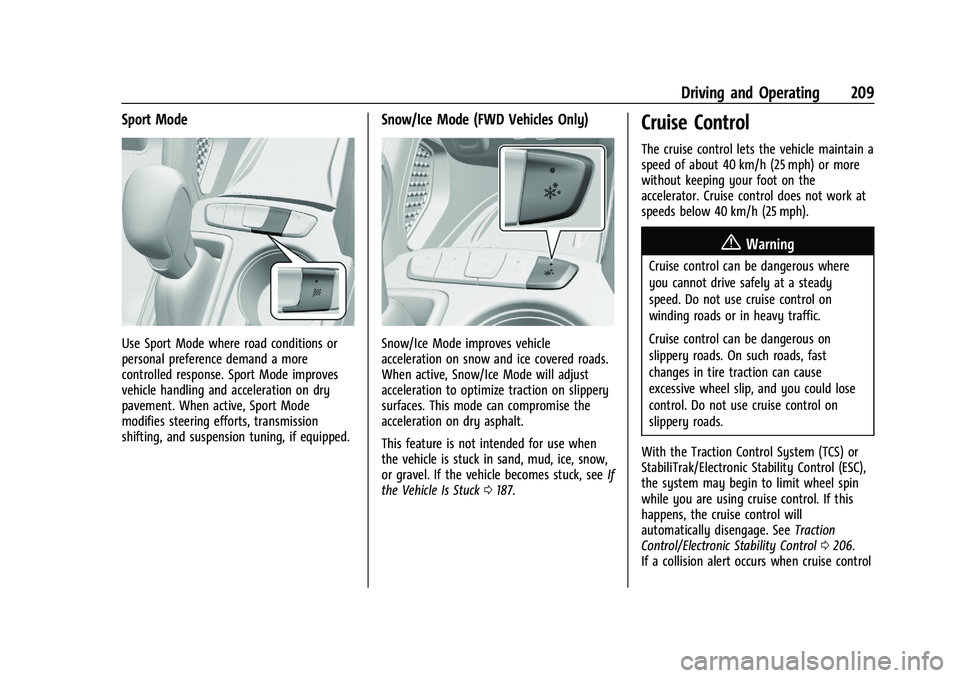
Sport Mode
Use Sport Mode where road conditions or
personal preference demand a more
controlled response. Sport Mode improves
vehicle handling and acceleration on dry
pavement. When active, Sport Mode
modifies steering efforts, transmission
shifting, and suspension tuning, if equipped.
Snow/Ice Mode (FWD Vehicles Only)
Snow/Ice Mode improves vehicle
acceleration on snow and ice covered roads.
When active, Snow/Ice Mode will adjust
acceleration to optimize traction on slippery
surfaces. This mode can compromise the
acceleration on dry asphalt.
This feature is not intended for use when
the vehicle is stuck in sand, mud, ice, snow,
or gravel. If the vehicle becomes stuck, seeIf
the Vehicle Is Stuck 0187.
Cruise Control
The cruise control lets the vehicle maintain a
speed of about 40 km/h (25 mph) or more
without keeping your foot on the
accelerator. Cruise control does not work at
speeds below 40 km/h (25 mph).
{Warning
Cruise control can be dangerous where
you cannot drive safely at a steady
speed. Do not use cruise control on
winding roads or in heavy traffic.
Cruise control can be dangerous on
slippery roads. On such roads, fast
changes in tire traction can cause
excessive wheel slip, and you could lose
control. Do not use cruise control on
slippery roads.
With the Traction Control System (TCS) or
StabiliTrak/Electronic Stability Control (ESC),
the system may begin to limit wheel spin
while you are using cruise control. If this
happens, the cruise control will
automatically disengage. See Traction
Control/Electronic Stability Control 0206.
If a collision alert occurs when cruise control
Page 259 of 363
Chevrolet Trailblazer Owner Manual (GMNA-Localizing-U.S./Canada-
14400528) - 2021 - CRC - 11/7/19
258 Vehicle Care
6. Verify coolant level after the engine isshut off and the coolant is cold.
If necessary, repeat coolant fill procedure
Steps 1–6.
If the coolant still is not at the proper
level when the system cools down again,
see your dealer.
Caution
If the pressure cap is not tightly installed,
coolant loss and engine damage may
occur. Be sure the cap is properly and
tightly secured.
Automatic Coolant Service Fill Instruction
If equipped, this feature assists in filling and
removing air from the cooling system after
service of components or when coolant is
added after being too low.
To activate the fill and air removal process:
1. With a cold system, open the surge tank cap and add coolant to the indicated
mark on the surge tank.
2. Connect the vehicle to a battery charger.
3. Turn the ignition to Service Mode. See Ignition Positions (Key Access) 0191 or
Ignition Positions (Keyless Access) 0192.
4. Turn off the air conditioning. 5. Set the parking brake.
6. At the same time, press the accelerator
and the brake for two seconds, then
release.
At the end of the cycle, check the coolant
level in the surge tank and add coolant if it
is low. Turn off the vehicle, allow the Engine
Control Module (ECM) to go to sleep, about
two minutes, and repeat Steps 3-7.
Listen for pump activation and movement of
the control valves while watching the level
of the coolant in the surge tank. If the tank
empties, turn the ignition off, carefully
remove the surge tank cap, refill to the
indicated mark, and repeat Steps 4-7. The fill
and air removal process will run for
approximately 10 minutes.
Engine Overheating
The vehicle has an engine coolant
temperature gauge to warn of the engine
overheating. See Engine Coolant
Temperature Gauge 094.
If the decision is made not to lift the hood
when this warning appears, get service help
right away. See Roadside Assistance Program
0 335. If the decision is made to lift the hood,
make sure the vehicle is parked on a level
surface.
Then check to see if the engine cooling fan
is running. If the engine is overheating, the
fan should be running. If it is not, do not
continue to run the engine. Have the vehicle
serviced.
Caution
Do not run the engine if there is a leak
in the engine cooling system. This can
cause a loss of all coolant and can
damage the system and vehicle. Have
any leaks fixed right away.
If Steam Is Coming from the Engine
Compartment
{Warning
Steam and scalding liquids from a hot
cooling system are under pressure.
Turning the pressure cap, even a little,
can cause them to come out at high
speed and you could be burned. Never
turn the cap when the cooling system,
(Continued)
Page 285 of 363
Chevrolet Trailblazer Owner Manual (GMNA-Localizing-U.S./Canada-
14400528) - 2021 - CRC - 11/7/19
284 Vehicle Care
GAWR FRT:Gross Axle Weight Rating
for the front axle. See Vehicle Load
Limits 0187.
GAWR RR
:Gross Axle Weight Rating
for the rear axle. See Vehicle Load
Limits 0187.
Intended Outboard Sidewall
:The side
of an asymmetrical tire that must
always face outward when mounted on
a vehicle.
Kilopascal (kPa)
:The metric unit for air
pressure.
Light Truck (LT-Metric) Tire
:A tire used
on light duty trucks and some
multipurpose passenger vehicles.
Load Index
:An assigned number
ranging from 1 to 279 that corresponds
to the load carrying capacity of a tire.
Maximum Inflation Pressure
:The
maximum air pressure to which a cold
tire can be inflated. The maximum air
pressure is molded onto the sidewall.
Maximum Load Rating
:The load rating
for a tire at the maximum permissible
inflation pressure for that tire. Maximum Loaded Vehicle Weight
:The
sum of curb weight, accessory weight,
vehicle capacity weight, and production
options weight.
Normal Occupant Weight
:The number
of occupants a vehicle is designed to
seat multiplied by 68 kg (150 lb). See
Vehicle Load Limits 0187.
Occupant Distribution
:Designated
seating positions.
Outward Facing Sidewall
:The side of
an asymmetrical tire that has a
particular side that faces outward when
mounted on a vehicle. The side of the
tire that contains a whitewall, bears
white lettering, or bears manufacturer,
brand, and/or model name molding
that is higher or deeper than the same
moldings on the other sidewall of
the tire.
Passenger (P-Metric) Tire
:A tire used
on passenger cars and some light duty
trucks and multipurpose vehicles. Recommended Inflation Pressure
:
Vehicle manufacturer's recommended
tire inflation pressure as shown on the
tire placard. See
Tire Pressure0285 and
Vehicle Load Limits 0187.
Radial Ply Tire
:A pneumatic tire in
which the ply cords that extend to the
beads are laid at 90 degrees to the
centerline of the tread.
Rim
:A metal support for a tire and
upon which the tire beads are seated.
Sidewall
:The portion of a tire between
the tread and the bead.
Speed Rating
:An alphanumeric code
assigned to a tire indicating the
maximum speed at which a tire can
operate.
Traction
:The friction between the tire
and the road surface. The amount of
grip provided.
Tread
:The portion of a tire that comes
into contact with the road.
Page 290 of 363
Chevrolet Trailblazer Owner Manual (GMNA-Localizing-U.S./Canada-
14400528) - 2021 - CRC - 11/7/19
Vehicle Care 289
{Warning
Overinflating a tire could cause the tire
to rupture and you or others could be
injured. Do not exceed the maximum
pressure listed on the tire sidewall.
SeeTire Sidewall Labeling 0281 and
Vehicle Load Limits 0187.
If the tire is overinflated by more than
35 kPa (5 psi), the horn will sound multiple
times and the turn signal lamp will continue
to flash for several seconds after filling
stops.
To release and correct the pressure, while
the turn signal lamp is still flashing, briefly
press the center of the valve stem. When
the recommended pressure is reached, the
horn sounds once.
If the turn signal lamp does not flash within
15 seconds after starting to inflate the tire,
the tire fill alert has not been activated or is
not working.
If the hazard warning flashers are on, the
tire fill alert visual feedback will not work
properly.
The TPMS will not activate the tire fill alert
properly under the following conditions:
.There is interference from an external
device or transmitter.
.The air pressure from the inflation device
is not sufficient to inflate the tire.
.There is a malfunction in the TPMS.
.There is a malfunction in the horn or turn
signal lamps.
.The identification code of the TPMS
sensor is not registered to the system.
.The battery of the TPMS sensor is low.
If the tire fill alert does not operate due to
TPMS interference, move the vehicle about
1 m (3 ft) back or forward and try again.
If the tire fill alert feature is not working,
use a tire pressure gauge.
TPMS Sensor Matching Process
Each TPMS sensor has a unique
identification code. The identification code
needs to be matched to a new tire/wheel
position after rotating the vehicle’s tires or
replacing one or more of the TPMS sensors.
Also, the TPMS sensor matching process
should be performed after replacing a spare
tire with a road tire containing the TPMS
sensor. The malfunction light and the DIC
message, if equipped, should go off at the
next ignition cycle. The sensors are matched
to the tire/wheel positions, using a TPMS relearn tool, in the following order: driver
side front tire, passenger side front tire,
passenger side rear tire, and driver side rear.
See your dealer for service or to purchase a
relearn tool. A TPMS relearn tool can also be
purchased. See Tire Pressure Monitor Sensor
Activation Tool at
www.gmtoolsandequipment.com or call
1-800-GM TOOLS (1-800-468-6657).
There are two minutes to match the first
tire/wheel position, and five minutes overall
to match all four tire/wheel positions. If it
takes longer, the matching process stops
and must be restarted.
The TPMS sensor matching process is:
1. Set the parking brake.
2. Turn the ignition on without starting the vehicle or place the vehicle in Service
Mode. See Ignition Positions (Key Access)
0 191 or
Ignition Positions (Keyless Access) 0192.
3. Use SELECT or
o/pto select the
Vehicle in the Base Level Driver
Information Center (DIC). Or Use SELECT
or
o/pto select the Info page in the
Uplevel Driver Information Center (DIC).
Page 291 of 363
Chevrolet Trailblazer Owner Manual (GMNA-Localizing-U.S./Canada-
14400528) - 2021 - CRC - 11/7/19
290 Vehicle Care
4. Use the thumbwheel to scroll to the TirePressure Learn Menu Item (Base DIC) or
the Tire Pressure Menu Item screen
(Uplevel DIC).
5. Press and hold
lor the thumbwheel to
begin the sensor matching process.
A message requesting acceptance of the
process may display.
6. If requested, press
lor the
thumbwheel again to confirm the
selection. The horn sounds twice to
signal the receiver is in relearn mode
and the TIRE LEARN or TIRE LEARNING
ACTIVE message displays on the DIC
screen.
7. Start with the driver side front tire.
8. Place the relearn tool against the tire sidewall, near the valve stem. Then press
the button to activate the TPMS sensor.
A horn chirp confirms that the sensor
identification code has been matched to
this tire and wheel position.
9. Proceed to the passenger side front tire, and repeat the procedure in Step 8.
10. Proceed to the passenger side rear tire, and repeat the procedure in Step 8. 11. Proceed to the driver side rear tire, and
repeat the procedure in Step 8. The horn
sounds two times to indicate the sensor
identification code has been matched to
the driver side rear tire, and the TPMS
sensor matching process is no longer
active. The TIRE LEARN or TIRE LEARNING
ACTIVE message on the DIC display
screen goes off.
12. Turn the vehicle off.
13. Set all four tires to the recommended air pressure level as indicated on the Tire
and Loading Information label.
Tire Inspection
We recommend that the tires, including
the spare tire, if the vehicle has one, be
inspected for signs of wear or damage
at least once a month.
Replace the tire if:
.The indicators at three or more
places around the tire can be seen.
.There is cord or fabric showing
through the tire's rubber.
.The tread or sidewall is cracked, cut,
or snagged deep enough to show
cord or fabric.
.The tire has a bump, bulge, or split.
.The tire has a puncture, cut, or other
damage that cannot be repaired well
because of the size or location of the
damage.
Tire Rotation
Tires should be rotated every 12 000 km
(7,500 mi). See Maintenance Schedule
0 316.
Tires are rotated to achieve a more
uniform wear for all tires. The first
rotation is the most important.
Anytime unusual wear is noticed, rotate
the tires as soon as possible, check for
proper tire inflation pressure, and check
for damaged tires or wheels. If the
unusual wear continues after the
rotation, check the wheel alignment.
See When It Is Time for New Tires 0291
and
Wheel Replacement 0295.
Page 340 of 363

Chevrolet Trailblazer Owner Manual (GMNA-Localizing-U.S./Canada-
14400528) - 2021 - CRC - 11/7/19
Customer Information 339
Give only the necessary information to
police and other parties involved in the
crash.
For emergency towing seeRoadside
Assistance Program 0335.
Gather the following information:
.Driver name, address, and telephone
number
.Driver license number
.Owner name, address, and telephone
number
.Vehicle license plate number
.Vehicle make, model, and model year
.Vehicle Identification Number (VIN)
.Insurance company and policy number
.General description of the damage to the
other vehicle
Choose a reputable repair facility that uses
quality replacement parts. See “Collision
Parts” earlier in this section.
If the airbag has inflated, see What Will You
See after an Airbag Inflates? 055.
Managing the Vehicle Damage Repair
Process
In the event that the vehicle requires
damage repairs, GM recommends that you
take an active role in its repair. If you have
a pre-determined repair facility of choice,
take the vehicle there, or have it towed
there. Specify to the facility that any
required replacement collision parts be
original equipment parts, either new
Genuine GM parts or recycled original GM
parts. Remember, recycled parts will not be
covered by the GM vehicle warranty.
Insurance pays the bill for the repair, but
you must live with the repair. Depending on
your policy limits, your insurance company
may initially value the repair using
aftermarket parts. Discuss this with the
repair professional, and insist on Genuine
GM parts. Remember, if the vehicle is
leased, you may be obligated to have the
vehicle repaired with Genuine GM parts,
even if your insurance coverage does not
pay the full cost.
If another party's insurance company is
paying for the repairs, you are not obligated
to accept a repair valuation based on that
insurance company's collision policy repair
limits, as you have no contractual limits with that company. In such cases, you can
have control of the repair and parts choices
as long as the cost stays within reasonable
limits.
Publication Ordering Information
Service Manuals
Service manuals have the diagnosis and
repair information on the engine,
transmission, axle, suspension, brakes,
electrical system, steering system, body, etc.
Customer Literature
Owner’s manuals are written specifically for
owners and are intended to provide basic
operational information about the vehicle.
The owner’s manual includes the
Maintenance Schedule for all models.
Customer literature publications available for
purchase include owner’s manuals, warranty
manuals, and portfolios. Portfolios include an
owner’s manual, warranty manual,
if applicable, and zip lock bag or pouch.
Current and Past Models
Service manuals and customer literature are
available for many current and past model
year GM vehicles.
Page 346 of 363

Chevrolet Trailblazer Owner Manual (GMNA-Localizing-U.S./Canada-
14400528) - 2021 - CRC - 11/7/19
OnStar 345
Reactivation for Subsequent Owners
PressQand follow the prompts to speak to
an Advisor as soon as possible. The Advisor
will update vehicle records and explain
OnStar or connected service options.
How OnStar Service Works
Automatic Crash Response, Emergency
Services, Crisis Assist, Stolen Vehicle
Assistance, Remote Services, Roadside
Assistance are available on most vehicles.
Not all OnStar services are available
everywhere or on all vehicles. For more
information, a full description of OnStar
services, system limitations, and OnStar User
Terms, Privacy Statement, and Software
Terms:
.Call 1-888-4ONSTAR (1-888-466-7827).
.See www.onstar.com (U.S.).
.See www.onstar.ca (Canada).
.Call TTY 1-877-248-2080.
.PressQto speak with an Advisor.
OnStar or connected services cannot work
unless the vehicle is in a place where OnStar
has an agreement with a wireless service
provider for service in that area. The
wireless service provider must also have
coverage, network capacity, reception, and technology compatible with OnStar or
connected services. Service involving location
information about the vehicle cannot work
unless GPS signals are available,
unobstructed, and compatible with the
OnStar hardware. OnStar or connected
services may not work if the OnStar
equipment is not properly installed or it has
not been properly maintained. If equipment
or software is added, connected,
or modified, OnStar or connected services
may not work. Other problems beyond the
control of OnStar
—such as hills, tall
buildings, tunnels, weather, electrical system
design and architecture of the vehicle,
damage to the vehicle in a crash, or wireless
phone network congestion or jamming —
may prevent service.
See Radio Frequency Statement 0340.
Services for People with Disabilities
Advisors provide services to help with
physical disabilities and medical conditions.
Press
Qto help:
.Locate a gas station with an attendant to
pump gas.
.Find a hotel, restaurant, etc., that meets
accessibility needs.
.Provide directions to the closest hospital
or pharmacy in urgent situations.
TTY Users
OnStar has the ability to communicate to
deaf, hard-of-hearing, or speech-impaired
customers while in the vehicle. The available
dealer-installed TTY system can provide
in-vehicle access to all OnStar services,
except Virtual Advisor and OnStar
Turn-by-Turn Navigation. If equipped, TTY
mode can be turned on or off by touching
Settings, then Apps, and then Phone. When
TTY mode is on, phone calls can be made or
received with OnStar using the infotainment
display.
OnStar Personal Identification
Number (PIN)
A PIN is needed to access some OnStar
services. The PIN will need to be changed
the first time when speaking with an
Advisor. To change the OnStar PIN, contact
an OnStar Advisor by pressing
Qor calling
1-888-4ONSTAR.
Warranty
OnStar equipment may be warranted as part
of the vehicle warranty.
Page 354 of 363
Chevrolet Trailblazer Owner Manual (GMNA-Localizing-U.S./Canada-
14400528) - 2021 - CRC - 11/7/19
Index 353
Child Restraints (cont'd)Older Children . . . . . . . . . . . . . . . . . . . . . . . . . . . 61
Securing . . . . . . . . . . . . . . . . . . . . . . . . . . . . . 73, 74
Systems . . . . . . . . . . . . . . . . . . . . . . . . . . . . . . . . 64
Circuit Breakers . . . . . . . . . . . . . . . . . . . . . . . . . . 274
Cleaning Exterior Care . . . . . . . . . . . . . . . . . . . . . . . . . . . 307
Interior Care . . . . . . . . . . . . . . . . . . . . . . . . . . . . 311
Climate Control Systems . . . . . . . . . . . . . . . . . .174 Air Conditioning . . . . . . . . . . . . . . . . . . . . . . . . 174
Automatic . . . . . . . . . . . . . . . . . . . . . . . . . . . . . . 176
Heating . . . . . . . . . . . . . . . . . . . . . . . . . . . . . . . . . 174
Clock . . . . . . . . . . . . . . . . . . . . . . . . . . . . . . . . . . . . . 85
Cluster, Instrument . . . . . . . . . . . . . . . . . . . . . . . 89
Collision Damage Repair . . . . . . . . . . . . . . . . . 337
Compact Spare Tire . . . . . . . . . . . . . . . . . . . . . . 301
Compartments Storage . . . . . . . . . . . . . . . . . . . . . . . . . . . . . . . . . .78
Compass . . . . . . . . . . . . . . . . . . . . . . . . . . . . . . . . . . 85
Connected Services Connections . . . . . . . . . . . . . . . . . . . . . . . . . . . 349
Diagnostics . . . . . . . . . . . . . . . . . . . . . . . . . . . . 350
Navigation . . . . . . . . . . . . . . . . . . . . . . . . . . . . . 348
Connections Connected Services . . . . . . . . . . . . . . . . . . . . 349
Control
Traction and Electronic Stability . . . . . . . 206
Control of a Vehicle . . . . . . . . . . . . . . . . . . . . . .183 Controls
Steering Wheel . . . . . . . . . . . . . . . . . . . . . . . . . 123
Convex Mirrors . . . . . . . . . . . . . . . . . . . . . . . . . . . . 31
Coolant Engine Temperature Gauge . . . . . . . . . . . . . 94
Cooling . . . . . . . . . . . . . . . . . . . . . . . . . . . . . . 174, 176
Cooling System . . . . . . . . . . . . . . . . . . . . . . . . . . 255
Courtesy Lamps . . . . . . . . . . . . . . . . . . . . . . . . . . . 118
Courtesy Transportation Program . . . . . . . . 337
Coverage Explanations . . . . . . . . . . . . . . . . . . . 146
Covers Rear Compartment/Storage Panel . . . . . . . .79
Winter . . . . . . . . . . . . . . . . . . . . . . . . . . . . . . . . . 196
Cruise Control . . . . . . . . . . . . . . . . . . . . . . . . . . . 209 Light . . . . . . . . . . . . . . . . . . . . . . . . . . . . . . . . . . . .103
Cruise Control, Adaptive . . . . . . . . . . . . . . . . . . 211
Cupholders . . . . . . . . . . . . . . . . . . . . . . . . . . . . . . . 78
Customer Assistance . . . . . . . . . . . . . . . . . . . . . 334
Offices . . . . . . . . . . . . . . . . . . . . . . . . . . . . . . . . . 334
Text Telephone (TTY) Users . . . . . . . . . . . . 334
Customer Information
Publications Ordering Information . . . . . 339
Customer Satisfaction Procedure . . . . . . . . . 332
Cybersecurity . . . . . . . . . . . . . . . . . . . . . . . . . . . . .341
D
Damage Repair, Collision . . . . . . . . . . . . . . . . . 337
Danger, Warning, and Caution . . . . . . . . . . . . . .2 Data Collection
Infotainment System . . . . . . . . . . . . . . . . . . 342
OnStar . . . . . . . . . . . . . . . . . . . . . . . . . . . . . . . . . 342
Data Recorders, Event . . . . . . . . . . . . . . . . . . . 342
Database Coverage Explanations . . . . . . . . . 146
Daytime Running Lamps (DRL) . . . . . . . . . . . . 116
Defensive Driving . . . . . . . . . . . . . . . . . . . . . . . . .182
Delayed Locking . . . . . . . . . . . . . . . . . . . . . . . . . . . 21
Destination . . . . . . . . . . . . . . . . . . . . . . . . . . . . . . 139
Diagnostics Connected Services . . . . . . . . . . . . . . . . . . . . 350
Distracted Driving . . . . . . . . . . . . . . . . . . . . . . . . .182
Dome Lamps . . . . . . . . . . . . . . . . . . . . . . . . . . . . . . 118
Door Ajar Light . . . . . . . . . . . . . . . . . . . . . . . . . . . . . . 104
Delayed Locking . . . . . . . . . . . . . . . . . . . . . . . . . 21
Locks . . . . . . . . . . . . . . . . . . . . . . . . . . . . . . . . . . . . 19
Power Locks . . . . . . . . . . . . . . . . . . . . . . . . . . . . 20
Drive Belt Routing, Engine . . . . . . . . . . . . . . . . 331
Drive Systems All-Wheel Drive . . . . . . . . . . . . . . . . . . . 203, 263
Driver Teen . . . . . . . . . . . . . . . . . . . . . . . . . . . . . . . . . . . . 162
Driver Assistance Systems . . . . . . . . . . . . . . . 219
Driver Behavior . . . . . . . . . . . . . . . . . . . . . . . . . . . 181
Driver Information Center (DIC) . . . . . .104, 107
Driver Mode Control . . . . . . . . . . . . . . . . . . . . . 208