reset CHEVROLET TRAVERSE 2011 1.G Owners Manual
[x] Cancel search | Manufacturer: CHEVROLET, Model Year: 2011, Model line: TRAVERSE, Model: CHEVROLET TRAVERSE 2011 1.GPages: 454, PDF Size: 6.56 MB
Page 25 of 454
Black plate (19,1)Chevrolet Traverse Owner Manual - 2011
In Brief 1-19
Cruise Control
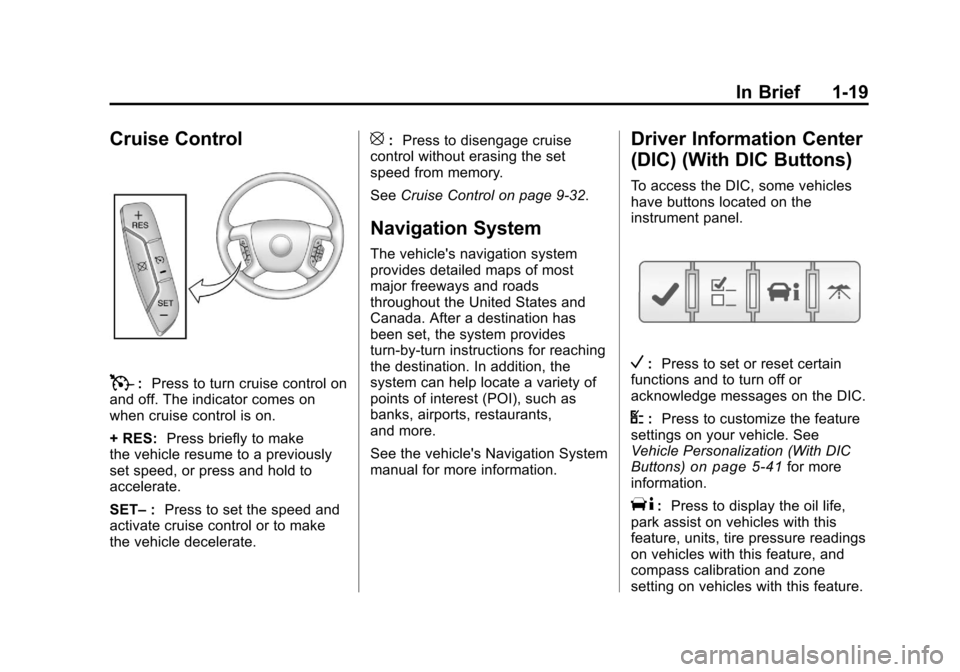
T:Press to turn cruise control on
and off. The indicator comes on
when cruise control is on.
+ RES: Press briefly to make
the vehicle resume to a previously
set speed, or press and hold to
accelerate.
SET– :Press to set the speed and
activate cruise control or to make
the vehicle decelerate.
[: Press to disengage cruise
control without erasing the set
speed from memory.
See Cruise Control on page 9‑32.
Navigation System
The vehicle's navigation system
provides detailed maps of most
major freeways and roads
throughout the United States and
Canada. After a destination has
been set, the system provides
turn-by-turn instructions for reaching
the destination. In addition, the
system can help locate a variety of
points of interest (POI), such as
banks, airports, restaurants,
and more.
See the vehicle's Navigation System
manual for more information.
Driver Information Center
(DIC) (With DIC Buttons)
To access the DIC, some vehicles
have buttons located on the
instrument panel.
V:Press to set or reset certain
functions and to turn off or
acknowledge messages on the DIC.
U: Press to customize the feature
settings on your vehicle. See
Vehicle Personalization (With DIC
Buttons)
on page 5‑41for more
information.
T: Press to display the oil life,
park assist on vehicles with this
feature, units, tire pressure readings
on vehicles with this feature, and
compass calibration and zone
setting on vehicles with this feature.
Page 26 of 454
Black plate (20,1)Chevrolet Traverse Owner Manual - 2011
1-20 In Brief
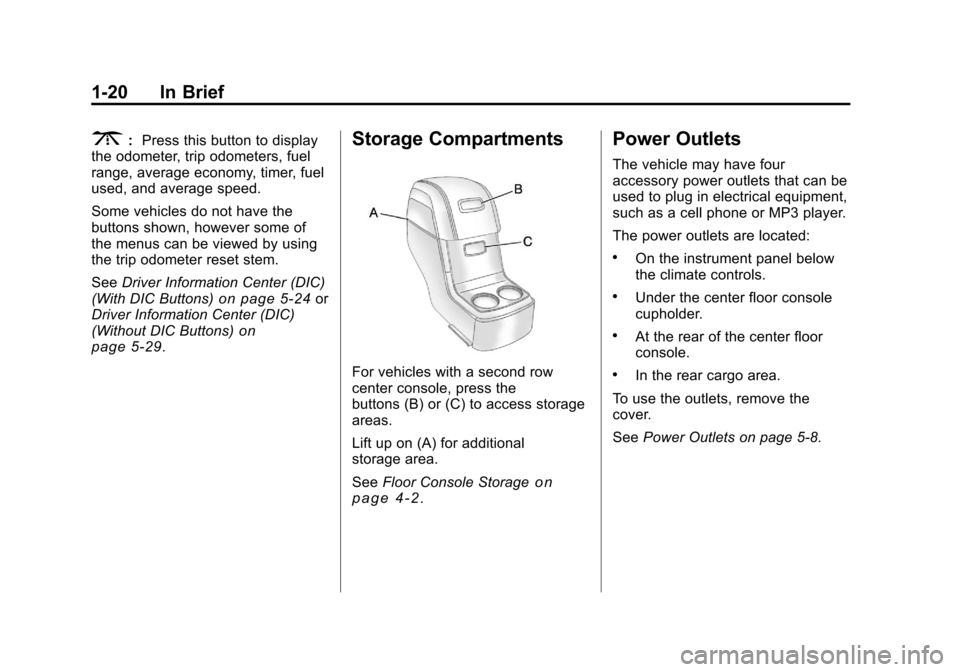
3:Press this button to display
the odometer, trip odometers, fuel
range, average economy, timer, fuel
used, and average speed.
Some vehicles do not have the
buttons shown, however some of
the menus can be viewed by using
the trip odometer reset stem.
See Driver Information Center (DIC)
(With DIC Buttons)
on page 5‑24or
Driver Information Center (DIC)
(Without DIC Buttons)
on
page 5‑29.
Storage Compartments
For vehicles with a second row
center console, press the
buttons (B) or (C) to access storage
areas.
Lift up on (A) for additional
storage area.
See Floor Console Storage
on
page 4‑2.
Power Outlets
The vehicle may have four
accessory power outlets that can be
used to plug in electrical equipment,
such as a cell phone or MP3 player.
The power outlets are located:
.On the instrument panel below
the climate controls.
.Under the center floor console
cupholder.
.At the rear of the center floor
console.
.In the rear cargo area.
To use the outlets, remove the
cover.
See Power Outlets on page 5‑8.
Page 28 of 454
Black plate (22,1)Chevrolet Traverse Owner Manual - 2011
1-22 In Brief
During cooler conditions, the low tire
pressure warning light may appear
when the vehicle is first started and
then turn off. This may be an early
indicator that the tire pressures are
getting low and the tires need to be
inflated to the proper pressure.
The TPMS does not replace normal
monthly tire maintenance. It is the
driver’s responsibility to maintain
correct tire pressures.
See Tire Pressure Monitor System
on page 10‑45.
Tire Sealant and
Compressor Kit
This vehicle may come with a jack
and spare tire or a tire sealant and
compressor kit. The kit can be used
to seal small punctures in the tread
area of the tire.
SeeTire Sealant and Compressor
Kit
on page 10‑61for complete
operating information. If the vehicle came with a jack and
spare tire, see
If a Tire Goes Flat
on
page 10‑58.
Engine Oil Life System
The engine oil life system calculates
engine oil life based on vehicle use
and displays the CHANGE ENGINE
OIL SOON message when it is time
to change the engine oil and filter.
The oil life system should be reset
to 100% only following an oil
change.
Resetting the Oil Life System
1. Turn the ignition to ON/RUN, with the engine off.
2. If the vehicle has Driver Information Center (DIC)
buttons: Press the vehicle
information button until OIL LIFE
REMAINING displays.
If the vehicle does not have
Driver Information Center (DIC)
buttons: The vehicle must be in
P (Park) to access this display. Press the trip odometer reset
stem until OIL LIFE REMAINING
displays.
3. If the vehicle has Driver Information Center (DIC)
buttons: Press and hold the set/
reset button until “100%”is
displayed. Three chimes sound
and the CHANGE ENGINE OIL
SOON message goes off.
If the vehicle does not have
Driver Information Center (DIC)
buttons: Press and hold the trip
odometer reset stem until OIL
LIFE REMAINING shows
“100%.” Three chimes sound
and the CHANGE ENGINE OIL
SOON message goes off.
4. Turn the key to LOCK/OFF.
See Engine Oil Life System
on
page 10‑11.
Page 52 of 454
Black plate (20,1)Chevrolet Traverse Owner Manual - 2011
2-20 Keys, Doors and Windows
Express-Up/Express-Down
Windows
A window with the express‐up/down
feature allows it to be raised or
lowered without holding the switch.
Press or pull the window switch fully
and release it to activate the
express feature. The express mode
can be canceled by pressing or
pulling the switch.
Programming the Power
Windows
If the battery on the vehicle has
been recharged, disconnected,
or replaced, windows with the
express-up feature need to be
reprogrammed for this feature to
work. To program the window:
1. Close all doors with the ignitionin the ACC/ACCESSORY,
ON/RUN position, or when
Retained Accessory
Power (RAP) is active. See
Retained Accessory Power
(RAP) on page 9‑18. 2. Press and continue to hold the
window switch until the window
is fully open.
3. Pull up and hold the window switch to close the window.
Continue to hold it briefly after
the window is fully closed.
4. Repeat for each window that has the express-up feature.
Anti-Pinch Feature
The anti-pinch feature is on
windows with the express-up
feature. If an object is in the way of
the window as it is express-closing,
or in certain weather conditions like
severe icing, the window will stop
and open to a factory preset
position. The window functions
normally once the obstruction is
removed.
Window Lockout
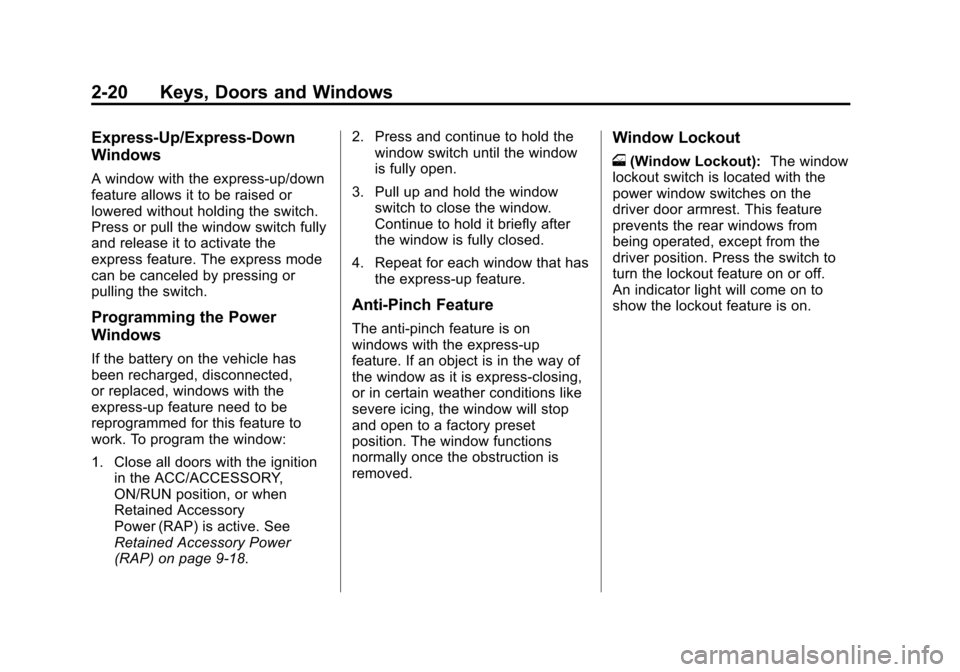
o(Window Lockout): The window
lockout switch is located with the
power window switches on the
driver door armrest. This feature
prevents the rear windows from
being operated, except from the
driver position. Press the switch to
turn the lockout feature on or off.
An indicator light will come on to
show the lockout feature is on.
Page 130 of 454
Black plate (2,1)Chevrolet Traverse Owner Manual - 2011
5-2 Instruments and Controls
Vehicle Personalization
Vehicle Personalization (WithDIC Buttons) . . . . . . . . . . . . . . . 5-41
Universal Remote System
Universal Remote System . . . 5-48
Universal Remote SystemProgramming . . . . . . . . . . . . . . . 5-48
Universal Remote System Operation . . . . . . . . . . . . . . . . . . 5-52
Controls
Steering Wheel
Adjustment
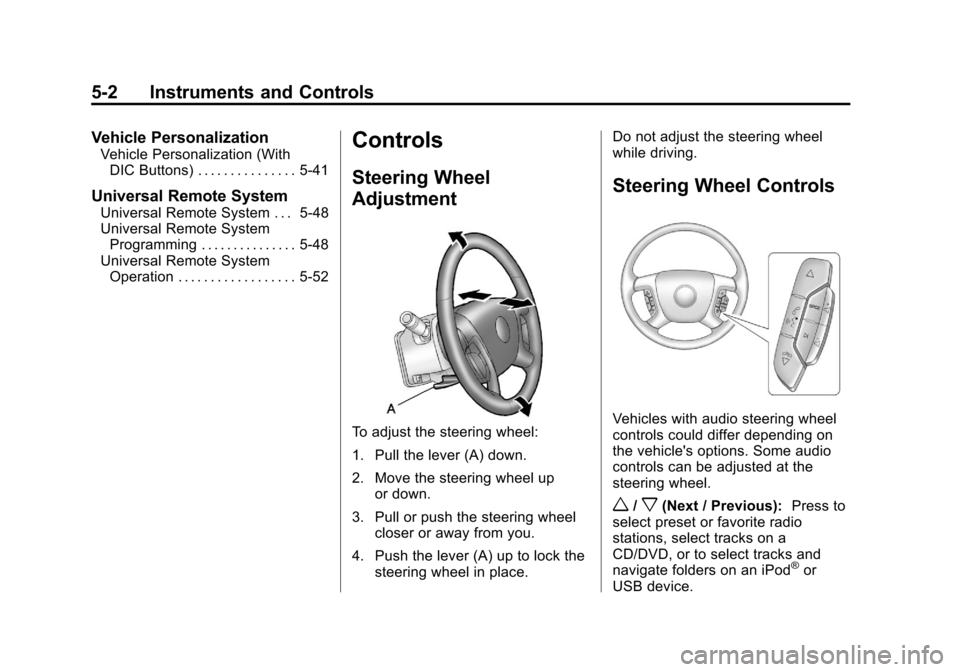
To adjust the steering wheel:
1. Pull the lever (A) down.
2. Move the steering wheel up
or down.
3. Pull or push the steering wheel closer or away from you.
4. Push the lever (A) up to lock the steering wheel in place. Do not adjust the steering wheel
while driving.
Steering Wheel Controls
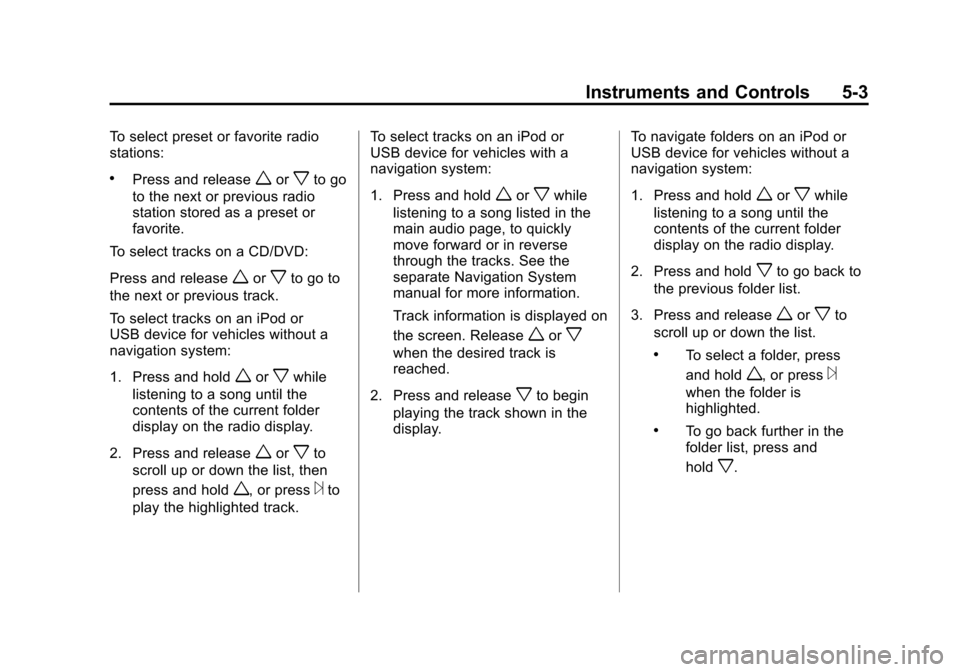
Vehicles with audio steering wheel
controls could differ depending on
the vehicle's options. Some audio
controls can be adjusted at the
steering wheel.
w/x(Next / Previous):
Press to
select preset or favorite radio
stations, select tracks on a
CD/DVD, or to select tracks and
navigate folders on an iPod
®or
USB device.
Page 131 of 454
Black plate (3,1)Chevrolet Traverse Owner Manual - 2011
Instruments and Controls 5-3
To select preset or favorite radio
stations:
.Press and releaseworxto go
to the next or previous radio
station stored as a preset or
favorite.
To select tracks on a CD/DVD:
Press and release
worxto go to
the next or previous track.
To select tracks on an iPod or
USB device for vehicles without a
navigation system:
1. Press and hold
worxwhile
listening to a song until the
contents of the current folder
display on the radio display.
2. Press and release
worxto
scroll up or down the list, then
press and hold
w, or press¨to
play the highlighted track. To select tracks on an iPod or
USB device for vehicles with a
navigation system:
1. Press and hold
worxwhile
listening to a song listed in the
main audio page, to quickly
move forward or in reverse
through the tracks. See the
separate Navigation System
manual for more information.
Track information is displayed on
the screen. Release
worx
when the desired track is
reached.
2. Press and release
xto begin
playing the track shown in the
display. To navigate folders on an iPod or
USB device for vehicles without a
navigation system:
1. Press and hold
worxwhile
listening to a song until the
contents of the current folder
display on the radio display.
2. Press and hold
xto go back to
the previous folder list.
3. Press and release
worxto
scroll up or down the list.
.To select a folder, press
and hold
w, or press¨
when the folder is
highlighted.
.To go back further in the
folder list, press and
hold
x.
Page 133 of 454
Black plate (5,1)Chevrolet Traverse Owner Manual - 2011
Instruments and Controls 5-5
Windshield Wiper/Washer
The windshield wiper/washer lever
is located on the left side of the
steering column.
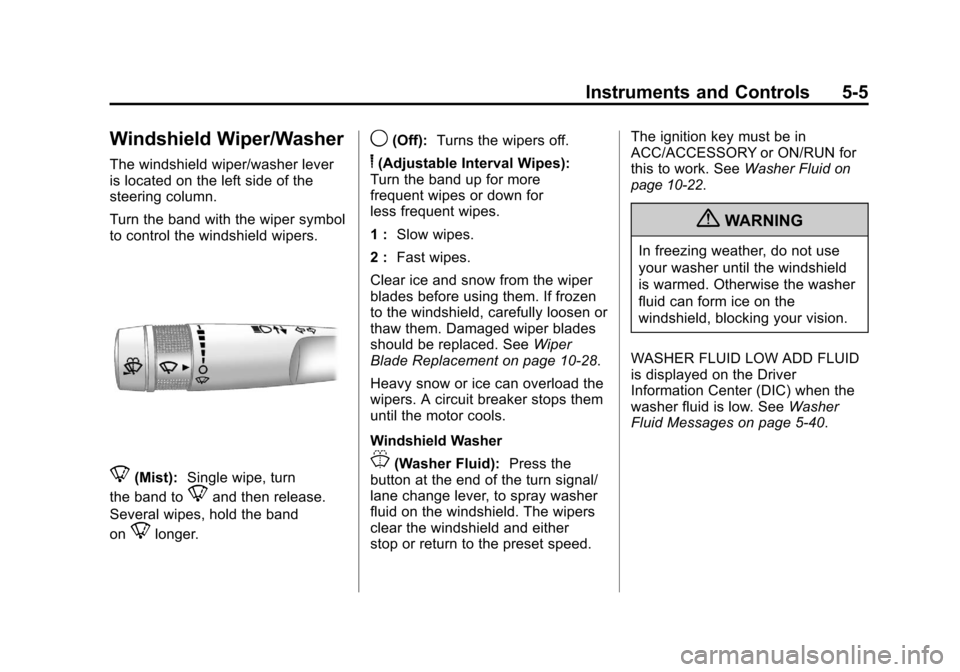
Turn the band with the wiper symbol
to control the windshield wipers.
8(Mist):Single wipe, turn
the band to
8and then release.
Several wipes, hold the band
on
8longer.
9(Off): Turns the wipers off.
6(Adjustable Interval Wipes):
Turn the band up for more
frequent wipes or down for
less frequent wipes.
1 : Slow wipes.
2 : Fast wipes.
Clear ice and snow from the wiper
blades before using them. If frozen
to the windshield, carefully loosen or
thaw them. Damaged wiper blades
should be replaced. See Wiper
Blade Replacement on page 10‑28.
Heavy snow or ice can overload the
wipers. A circuit breaker stops them
until the motor cools.
Windshield Washer
J(Washer Fluid): Press the
button at the end of the turn signal/
lane change lever, to spray washer
fluid on the windshield. The wipers
clear the windshield and either
stop or return to the preset speed. The ignition key must be in
ACC/ACCESSORY or ON/RUN for
this to work. See
Washer Fluid
on
page 10‑22.
{WARNING
In freezing weather, do not use
your washer until the windshield
is warmed. Otherwise the washer
fluid can form ice on the
windshield, blocking your vision.
WASHER FLUID LOW ADD FLUID
is displayed on the Driver
Information Center (DIC) when the
washer fluid is low. See Washer
Fluid Messages on page 5‑40.
Page 134 of 454
Black plate (6,1)Chevrolet Traverse Owner Manual - 2011
5-6 Instruments and Controls
Rear Window Wiper/
Washer
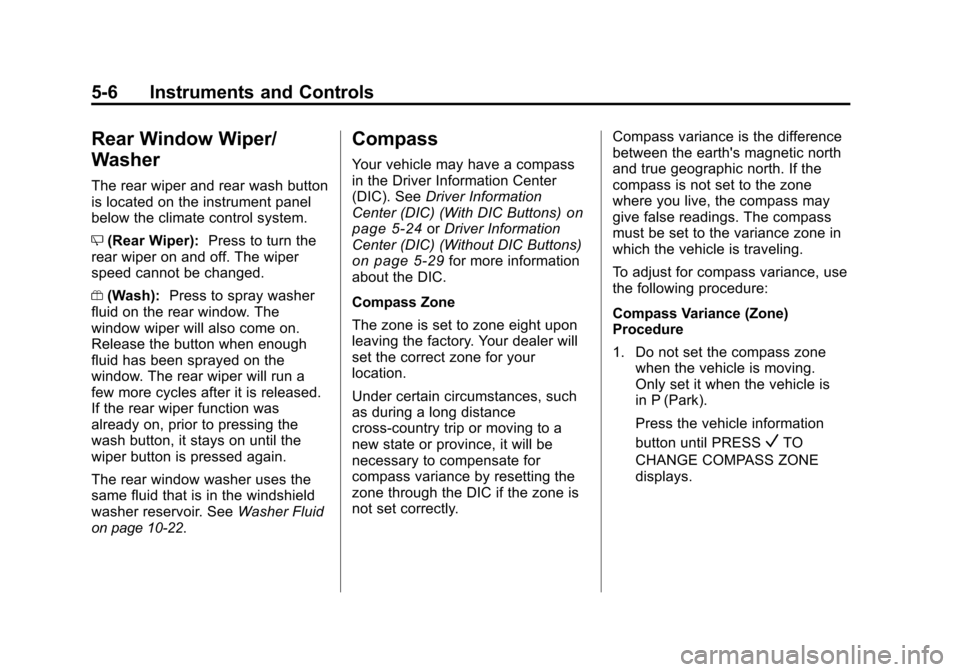
The rear wiper and rear wash button
is located on the instrument panel
below the climate control system.
Z(Rear Wiper): Press to turn the
rear wiper on and off. The wiper
speed cannot be changed.
Y (Wash): Press to spray washer
fluid on the rear window. The
window wiper will also come on.
Release the button when enough
fluid has been sprayed on the
window. The rear wiper will run a
few more cycles after it is released.
If the rear wiper function was
already on, prior to pressing the
wash button, it stays on until the
wiper button is pressed again.
The rear window washer uses the
same fluid that is in the windshield
washer reservoir. See Washer Fluid
on page 10‑22.
Compass
Your vehicle may have a compass
in the Driver Information Center
(DIC). SeeDriver Information
Center (DIC) (With DIC Buttons)
on
page 5‑24or Driver Information
Center (DIC) (Without DIC Buttons)
on page 5‑29for more information
about the DIC.
Compass Zone
The zone is set to zone eight upon
leaving the factory. Your dealer will
set the correct zone for your
location.
Under certain circumstances, such
as during a long distance
cross-country trip or moving to a
new state or province, it will be
necessary to compensate for
compass variance by resetting the
zone through the DIC if the zone is
not set correctly. Compass variance is the difference
between the earth's magnetic north
and true geographic north. If the
compass is not set to the zone
where you live, the compass may
give false readings. The compass
must be set to the variance zone in
which the vehicle is traveling.
To adjust for compass variance, use
the following procedure:
Compass Variance (Zone)
Procedure
1. Do not set the compass zone
when the vehicle is moving.
Only set it when the vehicle is
in P (Park).
Press the vehicle information
button until PRESS
VTO
CHANGE COMPASS ZONE
displays.
Page 135 of 454
Black plate (7,1)Chevrolet Traverse Owner Manual - 2011
Instruments and Controls 5-7
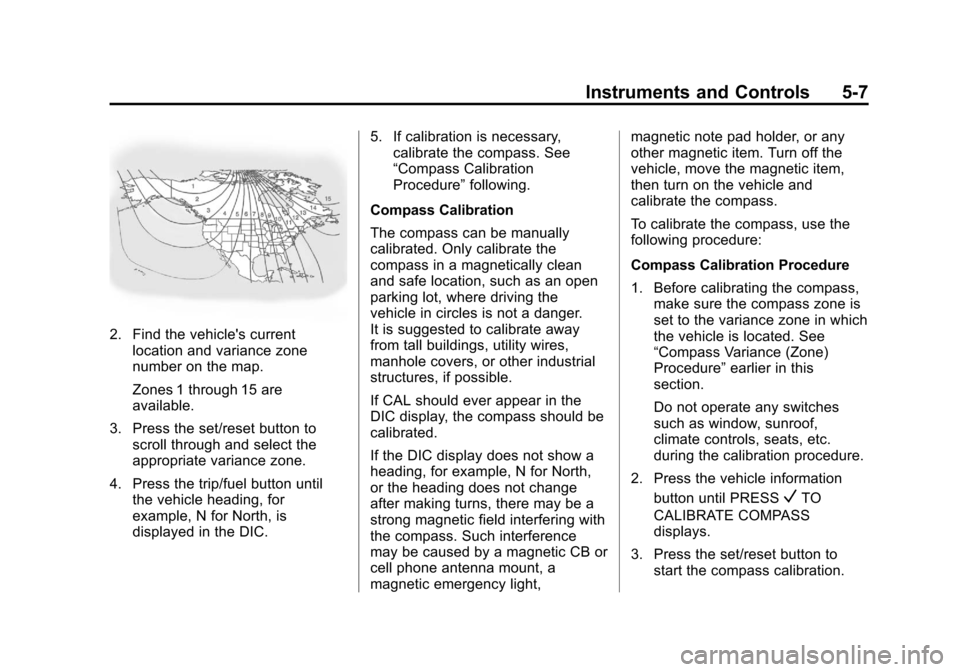
2. Find the vehicle's currentlocation and variance zone
number on the map.
Zones 1 through 15 are
available.
3. Press the set/reset button to scroll through and select the
appropriate variance zone.
4. Press the trip/fuel button until the vehicle heading, for
example, N for North, is
displayed in the DIC. 5. If calibration is necessary,
calibrate the compass. See
“Compass Calibration
Procedure” following.
Compass Calibration
The compass can be manually
calibrated. Only calibrate the
compass in a magnetically clean
and safe location, such as an open
parking lot, where driving the
vehicle in circles is not a danger.
It is suggested to calibrate away
from tall buildings, utility wires,
manhole covers, or other industrial
structures, if possible.
If CAL should ever appear in the
DIC display, the compass should be
calibrated.
If the DIC display does not show a
heading, for example, N for North,
or the heading does not change
after making turns, there may be a
strong magnetic field interfering with
the compass. Such interference
may be caused by a magnetic CB or
cell phone antenna mount, a
magnetic emergency light, magnetic note pad holder, or any
other magnetic item. Turn off the
vehicle, move the magnetic item,
then turn on the vehicle and
calibrate the compass.
To calibrate the compass, use the
following procedure:
Compass Calibration Procedure
1. Before calibrating the compass,
make sure the compass zone is
set to the variance zone in which
the vehicle is located. See
“Compass Variance (Zone)
Procedure” earlier in this
section.
Do not operate any switches
such as window, sunroof,
climate controls, seats, etc.
during the calibration procedure.
2. Press the vehicle information button until PRESS
VTO
CALIBRATE COMPASS
displays.
3. Press the set/reset button to start the compass calibration.
Page 137 of 454
Black plate (9,1)Chevrolet Traverse Owner Manual - 2011
Instruments and Controls 5-9
{WARNING
Power is always supplied to the
outlets. Do not leave electrical
equipment plugged in when the
vehicle is not in use because the
vehicle could catch fire and cause
injury or death.
Notice: Leaving electrical
equipment plugged in for an
extended period of time while
the vehicle is off will drain the
battery. Always unplug electrical
equipment when not in use and
do not plug in equipment
that exceeds the maximum
20 ampere rating.
Certain electrical accessories may
not be compatible with the
accessory power outlets and could
overload vehicle or adapter fuses.
If a problem is experienced, see
your dealer. When adding electrical equipment,
be sure to follow the installation
instructions included with the
equipment. See
Add-On Electrical
Equipment on page 9‑57.
Power Outlet 110 Volt Alternating
Current
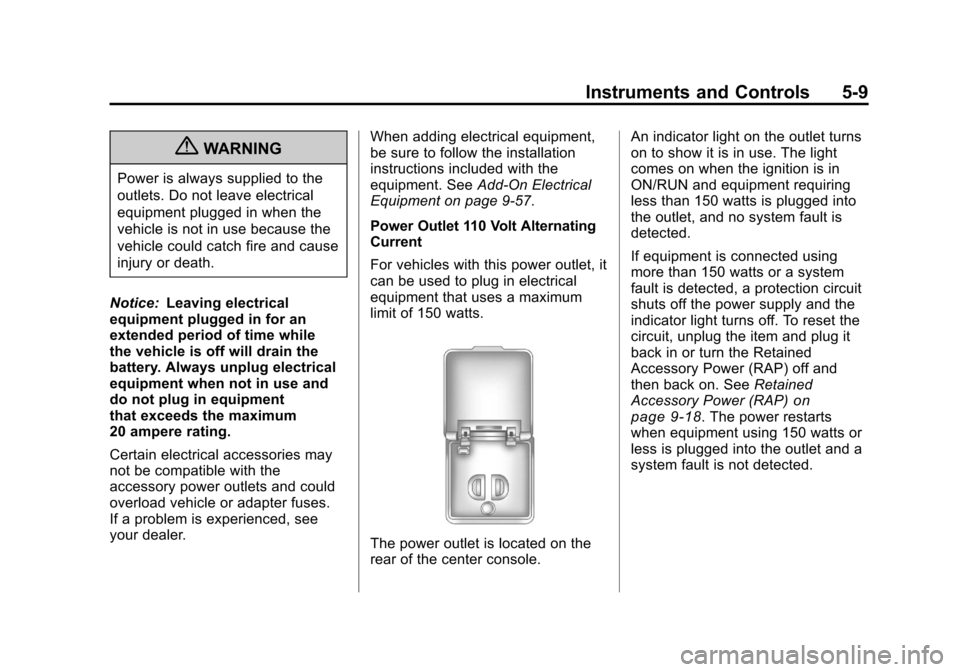
For vehicles with this power outlet, it
can be used to plug in electrical
equipment that uses a maximum
limit of 150 watts.
The power outlet is located on the
rear of the center console. An indicator light on the outlet turns
on to show it is in use. The light
comes on when the ignition is in
ON/RUN and equipment requiring
less than 150 watts is plugged into
the outlet, and no system fault is
detected.
If equipment is connected using
more than 150 watts or a system
fault is detected, a protection circuit
shuts off the power supply and the
indicator light turns off. To reset the
circuit, unplug the item and plug it
back in or turn the Retained
Accessory Power (RAP) off and
then back on. See
Retained
Accessory Power (RAP)
on
page 9‑18. The power restarts
when equipment using 150 watts or
less is plugged into the outlet and a
system fault is not detected.