warning CHEVROLET TRAVERSE 2017 1.G User Guide
[x] Cancel search | Manufacturer: CHEVROLET, Model Year: 2017, Model line: TRAVERSE, Model: CHEVROLET TRAVERSE 2017 1.GPages: 394, PDF Size: 6.47 MB
Page 37 of 394
Chevrolet Traverse Owner Manual (GMNA-Localizing-U.S./Canada/Mexico-
9955676) - 2017 - crc - 3/29/16
36 Keys, Doors, and Windows
If the vehicle is left running it
automatically shuts off after
10 minutes unless a time extension
has been done.
Extending Engine Run Time
To extend the engine run time by
10 minutes, repeat Steps 1 and 2
while the engine is still running. An
extension can be requested
30 seconds after starting. The
engine run time can only be
extended if it is the first remote start
since the vehicle has been driven.
Remote start can be extended
one time.
If the remote start procedure is used
again before the first 10-minute time
frame has ended, the first
10 minutes will immediately expire
and the second 10-minute time
frame will start.
For example, if
Qand then/are
pressed again after the vehicle has
been running for five minutes,
10 minutes are added, allowing the
engine to run for a total of
15 minutes. A maximum of two remote starts or
a remote start with an extension are
allowed between ignition cycles.
After the vehicle's engine has been
started two times using the remote
start button or a start with an
extension, the ignition must be
turned on and then back off before
the remote start procedure can be
used again.
Canceling a Remote Start
To manually shut off a remote start:
.
Press and hold
/until the
parking lamps turn off.
. Turn on the hazard warning
flashers.
. Turn the ignition switch on and
then off.
Conditions in Which the
Remote Start Will Not Work
The vehicle cannot be started using
the remote start feature if the key is
in the ignition, the hood is open,
or there is an emission control
system malfunction. The engine turns off during a remote
start if the coolant temperature gets
too high or if the oil pressure
gets low.
Door Locks
{Warning
Unlocked doors can be
dangerous.
. Passengers, especially
children, can easily open
the doors and fall out of a
moving vehicle. When a
door is locked, the handle
will not open it. The chance
of being thrown out of the
vehicle in a crash is
increased if the doors are
not locked. So, all
passengers should wear
safety belts properly and the
doors should be locked
whenever the vehicle is
driven.
(Continued)
Page 38 of 394
Chevrolet Traverse Owner Manual (GMNA-Localizing-U.S./Canada/Mexico-
9955676) - 2017 - crc - 3/29/16
Keys, Doors, and Windows 37
Warning (Continued)
.Young children who get into
unlocked vehicles may be
unable to get out. A child
can be overcome by
extreme heat and can suffer
permanent injuries or even
death from heat stroke.
Always lock the vehicle
whenever leaving it.
. Outsiders can easily enter
through an unlocked door
when you slow down or stop
the vehicle. Locking the
doors can help prevent this
from happening.
To lock or unlock a door manually:
. From the inside use the door
lock knob on the window sill.
. From the outside turn the key
toward the front or rear of the
vehicle, or press the or button on
the Remote Keyless Entry (RKE)
transmitter.
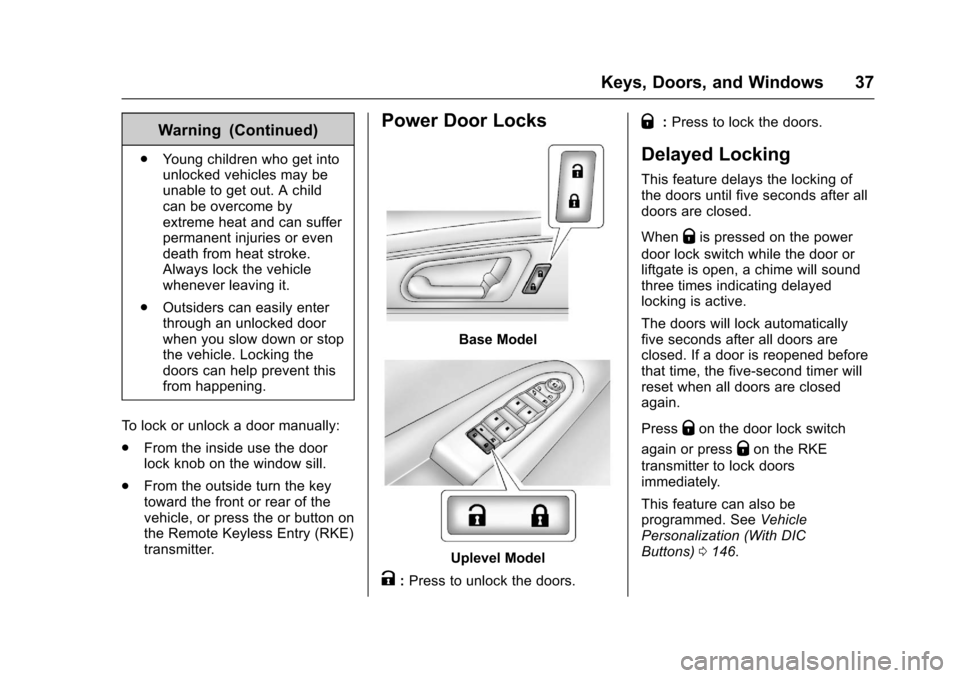
Power Door Locks
Base Model
Uplevel Model
K:Press to unlock the doors.
Q:Press to lock the doors.
Delayed Locking
This feature delays the locking of
the doors until five seconds after all
doors are closed.
When
Qis pressed on the power
door lock switch while the door or
liftgate is open, a chime will sound
three times indicating delayed
locking is active.
The doors will lock automatically
five seconds after all doors are
closed. If a door is reopened before
that time, the five-second timer will
reset when all doors are closed
again.
Press
Qon the door lock switch
again or press
Qon the RKE
transmitter to lock doors
immediately.
This feature can also be
programmed. See Vehicle
Personalization (With DIC
Buttons) 0146.
Page 40 of 394
Chevrolet Traverse Owner Manual (GMNA-Localizing-U.S./Canada/Mexico-
9955676) - 2017 - crc - 3/29/16
Keys, Doors, and Windows 39
Doors
Liftgate
{Warning
Exhaust gases can enter the
vehicle if it is driven with the
liftgate or trunk/hatch open,
or with any objects that pass
through the seal between the
body and the trunk/hatch or
liftgate. Engine exhaust contains
carbon monoxide (CO) which
cannot be seen or smelled. It can
cause unconsciousness and even
death.
If the vehicle must be driven with
the liftgate or trunk/hatch open:. Close all of the windows.
. Fully open the air outlets on
or under the instrument
panel.
. Adjust the climate control
system to a setting that
brings in only outside air
(Continued)
Warning (Continued)
and set the fan speed to the
highest setting. See
“Climate Control Systems”
in the Index.
. If the vehicle is equipped
with a power liftgate, disable
the power liftgate function.
See Engine Exhaust 0234.
Caution
To avoid damage to the liftgate or
liftgate glass, make sure the area
above and behind the liftgate is
clear before opening it.
Manual Liftgate
To unlock the liftgate, press the
power door lock switch or press
K
on the Remote Keyless Entry
(RKE) transmitter twice. See
Remote Keyless Entry (RKE)
System Operation 033.
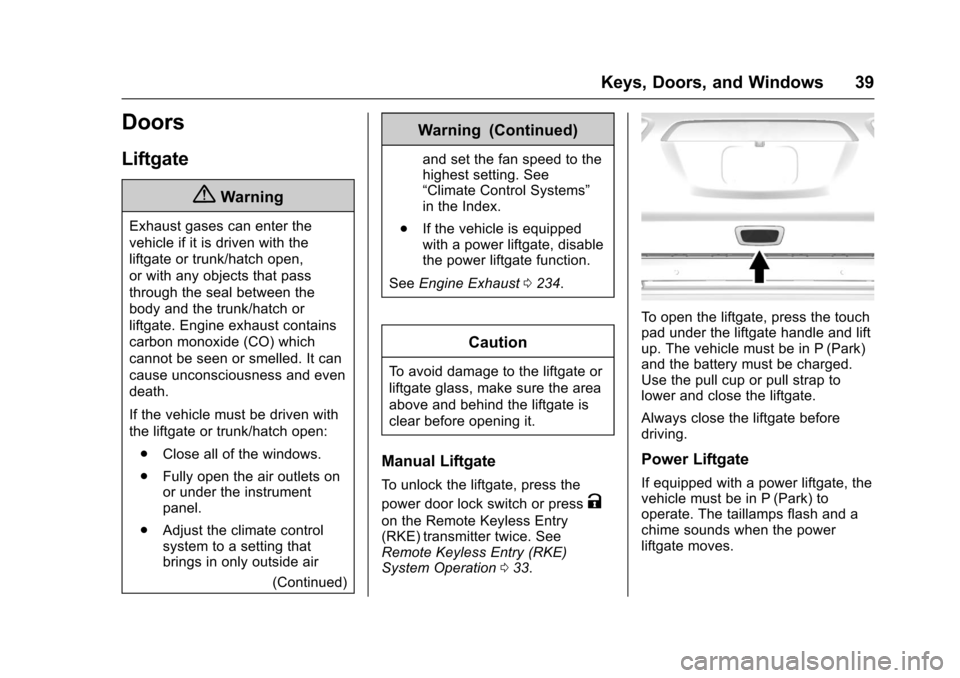
To open the liftgate, press the touch
pad under the liftgate handle and lift
up. The vehicle must be in P (Park)
and the battery must be charged.
Use the pull cup or pull strap to
lower and close the liftgate.
Always close the liftgate before
driving.
Power Liftgate
If equipped with a power liftgate, the
vehicle must be in P (Park) to
operate. The taillamps flash and a
chime sounds when the power
liftgate moves.
Page 41 of 394
Chevrolet Traverse Owner Manual (GMNA-Localizing-U.S./Canada/Mexico-
9955676) - 2017 - crc - 3/29/16
40 Keys, Doors, and Windows
{Warning
You or others could be injured if
caught in the path of the power
liftgate. Make sure there is no one
in the way of the liftgate as it is
opening and closing.
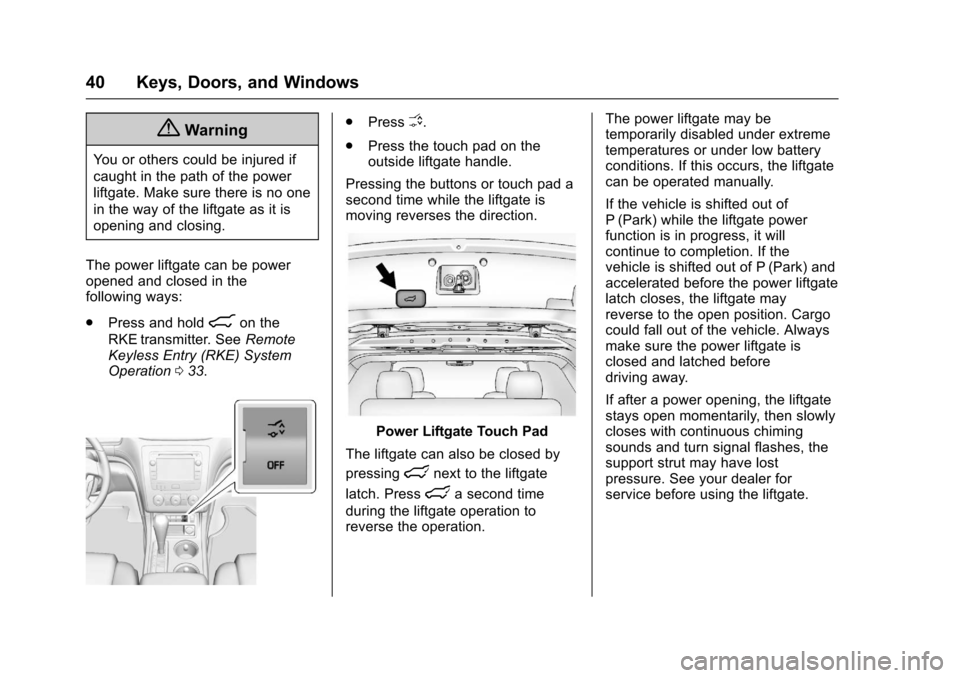
The power liftgate can be power
opened and closed in the
following ways:
. Press and hold
8on the
RKE transmitter. See Remote
Keyless Entry (RKE) System
Operation 033.
.
PressO.
. Press the touch pad on the
outside liftgate handle.
Pressing the buttons or touch pad a
second time while the liftgate is
moving reverses the direction.
Power Liftgate Touch Pad
The liftgate can also be closed by
pressing
lnext to the liftgate
latch. Press
la second time
during the liftgate operation to
reverse the operation. The power liftgate may be
temporarily disabled under extreme
temperatures or under low battery
conditions. If this occurs, the liftgate
can be operated manually.
If the vehicle is shifted out of
P (Park) while the liftgate power
function is in progress, it will
continue to completion. If the
vehicle is shifted out of P (Park) and
accelerated before the power liftgate
latch closes, the liftgate may
reverse to the open position. Cargo
could fall out of the vehicle. Always
make sure the power liftgate is
closed and latched before
driving away.
If after a power opening, the liftgate
stays open momentarily, then slowly
closes with continuous chiming
sounds and turn signal flashes, the
support strut may have lost
pressure. See your dealer for
service before using the liftgate.
Page 42 of 394

Chevrolet Traverse Owner Manual (GMNA-Localizing-U.S./Canada/Mexico-
9955676) - 2017 - crc - 3/29/16
Keys, Doors, and Windows 41
Falling Liftgate Detection
The power liftgate will automatically
close if the support strut has lost
pressure. See your dealer for
service before using the power
liftgate.
Obstacle Detection Features
If an obstacle is encountered during
the power open or close cycle, a
warning chime will sound and the
liftgate will automatically reverse
direction to the full closed or open
position. After removing the obstacle
the liftgate will resume normal
operation.
If more obstacles are encountered
on the same power cycle, the power
function deactivates. The liftgate
must be opened or closed manually
if this occurs. A message displays
on the Driver Information
Center (DIC) to indicate that the
liftgate is open. SeeDoor Ajar
Messages 0138. After removing the
obstacles, manually open the
liftgate fully or close and latch the
liftgate. The liftgate will resume
normal power operation. The vehicle also has pinch sensors
along the side edges of the liftgate.
If the sensors press against an
object while closing, the liftgate will
reverse direction and open fully. The
liftgate will remain open until it is
activated again or closed manually.
Do not force the liftgate open or
closed during a power cycle.
Manual Operation of Power
Liftgate
To change the liftgate to manual
operation, press OFF on the power
liftgate switch. A message displays
on the DIC indicating manual
operation mode. See
Door Ajar
Messages 0138.
With the liftgate in manual mode
and all of the doors unlocked, the
liftgate can be manually opened and
closed.
Caution
To avoid damage to the liftgate,
do not use too much force when
closing it.
Press the touch pad on the outside
of the liftgate pull cup and lift to
open. Use the pull cup to lower and
close the liftgate. The liftgate latch
will power close.
Always close the liftgate before
driving.
Page 46 of 394
Chevrolet Traverse Owner Manual (GMNA-Localizing-U.S./Canada/Mexico-
9955676) - 2017 - crc - 3/29/16
Keys, Doors, and Windows 45
Exterior Mirrors
Convex Mirrors
{Warning
A convex mirror can make things,
like other vehicles, look farther
away than they really are. If you
cut too sharply into the right lane,
you could hit a vehicle on the
right. Check the inside mirror or
glance over your shoulder before
changing lanes.
The passenger side mirror is convex
shaped. A convex mirror's surface is
curved so more can be seen from
the driver seat.
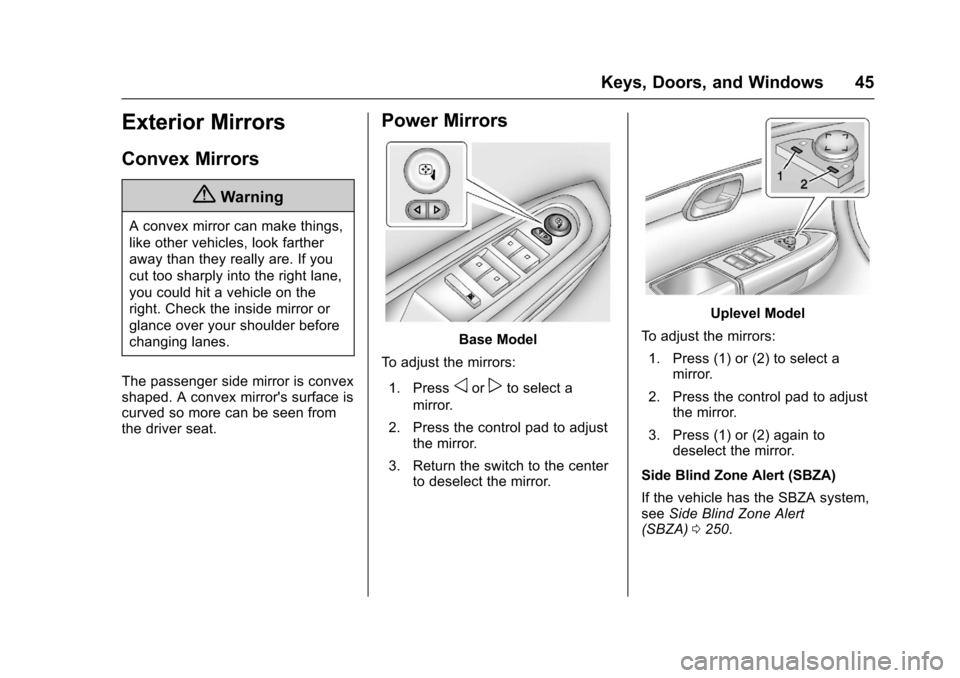
Power Mirrors
Base Model
To adjust the mirrors:
1. Press
oorpto select a
mirror.
2. Press the control pad to adjust the mirror.
3. Return the switch to the center to deselect the mirror.
Uplevel Model
To adjust the mirrors: 1. Press (1) or (2) to select a mirror.
2. Press the control pad to adjust the mirror.
3. Press (1) or (2) again to deselect the mirror.
Side Blind Zone Alert (SBZA)
If the vehicle has the SBZA system,
see Side Blind Zone Alert
(SBZA) 0250.
Page 48 of 394
Chevrolet Traverse Owner Manual (GMNA-Localizing-U.S./Canada/Mexico-
9955676) - 2017 - crc - 3/29/16
Keys, Doors, and Windows 47
Interior Mirrors
Interior Rearview Mirrors
Adjust the rearview mirror for a clear
view of the area behind your
vehicle.
If equipped with OnStar, the vehicle
may have three control buttons at
the bottom of the mirror. See your
dealer for more information about
OnStar and how to subscribe to it.
See“OnStar,” if equipped.
Do not spray glass cleaner directly
on the mirror. Use a soft towel
dampened with water.
Manual Rearview Mirror
If equipped, push the tab forward for
daytime use and pull it for nighttime
use to avoid glare from the
headlamps from behind.
Automatic Dimming
Rearview Mirror
If equipped, automatic dimming
reduces the glare of the headlamps
from behind. This feature comes on
when the vehicle is started.
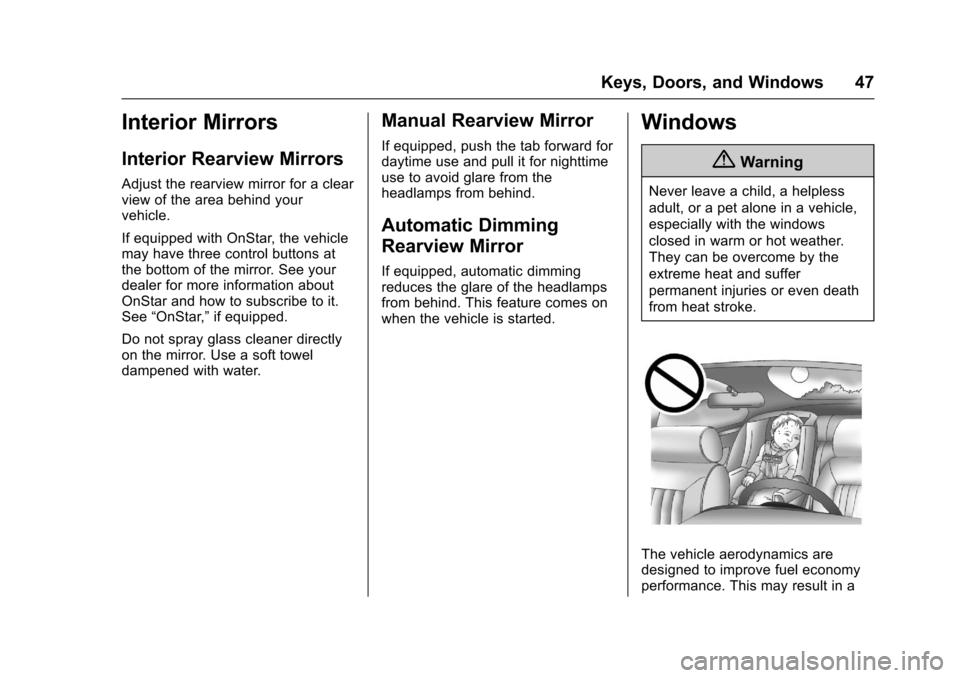
Windows
{Warning
Never leave a child, a helpless
adult, or a pet alone in a vehicle,
especially with the windows
closed in warm or hot weather.
They can be overcome by the
extreme heat and suffer
permanent injuries or even death
from heat stroke.
The vehicle aerodynamics are
designed to improve fuel economy
performance. This may result in a
Page 49 of 394
Chevrolet Traverse Owner Manual (GMNA-Localizing-U.S./Canada/Mexico-
9955676) - 2017 - crc - 3/29/16
48 Keys, Doors, and Windows
pulsing sound when either rear
window is down and the front
windows are up. To reduce the
sound, open either a front window
or the sunroof, if equipped.
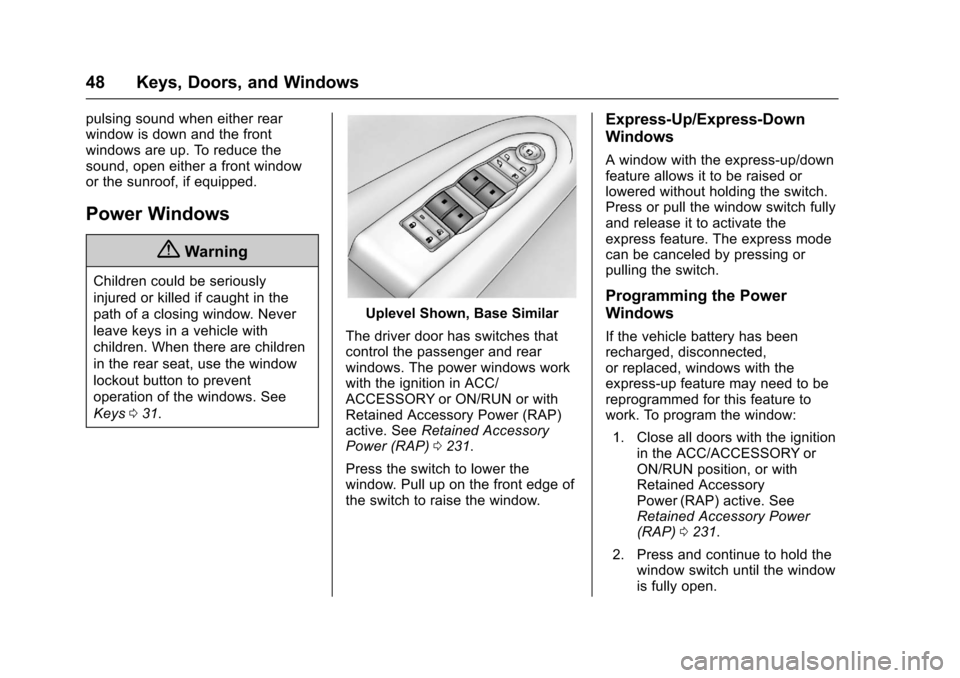
Power Windows
{Warning
Children could be seriously
injured or killed if caught in the
path of a closing window. Never
leave keys in a vehicle with
children. When there are children
in the rear seat, use the window
lockout button to prevent
operation of the windows. See
Keys031.
Uplevel Shown, Base Similar
The driver door has switches that
control the passenger and rear
windows. The power windows work
with the ignition in ACC/
ACCESSORY or ON/RUN or with
Retained Accessory Power (RAP)
active. See Retained Accessory
Power (RAP) 0231.
Press the switch to lower the
window. Pull up on the front edge of
the switch to raise the window.
Express-Up/Express-Down
Windows
A window with the express-up/down
feature allows it to be raised or
lowered without holding the switch.
Press or pull the window switch fully
and release it to activate the
express feature. The express mode
can be canceled by pressing or
pulling the switch.
Programming the Power
Windows
If the vehicle battery has been
recharged, disconnected,
or replaced, windows with the
express-up feature may need to be
reprogrammed for this feature to
work. To program the window: 1. Close all doors with the ignition in the ACC/ACCESSORY or
ON/RUN position, or with
Retained Accessory
Power (RAP) active. See
Retained Accessory Power
(RAP) 0231.
2. Press and continue to hold the window switch until the window
is fully open.
Page 54 of 394
Chevrolet Traverse Owner Manual (GMNA-Localizing-U.S./Canada/Mexico-
9955676) - 2017 - crc - 3/29/16
Seats and Restraints 53
Head Restraints
Front Seats
{Warning
With head restraints that are not
installed and adjusted properly,
there is a greater chance that
occupants will suffer a neck/
spinal injury in a crash. Do not
drive until the head restraints for
all occupants are installed and
adjusted properly.
The vehicle's front seats have
adjustable head restraints in the
outboard seating positions.
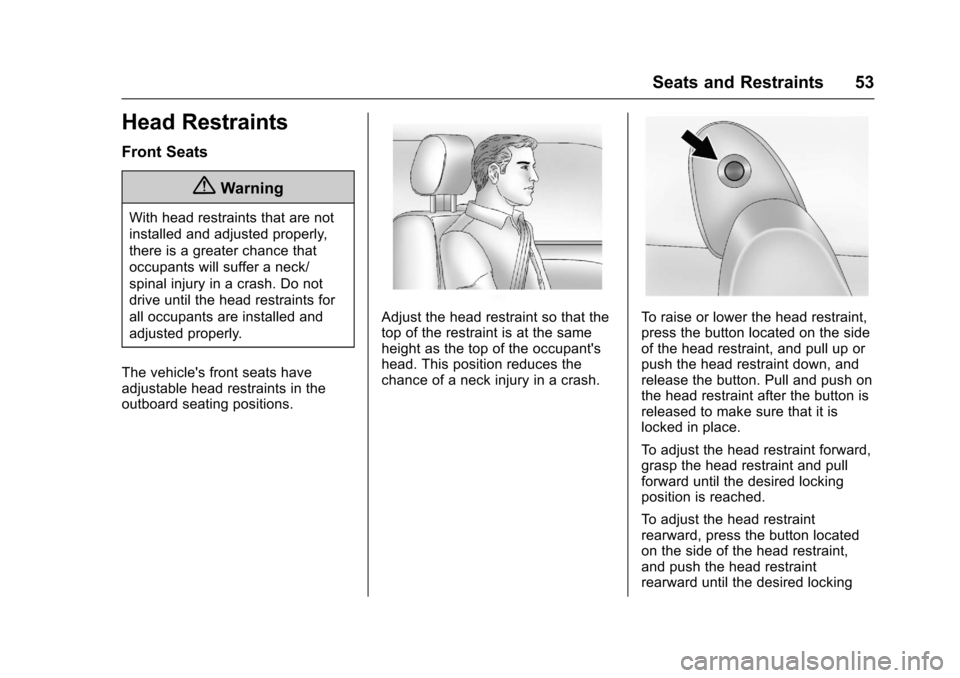
Adjust the head restraint so that the
top of the restraint is at the same
height as the top of the occupant's
head. This position reduces the
chance of a neck injury in a crash.To raise or lower the head restraint,
press the button located on the side
of the head restraint, and pull up or
push the head restraint down, and
release the button. Pull and push on
the head restraint after the button is
released to make sure that it is
locked in place.
To adjust the head restraint forward,
grasp the head restraint and pull
forward until the desired locking
position is reached.
To adjust the head restraint
rearward, press the button located
on the side of the head restraint,
and push the head restraint
rearward until the desired locking
Page 55 of 394
Chevrolet Traverse Owner Manual (GMNA-Localizing-U.S./Canada/Mexico-
9955676) - 2017 - crc - 3/29/16
54 Seats and Restraints
position is reached. Try to move the
head restraint after the button is
released to make sure that it is
locked in place.
The front seat outboard head
restraints are not removable.
Rear Seats
The vehicle's second row seats
have head restraints in the outboard
seating positions that cannot be
adjusted.
The vehicle's third row seats have
headrests in the outboard seating
positions that cannot be adjusted.
The second row head restraints and
third row headrests are not
removable.
Front Seats
Seat Adjustment
{Warning
You can lose control of the
vehicle if you try to adjust a driver
seat while the vehicle is moving.
Adjust the driver seat only when
the vehicle is not moving.
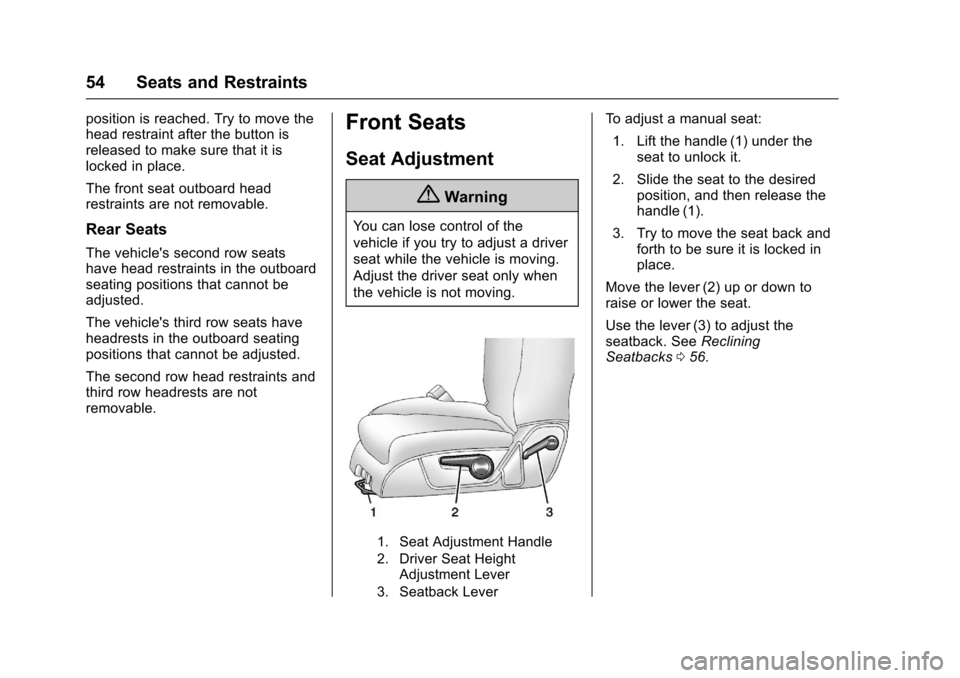
1. Seat Adjustment Handle
2. Driver Seat HeightAdjustment Lever
3. Seatback Lever
To adjust a manual seat:
1. Lift the handle (1) under the seat to unlock it.
2. Slide the seat to the desired position, and then release the
handle (1).
3. Try to move the seat back and forth to be sure it is locked in
place.
Move the lever (2) up or down to
raise or lower the seat.
Use the lever (3) to adjust the
seatback. See Reclining
Seatbacks 056.