parking brake CHEVROLET TRAVERSE 2018 Owner's Manual
[x] Cancel search | Manufacturer: CHEVROLET, Model Year: 2018, Model line: TRAVERSE, Model: CHEVROLET TRAVERSE 2018Pages: 419, PDF Size: 5.92 MB
Page 8 of 419

Chevrolet Traverse Owner Manual (GMNA-Localizing-U.S./Canada/Mexico-
10603118) - 2018 - CRC - 1/29/18
In Brief 7
1.Air Vents 0205.
2. Turn Signal Lever. See Turn
and Lane-Change Signals
0 170.
IntelliBeam
®System Button (If
Equipped). See Exterior Lamp
Controls 0166.
3. Instrument Cluster 0134.
Driver Information Center (DIC)
Display. See Driver Information
Center (DIC) 0150.
4. Windshield Wiper/Washer
0125.
Rear Window Wiper/Washer
0 126.
5. ENGINE START/STOP Button. See Ignition Positions 0224.
6. Hazard Warning Flashers
0170.
7. Light Sensor. See Automatic
Headlamp System 0169.
8. Infotainment 0175.
9. Dual Automatic Climate Control
System 0200. 10.
Heated and Ventilated Front
Seats 070 (If Equipped).
11. Power Outlets 0129.
12. Wireless Charging 0131 (If
Equipped).
13. USB Port 0184.
Auxiliary Jack. See Auxiliary
Devices 0190.
14. Traction Control/Electronic
Stability Control 0239.
Driver Mode Control Knob. See
Driver Mode Control 0241 (If
Equipped).
Lane Keep Assist (LKA) 0267
(If Equipped).
15. Electric Parking Brake 0237.
16. Shift Lever. See Automatic
Transmission 0232.
Manual Mode 0234.
17. Steering Wheel Controls 0124.
18. Horn 0125.
19. Steering Wheel Adjustment
0124 (Out of View). 20.
Cruise Control 0244.
Adaptive Cruise Control 0246
(If Equipped).
Heated Steering Wheel 0125
(If Equipped).
Forward Collision Alert (FCA)
System 0259 (If Equipped).
21. Hood Release. See Hood
0 285.
22. Fog Lamps 0170 (If
Equipped).
23. Data Link Connector (DLC) (Out of View). See Malfunction
Indicator Lamp (Check Engine
Light) 0141.
24. Exterior Lamp Controls 0166.
25. Instrument Panel Illumination
Control 0171.
Page 26 of 419
Chevrolet Traverse Owner Manual (GMNA-Localizing-U.S./Canada/Mexico-
10603118) - 2018 - CRC - 1/29/18
In Brief 25
vehicle. This can help avoid or
lessen the severity of crashes when
driving in a forward gear.
SeeForward Automatic Braking
(FAB) 0261.
Front Pedestrian Braking
(FPB) System
If equipped, the FPB system may
help avoid or reduce the harm
caused by front-end crashes with
nearby pedestrians when driving in
a forward gear. FPB displays an
amber indicator,
~, when a nearby
pedestrian is detected directly
ahead. When approaching a
detected pedestrian too quickly,
FPB provides a red flashing alert on
the windshield and rapidly beeps.
FPB can provide a boost to braking
or automatically brake the vehicle.
See Front Pedestrian Braking (FPB)
System 0263.
Lane Keep Assist (LKA)
If equipped, LKA may help avoid
crashes due to unintentional lane
departures. It may assist by gently
turning the steering wheel if the
vehicle approaches a detected lane
marking without using a turn signal
in that direction. It may also provide
a Lane Departure Warning (LDW)
alert as the lane marking is crossed.
The system will not assist or alert if
it detects that you are actively
steering. Override LKA by turning
the steering wheel. LKA uses a
camera to detect lane markings
between 60 km/h (37 mph) and
180 km/h (112 mph).
See Lane Departure Warning (LDW)
0 267 andLane Keep Assist (LKA)
0 267.
Lane Change Alert (LCA)
If equipped, the LCA system is a
lane-changing aid that assists
drivers with avoiding lane change
crashes that occur with moving
vehicles in the side blind zone (or
spot) areas or with vehicles rapidly approaching these areas from
behind. The LCA warning display
will light up in the corresponding
outside mirror and will flash if the
turn signal is on. The Side Blind
Zone Alert (SBZA) system is
included as part of the LCA system.
See
Side Blind Zone Alert (SBZA)
0 265 andLane Change Alert (LCA)
0 265.
Surround Vision
If equipped, views around the
vehicle appear in the infotainment
display to aid with parking and
low-speed maneuvers.
See “Surround Vision” under
Assistance Systems for Parking or
Backing 0256.
Front Vision Camera
If equipped, a view of the area in
front of the vehicle appears on the
infotainment display to aid with
parking and low-speed maneuvers.
See “Front Vision Camera” under
Assistance Systems for Parking or
Backing 0256.
Page 40 of 419
Chevrolet Traverse Owner Manual (GMNA-Localizing-U.S./Canada/Mexico-
10603118) - 2018 - CRC - 1/29/18
Keys, Doors, and Windows 39
start to have the vehicle in view.
Check local regulations for any
requirements.
Other conditions can affect the
performance of the transmitter. See
Remote Keyless Entry (RKE)
System032.
Starting the Engine Using Remote
Start
1. Press and release
Qon the
RKE transmitter.
2. Immediately press and hold
/
for at least four seconds or until
the turn signal lamps flash. The
turn signal lamps flashing
confirms the request to remote
start the vehicle has been
received.
During the remote start the
doors will be locked and the
parking lamps will remain on as
long as the engine is running.
The engine will shut off after
10 minutes unless a time
extension is done or the
vehicle is started. 3. With the RKE transmitter in the
vehicle, press the brake pedal
and start the vehicle to drive.
Extending Engine Run Time
The engine run time can also be
extended by another 10 minutes,
if during the first 10 minutes
Steps 1 and 2 are repeated while
the engine is still running. An
extension can be requested
30 seconds after starting. This
provides a total of 20 minutes.
The remote start can only be
extended once.
When the remote start is extended,
the second 10-minute period is
added on to the first 10 minutes for
a total of 20 minutes.
A maximum of two remote starts,
or a remote start with an extension,
are allowed between ignition cycles.
The ignition must be turned on and
then off before the remote start
procedure can be used again. Canceling a Remote Start
To cancel a remote start, do any of
the following:
.
Press and hold
/until the
parking lamps turn off.
. Turn on the hazard warning
flashers.
. Turn the vehicle on and then off.
Conditions in Which Remote Start
Will Not Work
The remote start will not operate if
any of the following occur:
. A transmitter is in the vehicle.
. The hood is not closed.
. The hazard warning flashers
are on.
. There is an emission control
system malfunction.
. The engine coolant temperature
is too high.
. The oil pressure is low.
. Two remote vehicle starts or a
start with an extension have
already been used.
Page 124 of 419
Chevrolet Traverse Owner Manual (GMNA-Localizing-U.S./Canada/Mexico-
10603118) - 2018 - CRC - 1/29/18
Instruments and Controls 123
Instruments and
Controls
Controls
Steering Wheel Adjustment . . . 124
Steering Wheel Controls . . . . . . 124
Heated Steering Wheel . . . . . . . 125
Horn . . . . . . . . . . . . . . . . . . . . . . . . . . 125
Windshield Wiper/Washer . . . . 125
Rear Window Wiper/Washer . . . . . . . . . . . . . . . . . . . . . 126
Compass . . . . . . . . . . . . . . . . . . . . . 127
Clock . . . . . . . . . . . . . . . . . . . . . . . . . 128
Power Outlets . . . . . . . . . . . . . . . . 129
Wireless Charging . . . . . . . . . . . . 131
Warning Lights, Gauges, and
Indicators
Warning Lights, Gauges, and Indicators . . . . . . . . . . . . . . . . . . . 133
Instrument Cluster . . . . . . . . . . . . 134
Speedometer . . . . . . . . . . . . . . . . . 137
Odometer . . . . . . . . . . . . . . . . . . . . . 137
Trip Odometer . . . . . . . . . . . . . . . . 137
Tachometer . . . . . . . . . . . . . . . . . . . 137
Fuel Gauge . . . . . . . . . . . . . . . . . . . 138
Engine Coolant Temperature
Gauge . . . . . . . . . . . . . . . . . . . . . . 138 Seat Belt Reminders . . . . . . . . . 139
Airbag Readiness Light . . . . . . . 140
Passenger Airbag Status
Indicator . . . . . . . . . . . . . . . . . . . . 140
Charging System Light . . . . . . . 141
Malfunction Indicator Lamp
(Check Engine Light) . . . . . . . . 141
Brake System Warning Light . . . . . . . . . . . . . . . . . . . . . . . . 143
Electric Parking Brake Light . . . . . . . . . . . . . . . . . . . . . . . . 144
Service Electric Parking Brake Light (Uplevel Only) . . . . . . . . . 144
Antilock Brake System (ABS) Warning Light . . . . . . . . . . . . . . . 144
Lane Keep Assist (LKA) Light . . . . . . . . . . . . . . . . . . . . . . . . 145
Vehicle Ahead Indicator . . . . . . 145
Pedestrian Ahead Indicator . . . 145
Traction Off Light . . . . . . . . . . . . . 145
StabiliTrak OFF Light . . . . . . . . . 146
Traction Control System (TCS)/ StabiliTrak Light . . . . . . . . . . . . . 146
Tire Pressure Light . . . . . . . . . . . 146
Engine Oil Pressure Light . . . . 147
Low Fuel Warning Light (Base Level) . . . . . . . . . . . . . . . . . . . . . . . 148
Low Fuel Warning Light (Uplevel) . . . . . . . . . . . . . . . . . . . . 148
Security Light . . . . . . . . . . . . . . . . . 148 High-Beam On Light . . . . . . . . . . 148
Front Fog Lamp Light . . . . . . . . . 149
Lamps On Reminder . . . . . . . . . 149
Cruise Control Light . . . . . . . . . . 149
Door Ajar Light . . . . . . . . . . . . . . . 149
Information Displays
Driver Information
Center (DIC) . . . . . . . . . . . . . . . . 150
Vehicle Messages
Vehicle Messages . . . . . . . . . . . . 153
Engine Power Messages . . . . . 153
Vehicle Speed Messages . . . . . 153
Vehicle Personalization
Vehicle Personalization . . . . . . . 154
Universal Remote System
Universal Remote System . . . . 162
Universal Remote SystemProgramming . . . . . . . . . . . . . . . 162
Universal Remote System Operation . . . . . . . . . . . . . . . . . . . 165
Page 145 of 419
Chevrolet Traverse Owner Manual (GMNA-Localizing-U.S./Canada/Mexico-
10603118) - 2018 - CRC - 1/29/18
144 Instruments and Controls
{Warning
The brake system might not be
working properly if the brake
system warning light is on.
Driving with the brake system
warning light on can lead to a
crash. If the light is still on after
the vehicle has been pulled off
the road and carefully stopped,
have the vehicle towed for
service.
Electric Parking Brake
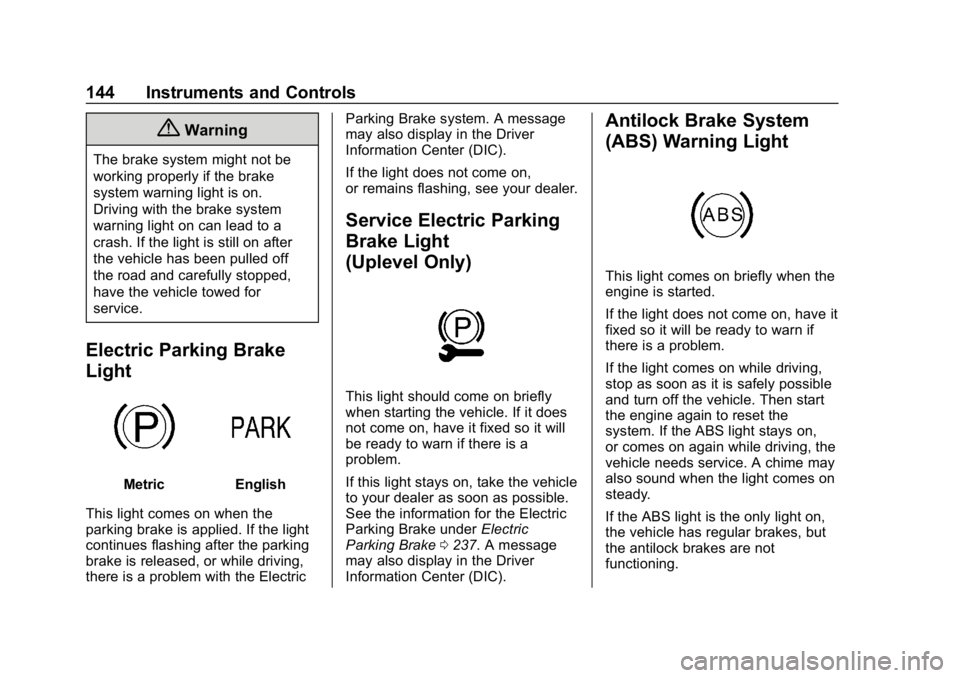
Light
MetricEnglish
This light comes on when the
parking brake is applied. If the light
continues flashing after the parking
brake is released, or while driving,
there is a problem with the Electric Parking Brake system. A message
may also display in the Driver
Information Center (DIC).
If the light does not come on,
or remains flashing, see your dealer.
Service Electric Parking
Brake Light
(Uplevel Only)
This light should come on briefly
when starting the vehicle. If it does
not come on, have it fixed so it will
be ready to warn if there is a
problem.
If this light stays on, take the vehicle
to your dealer as soon as possible.
See the information for the Electric
Parking Brake under
Electric
Parking Brake 0237. A message
may also display in the Driver
Information Center (DIC).
Antilock Brake System
(ABS) Warning Light
This light comes on briefly when the
engine is started.
If the light does not come on, have it
fixed so it will be ready to warn if
there is a problem.
If the light comes on while driving,
stop as soon as it is safely possible
and turn off the vehicle. Then start
the engine again to reset the
system. If the ABS light stays on,
or comes on again while driving, the
vehicle needs service. A chime may
also sound when the light comes on
steady.
If the ABS light is the only light on,
the vehicle has regular brakes, but
the antilock brakes are not
functioning.
Page 157 of 419
Chevrolet Traverse Owner Manual (GMNA-Localizing-U.S./Canada/Mexico-
10603118) - 2018 - CRC - 1/29/18
156 Instruments and Controls
.Auto Rear Defog
Auto Fan Speed
This setting specifies the amount of
airflow when the climate control fan
setting is Auto Fan.
Select Low, Medium, or High.
Auto Defog
When set to On, the front defog will
automatically react to temperature
and humidity conditions that may
cause fogging.
Select Off or On.
Auto Rear Defog
If equipped, this allows the Auto
Rear Defog to be turned on or off.
This feature will automatically turn
on the rear window defogger when it
is cold outside.
Select Off or On.
Collision/Detection Systems
Select the Collision/Detection
Systems menu and the following
may be displayed if equipped:
. Alert Type .
Forward Collision System
. Front Pedestrian Detection
. Park Assist
. Rear Cross Traffic Alert
. Adaptive Cruise Go Notifier
. Lane Change Alert
Alert Type
This feature will set crash alerts to
beeps or seat vibrations. This
setting affects all crash alerts
including Forward Collision, Lane
Departure Warning, Adaptive Cruise
Control, Parking Assist, and
Backing Warning alerts.
Select Beeps or Safety Alert Seat.
Forward Collision System
This feature will turn on or off the
Forward Collision Alert (FCA) and
Forward Automatic Braking (FAB).
The Off setting disables all FCA and
FAB functions. With the Alert and
Brake setting, both FCA and FAB
are available. The Alert setting
disables FAB. See Forward
Automatic Braking (FAB) 0261. Select Off, Alert, or Alert and Brake.
Front Pedestrian Detection
This feature may help avoid or
reduce the harm caused by
front-end crashes with nearby
pedestrians.
See
Front Pedestrian Braking (FPB)
System 0263.
Select Off, Alert, or Alert and Brake.
Park Assist
If equipped, this allows the feature
to be turned on or off. See
Assistance Systems for Parking or
Backing 0256.
Select Off or On.
Rear Cross Traffic Alert
This allows the Rear Cross Traffic
Alert feature to be turned on or off.
Select Off or On.
Adaptive Cruise Go Notifier
This feature will give a reminder that
Adaptive Cruise Control provides
when it has brought the vehicle to a
Page 208 of 419
Chevrolet Traverse Owner Manual (GMNA-Localizing-U.S./Canada/Mexico-
10603118) - 2018 - CRC - 1/29/18
Driving and Operating 207
Driving and
Operating
Driving Information
Distracted Driving . . . . . . . . . . . . 208
Defensive Driving . . . . . . . . . . . . . 209
Drunk Driving . . . . . . . . . . . . . . . . . 209
Control of a Vehicle . . . . . . . . . . . 209
Braking . . . . . . . . . . . . . . . . . . . . . . . 209
Steering . . . . . . . . . . . . . . . . . . . . . . 210
Off-Road Recovery . . . . . . . . . . . 210
Loss of Control . . . . . . . . . . . . . . . 211
Off-Road Driving . . . . . . . . . . . . . . 211
Driving on Wet Roads . . . . . . . . 216
Hill and Mountain Roads . . . . . 217
Winter Driving . . . . . . . . . . . . . . . . 217
If the Vehicle Is Stuck . . . . . . . . 219
Vehicle Load Limits . . . . . . . . . . . 219
Starting and Operating
New Vehicle Break-In . . . . . . . . . 223
Ignition Positions . . . . . . . . . . . . . 224
Starting the Engine . . . . . . . . . . . 225
Engine Heater . . . . . . . . . . . . . . . . 227
Retained AccessoryPower (RAP) . . . . . . . . . . . . . . . . 228
Shifting Into Park . . . . . . . . . . . . . 229
Shifting out of Park . . . . . . . . . . . 229 Parking over Things
That Burn . . . . . . . . . . . . . . . . . . . 230
Extended Parking . . . . . . . . . . . . 230
Engine Exhaust
Engine Exhaust . . . . . . . . . . . . . . 231
Running the Vehicle While Parked . . . . . . . . . . . . . . . . . . . . . . 231
Automatic Transmission
Automatic Transmission . . . . . . 232
Manual Mode . . . . . . . . . . . . . . . . . 234
Tow/Haul Mode . . . . . . . . . . . . . . . 235
Drive Systems
All-Wheel Drive . . . . . . . . . . . . . . . 235
Brakes
Antilock BrakeSystem (ABS) . . . . . . . . . . . . . . . 236
Electric Parking Brake . . . . . . . . 237
Brake Assist . . . . . . . . . . . . . . . . . . 238
Hill Start Assist (HSA) . . . . . . . . 239
Ride Control Systems
Traction Control/Electronic Stability Control . . . . . . . . . . . . . 239
Driver Mode Control . . . . . . . . . . 241
Cruise Control
Cruise Control . . . . . . . . . . . . . . . . 244
Adaptive Cruise Control . . . . . . 246
Driver Assistance Systems
Driver Assistance Systems . . . 255
Assistance Systems for Parking or Backing . . . . . . . . . . 256
Assistance Systems for Driving . . . . . . . . . . . . . . . . . . . . . . 259
Forward Collision Alert (FCA) System . . . . . . . . . . . . . . . . . . . . . . 259
Forward Automatic Braking (FAB) . . . . . . . . . . . . . . . 261
Front Pedestrian Braking (FPB) System . . . . . . . . . . . . . . . 263
Side Blind Zone Alert (SBZA) . . . . . . . . . . . . . . . . 265
Lane Change Alert (LCA) . . . . . 265
Lane Departure Warning (LDW) . . . . . . . . . . . . . 267
Lane Keep Assist (LKA) . . . . . . 267
Fuel
Fuel . . . . . . . . . . . . . . . . . . . . . . . . . . 269
California Fuel Requirements . . . . . . . . . . . . . . . 270
Fuels in Foreign Countries . . . 270
Fuel Additives . . . . . . . . . . . . . . . . 270
Filling the Tank . . . . . . . . . . . . . . . 271
Filling a Portable Fuel Container . . . . . . . . . . . . . . . . . . . 272
Page 214 of 419
Chevrolet Traverse Owner Manual (GMNA-Localizing-U.S./Canada/Mexico-
10603118) - 2018 - CRC - 1/29/18
Driving and Operating 213
.Do not park over things that
burn. See Parking over Things
That Burn 0230.
Driving on Hills
Driving safely on hills requires good
judgment and an understanding of
what the vehicle can and cannot do.
{Warning
Many hills are simply too steep
for any vehicle. Driving up hills
can cause the vehicle to stall.
Driving down hills can cause loss
of control. Driving across hills can
cause a rollover. You could be
injured or killed. Do not drive on
steep hills.
Before driving on a hill, assess the
steepness, traction, and
obstructions. If the terrain ahead
cannot be seen, get out of the
vehicle and walk the hill before
driving further. When driving on hills:
.
Use a low gear and keep a firm
grip on the steering wheel.
. Maintain a slow speed.
. When possible, drive straight up
or down the hill.
. Slow down when approaching
the top of the hill.
. Use headlamps even during the
day to make the vehicle more
visible.
{Warning
Driving to the top of a hill at high
speed can cause an accident.
There could be a drop-off,
embankment, cliff, or even
another vehicle. You could be
seriously injured or killed. As you
near the top of a hill, slow down
and stay alert. .
Never go downhill forward or
backward with the transmission
in N (Neutral). The brakes could
overheat and you could lose
control.
. When driving down a hill, keep
the vehicle headed straight
down. Use a low gear because
the engine will work with the
brakes to slow the vehicle and
help keep the vehicle under
control.
{Warning
Heavy braking when going down
a hill can cause your brakes to
overheat and fade. This could
cause loss of control and you or
others could be injured or killed.
Apply the brakes lightly when
descending a hill and use a low
gear to keep vehicle speed under
control.
Page 215 of 419
Chevrolet Traverse Owner Manual (GMNA-Localizing-U.S./Canada/Mexico-
10603118) - 2018 - CRC - 1/29/18
214 Driving and Operating
If the vehicle stalls on a hill:1. Apply the brakes to stop the vehicle, and then apply the
parking brake.
2. Shift into P (Park) and then restart the engine.
.If driving uphill when the
vehicle stalls, shift to
R (Reverse), release the
parking brake, and back
straight down.
. Never try to turn the vehicle
around. If the hill is steep
enough to stall the vehicle,
it is steep enough to cause
it to roll over.
. If you cannot make it up the
hill, back straight down
the hill.
. Never back down a hill in
N (Neutral) using only the
brake.
. The vehicle can roll
backward quickly and you
could lose control. .
If driving downhill when the
vehicle stalls, shift to a
lower gear, release the
parking brake, and drive
straight down the hill.
3. If the vehicle cannot be restarted after stalling, set the
parking brake, shift an
automatic transmission into
P (Park), and turn the
vehicle off.
3.1. Leave the vehicle and seek help.
3.2. Stay clear of the path the vehicle would take if it
rolled downhill.
. Avoid turns that take the vehicle
across the incline of the hill.
A hill that can be driven straight
up or down might be too steep to
drive across. Driving across an
incline puts more weight on the
downhill wheels which could
cause a downhill slide or a
rollover.
. Surface conditions can be a
problem. Loose gravel, muddy
spots, or even wet grass can cause the tires to slip sideways,
downhill. If the vehicle slips
sideways, it can hit something
that will trip it
–a rock, a rut, etc.
– and roll over.
. Hidden obstacles can make the
steepness of the incline more
severe. If a rock is driven across
with the uphill wheels, or if the
downhill wheels drop into a rut
or depression, the vehicle can tilt
even more.
. If an incline must be driven
across, and the vehicle starts to
slide, turn downhill. This should
help straighten out the vehicle
and prevent the side slipping.
{Warning
Getting out of the vehicle on the
downhill side when stopped
across an incline is dangerous.
If the vehicle rolls over, you could
be crushed or killed. Always get
out on the uphill side of the
vehicle and stay well clear of the
rollover path.
Page 226 of 419
Chevrolet Traverse Owner Manual (GMNA-Localizing-U.S./Canada/Mexico-
10603118) - 2018 - CRC - 1/29/18
Driving and Operating 225
4. Set the parking brake. SeeElectric Parking Brake 0237.
{Warning
Turning off the vehicle while
moving may cause loss of power
assist in the brake and steering
systems and disable the airbags.
While driving, only shut the
vehicle off in an emergency.
If the vehicle cannot be pulled over,
and must be shut off while driving,
press and hold ENGINE START/
STOP for longer than two seconds,
or press twice in five seconds.
ACC/ACCESSORY (Amber
Indicator Light) : This mode allows
some electrical accessories to be
used when the engine is off.
With the ignition off, pressing the
button one time without the brake
pedal applied will place the ignition
system in ACC/ACCESSORY. The ignition will switch from ACC/
ACCESSORY to OFF after
five minutes to prevent battery
rundown.
ON/RUN/START (Green Indicator
Light) :
This mode is for driving and
starting. With the ignition off, and
the brake pedal applied, pressing
the button once will place the
ignition system in ON/RUN/START.
Once engine cranking begins,
release the button. Engine cranking
will continue until the engine starts.
See Starting the Engine 0225. The
ignition will then remain in ON/RUN.
Service Mode
This power mode is available for
service and diagnostics, and to
verify the proper operation of the
malfunction indicator lamp as may
be required for emission inspection
purposes. With the vehicle off, and
the brake pedal not applied,
pressing and holding ENGINE
START/STOP for more than
five seconds will place the vehicle in
Service Mode. The instruments and
audio systems will operate as they
do in ON/RUN, but the vehicle will not be able to be driven. The engine
will not start in Service Mode. Press
the button again to turn the
vehicle off.Starting the Engine
Move the shift lever to P (Park) or
N (Neutral). The engine will not start
in any other position. To restart the
engine when the vehicle is already
moving, use N (Neutral) only.
Caution
Do not try to shift to P (Park) if the
vehicle is moving. If you do, you
could damage the transmission.
Shift to P (Park) only when the
vehicle is stopped.
Caution
If you add electrical parts or
accessories, you could change
the way the engine operates. Any
resulting damage would not be
(Continued)