ANC CHEVROLET TRAVERSE 2019 Owners Manual
[x] Cancel search | Manufacturer: CHEVROLET, Model Year: 2019, Model line: TRAVERSE, Model: CHEVROLET TRAVERSE 2019Pages: 428, PDF Size: 6.28 MB
Page 239 of 428
Chevrolet Traverse Owner Manual (GMNA-Localizing-U.S./Canada/Mexico-
12146157) - 2019 - CRC - 10/31/18
238 Driving and Operating
If driving safely on a wet road and it
becomes necessary to slam on the
brakes and continue braking to
avoid a sudden obstacle, a
computer senses the wheels are
slowing down. If one of the wheels
is about to stop rolling, the computer
will separately work the brakes at
each wheel.
ABS can change the brake pressure
to each wheel, as required, faster
than any driver could. This can help
you steer around the obstacle while
braking hard.
As the brakes are applied, the
computer keeps receiving updates
on wheel speed and controls
braking pressure accordingly.
Remember: ABS does not change
the time needed to get a foot up to
the brake pedal or always decrease
stopping distance. If you get too
close to the vehicle in front of you,
there will not be enough time to
apply the brakes if that vehicle
suddenly slows or stops. Always
leave enough room up ahead to
stop, even with ABS.Using ABS
Do not pump the brakes. Just hold
the brake pedal down firmly and let
ABS work. You may hear the ABS
pump or motor operating and feel
the brake pedal pulsate. This is
normal.
Braking in Emergencies
ABS allows you to steer and brake
at the same time. In many
emergencies, steering can help
more than even the very best
braking.
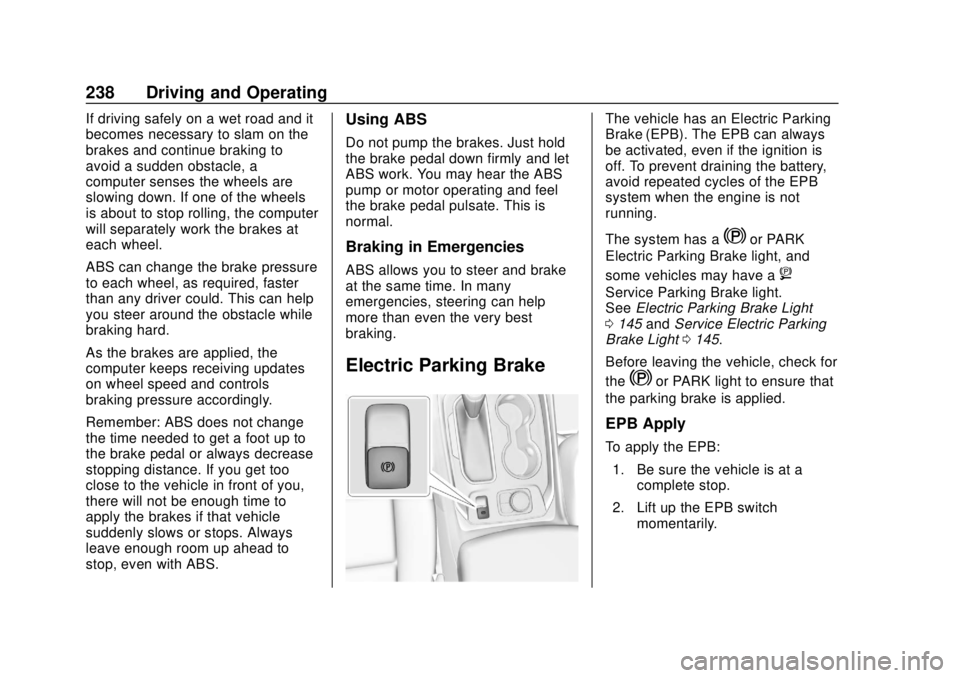
Electric Parking Brake
The vehicle has an Electric Parking
Brake (EPB). The EPB can always
be activated, even if the ignition is
off. To prevent draining the battery,
avoid repeated cycles of the EPB
system when the engine is not
running.
The system has a
Yor PARK
Electric Parking Brake light, and
some vehicles may have a
8
Service Parking Brake light.
See Electric Parking Brake Light
0 145 andService Electric Parking
Brake Light 0145.
Before leaving the vehicle, check for
the
Yor PARK light to ensure that
the parking brake is applied.
EPB Apply
To apply the EPB:
1. Be sure the vehicle is at a complete stop.
2. Lift up the EPB switch momentarily.
Page 243 of 428
Chevrolet Traverse Owner Manual (GMNA-Localizing-U.S./Canada/Mexico-
12146157) - 2019 - CRC - 10/31/18
242 Driving and Operating
2. Turn the engine off and wait15 seconds.
3. Start the engine.
4. Drive the vehicle.
If
dcomes on and stays on, see
your dealer.
Turning the Systems Off
and On
Caution
Do not repeatedly brake or
accelerate heavily when TCS is
off. The vehicle driveline could be
damaged.
To turn off only TCS, press and
release
gon the center console.
The Traction Off light
idisplays in
the instrument cluster. To turn TCS on again, press and
release
g. The Traction Off lighti
displayed in the instrument cluster
will turn off.
If TCS is limiting wheel spin when
g
is pressed, the system will not turn
off until the wheels stop spinning.
To turn off both TCS and StabiliTrak/
ESC, press and hold
guntil the
Traction Off light
iand StabiliTrak/
ESC OFF light
gcome on and stay
on in the instrument cluster.
To turn TCS and StabiliTrak/ESC on
again, press and release
g. The
Traction Off light
iand StabiliTrak/
ESC OFF light
gin the instrument
cluster turn off.
Adding accessories can affect the
vehicle performance. See
Accessories and Modifications
0 291.
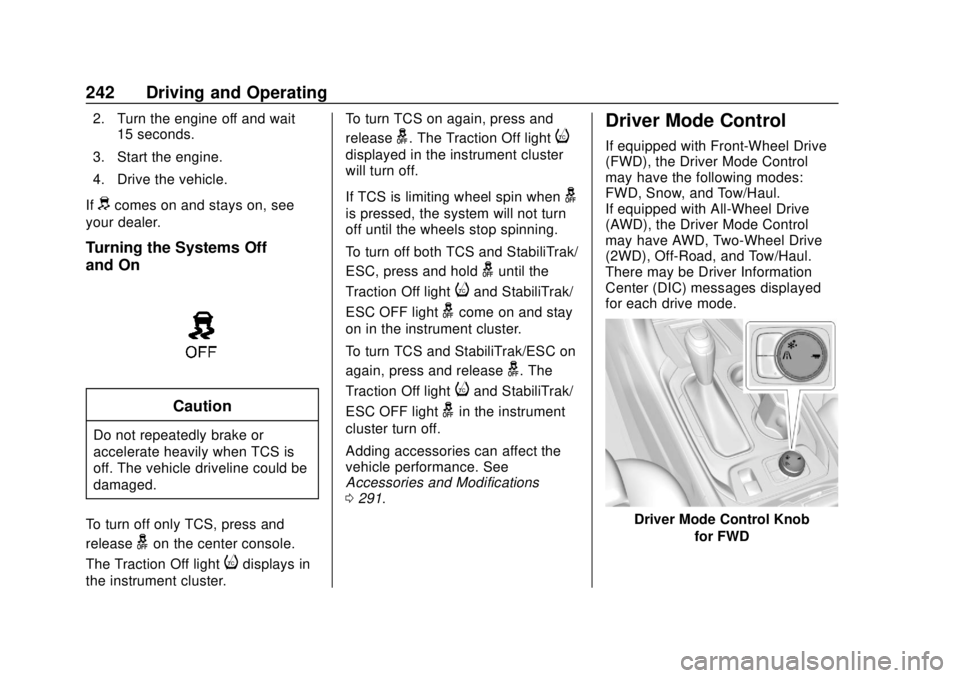
Driver Mode Control
If equipped with Front-Wheel Drive
(FWD), the Driver Mode Control
may have the following modes:
FWD, Snow, and Tow/Haul.
If equipped with All-Wheel Drive
(AWD), the Driver Mode Control
may have AWD, Two-Wheel Drive
(2WD), Off-Road, and Tow/Haul.
There may be Driver Information
Center (DIC) messages displayed
for each drive mode.
Driver Mode Control Knob
for FWD
Page 244 of 428
Chevrolet Traverse Owner Manual (GMNA-Localizing-U.S./Canada/Mexico-
12146157) - 2019 - CRC - 10/31/18
Driving and Operating 243
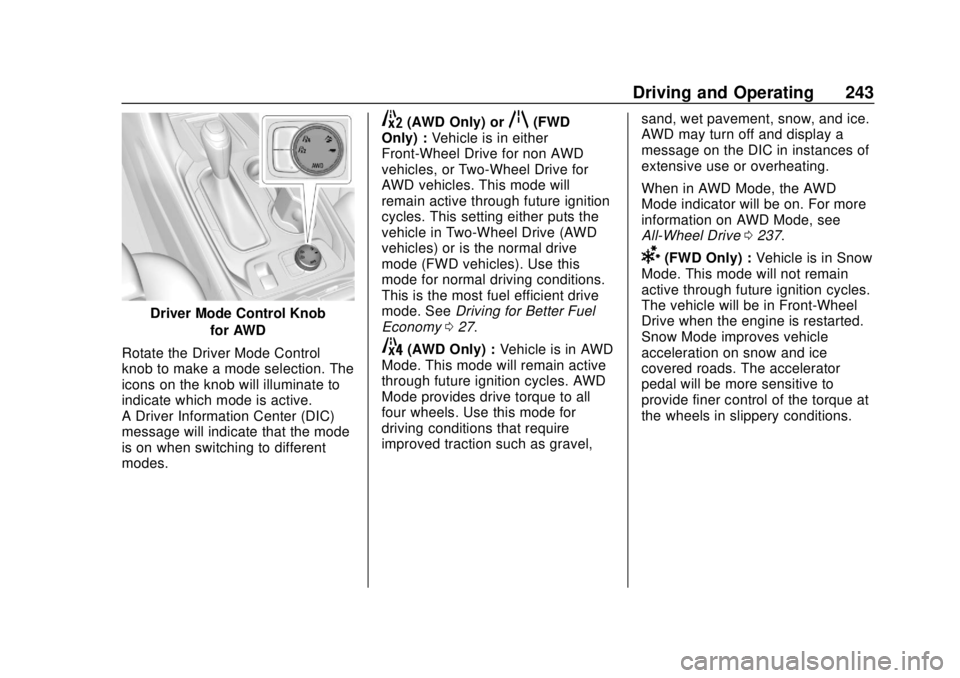
Driver Mode Control Knobfor AWD
Rotate the Driver Mode Control
knob to make a mode selection. The
icons on the knob will illuminate to
indicate which mode is active.
A Driver Information Center (DIC)
message will indicate that the mode
is on when switching to different
modes.
5(AWD Only) orq(FWD
Only) : Vehicle is in either
Front-Wheel Drive for non AWD
vehicles, or Two-Wheel Drive for
AWD vehicles. This mode will
remain active through future ignition
cycles. This setting either puts the
vehicle in Two-Wheel Drive (AWD
vehicles) or is the normal drive
mode (FWD vehicles). Use this
mode for normal driving conditions.
This is the most fuel efficient drive
mode. See Driving for Better Fuel
Economy 027.
4(AWD Only) : Vehicle is in AWD
Mode. This mode will remain active
through future ignition cycles. AWD
Mode provides drive torque to all
four wheels. Use this mode for
driving conditions that require
improved traction such as gravel, sand, wet pavement, snow, and ice.
AWD may turn off and display a
message on the DIC in instances of
extensive use or overheating.
When in AWD Mode, the AWD
Mode indicator will be on. For more
information on AWD Mode, see
All-Wheel Drive
0237.
6(FWD Only) : Vehicle is in Snow
Mode. This mode will not remain
active through future ignition cycles.
The vehicle will be in Front-Wheel
Drive when the engine is restarted.
Snow Mode improves vehicle
acceleration on snow and ice
covered roads. The accelerator
pedal will be more sensitive to
provide finer control of the torque at
the wheels in slippery conditions.
Page 245 of 428
Chevrolet Traverse Owner Manual (GMNA-Localizing-U.S./Canada/Mexico-
12146157) - 2019 - CRC - 10/31/18
244 Driving and Operating
7(AWD Only) :Vehicle is in
Off-Road Mode. This mode will not
remain active through future ignition
cycles. The vehicle will be in
Two-Wheel Drive when the engine
is restarted. This mode will
automatically activate AWD. The
accelerator pedal will be more
sensitive to provide finer control of
the torque at the wheels.
StabiliTrak/ESC, ABS, and TCS will
change for optimal off-road
performance. Use this mode for
public off-road recreational driving.
See Off-Road Driving 0212._Tow/Haul : Vehicle is in Tow/
Haul Mode. This mode will not
remain active through future ignition
cycles. The vehicle will be in
Front-Wheel Drive or Two-Wheel
Drive when the engine is restarted.
This mode will automatically
activate AWD. See All-Wheel Drive
0 237. The transmission holds lower
gears longer before shifting to
provide more torque necessary
when towing heavy loads. This will also increase fuel consumption. Use
this mode to assist in maintaining
desired vehicle speeds when driving
on downhill grades by using the
engine and transmission to slow the
vehicle. This helps prevent the
brakes from overheating. For more
information, see
Tow/Haul Mode
0 236.
Page 250 of 428
Chevrolet Traverse Owner Manual (GMNA-Localizing-U.S./Canada/Mexico-
12146157) - 2019 - CRC - 10/31/18
Driving and Operating 249
Warning (Continued)
this section. Complete attention is
always required while driving and
you should be ready to take
action and apply the brakes. See
Defensive Driving0210.
{Warning
ACC will not detect or brake for
children, pedestrians, animals,
or other objects.
Do not use ACC when:
. On winding and hilly roads
or when the sensors are
blocked by snow, ice, or dirt.
The system may not detect
a vehicle ahead. Keep the
entire front of the vehicle
clean.
(Continued)
Warning (Continued)
.Visibility is low, such as in
fog, rain, or snow
conditions. ACC
performance is limited under
these conditions.
. On slippery roads where
fast changes in tire traction
can cause excessive
wheel slip.
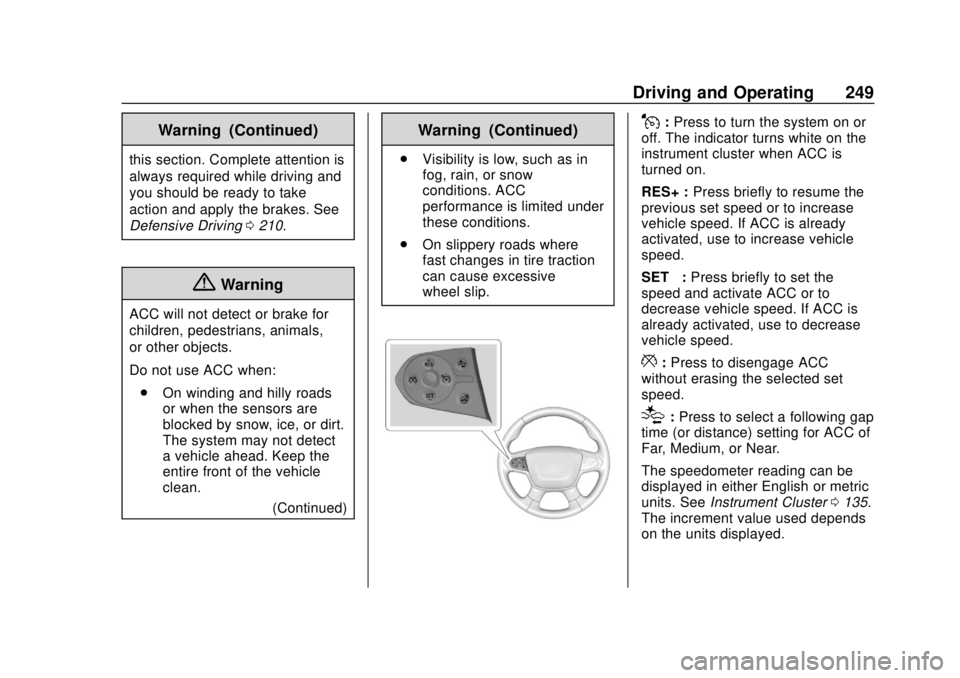
J:Press to turn the system on or
off. The indicator turns white on the
instrument cluster when ACC is
turned on.
RES+ : Press briefly to resume the
previous set speed or to increase
vehicle speed. If ACC is already
activated, use to increase vehicle
speed.
SET– :Press briefly to set the
speed and activate ACC or to
decrease vehicle speed. If ACC is
already activated, use to decrease
vehicle speed.
*: Press to disengage ACC
without erasing the selected set
speed.
[: Press to select a following gap
time (or distance) setting for ACC of
Far, Medium, or Near.
The speedometer reading can be
displayed in either English or metric
units. See Instrument Cluster 0135.
The increment value used depends
on the units displayed.
Page 253 of 428
Chevrolet Traverse Owner Manual (GMNA-Localizing-U.S./Canada/Mexico-
12146157) - 2019 - CRC - 10/31/18
252 Driving and Operating
Pressing RES+ when there is no
longer a vehicle ahead will
cause ACC to resume.
Reducing Speed While ACC Is at a
Set Speed
Do one of the following:
. Use the brake to get to the
desired lower speed. Release
the brake and press SET–. The
vehicle will now cruise at the
lower speed.
. Press and hold SET– until the
desired lower speed is reached,
then release it.
. To decrease the vehicle speed in
smaller increments, press SET−.
For each press, the vehicle goes
about 1 km/h (1 mph) slower.
. To decrease speed while the
vehicle is stopped, press SET−
until the desired set speed is
displayed.
Selecting the Follow Distance Gap
When a slower moving vehicle is
detected ahead within the selected
following gap, ACC will adjust the vehicle's speed and attempt to
maintain the follow distance gap
selected.
Press
[on the steering wheel to
adjust the following gap. Each press
cycles the gap button through three
settings: Far, Medium, or Near.
When pressed, the current gap
setting displays briefly on the
instrument cluster. The gap setting
will be maintained until it is
changed.
Since each gap setting corresponds
to a following time (Far, Medium,
or Near), the following distance will
vary based on vehicle speed. The
faster the vehicle speed, the further
back your vehicle will follow a
vehicle detected ahead. Consider
traffic and weather conditions when
selecting the following gap. The
range of selectable gaps may not be
appropriate for all drivers and
driving conditions.
Changing the gap setting
automatically changes the alert
timing sensitivity (Far, Medium, or Near) for the Forward Collision
Alert (FCA) feature. See
Forward
Collision Alert (FCA) System 0261.
Alerting the Driver
If ACC is engaged, driver action
may be required when ACC cannot
apply sufficient braking because of
approaching a vehicle too rapidly.
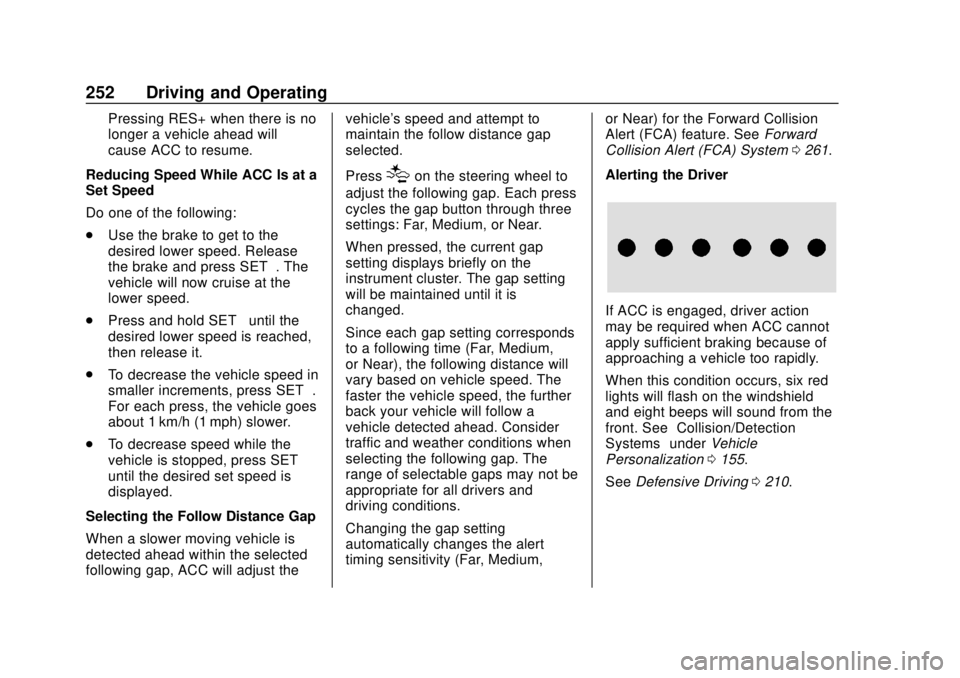
When this condition occurs, six red
lights will flash on the windshield
and eight beeps will sound from the
front. See “Collision/Detection
Systems” underVehicle
Personalization 0155.
See Defensive Driving 0210.
Page 255 of 428
Chevrolet Traverse Owner Manual (GMNA-Localizing-U.S./Canada/Mexico-
12146157) - 2019 - CRC - 10/31/18
254 Driving and Operating
Notification to Resume ACC
ACC will maintain a follow gap
behind a detected vehicle and slow
your vehicle to a stop behind that
vehicle.
If the stopped vehicle ahead has
driven away and ACC has not
resumed, the vehicle ahead
indicator will flash and three beeps
will sound as a reminder to check
traffic ahead before proceeding. See
“Adaptive Cruise Go Notifier”in
“Collision/Detection Systems” under
Vehicle Personalization 0155.
When the vehicle ahead drives
away, press RES+ or the
accelerator pedal to resume ACC.
If stopped for more than
two minutes or if the driver door is
opened and the driver seat belt is
unbuckled, the ACC automatically
applies the Electric Parking Brake
(EPB) to hold the vehicle. The
Electric Parking Brake status light
will turn on. See Electric Parking
Brake 0238. To resume ACC and
release the EPB, press the
accelerator pedal. A DIC warning message may
display indicating to shift to P (Park)
before exiting the vehicle. See
Vehicle Messages
0154.
{Warning
If ACC has stopped the vehicle,
and if ACC is disengaged, turned
off, or canceled, the vehicle will
no longer be held at a stop. The
vehicle can move. When ACC is
holding the vehicle at a stop,
always be prepared to manually
apply the brakes.
{Warning
Leaving the vehicle without
placing it in P (Park) can be
dangerous. Do not leave the
vehicle while it is being held at a
stop by ACC. Always place the
vehicle in P (Park) and turn off
the ignition before leaving the
vehicle. ACC Override
If using the accelerator pedal while
ACC is active, the ACC indicator
turns blue on the instrument cluster.
ACC will resume operation when the
accelerator pedal is not being
pressed.
{Warning
The ACC will not automatically
apply the brakes if your foot is
resting on the accelerator pedal.
You could crash into a vehicle
ahead of you.
Curves in the Road
{Warning
On curves, ACC may not detect a
vehicle ahead in your lane. You
could be startled if the vehicle
accelerates up to the set speed,
especially when following a
vehicle exiting or entering exit
ramps. You could lose control of (Continued)
Page 256 of 428
Chevrolet Traverse Owner Manual (GMNA-Localizing-U.S./Canada/Mexico-
12146157) - 2019 - CRC - 10/31/18
Driving and Operating 255
Warning (Continued)
the vehicle or crash. Do not use
ACC while driving on an entrance
or exit ramp. Always be ready to
use the brakes if necessary.
{Warning
On curves, ACC may respond to
a vehicle in another lane, or may
not have time to react to a vehicle
in your lane. You could crash into
a vehicle ahead of you, or lose
control of your vehicle. Give extra
attention in curves and be ready
to use the brakes if necessary.
Select an appropriate speed while
driving in curves.
ACC may operate differently in a
sharp curve. It may reduce the
vehicle speed if the curve is too
sharp.
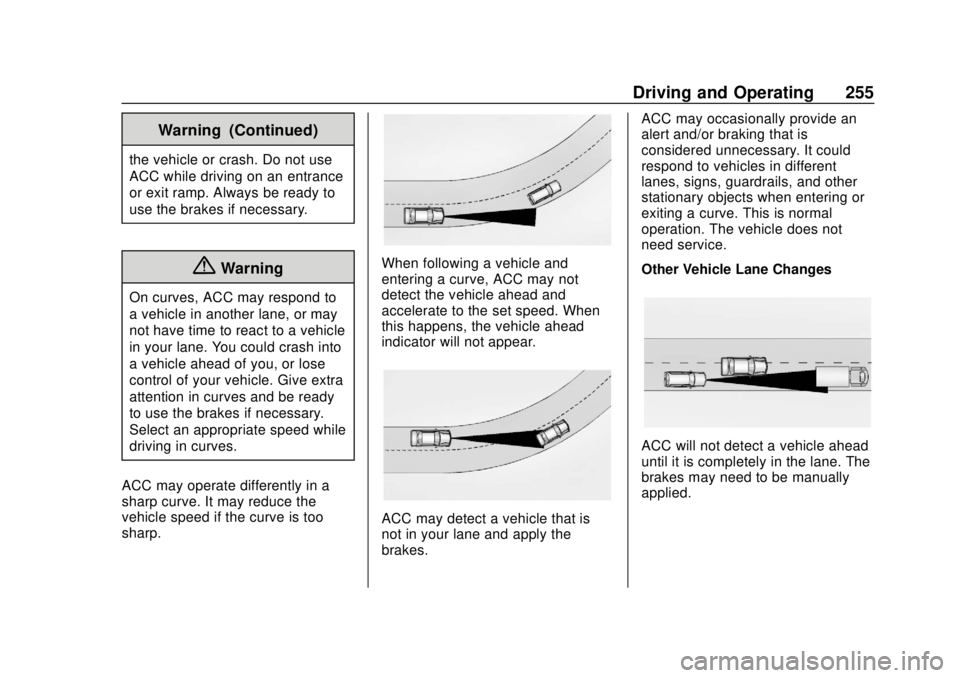
When following a vehicle and
entering a curve, ACC may not
detect the vehicle ahead and
accelerate to the set speed. When
this happens, the vehicle ahead
indicator will not appear.
ACC may detect a vehicle that is
not in your lane and apply the
brakes. ACC may occasionally provide an
alert and/or braking that is
considered unnecessary. It could
respond to vehicles in different
lanes, signs, guardrails, and other
stationary objects when entering or
exiting a curve. This is normal
operation. The vehicle does not
need service.
Other Vehicle Lane Changes
ACC will not detect a vehicle ahead
until it is completely in the lane. The
brakes may need to be manually
applied.
Page 257 of 428
Chevrolet Traverse Owner Manual (GMNA-Localizing-U.S./Canada/Mexico-
12146157) - 2019 - CRC - 10/31/18
256 Driving and Operating
Do Not Use ACC on Hills and
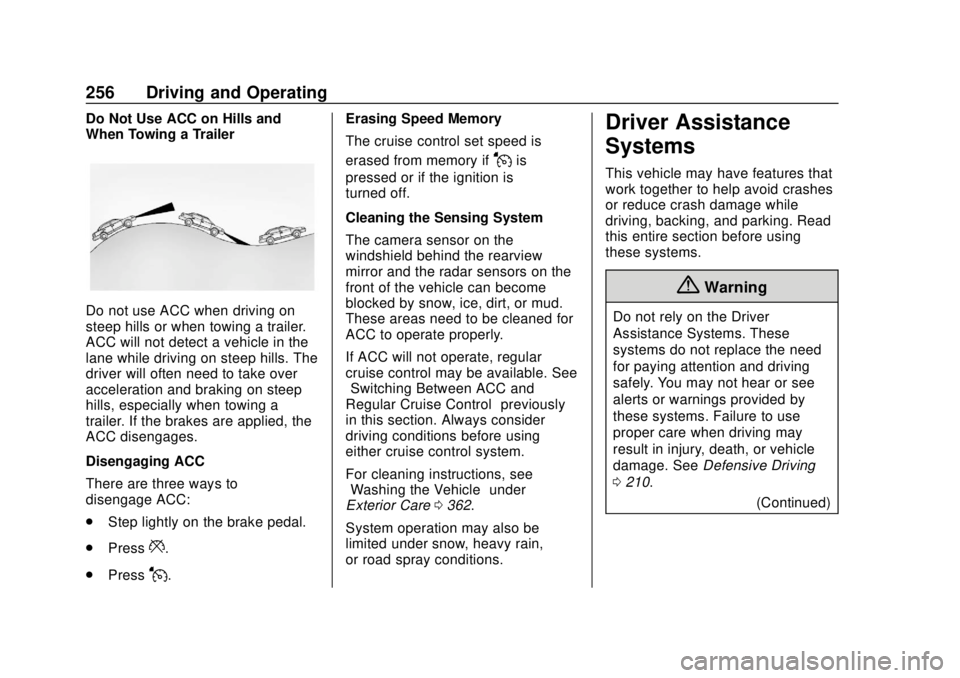
When Towing a Trailer
Do not use ACC when driving on
steep hills or when towing a trailer.
ACC will not detect a vehicle in the
lane while driving on steep hills. The
driver will often need to take over
acceleration and braking on steep
hills, especially when towing a
trailer. If the brakes are applied, the
ACC disengages.
Disengaging ACC
There are three ways to
disengage ACC:
.Step lightly on the brake pedal.
. Press
*.
. Press
J. Erasing Speed Memory
The cruise control set speed is
erased from memory if
Jis
pressed or if the ignition is
turned off.
Cleaning the Sensing System
The camera sensor on the
windshield behind the rearview
mirror and the radar sensors on the
front of the vehicle can become
blocked by snow, ice, dirt, or mud.
These areas need to be cleaned for
ACC to operate properly.
If ACC will not operate, regular
cruise control may be available. See
“Switching Between ACC and
Regular Cruise Control” previously
in this section. Always consider
driving conditions before using
either cruise control system.
For cleaning instructions, see
“Washing the Vehicle” under
Exterior Care 0362.
System operation may also be
limited under snow, heavy rain,
or road spray conditions.
Driver Assistance
Systems
This vehicle may have features that
work together to help avoid crashes
or reduce crash damage while
driving, backing, and parking. Read
this entire section before using
these systems.
{Warning
Do not rely on the Driver
Assistance Systems. These
systems do not replace the need
for paying attention and driving
safely. You may not hear or see
alerts or warnings provided by
these systems. Failure to use
proper care when driving may
result in injury, death, or vehicle
damage. See Defensive Driving
0 210.
(Continued)
Page 258 of 428
Chevrolet Traverse Owner Manual (GMNA-Localizing-U.S./Canada/Mexico-
12146157) - 2019 - CRC - 10/31/18
Driving and Operating 257
Warning (Continued)
Under many conditions, these
systems will not:. Detect children,
pedestrians, bicyclists,
or animals.
. Detect vehicles or objects
outside the area monitored
by the system.
. Work at all driving speeds.
. Warn you or provide you
with enough time to avoid a
crash.
. Work under poor visibility or
bad weather conditions.
. Work if the detection sensor
is not cleaned or is covered
by ice, snow, mud, or dirt.
. Work if the detection sensor
is covered up, such as with
a sticker, magnet, or metal
plate.
(Continued)
Warning (Continued)
.Work if the area surrounding
the detection sensor is
damaged or not properly
repaired.
Complete attention is always
required while driving, and you
should be ready to take action
and apply the brakes and/or steer
the vehicle to avoid crashes.
Audible Alert
Some driver assistance features
alert the driver of obstacles by
beeping. To change the volume of
the warning chime, see “Comfort
and Convenience” underVehicle
Personalization 0155.
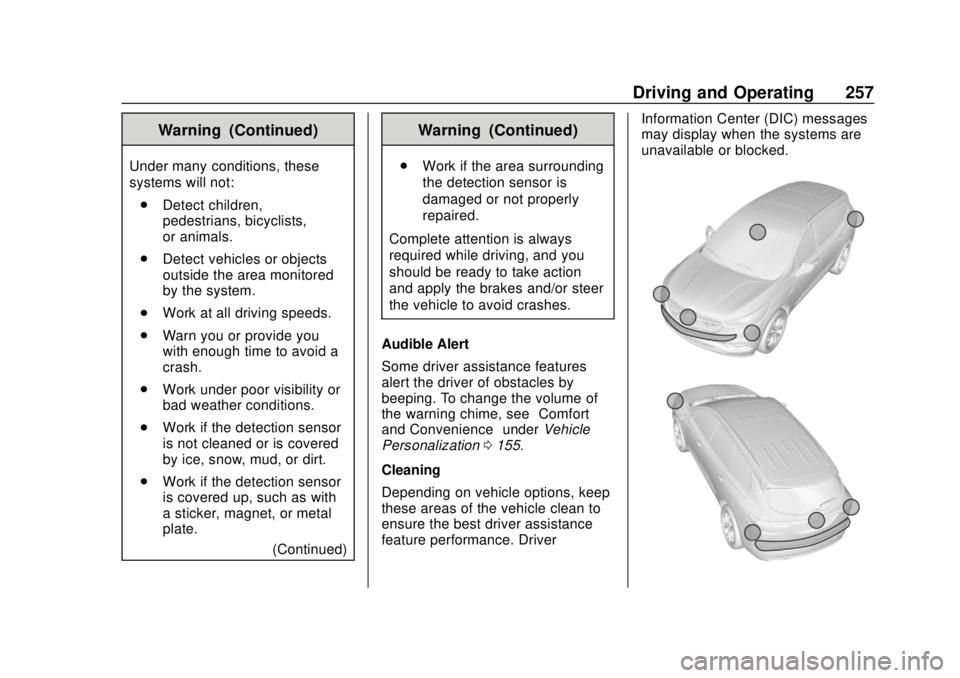
Cleaning
Depending on vehicle options, keep
these areas of the vehicle clean to
ensure the best driver assistance
feature performance. Driver Information Center (DIC) messages
may display when the systems are
unavailable or blocked.