engine light CHEVROLET TRAVERSE 2019 Owner's Manual
[x] Cancel search | Manufacturer: CHEVROLET, Model Year: 2019, Model line: TRAVERSE, Model: CHEVROLET TRAVERSE 2019Pages: 428, PDF Size: 6.28 MB
Page 4 of 428
Chevrolet Traverse Owner Manual (GMNA-Localizing-U.S./Canada/Mexico-
12146157) - 2019 - CRC - 10/31/18
Introduction 3
Danger, Warning, and
Caution
Warning messages found on vehicle
labels and in this manual describe
hazards and what to do to avoid or
reduce them.
{Danger
Danger indicates a hazard with a
high level of risk which will result
in serious injury or death.
{Warning
Warning indicates a hazard that
could result in injury or death.
Caution
Caution indicates a hazard that
could result in property or vehicle
damage.
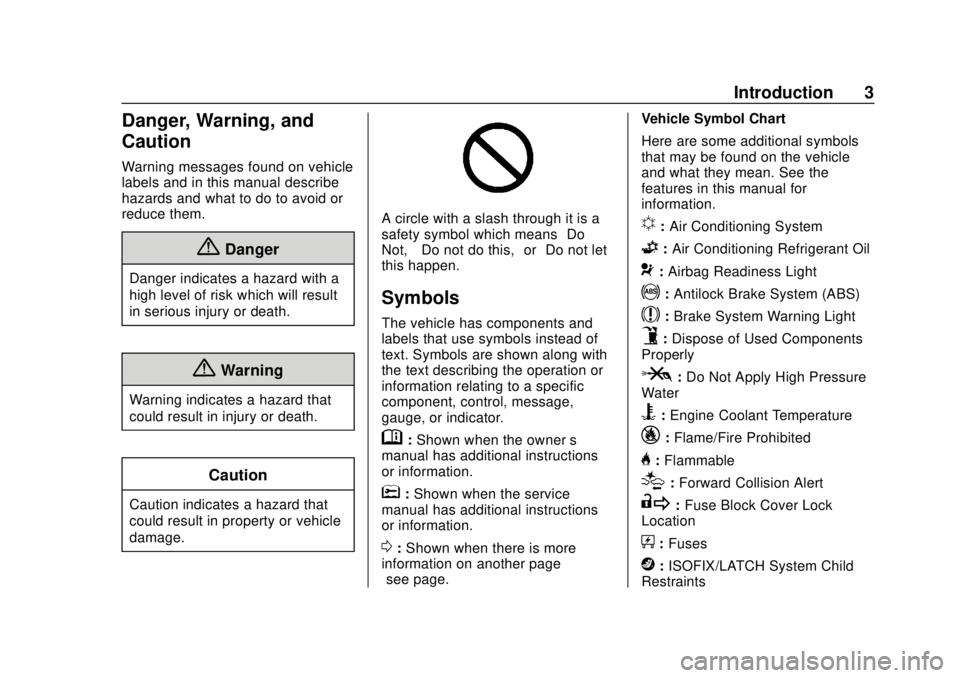
A circle with a slash through it is a
safety symbol which means“Do
Not,” “Do not do this,” or“Do not let
this happen.”
Symbols
The vehicle has components and
labels that use symbols instead of
text. Symbols are shown along with
the text describing the operation or
information relating to a specific
component, control, message,
gauge, or indicator.
M: Shown when the owner ’s
manual has additional instructions
or information.
*: Shown when the service
manual has additional instructions
or information.
0: Shown when there is more
information on another page —
“see page.” Vehicle Symbol Chart
Here are some additional symbols
that may be found on the vehicle
and what they mean. See the
features in this manual for
information.
u:
Air Conditioning System
G:Air Conditioning Refrigerant Oil
9:Airbag Readiness Light
!:Antilock Brake System (ABS)
$:Brake System Warning Light
9:Dispose of Used Components
Properly
P: Do Not Apply High Pressure
Water
B: Engine Coolant Temperature
_: Flame/Fire Prohibited
H:Flammable
[:Forward Collision Alert
R: Fuse Block Cover Lock
Location
+: Fuses
j:ISOFIX/LATCH System Child
Restraints
Page 6 of 428
Chevrolet Traverse Owner Manual (GMNA-Localizing-U.S./Canada/Mexico-
12146157) - 2019 - CRC - 10/31/18
In Brief 5
In Brief
Instrument Panel
Instrument Panel . . . . . . . . . . . . . . . . 6
Initial Drive Information
Initial Drive Information . . . . . . . . . . 8
Stop/Start System . . . . . . . . . . . . . . . 8
Remote Keyless Entry (RKE)System . . . . . . . . . . . . . . . . . . . . . . . . 8
Remote Vehicle Start . . . . . . . . . . . 9
Door Locks . . . . . . . . . . . . . . . . . . . . . 9
Liftgate . . . . . . . . . . . . . . . . . . . . . . . . 10
Windows . . . . . . . . . . . . . . . . . . . . . . . 11
Seat Adjustment . . . . . . . . . . . . . . . 11
Memory Features . . . . . . . . . . . . . . 12
Heated and Ventilated Seats . . . 13
Head Restraint Adjustment . . . . 13
Seat Belts . . . . . . . . . . . . . . . . . . . . . 14
Passenger Sensing System . . . 14
Mirror Adjustment . . . . . . . . . . . . . . 14
Steering Wheel Adjustment . . . . 15
Interior Lighting . . . . . . . . . . . . . . . . 16
Exterior Lighting . . . . . . . . . . . . . . . 17
Windshield Wiper/Washer . . . . . . 17
Climate Controls . . . . . . . . . . . . . . . 18
Transmission . . . . . . . . . . . . . . . . . . 18
Vehicle Features
Infotainment System . . . . . . . . . . . 19
Radio(s) . . . . . . . . . . . . . . . . . . . . . . . 19
Satellite Radio . . . . . . . . . . . . . . . . . 20
Portable Audio Devices . . . . . . . . 20
Bluetooth . . . . . . . . . . . . . . . . . . . . . . 20
Steering Wheel Controls . . . . . . . 20
Cruise Control . . . . . . . . . . . . . . . . . 21
Driver Information Center (DIC) . . . . . . . . . . . . . . . . . 22
Forward Collision Alert (FCA) System . . . . . . . . . . . . . . . . . . . . . . . 22
Forward Automatic Braking (FAB) . . . . . . . . . . . . . . . . 22
Front Pedestrian Braking (FPB) System . . . . . . . . . . . . . . . . . . . . . . . 23
Lane Keep Assist (LKA) . . . . . . . 23
Lane Change Alert (LCA) . . . . . . 23
Surround Vision . . . . . . . . . . . . . . . 23
Rear Vision Camera (RVC) . . . . 24
Rear Cross Traffic Alert (RCTA) System . . . . . . . . . . . . . . . . . . . . . . . 24
Park Assist . . . . . . . . . . . . . . . . . . . . 24
Power Outlets . . . . . . . . . . . . . . . . . 24
Universal Remote System . . . . . 24
Sunroof . . . . . . . . . . . . . . . . . . . . . . . . 25
Performance and Maintenance
Traction Control/Electronic Stability Control . . . . . . . . . . . . . . 25 Tire Pressure Monitor . . . . . . . . . . 26
Fuel (2.0L L4 Engine) . . . . . . . . . . 26
Fuel (3.6L V6 Engine) . . . . . . . . . . 26
E85 or FlexFuel . . . . . . . . . . . . . . . . 27
Engine Oil Life System . . . . . . . . 27
Driving for Better Fuel
Economy . . . . . . . . . . . . . . . . . . . . . 27
Roadside Assistance Program . . . . . . . . . . . . . . . . . . . . . . 28
Page 8 of 428

Chevrolet Traverse Owner Manual (GMNA-Localizing-U.S./Canada/Mexico-
12146157) - 2019 - CRC - 10/31/18
In Brief 7
1.Air Vents 0206.
2. Turn Signal Lever. See Turn
and Lane-Change Signals
0 171.
IntelliBeam
®System Button (If
Equipped). See Exterior Lamp
Controls 0167.
3. Instrument Cluster 0135.
Driver Information Center (DIC)
Display. See Driver Information
Center (DIC) 0151.
4. Windshield Wiper/Washer
0127.
Rear Window Wiper/Washer
0 128.
5. ENGINE START/STOP Button. See Ignition Positions 0225.
6. Hazard Warning Flashers
0171.
7. Light Sensor. See Automatic
Headlamp System 0170.
8. Infotainment 0176.
9. Dual Automatic Climate Control
System 0201. 10.
Heated and Ventilated Front
Seats 069 (If Equipped).
11. Power Outlets 0130.
12. Wireless Charging 0132 (If
Equipped).
13. USB Port 0185.
Auxiliary Jack. See Auxiliary
Devices 0191.
14. Traction Control/Electronic
Stability Control 0241.
Driver Mode Control Knob. See
Driver Mode Control 0242 (If
Equipped).
Lane Keep Assist (LKA) 0269
(If Equipped).
15. Electric Parking Brake 0238.
16. Shift Lever. See Automatic
Transmission 0233.
Manual Mode 0235.
17. Steering Wheel Controls 0125.
18. Horn 0126.
19. Steering Wheel Adjustment
0125 (Out of View). 20.
Cruise Control 0246.
Adaptive Cruise Control 0248
(If Equipped).
Heated Steering Wheel 0126
(If Equipped).
Forward Collision Alert (FCA)
System 0261 (If Equipped).
21. Hood Release. See Hood
0 292.
22. Fog Lamps 0172 (If
Equipped).
23. Data Link Connector (DLC) (Out of View). See Malfunction
Indicator Lamp (Check Engine
Light) 0142.
24. Exterior Lamp Controls 0167.
25. Instrument Panel Illumination
Control 0172.
Page 14 of 428
Chevrolet Traverse Owner Manual (GMNA-Localizing-U.S./Canada/Mexico-
12146157) - 2019 - CRC - 10/31/18
In Brief 13
Heated and Ventilated
Seats
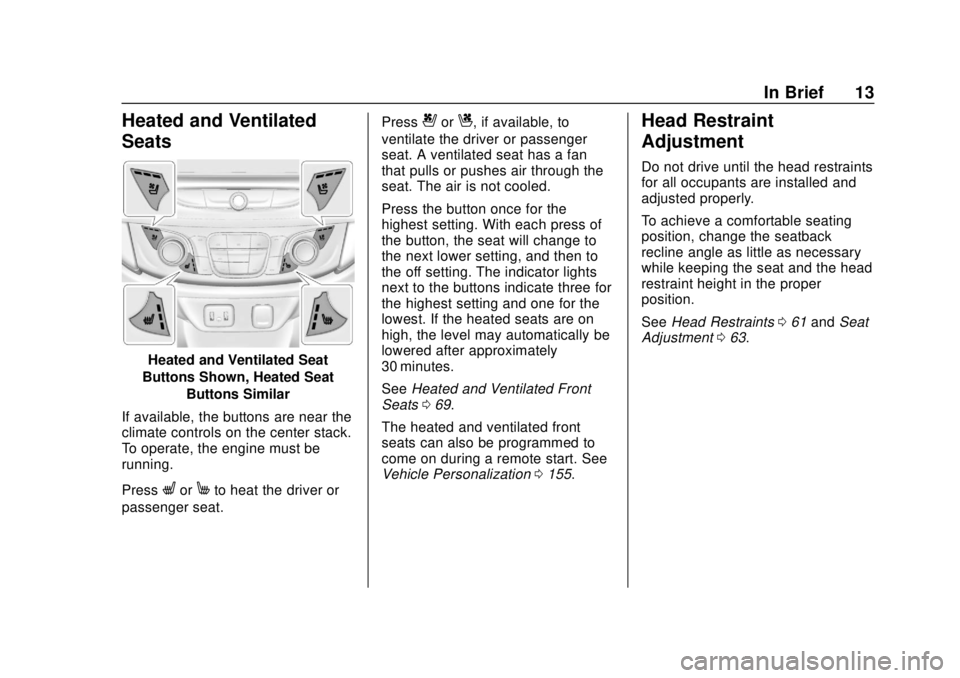
Heated and Ventilated Seat
Buttons Shown, Heated Seat Buttons Similar
If available, the buttons are near the
climate controls on the center stack.
To operate, the engine must be
running.
Press
LorMto heat the driver or
passenger seat. Press
{orC, if available, to
ventilate the driver or passenger
seat. A ventilated seat has a fan
that pulls or pushes air through the
seat. The air is not cooled.
Press the button once for the
highest setting. With each press of
the button, the seat will change to
the next lower setting, and then to
the off setting. The indicator lights
next to the buttons indicate three for
the highest setting and one for the
lowest. If the heated seats are on
high, the level may automatically be
lowered after approximately
30 minutes.
See Heated and Ventilated Front
Seats 069.
The heated and ventilated front
seats can also be programmed to
come on during a remote start. See
Vehicle Personalization 0155.Head Restraint
Adjustment
Do not drive until the head restraints
for all occupants are installed and
adjusted properly.
To achieve a comfortable seating
position, change the seatback
recline angle as little as necessary
while keeping the seat and the head
restraint height in the proper
position.
See Head Restraints 061 and Seat
Adjustment 063.
Page 27 of 428
Chevrolet Traverse Owner Manual (GMNA-Localizing-U.S./Canada/Mexico-
12146157) - 2019 - CRC - 10/31/18
26 In Brief
.Press and releasegagain to
turn on both systems.
See Traction Control/Electronic
Stability Control 0241.
Tire Pressure Monitor
This vehicle may have a Tire
Pressure Monitor System (TPMS).
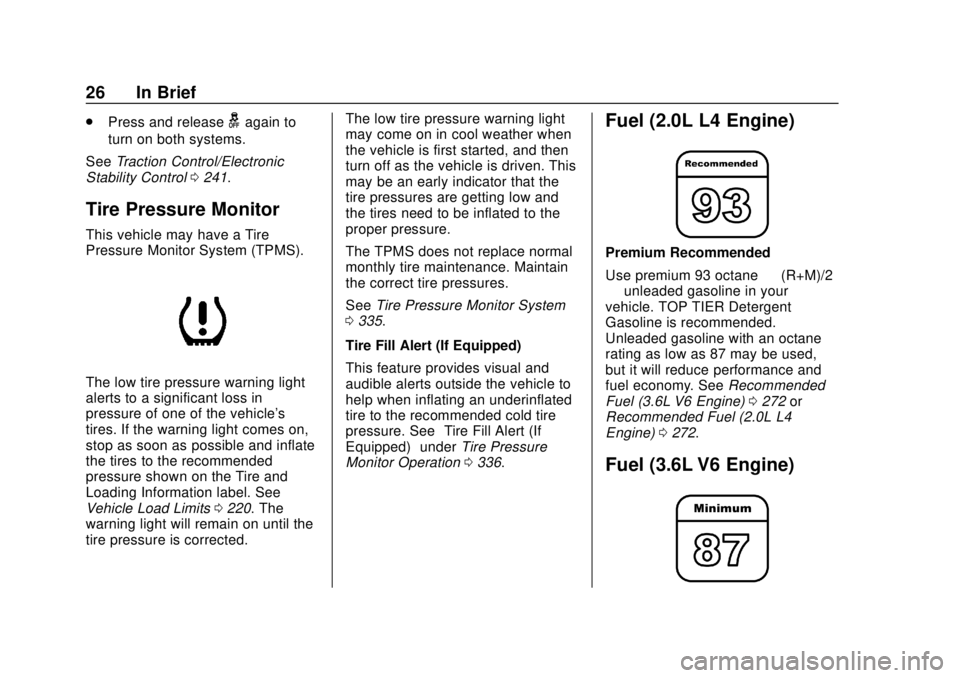
The low tire pressure warning light
alerts to a significant loss in
pressure of one of the vehicle's
tires. If the warning light comes on,
stop as soon as possible and inflate
the tires to the recommended
pressure shown on the Tire and
Loading Information label. See
Vehicle Load Limits 0220. The
warning light will remain on until the
tire pressure is corrected. The low tire pressure warning light
may come on in cool weather when
the vehicle is first started, and then
turn off as the vehicle is driven. This
may be an early indicator that the
tire pressures are getting low and
the tires need to be inflated to the
proper pressure.
The TPMS does not replace normal
monthly tire maintenance. Maintain
the correct tire pressures.
See
Tire Pressure Monitor System
0 335.
Tire Fill Alert (If Equipped)
This feature provides visual and
audible alerts outside the vehicle to
help when inflating an underinflated
tire to the recommended cold tire
pressure. See “Tire Fill Alert (If
Equipped)” underTire Pressure
Monitor Operation 0336.
Fuel (2.0L L4 Engine)
Premium Recommended
Use premium 93 octane —(R+M)/2
— unleaded gasoline in your
vehicle. TOP TIER Detergent
Gasoline is recommended.
Unleaded gasoline with an octane
rating as low as 87 may be used,
but it will reduce performance and
fuel economy. See Recommended
Fuel (3.6L V6 Engine) 0272 or
Recommended Fuel (2.0L L4
Engine) 0272.
Fuel (3.6L V6 Engine)
Page 38 of 428
Chevrolet Traverse Owner Manual (GMNA-Localizing-U.S./Canada/Mexico-
12146157) - 2019 - CRC - 10/31/18
Keys, Doors, and Windows 37
4. Insert the new battery, positiveside facing the back cover.
Push the battery down until it is
held in place. Replace with a
CR2032 or equivalent battery.
5. Snap the battery cover back on to the transmitter.
Remote Vehicle Start
If equipped, this feature allows the
engine to be started from outside of
the vehicle.
/:This button will be on the RKE
transmitter if the vehicle has remote
start.
The climate control system will use
the previous settings during a
remote start. The rear defog may
come on during a remote start
based on cold ambient conditions.
The rear fog indicator light does not
come on during a remote start.
If the vehicle has auto heated or
ventilated seats, they may come on
during a remote start. See Heated
and Ventilated Front Seats 069. If equipped with a remote start
heated steering wheel, it may
come on during a remote start when
it is cold outside, if enabled.
See
Heated Steering Wheel 0126
and Vehicle Personalization 0155.
Laws in some local communities
may restrict the use of remote
starters. For example, some laws
may require a person using remote
start to have the vehicle in view.
Check local regulations for any
requirements.
Do not use the remote start feature
if the vehicle is low on fuel. The
vehicle could run out of fuel.
Other conditions can affect the
performance of the transmitter. See
Remote Keyless Entry (RKE)
System 030.
Starting the Engine Using Remote
Start
1. Press and release
Qon the
RKE transmitter.
2. Immediately press and hold
/
for at least four seconds or until
the turn signal lamps flash. The turn signal lamps flashing
confirms the request to remote
start the vehicle has been
received.
During the remote start the
doors will be locked and the
parking lamps will remain on as
long as the engine is running.
The engine will shut off after
15 minutes unless a time
extension is done or the
vehicle is started.
3. With the RKE transmitter in the vehicle, press the brake pedal
and start the vehicle to drive.
Extending Engine Run Time
The engine run time can also be
extended by another 15 minutes,
if during the first 15 minutes
Steps 1 and 2 are repeated while
the engine is still running. An
extension can be requested
30 seconds after starting. This
provides a total of 30 minutes.
The remote start can only be
extended once.
Page 52 of 428
Chevrolet Traverse Owner Manual (GMNA-Localizing-U.S./Canada/Mexico-
12146157) - 2019 - CRC - 10/31/18
Keys, Doors, and Windows 51
Disarming the Alarm System
To disarm the alarm system or turn
off the alarm if it has been activated:
.Press
Kon the RKE transmitter.
. Unlock the vehicle using the
Keyless Access system.
. Start the vehicle.
To avoid setting off the alarm by
accident:
. Lock the vehicle after all
occupants have left the vehicle
and all doors are closed.
. Always unlock a door with the
RKE transmitter or use the
Keyless Access system.
Unlocking the driver door with the
key will not disarm the system or
turn off the alarm.
How to Detect a Tamper
Condition
IfKis pressed and the horn chirps
and the lights flash three times, the
alarm was activated while the alarm
system was armed. If the alarm system has been
activated, a message will appear on
the Driver Information Center (DIC).
Immobilizer
See
Radio Frequency Statement
0 399.
Immobilizer Operation
This vehicle has a passive
theft-deterrent system.
The system does not have to be
manually armed or disarmed.
The vehicle is automatically
immobilized when the transmitter
leaves the vehicle.
The immobilization system is
disarmed when the ignition is turned
on or in ACC/ACCESSORY and a
valid Remote Keyless Entry (RKE)
transmitter is in the vehicle.
The security light, in the instrument
cluster, comes on if there is a
problem with arming or disarming
the theft-deterrent system.
The system has one or more RKE
transmitters matched to an
immobilizer control unit in your
vehicle. Only a correctly matched
RKE transmitter will start the
vehicle. If the transmitter is ever
damaged, you may not be able to
start your vehicle.
When trying to start the vehicle, the
security light may come on briefly
when the ignition is turned on.
If the engine does not start and the
security light stays on, there is a
problem with the system. Turn the
ignition off and try again.
If the vehicle will not change ignition
modes (ACC/ACCESSORY, on, off),
and the RKE transmitter appears to
Page 70 of 428
Chevrolet Traverse Owner Manual (GMNA-Localizing-U.S./Canada/Mexico-
12146157) - 2019 - CRC - 10/31/18
Seats and Restraints 69
Heated and Ventilated
Front Seats
{Warning
If temperature change or pain to
the skin cannot be felt, the seat
heater may cause burns. To
reduce the risk of burns, use care
when using the seat heater,
especially for long periods of
time. Do not place anything on
the seat that insulates against
heat, such as a blanket, cushion,
cover, or similar item. This may
cause the seat heater to
overheat. An overheated seat
heater may cause a burn or may
damage the seat.
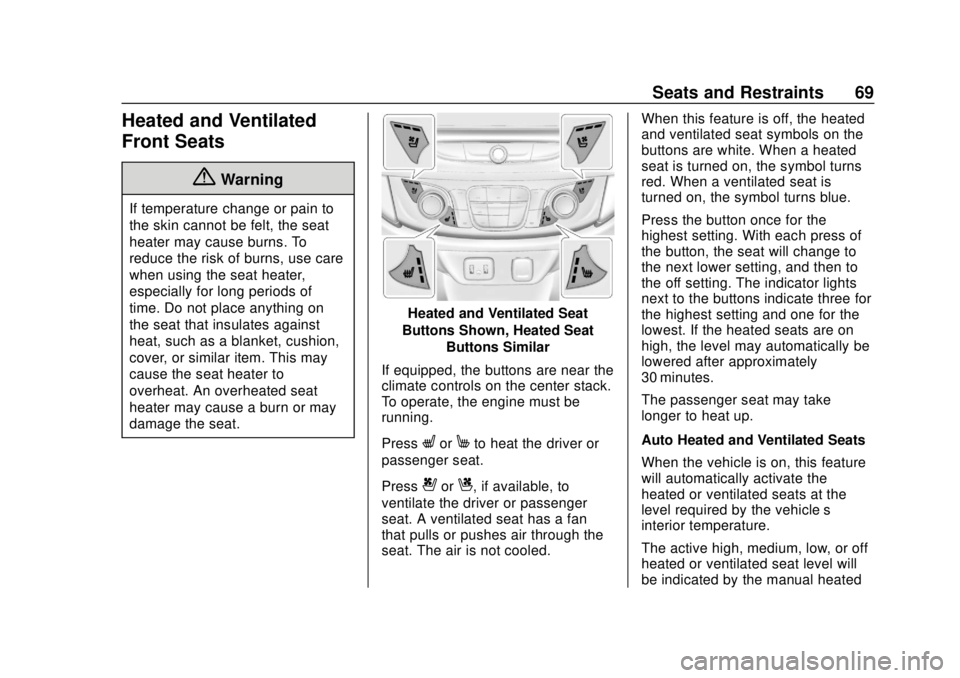
Heated and Ventilated Seat
Buttons Shown, Heated Seat Buttons Similar
If equipped, the buttons are near the
climate controls on the center stack.
To operate, the engine must be
running.
Press
LorMto heat the driver or
passenger seat.
Press
{orC, if available, to
ventilate the driver or passenger
seat. A ventilated seat has a fan
that pulls or pushes air through the
seat. The air is not cooled. When this feature is off, the heated
and ventilated seat symbols on the
buttons are white. When a heated
seat is turned on, the symbol turns
red. When a ventilated seat is
turned on, the symbol turns blue.
Press the button once for the
highest setting. With each press of
the button, the seat will change to
the next lower setting, and then to
the off setting. The indicator lights
next to the buttons indicate three for
the highest setting and one for the
lowest. If the heated seats are on
high, the level may automatically be
lowered after approximately
30 minutes.
The passenger seat may take
longer to heat up.
Auto Heated and Ventilated Seats
When the vehicle is on, this feature
will automatically activate the
heated or ventilated seats at the
level required by the vehicle’s
interior temperature.
The active high, medium, low, or off
heated or ventilated seat level will
be indicated by the manual heated
Page 75 of 428
Chevrolet Traverse Owner Manual (GMNA-Localizing-U.S./Canada/Mexico-
12146157) - 2019 - CRC - 10/31/18
74 Seats and Restraints
With the engine running, pressMor
Lto heat the left or right outboard
seat cushion. An indicator on the
climate control display appears
when this feature is on.
This feature turns on at the highest
setting. With each press of the
button, the heated seat changes to
the next lower setting, and then the
off setting. Three lights indicate the
highest setting, and one light
indicates the lowest. If the heated
seats are on high, the level may
automatically be lowered after
approximately 30 minutes.
Third Row Seats
{Warning
Using the third row seating
position while the second row is
folded, or pushed forward in the
entry position, could cause injury
in a sudden stop or crash. Be
sure to return the seat to the
(Continued)
Warning (Continued)
passenger seating position. Push
and pull on the seat to make sure
it is locked into place.
Folding the Seatback
Caution
Folding a rear seat with the seat
belts still fastened may cause
damage to the seat or the seat
belts. Always unbuckle the seat
belts and return them to their
normal stowed position before
folding a rear seat.
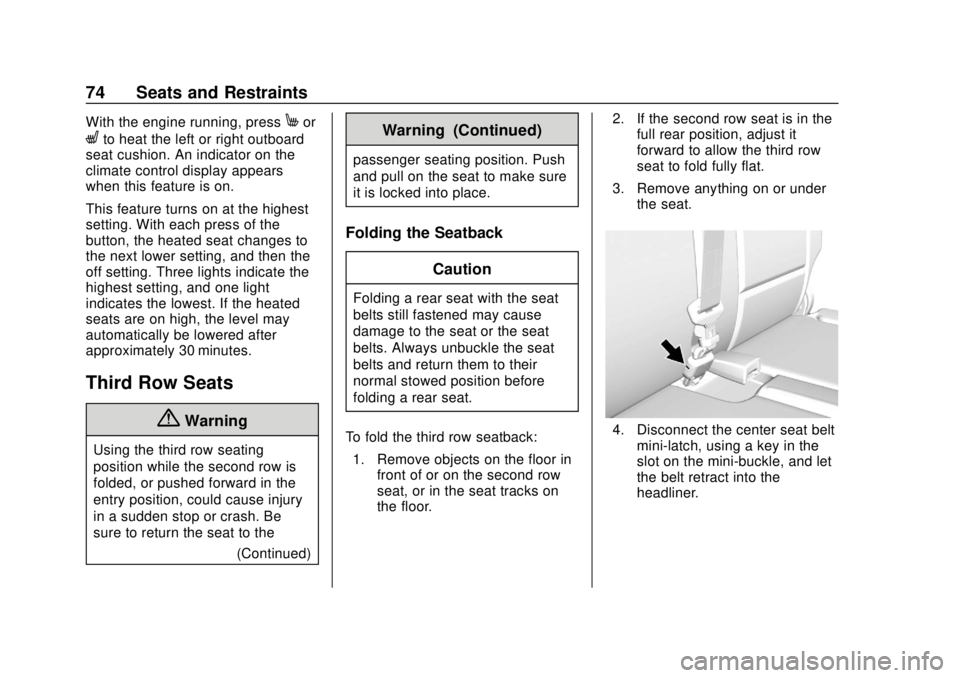
To fold the third row seatback: 1. Remove objects on the floor in front of or on the second row
seat, or in the seat tracks on
the floor. 2. If the second row seat is in the
full rear position, adjust it
forward to allow the third row
seat to fold fully flat.
3. Remove anything on or under the seat.
4. Disconnect the center seat beltmini-latch, using a key in the
slot on the mini-buckle, and let
the belt retract into the
headliner.
Page 125 of 428
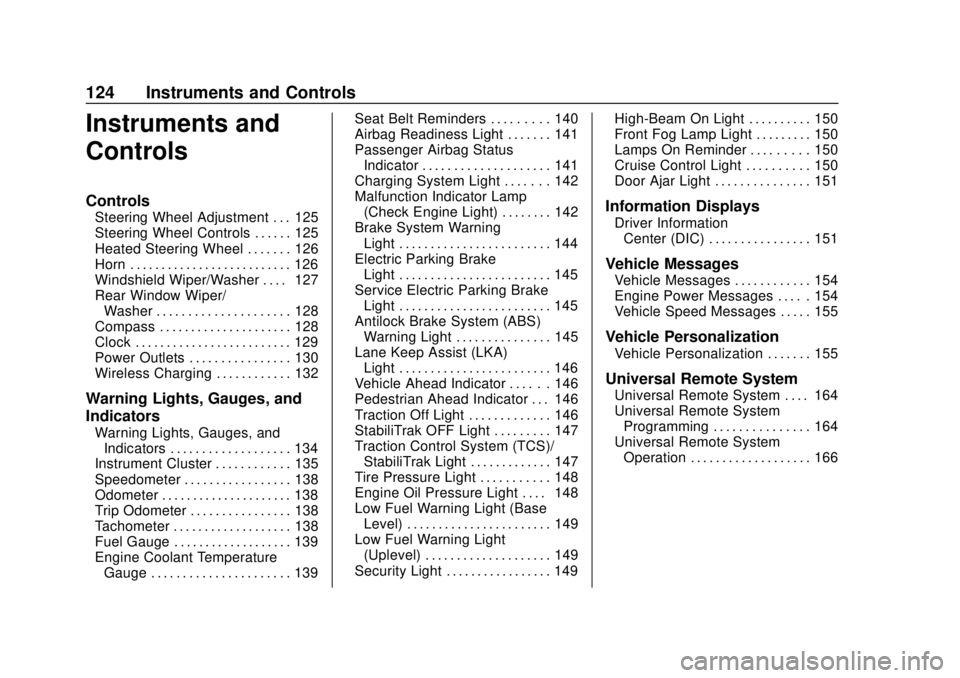
Chevrolet Traverse Owner Manual (GMNA-Localizing-U.S./Canada/Mexico-
12146157) - 2019 - CRC - 10/31/18
124 Instruments and Controls
Instruments and
Controls
Controls
Steering Wheel Adjustment . . . 125
Steering Wheel Controls . . . . . . 125
Heated Steering Wheel . . . . . . . 126
Horn . . . . . . . . . . . . . . . . . . . . . . . . . . 126
Windshield Wiper/Washer . . . . 127
Rear Window Wiper/Washer . . . . . . . . . . . . . . . . . . . . . 128
Compass . . . . . . . . . . . . . . . . . . . . . 128
Clock . . . . . . . . . . . . . . . . . . . . . . . . . 129
Power Outlets . . . . . . . . . . . . . . . . 130
Wireless Charging . . . . . . . . . . . . 132
Warning Lights, Gauges, and
Indicators
Warning Lights, Gauges, and Indicators . . . . . . . . . . . . . . . . . . . 134
Instrument Cluster . . . . . . . . . . . . 135
Speedometer . . . . . . . . . . . . . . . . . 138
Odometer . . . . . . . . . . . . . . . . . . . . . 138
Trip Odometer . . . . . . . . . . . . . . . . 138
Tachometer . . . . . . . . . . . . . . . . . . . 138
Fuel Gauge . . . . . . . . . . . . . . . . . . . 139
Engine Coolant Temperature
Gauge . . . . . . . . . . . . . . . . . . . . . . 139 Seat Belt Reminders . . . . . . . . . 140
Airbag Readiness Light . . . . . . . 141
Passenger Airbag Status
Indicator . . . . . . . . . . . . . . . . . . . . 141
Charging System Light . . . . . . . 142
Malfunction Indicator Lamp
(Check Engine Light) . . . . . . . . 142
Brake System Warning Light . . . . . . . . . . . . . . . . . . . . . . . . 144
Electric Parking Brake Light . . . . . . . . . . . . . . . . . . . . . . . . 145
Service Electric Parking Brake Light . . . . . . . . . . . . . . . . . . . . . . . . 145
Antilock Brake System (ABS) Warning Light . . . . . . . . . . . . . . . 145
Lane Keep Assist (LKA) Light . . . . . . . . . . . . . . . . . . . . . . . . 146
Vehicle Ahead Indicator . . . . . . 146
Pedestrian Ahead Indicator . . . 146
Traction Off Light . . . . . . . . . . . . . 146
StabiliTrak OFF Light . . . . . . . . . 147
Traction Control System (TCS)/ StabiliTrak Light . . . . . . . . . . . . . 147
Tire Pressure Light . . . . . . . . . . . 148
Engine Oil Pressure Light . . . . 148
Low Fuel Warning Light (Base Level) . . . . . . . . . . . . . . . . . . . . . . . 149
Low Fuel Warning Light (Uplevel) . . . . . . . . . . . . . . . . . . . . 149
Security Light . . . . . . . . . . . . . . . . . 149 High-Beam On Light . . . . . . . . . . 150
Front Fog Lamp Light . . . . . . . . . 150
Lamps On Reminder . . . . . . . . . 150
Cruise Control Light . . . . . . . . . . 150
Door Ajar Light . . . . . . . . . . . . . . . 151
Information Displays
Driver Information
Center (DIC) . . . . . . . . . . . . . . . . 151
Vehicle Messages
Vehicle Messages . . . . . . . . . . . . 154
Engine Power Messages . . . . . 154
Vehicle Speed Messages . . . . . 155
Vehicle Personalization
Vehicle Personalization . . . . . . . 155
Universal Remote System
Universal Remote System . . . . 164
Universal Remote SystemProgramming . . . . . . . . . . . . . . . 164
Universal Remote System Operation . . . . . . . . . . . . . . . . . . . 166