traction control light on CHEVROLET TRAVERSE 2021 User Guide
[x] Cancel search | Manufacturer: CHEVROLET, Model Year: 2021, Model line: TRAVERSE, Model: CHEVROLET TRAVERSE 2021Pages: 369, PDF Size: 8.12 MB
Page 215 of 369
Chevrolet Traverse Owner Manual (GMNA-Localizing-U.S./Canada/Mexico-
14637844) - 2021 - CRC - 3/26/21
214 Driving and Operating
Ride Control Systems
Traction Control/Electronic
Stability Control
System Operation
The vehicle has a Traction Control System
(TCS) and StabiliTrak/Electronic Stability
Control (ESC), an electronic stability control
system. These systems help limit wheel slip
and assist the driver in maintaining control,
especially on slippery road conditions.
TCS activates if it senses that any of the
drive wheels are spinning or beginning to
lose traction. When this happens, TCS
applies the brakes to the spinning wheels
and reduces engine power to limit
wheel spin.
StabiliTrak/ESC activates when the vehicle
senses a difference between the intended
path and the direction the vehicle is actually
traveling. StabiliTrak/ESC selectively applies
braking pressure to any one of the vehicle
wheel brakes to assist the driver in keeping
the vehicle on the intended path.If cruise control is being used and TCS or
StabiliTrak/ESC begins to limit wheel spin,
cruise control will disengage. Cruise control
may be turned back on when road
conditions allow. TCS and StabiliTrak/ESC will
automatically turn on when cruise control
is set.
Both systems come on automatically when
the vehicle is started and begins to move.
The systems may be heard or felt while
they are operating or while performing
diagnostic checks. This is normal and does
not mean there is a problem with the
vehicle.
It is recommended to leave both systems on
for normal driving conditions, but it may be
necessary to turn TCS off if the vehicle gets
stuck in sand, mud, ice, or snow. See
If the
Vehicle Is Stuck 0197 and “Turning the
Systems Off and On” later in this section.
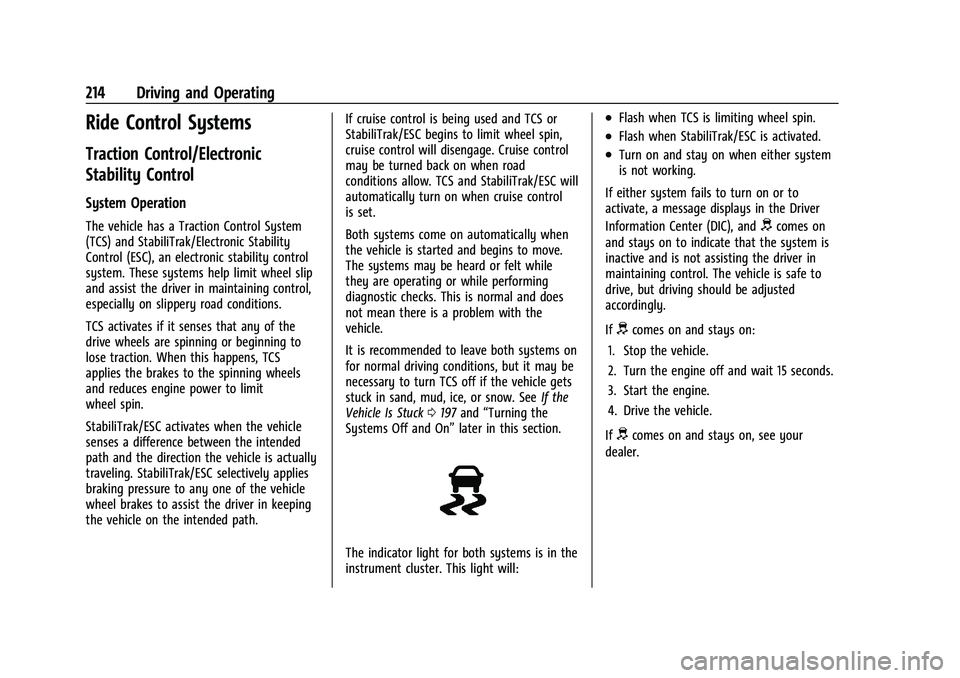
The indicator light for both systems is in the
instrument cluster. This light will:
.Flash when TCS is limiting wheel spin.
.Flash when StabiliTrak/ESC is activated.
.Turn on and stay on when either system
is not working.
If either system fails to turn on or to
activate, a message displays in the Driver
Information Center (DIC), and
dcomes on
and stays on to indicate that the system is
inactive and is not assisting the driver in
maintaining control. The vehicle is safe to
drive, but driving should be adjusted
accordingly.
If
dcomes on and stays on:
1. Stop the vehicle.
2. Turn the engine off and wait 15 seconds.
3. Start the engine.
4. Drive the vehicle.
If
dcomes on and stays on, see your
dealer.
Page 216 of 369
Chevrolet Traverse Owner Manual (GMNA-Localizing-U.S./Canada/Mexico-
14637844) - 2021 - CRC - 3/26/21
Driving and Operating 215
Turning the Systems Off and On
Caution
Do not repeatedly brake or accelerate
heavily when TCS is off. The vehicle
driveline could be damaged.
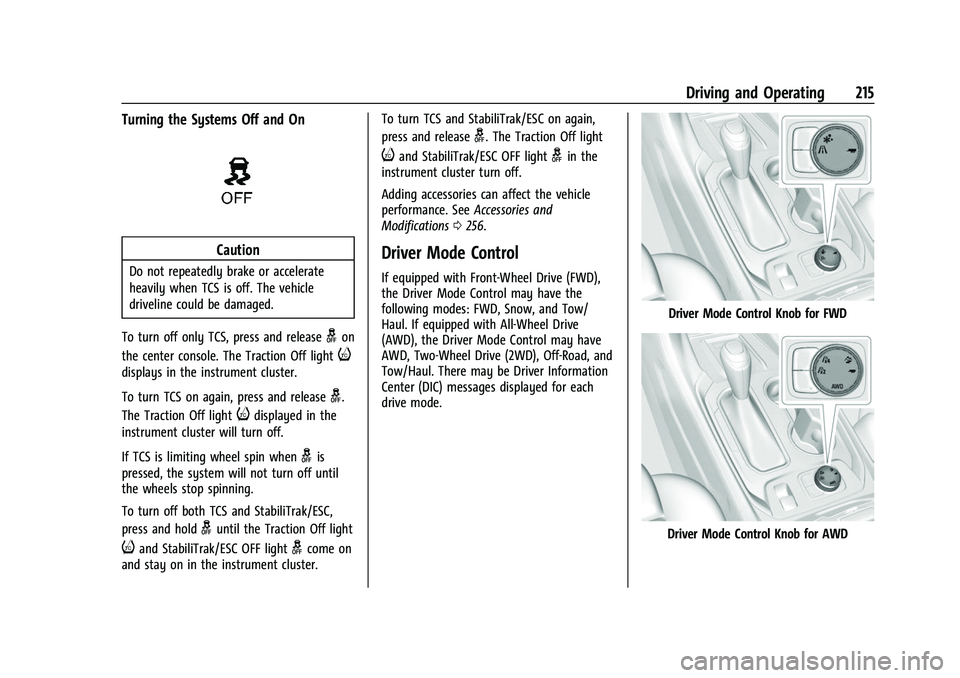
To turn off only TCS, press and release
gon
the center console. The Traction Off light
i
displays in the instrument cluster.
To turn TCS on again, press and release
g.
The Traction Off light
idisplayed in the
instrument cluster will turn off.
If TCS is limiting wheel spin when
gis
pressed, the system will not turn off until
the wheels stop spinning.
To turn off both TCS and StabiliTrak/ESC,
press and hold
guntil the Traction Off light
iand StabiliTrak/ESC OFF lightgcome on
and stay on in the instrument cluster. To turn TCS and StabiliTrak/ESC on again,
press and release
g. The Traction Off light
iand StabiliTrak/ESC OFF lightgin the
instrument cluster turn off.
Adding accessories can affect the vehicle
performance. See Accessories and
Modifications 0256.
Driver Mode Control
If equipped with Front-Wheel Drive (FWD),
the Driver Mode Control may have the
following modes: FWD, Snow, and Tow/
Haul. If equipped with All-Wheel Drive
(AWD), the Driver Mode Control may have
AWD, Two-Wheel Drive (2WD), Off-Road, and
Tow/Haul. There may be Driver Information
Center (DIC) messages displayed for each
drive mode.
Driver Mode Control Knob for FWD
Driver Mode Control Knob for AWD
Page 220 of 369
Chevrolet Traverse Owner Manual (GMNA-Localizing-U.S./Canada/Mexico-
14637844) - 2021 - CRC - 3/26/21
Driving and Operating 219
The speedometer reading can be displayed
in either English or metric units. See
Instrument Cluster (Uplevel)099 or
Instrument Cluster (Base Level) 097. The
increment value used depends on the units
displayed.
Passing Another Vehicle While Using Cruise
Control
Use the accelerator pedal to increase the
vehicle speed. When you take your foot off
the pedal, the vehicle will slow down to the
previous set cruise speed.
While pressing the accelerator pedal or
shortly following the release to override
cruise, briefly applying SET− will result in
cruise set to the current vehicle speed.
Using Cruise Control on Hills
How well the cruise control will work on
hills depends upon the vehicle speed, load,
and the steepness of the hills. When going
up steep hills, you might have to step on
the accelerator pedal to maintain your
speed. While on a hill, the transmission may
downshift in order to use engine braking to
slow the vehicle and maintain the set speed.
Also, you may have to brake or shift to a lower gear to keep your speed down. If the
brake pedal is applied, cruise control
disengages.
Ending Cruise Control
There are four ways to end cruise control:
.Step lightly on the brake pedal.
.Press*.
.Shift the transmission to N (Neutral).
.PressJ.
Erasing Speed Memory
The cruise control set speed is erased from
memory if
Jis pressed or if the ignition is
turned off.
Adaptive Cruise Control
(Advanced)
If equipped with Adaptive Cruise Control
(ACC), it allows the driver to select the
cruise control set speed and following gap.
Read this entire section before using this
system. The following gap is the following
time between your vehicle and a vehicle
detected directly ahead in your path,
moving in the same direction. If no vehicle
is detected in your path, ACC works like regular cruise control. ACC uses camera and
radar sensors. See
Radio Frequency
Statement 0346.
If a vehicle is detected in your path, ACC can
apply acceleration or limited, moderate
braking to maintain the selected following
gap. To disengage ACC, apply the brake.
If ACC is controlling your vehicle speed
when the Traction Control System (TCS) or
StabiliTrak/Electronic Stability Control (ESC)
system activates, the ACC may automatically
disengage. See Traction Control/Electronic
Stability Control 0214. When road
conditions allow ACC to be safely used, the
ACC can be turned back on.
Disabling the TCS or StabiliTrak/ESC system
will disengage and prevent engagement
of ACC.
ACC can reduce the need for you to
frequently brake and accelerate, especially
when used on expressways, freeways, and
interstate highways. When used on other
roads, you may need to take over the
control of braking or acceleration more
often.
Page 225 of 369
Chevrolet Traverse Owner Manual (GMNA-Localizing-U.S./Canada/Mexico-
14637844) - 2021 - CRC - 3/26/21
224 Driving and Operating
Passing a Vehicle While Using ACC
If the set speed is high enough, and the left
turn signal is used to pass a vehicle ahead
in the selected following gap, ACC may
assist by gradually accelerating the vehicle
prior to the lane change.
{Warning
When using ACC to pass a vehicle or
perform a lane change, the following
distance to the vehicle being passed may
be reduced. ACC may not apply sufficient
acceleration or braking when passing a
vehicle or performing a lane change.
Always be ready to manually accelerate
or brake to complete the pass or lane
change.
Stationary or Very Slow-Moving Objects
{Warning
ACC may not detect and react to stopped
or slow-moving vehicles ahead of you. For
example, the system may not brake for a
vehicle it has never detected moving. This
can occur in stop-and-go traffic or when a
vehicle suddenly appears due to a vehicle (Continued)
Warning (Continued)
ahead changing lanes. Your vehicle may
not stop and could cause a crash. Use
caution when using ACC. Your complete
attention is always required while driving
and you should be ready to take action
and apply the brakes.
ACC Automatically Disengages
ACC may automatically disengage and the
driver will need to manually apply the
brakes to slow the vehicle if:
.The sensors are blocked.
.The Traction Control System (TCS) or
StabiliTrak/ESC system has activated or
been disabled.
.There is a fault in the system.
.The radar falsely reports blockage when
driving in a desert or remote area with
no other vehicle or roadside objects.
A DIC message may display to indicate
that ACC is temporarily unavailable.
The ACC indicator will turn white when ACC
is no longer active.
In some cases, when ACC will not activate,
regular cruise control may be used. See
“Switching Between ACC and Regular Cruise Control”
previously in this section. Always
consider driving conditions before using
either cruise control system.
Notification to Resume ACC
ACC will maintain a follow gap behind a
detected vehicle and slow your vehicle to a
stop behind that vehicle.
If the stopped vehicle ahead has driven
away and ACC has not resumed, the vehicle
ahead indicator will flash as a reminder to
check traffic before proceeding. In addition,
the left and right sides of the Safety Alert
Seat will pulse three times, or three beeps
will sound. See “Alert Type”and“Adaptive
Cruise Go Notifier” in“Collision/Detection
Systems” underVehicle Personalization
0 115.
When the vehicle ahead drives away, ACC
resumes automatically if the stop was brief.
If necessary, press RES+ or the accelerator
pedal to resume ACC. If stopped for more
than two minutes or if the driver door is
opened and the driver seat belt is
unbuckled, the ACC automatically applies the
Electric Parking Brake (EPB) to hold the
vehicle. The EPB status light will turn on.
See Electric Parking Brake 0212. To release
the EPB, press the accelerator pedal.
Page 254 of 369
Chevrolet Traverse Owner Manual (GMNA-Localizing-U.S./Canada/Mexico-
14637844) - 2021 - CRC - 3/26/21
Driving and Operating 253
If equipped, there are four blunt cut wires
inside the front driver side instrument panel.
It will be necessary to have a technician
connect the 12-volt power to the engine
compartment fuse block.
Trailer Lamps
Always check all trailer lamps are working at
the beginning of each trip, and periodically
on longer trips.
Turn Signals When Towing a Trailer
When properly connected, the trailer turn
signals will illuminate to indicate the vehicle
is turning, changing lanes, or stopping.
When towing a trailer, the arrows on the
instrument cluster will illuminate even if the
trailer is not properly connected or the bulbs
are burned out.
Tow/Haul Mode
For instructions on how to enter Tow/Haul
mode, seeDriver Mode Control 0215.
Tow/Haul assists when pulling a heavy
trailer or a large or heavy load. See Tow/
Haul Mode 0210.
Tow/Haul Mode is designed to be most
effective when the vehicle and trailer
combined weight is at least 75% of the vehicle's Gross Combined Weight Rating
(GCWR). See
“Weight of the Trailer” under
Trailer Towing 0247.
Tow/Haul Mode is most useful when pulling
a heavy trailer or a large or heavy load:
.through rolling terrain
.in stop-and-go traffic
.in busy parking lots
Operating the vehicle in Tow/Haul Mode
when lightly loaded or not towing will not
cause damage; however, it is not
recommended and may result in unpleasant
engine and transmission driving
characteristics and reduced fuel economy.
Trailer Sway Control (TSC)
Vehicles with StabiliTrak/Electronic Stability
Control (ESC) have a Trailer Sway Control
(TSC) feature. Trailer sway is unintended
side-to-side motion of a trailer while towing.
If the vehicle is towing a trailer and the TSC
detects that sway is increasing, the vehicle
brakes are selectively applied at each wheel,
to help reduce excessive trailer sway.
If equipped with the Integrated Trailer Brake
Control (ITBC) system, and the trailer has an
electric brake system, StabiliTrak/ESC may
also apply the trailer brakes.
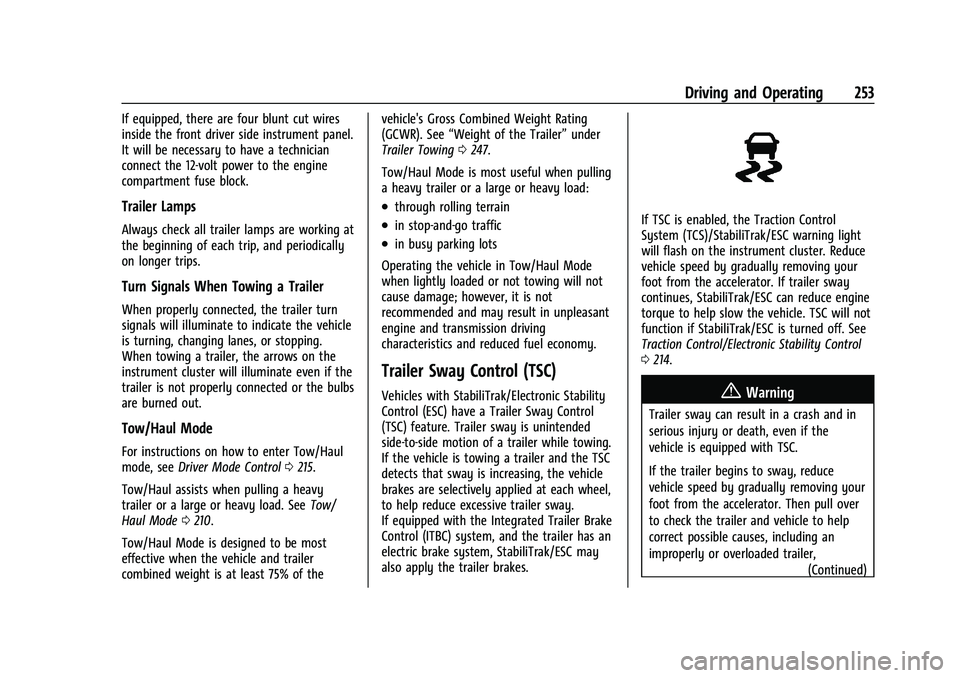
If TSC is enabled, the Traction Control
System (TCS)/StabiliTrak/ESC warning light
will flash on the instrument cluster. Reduce
vehicle speed by gradually removing your
foot from the accelerator. If trailer sway
continues, StabiliTrak/ESC can reduce engine
torque to help slow the vehicle. TSC will not
function if StabiliTrak/ESC is turned off. See
Traction Control/Electronic Stability Control
0 214.
{Warning
Trailer sway can result in a crash and in
serious injury or death, even if the
vehicle is equipped with TSC.
If the trailer begins to sway, reduce
vehicle speed by gradually removing your
foot from the accelerator. Then pull over
to check the trailer and vehicle to help
correct possible causes, including an
improperly or overloaded trailer,
(Continued)
Page 299 of 369
Chevrolet Traverse Owner Manual (GMNA-Localizing-U.S./Canada/Mexico-
14637844) - 2021 - CRC - 3/26/21
298 Vehicle Care
four digits of the DOT Tire Identification
Number (TIN) molded into one side of the
tire sidewall. The last four digits of the TIN
indicate the tire manufactured date. The
first two digits represent the week and the
last two digits, the year. For example, the
third week of the year 2020 would have a
4-digit DOT date of 0320. Week 01 is the
first full week (Sunday through Saturday) of
each year.
Vehicle Storage
Tires age when stored normally mounted on
a parked vehicle. Park a vehicle that will be
stored for at least a month in a cool, dry,
clean area away from direct sunlight to slow
aging. This area should be free of grease,
gasoline, or other substances that can
deteriorate rubber.
Parking for an extended period can cause
flat spots on the tires that may result in
vibrations while driving. When storing a
vehicle for at least a month, remove the
tires or raise the vehicle to reduce the
weight from the tires.
Buying New Tires
GM has developed and matched specific
tires for the vehicle. The original
equipment tires installed were designed
to meet General Motors Tire
Performance Criteria Specification (TPC
Spec) system rating. When replacement
tires are needed, GM strongly
recommends buying tires with the same
TPC Spec rating.
GM's exclusive TPC Spec system
considers over a dozen critical
specifications that impact the overall
performance of the vehicle, including
brake system performance, ride and
handling, traction control, and tire
pressure monitoring performance. GM's
TPC Spec number is molded onto the
tire's sidewall near the tire size. If the
tires have an all-season tread design,
the TPC Spec number will be followed
by MS for mud and snow. SeeTire
Sidewall Labeling 0285 for additional
information. GM recommends replacing worn tires in
complete sets of four. Uniform tread
depth on all tires will help to maintain
the performance of the vehicle. Braking
and handling performance may be
adversely affected if all the tires are not
replaced at the same time. If proper
rotation and maintenance have been
done, all four tires should wear out at
about the same time. However, if it is
necessary to replace only one axle set
of worn tires, place the new tires on
the rear axle. See
Tire Rotation0296.
{Warning
Tires could explode during improper
service. Attempting to mount or
dismount a tire could cause injury or
death. Only your dealer or authorized
tire service center should mount or
dismount the tires.
Page 301 of 369
Chevrolet Traverse Owner Manual (GMNA-Localizing-U.S./Canada/Mexico-
14637844) - 2021 - CRC - 3/26/21
300 Vehicle Care
tires with nominal rim diameters of
10 to 12 inches (25 to 30 cm), or to some
limited-production tires.
While the tires available on General
Motors passenger cars and light trucks
may vary with respect to these grades,
they must also conform to federal
safety requirements and additional
General Motors Tire Performance
Criteria (TPC) standards.
Quality grades can be found where
applicable on the tire sidewall between
tread shoulder and maximum section
width. For example:
Treadwear 200 Traction AA Temperature A
All Passenger Car Tires Must Conform to
Federal Safety Requirements In Addition
To These Grades.
Treadwear
The treadwear grade is a comparative
rating based on the wear rate of the
tire when tested under controlled
conditions on a specified government
test course. For example, a tire graded
150 would wear one and one-half (1½)times as well on the government course
as a tire graded 100. The relative
performance of tires depends upon the
actual conditions of their use, however,
and may depart significantly from the
norm due to variations in driving habits,
service practices and differences in road
characteristics and climate.
Traction
The traction grades, from highest to
lowest, are AA, A, B, and C. Those
grades represent the tire's ability to
stop on wet pavement as measured
under controlled conditions on specified
government test surfaces of asphalt and
concrete. A tire marked C may have
poor traction performance. Warning:
The traction grade assigned to this tire
is based on straight-ahead braking
traction tests, and does not include
acceleration, cornering, hydroplaning,
or peak traction characteristics.
Temperature
The temperature grades are A (the
highest), B, and C, representing the
tire's resistance to the generation of
heat and its ability to dissipate heat
when tested under controlled conditions
on a specified indoor laboratory test
wheel. Sustained high temperature can
cause the material of the tire to
degenerate and reduce tire life, and
excessive temperature can lead to
sudden tire failure. The grade C
corresponds to a level of performance
which all passenger car tires must meet
under the Federal Motor Safety
Standard No. 109. Grades B and A
represent higher levels of performance
on the laboratory test wheel than the
minimum required by law. Warning:
The temperature grade for this tire is
established for a tire that is properly
inflated and not overloaded. Excessive
speed, underinflation, or excessive
loading, either separately or in
combination, can cause heat buildup
and possible tire failure.
Page 302 of 369
Chevrolet Traverse Owner Manual (GMNA-Localizing-U.S./Canada/Mexico-
14637844) - 2021 - CRC - 3/26/21
Vehicle Care 301
Wheel Alignment and Tire
Balance
The tires and wheels were aligned and
balanced at the factory to provide the
longest tire life and best overall
performance. Adjustments to wheel
alignment and tire balancing are not
necessary on a regular basis. Consider an
alignment check if there is unusual tire wear
or the vehicle is significantly pulling to one
side or the other. Some slight pull to the
left or right, depending on the crown of the
road and/or other road surface variations
such as troughs or ruts, is normal. If the
vehicle is vibrating when driving on a
smooth road, the tires and wheels may
need to be rebalanced. See your dealer for
proper diagnosis.
Wheel Replacement
Replace any wheel that is bent, cracked,
or badly rusted or corroded. If wheel nuts
keep coming loose, the wheel, wheel bolts,
and wheel nuts should be replaced. If the
wheel leaks air, replace it. Some aluminum
wheels can be repaired. See your dealer if
any of these conditions exist.Your dealer will know the kind of wheel that
is needed.
Each new wheel should have the same
load-carrying capacity, diameter, width,
offset, and be mounted the same way as
the one it replaces.
Replace wheels, wheel bolts, wheel nuts,
or Tire Pressure Monitor System (TPMS)
sensors with new GM original equipment
parts.
{Warning
Using the wrong replacement wheels,
wheel bolts, or wheel nuts can be
dangerous. It could affect the braking and
handling of the vehicle. Tires can lose air,
and cause loss of control, causing a crash.
Always use the correct wheel, wheel
bolts, and wheel nuts for replacement.
Caution
The wrong wheel can also cause
problems with bearing life, brake cooling,
speedometer or odometer calibration,
headlamp aim, bumper height, vehicle
ground clearance, and tire or tire chain
clearance to the body and chassis.
Used Replacement Wheels
{Warning
Replacing a wheel with a used one is
dangerous. How it has been used or how
far it has been driven may be unknown.
It could fail suddenly and cause a crash.
When replacing wheels, use a new GM
original equipment wheel.
Tire Chains
{Warning
If the vehicle has a tire size other than
255/65R18, do not use tire chains. There is
not enough clearance. Tire chains used on
a vehicle without the proper amount of
clearance can cause damage to the
brakes, suspension, or other vehicle parts.
The area damaged by the tire chains
could cause loss of control and a crash.
Use another type of traction device only
if its manufacturer recommends it for the
vehicle's tire size combination and road
conditions. Follow that manufacturer's
instructions. To avoid vehicle damage,
drive slow and readjust or remove the
(Continued)
Page 360 of 369
Chevrolet Traverse Owner Manual (GMNA-Localizing-U.S./Canada/Mexico-
14637844) - 2021 - CRC - 3/26/21
Index 359
Climate Control SystemsDual Automatic . . . . . . . . . . . . . . . . . . . . . . . . 182
Rear . . . . . . . . . . . . . . . . . . . . . . . . . . . . . . . . . . . 186
Clock . . . . . . . . . . . . . . . . . . . . . . . . . . . . . . . . . . . . . 93
Cluster, Instrument . . . . . . . . . . . . . . . . . . . 97, 99
Collision Damage Repair . . . . . . . . . . . . . . . . . 344
Compact Spare Tire . . . . . . . . . . . . . . . . . . . . . . 308
Compartments Storage . . . . . . . . . . . . . . . . . . . . . . . . . . . . . . . . . 85
Compass . . . . . . . . . . . . . . . . . . . . . . . . . . . . . . . . . . 93
Connected Services Connections . . . . . . . . . . . . . . . . . . . . . . . . . . . 355
Diagnostics . . . . . . . . . . . . . . . . . . . . . . . . . . . . 356
Navigation . . . . . . . . . . . . . . . . . . . . . . . . . . . . . 354
Connections Connected Services . . . . . . . . . . . . . . . . . . . . 355
Control Traction and Electronic Stability . . . . . . . 214
Control of a Vehicle . . . . . . . . . . . . . . . . . . . . . 190
Controls Steering Wheel . . . . . . . . . . . . . . . . . . . . . . . . . 131
Convex Mirrors . . . . . . . . . . . . . . . . . . . . . . . . . . . 26
Coolant Engine Temperature Gauge . . . . . . . . . . . . 102
Cooling . . . . . . . . . . . . . . . . . . . . . . . . . . . . . . 182, 186
Cooling System . . . . . . . . . . . . . . . . . . . . . . . . . . 264
Courtesy Lamps . . . . . . . . . . . . . . . . . . . . . . . . . . 126
Courtesy Transportation Program . . . . . . . . 343 Coverage Explanations . . . . . . . . . . . . . . . . . . . .154
Cruise Control . . . . . . . . . . . . . . . . . . . . . . . . . . . . 217
Light . . . . . . . . . . . . . . . . . . . . . . . . . . . . . . . . . . . . 111
Cruise Control, Adaptive . . . . . . . . . . . . . . . . . 219
Customer Assistance . . . . . . . . . . . . . . . . . . . . . 340 Offices . . . . . . . . . . . . . . . . . . . . . . . . . . . . . . . . . 340
Text Telephone (TTY) Users . . . . . . . . . . . . 340
Customer Information Publications Ordering Information . . . . . 345
Customer Satisfaction Procedure . . . . . . . . . 338
Cybersecurity . . . . . . . . . . . . . . . . . . . . . . . . . . . . 347
D
Damage Repair, Collision . . . . . . . . . . . . . . . . . 344
Danger, Warning, and Caution . . . . . . . . . . . . . .2
Data Collection Infotainment System . . . . . . . . . . . . . . . . . . 348
OnStar . . . . . . . . . . . . . . . . . . . . . . . . . . . . . . . . . 348
Data Recorders, Event . . . . . . . . . . . . . . . . . . . 348
Database Coverage Explanations . . . . . . . . . .154
Daytime Running Lamps (DRL) . . . . . . . . . . . .124
Defensive Driving . . . . . . . . . . . . . . . . . . . . . . . . 189
Delayed Locking . . . . . . . . . . . . . . . . . . . . . . . . . . . 17
Destination . . . . . . . . . . . . . . . . . . . . . . . . . . . . . . .147
Diagnostics Connected Services . . . . . . . . . . . . . . . . . . . . 356
Distracted Driving . . . . . . . . . . . . . . . . . . . . . . . . 189
Dome Lamps . . . . . . . . . . . . . . . . . . . . . . . . . . . . . 126 Door
Ajar Light . . . . . . . . . . . . . . . . . . . . . . . . . . . . . . . 111
Delayed Locking . . . . . . . . . . . . . . . . . . . . . . . . . 17
Locks . . . . . . . . . . . . . . . . . . . . . . . . . . . . . . . . . . . . 15
Power Locks . . . . . . . . . . . . . . . . . . . . . . . . . . . . . 17
Drive Belt Routing, Engine . . . . . . . . . . . . . . . 337
Drive Systems All-Wheel Drive . . . . . . . . . . . . . . . . . . . . 211, 271
Driver Teen . . . . . . . . . . . . . . . . . . . . . . . . . . . . . . . . . . . . 171
Driver Assistance Systems . . . . . . . . . . . . . . . 227
Driver Information Center (DIC) . . . . . . . . . . . 111
Driver Mode Control . . . . . . . . . . . . . . . . . . . . . . 215
Driving
Assistance Systems . . . . . . . . . . . . . . . . . . . . 232
Better Fuel Economy . . . . . . . . . . . . . . . . . . . 189
Characteristics and Towing Tips . . . . . . . . 244
Defensive . . . . . . . . . . . . . . . . . . . . . . . . . . . . . . 189
Hill and Mountain Roads . . . . . . . . . . . . . . 196
If the Vehicle is Stuck . . . . . . . . . . . . . . . . . 197
Impaired . . . . . . . . . . . . . . . . . . . . . . . . . . . . . . . 190
Loss of Control . . . . . . . . . . . . . . . . . . . . . . . . 192
Off-Road . . . . . . . . . . . . . . . . . . . . . . . . . . . . . . . 192
Off-Road Recovery . . . . . . . . . . . . . . . . . . . . . . 191
Vehicle Load Limits . . . . . . . . . . . . . . . . . . . . 198
Wet Roads . . . . . . . . . . . . . . . . . . . . . . . . . . . . . 195
Winter . . . . . . . . . . . . . . . . . . . . . . . . . . . . . . . . . 196
Page 363 of 369

Chevrolet Traverse Owner Manual (GMNA-Localizing-U.S./Canada/Mexico-
14637844) - 2021 - CRC - 3/26/21
362 Index
L
Labeling, Tire Sidewall . . . . . . . . . . . . . . . . . . . 285
LampsCourtesy . . . . . . . . . . . . . . . . . . . . . . . . . . . . . . . 126
Daytime Running (DRL) . . . . . . . . . . . . . . . . 124
Dome . . . . . . . . . . . . . . . . . . . . . . . . . . . . . . . . . . 126
Exterior Controls . . . . . . . . . . . . . . . . . . . . . . . 122
Exterior Lighting Battery Saver . . . . . . . . 128
License Plate . . . . . . . . . . . . . . . . . . . . . . . . . . . 275
Malfunction Indicator (CheckEngine) . . . . . . . . . . . . . . . . . . . . . . . . . . . . . . 104
On Reminder . . . . . . . . . . . . . . . . . . . . . . . . . . . 111
Reading . . . . . . . . . . . . . . . . . . . . . . . . . . . . . . . . 126
Lane Change Alert (LCA) . . . . . . . . . . . . . . . . . 237
Lane Keep Assist (LKA) . . . . . . . . . . . . . . . . . . . 239
Lane Keep Assist Light . . . . . . . . . . . . . . . . . . . 107
Lap-Shoulder Belt . . . . . . . . . . . . . . . . . . . . . . . . . 50
LATCH System Replacing Parts after a Crash . . . . . . . . . . . 80
LATCH, Lower Anchors and Tethers for Children . . . . . . . . . . . . . . . . . . . . . . . . . . . . . . . . . .72
LED Lighting . . . . . . . . . . . . . . . . . . . . . . . . . . . . . 274
Liftgate . . . . . . . . . . . . . . . . . . . . . . . . . . . . . . . . . . . .18
Lighting Entry . . . . . . . . . . . . . . . . . . . . . . . . . . . . . . . . . . . 127
Exit . . . . . . . . . . . . . . . . . . . . . . . . . . . . . . . . . . . . . 127
Illumination Control . . . . . . . . . . . . . . . . . . . 126
LED . . . . . . . . . . . . . . . . . . . . . . . . . . . . . . . . . . . . 274 Lights
Airbag Readiness . . . . . . . . . . . . . . . . . . . . . . 103
Antilock Brake System (ABS)
Warning . . . . . . . . . . . . . . . . . . . . . . . . . . . . . 107
Brake System Warning . . . . . . . . . . . . . . . . 106
Charging System . . . . . . . . . . . . . . . . . . . . . . 104
Check Engine (Malfunction Indicator) . . . . . . . . . . . . . . . . . . . . . . . . . . . . 104
Cruise Control . . . . . . . . . . . . . . . . . . . . . . . . . . 111
Door Ajar . . . . . . . . . . . . . . . . . . . . . . . . . . . . . . . 111
Electric Parking Brake . . . . . . . . . . . . . . . . . . 106
Engine Oil Pressure . . . . . . . . . . . . . . . . . . . . 109
Flash-to-Pass . . . . . . . . . . . . . . . . . . . . . . . . . . . 124
Front Fog Lamp . . . . . . . . . . . . . . . . . . . . . . . . . 111
High-Beam On . . . . . . . . . . . . . . . . . . . . . . . . . 110
High/Low Beam Changer . . . . . . . . . . . . . . 123
Lane Keep Assist . . . . . . . . . . . . . . . . . . . . . . . 107
Low Fuel Warning . . . . . . . . . . . . . . . . . . . . . 110
Seat Belt Reminders . . . . . . . . . . . . . . . . . . . 102
Security . . . . . . . . . . . . . . . . . . . . . . . . . . . . . . . . 110
Service Electric Parking Brake . . . . . . . . . . 106
StabiliTrak OFF . . . . . . . . . . . . . . . . . . . . . . . . . 108
Tire Pressure . . . . . . . . . . . . . . . . . . . . . . . . . . . 109
Tow/Haul Mode . . . . . . . . . . . . . . . . . . . . . . . 107
Traction Control System (TCS)/StabiliTrak . . . . . . . . . . . . . . . . . . . . . 108
Traction Off . . . . . . . . . . . . . . . . . . . . . . . . . . . . 108 Locks
Automatic Door . . . . . . . . . . . . . . . . . . . . . . . . . . 17
Delayed Locking . . . . . . . . . . . . . . . . . . . . . . . . . 17
Door . . . . . . . . . . . . . . . . . . . . . . . . . . . . . . . . . . . . . 15
Lockout Protection . . . . . . . . . . . . . . . . . . . . . . . 17
Power Door . . . . . . . . . . . . . . . . . . . . . . . . . . . . . . 17
Safety . . . . . . . . . . . . . . . . . . . . . . . . . . . . . . . . . . 18
Loss of Control . . . . . . . . . . . . . . . . . . . . . . . . . . 192
Low Fuel Warning Light . . . . . . . . . . . . . . . . . .110
Lower Anchors and Tethers for Children (LATCH System) . . . . . . . . . . . . . . . . .72
Lumbar Adjustment . . . . . . . . . . . . . . . . . . . . . . . .37 Front Seats . . . . . . . . . . . . . . . . . . . . . . . . . . . . . 37
M
MaintenanceRecords . . . . . . . . . . . . . . . . . . . . . . . . . . . . . . . . 333
Maintenance and Care Additional . . . . . . . . . . . . . . . . . . . . . . . . . . . . . 328
Maintenance Schedule . . . . . . . . . . . . . . . . . . . 323 Recommended Fluids and
Lubricants . . . . . . . . . . . . . . . . . . . . . . . . . . . . 331
Malfunction Indicator Lamp . . . . . . . . . . . . . . 104
Manual Mode . . . . . . . . . . . . . . . . . . . . . . . . . . . 209
Map Data Updates . . . . . . . . . . . . . . . . . . . . . . . .154
Maps . . . . . . . . . . . . . . . . . . . . . . . . . . . . . . . . . . . . .145
Media Avoiding Untrusted Devices . . . . . . . . . . . . 138