clock CHEVROLET TRAVERSE 2021 Owner's Manual
[x] Cancel search | Manufacturer: CHEVROLET, Model Year: 2021, Model line: TRAVERSE, Model: CHEVROLET TRAVERSE 2021Pages: 369, PDF Size: 8.12 MB
Page 11 of 369
Chevrolet Traverse Owner Manual (GMNA-Localizing-U.S./Canada/Mexico-
14637844) - 2021 - CRC - 3/26/21
10 Keys, Doors, and Windows
Temporary Disable of Passive Locking
Temporarily disable passive locking by
pressing and holding
Kon the interior door
switch with a door open for at least
four seconds, or until three chimes are
heard. Passive locking will then remain
disabled until
Qon the interior door is
pressed, or until the vehicle is turned on.
Remote Left in Vehicle Alert
When the vehicle is turned off and an RKE
transmitter is left in the vehicle, the horn
will chirp three times after all doors are
closed. To turn on or off, see Vehicle
Personalization 0115.
Remote No Longer in Vehicle Alert
If the vehicle is on with a door open, and
then all doors are closed, the vehicle will
check for RKE transmitter(s) inside. If an RKE
transmitter is not detected, the Driver
Information Center (DIC) will display NO
REMOTE DETECTED and the horn will chirp
three times. This occurs only once each time
the vehicle is driven. See Vehicle
Personalization 0115. Keyless Liftgate Opening
Press the touch pad on the liftgate handle
to open the liftgate if the RKE transmitter is
within 1 m (3 ft).
Key Access
To access a vehicle with a weak transmitter
battery, see
Door Locks015.
Programming Transmitters to the Vehicle
Only RKE transmitters programmed to the
vehicle will work. If a transmitter is lost or
stolen, a replacement can be purchased and
programmed through your dealer. The
vehicle can be reprogrammed so that lost or
stolen transmitters no longer work. Each
vehicle can have up to eight transmitters
matched to it.
Programming with Recognized Transmitters
A new transmitter can be programmed to
the vehicle when there are two recognized
transmitters.
To program, the vehicle must be off and all
of the transmitters, both currently
recognized and new, must be with you. 1. Remove the key by pressing the button
on the side of the RKE transmitter near
the bottom and pull the key out. Never
pull the key out without pressing the
button.
2. Remove the key lock cylinder cap on the driver door handle. See Door Locks015.
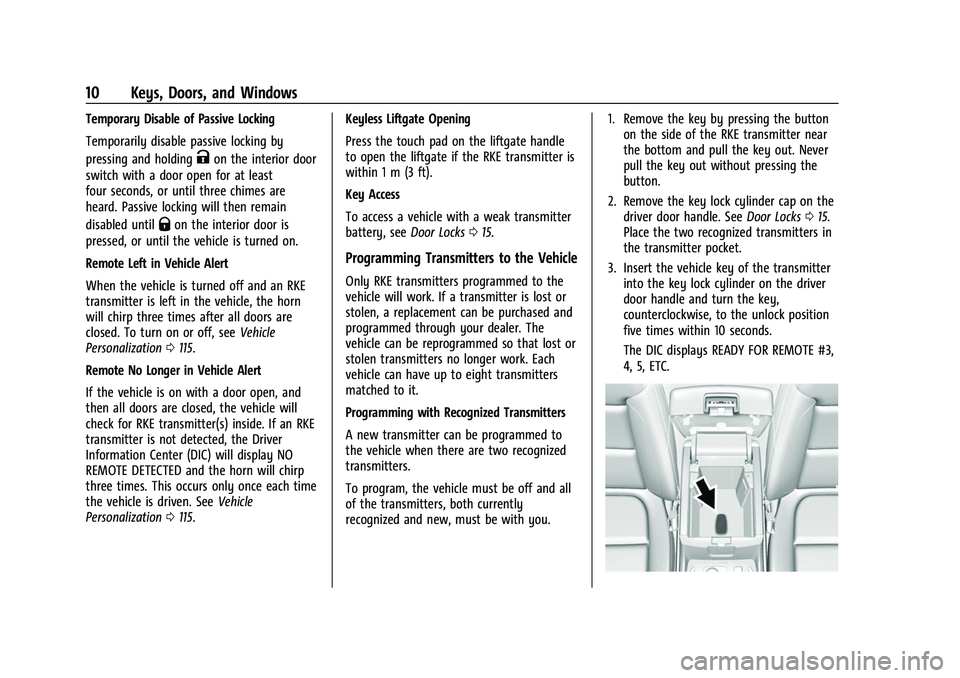
Place the two recognized transmitters in
the transmitter pocket.
3. Insert the vehicle key of the transmitter into the key lock cylinder on the driver
door handle and turn the key,
counterclockwise, to the unlock position
five times within 10 seconds.
The DIC displays READY FOR REMOTE #3,
4, 5, ETC.
Page 12 of 369
Chevrolet Traverse Owner Manual (GMNA-Localizing-U.S./Canada/Mexico-
14637844) - 2021 - CRC - 3/26/21
Keys, Doors, and Windows 11
4. Place the new transmitter into thetransmitter pocket. The transmitter
pocket is inside the center console
storage area between the driver and
front passenger seats, underneath the
liner.
5. Press ENGINE START/STOP. When the transmitter is learned the DIC display
will show that it is ready to program the
next transmitter.
6. Remove the transmitter from the transmitter pocket and press the
transmitter
KorQbutton.
To program additional transmitters,
repeat Steps 3–5.
When all additional transmitters are
programmed, press and hold ENGINE
START/STOP for 12 seconds to exit
programming mode.
7. Put the key back into the transmitter.
8. Replace the key lock cylinder cap. See Door Locks 015.
Programming without Recognized
Transmitters
If two currently recognized transmitters are
not available, follow this procedure to
program up to eight transmitters. This feature is not available in Canada. This
procedure will take approximately
30 minutes to complete. The vehicle must
be off and all of the transmitters you wish
to program must be with you.
1. Remove the key by pressing the button on the side of the RKE transmitter near
the bottom and pull the key out. Never
pull the key out without pressing the
button.
2. Remove the key lock cylinder cap on the driver door handle. See Door Locks015.
Insert the vehicle key of the transmitter
into the key lock cylinder on the driver
door handle and turn the key,
counterclockwise, to the unlock position
five times within 10 seconds.
The DIC displays REMOTE LEARN
PENDING, PLEASE WAIT.
3. Wait for 10 minutes until the DIC displays PRESS ENGINE START BUTTON TO
LEARN and then press ENGINE
START/STOP.
The DIC will again display REMOTE LEARN
PENDING, PLEASE WAIT. 4. Repeat Step 2 two additional times. After
the third time all previously known
transmitters will no longer work with the
vehicle. Remaining transmitters can be
relearned during the next steps.
The DIC display should now show READY
FOR REMOTE # 1.
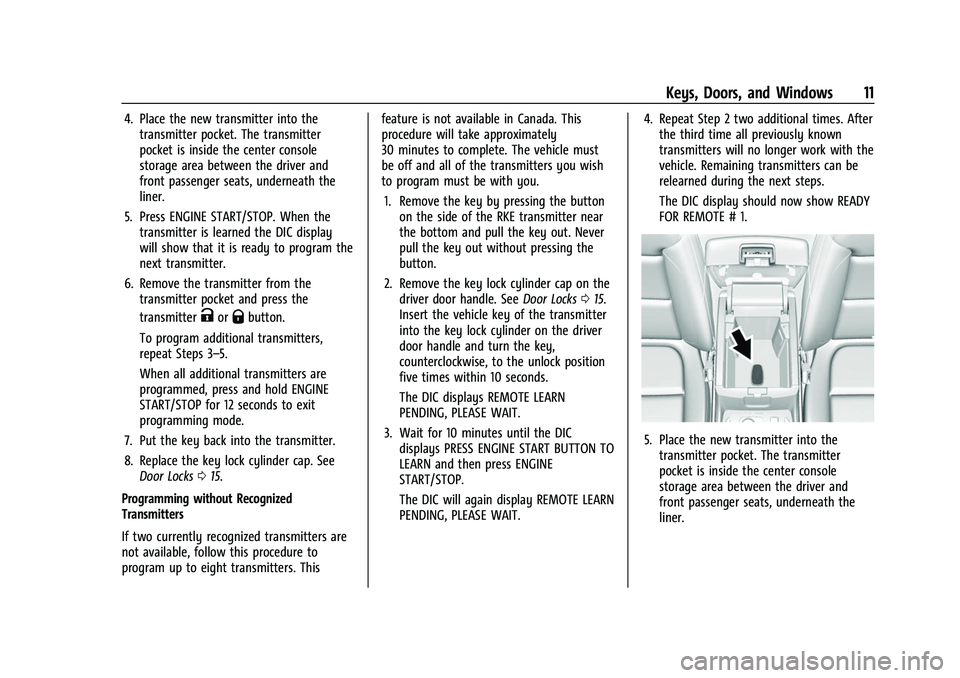
5. Place the new transmitter into thetransmitter pocket. The transmitter
pocket is inside the center console
storage area between the driver and
front passenger seats, underneath the
liner.
Page 90 of 369
Chevrolet Traverse Owner Manual (GMNA-Localizing-U.S./Canada/Mexico-
14637844) - 2021 - CRC - 3/26/21
Instruments and Controls 89
Instruments and Controls
Controls
Steering Wheel Adjustment . . . . . . . . . . . . 90
Steering Wheel Controls . . . . . . . . . . . . . . . 90
Heated Steering Wheel . . . . . . . . . . . . . . . . 90
Horn . . . . . . . . . . . . . . . . . . . . . . . . . . . . . . . . . . . . 91
Windshield Wiper/Washer . . . . . . . . . . . . . . 91
Rear Window Wiper/Washer . . . . . . . . . . . 92
Compass . . . . . . . . . . . . . . . . . . . . . . . . . . . . . . . 93
Clock . . . . . . . . . . . . . . . . . . . . . . . . . . . . . . . . . . . 93
Power Outlets . . . . . . . . . . . . . . . . . . . . . . . . . . 93
Wireless Charging . . . . . . . . . . . . . . . . . . . . . . 94
Warning Lights, Gauges, and Indicators
Warning Lights, Gauges, andIndicators . . . . . . . . . . . . . . . . . . . . . . . . . . . . 96
Instrument Cluster (Base Level) . . . . . . . . . 97
Instrument Cluster (Uplevel) . . . . . . . . . . . 99
Speedometer . . . . . . . . . . . . . . . . . . . . . . . . . . 101
Odometer . . . . . . . . . . . . . . . . . . . . . . . . . . . . . . 101
Trip Odometer . . . . . . . . . . . . . . . . . . . . . . . . . 101
Tachometer . . . . . . . . . . . . . . . . . . . . . . . . . . . . 101
Fuel Gauge . . . . . . . . . . . . . . . . . . . . . . . . . . . . 101
Engine Coolant Temperature Gauge . . . 102
Seat Belt Reminders . . . . . . . . . . . . . . . . . . . 102
Airbag Readiness Light . . . . . . . . . . . . . . . . 103
Passenger Airbag Status Indicator . . . . . 103
Charging System Light . . . . . . . . . . . . . . . . 104 Malfunction Indicator Lamp (Check
Engine Light) . . . . . . . . . . . . . . . . . . . . . . . . 104
Brake System Warning Light . . . . . . . . . . 106
Electric Parking Brake Light . . . . . . . . . . . . 106
Service Electric Parking Brake Light . . . . 106
Antilock Brake System (ABS) Warning Light . . . . . . . . . . . . . . . . . . . . . . . . . . . . . . . . . 107
Tow/Haul Mode Light . . . . . . . . . . . . . . . . . 107
Lane Keep Assist (LKA) Light . . . . . . . . . . . 107
Vehicle Ahead Indicator . . . . . . . . . . . . . . . 107
Pedestrian Ahead Indicator . . . . . . . . . . . . 108
Traction Off Light . . . . . . . . . . . . . . . . . . . . . 108
StabiliTrak OFF Light . . . . . . . . . . . . . . . . . . 108
Traction Control System (TCS)/ StabiliTrak Light . . . . . . . . . . . . . . . . . . . . . 108
Tire Pressure Light . . . . . . . . . . . . . . . . . . . . 109
Engine Oil Pressure Light . . . . . . . . . . . . . . 109
Low Fuel Warning Light (Base Level) . . . 110
Low Fuel Warning Light (Uplevel) . . . . . . 110
Security Light . . . . . . . . . . . . . . . . . . . . . . . . . . 110
High-Beam On Light . . . . . . . . . . . . . . . . . . . 110
Front Fog Lamp Light . . . . . . . . . . . . . . . . . . . 111
Lamps On Reminder . . . . . . . . . . . . . . . . . . . . 111
Cruise Control Light . . . . . . . . . . . . . . . . . . . . 111
Door Ajar Light . . . . . . . . . . . . . . . . . . . . . . . . . 111
Information Displays
Driver Information Center (DIC) . . . . . . . . 111
Vehicle Messages
Vehicle Messages . . . . . . . . . . . . . . . . . . . . . . 114 Engine Power Messages . . . . . . . . . . . . . . . 114
Vehicle Speed Messages . . . . . . . . . . . . . . . 115
Vehicle Personalization
Vehicle Personalization . . . . . . . . . . . . . . . . . 115
Universal Remote System
Universal Remote System . . . . . . . . . . . . . . 119
Universal Remote System
Programming . . . . . . . . . . . . . . . . . . . . . . . . 119
Universal Remote System Operation . . . 121
Page 94 of 369
Chevrolet Traverse Owner Manual (GMNA-Localizing-U.S./Canada/Mexico-
14637844) - 2021 - CRC - 3/26/21
Instruments and Controls 93
Compass
The vehicle may have a compass display on
the Driver Information Center (DIC). The
compass receives its heading and other
information from the Global Positioning
System (GPS) antenna, StabiliTrak/Electronic
Stability Control (ESC), and vehicle speed
information.
The compass system is designed to operate
for a certain number of miles or degrees of
turn before needing a signal from the GPS
satellites. When the compass display shows
CAL, drive the vehicle for a short distance in
an open area where it can receive a GPS
signal. The compass system will
automatically determine when a GPS signal
is restored and provide a heading again.
Clock
Set the time and date using the
infotainment system. See "Time / Date"
underSettings 0165.
Power Outlets
Power Outlets 12-Volt Direct Current
The vehicle has two 12-volt outlets that can
be used to plug in electrical equipment, such
as a cell phone or MP3 player. The power outlets are located:
.On the center stack below the climate
controls.
.In the rear cargo area.
Lift the cover to access the outlet and
replace when not in use.
There are also charging only USB ports on
the rear of the center console and in the
third row seating area.
{Warning
Power is always supplied to the rear
cargo power outlet. Do not leave
electrical equipment plugged in when the
vehicle is not in use because the vehicle
could catch fire and cause injury or
death.
Caution
Leaving electrical equipment plugged in
for an extended period of time while the
ignition is in LOCK/OFF will drain the
battery. Always unplug electrical
equipment when not in use and do not
plug in equipment that exceeds the
maximum 15 ampere rating. Certain accessory plugs may not be
compatible with the accessory power outlet
and could overload vehicle and adapter
fuses. If a problem is experienced, see your
dealer.
When adding electrical equipment, be sure
to follow the proper installation instructions
included with the equipment. See
Add-On
Electrical Equipment 0254.
Caution
Hanging heavy equipment from the
power outlet can cause damage not
covered by the vehicle warranty. The
power outlets are designed for accessory
power plugs only, such as cell phone
charge cords.
Power Outlet 110V/120V Alternating
Current
If equipped with this power outlet it can be
used to plug in electrical equipment that
uses a maximum limit of 150 watts.
Page 127 of 369

Chevrolet Traverse Owner Manual (GMNA-Localizing-U.S./Canada/Mexico-
14637844) - 2021 - CRC - 3/26/21
126 Lighting
Some localities have laws that require the
high beams to be off when the fog lamps
are on.
Interior Lighting
Instrument Panel Illumination
Control
This feature adjusts the brightness of all
illuminated controls. The instrument panel
illumination control is next to the exterior
lamp control.
Push the knob in all the way until it extends
out and then turn the knob clockwise or
counterclockwise to brighten or dim the
lights. Push the knob back in when finished.
The knob is functional at night, or when the
headlamps or parking lamps are on.
Courtesy Lamps
The courtesy lamps come on when any door
is opened,
Kon the RKE transmitter is
pressed, or when the ignition is switched
off. See Dome Lamps 0126.
Dome Lamps
The dome lamp controls are in the overhead
console.
To operate, press the following buttons:
jOFF : Press to turn off the dome
lamps when any door is opened,
Kon the
RKE transmitter is pressed, or when the
ignition is switched off. An indicator light on
the button will turn on when the dome lamp override is activated. Press
jOFF
again to deactivate this feature and the
indicator light will turn off. The dome lamps
will come on when any door is opened,
K
on the RKE transmitter is pressed, or when
the ignition is switched off.
+ ON/OFF : Press to turn the dome lamps
on manually. Press again to turn the dome
lamps off.
Reading Lamps
There are reading lamps on the overhead
console and over the rear seats. These lamps
come on when any door is opened,
Kon
the RKE transmitter is pressed, or when the
ignition is switched off.
To operate, the ignition must be on, in ACC/
ACCESSORY, or using Retained Accessory
Power (RAP).
Page 166 of 369

Chevrolet Traverse Owner Manual (GMNA-Localizing-U.S./Canada/Mexico-
14637844) - 2021 - CRC - 3/26/21
Infotainment System 165
support see https://support.google.com/
androidauto. For Apple CarPlay support see
www.apple.com/ios/carplay/. Apple or
Google may change or suspend availability
at any time. Android Auto, Android, Google,
Google Play, and other marks are
trademarks of Google Inc.; Apple CarPlay is a
trademark of Apple Inc.
Press
{on the center stack to exit Android
Auto or Apple CarPlay. To enter back into
Android Auto or Apple CarPlay, press and
hold
{on the center stack.
Apple CarPlay and Android Auto can be
disabled from the infotainment system. To
do this, touch Home, Settings, and then
touch the Apps tab along the top of the
display. Use the On/Off toggled to turn off
Apple CarPlay or Android Auto.
Settings
Certain settings can be managed in the
Owner Center sites when an account is
established, and may be modified if other
users have accessed the vehicle or created
accounts. This may result in changes to the
security or functionality of the infotainment
system. Some settings may also be
transferred to a new vehicle, if equipped. For instructions, in the U.S. see
my.chevrolet.com or in Canada see
mychevrolet.ca or monchevrolet.ca.
Refer to the User Terms and Privacy
Statement for important details. To view,
touch the Settings icon on the Home Page
of the infotainment display.
The settings menu may be organized into
four categories. Select the desired category
by touching System, Apps, Vehicle,
or Personal.
To access the personalization menus:
1. Touch Settings on the Home Page on the infotainment display.
2. Touch the desired category to display a list of available options.
3. Touch to select the desired feature setting.
4. Touch the options on the infotainment display to disable or enable a feature.
5. Touchzto go to the top level of the
Settings menu.
System
The menu may contain the following:
Time / Date
Use the following features to set the clock:
.Automatic Time and Date: Touch Off or
On to enable or disable automatic update
of the time and date. When this feature
is on, the time and date cannot be
manually set.
.Set Time: Touch to manually set the time
using the controls on the infotainment
display.
.Set Date: Touch to manually set the date
using the controls on the infotainment
display.
.Automatic Time Zone (If Equipped): Touch
Off or On to disable or enable automatic
update of the time zone based on vehicle
location. When this feature is on, the
time zone cannot be manually set.
.Select Time Zone: Touch to manually set
the time zone. Touch a time zone from
the list.
.Use 24-hour Format: Touch to specify the
clock format shown.
Touch Off or On to disable or enable.
Page 184 of 369

Chevrolet Traverse Owner Manual (GMNA-Localizing-U.S./Canada/Mexico-
14637844) - 2021 - CRC - 3/26/21
Climate Controls 183
Climate Control Display
1. Driver and Passenger TemperatureControls
2. Fan Control
3. Sync (Synchronized Temperature)
4. Outside Temperature Display
5. Recirculation
6. Air Delivery Mode Control
7. Auto (Automatic Operation)
8. A/C (Air Conditioning)
9. On/Off (Power)
The fan, air delivery mode, air conditioning,
driver and passenger temperatures, and Sync
settings can be controlled by touching CLIMATE on the infotainment display Home
Page or the climate button in the
application tray display. A selection can then
be made on the front climate control page
displayed. See the infotainment manual.
Climate Control Status Display
The climate control status display appears
briefly when the climate controls on the
center stack are adjusted. The air delivery
mode can be adjusted on the climate control
display.
Automatic Operation
The system automatically controls the fan
speed, air delivery, air conditioning, and
recirculation in order to heat or cool the
vehicle to the desired temperature.When AUTO is lit, all four functions operate
automatically. Each function can also be
manually set and the selected setting is
displayed. Functions not manually set will
continue to be automatically controlled,
even if the AUTO indicator is not lit.
For automatic operation:
1. Press AUTO.
2. Set the temperature. Allow the system time to stabilize. Adjust the temperature
as needed for best comfort.
To improve fuel efficiency and to cool the
vehicle faster with A/C on, recirculation may
be automatically selected in warm weather.
Press
@to select recirculation; press it
again to select outside air.
Driver and Passenger Temperature
Controls : The temperature can be adjusted
separately for the driver and the passenger.
Turn the knob clockwise or counterclockwise
to increase or decrease the driver or
passenger temperature setting.
SYNC : Press to link all passenger
temperature settings to the driver setting.
The SYNC indicator light will turn on. When
the passenger settings are adjusted, the
SYNC indicator light turns off.
Page 187 of 369

Chevrolet Traverse Owner Manual (GMNA-Localizing-U.S./Canada/Mexico-
14637844) - 2021 - CRC - 3/26/21
186 Climate Controls
Rear Climate Control System
The rear climate control system is on the
rear of the center console storage. The
settings can be adjusted by either the rear
climate control or the rear climate display
app on the front infotainment display.
Rear Climate Controls
1. Fan Control
2. AUTO (Automatic Operation)
3. MODE (Air Delivery Mode Control)
4. TEMP (Temperature Control)
5. Heated Rear Seats (If Equipped)
Rear Climate Display
1. Rear Climate Temperature Control
2. Fan Control
3. Outside Temperature Display
4. Sync (Synchronized Temperatures)
5. Rear Control Lockout
6. Air Delivery Mode Control
7. Auto (Automatic Operation)
8. On/Off (Power)
SYNC : Press SYNC on the rear climate
display to match the rear climate control
temperature to the front climate control
driver temperature. The SYNC button will be
lit. Adjust the rear climate control
temperature to change the linked temperature. The SYNC button turns off.
When SYNC is active the display is not
shown.
Rear Control Lockout :
Press
Hon the rear
climate display to lock or unlock control of
the rear climate control system from the
front seat. When locked the rear climate
control system cannot be adjusted from the
rear climate controls.
Automatic Operation
AUTO : Press AUTO or touch Rear Auto on
the rear climate display to automatically
control air delivery and fan speed. A is
indicated in the display on the rear of the
center console storage when automatic
operation is active. If any of the climate
control settings are manually adjusted, this
cancels full automatic operation.
The display on the rear of the center
console storage only indicates climate
control functions when the system is in rear
independent mode.
Manual Operation
9: Turn the knob clockwise or
counterclockwise or touch and hold
]or
9on the rear climate display to increase
or decrease the fan speed.
Page 188 of 369
Chevrolet Traverse Owner Manual (GMNA-Localizing-U.S./Canada/Mexico-
14637844) - 2021 - CRC - 3/26/21
Climate Controls 187
TEMP :Turn the knob clockwise or
counterclockwise or press and hold the rear
climate display temperature controls to
adjust the rear passenger temperature. If
SYNC is lit, the rear climate temperature is
linked to the driver temperature setting.
2/\/Yor MODE : Touch the desired
mode on the rear climate display or press
MODE on the rear climate controls to
change the direction of the airflow in the
rear seating area. Repeatedly press MODE
until the desired mode appears on the
display.
MorL: If equipped, pressMorLto
heat the left or right rear outboard seat. See
Heated Rear Seats 045.
Air Vents
Use the slider switch on the air outlets to
change the direction of the airflow, or to
open and close off the airflow.
There are also outlets overhead in the rear
passenger area; adjust as needed.
Keep all outlets open whenever possible for
best system performance.
Operation Tips
.Clear away any ice, snow, or leaves from
the air inlets at the base of the
windshield that can block the flow of air
into the vehicle.
.Clear snow off the hood to improve
visibility and help decrease moisture
drawn into the vehicle.
.Use of non-GM approved hood deflectors
can adversely affect the performance of
the system.
.Keep the path under all seats clear of
objects to help circulate the air inside the
vehicle more effectively.
.If fogging reoccurs while in vent or
bi-level modes with mild temperature
throughout the vehicle, turn on the air
conditioner to reduce windshield fogging.
Maintenance
Passenger Compartment Air Filter
The filter reduces dust, pollen, and other
airborne irritants from outside air that is
pulled into the vehicle. The filter should be
replaced as part of routine scheduled
maintenance. See Maintenance Schedule
0 323. See your dealer regarding replacement of
the filter.
Service
All vehicles have a label underhood that
identifies the refrigerant used in the vehicle.
The refrigerant system should only be
serviced by trained and certified technicians.
The air conditioning evaporator should never
be repaired or replaced by one from a
salvage vehicle. It should only be replaced
by a new evaporator to ensure proper and
safe operation.
During service, all refrigerants should be
reclaimed with proper equipment. Venting
refrigerants directly to the atmosphere is
harmful to the environment and may also
create unsafe conditions based on
inhalation, combustion, frostbite, or other
health-based concerns.
The air conditioning system requires periodic
maintenance. See
Maintenance Schedule
0 323.
Page 267 of 369
Chevrolet Traverse Owner Manual (GMNA-Localizing-U.S./Canada/Mexico-
14637844) - 2021 - CRC - 3/26/21
266 Vehicle Care
visible, add a 50/50 mixture of clean,
drinkable water and DEX-COOL coolant at
the coolant surge tank to the top rib on the
middle of the tank, but be sure the cooling
system is cool before this is done. See
Engine Overheating0267.
The coolant surge tank is located in the
engine compartment on the driver side of
the vehicle. See Engine Compartment
Overview 0259.
How to Add Coolant to the Coolant
Surge Tank
{Warning
Steam and scalding liquids from a hot
cooling system are under pressure.
Turning the pressure cap, even a little,
can cause them to come out at high
speed and you could be burned. Never
turn the cap when the cooling system,
including the pressure cap, is hot. Wait
for the cooling system and pressure cap
to cool.
{Warning
Plain water, or other liquids such as
alcohol, can boil before the proper
coolant mixture will. With plain water or
the wrong mixture, the engine could get
too hot but there would not be an
overheat warning. The engine could catch
fire and you or others could be burned.
{Warning
Spilling coolant on hot engine parts can
burn you. Coolant contains ethylene
glycol and it will burn if the engine parts
are hot enough.
Caution
Failure to follow the specific coolant fill
procedure could cause the engine to
overheat and could cause system
damage. If coolant is not visible in the
surge tank, contact your dealer.
If no problem is found, check to see if
coolant is visible in the coolant surge tank.
If coolant is visible but the coolant level is
not at the indicated level mark, add a 50/ 50 mixture of clean, drinkable water and
DEX-COOL coolant at the coolant surge tank,
but be sure the cooling system, including
the coolant surge tank pressure cap, is cool
before you do it.
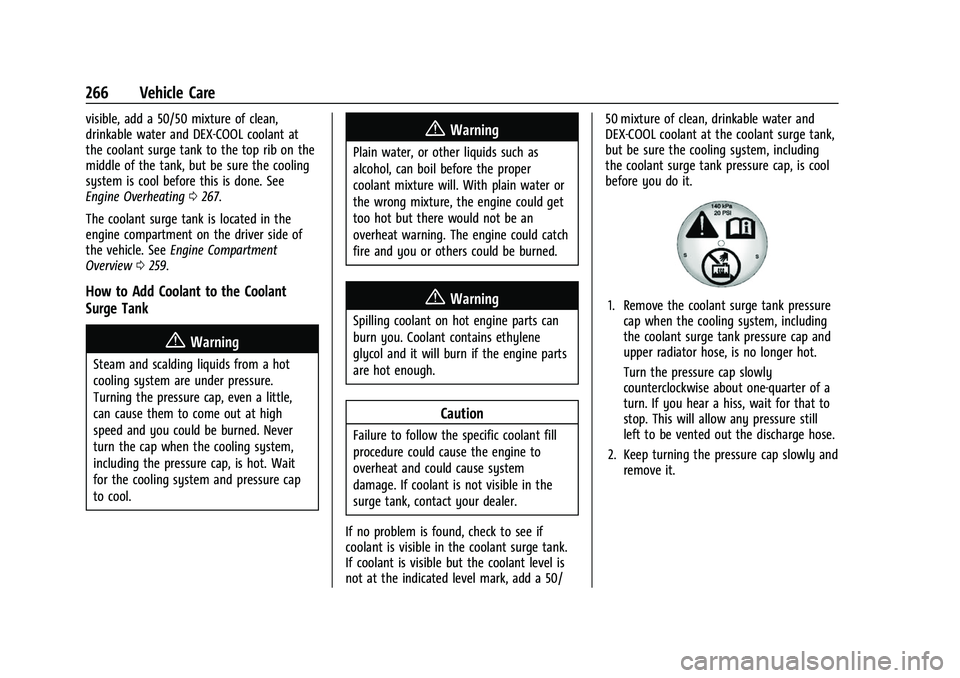
1. Remove the coolant surge tank pressure
cap when the cooling system, including
the coolant surge tank pressure cap and
upper radiator hose, is no longer hot.
Turn the pressure cap slowly
counterclockwise about one-quarter of a
turn. If you hear a hiss, wait for that to
stop. This will allow any pressure still
left to be vented out the discharge hose.
2. Keep turning the pressure cap slowly and remove it.