keyless entry CHEVROLET TRAX 2013 1.G Owners Manual
[x] Cancel search | Manufacturer: CHEVROLET, Model Year: 2013, Model line: TRAX, Model: CHEVROLET TRAX 2013 1.GPages: 408, PDF Size: 6.59 MB
Page 7 of 408
Black plate (1,1)Chevrolet TRAX Owner Manual - 2013 - CRC - 3/6/13
In Brief 1-1
In Brief
Instrument Panel
Instrument Panel . . . . . . . . . . . . . . 1-2
Initial Drive Information
Initial Drive Information . . . . . . . . 1-4
Remote Keyless Entry (RKE)System . . . . . . . . . . . . . . . . . . . . . . 1-4
Remote Vehicle Start . . . . . . . . . 1-4
Door Locks . . . . . . . . . . . . . . . . . . . 1-5
Liftgate . . . . . . . . . . . . . . . . . . . . . . . . 1-5
Windows . . . . . . . . . . . . . . . . . . . . . . 1-6
Seat Adjustment . . . . . . . . . . . . . . 1-6
Second Row Seats . . . . . . . . . . . 1-8
Heated Seats . . . . . . . . . . . . . . . . . 1-8
Head Restraint Adjustment . . . . 1-8
Safety Belts . . . . . . . . . . . . . . . . . . . 1-9
Passenger Sensing System (Canada) . . . . . . . . . . . . . . . . . . . . 1-9 Mirror Adjustment . . . . . . . . . . . . . 1-9
Steering Wheel
Adjustment . . . . . . . . . . . . . . . . . 1-10
Interior Lighting . . . . . . . . . . . . . . 1-10
Exterior Lighting . . . . . . . . . . . . . 1-11
Windshield Wiper/Washer . . . . 1-12
Climate Controls . . . . . . . . . . . . . 1-12
Transmission . . . . . . . . . . . . . . . . 1-13
Vehicle Features
Radio(s) . . . . . . . . . . . . . . . . . . . . . 1-14
Satellite Radio . . . . . . . . . . . . . . . 1-15
Portable Audio Devices . . . . . . 1-15
Bluetooth
®. . . . . . . . . . . . . . . . . . . 1-16
Steering Wheel Controls . . . . . 1-16
Cruise Control . . . . . . . . . . . . . . . 1-17
Driver Information Center (DIC) . . . . . . . . . . . . . . . 1-17
Rear Vision Camera (RVC) . . . . . . . . . . . . . 1-17 Ultrasonic Parking Assist . . . . 1-18
Power Outlets . . . . . . . . . . . . . . . 1-18
Sunroof . . . . . . . . . . . . . . . . . . . . . . 1-18
Performance and Maintenance
Traction Control
System (TCS) . . . . . . . . . . . . . . 1-19
StabiliTrak
®System . . . . . . . . . 1-19
Tire Pressure Monitor . . . . . . . . 1-19
Engine Oil Life System . . . . . . 1-20
Driving for Better Fuel Economy . . . . . . . . . . . . . . . . . . . 1-20
Roadside Assistance Program . . . . . . . . . . . . . . . . . . . . 1-21
OnStar
®. . . . . . . . . . . . . . . . . . . . . 1-21
Page 10 of 408
Black plate (4,1)Chevrolet TRAX Owner Manual - 2013 - CRC - 3/6/13
1-4 In Brief
Initial Drive
Information
This section provides a brief
overview about some of the
important features that may or may
not be on your specific vehicle.
For more detailed information, refer
to each of the features which can be
found later in this owner manual.
Remote Keyless Entry
(RKE) System
The Remote Keyless Entry (RKE)
transmitter may work up to 30 m
(98 ft) away from the vehicle.
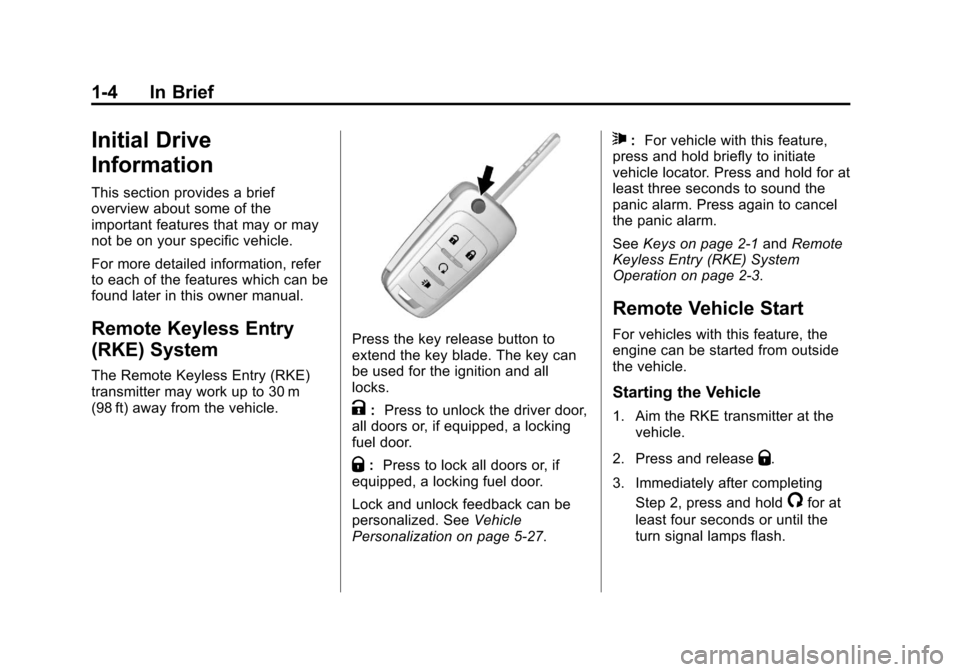
Press the key release button to
extend the key blade. The key can
be used for the ignition and all
locks.
K:Press to unlock the driver door,
all doors or, if equipped, a locking
fuel door.
Q: Press to lock all doors or, if
equipped, a locking fuel door.
Lock and unlock feedback can be
personalized. See Vehicle
Personalization on page 5‑27.
7: For vehicle with this feature,
press and hold briefly to initiate
vehicle locator. Press and hold for at
least three seconds to sound the
panic alarm. Press again to cancel
the panic alarm.
See Keys on page 2‑1 andRemote
Keyless Entry (RKE) System
Operation on page 2‑3.
Remote Vehicle Start
For vehicles with this feature, the
engine can be started from outside
the vehicle.
Starting the Vehicle
1. Aim the RKE transmitter at the vehicle.
2. Press and release
Q.
3. Immediately after completing Step 2, press and hold
/for at
least four seconds or until the
turn signal lamps flash.
Page 11 of 408
Black plate (5,1)Chevrolet TRAX Owner Manual - 2013 - CRC - 3/6/13
In Brief 1-5
When the engine starts, the parking
lamps will turn on and remain on as
long as the engine is running. The
doors will be locked and the climate
control system may come on.
The engine will continue to run for
10 minutes. Repeat the steps for a
10-minute time extension. Remote
start can be extended only once.
Canceling a Remote Start
To cancel a remote start, do one of
the following:
.Aim the RKE transmitter at the
vehicle and press and hold
/
until the parking lamps turn off.
.Turn on the hazard warning
flashers.
.Turn the vehicle on and then off.
See Remote Vehicle Start on
page 2‑5.
Door Locks
To lock or unlock a door manually:
.From the inside, to lock the door,
use the lock knob on the top of
the door panel.
.From the outside, turn the key
toward the front or rear of the
vehicle, or press
KorQon the
Remote Keyless Entry (RKE)
transmitter.
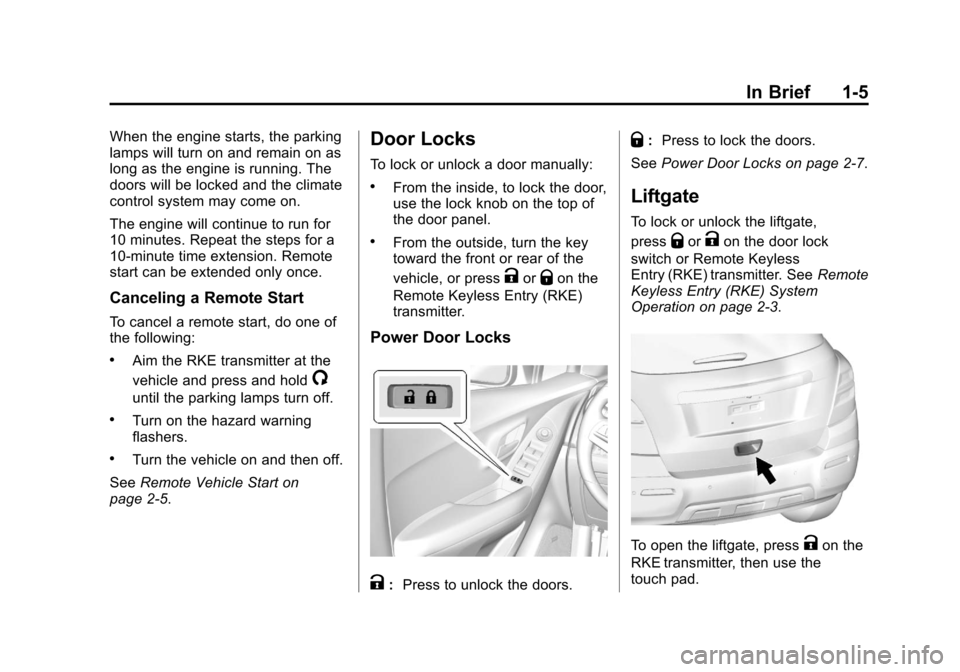
Power Door Locks
K: Press to unlock the doors.
Q:Press to lock the doors.
See Power Door Locks on page 2‑7.
Liftgate
To lock or unlock the liftgate,
press
QorKon the door lock
switch or Remote Keyless
Entry (RKE) transmitter. See Remote
Keyless Entry (RKE) System
Operation on page 2‑3.
To open the liftgate, pressKon the
RKE transmitter, then use the
touch pad.
Page 29 of 408
Black plate (1,1)Chevrolet TRAX Owner Manual - 2013 - CRC - 3/6/13
Keys, Doors, and Windows 2-1
Keys, Doors, and
Windows
Keys and Locks
Keys . . . . . . . . . . . . . . . . . . . . . . . . . . 2-1
Remote Keyless Entry (RKE)System . . . . . . . . . . . . . . . . . . . . . . 2-3
Remote Keyless Entry (RKE) System Operation . . . . . . . . . . . 2-3
Remote Vehicle Start . . . . . . . . . 2-5
Door Locks . . . . . . . . . . . . . . . . . . . 2-6
Power Door Locks . . . . . . . . . . . . 2-7
Automatic Door Locks . . . . . . . . . 2-7
Safety Locks . . . . . . . . . . . . . . . . . . 2-8
Doors
Liftgate . . . . . . . . . . . . . . . . . . . . . . . . 2-8
Vehicle Security
Vehicle Security . . . . . . . . . . . . . . . 2-9
Vehicle Alarm System . . . . . . . . . 2-9
Immobilizer . . . . . . . . . . . . . . . . . . 2-10
Immobilizer Operation . . . . . . . 2-10
Exterior Mirrors
Convex Mirrors . . . . . . . . . . . . . . 2-11
Power Mirrors . . . . . . . . . . . . . . . . 2-12
Folding Mirrors . . . . . . . . . . . . . . . 2-12
Folding Mirrors . . . . . . . . . . . . . . . 2-12
Heated Mirrors . . . . . . . . . . . . . . . 2-12
Interior Mirrors
Manual Rearview Mirror . . . . . . 2-13
Automatic Dimming Rearview Mirror . . . . . . . . . . . . . . . . . . . . . . . 2-13
Windows
Windows . . . . . . . . . . . . . . . . . . . . . 2-13
Power Windows . . . . . . . . . . . . . 2-14
Sun Visors . . . . . . . . . . . . . . . . . . . 2-15
Roof
Sunroof . . . . . . . . . . . . . . . . . . . . . . 2-16
Keys and Locks
Keys
{WARNING
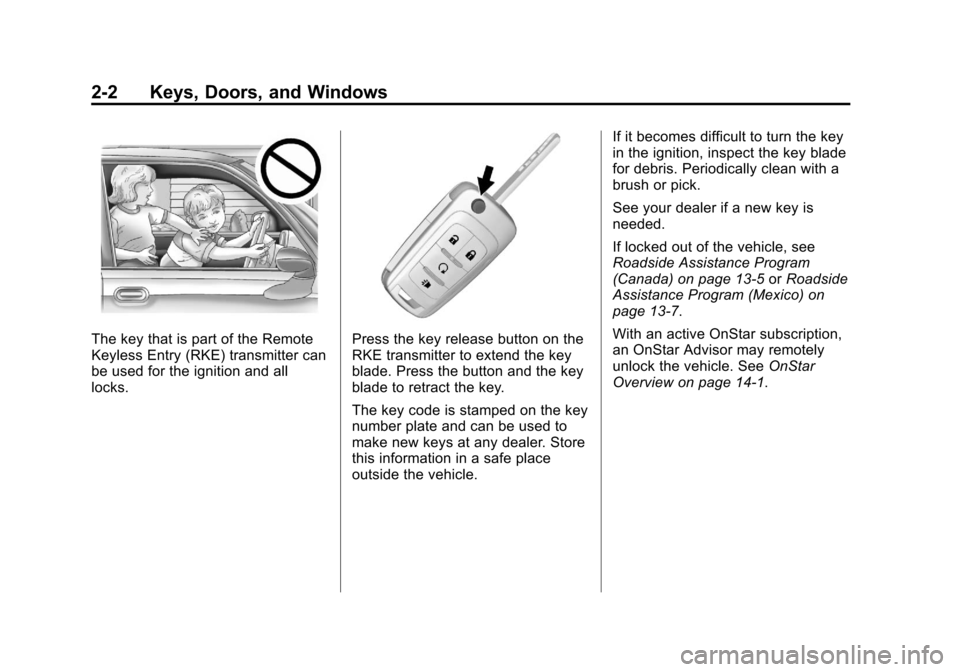
Leaving children in a vehicle with
the ignition key is dangerous and
children or others could be
seriously injured or killed. They
could operate the power windows
or other controls or make the
vehicle move. The windows will
function with the keys in the
ignition, and children or others
could be caught in the path of a
closing window. Do not leave
children in a vehicle with the
ignition key.
Page 30 of 408
Black plate (2,1)Chevrolet TRAX Owner Manual - 2013 - CRC - 3/6/13
2-2 Keys, Doors, and Windows
The key that is part of the Remote
Keyless Entry (RKE) transmitter can
be used for the ignition and all
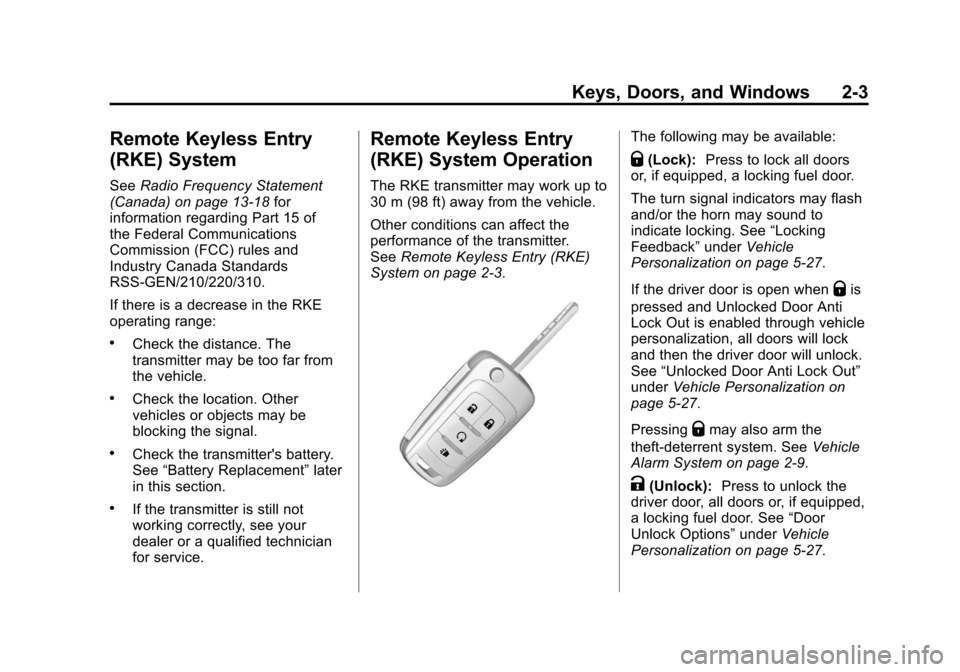
locks.Press the key release button on the
RKE transmitter to extend the key
blade. Press the button and the key
blade to retract the key.
The key code is stamped on the key
number plate and can be used to
make new keys at any dealer. Store
this information in a safe place
outside the vehicle.If it becomes difficult to turn the key
in the ignition, inspect the key blade
for debris. Periodically clean with a
brush or pick.
See your dealer if a new key is
needed.
If locked out of the vehicle, see
Roadside Assistance Program
(Canada) on page 13‑5
orRoadside
Assistance Program (Mexico) on
page 13‑7.
With an active OnStar subscription,
an OnStar Advisor may remotely
unlock the vehicle. See OnStar
Overview on page 14‑1.
Page 31 of 408
Black plate (3,1)Chevrolet TRAX Owner Manual - 2013 - CRC - 3/6/13
Keys, Doors, and Windows 2-3
Remote Keyless Entry
(RKE) System
SeeRadio Frequency Statement
(Canada) on page 13‑18 for
information regarding Part 15 of
the Federal Communications
Commission (FCC) rules and
Industry Canada Standards
RSS-GEN/210/220/310.
If there is a decrease in the RKE
operating range:
.Check the distance. The
transmitter may be too far from
the vehicle.
.Check the location. Other
vehicles or objects may be
blocking the signal.
.Check the transmitter's battery.
See “Battery Replacement” later
in this section.
.If the transmitter is still not
working correctly, see your
dealer or a qualified technician
for service.
Remote Keyless Entry
(RKE) System Operation
The RKE transmitter may work up to
30 m (98 ft) away from the vehicle.
Other conditions can affect the
performance of the transmitter.
See Remote Keyless Entry (RKE)
System on page 2‑3.
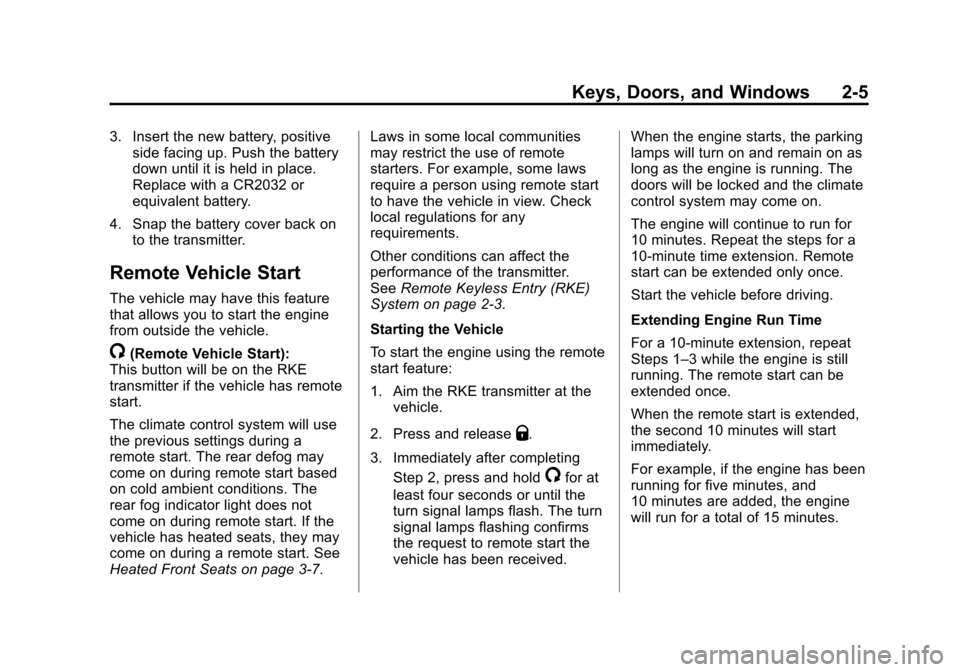
The following may be available:
Q(Lock): Press to lock all doors
or, if equipped, a locking fuel door.
The turn signal indicators may flash
and/or the horn may sound to
indicate locking. See “Locking
Feedback” underVehicle
Personalization on page 5‑27.
If the driver door is open when
Qis
pressed and Unlocked Door Anti
Lock Out is enabled through vehicle
personalization, all doors will lock
and then the driver door will unlock.
See “Unlocked Door Anti Lock Out”
under Vehicle Personalization on
page 5‑27.
Pressing
Qmay also arm the
theft-deterrent system. See Vehicle
Alarm System on page 2‑9.
K(Unlock): Press to unlock the
driver door, all doors or, if equipped,
a locking fuel door. See “Door
Unlock Options” underVehicle
Personalization on page 5‑27.
Page 33 of 408
Black plate (5,1)Chevrolet TRAX Owner Manual - 2013 - CRC - 3/6/13
Keys, Doors, and Windows 2-5
3. Insert the new battery, positiveside facing up. Push the battery
down until it is held in place.
Replace with a CR2032 or
equivalent battery.
4. Snap the battery cover back on to the transmitter.
Remote Vehicle Start
The vehicle may have this feature
that allows you to start the engine
from outside the vehicle.
/(Remote Vehicle Start):
This button will be on the RKE
transmitter if the vehicle has remote
start.
The climate control system will use
the previous settings during a
remote start. The rear defog may
come on during remote start based
on cold ambient conditions. The
rear fog indicator light does not
come on during remote start. If the
vehicle has heated seats, they may
come on during a remote start. See
Heated Front Seats on page 3‑7. Laws in some local communities
may restrict the use of remote
starters. For example, some laws
require a person using remote start
to have the vehicle in view. Check
local regulations for any
requirements.
Other conditions can affect the
performance of the transmitter.
See
Remote Keyless Entry (RKE)
System on page 2‑3.
Starting the Vehicle
To start the engine using the remote
start feature:
1. Aim the RKE transmitter at the vehicle.
2. Press and release
Q.
3. Immediately after completing Step 2, press and hold
/for at
least four seconds or until the
turn signal lamps flash. The turn
signal lamps flashing confirms
the request to remote start the
vehicle has been received. When the engine starts, the parking
lamps will turn on and remain on as
long as the engine is running. The
doors will be locked and the climate
control system may come on.
The engine will continue to run for
10 minutes. Repeat the steps for a
10-minute time extension. Remote
start can be extended only once.
Start the vehicle before driving.
Extending Engine Run Time
For a 10-minute extension, repeat
Steps 1–3 while the engine is still
running. The remote start can be
extended once.
When the remote start is extended,
the second 10 minutes will start
immediately.
For example, if the engine has been
running for five minutes, and
10 minutes are added, the engine
will run for a total of 15 minutes.
Page 35 of 408
Black plate (7,1)Chevrolet TRAX Owner Manual - 2013 - CRC - 3/6/13
Keys, Doors, and Windows 2-7
WARNING (Continued)
injuries or even death from
heat stroke. Always lock the
vehicle whenever leaving it.
.Outsiders can easily enter
through an unlocked door
when you slow down or stop
the vehicle. Locking the doors
can help prevent this from
happening.
To lock or unlock a door manually:
.From the inside, to lock the door,
use the lock knob on the top of
the door panel.
.From the outside, turn the key
toward the front or rear of the
vehicle, or press
KorQon the
Remote Keyless Entry (RKE)
transmitter.
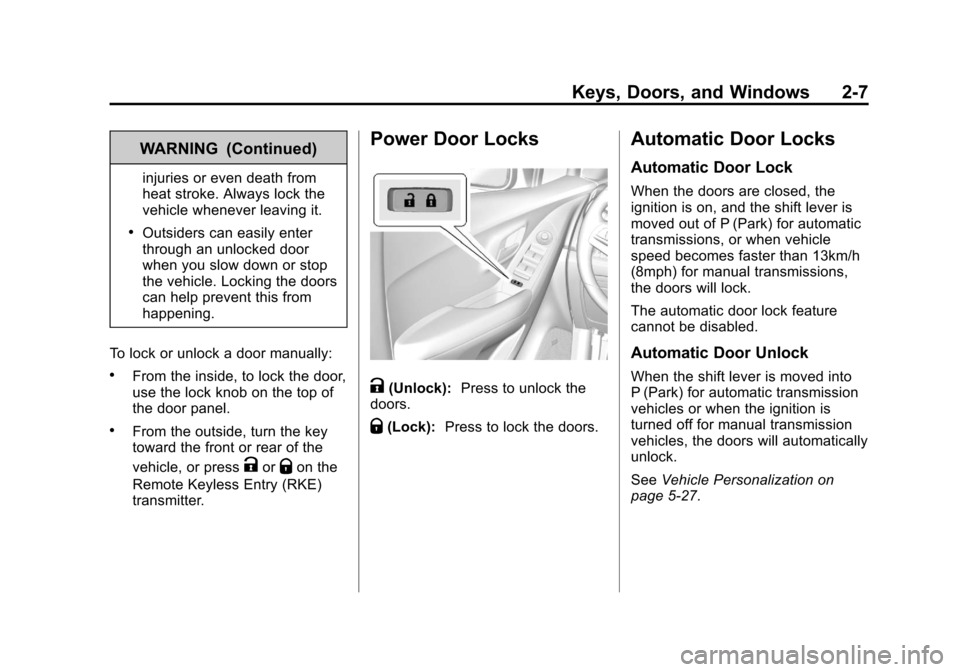
Power Door Locks
K(Unlock): Press to unlock the
doors.
Q(Lock): Press to lock the doors.
Automatic Door Locks
Automatic Door Lock
When the doors are closed, the
ignition is on, and the shift lever is
moved out of P (Park) for automatic
transmissions, or when vehicle
speed becomes faster than 13km/h
(8mph) for manual transmissions,
the doors will lock.
The automatic door lock feature
cannot be disabled.
Automatic Door Unlock
When the shift lever is moved into
P (Park) for automatic transmission
vehicles or when the ignition is
turned off for manual transmission
vehicles, the doors will automatically
unlock.
SeeVehicle Personalization on
page 5‑27.
Page 37 of 408
Black plate (9,1)Chevrolet TRAX Owner Manual - 2013 - CRC - 3/6/13
Keys, Doors, and Windows 2-9
WARNING (Continued)
.Adjust the climate control
system to a setting that
brings in only outside air and
set the fan speed to the
highest setting. See“Climate
Control Systems” in the
Index.
.If the vehicle is equipped with
a power liftgate, disable the
power liftgate function.
For more information about
carbon monoxide, see Engine
Exhaust on page 9‑22.
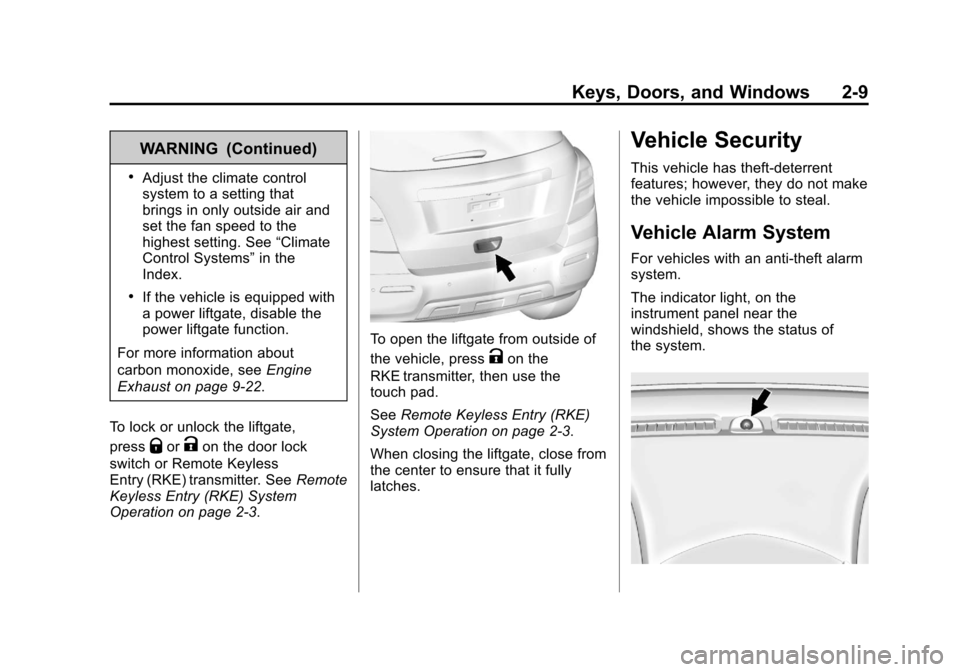
To lock or unlock the liftgate,
press
QorKon the door lock
switch or Remote Keyless
Entry (RKE) transmitter. See Remote
Keyless Entry (RKE) System
Operation on page 2‑3.
To open the liftgate from outside of
the vehicle, press
Kon the
RKE transmitter, then use the
touch pad.
See Remote Keyless Entry (RKE)
System Operation on page 2‑3.
When closing the liftgate, close from
the center to ensure that it fully
latches.
Vehicle Security
This vehicle has theft-deterrent
features; however, they do not make
the vehicle impossible to steal.
Vehicle Alarm System
For vehicles with an anti-theft alarm
system.
The indicator light, on the
instrument panel near the
windshield, shows the status of
the system.
Page 135 of 408
Black plate (31,1)Chevrolet TRAX Owner Manual - 2013 - CRC - 3/6/13
Instruments and Controls 5-31
Delayed Door Lock menu will be
available and the door will lock as
programmed through this menu.
1. Turn the MENU/TUNE knob toOn or Off.
2. Press the MENU/TUNE knob to select.
Delayed Door Lock
When on, this feature will delay the
locking of the doors after the last
door is closed.
1. Turn the MENU/TUNE knob to On or Off.
2. Press the MENU/TUNE knob to select.
Lock, Unlock, Settings
Select Power Door Locks and the
following may be displayed:
.Remote Unlock Light Feedback
.Remote Lock Light and Horn
Feedback
.Remote Door Unlock Remote Unlock Light Feedback
When on, the exterior lamps will
flash when unlocking the vehicle
with the Remote Keyless Entry
(RKE) transmitter, select Flash
Lights or Lights Off.
1. Turn the MENU/TUNE knob to
the desired selection.
2. Press the MENU/TUNE knob to select.
Remote Lock Light and Horn
Feedback
This allows the selection of what
type of feedback is given when
pressing
Qon the RKE transmitter,
select from Lights and Horn, Lights
only, Horn Only, or Off.
1. Turn the MENU/TUNE knob to the desired selection.
2. Press the MENU/TUNE knob to select. Remote Door Unlock
This allows selection of which doors
will unlock when pressing
Kon the
RKE transmitter, select from All
Doors or Driver Door.
When set to Driver Door, the driver
door will unlock the first time
Kis
pressed and all doors will unlock
when the button is pressed a
second time. When set to All Doors,
all of the doors will unlock at the first
press of
K.
1. Turn the MENU/TUNE knob to the desired selection.
2. Press the MENU/TUNE knob to select.
Vehicle Factory Settings
Select Vehicle Factory Settings to
return all of the vehicle
personalization to the default
settings. Press MENU/TUNE when
Vehicle Factory Settings is selected
and open the menu. Select Yes or
No by turning and pressing the
MENU/TUNE knob.