light CHEVROLET TRAX 2016 1.G Workshop Manual
[x] Cancel search | Manufacturer: CHEVROLET, Model Year: 2016, Model line: TRAX, Model: CHEVROLET TRAX 2016 1.GPages: 358, PDF Size: 5.07 MB
Page 126 of 358
Chevrolet TRAX Owner Manual (GMNA-Localizing-U.S./Canada/Mexico-
9159371) - 2016 - crc - 5/21/15
Lighting 125
Turn and Lane-Change
Signals
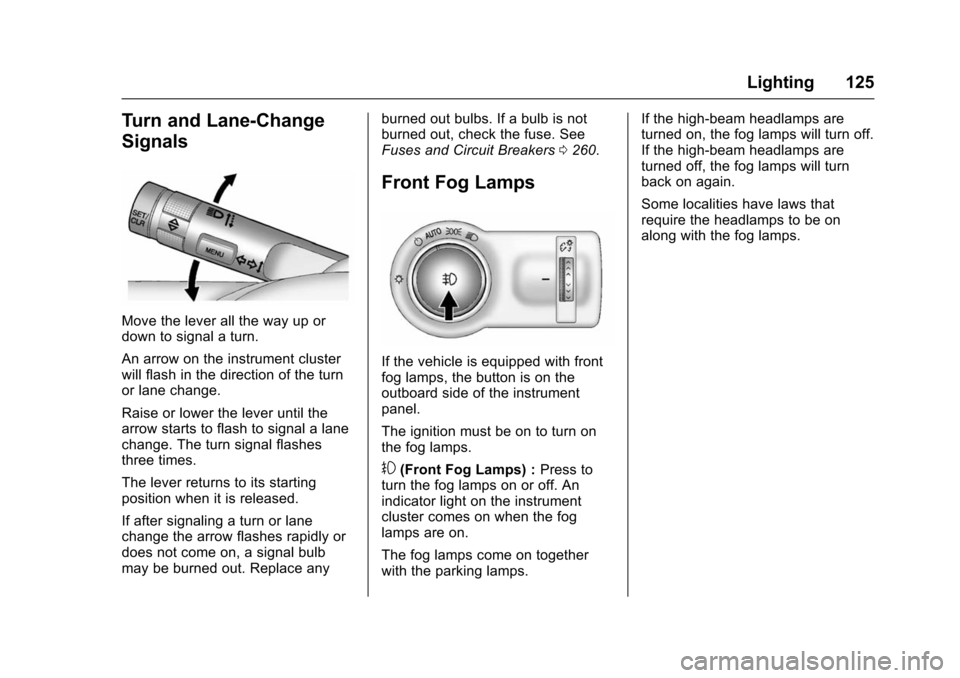
Move the lever all the way up or
down to signal a turn.
An arrow on the instrument cluster
will flash in the direction of the turn
or lane change.
Raise or lower the lever until the
arrow starts to flash to signal a lane
change. The turn signal flashes
three times.
The lever returns to its starting
position when it is released.
If after signaling a turn or lane
change the arrow flashes rapidly or
does not come on, a signal bulb
may be burned out. Replace anyburned out bulbs. If a bulb is not
burned out, check the fuse. See
Fuses and Circuit Breakers
0260.
Front Fog Lamps
If the vehicle is equipped with front
fog lamps, the button is on the
outboard side of the instrument
panel.
The ignition must be on to turn on
the fog lamps.
#(Front Fog Lamps) : Press to
turn the fog lamps on or off. An
indicator light on the instrument
cluster comes on when the fog
lamps are on.
The fog lamps come on together
with the parking lamps. If the high-beam headlamps are
turned on, the fog lamps will turn off.
If the high-beam headlamps are
turned off, the fog lamps will turn
back on again.
Some localities have laws that
require the headlamps to be on
along with the fog lamps.
Page 127 of 358
Chevrolet TRAX Owner Manual (GMNA-Localizing-U.S./Canada/Mexico-
9159371) - 2016 - crc - 5/21/15
126 Lighting
Interior Lighting
Instrument Panel
Illumination Control
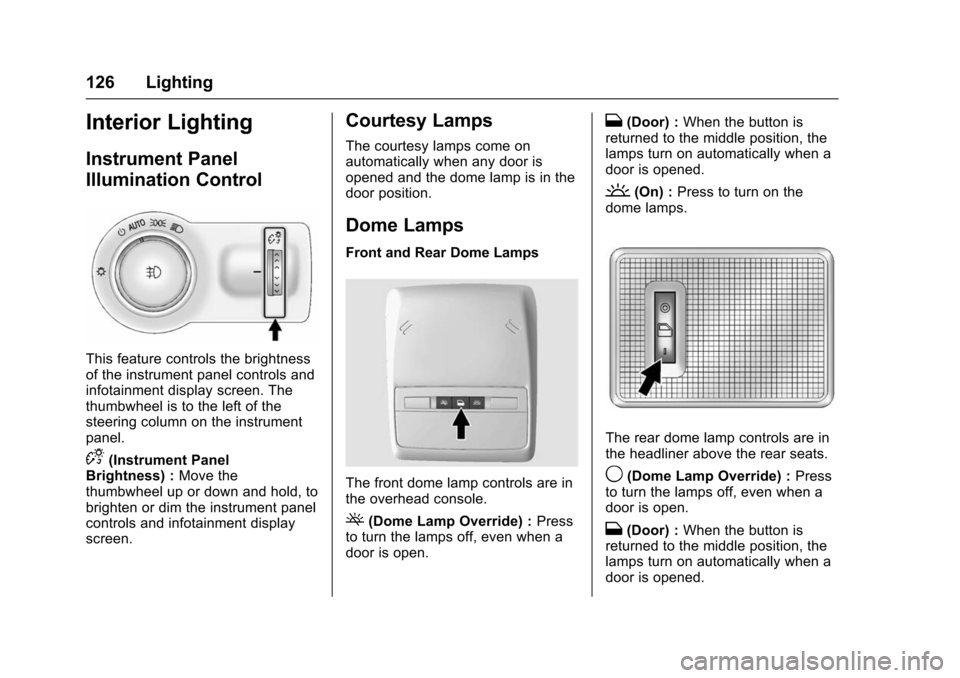
This feature controls the brightness
of the instrument panel controls and
infotainment display screen. The
thumbwheel is to the left of the
steering column on the instrument
panel.
D(Instrument Panel
Brightness) : Move the
thumbwheel up or down and hold, to
brighten or dim the instrument panel
controls and infotainment display
screen.
Courtesy Lamps
The courtesy lamps come on
automatically when any door is
opened and the dome lamp is in the
door position.
Dome Lamps
Front and Rear Dome Lamps
The front dome lamp controls are in
the overhead console.
((Dome Lamp Override) : Press
to turn the lamps off, even when a
door is open.
H(Door) : When the button is
returned to the middle position, the
lamps turn on automatically when a
door is opened.
'(On) : Press to turn on the
dome lamps.
The rear dome lamp controls are in
the headliner above the rear seats.
9(Dome Lamp Override) : Press
to turn the lamps off, even when a
door is open.
H(Door) : When the button is
returned to the middle position, the
lamps turn on automatically when a
door is opened.
Page 128 of 358
Chevrolet TRAX Owner Manual (GMNA-Localizing-U.S./Canada/Mexico-
9159371) - 2016 - crc - 5/21/15
Lighting 127
R(On) :Press to turn on the dome
lamps.
Reading Lamps
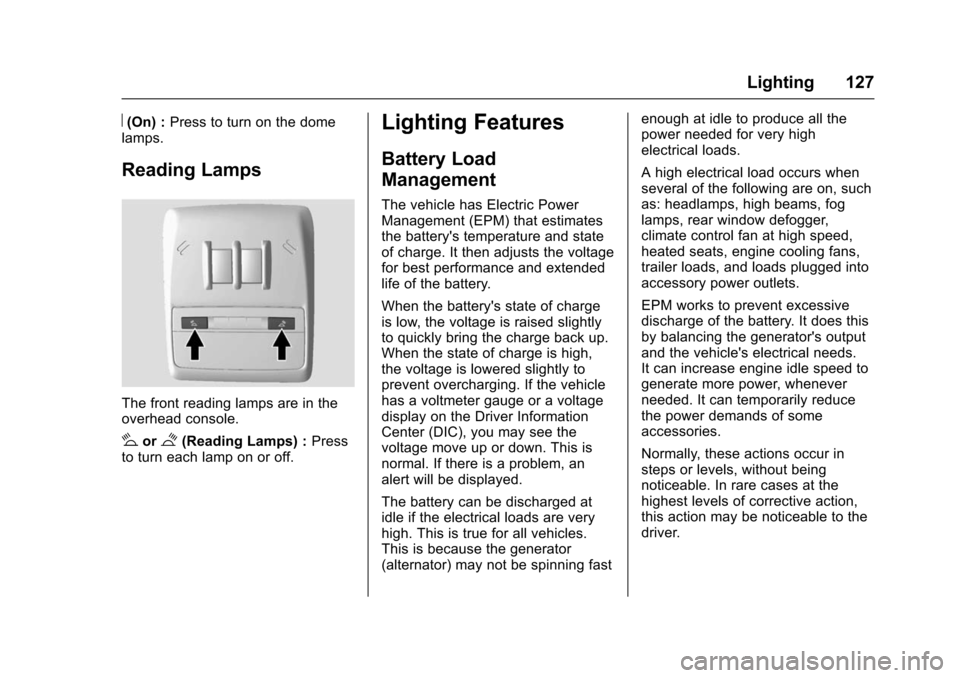
The front reading lamps are in the
overhead console.
#or$(Reading Lamps) : Press
to turn each lamp on or off.
Lighting Features
Battery Load
Management
The vehicle has Electric Power
Management (EPM) that estimates
the battery's temperature and state
of charge. It then adjusts the voltage
for best performance and extended
life of the battery.
When the battery's state of charge
is low, the voltage is raised slightly
to quickly bring the charge back up.
When the state of charge is high,
the voltage is lowered slightly to
prevent overcharging. If the vehicle
has a voltmeter gauge or a voltage
display on the Driver Information
Center (DIC), you may see the
voltage move up or down. This is
normal. If there is a problem, an
alert will be displayed.
The battery can be discharged at
idle if the electrical loads are very
high. This is true for all vehicles.
This is because the generator
(alternator) may not be spinning fast enough at idle to produce all the
power needed for very high
electrical loads.
A high electrical load occurs when
several of the following are on, such
as: headlamps, high beams, fog
lamps, rear window defogger,
climate control fan at high speed,
heated seats, engine cooling fans,
trailer loads, and loads plugged into
accessory power outlets.
EPM works to prevent excessive
discharge of the battery. It does this
by balancing the generator's output
and the vehicle's electrical needs.
It can increase engine idle speed to
generate more power, whenever
needed. It can temporarily reduce
the power demands of some
accessories.
Normally, these actions occur in
steps or levels, without being
noticeable. In rare cases at the
highest levels of corrective action,
this action may be noticeable to the
driver.
Page 129 of 358
Chevrolet TRAX Owner Manual (GMNA-Localizing-U.S./Canada/Mexico-
9159371) - 2016 - crc - 5/21/15
128 Lighting
Battery Power Protection
The battery saver feature protects
against draining the vehicle's
battery.
If some interior lamps or the manual
parking lamps or headlamps are left
on and the ignition is turned off, the
battery rundown protection system
automatically turns the lamp off after
some time.
To restart the 10 minute timer, turn
the exterior lamp control to the
O
position and then back to the;
or5position. To keep the lamps
on for more than 10 minutes, the
ignition must be in the ACC/
ACCESSORY or ON/RUN position.
Page 132 of 358
Chevrolet TRAX Owner Manual (GMNA-Localizing-U.S./Canada/Mexico-
9159371) - 2016 - crc - 5/21/15
Infotainment System 131
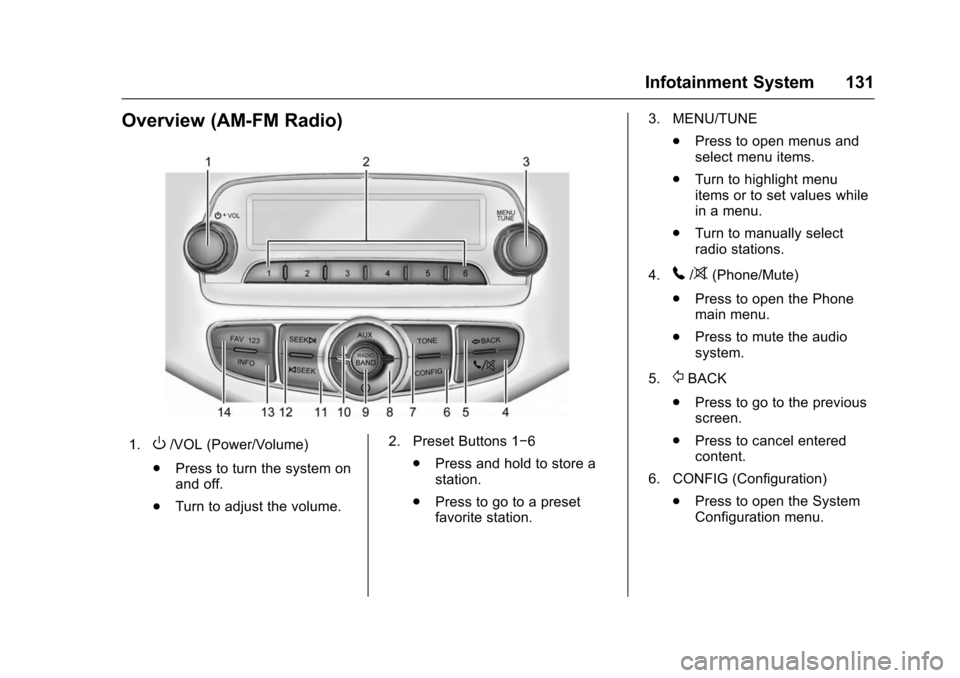
Overview (AM-FM Radio)
1.O/VOL (Power/Volume)
. Press to turn the system on
and off.
. Turn to adjust the volume. 2. Preset Buttons 1−6
.Press and hold to store a
station.
. Press to go to a preset
favorite station. 3. MENU/TUNE
.Press to open menus and
select menu items.
. Turn to highlight menu
items or to set values while
in a menu.
. Turn to manually select
radio stations.
4.
5/>(Phone/Mute)
. Press to open the Phone
main menu.
. Press to mute the audio
system.
5.
/BACK
. Press to go to the previous
screen.
. Press to cancel entered
content.
6. CONFIG (Configuration) .Press to open the System
Configuration menu.
Page 136 of 358
Chevrolet TRAX Owner Manual (GMNA-Localizing-U.S./Canada/Mexico-
9159371) - 2016 - crc - 5/21/15
Infotainment System 135
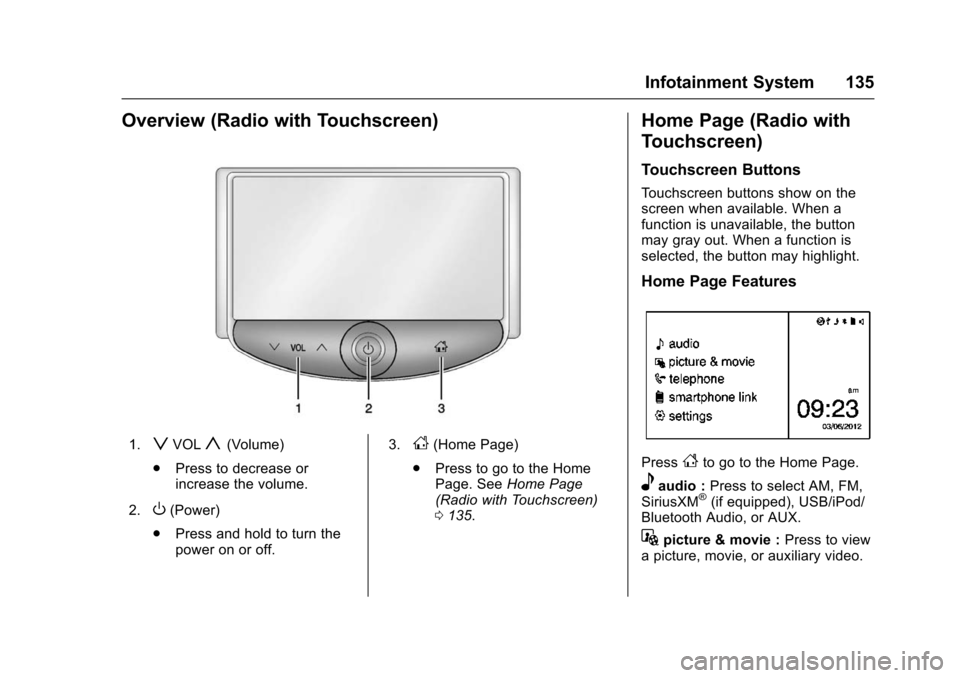
Overview (Radio with Touchscreen)
1.zVOLy(Volume)
. Press to decrease or
increase the volume.
2.
O(Power)
. Press and hold to turn the
power on or off. 3.
D(Home Page)
. Press to go to the Home
Page. See Home Page
(Radio with Touchscreen)
0 135.
Home Page (Radio with
Touchscreen)
Touchscreen Buttons
Touchscreen buttons show on the
screen when available. When a
function is unavailable, the button
may gray out. When a function is
selected, the button may highlight.
Home Page Features
PressFto go to the Home Page.
eaudio : Press to select AM, FM,
SiriusXM®(if equipped), USB/iPod/
Bluetooth Audio, or AUX.
Gpicture & movie : Press to view
a picture, movie, or auxiliary video.
Page 137 of 358
Chevrolet TRAX Owner Manual (GMNA-Localizing-U.S./Canada/Mexico-
9159371) - 2016 - crc - 5/21/15
136 Infotainment System
7telephone :Press to activate
the phone features (if equipped).
See Bluetooth (Voice Recognition)
0 162 orBluetooth (Overview) 0153
or Bluetooth (Infotainment Controls)
0 154.
^smartphone link : Press to listen
to Pandora®(if equipped), Stitcher®,
or available application. See
Smartphone Link (Overview) 0170
or Smartphone Link (Pandora)
0 172 orSmartphone Link (Stitcher)
0 174.
8settings : Press to access the
Personalization menu. See Vehicle
Personalization 0114.
Operation
Radio Controls without
Touchscreen
The infotainment system is operated
by using the pushbuttons,
multifunction knobs, and menus
shown on the display.
Turning the System On or Off
O/VOL (Power/Volume) : Press to
turn the radio on and off.
Automatic Switch-Off
If the infotainment system has been
turned on after the ignition is turned
off, the system will turn off
automatically after 10 minutes.
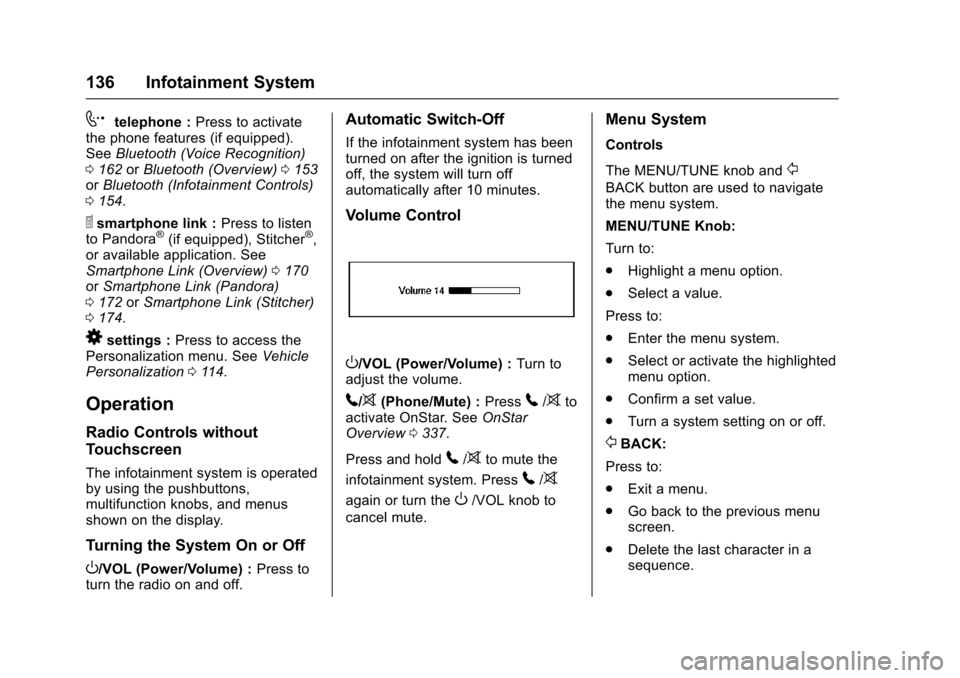
Volume Control
O/VOL (Power/Volume) : Turn to
adjust the volume.
5/>(Phone/Mute) : Press5/>to
activate OnStar. See OnStar
Overview 0337.
Press and hold
5/>to mute the
infotainment system. Press
5/>
again or turn theO/VOL knob to
cancel mute.
Menu System
Controls
The MENU/TUNE knob and
/
BACK button are used to navigate
the menu system.
MENU/TUNE Knob:
Turn to:
. Highlight a menu option.
. Select a value.
Press to:
. Enter the menu system.
. Select or activate the highlighted
menu option.
. Confirm a set value.
. Turn a system setting on or off.
/BACK:
Press to:
. Exit a menu.
. Go back to the previous menu
screen.
. Delete the last character in a
sequence.
Page 147 of 358
Chevrolet TRAX Owner Manual (GMNA-Localizing-U.S./Canada/Mexico-
9159371) - 2016 - crc - 5/21/15
146 Infotainment System
Audio Players
CD Player
The vehicle may have a CD player.
The CD player can play audio CDs
and MP3 CDs.
The CD player will not play
8 cm (3 in) CDs.
Care of CDs
Sound quality can be reduced due
to disc quality, recording method,
quality of the music recorded, and
how the disc has been handled.
Handle discs carefully and store
them in their original cases or other
protective cases away from direct
sunlight and dust. If the bottom
surface of a disc is damaged, the
disc may not play properly or at all.
Do not touch the bottom surface of
a disc while handling it; this could
damage the surface. Pick up discs
by grasping the outer edges or the
edge of the hole and the outer edge.
If the bottom surface of a disc is
dirty, take a soft, lint-free cloth,
or dampen a clean, soft cloth in amild neutral detergent solution
mixed with water, and clean it. Wipe
the disc from the center to the
outer edge.
Care of the CD Player
Do not add a label to a disc, as it
could get caught in the CD player.
If a label is needed, label the top of
the recorded disc with a
marking pen.
Do not use disc lens cleaners
because they could contaminate the
lens of the disc optics and damage
the CD player.
Caution
If a label is added to a CD, more
than one CD is inserted into the
slot at a time, or an attempt is
made to play scratched or
damaged CDs, the CD player
could be damaged. While using
the CD player, use only CDs in
good condition without any label,
load one CD at a time, and keep
(Continued)
Caution (Continued)
the CD player and the loading slot
free of foreign materials, liquids,
and debris.
Control Buttons
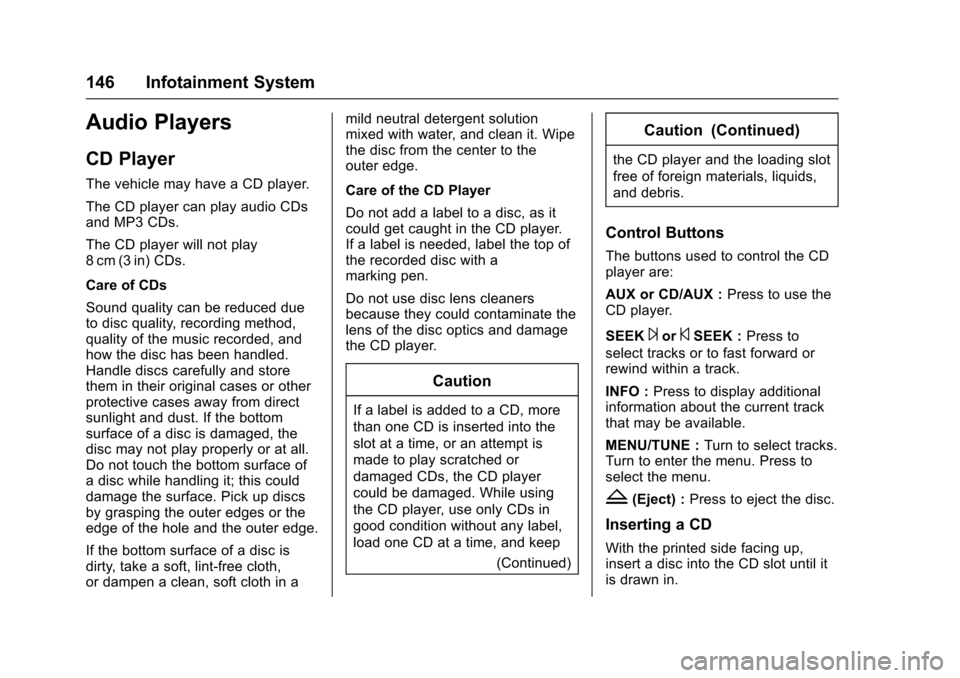
The buttons used to control the CD
player are:
AUX or CD/AUX :Press to use the
CD player.
SEEK
¨or©SEEK : Press to
select tracks or to fast forward or
rewind within a track.
INFO : Press to display additional
information about the current track
that may be available.
MENU/TUNE : Turn to select tracks.
Turn to enter the menu. Press to
select the menu.
Z(Eject) : Press to eject the disc.
Inserting a CD
With the printed side facing up,
insert a disc into the CD slot until it
is drawn in.
Page 157 of 358
Chevrolet TRAX Owner Manual (GMNA-Localizing-U.S./Canada/Mexico-
9159371) - 2016 - crc - 5/21/15
156 Infotainment System
3. Select Bluetooth.
4. Select Device List.
5. Select the new phone to link toand follow the on-screen
prompts.
If delete is selected, the
highlighted phone will be
deleted.
Making a Call Using
Phone Book
For cell phones that support the
phone book feature, the Bluetooth
system can use the contacts stored
on your cell phone to make calls.
See your cell phone's owner's guide
or contact your wireless provider to
find out if this feature is supported
by your phone.
When a cell phone supports the
phone book feature, the Phone
Book and Call Lists menus are
automatically available.
The Phone Book menu allows you
to access the phone book stored in
the cell phone to make a call. The Call Lists menu allows you to
access the phone numbers from the
Incoming Calls, Outgoing Calls, and
Missed Calls menus on your cell
phone to make a call.
To make a call using the Phone
Book menu:
1. Press
5/>once or twice
(depending on the radio).
2. Select Phone Book.
3. Search through the list by selecting the letter group the
phone book entry begins with,
or press the MENU/TUNE
button to scroll through the
entire list of names/numbers in
the phone book.
4. Select the name or number you want to call.
To make a call using the Call
Lists menu:
1. Press
5/>once or twice
(depending on the radio).
2. Select Call Lists. 3. Select the Incoming Calls,
Outgoing Calls, or Missed
Calls list.
4. Select the name or number you want to call.
Making a Call
To make a call:
1. Press
5/>once or twice
(depending on the radio).
2. Enter the character sequence.
3. Select Call to start dialing the number.
Accepting or Declining a Call
When an incoming call is received,
the infotainment system mutes and
a ring tone is heard in the vehicle.
Accepting a Call
Turn the MENU/TUNE knob to
“Answer” and press the MENU/
TUNE knob to accept the call.
Declining a Call
Turn the MENU/TUNE knob to
“Decline” and press the MENU/
TUNE knob to decline the call.
Page 160 of 358
Chevrolet TRAX Owner Manual (GMNA-Localizing-U.S./Canada/Mexico-
9159371) - 2016 - crc - 5/21/15
Infotainment System 159
6. Press Search BluetoothDevice.
7. Press the desired device to pair on the searched list
screen.
8. Press Yes on the pop-up screen of the Bluetooth device
and infotainment system.
9. When the Bluetooth device and infotainment system are
successfully paired,
5 7is
displayed on the "pair device"
screen.
. The connected phone is
highlighted by
5.
. The
5 7indicates the
hands-free and phone music
function are enabled.
. The
7indicates only
hands-free function is enabled.
. The
5indicates only Bluetooth
music is enabled. Pairing a Phone
When there is no paired device on
the infotainment system and the
SSP is not supported:
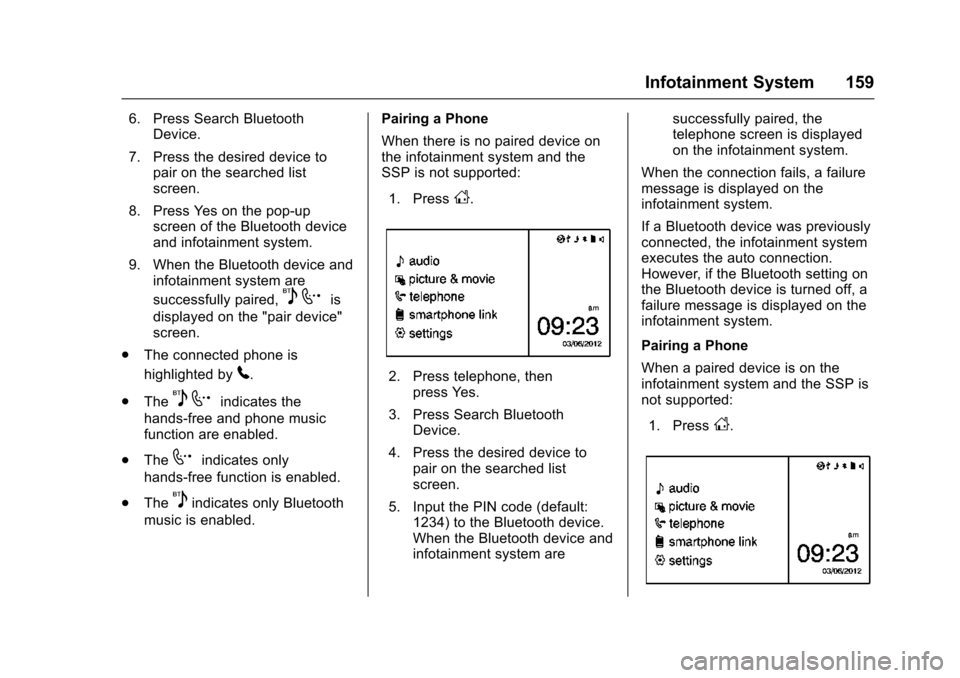
1. Press
D.
2. Press telephone, then press Yes.
3. Press Search Bluetooth Device.
4. Press the desired device to pair on the searched list
screen.
5. Input the PIN code (default: 1234) to the Bluetooth device.
When the Bluetooth device and
infotainment system are successfully paired, the
telephone screen is displayed
on the infotainment system.
When the connection fails, a failure
message is displayed on the
infotainment system.
If a Bluetooth device was previously
connected, the infotainment system
executes the auto connection.
However, if the Bluetooth setting on
the Bluetooth device is turned off, a
failure message is displayed on the
infotainment system.
Pairing a Phone
When a paired device is on the
infotainment system and the SSP is
not supported:
1. Press
D.