turn signal CHEVROLET TRAX 2016 1.G Owners Manual
[x] Cancel search | Manufacturer: CHEVROLET, Model Year: 2016, Model line: TRAX, Model: CHEVROLET TRAX 2016 1.GPages: 358, PDF Size: 5.07 MB
Page 8 of 358
Chevrolet TRAX Owner Manual (GMNA-Localizing-U.S./Canada/Mexico-
9159371) - 2016 - crc - 5/21/15
In Brief 7
1.Air Vents 0188.
2. Turn Signal Lever. See Turn
and Lane-Change Signals
0 125.
Headlamp High/Low-Beam
Changer 0123.
3. Instrument Cluster 097.
4. Windshield Wiper/Washer 092.
Rear Window Wiper/Washer
0 92.
5. Light Sensor. See Automatic
Headlamp System 0124.
6. Instrument Panel Storage 086.
7. Infotainment 0129.
8. Instrument Panel Storage 086.
USB Port 0147 (Inside
Instrument Panel Storage).
9. Passenger Safety Belt Reminder Light. See Safety
Belt Reminders 099.
10. Hazard Warning Flashers
0124.
11. Shift Lever. See Automatic
Transmission 0211 orManual
Transmission 0214. 12.
Parking Brake 0217.
13. Climate Control Systems
0186.
14. Traction Control/Electronic Stabilty Control Button. See
Traction Control/Electronic
Stability Control 0218.
15. Ignition Positions 0203.
16. Horn 091.
17. Steering Wheel Adjustment
091.
18. Instrument Panel Storage 086
(If Equipped).
19. Data Link Connector (DLC) (Out of View). See Malfunction
Indicator Lamp (Check Engine
Light) 0101.
20. Exterior Lamp Controls 0122.
Instrument Panel Illumination
Control 0126.
Front Fog Lamps 0125 (If
Equipped).
21. Hood Release. See Hood
0 233.Initial Drive
Information
This section provides a brief
overview about some of the
important features that may or may
not be on your specific vehicle.
For more detailed information, refer
to each of the features which can be
found later in this owner manual.
Remote Keyless Entry
(RKE) System
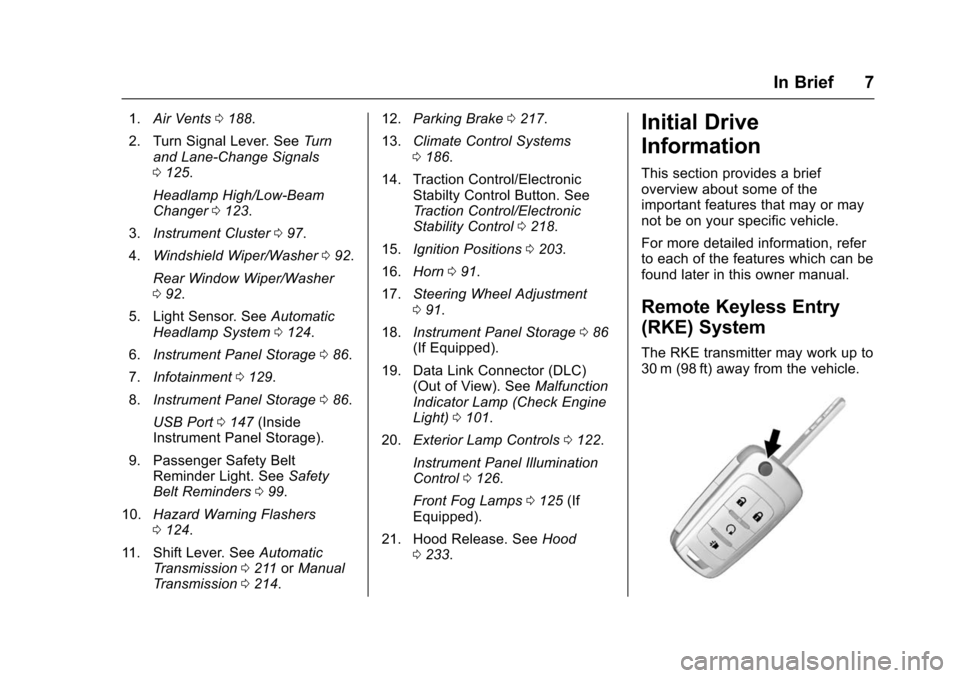
The RKE transmitter may work up to
30 m (98 ft) away from the vehicle.
Page 9 of 358
Chevrolet TRAX Owner Manual (GMNA-Localizing-U.S./Canada/Mexico-
9159371) - 2016 - crc - 5/21/15
8 In Brief
Press the key release button to
extend the key blade. The key can
be used for the ignition and all
locks.
K:Press to unlock the driver door,
all doors, or, if equipped, the locking
fuel door. The hazard warning
flashers may flash.
Q: Press to lock the doors, or,
if equipped, the locking fuel door.
Lock and unlock feedback can be
personalized. See Vehicle
Personalization 0114.
7:If equipped, press and hold
briefly to initiate vehicle locator.
Press and hold for at least
three seconds to sound the panic
alarm. Press again to cancel the
panic alarm.
See Keys 024 and Remote Keyless
Entry (RKE) System Operation 026.
Remote Vehicle Start
If equipped, the engine can be
started from outside of the vehicle.
Starting the Vehicle
1. Press and releaseQon the
RKE transmitter.
2. Immediately press and hold
/
for at least four seconds or until
the turn signal lamps flash.
3. Start the vehicle normally after entering.
When the vehicle starts, the parking
lamps will turn on.
Remote start can be extended.
Canceling a Remote Start
To cancel a remote start, do one of
the following:
. Press and hold
/until the
parking lamps turn off.
. Turn on the hazard warning
flashers.
. Turn the vehicle on and then off.
See Remote Vehicle Start 028.
Door Locks
To lock or unlock a door manually:
.
From the inside, to lock the door,
use the lock knob on the top of
the door panel.
. From the outside, turn the key
toward the front or rear of the
vehicle, or press
KorQon the
Remote Keyless Entry (RKE)
transmitter.
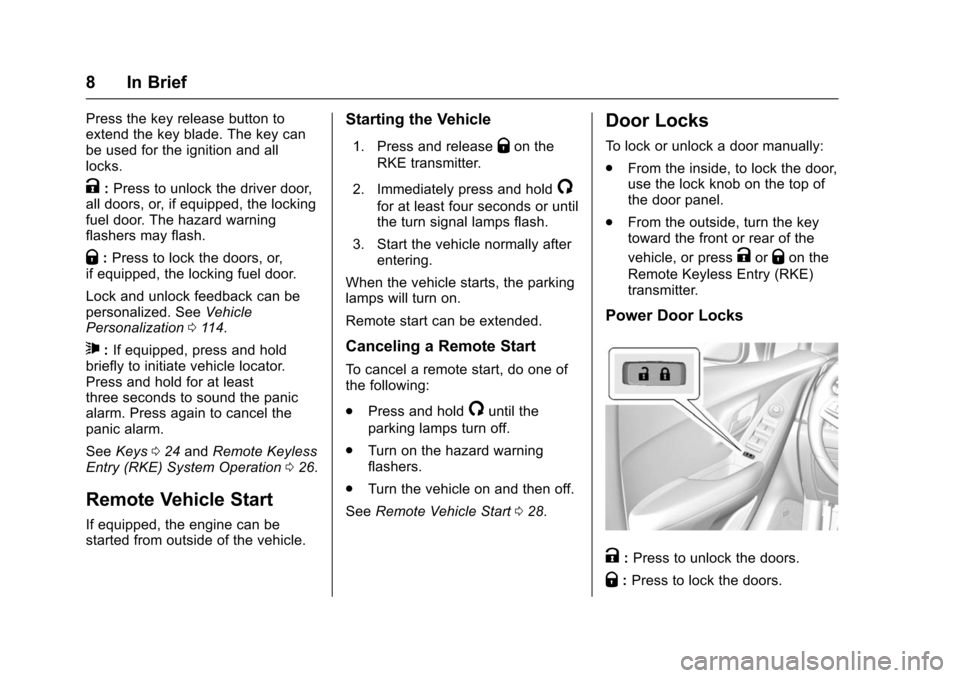
Power Door Locks
K: Press to unlock the doors.
Q: Press to lock the doors.
Page 21 of 358
Chevrolet TRAX Owner Manual (GMNA-Localizing-U.S./Canada/Mexico-
9159371) - 2016 - crc - 5/21/15
20 In Brief
Toggle and hold up or down to fast
forward or reverse the radio
stations, CD/MP3 tracks, USB files,
iPod/iPhone songs or Bluetooth
music.
+
x−:Press + or −to increase or
decrease the volume.
See Steering Wheel Controls 091.
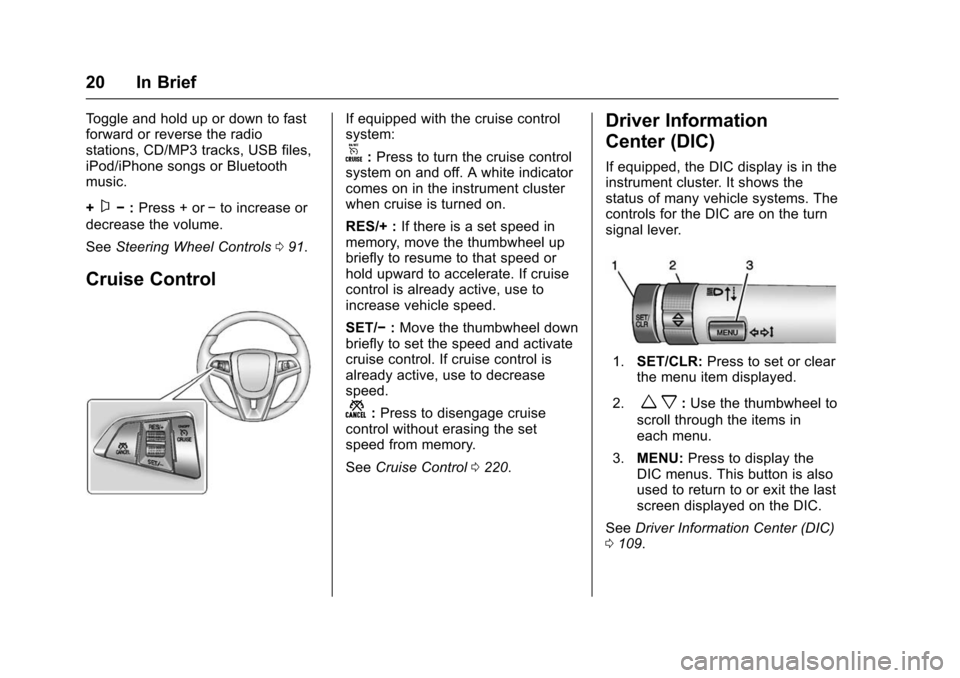
Cruise Control
If equipped with the cruise control
system:
o:Press to turn the cruise control
system on and off. A white indicator
comes on in the instrument cluster
when cruise is turned on.
RES/+ : If there is a set speed in
memory, move the thumbwheel up
briefly to resume to that speed or
hold upward to accelerate. If cruise
control is already active, use to
increase vehicle speed.
SET/− :Move the thumbwheel down
briefly to set the speed and activate
cruise control. If cruise control is
already active, use to decrease
speed.
n: Press to disengage cruise
control without erasing the set
speed from memory.
See Cruise Control 0220.
Driver Information
Center (DIC)
If equipped, the DIC display is in the
instrument cluster. It shows the
status of many vehicle systems. The
controls for the DIC are on the turn
signal lever.
1. SET/CLR: Press to set or clear
the menu item displayed.
2.
w x: Use the thumbwheel to
scroll through the items in
each menu.
3. MENU: Press to display the
DIC menus. This button is also
used to return to or exit the last
screen displayed on the DIC.
See Driver Information Center (DIC)
0 109.
Page 28 of 358
Chevrolet TRAX Owner Manual (GMNA-Localizing-U.S./Canada/Mexico-
9159371) - 2016 - crc - 5/21/15
Keys, Doors, and Windows 27
turn signals flash for 30 seconds,
or until
7is pressed again or the
key is placed in the ignition and
turned to ACC/ACCESSORY or
ON/RUN.
/(Remote Vehicle Start) :
If equipped, press
Qand then press
and hold
/to start the engine from
outside the vehicle using the RKE
transmitter. See Remote Vehicle
Start 028.
The RKE transmitter buttons will not
operate when the key is in the
ignition.
Programming Transmitters to
the Vehicle
Only RKE transmitters programmed
to this vehicle will work. If a
transmitter is lost or stolen, a
replacement can be purchased and
programmed through your dealer.
When the replacement transmitter is
programmed to this vehicle, all
remaining transmitters must also be
reprogrammed. Any lost or stolen
transmitters will no longer work
once the new transmitter is
programmed. Programming with a Recognized
Transmitter
To program a new key:
1. Insert the original, already programmed key in the ignition
and turn the key to the ON/
RUN position.
2. Turn the key to LOCK/OFF and remove the key.
3. Insert the new key to be programmed and turn it to the
ON/RUN position within
five seconds.
The security light will turn off
once the key has been
programmed.
4. Repeat Steps 1–3 if additional keys are to be programmed.
If a key is lost or damaged, see your
dealer to have a new key made.
Programming without a
Recognized Transmitter
Program a new key to the vehicle
when a recognized key is not
available. Canadian regulations
require that owners see their dealer. If there are no currently recognized
keys available, follow this procedure
to program the first key.
This procedure will take
approximately 30 minutes to
complete for the first key. The
vehicle must be off and all of the
keys you wish to program must be
with you.
1. Insert the new vehicle key into the ignition.
2. Turn to ON/RUN. The security light will come on.
3. Wait 10 minutes until the security light turns off.
4. Turn the ignition to LOCK/OFF.
5. Repeat Steps 2–4 two more times. After the third time, turn
to ON/RUN; the key is learned
and all previously known keys
will no longer work with the
vehicle.
Remaining keys can be learned by
following the procedure in
“Programming with a Recognized
Transmitter.”
Page 29 of 358
Chevrolet TRAX Owner Manual (GMNA-Localizing-U.S./Canada/Mexico-
9159371) - 2016 - crc - 5/21/15
28 Keys, Doors, and Windows
Battery Replacement
The battery is not rechargeable. To
replace the battery:
Caution
When replacing the battery, do
not touch any of the circuitry on
the transmitter. Static from your
body could damage the
transmitter.
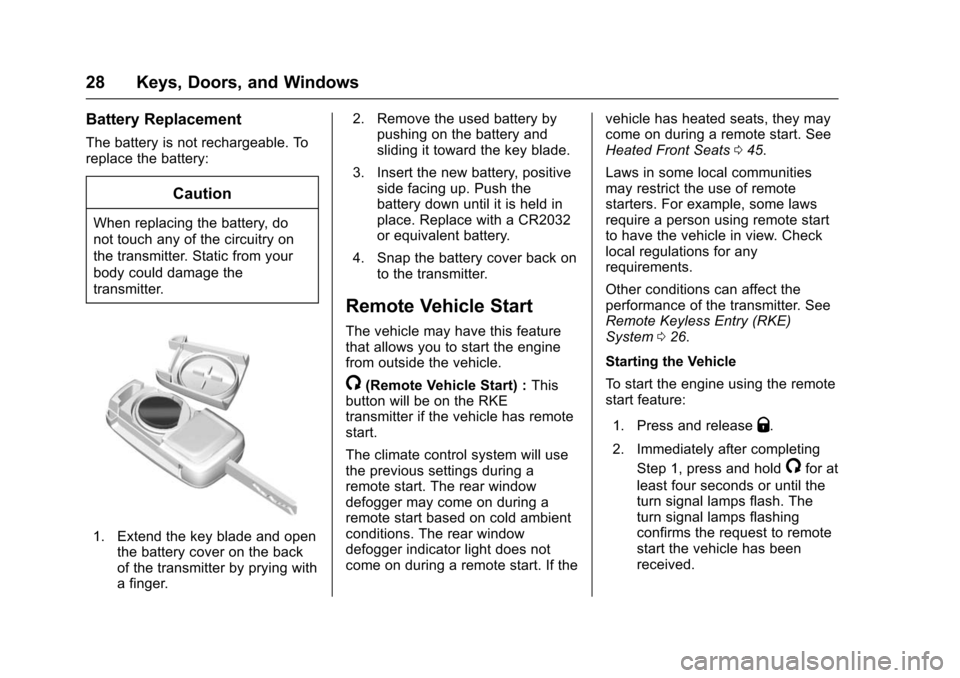
1. Extend the key blade and openthe battery cover on the back
of the transmitter by prying with
a finger. 2. Remove the used battery by
pushing on the battery and
sliding it toward the key blade.
3. Insert the new battery, positive side facing up. Push the
battery down until it is held in
place. Replace with a CR2032
or equivalent battery.
4. Snap the battery cover back on to the transmitter.
Remote Vehicle Start
The vehicle may have this feature
that allows you to start the engine
from outside the vehicle.
/(Remote Vehicle Start) : This
button will be on the RKE
transmitter if the vehicle has remote
start.
The climate control system will use
the previous settings during a
remote start. The rear window
defogger may come on during a
remote start based on cold ambient
conditions. The rear window
defogger indicator light does not
come on during a remote start. If the vehicle has heated seats, they may
come on during a remote start. See
Heated Front Seats
045.
Laws in some local communities
may restrict the use of remote
starters. For example, some laws
require a person using remote start
to have the vehicle in view. Check
local regulations for any
requirements.
Other conditions can affect the
performance of the transmitter. See
Remote Keyless Entry (RKE)
System 026.
Starting the Vehicle
To start the engine using the remote
start feature:
1. Press and release
Q.
2. Immediately after completing Step 1, press and hold
/for at
least four seconds or until the
turn signal lamps flash. The
turn signal lamps flashing
confirms the request to remote
start the vehicle has been
received.
Page 34 of 358
Chevrolet TRAX Owner Manual (GMNA-Localizing-U.S./Canada/Mexico-
9159371) - 2016 - crc - 5/21/15
Keys, Doors, and Windows 33
Vehicle Security
This vehicle has theft-deterrent
features; however, they do not make
the vehicle impossible to steal.
Vehicle Alarm System
This vehicle may be equipped with
an alarm system.
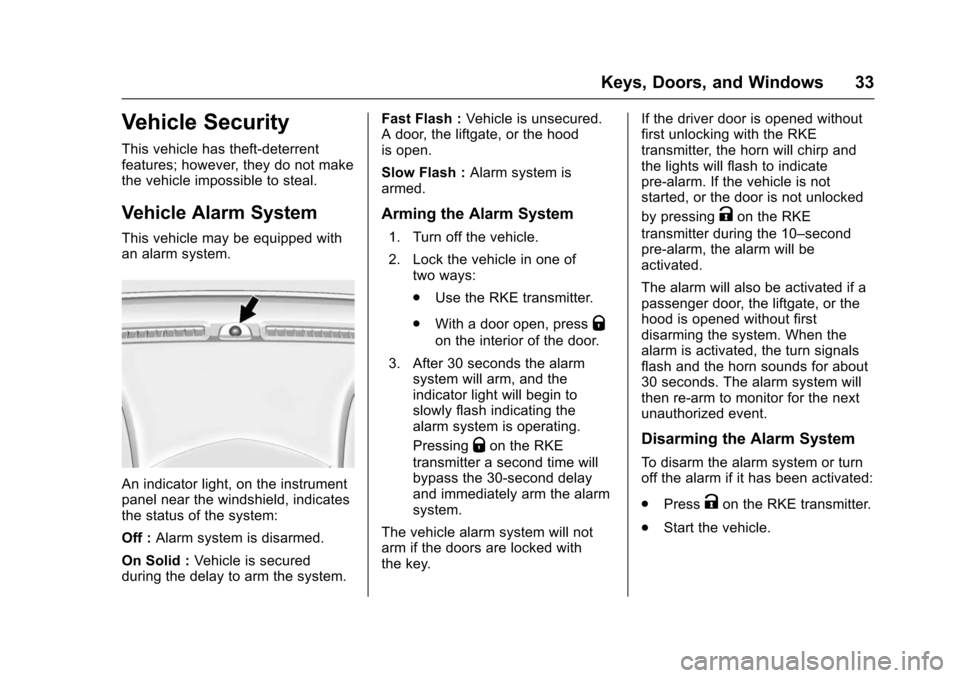
An indicator light, on the instrument
panel near the windshield, indicates
the status of the system:
Off :Alarm system is disarmed.
On Solid : Vehicle is secured
during the delay to arm the system. Fast Flash :
Vehicle is unsecured.
A door, the liftgate, or the hood
is open.
Slow Flash : Alarm system is
armed.
Arming the Alarm System
1. Turn off the vehicle.
2. Lock the vehicle in one of two ways:
.Use the RKE transmitter.
. With a door open, press
Q
on the interior of the door.
3. After 30 seconds the alarm system will arm, and the
indicator light will begin to
slowly flash indicating the
alarm system is operating.
Pressing
Qon the RKE
transmitter a second time will
bypass the 30-second delay
and immediately arm the alarm
system.
The vehicle alarm system will not
arm if the doors are locked with
the key. If the driver door is opened without
first unlocking with the RKE
transmitter, the horn will chirp and
the lights will flash to indicate
pre-alarm. If the vehicle is not
started, or the door is not unlocked
by pressing
Kon the RKE
transmitter during the 10–second
pre-alarm, the alarm will be
activated.
The alarm will also be activated if a
passenger door, the liftgate, or the
hood is opened without first
disarming the system. When the
alarm is activated, the turn signals
flash and the horn sounds for about
30 seconds. The alarm system will
then re-arm to monitor for the next
unauthorized event.
Disarming the Alarm System
To disarm the alarm system or turn
off the alarm if it has been activated:
. Press
Kon the RKE transmitter.
. Start the vehicle.
Page 97 of 358
Chevrolet TRAX Owner Manual (GMNA-Localizing-U.S./Canada/Mexico-
9159371) - 2016 - crc - 5/21/15
96 Instruments and Controls
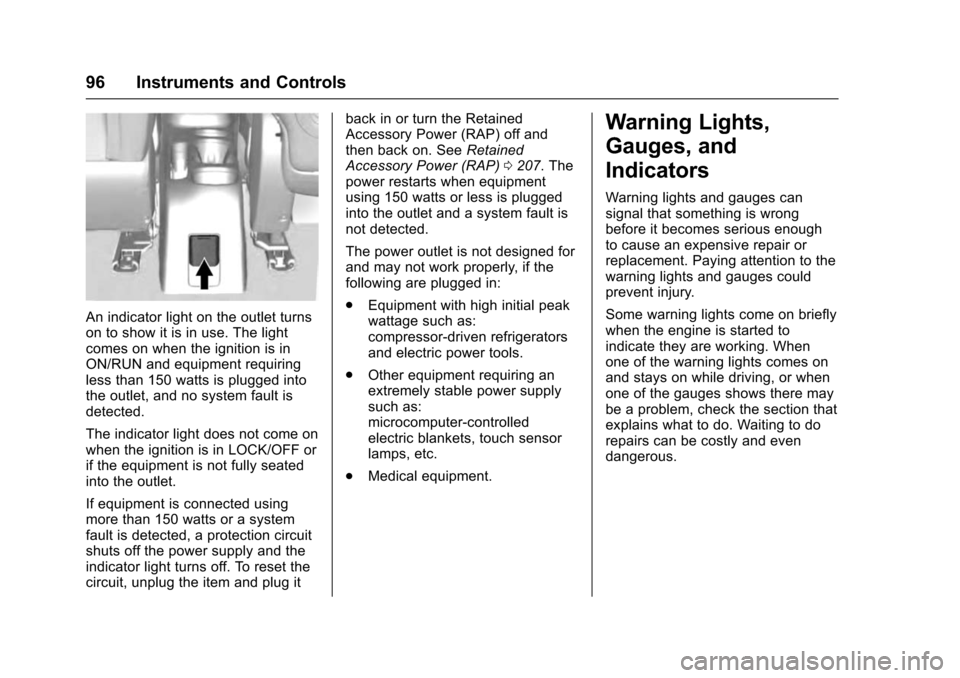
An indicator light on the outlet turns
on to show it is in use. The light
comes on when the ignition is in
ON/RUN and equipment requiring
less than 150 watts is plugged into
the outlet, and no system fault is
detected.
The indicator light does not come on
when the ignition is in LOCK/OFF or
if the equipment is not fully seated
into the outlet.
If equipment is connected using
more than 150 watts or a system
fault is detected, a protection circuit
shuts off the power supply and the
indicator light turns off. To reset the
circuit, unplug the item and plug itback in or turn the Retained
Accessory Power (RAP) off and
then back on. See
Retained
Accessory Power (RAP) 0207. The
power restarts when equipment
using 150 watts or less is plugged
into the outlet and a system fault is
not detected.
The power outlet is not designed for
and may not work properly, if the
following are plugged in:
. Equipment with high initial peak
wattage such as:
compressor-driven refrigerators
and electric power tools.
. Other equipment requiring an
extremely stable power supply
such as:
microcomputer-controlled
electric blankets, touch sensor
lamps, etc.
. Medical equipment.
Warning Lights,
Gauges, and
Indicators
Warning lights and gauges can
signal that something is wrong
before it becomes serious enough
to cause an expensive repair or
replacement. Paying attention to the
warning lights and gauges could
prevent injury.
Some warning lights come on briefly
when the engine is started to
indicate they are working. When
one of the warning lights comes on
and stays on while driving, or when
one of the gauges shows there may
be a problem, check the section that
explains what to do. Waiting to do
repairs can be costly and even
dangerous.
Page 110 of 358
Chevrolet TRAX Owner Manual (GMNA-Localizing-U.S./Canada/Mexico-
9159371) - 2016 - crc - 5/21/15
Instruments and Controls 109
The light goes out when the front
fog lamps are turned off. SeeFront
Fog Lamps 0125 for more
information.
Lamps On Reminder
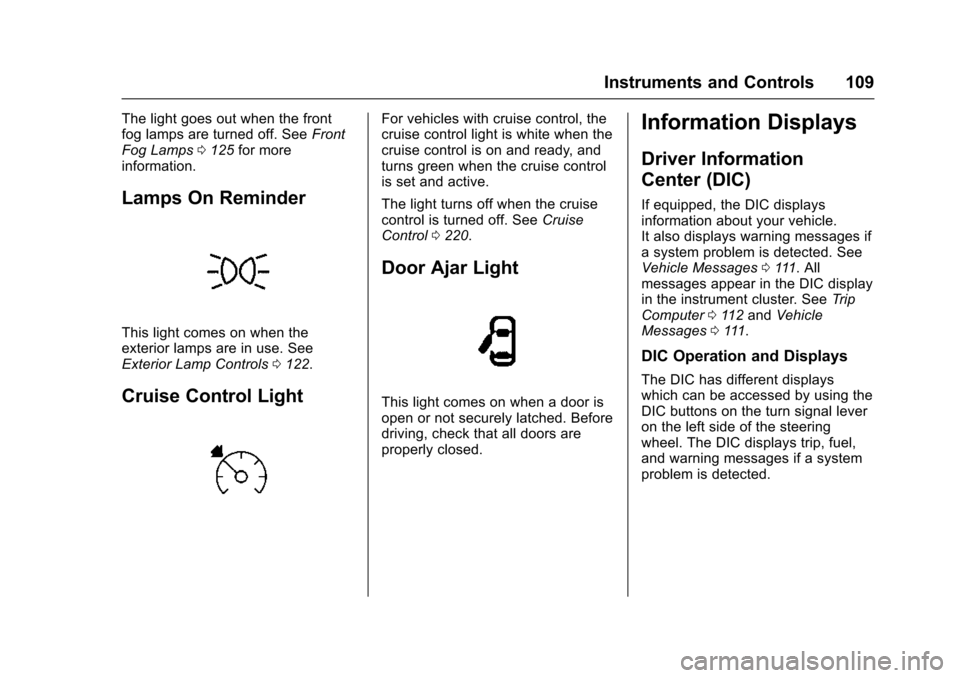
This light comes on when the
exterior lamps are in use. See
Exterior Lamp Controls 0122.
Cruise Control Light
For vehicles with cruise control, the
cruise control light is white when the
cruise control is on and ready, and
turns green when the cruise control
is set and active.
The light turns off when the cruise
control is turned off. See Cruise
Control 0220.
Door Ajar Light
This light comes on when a door is
open or not securely latched. Before
driving, check that all doors are
properly closed.
Information Displays
Driver Information
Center (DIC)
If equipped, the DIC displays
information about your vehicle.
It also displays warning messages if
a system problem is detected. See
Vehicle Messages 0111. All
messages appear in the DIC display
in the instrument cluster. See Trip
Computer 0112 and Vehicle
Messages 0111.
DIC Operation and Displays
The DIC has different displays
which can be accessed by using the
DIC buttons on the turn signal lever
on the left side of the steering
wheel. The DIC displays trip, fuel,
and warning messages if a system
problem is detected.
Page 112 of 358
Chevrolet TRAX Owner Manual (GMNA-Localizing-U.S./Canada/Mexico-
9159371) - 2016 - crc - 5/21/15
Instruments and Controls 111
Language
This menu is not available while the
vehicle is moving. Press SET/CLR
while the language display is active
and move
w xto change the
language of the displays when
LANG SET is displayed. Select 1 or
2 for the language display. 1 is
Alphabet and 2 is Arabic Numeral.
Press SET/CLR to confirm the
setting.
Compass
See Compass 093 for information
on setting the compass.
Tire Learn
This display allows for matching of
the TPMS sensors. See Tire
Pressure Monitor System 0275 and
Tire Pressure Monitor Operation
0 276.
Vehicle Messages
DIC messages display when the
status of the vehicle has changed
and action may be needed to
correct the condition. Multiple
messages appear one after another.
Press any of the DIC buttons on the
turn signal lever to acknowledge
and clear them from the display.
More urgent messages cannot be
cleared from the DIC display. All
messages should be taken
seriously. Clearing messages will
not correct the problem.
Vehicle messages appear as code
numbers.
25 : Left Front Turn Indicator Failure
26 : Left Rear Turn Indicator Failure
27 : Right Front Turn Indicator
Failure
28 : Right Rear Turn Indicator
Failure
73 : Service All Wheel Drive System
84 : Engine Power Is Reduced
89 : Service Vehicle Soon 125 :
Compass Calibrating —Drive
in Circles
173 : All Wheel Drive Off
Engine Oil Messages
:
% CHANGE
This message displays when the
engine oil needs to be changed.
When changing the engine oil, be
sure to reset the Oil Life System.
See Engine Oil Life System 0240,
Engine Oil 0238, and Maintenance
Schedule 0308.
Tire Messages
LF XX, RF XX, LR XX,
or RR XX
A message displays when the tire
pressure is low. It shows the
location of the low tire and the
approximate pressure of the low tire.
If a tire pressure message appears,
stop as soon as you can. Inflate the
tires by adding air until the tire
pressure is equal to the values
shown on the Tire and Loading
Page 113 of 358
Chevrolet TRAX Owner Manual (GMNA-Localizing-U.S./Canada/Mexico-
9159371) - 2016 - crc - 5/21/15
112 Instruments and Controls
Information label. SeeTires0267,
Vehicle Load Limits 0199, and Tire
Pressure 0273.Trip Computer
The trip computer is located in the
Driver Information Center (DIC).
It provides the driver with driving
information such as average speed,
fuel range, average fuel economy,
and a timer.
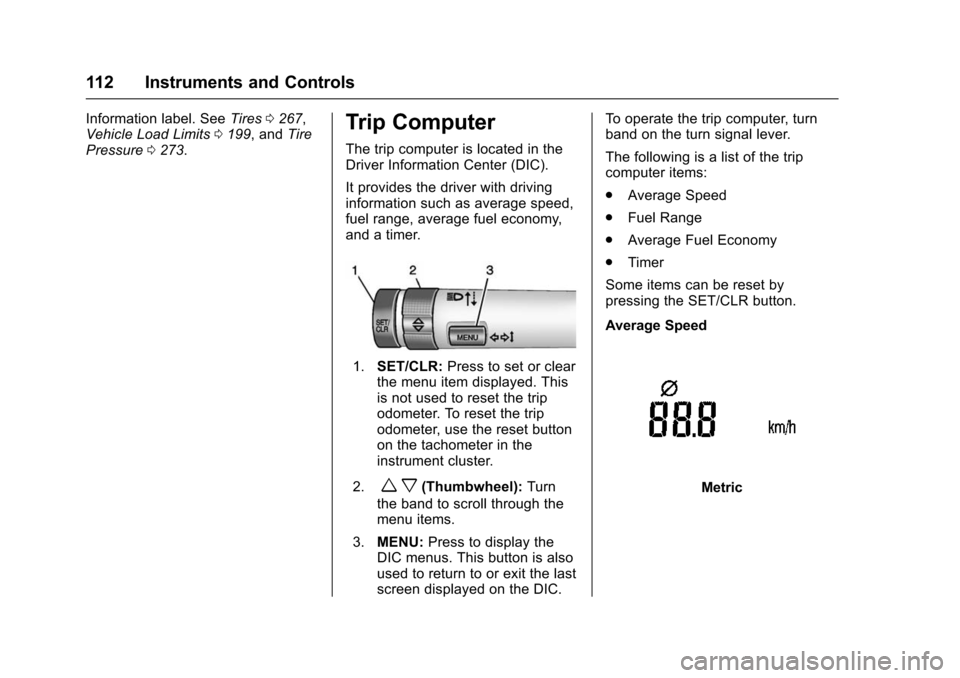
1. SET/CLR: Press to set or clear
the menu item displayed. This
is not used to reset the trip
odometer. To reset the trip
odometer, use the reset button
on the tachometer in the
instrument cluster.
2.
w x(Thumbwheel): Turn
the band to scroll through the
menu items.
3. MENU: Press to display the
DIC menus. This button is also
used to return to or exit the last
screen displayed on the DIC. To operate the trip computer, turn
band on the turn signal lever.
The following is a list of the trip
computer items:
.
Average Speed
. Fuel Range
. Average Fuel Economy
. Timer
Some items can be reset by
pressing the SET/CLR button.
Average SpeedMetric