belt CHEVROLET TRAX 2021 Owner's Manual
[x] Cancel search | Manufacturer: CHEVROLET, Model Year: 2021, Model line: TRAX, Model: CHEVROLET TRAX 2021Pages: 280, PDF Size: 8.76 MB
Page 4 of 280
Chevrolet TRAX Owner Manual (GMNA-Localizing-U.S./Canada-14609828) -
2021 - CRC - 8/21/20
Introduction 3
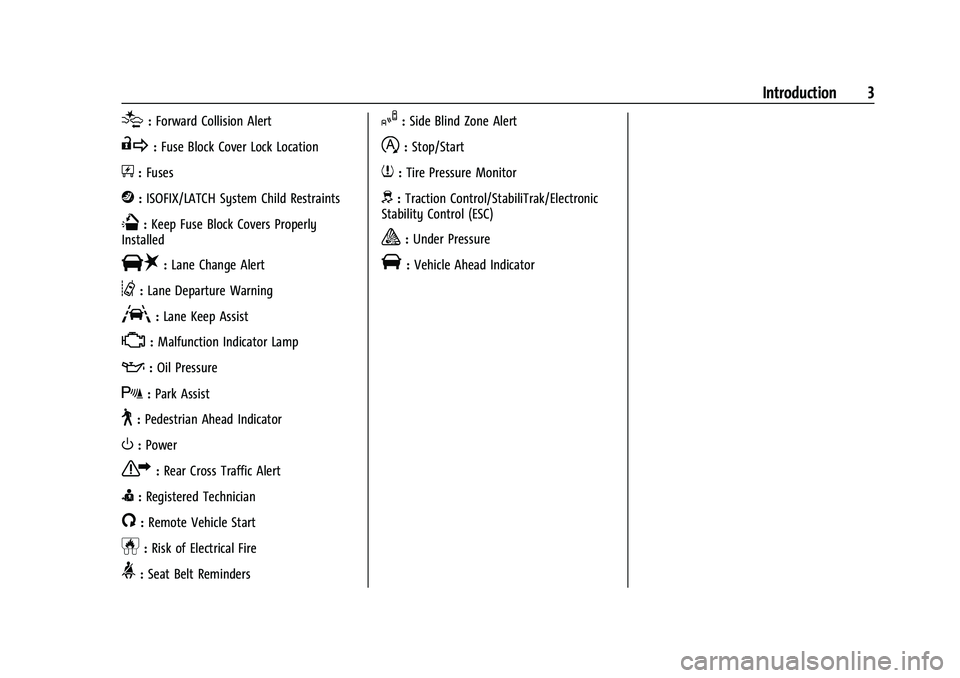
[:Forward Collision Alert
R:Fuse Block Cover Lock Location
+:Fuses
j:ISOFIX/LATCH System Child Restraints
Q:Keep Fuse Block Covers Properly
Installed
|: Lane Change Alert
@:Lane Departure Warning
A:Lane Keep Assist
*: Malfunction Indicator Lamp
::Oil Pressure
X:Park Assist
~:Pedestrian Ahead Indicator
O:Power
7:Rear Cross Traffic Alert
I:Registered Technician
/:Remote Vehicle Start
h:Risk of Electrical Fire
>:Seat Belt Reminders
I:Side Blind Zone Alert
h:Stop/Start
7:Tire Pressure Monitor
d:Traction Control/StabiliTrak/Electronic
Stability Control (ESC)
a: Under Pressure
V: Vehicle Ahead Indicator
Page 6 of 280
Chevrolet TRAX Owner Manual (GMNA-Localizing-U.S./Canada-14609828) -
2021 - CRC - 8/21/20
Introduction 5
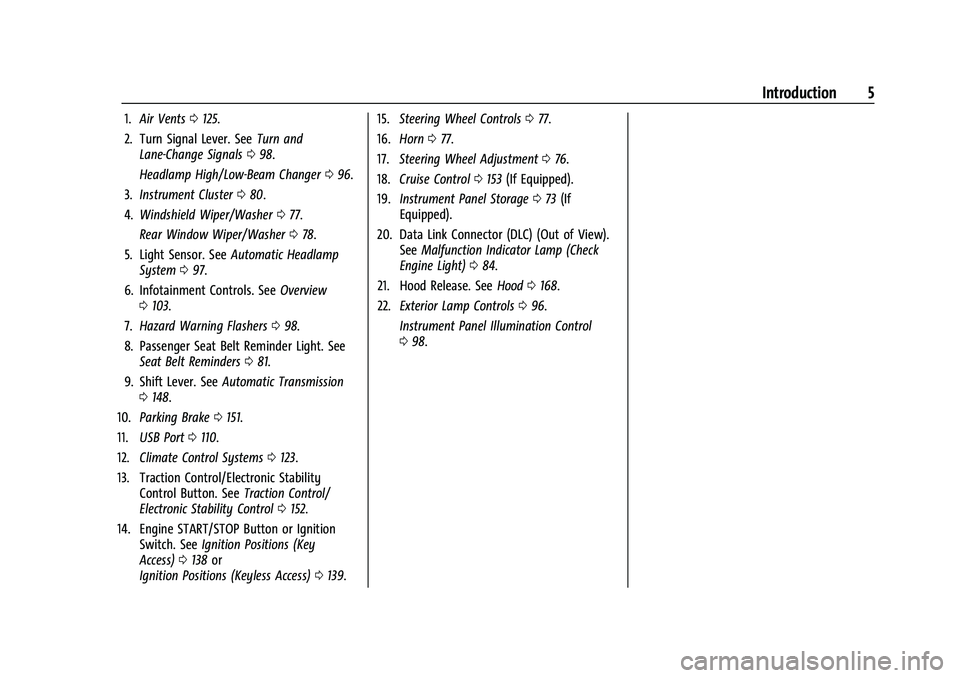
1.Air Vents 0125.
2. Turn Signal Lever. See Turn and
Lane-Change Signals 098.
Headlamp High/Low-Beam Changer 096.
3. Instrument Cluster 080.
4. Windshield Wiper/Washer 077.
Rear Window Wiper/Washer 078.
5. Light Sensor. See Automatic Headlamp
System 097.
6. Infotainment Controls. See Overview
0 103.
7. Hazard Warning Flashers 098.
8. Passenger Seat Belt Reminder Light. See Seat Belt Reminders 081.
9. Shift Lever. See Automatic Transmission
0 148.
10. Parking Brake 0151.
11. USB Port 0110.
12. Climate Control Systems 0123.
13. Traction Control/Electronic Stability Control Button. See Traction Control/
Electronic Stability Control 0152.
14. Engine START/STOP Button or Ignition Switch. See Ignition Positions (Key
Access) 0138 or
Ignition Positions (Keyless Access) 0139. 15.
Steering Wheel Controls 077.
16. Horn 077.
17. Steering Wheel Adjustment 076.
18. Cruise Control 0153 (If Equipped).
19. Instrument Panel Storage 073 (If
Equipped).
20. Data Link Connector (DLC) (Out of View). SeeMalfunction Indicator Lamp (Check
Engine Light) 084.
21. Hood Release. See Hood0168.
22. Exterior Lamp Controls 096.
Instrument Panel Illumination Control
0 98.
Page 20 of 280
Chevrolet TRAX Owner Manual (GMNA-Localizing-U.S./Canada-14609828) -
2021 - CRC - 8/21/20
Keys, Doors, and Windows 19
Door Locks
{Warning
Unlocked doors can be dangerous.
.Passengers, especially children, can
easily open the doors and fall out of a
moving vehicle. The doors can be
unlocked and opened while the vehicle
is moving. The chance of being thrown
out of the vehicle in a crash is
increased if the doors are not locked.
So, all passengers should wear seat
belts properly and the doors should be
locked whenever the vehicle is driven.
.Young children who get into unlocked
vehicles may be unable to get out.
A child can be overcome by extreme
heat and can suffer permanent injuries
or even death from heat stroke.
Always lock the vehicle whenever
leaving it.
.Outsiders can easily enter through an
unlocked door when you slow down
or stop the vehicle. Locking the doors
can help prevent this from happening.To lock or unlock the doors from the
outside:
.PressKorQon the Remote Keyless
Entry (RKE) transmitter.
See Remote Keyless Entry (RKE) System
Operation (Key Access) 09or
Remote Keyless Entry (RKE) System
Operation (Keyless Access) 012.
.Use the key in the driver door.
To lock or unlock the doors from the inside:
.PressKorQon the power door lock
switch.
.Pulling an interior door handle will unlock
the door. Pulling the door handle again
unlatches it.
Keyless Access
The RKE transmitter must be within 1 m
(3 ft) of the liftgate or door being opened.
Press the button on the door handle to
open. See “Keyless Access Operation” under
Remote Keyless Entry (RKE) System
Operation (Key Access) 09or
Remote Keyless Entry (RKE) System
Operation (Keyless Access) 012. Free-Turning Locks
The door key lock cylinder turns freely when
either the wrong key is used, or the correct
key is not fully inserted. The free-turning
door lock feature prevents the lock from
being forced open. To reset the lock, turn it
to the vertical position with the correct key
fully inserted. Remove the key and insert it
again. If this does not reset the lock, turn
the key halfway around in the cylinder and
repeat the reset procedure.
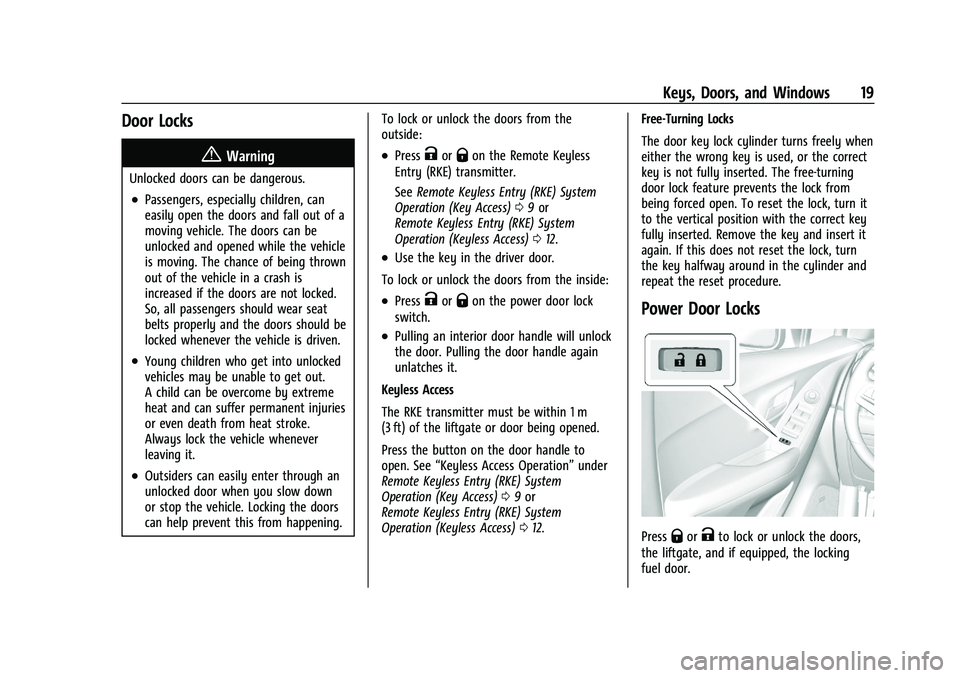
Power Door Locks
PressQorKto lock or unlock the doors,
the liftgate, and if equipped, the locking
fuel door.
Page 30 of 280
Chevrolet TRAX Owner Manual (GMNA-Localizing-U.S./Canada-14609828) -
2021 - CRC - 8/21/20
Seats and Restraints 29
Seats and Restraints
Head Restraints
Head Restraints . . . . . . . . . . . . . . . . . . . . . . . . 29
Front Seats
Seat Adjustment . . . . . . . . . . . . . . . . . . . . . . . 30
Power Seat Adjustment . . . . . . . . . . . . . . . . . 31
Lumbar Adjustment . . . . . . . . . . . . . . . . . . . . . 32
Reclining Seatbacks . . . . . . . . . . . . . . . . . . . . . 32
Front Seat Armrest . . . . . . . . . . . . . . . . . . . . . 33
Heated Front Seats . . . . . . . . . . . . . . . . . . . . . 33
Folding Seatback . . . . . . . . . . . . . . . . . . . . . . . 34
Rear Seats
Rear Seats . . . . . . . . . . . . . . . . . . . . . . . . . . . . . . 35
Rear Seat Armrest . . . . . . . . . . . . . . . . . . . . . . 38
Seat Belts
Seat Belts . . . . . . . . . . . . . . . . . . . . . . . . . . . . . . 38
How to Wear Seat Belts Properly . . . . . . 39
Lap-Shoulder Belt . . . . . . . . . . . . . . . . . . . . . . . 41
Seat Belt Use During Pregnancy . . . . . . . . 43
Seat Belt Extender . . . . . . . . . . . . . . . . . . . . . . 43
Safety System Check . . . . . . . . . . . . . . . . . . . 44
Seat Belt Care . . . . . . . . . . . . . . . . . . . . . . . . . . 44
Replacing Seat Belt System Parts after aCrash . . . . . . . . . . . . . . . . . . . . . . . . . . . . . . . . . 44
Airbag System
Airbag System . . . . . . . . . . . . . . . . . . . . . . . . . . 45
Where Are the Airbags? . . . . . . . . . . . . . . . . 46
When Should an Airbag Inflate? . . . . . . . . 47
What Makes an Airbag Inflate? . . . . . . . . 48
How Does an Airbag Restrain? . . . . . . . . . 48
What Will You See after an AirbagInflates? . . . . . . . . . . . . . . . . . . . . . . . . . . . . . . 49
Passenger Sensing System . . . . . . . . . . . . . 50
Servicing the Airbag-Equipped Vehicle . . . . . . . . . . . . . . . . . . . . . . . . . . . . . . . . 53
Adding Equipment to the Airbag-Equipped Vehicle . . . . . . . . . . . . . . 53
Airbag System Check . . . . . . . . . . . . . . . . . . . 54
Replacing Airbag System Parts after a Crash . . . . . . . . . . . . . . . . . . . . . . . . . . . . . . . . . 54
Child Restraints
Older Children . . . . . . . . . . . . . . . . . . . . . . . . . . 55
Infants and Young Children . . . . . . . . . . . . . 56
Child Restraint Systems . . . . . . . . . . . . . . . . 58
Where to Put the Restraint . . . . . . . . . . . . 60
Lower Anchors and Tethers for Children(LATCH System) . . . . . . . . . . . . . . . . . . . . . . . 61
Replacing LATCH System Parts After a Crash . . . . . . . . . . . . . . . . . . . . . . . . . . . . . . . . . 67
Securing Child Restraints (With the Seat Belt in the Rear Seat) . . . . . . . . . . . . . . . . 68
Securing Child Restraints (With the Seat Belt in the Front Seat) . . . . . . . . . . . . . . . . 70
Head Restraints
{
Warning
With head restraints that are not
installed and adjusted properly, there is a
greater chance that occupants will suffer
a neck/spinal injury in a crash. Do not
drive until the head restraints for all
occupants are installed and adjusted
properly.
Front Seats
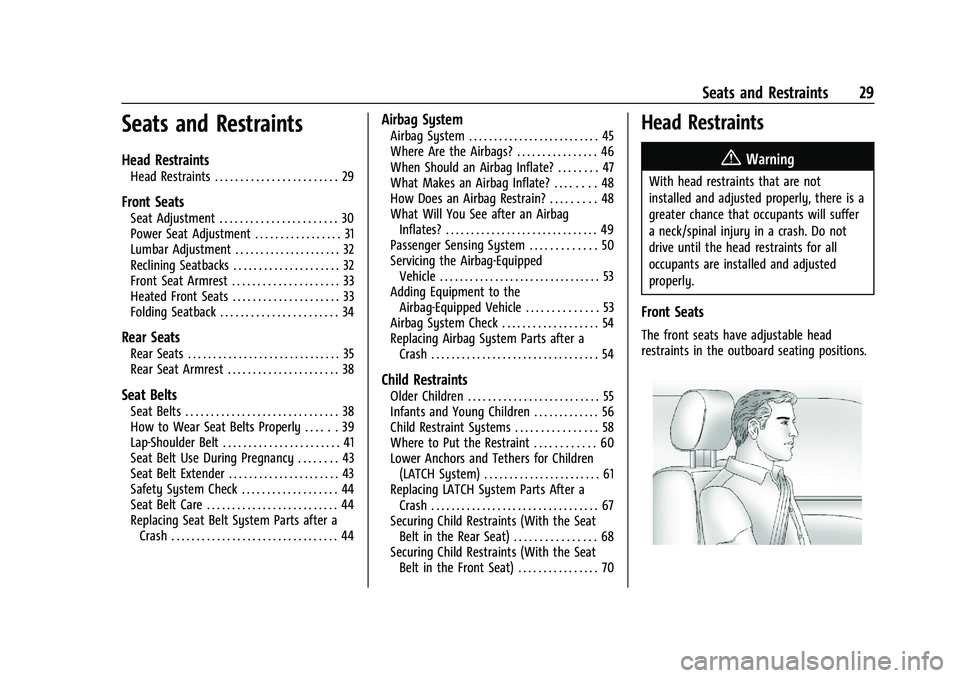
The front seats have adjustable head
restraints in the outboard seating positions.
Page 33 of 280
Chevrolet TRAX Owner Manual (GMNA-Localizing-U.S./Canada-14609828) -
2021 - CRC - 8/21/20
32 Seats and Restraints
Lumbar Adjustment
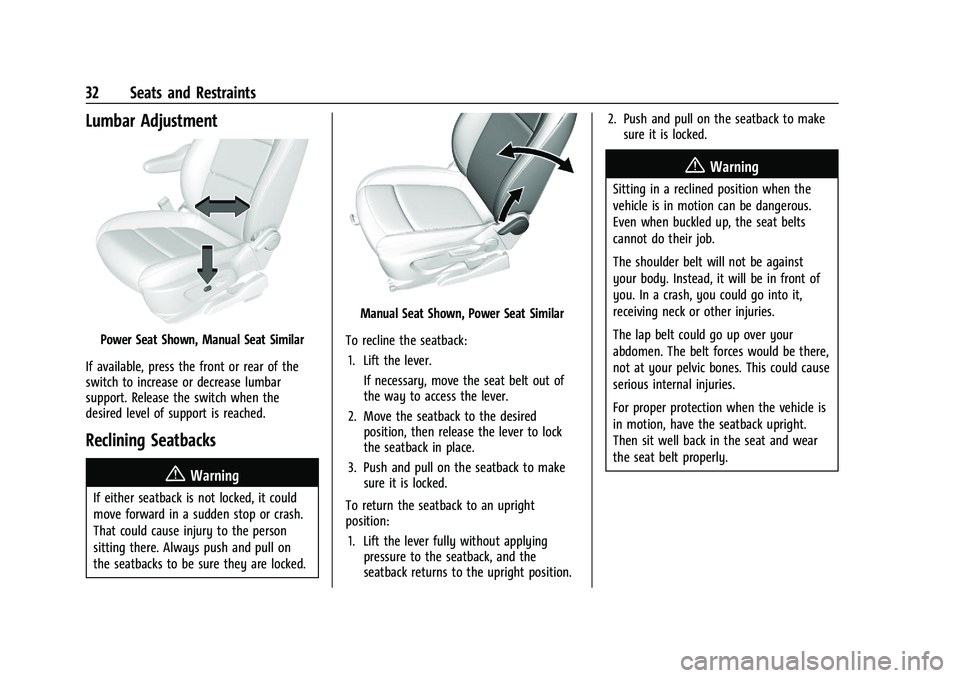
Power Seat Shown, Manual Seat Similar
If available, press the front or rear of the
switch to increase or decrease lumbar
support. Release the switch when the
desired level of support is reached.
Reclining Seatbacks
{Warning
If either seatback is not locked, it could
move forward in a sudden stop or crash.
That could cause injury to the person
sitting there. Always push and pull on
the seatbacks to be sure they are locked.
Manual Seat Shown, Power Seat Similar
To recline the seatback: 1. Lift the lever. If necessary, move the seat belt out of
the way to access the lever.
2. Move the seatback to the desired position, then release the lever to lock
the seatback in place.
3. Push and pull on the seatback to make sure it is locked.
To return the seatback to an upright
position: 1. Lift the lever fully without applying pressure to the seatback, and the
seatback returns to the upright position. 2. Push and pull on the seatback to make
sure it is locked.
{Warning
Sitting in a reclined position when the
vehicle is in motion can be dangerous.
Even when buckled up, the seat belts
cannot do their job.
The shoulder belt will not be against
your body. Instead, it will be in front of
you. In a crash, you could go into it,
receiving neck or other injuries.
The lap belt could go up over your
abdomen. The belt forces would be there,
not at your pelvic bones. This could cause
serious internal injuries.
For proper protection when the vehicle is
in motion, have the seatback upright.
Then sit well back in the seat and wear
the seat belt properly.
Page 35 of 280
Chevrolet TRAX Owner Manual (GMNA-Localizing-U.S./Canada-14609828) -
2021 - CRC - 8/21/20
34 Seats and Restraints
will be canceled when the ignition is turned
on. Press the control to use the heated seats
after the vehicle is started.
The heated seat indicator lights do not turn
on during a remote start.
The temperature performance of an
unoccupied seat may be reduced. This is
normal.
The heated seats will not turn on during a
remote start unless the heated seat feature
is enabled in the vehicle personalization
menu. SeeRemote Vehicle Start 017 and
Vehicle Personalization 093.
Folding Seatback
The front passenger seatback may fold flat.
{Warning
If you fold the seatback forward to carry
longer objects, such as skis, be sure any
such cargo is not near an airbag. In a
crash, an inflating airbag might force that
object toward a person. This could cause
severe injury or even death. Secure
objects away from the area in which an
airbag would inflate. For more
(Continued)
Warning (Continued)
information, seeWhere Are the Airbags?
0 46 and
Vehicle Load Limits 0134.
{Warning
Things you put on this seatback can
strike and injure people in a sudden stop
or turn, or in a crash. Remove or secure
all items before driving.
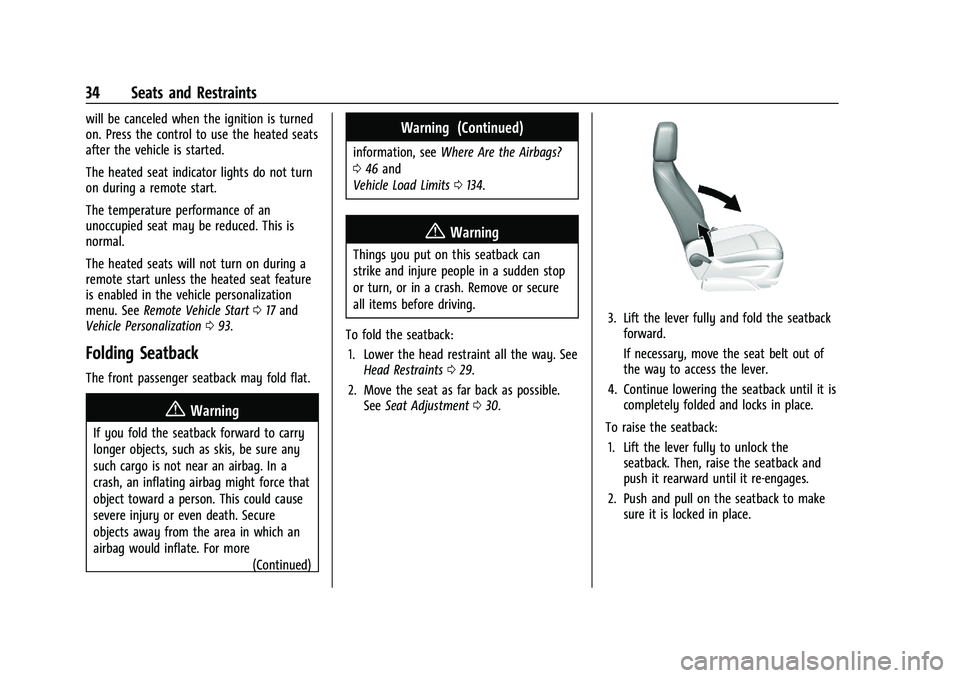
To fold the seatback: 1. Lower the head restraint all the way. See Head Restraints 029.
2. Move the seat as far back as possible. See Seat Adjustment 030.
3. Lift the lever fully and fold the seatback
forward.
If necessary, move the seat belt out of
the way to access the lever.
4. Continue lowering the seatback until it is completely folded and locks in place.
To raise the seatback: 1. Lift the lever fully to unlock the seatback. Then, raise the seatback and
push it rearward until it re-engages.
2. Push and pull on the seatback to make sure it is locked in place.
Page 36 of 280
Chevrolet TRAX Owner Manual (GMNA-Localizing-U.S./Canada-14609828) -
2021 - CRC - 8/21/20
Seats and Restraints 35
{Warning
If either seatback is not locked, it could
move forward in a sudden stop or crash.
That could cause injury to the person
sitting there. Always push and pull on
the seatbacks to be sure they are locked.
Rear Seats
Rear Seat Reminder
If equipped, the message REAR SEAT
REMINDER LOOK IN REAR SEAT displays
under certain conditions indicating there
may be an item or passenger in the rear
seat. Check before exiting the vehicle.
This feature will activate when a second row
door is opened while the vehicle is on or up
to 10 minutes before the vehicle is turned
on. There will be an alert when the vehicle
is turned off. The alert does not directly
detect objects in the rear seat; instead,
under certain conditions, it detects when a
rear door is opened and closed, indicating
that there may be something in the
rear seat.The feature is active only once each time
the vehicle is turned on and off, and will
require reactivation by opening and closing
the second row doors. There may be an
alert even when there is nothing in the rear
seat; for example, if a child entered the
vehicle through the rear door and left the
vehicle without the vehicle being shut off.
The feature can be turned on or off. See
Vehicle Personalization
093.Folding the Seatback
Either side of the seatback can be folded
down for more cargo space. Fold a seatback
only when the vehicle is not moving.
Caution
Folding a rear seat with the seat belts
still fastened may cause damage to the
seat or the seat belts. Always unbuckle
the seat belts and return them to their
normal stowed position before folding a
rear seat.
Caution
Folding the rear seatback prior to tilting
the seat cushion forward may damage
the rear seat. Always tilt the rear seat
cushion forward before folding the
seatback.
To fold a seatback down: 1. Make sure the floor area in front of the rear seats is clear.
2. Fully lower the head restraint. See Head
Restraints 029.
3. Slide the front seats forward and place the front seatbacks in the upright
position. See Seat Adjustment 030 and
Reclining Seatbacks 032.
Page 37 of 280
Chevrolet TRAX Owner Manual (GMNA-Localizing-U.S./Canada-14609828) -
2021 - CRC - 8/21/20
36 Seats and Restraints
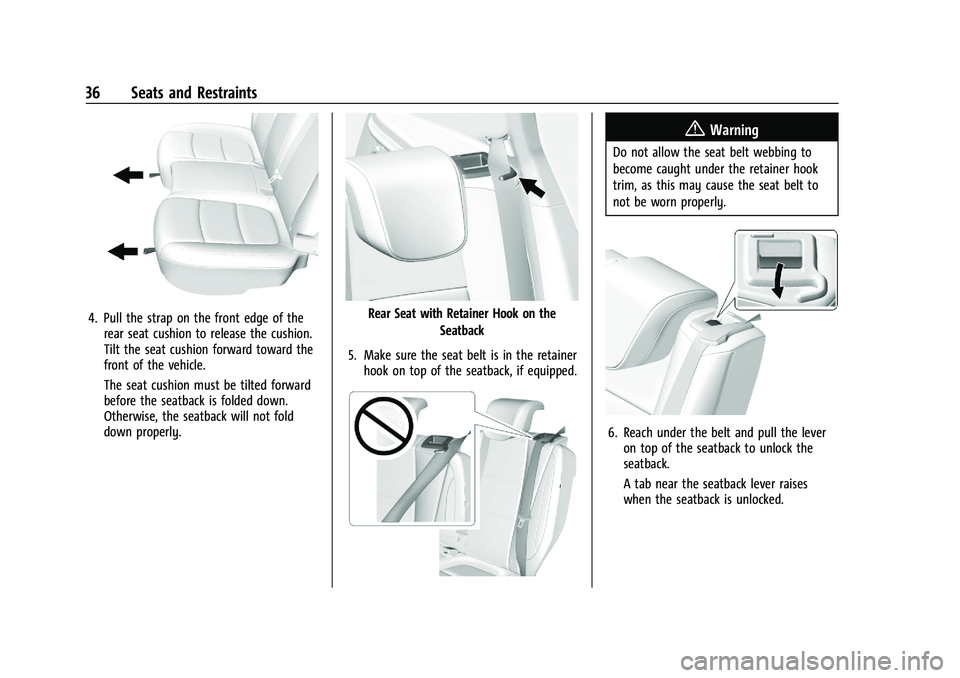
4. Pull the strap on the front edge of therear seat cushion to release the cushion.
Tilt the seat cushion forward toward the
front of the vehicle.
The seat cushion must be tilted forward
before the seatback is folded down.
Otherwise, the seatback will not fold
down properly.Rear Seat with Retainer Hook on the
Seatback
5. Make sure the seat belt is in the retainer hook on top of the seatback, if equipped.
{Warning
Do not allow the seat belt webbing to
become caught under the retainer hook
trim, as this may cause the seat belt to
not be worn properly.
6. Reach under the belt and pull the leveron top of the seatback to unlock the
seatback.
A tab near the seatback lever raises
when the seatback is unlocked.
Page 38 of 280
Chevrolet TRAX Owner Manual (GMNA-Localizing-U.S./Canada-14609828) -
2021 - CRC - 8/21/20
Seats and Restraints 37
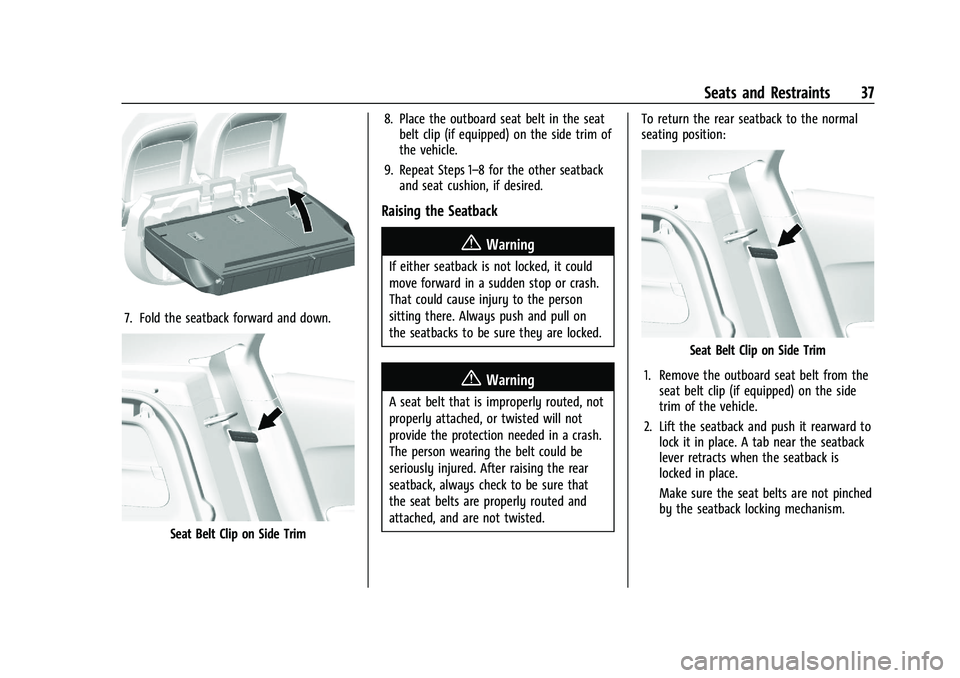
7. Fold the seatback forward and down.
Seat Belt Clip on Side Trim8. Place the outboard seat belt in the seat
belt clip (if equipped) on the side trim of
the vehicle.
9. Repeat Steps 1–8 for the other seatback and seat cushion, if desired.
Raising the Seatback
{Warning
If either seatback is not locked, it could
move forward in a sudden stop or crash.
That could cause injury to the person
sitting there. Always push and pull on
the seatbacks to be sure they are locked.
{Warning
A seat belt that is improperly routed, not
properly attached, or twisted will not
provide the protection needed in a crash.
The person wearing the belt could be
seriously injured. After raising the rear
seatback, always check to be sure that
the seat belts are properly routed and
attached, and are not twisted. To return the rear seatback to the normal
seating position:
Seat Belt Clip on Side Trim
1. Remove the outboard seat belt from the seat belt clip (if equipped) on the side
trim of the vehicle.
2. Lift the seatback and push it rearward to lock it in place. A tab near the seatback
lever retracts when the seatback is
locked in place.
Make sure the seat belts are not pinched
by the seatback locking mechanism.
Page 39 of 280
Chevrolet TRAX Owner Manual (GMNA-Localizing-U.S./Canada-14609828) -
2021 - CRC - 8/21/20
38 Seats and Restraints
The center rear seat belt may lock when
you raise the seatback. If this happens,
let the belt go back all the way and start
again. If the seat belt is still locked, try
again after pulling the seat cushion out.
3. Push and pull the top of the seatback to be sure it is locked into position.
4. Return the seat cushion to its original position and push down on the front
part of the seat cushion until it latches.
Make sure the seat belts and seat belt
buckles are not trapped under the seat
cushion and are properly positioned
for use.
5. Repeat Steps 1–4 for the other seatback and seat cushion, if necessary.
If additional cargo space is not needed, the
seatbacks should be kept in the upright,
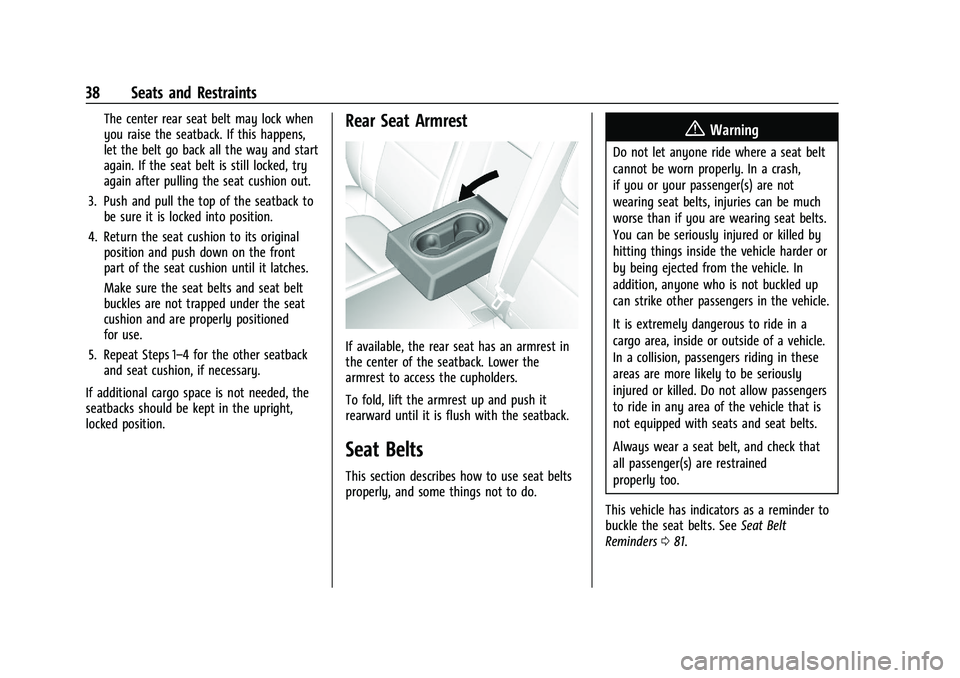
locked position.Rear Seat Armrest
If available, the rear seat has an armrest in
the center of the seatback. Lower the
armrest to access the cupholders.
To fold, lift the armrest up and push it
rearward until it is flush with the seatback.
Seat Belts
This section describes how to use seat belts
properly, and some things not to do.
{Warning
Do not let anyone ride where a seat belt
cannot be worn properly. In a crash,
if you or your passenger(s) are not
wearing seat belts, injuries can be much
worse than if you are wearing seat belts.
You can be seriously injured or killed by
hitting things inside the vehicle harder or
by being ejected from the vehicle. In
addition, anyone who is not buckled up
can strike other passengers in the vehicle.
It is extremely dangerous to ride in a
cargo area, inside or outside of a vehicle.
In a collision, passengers riding in these
areas are more likely to be seriously
injured or killed. Do not allow passengers
to ride in any area of the vehicle that is
not equipped with seats and seat belts.
Always wear a seat belt, and check that
all passenger(s) are restrained
properly too.
This vehicle has indicators as a reminder to
buckle the seat belts. See Seat Belt
Reminders 081.