phone CHEVROLET TRAX 2022 Owner's Manual
[x] Cancel search | Manufacturer: CHEVROLET, Model Year: 2022, Model line: TRAX, Model: CHEVROLET TRAX 2022Pages: 280, PDF Size: 12.13 MB
Page 254 of 280
Chevrolet TRAX Owner Manual (GMNA-Localizing-U.S./Canada-15498927) -
2022 - CRC - 5/27/21
Customer Information 253
This program is available to qualified
applicants for cost reimbursement, up to
certain limits, of eligible aftermarket
adaptive equipment required for the vehicle,
such as hand controls or a wheelchair/
scooter lift for the vehicle.
To learn about the GM Mobility program,
see www.gmmobility.com or call the GM
Mobility Assistance Center at 1-800-323-9935.
Text Telephone (TTY) users, call
1-800-833-9935.
General Motors of Canada also has a
Mobility program. See www.gm.ca, or call
1-800-GM-DRIVE (800-463-7483) for details.
TTY users call 1-800-263-3830.
Roadside Assistance Program
For U.S.-purchased vehicles, call
1-800-243-8872. (Text Telephone (TTY):
1-888-889-2438.)
For Canadian-purchased vehicles, call
1-800-268-6800.
Service is available 24 hours a day, 365 days
a year.
Calling for Assistance
When calling Roadside Assistance, have the
following information ready:
.Your name, home address, and home
telephone number
.Telephone number of your location
.Location of the vehicle
.Model, year, color, and license plate
number of the vehicle
.Odometer reading, Vehicle Identification
Number (VIN), and delivery date of the
vehicle
.Description of the problem
Coverage
Services are provided for the duration of the
vehicle’s powertrain warranty.
In the U.S., anyone driving the vehicle is
covered. In Canada, a person driving the
vehicle without permission from the owner
is not covered.
Roadside Assistance is not a part of the New
Vehicle Limited Warranty. General Motors
North America and Chevrolet reserve the
right to make any changes or discontinue
the Roadside Assistance program at any
time without notification.General Motors North America and Chevrolet
reserve the right to limit services or
payment to an owner or driver if they
decide the claims are made too often, or the
same type of claim is made many times.
Services Provided
.Emergency Fuel Delivery:
Delivery of
enough fuel for the vehicle to get to the
nearest service station.
.Lock-Out Service: Service to unlock the
vehicle if you are locked out. A remote
unlock may be available if you have
OnStar. For security reasons, the driver
must present identification before this
service is given.
.Emergency Tow from a Public Road or
Highway: Tow to the nearest Chevrolet
dealer for warranty service, or if the
vehicle was in a crash and cannot be
driven. Assistance is not given when the
vehicle is stuck in the sand, mud,
or snow.
.Flat Tire Change: Service to change a flat
tire with the spare tire. The spare tire,
if equipped, must be in good condition
and properly inflated. It is the owner's
responsibility for the repair or
replacement of the tire if it is not covered
by the warranty.
Page 257 of 280
Chevrolet TRAX Owner Manual (GMNA-Localizing-U.S./Canada-15498927) -
2022 - CRC - 5/27/21
256 Customer Information
Recycled original equipment parts may also
be used for repair. These parts are typically
removed from vehicles that were total losses
in prior crashes. In most cases, the parts
being recycled are from undamaged sections
of the vehicle. A recycled original equipment
GM part may be an acceptable choice to
maintain the vehicle's originally designed
appearance and safety performance;
however, the history of these parts is not
known. Such parts are not covered by the
GM New Vehicle Limited Warranty, and any
related failures are not covered by that
warranty.
Aftermarket collision parts are also available.
These are made by companies other than
GM and may not have been tested for the
vehicle. As a result, these parts may fit
poorly, exhibit premature durability/
corrosion problems, and may not perform
properly in subsequent collisions.
Aftermarket parts are not covered by the
GM New Vehicle Limited Warranty, and any
vehicle failure related to such parts is not
covered by that warranty.
Repair Facility
GM also recommends that you choose a
collision repair facility that meets your
needs before you ever need collision repairs.Your dealer may have a collision repair
center with GM-trained technicians and
state-of-the-art equipment, or be able to
recommend a collision repair center that has
GM-trained technicians and comparable
equipment.
Insuring the Vehicle
Protect your investment in the GM vehicle
with comprehensive and collision insurance
coverage. There are significant differences in
the quality of coverage afforded by various
insurance policy terms. Many insurance
policies provide reduced protection to the
GM vehicle by limiting compensation for
damage repairs through the use of
aftermarket collision parts. Some insurance
companies will not specify aftermarket
collision parts. When purchasing insurance,
we recommend that you ensure that the
vehicle will be repaired with GM original
equipment collision parts. If such insurance
coverage is not available from your current
insurance carrier, consider switching to
another insurance carrier.
If the vehicle is leased, the leasing company
may require you to have insurance that
ensures repairs with Genuine GM Original
Equipment Manufacturer (OEM) parts or
Genuine Manufacturer replacement parts.Read the lease carefully, as you may be
charged at the end of the lease for poor
quality repairs.
If a Crash Occurs
If there has been an injury, call emergency
services for help. Do not leave the scene of
a crash until all matters have been taken
care of. Move the vehicle only if its position
puts you in danger, or you are instructed to
move it by a police officer.
Give only the necessary information to
police and other parties involved in the
crash.
For emergency towing see
Roadside
Assistance Program 0253.
Gather the following information:
.Driver name, address, and telephone
number
.Driver license number
.Owner name, address, and telephone
number
.Vehicle license plate number
.Vehicle make, model, and model year
.Vehicle Identification Number (VIN)
.Insurance company and policy number
Page 263 of 280
Chevrolet TRAX Owner Manual (GMNA-Localizing-U.S./Canada-15498927) -
2022 - CRC - 5/27/21
262 OnStar
.Give OnStar Turn-by-Turn Navigation voice
commands.
.Obtain and customize the Wi-Fi hotspot
name or SSID and password, if equipped.
Press
Qto connect to an Advisor to:
.Verify account information or update
contact information.
.Get driving directions.
.Receive a Diagnostic check of the vehicle's
key operating systems.
.Receive Roadside Assistance.
.Manage Wi-Fi Settings, if equipped.
Press
>to get a priority connection to an
OnStar Advisor available 24/7 to:
.Get help for an emergency.
.Be a Good Samaritan or respond to an
AMBER Alert.
.Get assistance in severe weather or other
crisis situations and find evacuation
routes.
OnStar Services
Emergency
Emergency Services require an active safety
and security plan. With Automatic Crash
Response, built-in sensors can automatically
alert a specially trained OnStar Advisor who
is immediately connected in to the vehicle
to help.
Press
>for a priority connection to an
OnStar Advisor who can contact emergency
service providers, direct them to your exact
location, and relay important information.
With OnStar Crisis Assist, specially trained
Advisors are available 24 hours a day, 7 days
a week, to provide a central point of
contact, assistance, and information during a
crisis.
With Roadside Assistance, Advisors can
locate a nearby service provider to help with
a flat tire, a battery jump, or an empty
gas tank.
Security
If equipped, OnStar provides these services:
.With Stolen Vehicle Assistance, OnStar
Advisors can use GPS to pinpoint the
vehicle and help authorities quickly
recover it.
.With Remote Ignition Block, if equipped,
OnStar can block the engine from being
restarted.
.With Stolen Vehicle Slowdown,
if equipped, OnStar can work with law
enforcement to gradually slow the
vehicle down.
Theft Alarm Notification
If equipped, if the doors are locked and the
vehicle alarm sounds, a notification by text,
e-mail, or phone call will be sent. If the
vehicle is stolen, an OnStar Advisor can work
with authorities to recover the vehicle.
Page 264 of 280
Chevrolet TRAX Owner Manual (GMNA-Localizing-U.S./Canada-15498927) -
2022 - CRC - 5/27/21
OnStar 263
OnStar Additional
Information
In-Vehicle Audio Messages
Audio messages may play important
information at the following times:
.Prior to vehicle purchase. PressQto set
up an account.
.After change in ownership and at
90 days.
Transferring Service
PressQto request account transfer
eligibility information. The Advisor can
cancel or change account information.
Selling/Transferring the Vehicle
Call 1-888-4ONSTAR (1-888-466-7827)
immediately to terminate your OnStar or
connected services if the vehicle is disposed
of, sold, transferred, or if the lease ends.
Reactivation for Subsequent Owners
PressQand follow the prompts to speak to
an Advisor as soon as possible. The Advisor
will update vehicle records and explain
OnStar or connected service options.
How OnStar Service Works
Automatic Crash Response, Emergency
Services, Crisis Assist, Stolen Vehicle
Assistance, Remote Services, and Roadside
Assistance are available on most vehicles.
Not all OnStar services are available
everywhere or on all vehicles. For more
information, a full description of OnStar
services, system limitations, and OnStar User
Terms, Privacy Statement, and Software
Terms:
.Call 1-888-4ONSTAR (1-888-466-7827).
.See www.onstar.com (U.S.).
.See www.onstar.ca (Canada).
.Call TTY 1-877-248-2080.
.PressQto speak with an Advisor.
OnStar or connected services cannot work
unless the vehicle is in a place where OnStar
has an agreement with a wireless service
provider for service in that area. The
wireless service provider must also have
coverage, network capacity, reception, and
technology compatible with OnStar or
connected services. Service involving location
information about the vehicle cannot work
unless GPS signals are available,
unobstructed, and compatible with the
OnStar hardware. OnStar or connected services may not work if the OnStar
equipment is not properly installed or it has
not been properly maintained. If equipment
or software is added, connected,
or modified, OnStar or connected services
may not work. Other problems beyond the
control of OnStar
—such as hills, tall
buildings, tunnels, weather, electrical system
design and architecture of the vehicle,
damage to the vehicle in a crash, or wireless
phone network congestion or jamming —
may prevent service.
See Radio Frequency Statement 0257.
Services for People with Disabilities
Advisors provide services to help with
physical disabilities and medical conditions.
Press
Qto help:
.Locate a gas station with an attendant to
pump gas.
.Find a hotel, restaurant, etc., that meets
accessibility needs.
.Provide directions to the closest hospital
or pharmacy in urgent situations.
Page 265 of 280
Chevrolet TRAX Owner Manual (GMNA-Localizing-U.S./Canada-15498927) -
2022 - CRC - 5/27/21
264 OnStar
TTY Users
OnStar has the ability to communicate to
deaf, hard-of-hearing, or speech-impaired
customers while in the vehicle. The available
TTY system can provide in-vehicle access to
all OnStar services, except Virtual Advisor
and OnStar Turn-by-Turn Navigation.
If equipped, TTY mode can be turned on or
off by touching Settings, then Apps, and
then Phone. When TTY mode is on, phone
calls can be made or received with OnStar
using the infotainment display.
OnStar Personal Identification
Number (PIN)
A PIN is needed to access some OnStar
services. The PIN will need to be changed
the first time when speaking with an
Advisor. To change the OnStar PIN, contact
an OnStar Advisor by pressing
Qor calling
1-888-4ONSTAR.
Warranty
OnStar equipment may be warranted as part
of the vehicle warranty.
Languages
The vehicle can be programmed to respond
in multiple languages. Press
Qand ask for
an Advisor. Advisors are available in English,
Spanish, and French. Available languages
may vary by country.
Potential Issues
OnStar cannot perform Remote Door Unlock
or Stolen Vehicle Assistance after the vehicle
has been off continuously for an extended
period of time without an ignition cycle. To
find out the duration of time that applies
for the vehicle, contact an OnStar Advisor by
pressing
Qor calling 1-888-4ONSTAR. If the
vehicle has not been started for an extended
period of time, OnStar can contact Roadside
Assistance or a locksmith to help gain access
to the vehicle.
Global Positioning System (GPS)
.Obstruction of the GPS can occur in a
large city with tall buildings; in parking
garages; around airports; in tunnels and
underpasses; or in an area with very
dense trees. If GPS signals are not
available, the OnStar system should still operate to call OnStar. However, OnStar
could have difficulty identifying the exact
location.
.In emergency situations, OnStar can use
the last stored GPS location to send to
emergency responders.
A temporary loss of GPS can cause loss of
the ability to send a Turn-by-Turn
Navigation route. The Advisor may give a
verbal route or may ask for a call back after
the vehicle is driven into an open area.
Cellular and GPS Antennas
Cellular reception is required for OnStar to
send remote signals to the vehicle. Do not
place items over or near the antenna to
prevent blocking cellular and GPS signal
reception.
Unable to Connect to OnStar Message
If there is limited cellular coverage or the
cellular network has reached maximum
capacity, this message may come on. Press
Qto try the call again or try again after
driving a few miles into another
cellular area.
Page 268 of 280
Chevrolet TRAX Owner Manual (GMNA-Localizing-U.S./Canada-15498927) -
2022 - CRC - 5/27/21
Connected Services 267
Ensuring Security
.Change the default passwords for the
Wi-Fi hotspot and myChevrolet mobile
application. Make these passwords
different from each other and use a
combination of letters and numbers to
increase the security.
.Change the default name of the SSID
(Service Set Identifier). This is your
network’s name that is visible to other
wireless devices. Choose a unique name
and avoid family names or vehicle
descriptions.
Wi-Fi Hotspot (If Equipped)
The vehicle may have a built-in Wi-Fi
hotspot that provides access to the Internet
and web content at 4G LTE speed. Up to
seven mobile devices can be connected.
A data plan is required. Use the in-vehicle
controls only when it is safe to do so. 1. To retrieve Wi-Fi hotspot information, press
=to open the OnStar app on the
infotainment display, then select Wi-Fi
Hotspot. On some vehicles, touch Wi-Fi
or Wi-Fi Settings on the screen. 2. The Wi-Fi settings will display the Wi-Fi
hotspot name (SSID), password, and on
some vehicles, the connection type (no
Internet connection, 3G, 4G, 4G LTE), and
signal quality (poor, good, excellent).
3. To change the SSID or password, press
Qor call 1-888-4ONSTAR to connect
with an Advisor. On some vehicles, the
SSID and password can be changed in
the Wi-Fi Hotspot menu.
After initial set-up, your vehicle’s Wi-Fi
hotspot will connect automatically to your
mobile devices. Manage data usage by
turning Wi-Fi on or off on your mobile
device, using the myChevrolet mobile app,
or by contacting an OnStar Advisor. On
some vehicles, Wi-Fi can also be managed
from the Wi-Fi Hotspot menu.
MyChevrolet Mobile App (If Available)
Download the myChevrolet mobile app to
compatible Apple and Android smartphones.
Chevrolet users can access the following
services from a smartphone:
.Remotely start/stop the vehicle,
if factory-equipped.
.Lock/unlock doors, if equipped with
automatic locks.
.Activate the horn and lamps.
.Check the vehicle’s fuel level, oil life,
or tire pressure, if factory-equipped with
the Tire Pressure Monitor System.
.Send destinations to the vehicle.
.Locate the vehicle on a map (U.S.
market only).
.Turn the vehicle's Wi-Fi hotspot on/off,
manage settings, and monitor data
consumption, if equipped.
.Locate a dealer and schedule service.
.Request roadside assistance.
.Set a parking reminder with pin drop,
take a photo, make a note, and set a
timer.
.Connect with Chevrolet on social media.
Features are subject to change. For
myChevrolet mobile app information and
compatibility, see my.chevrolet.com.
An active OnStar or connected service plan
may be required. A compatible device,
factory-installed remote start, and power
locks are required. Data rates apply. See
www.onstar.com for details and system
limitations.
Page 272 of 280
Chevrolet TRAX Owner Manual (GMNA-Localizing-U.S./Canada-15498927) -
2022 - CRC - 5/27/21
Index 271
Compass . . . . . . . . . . . . . . . . . . . . . . . . . . . . . . . . . . 78
Connected ServicesConnections . . . . . . . . . . . . . . . . . . . . . . . . . . . 266
Diagnostics . . . . . . . . . . . . . . . . . . . . . . . . . . . . 268
Navigation . . . . . . . . . . . . . . . . . . . . . . . . . . . . . 266
Connections Connected Services . . . . . . . . . . . . . . . . . . . . 266
Control Traction and Electronic Stability . . . . . . . 154
Control of a Vehicle . . . . . . . . . . . . . . . . . . . . . . 131
Controls Steering Wheel . . . . . . . . . . . . . . . . . . . . . . . . 104
Convex Mirrors . . . . . . . . . . . . . . . . . . . . . . . . . . . .25
Coolant Engine Temperature Warning Light . . . . . 87
Cooling . . . . . . . . . . . . . . . . . . . . . . . . . . . . . . . . . . . 125
Cooling System . . . . . . . . . . . . . . . . . . . . . . . . . . 176
Courtesy Lamps . . . . . . . . . . . . . . . . . . . . . . . . . . . 99
Courtesy Transportation Program . . . . . . . . 254
Cover Cargo . . . . . . . . . . . . . . . . . . . . . . . . . . . . . . . . . . . 73
Covers Winter . . . . . . . . . . . . . . . . . . . . . . . . . . . . . . . . . 145
Cruise Control . . . . . . . . . . . . . . . . . . . . . . . . . . . 156 Light . . . . . . . . . . . . . . . . . . . . . . . . . . . . . . . . . . . . 89
Cupholders . . . . . . . . . . . . . . . . . . . . . . . . . . . . . . . .72
Customer Assistance . . . . . . . . . . . . . . . . . . . . . 252 Offices . . . . . . . . . . . . . . . . . . . . . . . . . . . . . . . . . 251 Customer Assistance (cont'd)
Text Telephone (TTY) Users . . . . . . . . . . . . 252
Customer Information Publications Ordering Information . . . . . 257
Customer Satisfaction Procedure . . . . . . . . . 250
Cybersecurity . . . . . . . . . . . . . . . . . . . . . . . . . . . . 259
D
Damage Repair, Collision . . . . . . . . . . . . . . . . . 255
Danger, Warning, and Caution . . . . . . . . . . . . . .2
Data Collection OnStar . . . . . . . . . . . . . . . . . . . . . . . . . . . . . . . . . 260
Data Recorders, Event . . . . . . . . . . . . . . . . . . . 259
Daytime Running Lamps (DRL) . . . . . . . . . . . . 97
Defensive Driving . . . . . . . . . . . . . . . . . . . . . . . . . 131
Delayed Locking . . . . . . . . . . . . . . . . . . . . . . . . . . 20
Diagnostics Connected Services . . . . . . . . . . . . . . . . . . . . 268
Distracted Driving . . . . . . . . . . . . . . . . . . . . . . . . 130
Dome Lamps . . . . . . . . . . . . . . . . . . . . . . . . . . . . . . 99
Door Ajar Light . . . . . . . . . . . . . . . . . . . . . . . . . . . . . . . 89
Delayed Locking . . . . . . . . . . . . . . . . . . . . . . . . 20
Locks . . . . . . . . . . . . . . . . . . . . . . . . . . . . . . . . . . . 19
Power Locks . . . . . . . . . . . . . . . . . . . . . . . . . . . . 20
Drive Belt Routing, Engine . . . . . . . . . . . . . . . 249
Drive Systems
All-Wheel Drive . . . . . . . . . . . . . . . . . . . . 152, 182 Driver
Teen . . . . . . . . . . . . . . . . . . . . . . . . . . . . . . . . . . . 120
Driver Assistance Systems . . . . . . . . . . . . . . . .158
Driver Behavior . . . . . . . . . . . . . . . . . . . . . . . . . . 130
Driver Information Center (DIC) . . . . . . . . . . . 90
Driving Better Fuel Economy . . . . . . . . . . . . . . . . . . . 130
Defensive . . . . . . . . . . . . . . . . . . . . . . . . . . . . . . . 131
Environment . . . . . . . . . . . . . . . . . . . . . . . . . . . 130
Hill and Mountain Roads . . . . . . . . . . . . . . 134
If the Vehicle is Stuck . . . . . . . . . . . . . . . . . 136
Impaired . . . . . . . . . . . . . . . . . . . . . . . . . . . . . . . . 131
Loss of Control . . . . . . . . . . . . . . . . . . . . . . . . 133
Off-Road Recovery . . . . . . . . . . . . . . . . . . . . . 133
Vehicle Load Limits . . . . . . . . . . . . . . . . . . . . 136
Wet Roads . . . . . . . . . . . . . . . . . . . . . . . . . . . . . 133
Winter . . . . . . . . . . . . . . . . . . . . . . . . . . . . . . . . . 135
Driving the Vehicle . . . . . . . . . . . . . . . . . . . . . . . . .2
E
Electrical Equipment, Add-On . . . . . . . . . . . . 165
Electrical System Engine Compartment Fuse Block . . . . . . . 193
Fuses and Circuit Breakers . . . . . . . . . . . . . 193
Instrument Panel Fuse Block . . . . . . . . . . . 196
Overload . . . . . . . . . . . . . . . . . . . . . . . . . . . . . . . . 191
Rear Compartment Fuse Block . . . . . . . . . 198
Page 276 of 280
Chevrolet TRAX Owner Manual (GMNA-Localizing-U.S./Canada-15498927) -
2022 - CRC - 5/27/21
Index 275
Oil (cont'd)Pressure Light . . . . . . . . . . . . . . . . . . . . . . . . . . 88
Older Children, Restraints . . . . . . . . . . . . . . . . . 54
Online Owner Center . . . . . . . . . . . . . . . . . . . . 252
OnStar . . . . . . . . . . . . . . . . . . . . . . . . . . . . . . . . . . . 260
OnStar Additional Information . . . . . . . . . . . 263
OnStar Emergency . . . . . . . . . . . . . . . . . . . . . . . 262
OnStar Overview . . . . . . . . . . . . . . . . . . . . . . . . . 261
OnStar Security . . . . . . . . . . . . . . . . . . . . . . . . . . 262
Outlets Power . . . . . . . . . . . . . . . . . . . . . . . . . . . . . . . . . . 78
Overheating, Engine . . . . . . . . . . . . . . . . . . . . . 179
Overview . . . . . . . . . . . . . . . . . . . . . . . . . . . . . . . . 103
Instrument Panel . . . . . . . . . . . . . . . . . . . . . . . . 4
Owner Manual Indicator . . . . . . . . . . . . . . . . . . 85
P
Park Shifting Into . . . . . . . . . . . . . . . . . . . . . . . . . . . 147
Shifting Out of . . . . . . . . . . . . . . . . . . . . . . . . 148
Park Assist . . . . . . . . . . . . . . . . . . . . . . . . . . . . . . . 160
Parking Brake . . . . . . . . . . . . . . . . . . . . . . . . . . . . . . . . . . 153
Brake and P (Park) MechanismCheck . . . . . . . . . . . . . . . . . . . . . . . . . . . . . . . . 183
Extended . . . . . . . . . . . . . . . . . . . . . . . . . . . . . . 149
Over Things That Burn . . . . . . . . . . . . . . . . . 149 Parking (cont'd)
Ultrasonic Sensor Light . . . . . . . . . . . . . . . . . 86
Passenger Airbag Status Indicator . . . . . . . . . 82
Passenger Compartment Air Filter . . . . . . . . 127
Passenger Sensing System . . . . . . . . . . . . . . . . 49
Perchlorate Materials Requirements, California . . . . . . . . . . . . . . . . . . . . . . . . . . . . . . 168
Personalization Vehicle . . . . . . . . . . . . . . . . . . . . . . . . . . . . . . . . . 92
Phone Apple CarPlay and Android Auto . . . . . . . . 117
Bluetooth . . . . . . . . . . . . . . . . . . . . . . . . . . . . . . . 113
Port USB . . . . . . . . . . . . . . . . . . . . . . . . . . . . . . . . . . . . 109
Power Door Locks . . . . . . . . . . . . . . . . . . . . . . . . . . . . . . 20
Mirrors . . . . . . . . . . . . . . . . . . . . . . . . . . . . . . . . . 25
Outlets . . . . . . . . . . . . . . . . . . . . . . . . . . . . . . . . . 78
Protection, Battery . . . . . . . . . . . . . . . . . . . . . 101
Reduced Engine Light . . . . . . . . . . . . . . . . . . . 89
Retained Accessory (RAP) . . . . . . . . . . . . . . 147
Seat Adjustment . . . . . . . . . . . . . . . . . . . . . . . . . 31
Windows . . . . . . . . . . . . . . . . . . . . . . . . . . . . . . . 26
Power Steering Warning Lights . . . . . . . . . . . 86
Pregnancy, Using Seat Belts . . . . . . . . . . . . . . 42
Privacy Vehicle Data Recording . . . . . . . . . . . . . . . . 259 Program
Courtesy Transportation . . . . . . . . . . . . . . . 254
Prohibited Fuels . . . . . . . . . . . . . . . . . . . . . . . . . 163
Proposition 65 Warning, California . . . . . . . . . . . . . . . . . . . . . . . . . .182, 220, Back Cover
Publication Ordering Information . . . . . . . . 257
R
Radio Frequency Statement . . . . . . . . . . . . . . 257
Radio Reception . . . . . . . . . . . . . . . . . . . . . . . . . 108
Radios
AM-FM Radio . . . . . . . . . . . . . . . . . . . . . . . . . . 106
Satellite . . . . . . . . . . . . . . . . . . . . . . . . . . . . . . . . 108
Reading Lamps . . . . . . . . . . . . . . . . . . . . . . . . . . . 99
Rear Seat Armrest . . . . . . . . . . . . . . . . . . . . . . . . .37
Rear Seats . . . . . . . . . . . . . . . . . . . . . . . . . . . . . . . . 34
Rear Vision Camera (RVC) . . . . . . . . . . . . . . . . 159
Rear Window Washer/Wiper . . . . . . . . . . . . . .77
Rearview Mirrors . . . . . . . . . . . . . . . . . . . . . . . . . 26 Automatic Dimming . . . . . . . . . . . . . . . . . . . . 26
Reclining Seatbacks . . . . . . . . . . . . . . . . . . . . . . . .32
Recommended Fuel . . . . . . . . . . . . . . . . . . . . . . . . . . . . . . . . . . . . 163
Recommended Fluids and Lubricants . . . . . 243
Records Maintenance . . . . . . . . . . . . . . . . . . . . . . . . . . . 245
Recreational Vehicle Towing . . . . . . . . . . . . . 224
Page 278 of 280
Chevrolet TRAX Owner Manual (GMNA-Localizing-U.S./Canada-15498927) -
2022 - CRC - 5/27/21
Index 277
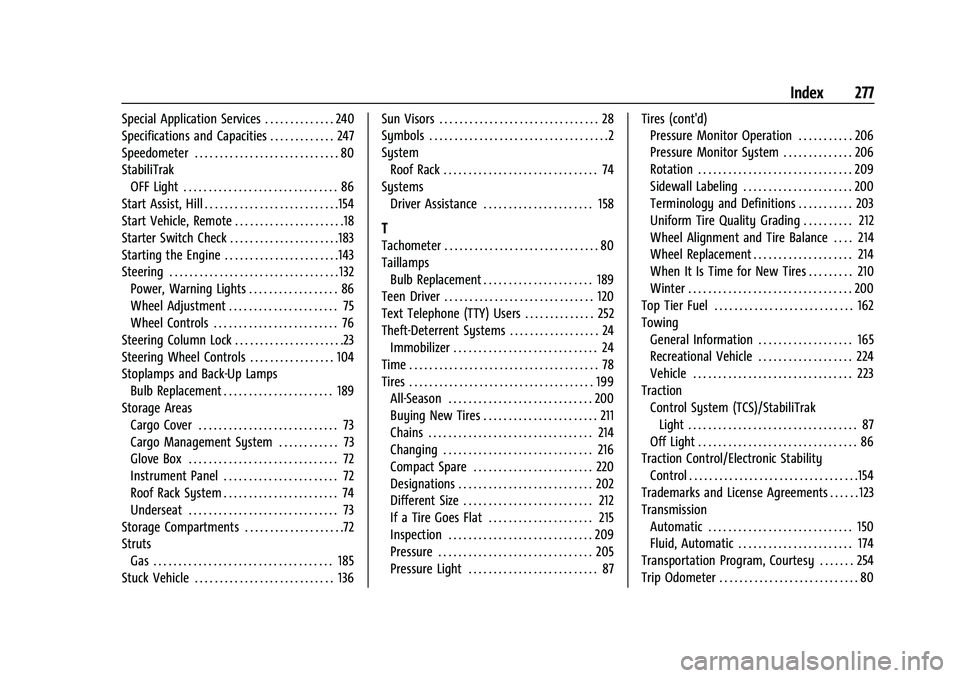
Special Application Services . . . . . . . . . . . . . . 240
Specifications and Capacities . . . . . . . . . . . . . 247
Speedometer . . . . . . . . . . . . . . . . . . . . . . . . . . . . . 80
StabiliTrakOFF Light . . . . . . . . . . . . . . . . . . . . . . . . . . . . . . . 86
Start Assist, Hill . . . . . . . . . . . . . . . . . . . . . . . . . . .154
Start Vehicle, Remote . . . . . . . . . . . . . . . . . . . . . .18
Starter Switch Check . . . . . . . . . . . . . . . . . . . . . .183
Starting the Engine . . . . . . . . . . . . . . . . . . . . . . .143
Steering . . . . . . . . . . . . . . . . . . . . . . . . . . . . . . . . . . 132 Power, Warning Lights . . . . . . . . . . . . . . . . . . 86
Wheel Adjustment . . . . . . . . . . . . . . . . . . . . . . 75
Wheel Controls . . . . . . . . . . . . . . . . . . . . . . . . . 76
Steering Column Lock . . . . . . . . . . . . . . . . . . . . . .23
Steering Wheel Controls . . . . . . . . . . . . . . . . . 104
Stoplamps and Back-Up Lamps Bulb Replacement . . . . . . . . . . . . . . . . . . . . . . 189
Storage Areas Cargo Cover . . . . . . . . . . . . . . . . . . . . . . . . . . . . 73
Cargo Management System . . . . . . . . . . . . 73
Glove Box . . . . . . . . . . . . . . . . . . . . . . . . . . . . . . 72
Instrument Panel . . . . . . . . . . . . . . . . . . . . . . . 72
Roof Rack System . . . . . . . . . . . . . . . . . . . . . . . 74
Underseat . . . . . . . . . . . . . . . . . . . . . . . . . . . . . . 73
Storage Compartments . . . . . . . . . . . . . . . . . . . .72
Struts
Gas . . . . . . . . . . . . . . . . . . . . . . . . . . . . . . . . . . . . 185
Stuck Vehicle . . . . . . . . . . . . . . . . . . . . . . . . . . . . 136 Sun Visors . . . . . . . . . . . . . . . . . . . . . . . . . . . . . . . . 28
Symbols . . . . . . . . . . . . . . . . . . . . . . . . . . . . . . . . . . . .2
System
Roof Rack . . . . . . . . . . . . . . . . . . . . . . . . . . . . . . . 74
Systems Driver Assistance . . . . . . . . . . . . . . . . . . . . . . 158
T
Tachometer . . . . . . . . . . . . . . . . . . . . . . . . . . . . . . . 80
TaillampsBulb Replacement . . . . . . . . . . . . . . . . . . . . . . 189
Teen Driver . . . . . . . . . . . . . . . . . . . . . . . . . . . . . . 120
Text Telephone (TTY) Users . . . . . . . . . . . . . . 252
Theft-Deterrent Systems . . . . . . . . . . . . . . . . . . 24
Immobilizer . . . . . . . . . . . . . . . . . . . . . . . . . . . . . 24
Time . . . . . . . . . . . . . . . . . . . . . . . . . . . . . . . . . . . . . . 78
Tires . . . . . . . . . . . . . . . . . . . . . . . . . . . . . . . . . . . . . 199 All-Season . . . . . . . . . . . . . . . . . . . . . . . . . . . . . 200
Buying New Tires . . . . . . . . . . . . . . . . . . . . . . . 211
Chains . . . . . . . . . . . . . . . . . . . . . . . . . . . . . . . . . 214
Changing . . . . . . . . . . . . . . . . . . . . . . . . . . . . . . 216
Compact Spare . . . . . . . . . . . . . . . . . . . . . . . . 220
Designations . . . . . . . . . . . . . . . . . . . . . . . . . . . 202
Different Size . . . . . . . . . . . . . . . . . . . . . . . . . . 212
If a Tire Goes Flat . . . . . . . . . . . . . . . . . . . . . 215
Inspection . . . . . . . . . . . . . . . . . . . . . . . . . . . . . 209
Pressure . . . . . . . . . . . . . . . . . . . . . . . . . . . . . . . 205
Pressure Light . . . . . . . . . . . . . . . . . . . . . . . . . . 87 Tires (cont'd)
Pressure Monitor Operation . . . . . . . . . . . 206
Pressure Monitor System . . . . . . . . . . . . . . 206
Rotation . . . . . . . . . . . . . . . . . . . . . . . . . . . . . . . 209
Sidewall Labeling . . . . . . . . . . . . . . . . . . . . . . 200
Terminology and Definitions . . . . . . . . . . . 203
Uniform Tire Quality Grading . . . . . . . . . . 212
Wheel Alignment and Tire Balance . . . . 214
Wheel Replacement . . . . . . . . . . . . . . . . . . . . 214
When It Is Time for New Tires . . . . . . . . . 210
Winter . . . . . . . . . . . . . . . . . . . . . . . . . . . . . . . . . 200
Top Tier Fuel . . . . . . . . . . . . . . . . . . . . . . . . . . . . 162
Towing
General Information . . . . . . . . . . . . . . . . . . . 165
Recreational Vehicle . . . . . . . . . . . . . . . . . . . 224
Vehicle . . . . . . . . . . . . . . . . . . . . . . . . . . . . . . . . 223
Traction Control System (TCS)/StabiliTrakLight . . . . . . . . . . . . . . . . . . . . . . . . . . . . . . . . . . 87
Off Light . . . . . . . . . . . . . . . . . . . . . . . . . . . . . . . . 86
Traction Control/Electronic Stability
Control . . . . . . . . . . . . . . . . . . . . . . . . . . . . . . . . . .154
Trademarks and License Agreements . . . . . . 123
Transmission Automatic . . . . . . . . . . . . . . . . . . . . . . . . . . . . . 150
Fluid, Automatic . . . . . . . . . . . . . . . . . . . . . . . 174
Transportation Program, Courtesy . . . . . . . 254
Trip Odometer . . . . . . . . . . . . . . . . . . . . . . . . . . . . 80