diagnostic CHEVROLET TRAX 2024 User Guide
[x] Cancel search | Manufacturer: CHEVROLET, Model Year: 2024, Model line: TRAX, Model: CHEVROLET TRAX 2024Pages: 328, PDF Size: 7.3 MB
Page 300 of 328
Chevrolet TRAX Owner Manual (GMNA-Localizing-U.S./Canada/Mexico-
17041293) - 2024 - CRC - 12/2/22
Customer Information 299
Canada
Customer Care Centre
General Motors of Canada Company
500 Wentworth Street W
Oshawa, ON L1J 0C5
1-800-263-3777 (English)
1-800-263-7854 (French)
1-800-263-3830 (For Text Telephone devices
(TTYs))
Roadside Assistance: 1-800-268-6800
Overseas
Please contact the local General Motors
Business Unit.
Customer Assistance for Text
Telephone (TTY) Users
To assist customers who are deaf, hard of
hearing, or speech-impaired and/or who use
Text Telephones (TTYs), Chevrolet is able to
assist. Please dial the national 711 relay
service and contact 1-800-833-2438. TTY users
in Canada can dial 1-800-263-3830.
Online Account
Create a Chevrolet Account (U.S.) at
chevrolet.com
Learn more about your vehicle features,
shop for and manage your connected
services and OnStar plans, and access
diagnostic information specific to your
vehicle.
Membership Benefits
E:Download owner’s manuals and view
vehicle-specific how-to videos.
G: View maintenance schedules, alerts, and
Vehicle Diagnostic Information. Schedule
service appointments.
I: View service records from your
dealership and add your own.
D: Select a preferred dealer and view
locations, maps, phone numbers, and hours.
r: Track your vehicle’s warranty
information.
J: View active recalls by Vehicle
Identification Number (VIN). See Vehicle
Identification Number (VIN) 0294.
H:Manage your profile and payment
information. View your GM Rewards Card
earnings and My Chevrolet Rewards points.
F: Chat with online help representatives.
Visit chevrolet.com and create an account
today.
Chevrolet Owner Centre (Canada)
mychevrolet.ca
Visit the Chevrolet Owner Centre at
mychevrolet.ca (English) or my.chevrolet.ca
(French) to access similar benefits to the
U.S. site.
GM Mobility Reimbursement
Program
This program is available to qualified
applicants for cost reimbursement, up to
certain limits, of eligible aftermarket
Page 309 of 328
Chevrolet TRAX Owner Manual (GMNA-Localizing-U.S./Canada/Mexico-
17041293) - 2024 - CRC - 12/2/22
308 OnStar
OnStar
OnStar Overview
OnStar Overview . . . . . . . . . . . . . . . . . . . . . . 308
OnStar Services
Emergency . . . . . . . . . . . . . . . . . . . . . . . . . . . . 309
Security . . . . . . . . . . . . . . . . . . . . . . . . . . . . . . . 309
OnStar Additional Information
OnStar Additional Information . . . . . . . . . 310
OnStar Overview
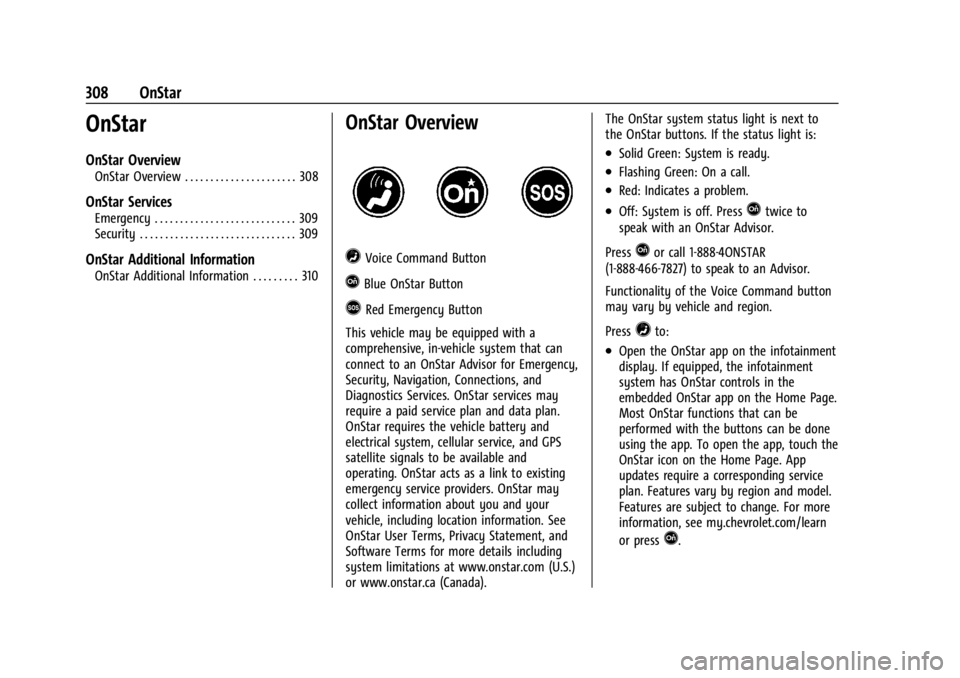
=Voice Command Button
QBlue OnStar Button
>Red Emergency Button
This vehicle may be equipped with a
comprehensive, in-vehicle system that can
connect to an OnStar Advisor for Emergency,
Security, Navigation, Connections, and
Diagnostics Services. OnStar services may
require a paid service plan and data plan.
OnStar requires the vehicle battery and
electrical system, cellular service, and GPS
satellite signals to be available and
operating. OnStar acts as a link to existing
emergency service providers. OnStar may
collect information about you and your
vehicle, including location information. See
OnStar User Terms, Privacy Statement, and
Software Terms for more details including
system limitations at www.onstar.com (U.S.)
or www.onstar.ca (Canada). The OnStar system status light is next to
the OnStar buttons. If the status light is:
.Solid Green: System is ready.
.Flashing Green: On a call.
.Red: Indicates a problem.
.Off: System is off. PressQtwice to
speak with an OnStar Advisor.
Press
Qor call 1-888-4ONSTAR
(1-888-466-7827) to speak to an Advisor.
Functionality of the Voice Command button
may vary by vehicle and region.
Press
=to:
.Open the OnStar app on the infotainment
display. If equipped, the infotainment
system has OnStar controls in the
embedded OnStar app on the Home Page.
Most OnStar functions that can be
performed with the buttons can be done
using the app. To open the app, touch the
OnStar icon on the Home Page. App
updates require a corresponding service
plan. Features vary by region and model.
Features are subject to change. For more
information, see my.chevrolet.com/learn
or press
Q.
Page 310 of 328
Chevrolet TRAX Owner Manual (GMNA-Localizing-U.S./Canada/Mexico-
17041293) - 2024 - CRC - 12/2/22
OnStar 309
Or
.Give OnStar Turn-by-Turn Navigation voice
commands.
.Obtain and customize the Wi-Fi hotspot
name or SSID and password, if equipped.
Press
Qto connect to an Advisor to:
.Verify account information or update
contact information.
.Get driving directions.
.Receive a Diagnostic check of the vehicle's
key operating systems.
.Receive Roadside Assistance.
.Manage Wi-Fi Settings, if equipped.
Press
>to get a priority connection to an
OnStar Advisor available 24/7 to:
.Get help for an emergency.
.Be a Good Samaritan or respond to an
AMBER Alert.
.Get assistance in severe weather or other
crisis situations and find evacuation
routes.
OnStar Services
Emergency
Emergency Services require an active safety
and security plan. With Automatic Crash
Response, built-in sensors can automatically
alert a specially trained OnStar Advisor who
is immediately connected in to the vehicle
to help.
Press
>for a priority connection to an
OnStar Advisor who can contact emergency
service providers, direct them to your exact
location, and relay important information.
With OnStar Crisis Assist, specially trained
Advisors are available 24 hours a day, 7 days
a week, to provide a central point of
contact, assistance, and information during a
crisis.
With Roadside Assistance, Advisors can
locate a nearby service provider to help with
a flat tire, a battery jump, or an empty
gas tank.
Security
If equipped, OnStar provides these services:
.With Stolen Vehicle Assistance, OnStar
Advisors can use GPS to pinpoint the
vehicle and help authorities quickly
recover it.
.With Remote Ignition Block, if equipped,
OnStar can block the vehicle from being
restarted.
.With Stolen Vehicle Slowdown,
if equipped, OnStar can work with law
enforcement to gradually slow the
vehicle down.
Theft Alarm Notification
If equipped, if the doors are locked and the
vehicle alarm sounds, a notification by text,
e-mail, or phone call will be sent. If the
vehicle is stolen, an OnStar Advisor can work
with authorities to recover the vehicle.
Page 314 of 328
Chevrolet TRAX Owner Manual (GMNA-Localizing-U.S./Canada/Mexico-
17041293) - 2024 - CRC - 12/2/22
Connected Services 313
Connected Services
Connected Services
Navigation . . . . . . . . . . . . . . . . . . . . . . . . . . . . . 313
Connections . . . . . . . . . . . . . . . . . . . . . . . . . . . . 313
Diagnostics . . . . . . . . . . . . . . . . . . . . . . . . . . . . 315
Connected Services
Navigation
Navigation requires a specific OnStar or
connected service plan.
Press
Qto receive Turn-by-Turn directions
or have them sent to the vehicle’s
navigation screen, if equipped. Select
Turn-by-Turn Directions from the Services
tab of the OnStar app to call an Advisor or
select a recent or favorite destination. Touch
the navigation icons to select home, address,
or place. A destination transfer from OnStar
will show the detail view of the destination
when it is transferred from OnStar to the
Navigation application. See www.onstar.com
for a coverage map. Services vary by model.
Map coverage is available in the United
States and Canada.
Turn-by-Turn Navigation
1. PressQto connect to an Advisor.
2. Request directions to be downloaded to the vehicle.
3. Follow the voice-guided commands.
Using Voice Commands During a
Planned Route
Functionality of the Voice Command button,
if equipped, may vary by vehicle and region.
For some vehicles, press
=to open the
OnStar app on the infotainment display.
Send Destination to Vehicle
Directions can be sent to the vehicle’s
navigation screen, if equipped.
Press
Q, then ask the Advisor to download
directions to the vehicle’s navigation system,
if equipped. After the call ends, the
navigation screen will provide prompts to
begin driving directions. Routes that are sent
to the navigation screen can only be
canceled through the navigation system.
See www.onstar.com (U.S.) or www.onstar.ca
(Canada).
Connections
The following services help with staying
connected.
For coverage maps, see www.onstar.com
(U.S.) or www.onstar.ca (Canada).
Page 316 of 328
Chevrolet TRAX Owner Manual (GMNA-Localizing-U.S./Canada/Mexico-
17041293) - 2024 - CRC - 12/2/22
Connected Services 315
Features are subject to change. For
myChevrolet mobile app information and
compatibility, see my.chevrolet.com.
An active OnStar or connected service plan
may be required. A compatible device,
factory-installed remote start, and power
locks are required. Data rates apply. See
www.onstar.com for details and system
limitations.
Remote Services
Contact an OnStar Advisor to unlock the
doors or sound the horn and flash the
lamps.
Marketplace
OnStar Advisors can provide offers from
restaurants and retailers on your route, help
locate hotels, or book a room. These services
vary by market.
Diagnostics
By monitoring and reporting on the vehicle's
key systems, OnStar Advanced Diagnostics,
if equipped, provides a way to keep up on
maintenance. Capabilities vary by model.
See www.onstar.com for details and system
limitations. Features are subject to change.
For updates on feature capabilities, see
my.chevrolet.com. Message and data rates
may apply.
Page 319 of 328

Chevrolet TRAX Owner Manual (GMNA-Localizing-U.S./Canada/Mexico-
17041293) - 2024 - CRC - 12/2/22
318 Index
CargoCover . . . . . . . . . . . . . . . . . . . . . . . . . . . . . . . . . . . 75
Management System . . . . . . . . . . . . . . . . . . . 76
Caution, Danger, and Warning . . . . . . . . . . . . . .2
Center Console Storage . . . . . . . . . . . . . . . . . . . . . . . . . . . . . . . . . 75
Chains, Tire . . . . . . . . . . . . . . . . . . . . . . . . . . . . . . 259
Charging
System Light . . . . . . . . . . . . . . . . . . . . . . . . . . . 92
Wireless . . . . . . . . . . . . . . . . . . . . . . . . . . . . . . . . 83
Check Engine Light (Malfunction
Indicator) . . . . . . . . . . . . . . . . . . . . . . . . . . . . . . . 93
Child Restraints Infants and Young Children . . . . . . . . . . . . . 56
Lower Anchors and Tethers forChildren . . . . . . . . . . . . . . . . . . . . . . . . . . . . . . . 60
Older Children . . . . . . . . . . . . . . . . . . . . . . . . . . 54
Securing . . . . . . . . . . . . . . . . . . . . . . . . . . . . 68, 70
Systems . . . . . . . . . . . . . . . . . . . . . . . . . . . . . . . . 58
Child Safety Locks . . . . . . . . . . . . . . . . . . . . . . . . .22
Circuit Breakers . . . . . . . . . . . . . . . . . . . . . . . . . . 238
Cleaning Exterior Care . . . . . . . . . . . . . . . . . . . . . . . . . . . 277
Interior Care . . . . . . . . . . . . . . . . . . . . . . . . . . . 281
Climate Control Systems . . . . . . . . . . . . . . . . . .158
Air Conditioning . . . . . . . . . . . . . . . . . . . . . . . 158
Automatic . . . . . . . . . . . . . . . . . . . . . . . . . . . . . 160
Heating . . . . . . . . . . . . . . . . . . . . . . . . . . . . . . . . 158 Clock . . . . . . . . . . . . . . . . . . . . . . . . . . . . . . . . . . . . . 82
Cluster, Instrument . . . . . . . . . . . . . . . . . . . 86, 87
Collision Alert
Forward (FCA) System . . . . . . . . . . . . . . . . . 203
Collision Damage Repair . . . . . . . . . . . . . . . . . 302
Compact Spare Tire . . . . . . . . . . . . . . . . . . . . . . . 271
Compartments Storage . . . . . . . . . . . . . . . . . . . . . . . . . . . . . . . . . 74
Compass . . . . . . . . . . . . . . . . . . . . . . . . . . . . . . . . . . 82
Compressor Kit, Tire Sealant . . . . . . . . . . . . . 261
Connected Services Connections . . . . . . . . . . . . . . . . . . . . . . . . . . . 313
Diagnostics . . . . . . . . . . . . . . . . . . . . . . . . . . . . 315
Navigation . . . . . . . . . . . . . . . . . . . . . . . . . . . . . 313
Connections Connected Services . . . . . . . . . . . . . . . . . . . . 313
Control Traction and Electronic Stability . . . . . . . 188
Control of a Vehicle . . . . . . . . . . . . . . . . . . . . . 167
Controls Steering Wheel . . . . . . . . . . . . . . . . . . . . 117, 136
Convex Mirrors . . . . . . . . . . . . . . . . . . . . . . . . . . . 26
Coolant Engine Temperature Gauge . . . . . . . . . . . . . 90
Engine Temperature Warning Light . . . . . 98
Cooling . . . . . . . . . . . . . . . . . . . . . . . . . . . . . .158, 160
Cooling System . . . . . . . . . . . . . . . . . . . . . . . . . . 225
Courtesy Lamps . . . . . . . . . . . . . . . . . . . . . . . . . . . 112 Courtesy Transportation Program . . . . . . . . 301
Cover
Cargo . . . . . . . . . . . . . . . . . . . . . . . . . . . . . . . . . . . 75
Cruise Control . . . . . . . . . . . . . . . . . . . . . . . . . . . 190 Adaptive . . . . . . . . . . . . . . . . . . . . . . . . . . . . . . . 192
Light . . . . . . . . . . . . . . . . . . . . . . . . . . . . . . . . . . . 100
Cupholders . . . . . . . . . . . . . . . . . . . . . . . . . . . . . . . .75
Customer Assistance
Offices . . . . . . . . . . . . . . . . . . . . . . . . . . . . . . . . . 298
Text Telephone (TTY) Users . . . . . . . . . . . . 299
Customer Information
Publications Ordering Information . . . . . 304
Customer Satisfaction Procedure . . . . . . . . . 297
Cybersecurity . . . . . . . . . . . . . . . . . . . . . . . . . . . . 306
D
Damage Repair, Collision . . . . . . . . . . . . . . . . . 302
Danger, Warning, and Caution . . . . . . . . . . . . . .2
Dashboard . . . . . . . . . . . . . . . . . . . . . . . . . . . . . . . . . .5
Data Collection OnStar . . . . . . . . . . . . . . . . . . . . . . . . . . . . . . . . . 307
Data Recorders, Event . . . . . . . . . . . . . . . . . . . 307
Daytime Running Lamps (DRL) . . . . . . . . . . . .110
Defensive Driving . . . . . . . . . . . . . . . . . . . . . . . . 166
Delayed Locking . . . . . . . . . . . . . . . . . . . . . . . . . . . 21
Diagnostics Connected Services . . . . . . . . . . . . . . . . . . . . 315