park assist CHEVROLET UPLANDER 2006 Owners Manual
[x] Cancel search | Manufacturer: CHEVROLET, Model Year: 2006, Model line: UPLANDER, Model: CHEVROLET UPLANDER 2006Pages: 458, PDF Size: 3.19 MB
Page 141 of 458
Universal Home Remote System
Operation
Do not use the Universal Home Remote with any
garage door opener that does not have the “stop and
reverse” feature. This includes any garage door opener
model manufactured before April 1, 1982. If you
have a newer garage door opener with rolling codes,
please be sure to follow Steps 6 through 8 to complete
the programming of your Universal Home Remote
Transmitter.
Read the instructions completely before attempting to
program the Universal Home Remote. Because of
the steps involved, it may be helpful to have another
person available to assist you in the programming steps.
Keep the original hand-held transmitter for use in
other vehicles as well as for future Universal Home
Remote programming. It is also recommended that upon
the sale of the vehicle, the programmed Universal
Home Remote buttons should be erased for security
purposes. See “Erasing Universal Home Remote
Buttons” later in this section or, for assistance, see
Customer Assistance Offices on page 7-4.Be sure that people and objects are clear of the garage
door or gate operator you are programming. When
programming a garage door, it is advised to park outside
of the garage.
It is recommended that a new battery be installed in
your hand-held transmitter for quicker and more
accurate transmission of the radio-frequency signal.
Programming Universal Home Remote
Follow these steps to program up to three channels:
1. Press and hold down the two outside Universal
Home Remote buttons, releasing only when the
Universal Home Remote indicator light begins
to ash, after 20 seconds. Do not hold down the
buttons for longer than 30 seconds and do not
repeat this step to program a second and/or third
hand-held transmitter to the remaining two Universal
Home Remote buttons.
2. Position the end of your hand-held transmitter
about 1 to 3 inches (3 to 8 cm) away from the
Universal Home Remote buttons while keeping the
indicator light in view.
2-45
ProCarManuals.com
Page 151 of 458
Instrument Panel Overview...............................3-4
Hazard Warning Flashers................................3-6
Other Warning Devices...................................3-6
Horn.............................................................3-6
Tilt Wheel.....................................................3-6
Turn Signal/Multifunction Lever.........................3-7
Turn and Lane-Change Signals........................3-8
Headlamp High/Low-Beam Changer..................3-8
Flash-to-Pass.................................................3-9
Windshield Wipers..........................................3-9
Windshield Washer.........................................3-9
Rear Window Wiper/Washer...........................3-10
Cruise Control..............................................3-10
Exterior Lamps.............................................3-14
Wiper Activated Headlamps............................3-15
Headlamps on Reminder................................3-15
Daytime Running Lamps (DRL)/Automatic
Headlamp System.....................................3-15
Instrument Panel Brightness...........................3-16
Interior Lamps Control...................................3-17
Dome Lamp.................................................3-17
Entry Lighting...............................................3-17
Delayed Lighting...........................................3-18
Exit Lighting.................................................3-18
Front Reading Lamps....................................3-18
Rear Reading Lamps....................................3-19Cargo Lamp.................................................3-19
Battery Run-Down Protection..........................3-19
Overhead Console Switchbank.......................3-20
Ultrasonic Rear Parking Assist (URPA)............3-20
Accessory Power Outlet(s).............................3-22
Power Outlet 115 Volt Alternating Current........3-23
Cigarette Lighter...........................................3-24
Climate Controls............................................3-24
Climate Control System.................................3-24
Outlet Adjustment.........................................3-27
Rear Climate Control System.........................3-27
Passenger Compartment Air Filter...................3-29
Warning Lights, Gages, and Indicators............3-31
Instrument Panel Cluster................................3-32
Speedometer and Odometer...........................3-33
Trip Odometer..............................................3-33
Tachometer.................................................3-33
Safety Belt Reminder Light.............................3-33
Passenger Safety Belt Reminder Light.............3-34
Airbag Readiness Light..................................3-34
Passenger Airbag Status Indicator...................3-35
Charging System Light..................................3-38
Brake System Warning Light..........................3-38
Anti-Lock Brake System Warning Light.............3-39
Traction Control System (TCS) Warning Light . . .3-40
Section 3 Instrument Panel
3-1
ProCarManuals.com
Page 170 of 458
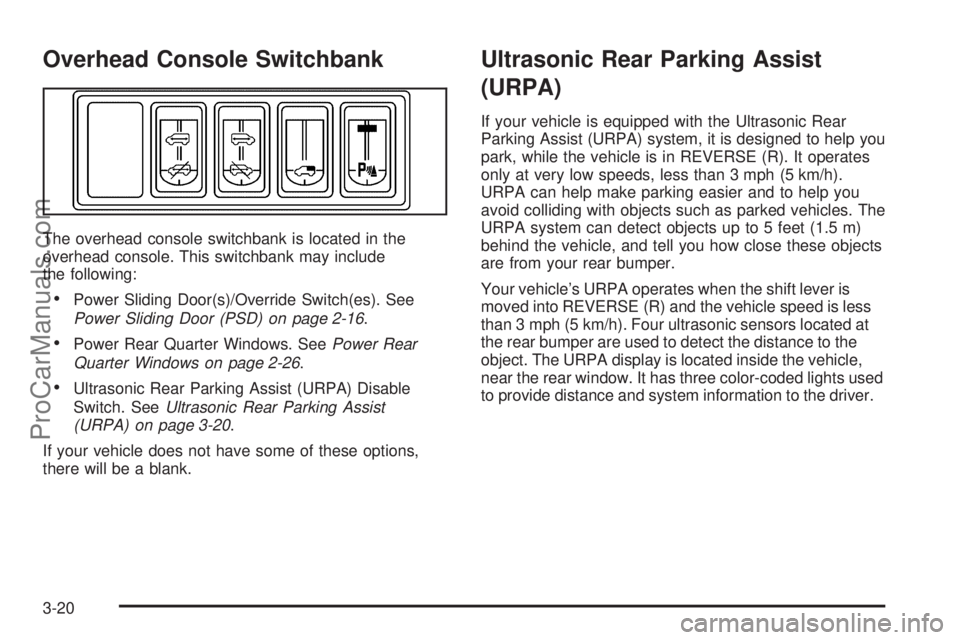
Overhead Console Switchbank
The overhead console switchbank is located in the
overhead console. This switchbank may include
the following:
Power Sliding Door(s)/Override Switch(es). See
Power Sliding Door (PSD) on page 2-16.
Power Rear Quarter Windows. SeePower Rear
Quarter Windows on page 2-26.
Ultrasonic Rear Parking Assist (URPA) Disable
Switch. SeeUltrasonic Rear Parking Assist
(URPA) on page 3-20.
If your vehicle does not have some of these options,
there will be a blank.
Ultrasonic Rear Parking Assist
(URPA)
If your vehicle is equipped with the Ultrasonic Rear
Parking Assist (URPA) system, it is designed to help you
park, while the vehicle is in REVERSE (R). It operates
only at very low speeds, less than 3 mph (5 km/h).
URPA can help make parking easier and to help you
avoid colliding with objects such as parked vehicles. The
URPA system can detect objects up to 5 feet (1.5 m)
behind the vehicle, and tell you how close these objects
are from your rear bumper.
Your vehicle’s URPA operates when the shift lever is
moved into REVERSE (R) and the vehicle speed is less
than 3 mph (5 km/h). Four ultrasonic sensors located at
the rear bumper are used to detect the distance to the
object. The URPA display is located inside the vehicle,
near the rear window. It has three color-coded lights used
to provide distance and system information to the driver.
3-20
ProCarManuals.com
Page 171 of 458
{CAUTION:
Even with the Ultrasonic Rear Park Assist
system, the driver must check carefully before
backing up. The system does not operate above
typical backing speeds of 3 mph (5 km/h) while
parking. And, the system does not detect
objects that are more than 5 feet (1.5 meters)
behind the vehicle.
So, unless you check carefully behind you
before and when you back up, you could strike
children, pedestrians, bicyclists or pets behind
you, and they could be injured or killed.
Whether or not you are using rear park assist,
always check carefully behind your vehicle
before you back up and then watch closely as
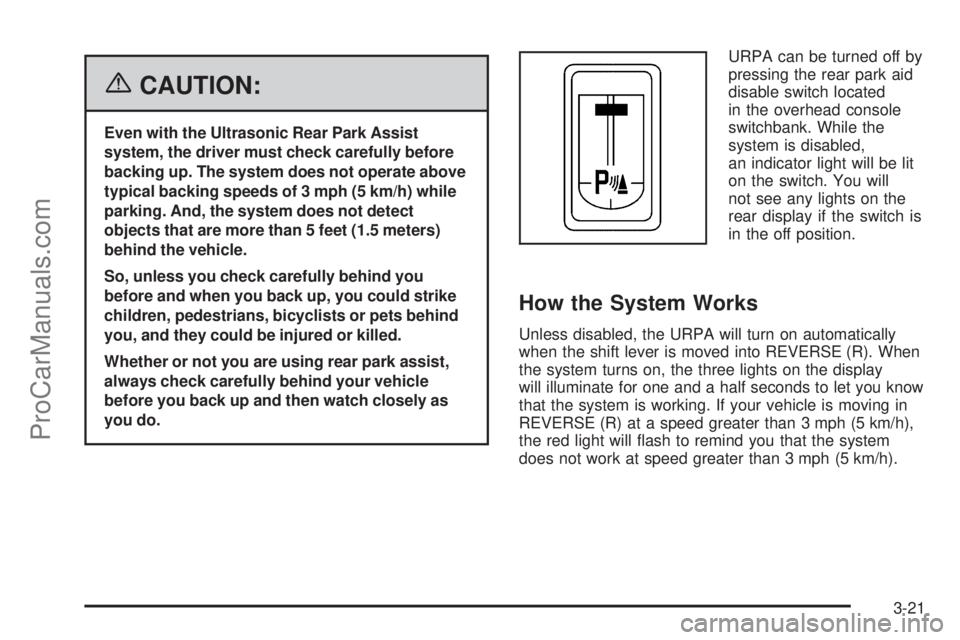
you do.URPA can be turned off by
pressing the rear park aid
disable switch located
in the overhead console
switchbank. While the
system is disabled,
an indicator light will be lit
on the switch. You will
not see any lights on the
rear display if the switch is
in the off position.
How the System Works
Unless disabled, the URPA will turn on automatically
when the shift lever is moved into REVERSE (R). When
the system turns on, the three lights on the display
will illuminate for one and a half seconds to let you know
that the system is working. If your vehicle is moving in
REVERSE (R) at a speed greater than 3 mph (5 km/h),
the red light will ash to remind you that the system
does not work at speed greater than 3 mph (5 km/h).
3-21
ProCarManuals.com
Page 224 of 458
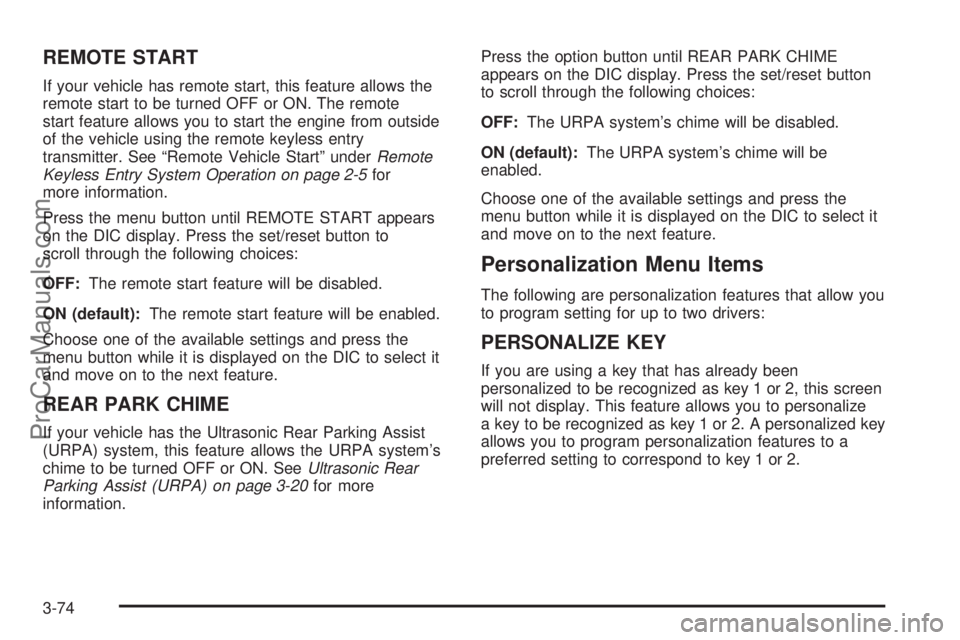
REMOTE START
If your vehicle has remote start, this feature allows the
remote start to be turned OFF or ON. The remote
start feature allows you to start the engine from outside
of the vehicle using the remote keyless entry
transmitter. See “Remote Vehicle Start” underRemote
Keyless Entry System Operation on page 2-5for
more information.
Press the menu button until REMOTE START appears
on the DIC display. Press the set/reset button to
scroll through the following choices:
OFF:The remote start feature will be disabled.
ON (default):The remote start feature will be enabled.
Choose one of the available settings and press the
menu button while it is displayed on the DIC to select it
and move on to the next feature.
REAR PARK CHIME
If your vehicle has the Ultrasonic Rear Parking Assist
(URPA) system, this feature allows the URPA system’s
chime to be turned OFF or ON. SeeUltrasonic Rear
Parking Assist (URPA) on page 3-20for more
information.Press the option button until REAR PARK CHIME
appears on the DIC display. Press the set/reset button
to scroll through the following choices:
OFF:The URPA system’s chime will be disabled.
ON (default):The URPA system’s chime will be
enabled.
Choose one of the available settings and press the
menu button while it is displayed on the DIC to select it
and move on to the next feature.
Personalization Menu Items
The following are personalization features that allow you
to program setting for up to two drivers:
PERSONALIZE KEY
If you are using a key that has already been
personalized to be recognized as key 1 or 2, this screen
will not display. This feature allows you to personalize
a key to be recognized as key 1 or 2. A personalized key
allows you to program personalization features to a
preferred setting to correspond to key 1 or 2.
3-74
ProCarManuals.com
Page 379 of 458
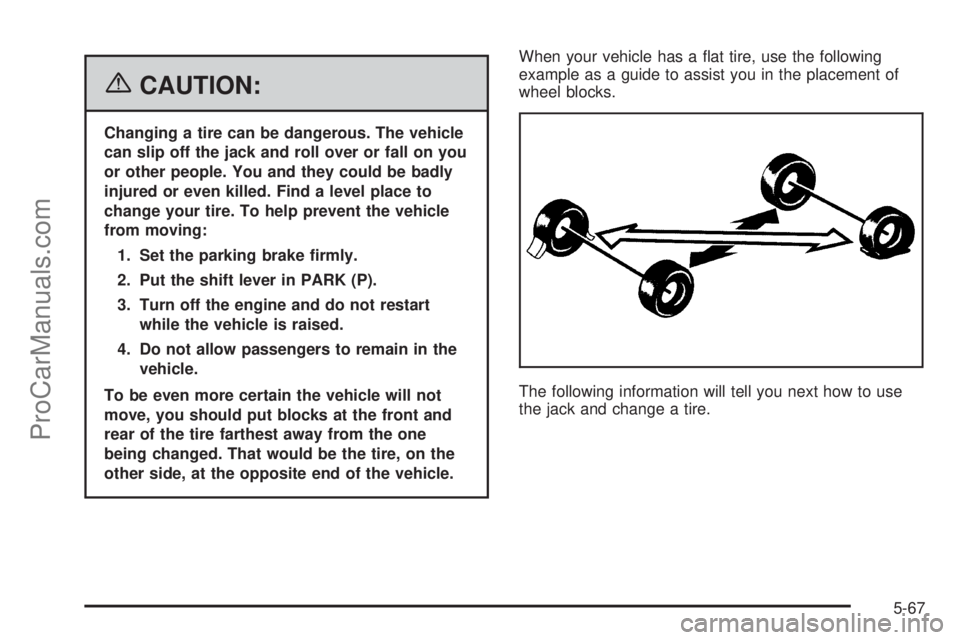
{CAUTION:
Changing a tire can be dangerous. The vehicle
can slip off the jack and roll over or fall on you
or other people. You and they could be badly
injured or even killed. Find a level place to
change your tire. To help prevent the vehicle
from moving:
1. Set the parking brake rmly.
2. Put the shift lever in PARK (P).
3. Turn off the engine and do not restart
while the vehicle is raised.
4. Do not allow passengers to remain in the
vehicle.
To be even more certain the vehicle will not
move, you should put blocks at the front and
rear of the tire farthest away from the one
being changed. That would be the tire, on the
other side, at the opposite end of the vehicle.When your vehicle has a at tire, use the following
example as a guide to assist you in the placement of
wheel blocks.
The following information will tell you next how to use
the jack and change a tire.
5-67
ProCarManuals.com
Page 453 of 458
N
New Vehicle Break-In......................................2-30
Normal Maintenance Replacement Parts............6-14
O
Odometer......................................................3-33
Odometer, Trip...............................................3-33
Off-Road Recovery..........................................4-14
Oil
Engine.......................................................5-15
Pressure Light.............................................3-44
Oil, Engine Oil Life System..............................5-18
Older Children, Restraints................................1-40
Online Owner Center........................................ 7-4
OnStar
®System, see OnStar®Manual...............2-42
Other Warning Devices...................................... 3-6
Outlet Adjustment............................................3-27
Outside
Convex Mirror.............................................2-42
Heated Mirrors............................................2-42
Power Mirrors.............................................2-41
Overhead Console..................................2-49, 2-50
Overhead Console Switchbank..........................3-20
Overheated Engine Protection Operating Mode.....5-27
Owner Checks and Services.............................. 6-8
Owners, Canadian............................................... ii
P
Park Aid........................................................3-20
Park (P)
Shifting Into................................................2-38
Shifting Out of............................................2-39
Parking
Assist........................................................3-20
Brake........................................................2-37
Over Things That Burn.................................2-39
Passenger Airbag Status Indicator.....................3-35
Passenger Compartment Air Filter.....................3-29
Passenger Sensing System..............................1-82
Passing.........................................................4-14
PASS-Key
®III ................................................2-28
PASS-Key®III Operation..................................2-29
Power
Accessory Outlet(s)......................................3-22
Door Locks.................................................2-11
Electrical System.........................................5-93
Outlet 115 Volt Alternating Current.................3-23
Rear Quarter Windows.................................2-26
Retained Accessory (RAP)............................2-31
Six-Way Seats.............................................. 1-3
Sliding Door................................................2-16
Steering Fluid.............................................5-34
Windows....................................................2-25
Pretensioners, Safety Belt................................1-39
Programmable Automatic Door Unlock...............2-13
9
ProCarManuals.com
Page 454 of 458
Q
Questions and Answers About Safety Belts.........1-25
R
Radiator Pressure Cap....................................5-26
Radios..........................................................3-77
Care of Your CD and DVD Player................3-116
Care of Your CDs and DVDs.......................3-115
Radio with CD............................................3-79
Rear Seat Audio........................................3-111
Setting the Time..........................................3-78
Theft-Deterrent..........................................3-113
Understanding Reception............................3-115
Rear Climate Control System............................3-27
Rear Reading Lamps......................................3-19
Rear Safety Belt Comfort Guides......................1-37
Rear Seat Audio (RSA)..................................3-111
Rear Seat Entertainment System.......................3-98
Rear Seat Operation......................................... 1-6
Rear Seat Passengers, Safety Belts..................1-34
Rear Windshield Washer/Wiper.........................3-10
Reclining Seatbacks.......................................... 1-4Recommended Fluids and Lubricants.................6-12
Recreational Vehicle Towing.............................4-35
Remote Keyless Entry System............................ 2-4
Remote Keyless Entry System, Operation............ 2-5
Removing the Flat Tire and Installing
the Spare Tire.............................................5-71
Removing the Spare Tire and Tools...................5-68
Replacement Bulbs.........................................5-48
Reporting Safety Defects
Canadian Government..................................7-14
General Motors...........................................7-15
United States Government............................7-14
Restraint System Check
Checking the Restraint Systems....................1-89
Replacing Restraint System Parts
After a Crash..........................................1-90
Retained Accessory Power (RAP)......................2-31
Right Front Passenger Position, Safety Belts......1-34
Roadside
Assistance Program....................................... 7-6
Rocking Your Vehicle to Get it Out....................4-30
Running the Engine While Parked.....................2-40
10
ProCarManuals.com
Page 457 of 458
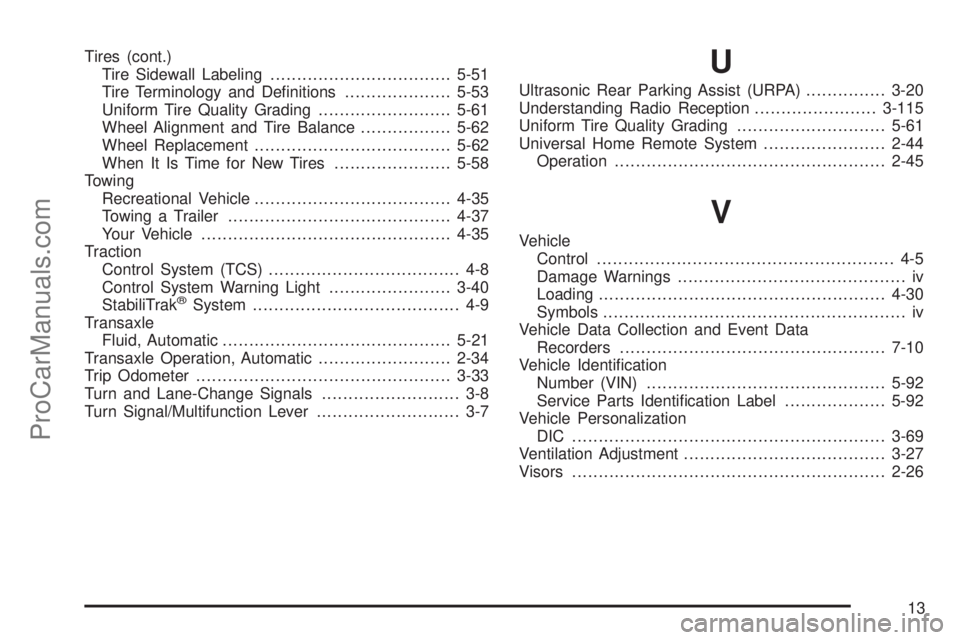
Tires (cont.)
Tire Sidewall Labeling..................................5-51
Tire Terminology and Denitions....................5-53
Uniform Tire Quality Grading.........................5-61
Wheel Alignment and Tire Balance.................5-62
Wheel Replacement.....................................5-62
When It Is Time for New Tires......................5-58
Towing
Recreational Vehicle.....................................4-35
Towing a Trailer..........................................4-37
Your Vehicle...............................................4-35
Traction
Control System (TCS).................................... 4-8
Control System Warning Light.......................3-40
StabiliTrak
®System....................................... 4-9
Transaxle
Fluid, Automatic...........................................5-21
Transaxle Operation, Automatic.........................2-34
Trip Odometer................................................3-33
Turn and Lane-Change Signals.......................... 3-8
Turn Signal/Multifunction Lever........................... 3-7
U
Ultrasonic Rear Parking Assist (URPA)...............3-20
Understanding Radio Reception.......................3-115
Uniform Tire Quality Grading............................5-61
Universal Home Remote System.......................2-44
Operation...................................................2-45
V
Vehicle
Control........................................................ 4-5
Damage Warnings........................................... iv
Loading......................................................4-30
Symbols......................................................... iv
Vehicle Data Collection and Event Data
Recorders..................................................7-10
Vehicle Identication
Number (VIN).............................................5-92
Service Parts Identication Label...................5-92
Vehicle Personalization
DIC ...........................................................3-69
Ventilation Adjustment......................................3-27
Visors...........................................................2-26
13
ProCarManuals.com