service CHEVROLET UPLANDER 2007 1.G User Guide
[x] Cancel search | Manufacturer: CHEVROLET, Model Year: 2007, Model line: UPLANDER, Model: CHEVROLET UPLANDER 2007 1.GPages: 592, PDF Size: 3.04 MB
Page 149 of 592
When the PASS-Key®III system senses that
someone is using the wrong key, it shuts down the
vehicle’s starter and fuel systems. The starter will
not work and fuel will stop being delivered to the
engine. Anyone using a trial-and-error method to
start the vehicle will be discouraged because of the
high number of electrical key codes.
If the engine does not start and the security
message comes on, the key may have a damaged
transponder. Turn the ignition off and try again.
If the engine still does not start, and the key
appears to be undamaged, try another ignition
key. At this time, you may also want to check the
instrument panel PASS KEY fuse. If the engine
still does not start with the other key, your vehicle
needs service. If your vehicle does start, the
rst key may be faulty. See your dealer or
a locksmith who can service the PASS-Key
®III to
have a new key made. SeeFuses and Circuit
Breakers on page 527.
It is possible for the PASS-Key
®III decoder to
learn the transponder value of a new or
replacement key. Up to 10 keys may be
programmed for the vehicle. This procedure is for
learning additional keys only. If all the currently
programmed keys are lost or do not operate, youmust see your dealer or a locksmith who can
service PASS-Key
®III to have keys made
and programmed to the system.
See your dealer or a locksmith who can service
PASS-Key
®III to get a new key blank that is
cut exactly as the ignition key that operates the
system.
To program the new key, do the following:
1. Verify the new key has PK3 stamped on it.
2. Insert the original, already programmed
key into the ignition lock cylinder and start the
engine. If the engine will not start, see your
dealer for service.
3. After the engine has started, turn the key to
LOCK and remove the key.
4. Insert the key to be programmed and turn it to
RUN within 10 seconds of removing the
previous key.
5. The security message will turn off once the
key has been programmed. It may not be
apparent that the security message went on
due to how quickly the key is programmed.
6. Repeat Steps 1 through 4 if additional keys
are to be programmed.
149
Page 150 of 592
If you are ever driving and the security message
comes on and stays on, you will be able to restart
your engine if you turn it off. Your PASS-Key
®III
system, however, is not working properly and must
be serviced by your dealer. Your vehicle is not
protected by the PASS-Key
®III system at
this time.
If you lose or damage a PASS-Key
®III key, see
your dealer or a locksmith who can service
PASS-Key
®III to have a new key made.
Starting and Operating Your
Vehicle
New Vehicle Break-In
Notice:Your vehicle does not need an
elaborate break-in. But it will perform better in
the long run if you follow these guidelines:
Do not drive at any one constant speed,
fast or slow, for the rst 500 miles
(805 km). Do not make full-throttle starts.
Avoid downshifting to brake, or slow,
the vehicle.
Avoid making hard stops for the rst
200 miles (322 km) or so. During this time
your new brake linings are not yet
broken in. Hard stops with new linings can
mean premature wear and earlier
replacement. Follow this breaking-in
guideline every time you get new brake
linings.
Do not tow a trailer during break-in. See
Towing a Trailer on page 412for the
trailer towing capabilities of your vehicle
and more information.
Following break-in, engine speed and load can
be gradually increased.
150
Page 151 of 592
Ignition Positions
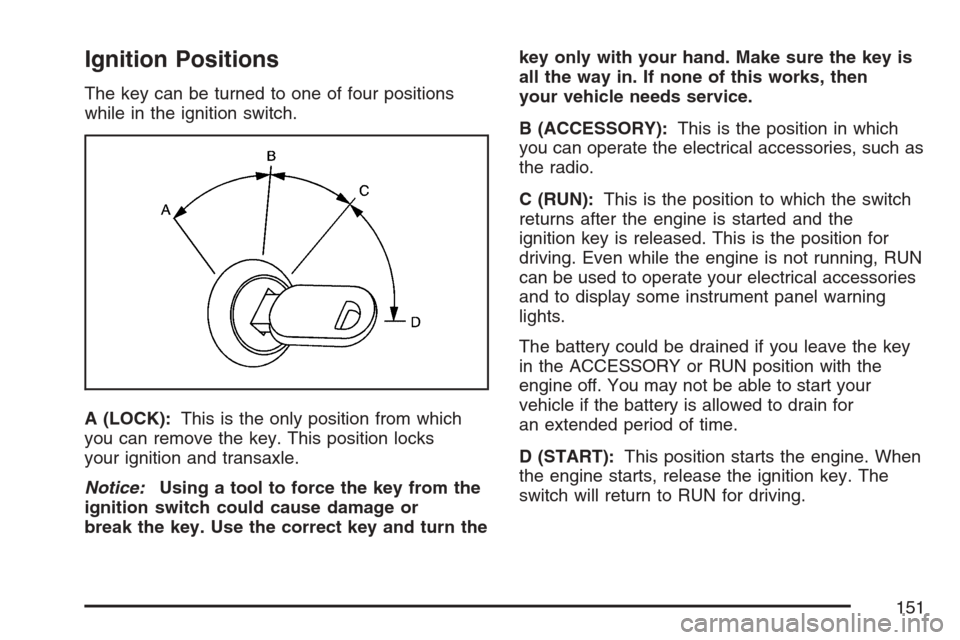
The key can be turned to one of four positions
while in the ignition switch.
A (LOCK):This is the only position from which
you can remove the key. This position locks
your ignition and transaxle.
Notice:Using a tool to force the key from the
ignition switch could cause damage or
break the key. Use the correct key and turn thekey only with your hand. Make sure the key is
all the way in. If none of this works, then
your vehicle needs service.
B (ACCESSORY):This is the position in which
you can operate the electrical accessories, such as
the radio.
C (RUN):This is the position to which the switch
returns after the engine is started and the
ignition key is released. This is the position for
driving. Even while the engine is not running, RUN
can be used to operate your electrical accessories
and to display some instrument panel warning
lights.
The battery could be drained if you leave the key
in the ACCESSORY or RUN position with the
engine off. You may not be able to start your
vehicle if the battery is allowed to drain for
an extended period of time.
D (START):This position starts the engine. When
the engine starts, release the ignition key. The
switch will return to RUN for driving.
151
Page 157 of 592
DRIVE (D):This position is for normal driving. It
provides the best fuel economy for your vehicle. If
you need more power for passing, and you are:
Going less than 35 mph (55 km/h), push
your accelerator pedal about halfway down.
Going about 35 mph (55 km/h) or more, push
the accelerator all the way down.
The vehicle will shift down to the next gear
and have more power.
Downshifting the transaxle in slippery road
conditions could result in skidding, see Skidding
underLoss of Control on page 387
Notice:If your vehicle seems to start up
rather slowly or not shift gears when you go
faster, and you continue to drive your vehicle
that way, you could damage the transaxle.
Have your vehicle serviced right away. You can
drive in SECOND (2) when you are driving
less than 35 mph (55 km/h) and DRIVE (D) for
higher speeds until then.
Warm-Up Shift
Your vehicle has a computer controlled transaxle
designed to warm up the engine faster when
the outside temperature is 35°F (2°C) or colder.
You may notice that the transaxle will shift at
a higher vehicle speed until the engine is warmed
up. This is a normal condition designed to
provide heat to the passenger compartment and
defrost the windows more quickly. SeeClimate
Control System on page 217andDual Climate
Control System on page 220for more information.
THIRD (3):This position is also used for normal
driving. It reduces vehicle speed more than
DRIVE (D) without using your brakes. You might
choose THIRD (3) instead of DRIVE (D) when
driving on hilly, winding roads, when towing
a trailer, so there is less shifting between gears
and when going down a steep hill.
157
Page 158 of 592

SECOND (2):This position reduces vehicle speed
more than DRIVE (D) without using your brakes.
You can use SECOND (2) on hills. It can help
control your speed as you go down steep mountain
roads, but then you would also want to use your
brakes off and on.
Notice:Driving in SECOND (2) for more than
25 miles (40 km) or at speeds over 55 mph
(90 km/h) may damage the transaxle. Also,
shifting into SECOND (2) at speeds above
65 mph (105 km/h) can cause damage. Drive in
THIRD (3) or DRIVE (D) instead of SECOND (2).
Notice:If your vehicle seems to start up
rather slowly, or if it seems not to shift gears
as you go faster, something may be wrong with
a transaxle system sensor. If you drive very
far that way, your vehicle can be damaged. So,
if this happens, have your vehicle serviced
right away. Until then, you can use SECOND (2)
when you are driving less than 35 mph
(55 km/h) and THIRD (3) for higher speeds.FIRST (1):This position reduces vehicle speed
even more than SECOND (2) without using
your brakes. You can use it on very steep hills, or
in deep snow or mud. If the shift lever is put in
FIRST (1) while the vehicle is moving forward, the
transaxle will not shift into rst gear until the
vehicle is going slowly enough.
Notice:Spinning the tires or holding the
vehicle in one place on a hill using only the
accelerator pedal may damage the transaxle. If
you are stuck, do not spin the tires. When
stopping on a hill, use the brakes, or parking
brake to hold the vehicle in place.
158
Page 167 of 592
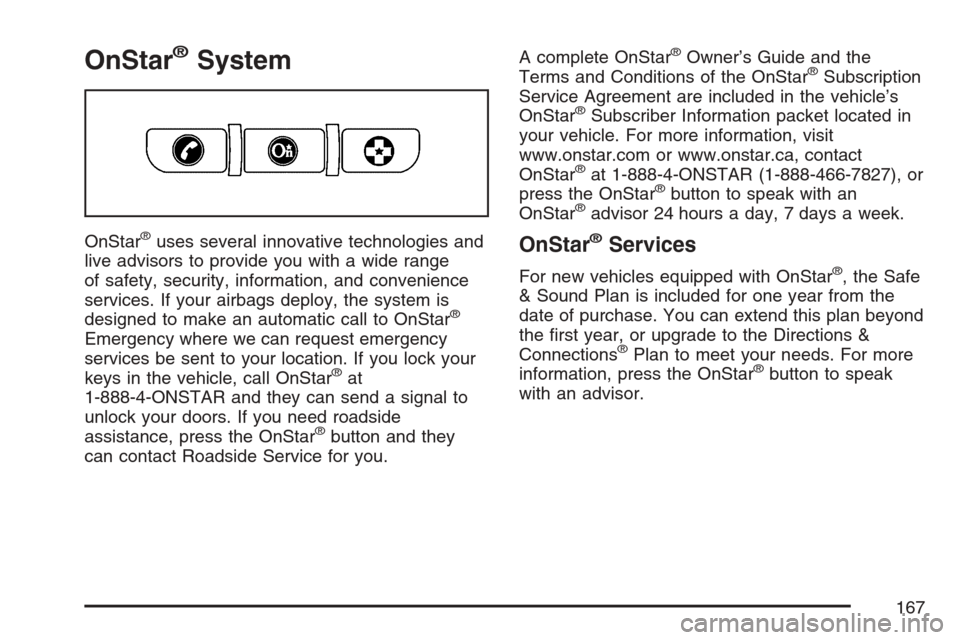
OnStar®System
OnStar®uses several innovative technologies and
live advisors to provide you with a wide range
of safety, security, information, and convenience
services. If your airbags deploy, the system is
designed to make an automatic call to OnStar
®
Emergency where we can request emergency
services be sent to your location. If you lock your
keys in the vehicle, call OnStar
®at
1-888-4-ONSTAR and they can send a signal to
unlock your doors. If you need roadside
assistance, press the OnStar
®button and they
can contact Roadside Service for you.A complete OnStar
®Owner’s Guide and the
Terms and Conditions of the OnStar®Subscription
Service Agreement are included in the vehicle’s
OnStar
®Subscriber Information packet located in
your vehicle. For more information, visit
www.onstar.com or www.onstar.ca, contact
OnStar
®at 1-888-4-ONSTAR (1-888-466-7827), or
press the OnStar®button to speak with an
OnStar®advisor 24 hours a day, 7 days a week.
OnStar®Services
For new vehicles equipped with OnStar®, the Safe
& Sound Plan is included for one year from the
date of purchase. You can extend this plan beyond
the rst year, or upgrade to the Directions &
Connections
®Plan to meet your needs. For more
information, press the OnStar®button to speak
with an advisor.
167
Page 168 of 592
Safe & Sound Plan
Automatic Notication of Airbag Deployment
Emergency Services
Roadside Assistance
Stolen Vehicle Location Assistance
AccidentAssist
Remote Door Unlock/Vehicle Alert
OnStar®Vehicle Diagnostics
OnStar®Hands-Free Calling
OnStar®Virtual Advisor
Directions & Connections®Plan
All Safe & Sound Plan Services
Driving Directions
RideAssist
Information and Convenience Services
OnStar®Hands-Free Calling
OnStar®Hands-Free Calling allows OnStar®
subscribers to make and receive calls using voice
commands at the touch of a button. Hands-Free
Calling is fully integrated into the vehicle, and may
be used with Pre-Paid Minute Packages or
linked to a cell phone through OnStar
®Shared
Minutes Plan. To nd out more, refer to the
OnStar
®Owner’s Guide in the vehicle’s glove box,
visit www.onstar.com or www.onstar.ca, or
speak with an OnStar
®advisor by pressing the
OnStar®button or calling 1-888-4-ONSTAR
(1-888-466-7827).
OnStar®Virtual Advisor
Your vehicle may have Virtual Advisor. It is a
feature of OnStar®Hands-Free Calling that uses
your minutes to access weather, local traffic
reports, and stock quotes. By pressing the phone
button and giving a few simple voice commands,
you can browse through the various topics.
Customize your information prole at
www.myonstar.com. See the OnStar
®Owner’s
Guide for more information.
168
Page 169 of 592
OnStar®Steering Wheel Controls
$
:Your vehicle may be equipped with a
Talk/Mute button that can be used to interact with
OnStar
®.
SeeAudio Steering Wheel Controls on page 367
for more information.
When calling into voice mail systems or to dial
directory numbers, press this button once, wait for
the response, say the number(s) to be dialed,
wait for the number(s) to be repeated and then say
“dial.” See the OnStar
®Owner’s Guide for more
information.
Universal Home Remote
System
Universal Home Remote System
(With Three Round LED)
The Universal Home Remote System provides a
way to replace up to three hand-held
Radio-Frequency (RF) transmitters used to
activate devices such as garage door openers,
security systems, and home lighting.This device complies with Part 15 of the FCC
Rules. Operation is subject to the following
two conditions:
1. This device may not cause harmful
interference.
2. This device must accept any interference
received, including interference that may
cause undesired operation.
The FCC Grant of Equipment Authorization
Certicate number is KOBGTE05A.
This device complies with RSS-210 of Industry
Canada. Operation is subject to the following two
conditions:
1. This device may not cause interference.
2. This device must accept any interference
received, including interference that may
cause undesired operation of the device.
The Canadian Registration ID number is
3521A-GTE05A.
Changes or modications to this system by other
than an authorized service facility could void
authorization to use this equipment.
169
Page 170 of 592
Universal Home Remote System
(With One Triangular LED)
The Universal Home Remote System provides a
way to replace up to three hand-held
radio-frequency (RF) transmitters used to activate
devices such as garage door openers, security
systems, and home lighting.
This device complies with Part 15 of the FCC
Rules. Operation is subject to the following
two conditions:
1. This device may not cause harmful
interference.
2. This device must accept any interference
received, including interference that may
cause undesired operation.
The FCC Grant of Equipment Authorization
Certicate number is CB2SAHL3.This device complies with RSS-210 of Industry
Canada. Operation is subject to the following two
conditions:
1. This device may not cause interference.
2. This device must accept any interference
received, including interference that may
cause undesired operation of the device.
The Canadian Registration ID number is
2791021849A.
Changes or modications to this system by other
than an authorized service facility could void
authorization to use this equipment.
170
Page 234 of 592
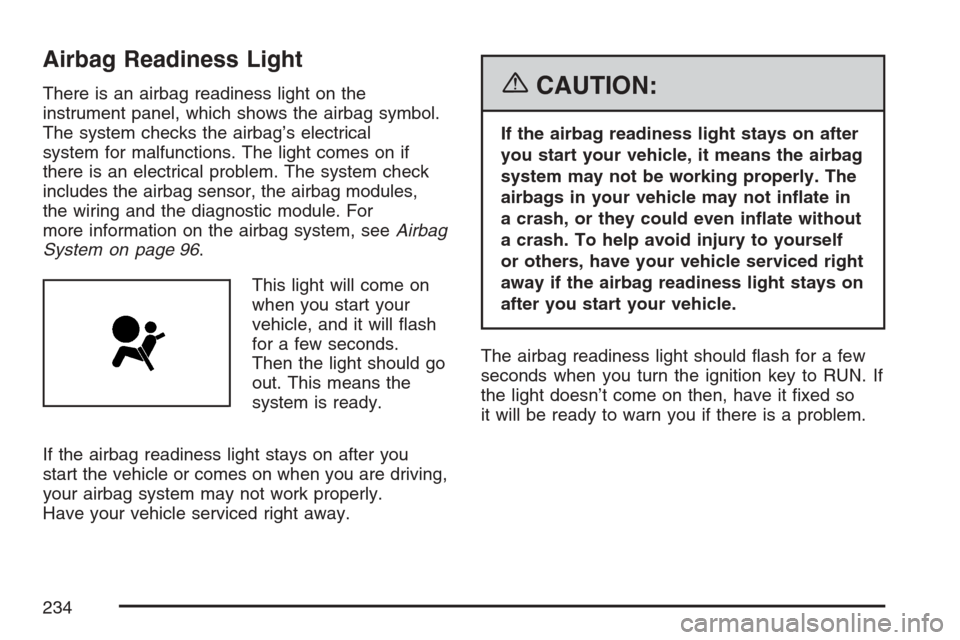
Airbag Readiness Light
There is an airbag readiness light on the
instrument panel, which shows the airbag symbol.
The system checks the airbag’s electrical
system for malfunctions. The light comes on if
there is an electrical problem. The system check
includes the airbag sensor, the airbag modules,
the wiring and the diagnostic module. For
more information on the airbag system, seeAirbag
System on page 96.
This light will come on
when you start your
vehicle, and it will ash
for a few seconds.
Then the light should go
out. This means the
system is ready.
If the airbag readiness light stays on after you
start the vehicle or comes on when you are driving,
your airbag system may not work properly.
Have your vehicle serviced right away.{CAUTION:
If the airbag readiness light stays on after
you start your vehicle, it means the airbag
system may not be working properly. The
airbags in your vehicle may not inate in
a crash, or they could even inate without
a crash. To help avoid injury to yourself
or others, have your vehicle serviced right
away if the airbag readiness light stays on
after you start your vehicle.
The airbag readiness light should ash for a few
seconds when you turn the ignition key to RUN. If
the light doesn’t come on then, have it xed so
it will be ready to warn you if there is a problem.
234