service CHEVROLET UPLANDER 2007 1.G Workshop Manual
[x] Cancel search | Manufacturer: CHEVROLET, Model Year: 2007, Model line: UPLANDER, Model: CHEVROLET UPLANDER 2007 1.GPages: 592, PDF Size: 3.04 MB
Page 369 of 592
FM Stereo
FM stereo will give the best sound, but FM signals
will reach only about 10 to 40 miles (16 to 65 km).
Tall buildings or hills can interfere with FM
signals, causing the sound to fade in and out.
XM™ Satellite Radio Service
XM™ Satellite Radio Service gives digital radio
reception from coast-to-coast in the 48 contiguous
United States, and in Canada. Just as with FM,
tall buildings or hills can interfere with satellite
radio signals, causing the sound to fade in and out.
In addition, traveling or standing under heavy
foliage, bridges, garages, or tunnels may cause
loss of the XM™ signal for a period of time.
The radio may display NO SIGNAL to indicate
interference.
Care of Your CDs and DVDs
Handle CDs carefully. Store them in their original
cases or other protective cases and away from
direct sunlight and dust. The CD player scans the
bottom surface of the disc. If the surface of a
CD is damaged, such as cracked, broken,
or scratched, the CD will not play properly or not
at all. If the surface of a CD is soiled, take a
soft, lint free cloth or dampen a clean, soft cloth in
a mild, neutral detergent solution mixed with
water, and clean it. Make sure the wiping process
starts from the center to the edge.
Do not touch the bottom side of a CD while
handling it; this could damage the surface. Pick up
CDs by grasping the outer edges or the edge of
the hole and the outer edge.
Care of the CD and DVD Player
The use of CD lens cleaners for CDs is not
advised, due to the risk of contaminating the lens
of the CD optics with lubricants internal to the
CD mechanism.
369
Page 380 of 592
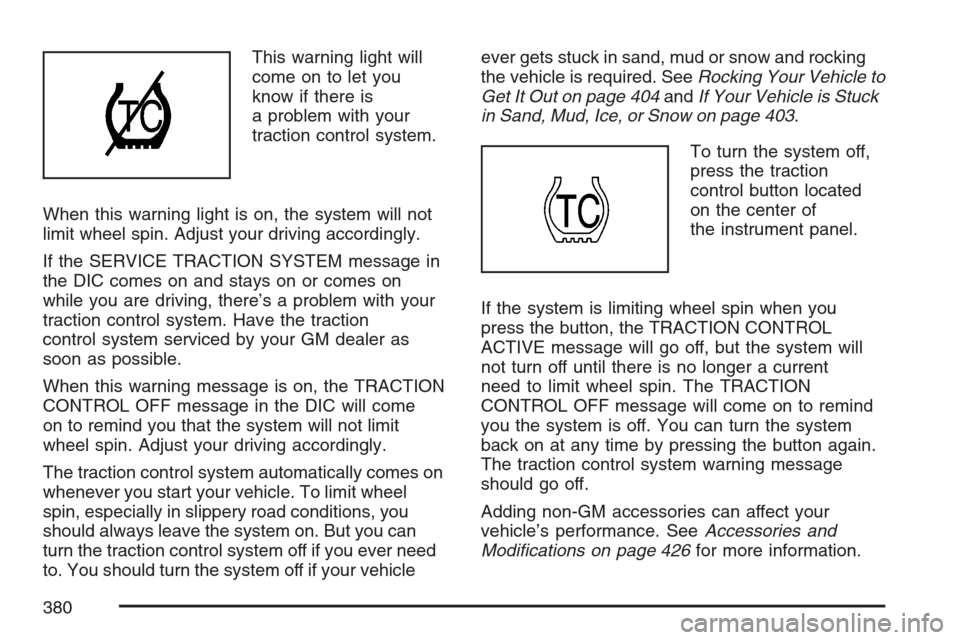
This warning light will
come on to let you
know if there is
a problem with your
traction control system.
When this warning light is on, the system will not
limit wheel spin. Adjust your driving accordingly.
If the SERVICE TRACTION SYSTEM message in
the DIC comes on and stays on or comes on
while you are driving, there’s a problem with your
traction control system. Have the traction
control system serviced by your GM dealer as
soon as possible.
When this warning message is on, the TRACTION
CONTROL OFF message in the DIC will come
on to remind you that the system will not limit
wheel spin. Adjust your driving accordingly.
The traction control system automatically comes on
whenever you start your vehicle. To limit wheel
spin, especially in slippery road conditions, you
should always leave the system on. But you can
turn the traction control system off if you ever need
to. You should turn the system off if your vehicleever gets stuck in sand, mud or snow and rocking
the vehicle is required. SeeRocking Your Vehicle to
Get It Out on page 404andIf Your Vehicle is Stuck
in Sand, Mud, Ice, or Snow on page 403.
To turn the system off,
press the traction
control button located
on the center of
the instrument panel.
If the system is limiting wheel spin when you
press the button, the TRACTION CONTROL
ACTIVE message will go off, but the system will
not turn off until there is no longer a current
need to limit wheel spin. The TRACTION
CONTROL OFF message will come on to remind
you the system is off. You can turn the system
back on at any time by pressing the button again.
The traction control system warning message
should go off.
Adding non-GM accessories can affect your
vehicle’s performance. SeeAccessories and
Modications on page 426for more information.
380
Page 381 of 592
StabiliTrak®System
Your vehicle may be equipped with StabiliTrak®
which combines anti-lock brake, traction and
stability control systems and helps the driver
maintain directional control of the vehicle in most
driving conditions.
When you rst start your vehicle and begin to drive
away, the system performs several diagnostic
checks to insure there are no problems. You may
hear or feel the system working. This is normal and
does not mean there is a problem with your vehicle.
If the system fails to turn on or activate, the
SERVICE STABILITY SYSTEM message will be
displayed on the Driver Information Center (DIC). If
the vehicle has gone through heavy acceleration or
braking or multiple turns during the rst two miles of
driving after starting your vehicle, the STABILITY
CONTROL OFF message may appear on the DIC.
If this is the case, your vehicle does not need
servicing. You will need to turn the vehicle off and
then restart it to initialize StabiliTrak
®. If either
message appears on the DIC, and your vehicle has
not gone through hard acceleration, braking or
multiple turns in the rst two miles of driving, your
vehicle should be taken in for service.The STABILITY CONTROL ACTIVE message will
appear on the DIC only when the system is
both on and activated. It means that an advanced
computer-controlled system has come on to
help your vehicle continue to go in the direction in
which you are steering. StabiliTrak
®activates
when the computer senses that your vehicle is just
starting to spin, as it might if you hit a patch of
ice or other slippery spot on the road. When
the system activates, you may hear a noise or feel
a vibration in the brake pedal. This is normal.
When the STABILITY CONTROL ACTIVE
message is on, you should continue to steer in the
direction you want to go. The system is designed
to help you in bad weather or other difficult driving
situations by making the most of whatever road
conditions will permit. For more information on the
stability messages, seeDriver Information
Center (DIC) on page 249.
If the StabiliTrak
®system turns off, the traction
control system warning light will illuminate, and the
STABILITY CONTROL OFF message will
appear on the DIC to warn the driver that
StabiliTrak
®is no longer available to assist you
with directional control of the vehicle. Adjust your
driving accordingly.
381
Page 382 of 592
To realize the full benets of the stability
enhancement system, you should normally leave
StabiliTrak
®on, but it may be necessary to turn the
system off if your vehicle is stuck in sand, mud, ice
or snow, and you want to “rock” your vehicle to
attempt to free it. SeeRocking Your Vehicle to Get
It Out on page 404andIf Your Vehicle is Stuck in
Sand, Mud, Ice, or Snow on page 403.
Traction Control Operation
The traction control system is part of the
StabiliTrak®system. Traction control limits wheel
spin by reducing engine power to the wheels
(engine speed management) and by applying
brakes.
The traction control system is enabled
automatically when you start your vehicle. It will
activate and display the TRACTION CONTROL
ACTIVE message in the DIC if it senses that one
or both of the front wheels are spinning or
beginning to lose traction while driving.
If the brake traction-control system activates
constantly or if the brakes have heated up due to
high-speed braking, brake traction-control will
be disabled and the TRACTION CONTROL
ACTIVE message will be displayed. In the limitedmode, the traction control system will only use
engine traction-control and is limited in its ability to
provide optimal performance since the system
will not utilize brake traction-control to control slip
on the drive wheels. The system will return to
normal operation after the brakes have cooled.
This can take up to two minutes or longer
depending on brake usage.
The traction control system may activate on dry or
rough roads or under conditions such as heavy
acceleration while turning or abrupt upshifts/
downshifts of the transaxle. When this happens you
may notice a reduction in acceleration, or may hear
a noise or vibration. This is normal.
If your vehicle is in cruise control when the system
activates, the STABILITY CONTROL ACTIVE
message will appear on the DIC and the cruise
control will automatically disengage. When
road conditions allow you to use cruise again, you
may re-engage the cruise control. SeeCruise
Control on page 200.
StabiliTrak
®may also turn off automatically if it
determines that a problem exists with the system.
If the problem does not clear itself after restarting
the vehicle, you should see your dealer for service.
382
Page 395 of 592
When you want to leave the freeway, move to the
proper lane well in advance. If you miss your
exit, do not, under any circumstances, stop and
back up. Drive on to the next exit.
The exit ramp can be curved, sometimes quite
sharply. The exit speed is usually posted.
Reduce your speed according to your
speedometer, not to your sense of motion. After
driving for any distance at higher speeds, you may
tend to think you are going slower than you
actually are.
Before Leaving on a Long Trip
Make sure you are ready. Try to be well rested. If
you must start when you are not fresh — such as
after a day’s work — do not plan to make too many
miles that rst part of the journey. Wear comfortable
clothing and shoes you can easily drive in.
Is your vehicle ready for a long trip? If you keep it
serviced and maintained, it is ready to go. If it
needs service, have it done before starting out. Of
course, you will nd experienced and able
service experts in GM dealerships all across North
America. They will be ready and willing to help
if you need it.Here are some things you can check before a trip:
Windshield Washer Fluid:Is the reservoir
full? Are all windows clean inside and outside?
Wiper Blades:Are they in good shape?
Fuel, Engine Oil, Other Fluids:Have you
checked all levels?
Lamps:Are they all working? Are the lenses
clean?
Tires:They are vitally important to a safe,
trouble-free trip. Is the tread good enough
for long-distance driving? Are the tires
all inated to the recommended pressure?
Weather Forecasts:What is the weather
outlook along your route? Should you
delay your trip a short time to avoid a major
storm system?
Maps:Do you have up-to-date maps?
395
Page 396 of 592
Highway Hypnosis
Is there actually such a condition as highway
hypnosis? Or is it just plain falling asleep at the
wheel? Call it highway hypnosis, lack of
awareness, or whatever.
There is something about an easy stretch of road
with the same scenery, along with the hum of the
tires on the road, the drone of the engine, and the
rush of the wind against the vehicle that can make
you sleepy. Do not let it happen to you! If it does,
your vehicle can leave the road in less than a
second, and you could crash and be injured.
What can you do about highway hypnosis? First,
be aware that it can happen.Then here are some tips:Make sure your vehicle is well ventilated, with
a comfortably cool interior.
Keep your eyes moving. Scan the road ahead
and to the sides. Check your mirrors and your
instruments frequently.
If you get sleepy, pull off the road into a rest,
service, or parking area and take a nap, get
some exercise, or both. For safety, treat
drowsiness on the highway as an emergency.
396
Page 410 of 592
Towing
Towing Your Vehicle
Consult your dealer or a professional towing
service if you need to have your disabled vehicle
towed. SeeRoadside Assistance Program on
page 562.
If you want to tow your vehicle behind another
vehicle for recreational purposes (such as behind
a motorhome), see “Recreational Vehicle
Towing” following.
Recreational Vehicle Towing
Recreational vehicle towing means towing your
vehicle behind another vehicle – such as behind a
motorhome. The two most common types of
recreational vehicle towing are known as “dinghy
towing” (towing your vehicle with all four wheels
on the ground) and “dolly towing” (towing
your vehicle with two wheels on the ground and
two wheels up on a device know as a “dolly”).With the proper preparation and equipment, many
vehicles can be towed in these ways. See
“Dinghy Towing” and “Dolly Towing,” following.
Here are some important things to consider before
you do recreational vehicle towing:
What’s the towing capacity of the towing
vehicle? Be sure you read the tow vehicle
manufacturer’s recommendations.
How far will you tow? Some vehicles have
restrictions on how far and how long they
can tow.
Do you have the proper towing equipment?
See your dealer or trailering professional
for additional advice and equipment
recommendations.
Is your vehicle ready to be towed? Just as
you would prepare your vehicle for a long
trip, you’ll want to make sure your vehicle is
prepared to be towed. SeeBefore Leaving on
a Long Trip on page 395.
410
Page 411 of 592
Dinghy Towing
Your vehicle was not designed to be towed with
all of its wheels on the ground.It can be towed with
the two rear wheels on the ground. See “Dolly
Towing” following for more information.
Dolly Towing
To dolly tow your vehicle, do the following:
1. Put the front wheels on a dolly.
2. Put the vehicle in PARK (P).
3. Set the parking brake and then remove the key.
4. Clamp the steering wheel in a straight-ahead
position with a clamping device designed for
towing.
5. Release the parking brake.
Level Control
On vehicles equipped with automatic level control,
the rear of the vehicle is automatically kept
level as you load or unload your vehicle. However,
you should still not exceed the GVWR or the
GAWR. SeeLoading Your Vehicle on page 404.
You may hear the compressor operating when you
load or unload your vehicle, and periodically as
the system self-adjusts. This is normal. The
compressor should operate for brief periods of
time. If the sound continues for an extended period
of time, your vehicle needs service.
Using heavier suspension components to get
added durability might not change your weight
ratings. Ask your dealer to help you load
your vehicle the right way.
411
Page 422 of 592
When You Are Ready to Leave After
Parking on a Hill
1. Apply your regular brakes and hold the pedal
down while you do the following:
Start your engine.
Shift into a gear.
Release the parking brake.
2. Let up on the brake pedal.
3. Drive slowly until the trailer is clear of the
chocks.
4. Stop and have someone pick up and store the
chocks.
Maintenance When Trailer Towing
Your vehicle will need service more often when
you are pulling a trailer. See the Maintenance
Schedule for more on this. Things that are
especially important in trailer operation are
automatic transaxle uid, engine oil, belts, cooling
system, and brake system. Each of these is
covered in this manual, and the Index will help
you nd them quickly. If you are trailering, it is a
good idea to review these sections before you
start your trip.
Check periodically to see that all hitch nuts and
bolts are tight.
Trailer Wiring Harness
Your vehicle may have a trailer wiring harness
package located in the glove box. It can be
connected from the rear of your vehicle to your
trailer. Contact your dealer for more information.
422
Page 423 of 592
Service........................................................ 426
Accessories and Modications................... 426
California Proposition 65 Warning.............. 427
Doing Your Own Service Work.................. 427
Adding Equipment to the Outside of
Your Vehicle.......................................... 428
Fuel............................................................. 428
Gasoline Octane........................................ 429
Gasoline Specications.............................. 429
California Fuel........................................... 429
Additives................................................... 430
Fuel E85 (85% Ethanol)............................ 431
Fuels in Foreign Countries........................ 432
Filling the Tank......................................... 433
Filling a Portable Fuel Container............... 435
Checking Things Under the Hood.............. 436
Hood Release........................................... 437
Engine Compartment Overview.................. 438
Engine Oil................................................. 439
Engine Oil Life System.............................. 442
Engine Air Cleaner/Filter............................ 444Automatic Transaxle Fluid......................... 445
Engine Coolant.......................................... 448
Radiator Pressure Cap.............................. 451
Engine Overheating................................... 451
Overheated Engine Protection
Operating Mode..................................... 453
Cooling System......................................... 454
Power Steering Fluid ................................. 459
Windshield Washer Fluid........................... 460
Brakes...................................................... 462
Battery...................................................... 465
Jump Starting............................................ 466
Bulb Replacement....................................... 471
Halogen Bulbs........................................... 471
Headlamps and Sidemarker Lamps........... 471
Front Turn Signal, Parking and Daytime
Running Lamps (DRL)........................... 473
Taillamps, Turn Signal, Stoplamps and
Back-up Lamps...................................... 473
License Plate Lamp................................... 475
Replacement Bulbs................................... 475
Section 5 Service and Appearance Care
423