steering CHEVROLET UPLANDER 2007 1.G User Guide
[x] Cancel search | Manufacturer: CHEVROLET, Model Year: 2007, Model line: UPLANDER, Model: CHEVROLET UPLANDER 2007 1.GPages: 592, PDF Size: 3.04 MB
Page 194 of 592
Hazard Warning Flashers
Your hazard warning ashers let you warn others.
They also let police know you have a problem.
Your front and rear turn signal lamps will ash on
and off.
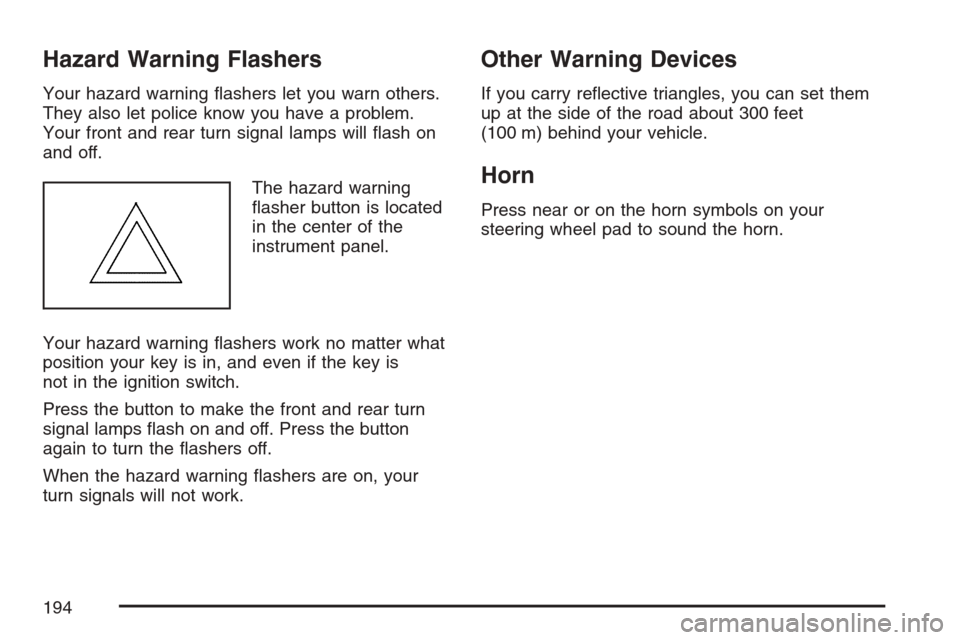
The hazard warning
asher button is located
in the center of the
instrument panel.
Your hazard warning ashers work no matter what
position your key is in, and even if the key is
not in the ignition switch.
Press the button to make the front and rear turn
signal lamps ash on and off. Press the button
again to turn the ashers off.
When the hazard warning ashers are on, your
turn signals will not work.
Other Warning Devices
If you carry reective triangles, you can set them
up at the side of the road about 300 feet
(100 m) behind your vehicle.
Horn
Press near or on the horn symbols on your
steering wheel pad to sound the horn.
194
Page 195 of 592
Tilt Wheel
A tilt wheel allows you to adjust the steering wheel
before you drive. You can raise the steering
wheel to the highest level to give your legs more
room when you enter and exit the vehicle.
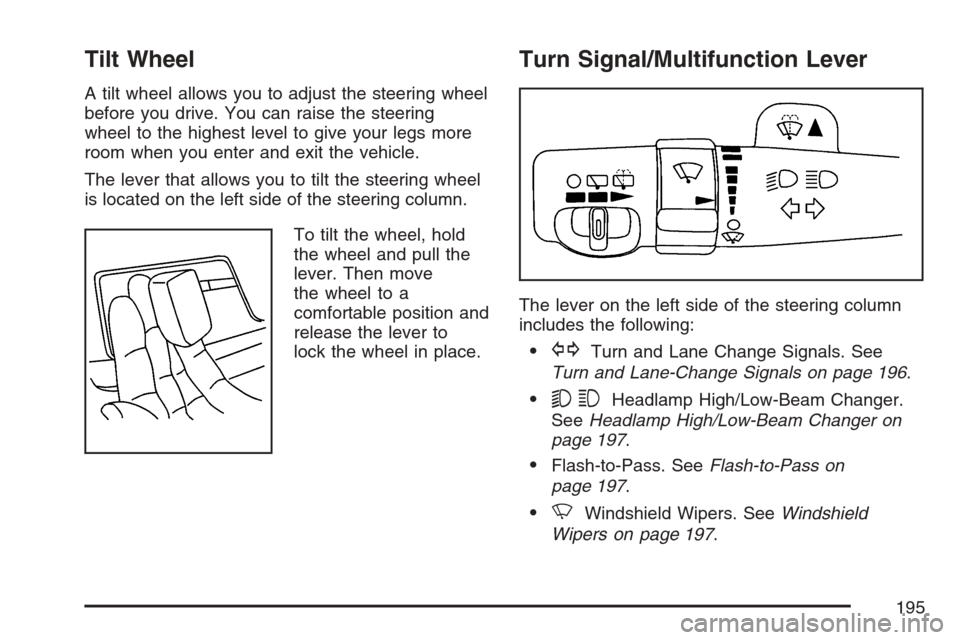
The lever that allows you to tilt the steering wheel
is located on the left side of the steering column.
To tilt the wheel, hold
the wheel and pull the
lever. Then move
the wheel to a
comfortable position and
release the lever to
lock the wheel in place.
Turn Signal/Multifunction Lever
The lever on the left side of the steering column
includes the following:
GTurn and Lane Change Signals. See
Turn and Lane-Change Signals on page 196.
53Headlamp High/Low-Beam Changer.
SeeHeadlamp High/Low-Beam Changer on
page 197.
Flash-to-Pass. SeeFlash-to-Pass on
page 197.
NWindshield Wipers. SeeWindshield
Wipers on page 197.
195
Page 200 of 592
Cruise Control
{CAUTION:
Cruise control can be dangerous where
you cannot drive safely at a steady speed.
So, do not use your cruise control on
winding roads or in heavy traffic.
Cruise control can be dangerous on
slippery roads. On such roads, fast
changes in tire traction can cause
excessive wheel slip, and you could lose
control. Do not use cruise control on
slippery roads.If your vehicle has
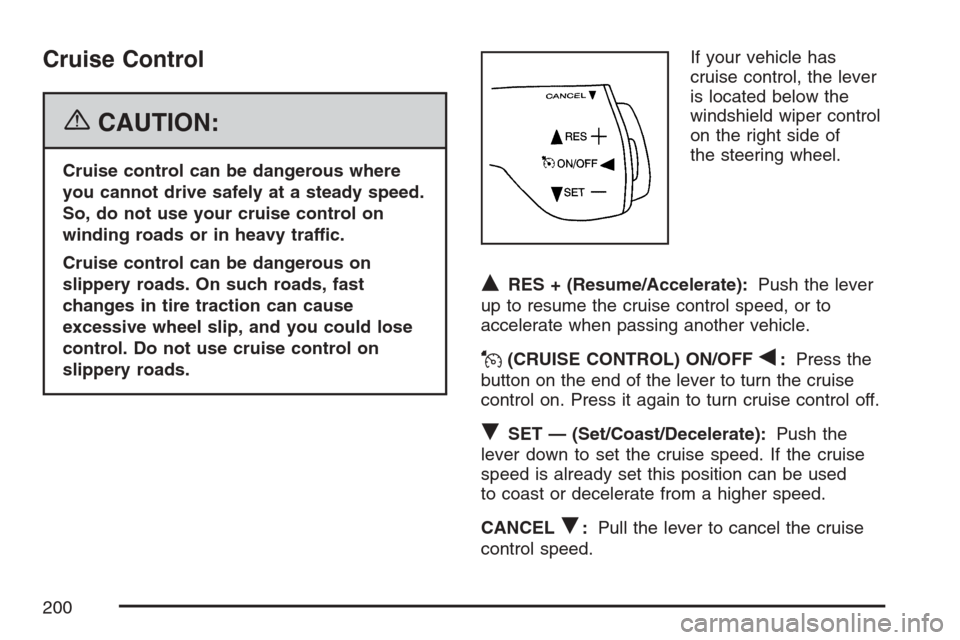
cruise control, the lever
is located below the
windshield wiper control
on the right side of
the steering wheel.
QRES + (Resume/Accelerate):Push the lever
up to resume the cruise control speed, or to
accelerate when passing another vehicle.
J(CRUISE CONTROL) ON/OFFq:Press the
button on the end of the lever to turn the cruise
control on. Press it again to turn cruise control off.
RSET — (Set/Coast/Decelerate):Push the
lever down to set the cruise speed. If the cruise
speed is already set this position can be used
to coast or decelerate from a higher speed.
CANCEL
R:Pull the lever to cancel the cruise
control speed.
200
Page 204 of 592
Exterior Lamps
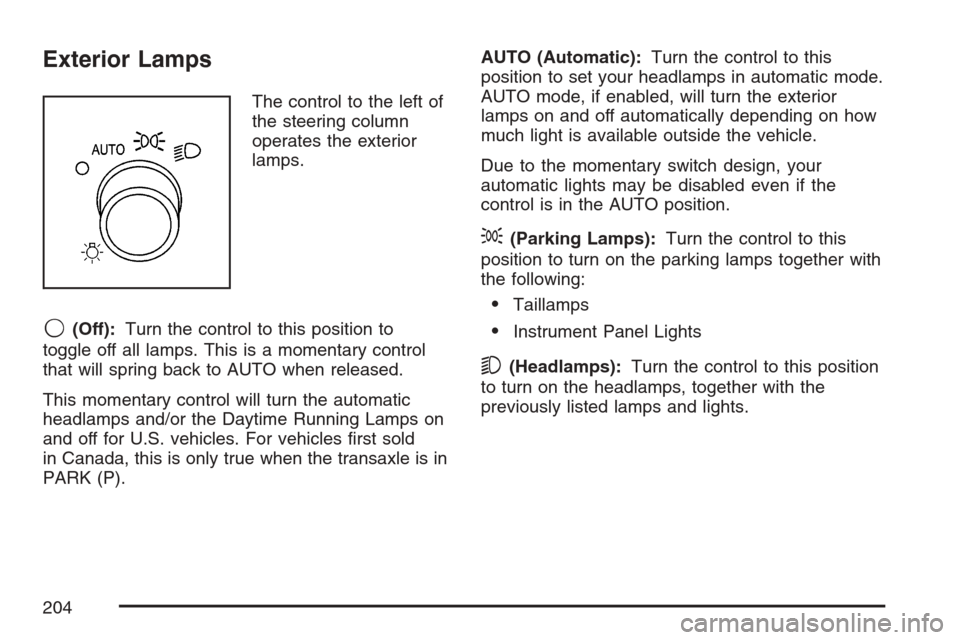
The control to the left of
the steering column
operates the exterior
lamps.
9(Off):Turn the control to this position to
toggle off all lamps. This is a momentary control
that will spring back to AUTO when released.
This momentary control will turn the automatic
headlamps and/or the Daytime Running Lamps on
and off for U.S. vehicles. For vehicles rst sold
in Canada, this is only true when the transaxle is in
PARK (P).AUTO (Automatic):Turn the control to this
position to set your headlamps in automatic mode.
AUTO mode, if enabled, will turn the exterior
lamps on and off automatically depending on how
much light is available outside the vehicle.
Due to the momentary switch design, your
automatic lights may be disabled even if the
control is in the AUTO position.
;(Parking Lamps):Turn the control to this
position to turn on the parking lamps together with
the following:
Taillamps
Instrument Panel Lights
5(Headlamps):Turn the control to this position
to turn on the headlamps, together with the
previously listed lamps and lights.
204
Page 207 of 592
Interior Lamps Control
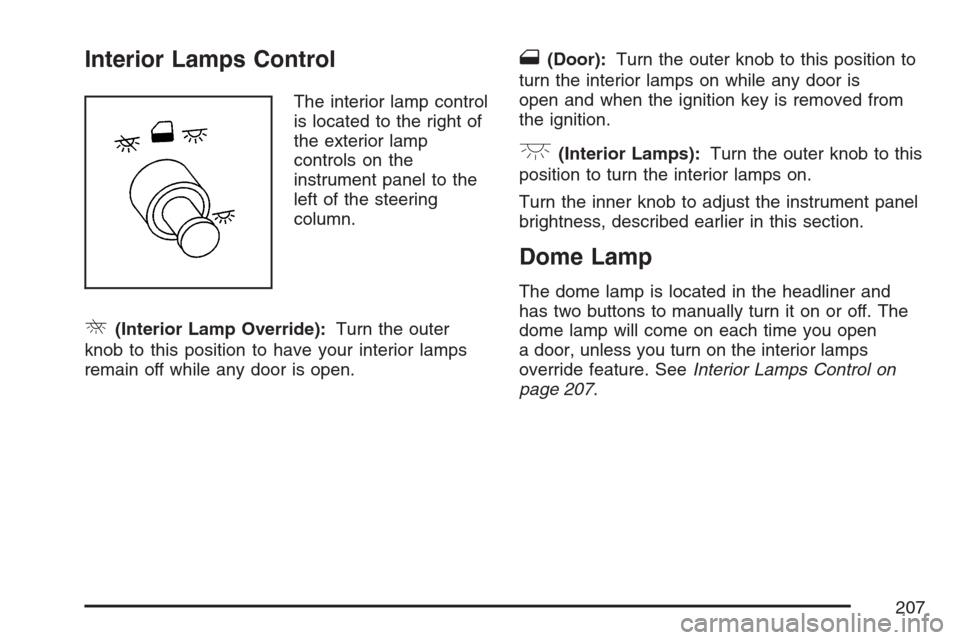
The interior lamp control
is located to the right of
the exterior lamp
controls on the
instrument panel to the
left of the steering
column.
R(Interior Lamp Override):Turn the outer
knob to this position to have your interior lamps
remain off while any door is open.
1(Door):Turn the outer knob to this position to
turn the interior lamps on while any door is
open and when the ignition key is removed from
the ignition.
+(Interior Lamps):Turn the outer knob to this
position to turn the interior lamps on.
Turn the inner knob to adjust the instrument panel
brightness, described earlier in this section.
Dome Lamp
The dome lamp is located in the headliner and
has two buttons to manually turn it on or off. The
dome lamp will come on each time you open
a door, unless you turn on the interior lamps
override feature. SeeInterior Lamps Control on
page 207.
207
Page 284 of 592
Audio System(s)
Determine which radio your vehicle has and then
read the pages following to familiarize yourself
with its features.
Driving without distraction is a necessity for a
safer driving experience. SeeDefensive Driving on
page 372. By taking a few moments to read this
manual and get familiar with your vehicle’s
audio system, you can use it with less effort, as
well as take advantage of its features. While your
vehicle is parked, set up your audio system by
presetting your favorite radio stations, setting the
tone, and adjusting the speakers. Then, when
driving conditions permit, you can tune to
your favorite stations using the presets and
steering wheel controls if the vehicle has them.{CAUTION:
This system provides you with a far greater
access to audio stations and song listings.
Giving extended attention to entertainment
tasks while driving can cause a crash and
you or others can be injured or killed.
Always keep your eyes on the road and
your mind on the drive — avoid engaging
in extended searching while driving.
Keeping your mind on the drive is important for
safe driving. Here are some ways in which you can
help avoid distraction while driving.
While your vehicle is parked:
Familiarize yourself with all of its controls.
Familiarize yourself with its operation.
Set up your audio system by presetting your
favorite radio stations, setting the tone, and
adjusting the speakers. Then, when driving
conditions permit, you can tune to your favorite
radio stations using the presets and steering
wheel controls if the vehicle has them.
284
Page 345 of 592
Mobile Digital Media System
Your vehicle may have the GM Mobile Digital
Media system which is made up of a digital media
player, a wireless game controller, the digital
media storage (DMS) cartridge, the USB 2.0 cradle
(docking station), and the PhatNoise™ Media
Manager software.
See the following information to learn more about
the components that make up the complete
Digital Media system.
Digital Media Player
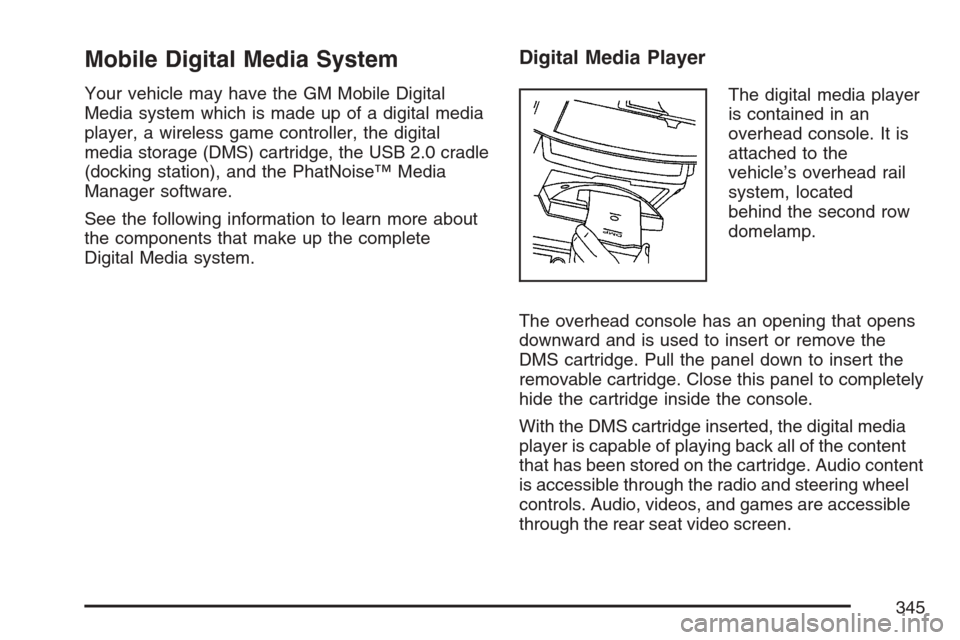
The digital media player
is contained in an
overhead console. It is
attached to the
vehicle’s overhead rail
system, located
behind the second row
domelamp.
The overhead console has an opening that opens
downward and is used to insert or remove the
DMS cartridge. Pull the panel down to insert the
removable cartridge. Close this panel to completely
hide the cartridge inside the console.
With the DMS cartridge inserted, the digital media
player is capable of playing back all of the content
that has been stored on the cartridge. Audio content
is accessible through the radio and steering wheel
controls. Audio, videos, and games are accessible
through the rear seat video screen.
345
Page 348 of 592
Selecting Your Mobile Digital Media as the
Active Source
Your radio and rear seat entertainment system
communicate with the GM Mobile Digital
Media system, as one compact unit that can be
accessed by everyone seated inside the vehicle.
The GM Mobile Digital Media system can hold
thousands of songs, hours of videos, and
hundreds of games.
To help use this system, see the following “Quick
Start” information:
Front seat driver and passenger, use the radio
and steering wheel controls to access the
music collection with PhatNoise Voice Index™
technology. The preset buttons can be used
to select the browsing category. The Next,
Previous, and Seek buttons can be used to
browse within a browsing category. Browse the
music collection by artist, album, genre, or
custom playlist as the system uses the voice
mode to announce these selections. See
“Using the GM Mobile Digital Media System
for Front Seat Audio Entertainment” later
in this manual.
Rear seat passengers, use the wireless DVD
remote control to navigate the menu displayed
on the overhead DVD video screen, then select
to play music, videos, or games. A dedicated
game controller is included with the Mobile
Digital Media package. See “Using the GM
Mobile Digital Media System for Rear Seat
Entertainment” later in this manual.
Your vehicle may have audio steering wheel
controls. Some audio controls can be adjusted at
the steering wheel. SeeAudio Steering Wheel
Controls on page 367in your owner manual.
If your vehicle has the OnStar
®/Mute audio
steering wheel control, read the following
instructions.
348
Page 350 of 592
The GM Mobile Digital Media is controlled through
the radio and steering wheel controls on your
vehicle’s audio system. This system functions
differently than a typical CD changer. The Digital
Media system allows you to switch between
different playback modes. These modes determine
the next song that will play. Using modes, you
can browse through playlists, artists, albums, and
genres while the system reads Voice Index™
names to you while you drive. By selecting Playlist
Mode, you can access the music collection in
the order placed onto the DMS cartridge, or you
can have the system sort the music by Album,
Artist, or Genre by selecting the corresponding
Modes.
Starting the System for Front Seat
Entertainment
The GM Mobile Digital Media system is available
through the DMS mode of your radio. This
system will power on and off automatically and
resume where the system last stopped.To begin playback, follow the instructions listed
below:
1. Insert the DMS cartridge into the GM Mobile
Digital Media player.
2. Turn on your radio and switch to the DMS
mode by pressing the CD/AUX button on
your radio.
3. Press any of the rst four pushbuttons (A-D)
to select different browse modes.
4. Press the left or right SEEK/SCAN arrow (E)
to navigate through the mode items.
5. Turn the tune knob (F) to navigate through
songs in a song list.
350
Page 367 of 592
Customer Assistance Center
For customer assistance in the United States, call
1-877-GM-PHATN (877-467-4286) or contact
the Customer Assistance Center through
the internet at gmmobilemediasupportgedas.com
For customer assistance in Canada, see the
Customer Assistance Offices in the index of your
vehicle’s owner manual.
Theft-Deterrent Feature
THEFTLOCK®is designed to discourage theft of
your vehicle’s radio. The feature works
automatically by learning a portion of the Vehicle
Identication Number (VIN). If the radio is
moved to a different vehicle, it will not operate and
LOCKED will appear on the display.
With THEFTLOCK
®activated, the radio will not
operate if stolen.
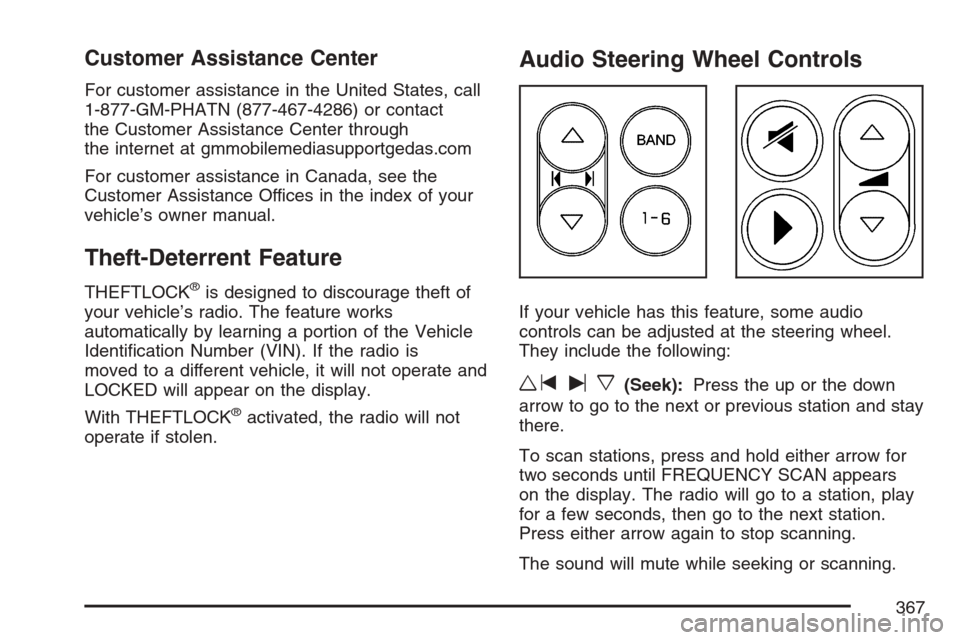
Audio Steering Wheel Controls
If your vehicle has this feature, some audio
controls can be adjusted at the steering wheel.
They include the following:
wtux(Seek):Press the up or the down
arrow to go to the next or previous station and stay
there.
To scan stations, press and hold either arrow for
two seconds until FREQUENCY SCAN appears
on the display. The radio will go to a station, play
for a few seconds, then go to the next station.
Press either arrow again to stop scanning.
The sound will mute while seeking or scanning.
367