stop start CHEVROLET UPLANDER 2007 1.G User Guide
[x] Cancel search | Manufacturer: CHEVROLET, Model Year: 2007, Model line: UPLANDER, Model: CHEVROLET UPLANDER 2007 1.GPages: 592, PDF Size: 3.04 MB
Page 246 of 592
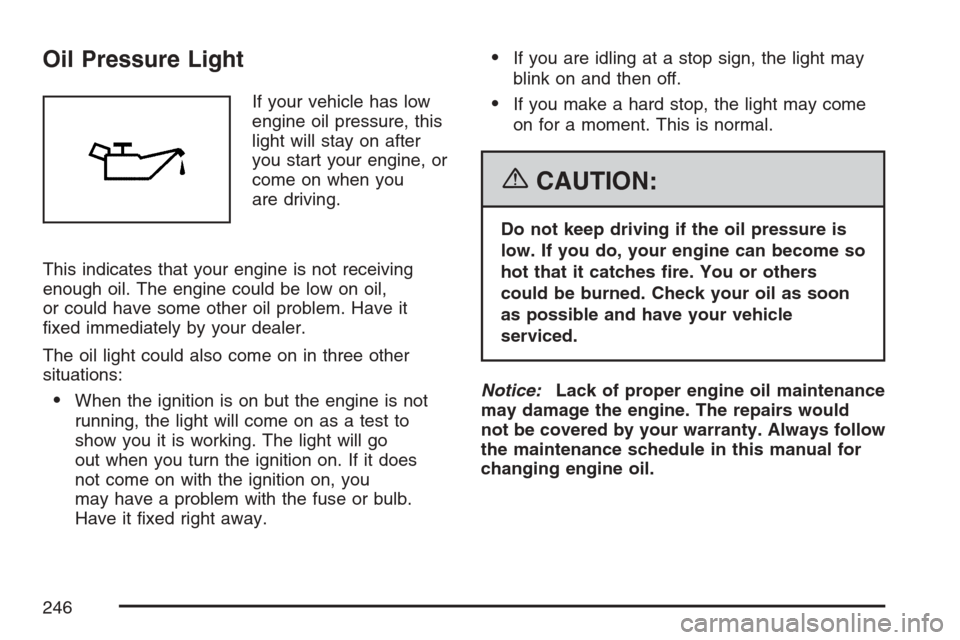
Oil Pressure Light
If your vehicle has low
engine oil pressure, this
light will stay on after
you start your engine, or
come on when you
are driving.
This indicates that your engine is not receiving
enough oil. The engine could be low on oil,
or could have some other oil problem. Have it
xed immediately by your dealer.
The oil light could also come on in three other
situations:
When the ignition is on but the engine is not
running, the light will come on as a test to
show you it is working. The light will go
out when you turn the ignition on. If it does
not come on with the ignition on, you
may have a problem with the fuse or bulb.
Have it xed right away.
If you are idling at a stop sign, the light may
blink on and then off.
If you make a hard stop, the light may come
on for a moment. This is normal.
{CAUTION:
Do not keep driving if the oil pressure is
low. If you do, your engine can become so
hot that it catches re. You or others
could be burned. Check your oil as soon
as possible and have your vehicle
serviced.
Notice:Lack of proper engine oil maintenance
may damage the engine. The repairs would
not be covered by your warranty. Always follow
the maintenance schedule in this manual for
changing engine oil.
246
Page 251 of 592
There is also a retroactive trip odometer function
that performs the following for each trip
odometer:
If the vehicle’s speed has exceeded 3 mph
(5 km/h) during the current ignition cycle,
this function will set the trip odometer to the
distance driven during the current ignition
cycle.
If the vehicle’s speed has not exceeded 3 mph
(5 km/h), this function will set the trip odometer
to the distance driven during the previous
ignition cycle plus the distance driven during
the current ignition cycle.
Press and hold the set/reset button for
three seconds, then release the button. The
retroactive trip odometer value will be set into the
currently displayed trip odometer.
Time Elapsed
Press the information button until TIME
ELAPSED :00 displays. This mode is like a
stopwatch, in that you can clock the time it takes
to get from one point to another. Each of the
elds for the hours, minutes, and seconds are
two numeric digits.Once TIME ELAPSED :00 is displayed, press the
set/reset button to start the timing feature.
Press the set/reset button again to stop it. If you
will be starting and stopping your vehicle, during a
trip for instance, the TIME ELAPSED feature
will automatically start timing where it left off when
you last stopped. To reset it, press and hold
the set/reset button for approximately 1.5 seconds.
The display will return to zero.
Average Speed
Press the information button until AVERAGE
SPEED displays. This mode shows the average
speed of the vehicle in miles per hour (mph)
or kilometers per hour (km/h). This average is
calculated based on the various vehicle speed
recorded since the last reset of this value. To reset
the value, press the information button to display
AVERAGE SPEED, then press and hold the
set/reset button. The display will return to zero.
251
Page 293 of 592
Radio Messages
CAL ERR (Calibration Error):The audio system
has been calibrated for your vehicle from the
factory. If CAL ERR appears on the display, it
means that the radio has not been congured
properly for your vehicle and must be returned to
your dealer for service.
LOCKED:This message is displayed when the
THEFTLOCK
®system has locked up. Take
the vehicle to your dealer for service.
If any error occurs repeatedly or if an error cannot
be corrected, contact your dealer. If the radio
displays an error message, write it down
and provide it to your dealer when reporting the
problem.
Radio Messages for XM™ Only
SeeXM Radio Messages on page 307later in this
section for further detail.
Playing a CD (Single CD Player)
Insert a CD partway into the slot, label side up.
The player pulls it in and the CD should begin
playing.
If the ignition or radio is turned off with a CD in
the player, it stays in the player. When the ignition
or radio is turned on, the CD starts playing
where it stopped, if it was the last selected audio
source.
When a CD is inserted, CD and the CD symbol
appears on the display. As each new track
starts to play the track number appears on the
display.
The CD player can play the smaller 3 inch (8 cm)
single CDs with an adapter ring. Full-size CDs
and the smaller CDs are loaded in the same
manner.
If playing a CD-R, the sound quality (and playback
performance) may be reduced due to the CD-R
quality, method of recording, the quality of
the music that has been recorded, and the way
the CD-R has been handled. For better playback
performance when home burning audio discs,
use brand named CD media showing the Compact
Disc™, and a burn rate no faster than 12X.
293
Page 295 of 592
tSEEKu:Press the left arrow to go to the
start of the current track if more than eight seconds
have played. Press the right arrow to go to the
start of the next track. If either arrow is held
or pressed more than once, the player continues
moving backward or forward through the CD.
BAND:Press this button to listen to the radio
when a CD is playing. The inactive CD remains
safely inside the radio for future listening.
CD AUX (Auxiliary):Press this button to play a
CD when listening to the radio. CD appears on the
display when a CD is in the player. If the system
has a remote playback device, pressing this button
a second time allows the remote device to play.
AUTO EQ (Automatic Equalization):Press
AUTO EQ to select the equalization setting while
playing a CD. The equalization is stored
whenever a CD is played. For more information on
AUTO EQ, see “AUTO EQ” listed previously in
this section.
X(Eject):Press this button to eject the CD.
EJECT may be activated with either the ignition or
radio off.
Playing a CD(s) (Six-Disc CD Player)
If the ignition or radio is turned off, with a CD in the
player, it stays in the player. When the ignition
or radio is turned on, the CD starts playing where
it stopped, if it was the last selected audio
source.
When a CD is inserted, the CD symbol appears
on the CD. As each new track starts to play,
the track number appears on the display.
The CD player can play the smaller 3 inch (8 cm)
single CDs with an adapter ring. Full-size CDs
and the smaller CDs are loaded in the same
manner.
If playing a CD-R, the sound quality (and playback
performance) may be reduced due to the CD-R
quality, method of recording, the quality of
the music that has been recorded, and the way
the CD-R has been handled. For better playback
performance when home burning audio discs,
use brand named CD media showing the Compact
Disc™, and a burn rate no faster than 12X.
295
Page 298 of 592
RDM (Random):Press this button to hear the
tracks in random, rather than sequential order, on
one CD or all of the loaded CDs.
To use random, do one of the following:
To play the tracks on the CD you are listening
to in random order, press and release this
button until RANDOM DISC PLAY appears on
the display.
To play the tracks on all of the CDs that are
loaded in random order, press and release
this button until RANDOM ALL DISCS appears
on the display.
To turn off random play, press and release the
RDM button until RANDOM OFF appears on the
display.
RPT (Repeat):Press this button to hear a track
or an entire CD over again.
To use repeat, do one of the following:
To repeat a track, press and release this
button until REPEAT appears on the display.
To repeat an entire CD, press and release this
button until REPEAT ONE DISC appears on
the display.To turn off repeated play, press and release the
RPT button until REPEAT OFF appears on
the display.
tSEEKu:Press the left arrow to go to the
start of the current track, if more than ten seconds
have played. Press the right arrow to go to the
next track. If either arrow is held or pressed more
than once, the player continues moving backward
or forward through the CD.
tSCANu:To scan one CD, press and hold
either SCAN arrow for more than two seconds until
SCAN appears on the display and you hear a
beep. The radio goes to the next track, plays for
10 seconds, then goes to the next track. Press
either SCAN arrow again, to stop scanning.
To scan all loaded CDs, press and hold either
SCAN arrow for more than four seconds until CD
SCAN appears on the display and you hear a
beep. Use this feature to listen to 10 seconds of
the rst track of each loaded CD. Press either
SCAN arrow again, to stop scanning.
298
Page 304 of 592
Preprogrammed Playlists
Preprogrammed playlists that were created using
WinAmp™, MusicMatch™, or Real Jukebox™
software can be accessed, however, they cannot
be edited using the radio. These playlists are
treated as special folders containing compressed
audio song les.
Playing an MP3
Insert a CD partway into the slot, label side up.
The player pulls it in, and READING appears
on the display. The CD should begin playing and
the CD symbol appears on the display.
If the ignition or radio is turned off with a CD in
the player it stays in the player. When the ignition
or radio is turned on, the CD starts to play
where it stopped, if it was the last selected audio
source.
As each new track starts to play, the track number
appears on the display.The CD player can play the smaller 3 inch (8 cm)
single CDs with an adapter ring. Full-size CDs
and the smaller CDs are loaded in the same
manner.
If playing a CD-R, the sound quality (and playback
performance) may be reduced due to the CD-R
quality, method of recording, the quality of
the music that has been recorded, and the way
the CD-R has been handled. For better playback
performance when home burning audio discs,
use brand named CD media showing the Compact
Disc™, and a burn rate no faster than 12X.
There may be an increase in skipping, difficulty in
nding tracks, and/or difficulty in loading and
ejecting. If these problems occur, check the bottom
surface of the CD. If the surface of the CD is
damaged, such as cracked, broken, or scratched,
the CD will not play properly. If the surface of
the CD is soiled, seeCare of Your CDs and DVDs
on page 369for more information.
If there is no apparent damage, try a known
good CD.
304
Page 315 of 592
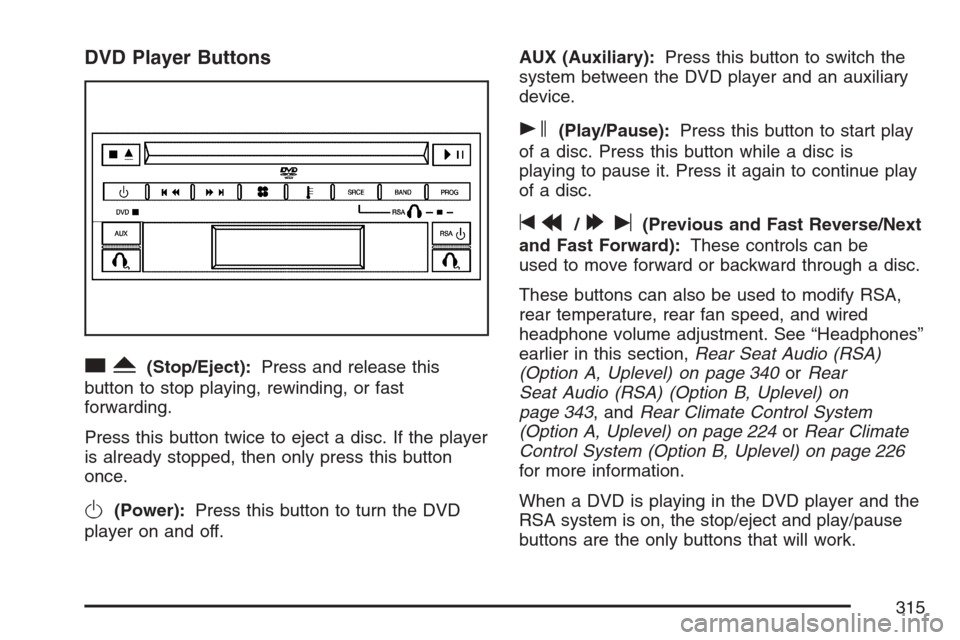
DVD Player Buttons
cY(Stop/Eject):Press and release this
button to stop playing, rewinding, or fast
forwarding.
Press this button twice to eject a disc. If the player
is already stopped, then only press this button
once.
O(Power):Press this button to turn the DVD
player on and off.AUX (Auxiliary):Press this button to switch the
system between the DVD player and an auxiliary
device.
s(Play/Pause):Press this button to start play
of a disc. Press this button while a disc is
playing to pause it. Press it again to continue play
of a disc.
tr/[u(Previous and Fast Reverse/Next
and Fast Forward):These controls can be
used to move forward or backward through a disc.
These buttons can also be used to modify RSA,
rear temperature, rear fan speed, and wired
headphone volume adjustment. See “Headphones”
earlier in this section,Rear Seat Audio (RSA)
(Option A, Uplevel) on page 340orRear
Seat Audio (RSA) (Option B, Uplevel) on
page 343, andRear Climate Control System
(Option A, Uplevel) on page 224orRear Climate
Control System (Option B, Uplevel) on page 226
for more information.
When a DVD is playing in the DVD player and the
RSA system is on, the stop/eject and play/pause
buttons are the only buttons that will work.
315
Page 316 of 592
Playing a Disc
To play a disc, gently insert the disc, with the label
side up, into the loading slot. The DVD player
will continue loading the disc and the player will
automatically start if the vehicle is in
ACCESSORY, RUN, or RAP.
If a disc is already in the player, make sure that
the DVD player is on, then press the play/pause
button on the player faceplate or on the remote
control. You can also, press the CD AUX button on
the radio faceplate, until RSE appears on the
display, to start playing a disc.
Some DVDs will not allow fast forwarding or
skipping of the copyright information or previews.
Some DVDs will begin playing after the previews
have nished. If the DVD does not begin playing at
the main title, refer to the on-screen instructions.
Stopping and Resuming Playback
To stop playing a disc, press and release the stop
button on the DVD player faceplate or the
remote control.
To resume playback, press the play/pause button
on the DVD player faceplate or the remote control.
The movie should resume play from where it was
last stopped if the disc has not been ejected.
If the disc has been ejected, the disc will resume
play at the beginning of the disc.
Ejecting a Disc
Press the eject button on the DVD player
faceplate, when the disc is stopped, to eject the
disc. There is not an eject button on the
remote control.
If a disc is ejected from the player, but not
removed, the DVD player will reload the disc after
a short period of time.
316
Page 318 of 592
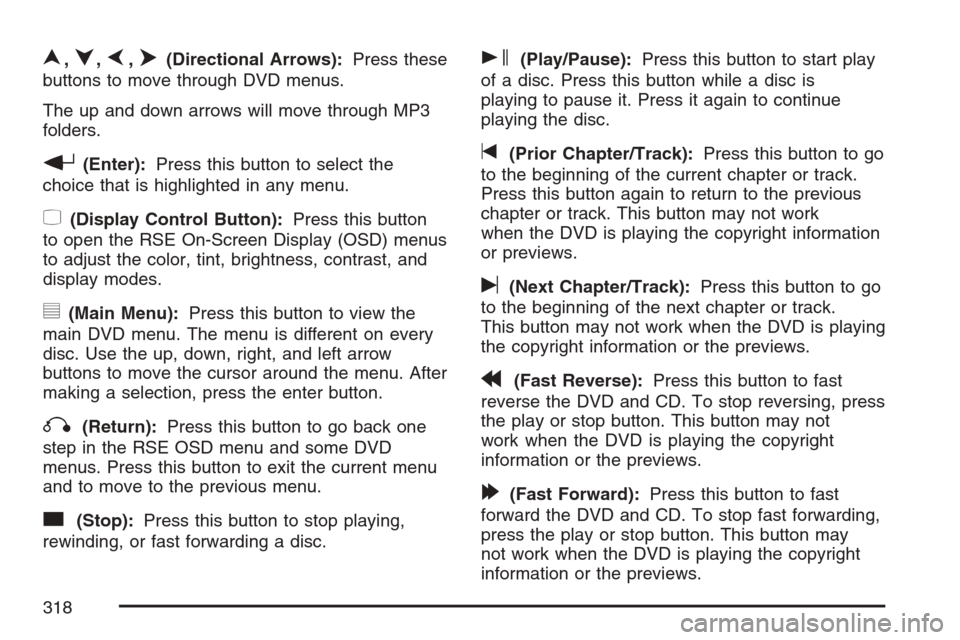
n,q,p,o(Directional Arrows):Press these
buttons to move through DVD menus.
The up and down arrows will move through MP3
folders.
r(Enter):Press this button to select the
choice that is highlighted in any menu.
z(Display Control Button):Press this button
to open the RSE On-Screen Display (OSD) menus
to adjust the color, tint, brightness, contrast, and
display modes.
y(Main Menu):Press this button to view the
main DVD menu. The menu is different on every
disc. Use the up, down, right, and left arrow
buttons to move the cursor around the menu. After
making a selection, press the enter button.
q(Return):Press this button to go back one
step in the RSE OSD menu and some DVD
menus. Press this button to exit the current menu
and to move to the previous menu.
c(Stop):Press this button to stop playing,
rewinding, or fast forwarding a disc.
s(Play/Pause):Press this button to start play
of a disc. Press this button while a disc is
playing to pause it. Press it again to continue
playing the disc.
t(Prior Chapter/Track):Press this button to go
to the beginning of the current chapter or track.
Press this button again to return to the previous
chapter or track. This button may not work
when the DVD is playing the copyright information
or previews.
u(Next Chapter/Track):Press this button to go
to the beginning of the next chapter or track.
This button may not work when the DVD is playing
the copyright information or the previews.
r(Fast Reverse):Press this button to fast
reverse the DVD and CD. To stop reversing, press
the play or stop button. This button may not
work when the DVD is playing the copyright
information or the previews.
[(Fast Forward):Press this button to fast
forward the DVD and CD. To stop fast forwarding,
press the play or stop button. This button may
not work when the DVD is playing the copyright
information or the previews.
318
Page 330 of 592
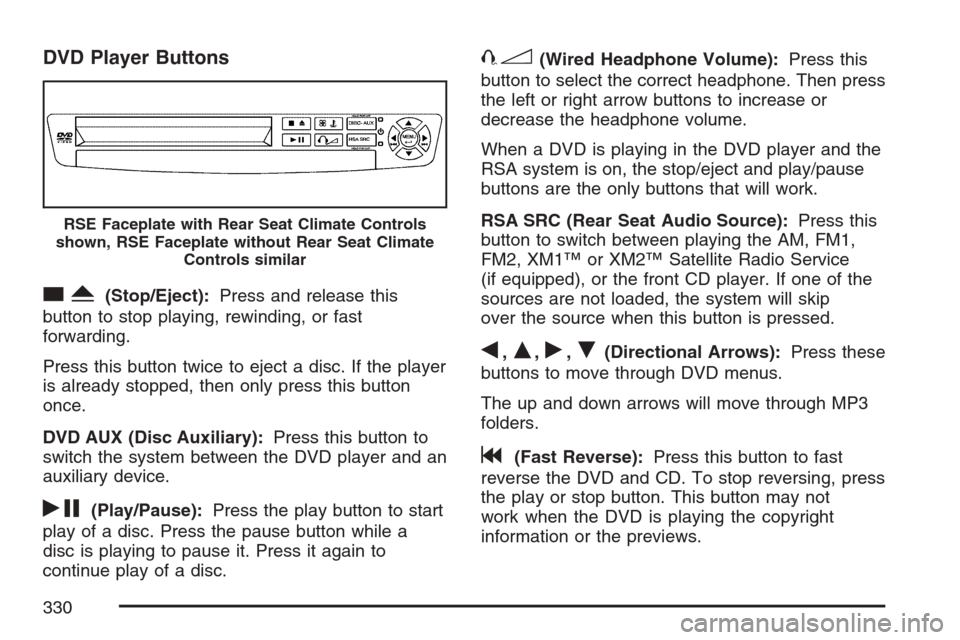
DVD Player Buttons
cY(Stop/Eject):Press and release this
button to stop playing, rewinding, or fast
forwarding.
Press this button twice to eject a disc. If the player
is already stopped, then only press this button
once.
DVD AUX (Disc Auxiliary):Press this button to
switch the system between the DVD player and an
auxiliary device.
rj(Play/Pause):Press the play button to start
play of a disc. Press the pause button while a
disc is playing to pause it. Press it again to
continue play of a disc.
43(Wired Headphone Volume):Press this
button to select the correct headphone. Then press
the left or right arrow buttons to increase or
decrease the headphone volume.
When a DVD is playing in the DVD player and the
RSA system is on, the stop/eject and play/pause
buttons are the only buttons that will work.
RSA SRC (Rear Seat Audio Source):Press this
button to switch between playing the AM, FM1,
FM2, XM1™ or XM2™ Satellite Radio Service
(if equipped), or the front CD player. If one of the
sources are not loaded, the system will skip
over the source when this button is pressed.
q,Q,r,R(Directional Arrows):Press these
buttons to move through DVD menus.
The up and down arrows will move through MP3
folders.
g(Fast Reverse):Press this button to fast
reverse the DVD and CD. To stop reversing, press
the play or stop button. This button may not
work when the DVD is playing the copyright
information or the previews.
RSE Faceplate with Rear Seat Climate Controls
shown, RSE Faceplate without Rear Seat Climate
Controls similar
330