tow CHEVROLET UPLANDER 2008 1.G Owner's Manual
[x] Cancel search | Manufacturer: CHEVROLET, Model Year: 2008, Model line: UPLANDER, Model: CHEVROLET UPLANDER 2008 1.GPages: 476, PDF Size: 5.77 MB
Page 134 of 476
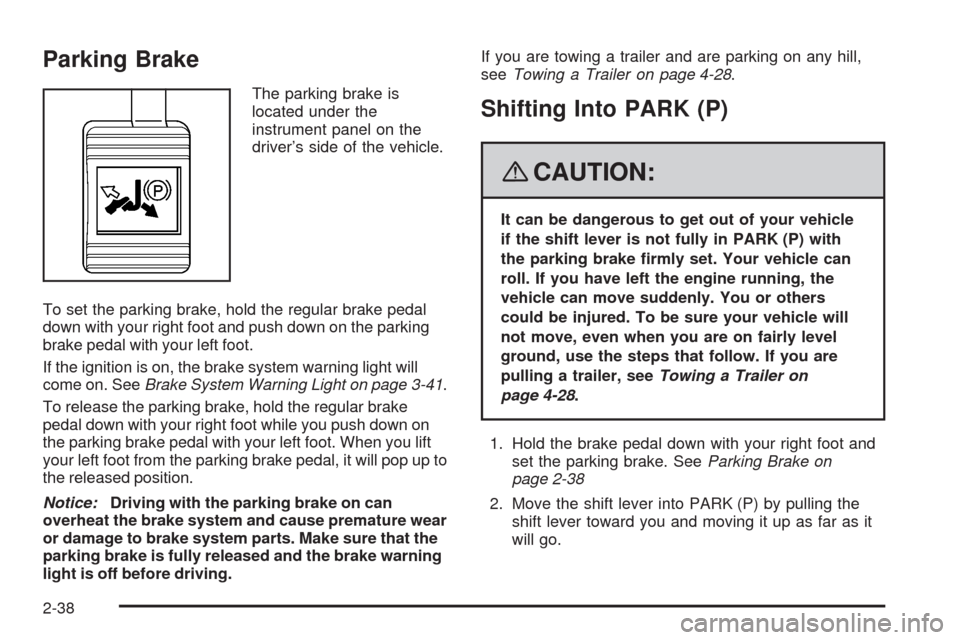
Parking Brake
The parking brake is
located under the
instrument panel on the
driver’s side of the vehicle.
To set the parking brake, hold the regular brake pedal
down with your right foot and push down on the parking
brake pedal with your left foot.
If the ignition is on, the brake system warning light will
come on. SeeBrake System Warning Light on page 3-41.
To release the parking brake, hold the regular brake
pedal down with your right foot while you push down on
the parking brake pedal with your left foot. When you lift
your left foot from the parking brake pedal, it will pop up to
the released position.
Notice:Driving with the parking brake on can
overheat the brake system and cause premature wear
or damage to brake system parts. Make sure that the
parking brake is fully released and the brake warning
light is off before driving.If you are towing a trailer and are parking on any hill,
seeTowing a Trailer on page 4-28.Shifting Into PARK (P)
{CAUTION:
It can be dangerous to get out of your vehicle
if the shift lever is not fully in PARK (P) with
the parking brake rmly set. Your vehicle can
roll. If you have left the engine running, the
vehicle can move suddenly. You or others
could be injured. To be sure your vehicle will
not move, even when you are on fairly level
ground, use the steps that follow. If you are
pulling a trailer, seeTowing a Trailer on
page 4-28.
1. Hold the brake pedal down with your right foot and
set the parking brake. SeeParking Brake on
page 2-38
2. Move the shift lever into PARK (P) by pulling the
shift lever toward you and moving it up as far as it
will go.
2-38
Page 135 of 476
3. Turn the ignition key to LOCK/OFF.
4. Remove the key and take it with you. If you can
leave your vehicle with the ignition key in your
hand, your vehicle is in PARK (P).
Leaving Your Vehicle With the Engine
Running
{CAUTION:
It can be dangerous to leave your vehicle with
the engine running. Your vehicle could move
suddenly if the shift lever is not fully in
PARK (P) with the parking brake rmly set.
And, if you leave the vehicle with the engine
running, it could overheat and even catch re.
You or others could be injured. Do not leave
your vehicle with the engine running.If you have to leave your vehicle with the engine
running, be sure your vehicle is in PARK (P) and the
parking brake is rmly set before you leave it. After you
move the shift lever into PARK (P), hold the regular
brake pedal down. Then, see if you can move the shift
lever away from PARK (P) without rst pulling it
toward you. If you can, it means that the shift lever was
not fully locked into PARK (P).
Torque Lock
If you are parking on a hill and you do not shift your
vehicle into PARK (P) properly, the weight of the vehicle
may put too much force on the parking pawl in the
transmission. You may nd it difficult to pull the shift lever
out of PARK (P). This is called torque lock. To prevent
torque lock, set the parking brake and then shift into
PARK (P) properly before you leave the driver’s seat. To
nd out how, seeShifting Into PARK (P) on page 2-38.
When you are ready to drive, move the shift lever out of
PARK (P) before you release the parking brake.
If torque lock does occur, you may need to have another
vehicle push yours a little uphill to take some of the
pressure from the parking pawl in the transmission, so
you can pull the shift lever out of PARK (P).
2-39
Page 138 of 476
Running the Engine While Parked
It is better not to park with the engine running. But if you
ever have to, here are some things to know.
{CAUTION:
Idling the engine with the climate control
system off could allow dangerous exhaust into
your vehicle. See the earlier caution under
Engine Exhaust on page 2-41.
Also, idling in a closed-in place can let deadly
carbon monoxide (CO) into your vehicle even if
the climate control fan is at the highest setting.
One place this can happen is a garage.
Exhaust — with CO — can come in easily.
NEVER park in a garage with the engine
running.
Another closed-in place can be a blizzard. See
Winter Driving on page 4-17.
{CAUTION:
It can be dangerous to get out of your vehicle
if the shift lever is not fully in PARK (P) with
the parking brake rmly set. Your vehicle can
roll. Do not leave your vehicle when the engine
is running unless you have to. If you have left
the engine running, the vehicle can move
suddenly. You or others could be injured. To
be sure your vehicle will not move, even when
you are on fairly level ground, always set the
parking brake and move the shift lever to
PARK (P).
Follow the proper steps to be sure your vehicle will not
move. SeeShifting Into PARK (P) on page 2-38.
If you are pulling a trailer, seeTowing a Trailer on
page 4-28.
2-42
Page 143 of 476
When the System Does Not Seem to
Work Properly
The driver disabled the system.
The ultrasonic sensors are not clean, a red URPA
display light may illuminate when the vehicle is in
REVERSE (R). Keep your rear bumper free of mud,
dirt, snow, ice and slush. For cleaning instructions,
seeWashing Your Vehicle on page 5-93.
A trailer was attached to your vehicle, or a bicycle
or an object was hanging out of your liftgate
during your last drive cycle, the red light may
illuminate. Once the attached object is removed,
URPA will return to normal operation.
A tow bar is attached to your vehicle.
The vehicle’s bumper is damaged. Take the vehicle
to your dealer/retailer to repair the system.
Other conditions may affect system performance,
such as vibrations from a jackhammer or the
compression of air brakes on a very large truck.
If the system is still disabled, after driving forward at
least 15 mph (25 km/h), take your vehicle to your
dealer/retailer.
OnStar®System
OnStar uses several innovative technologies and live
advisors to provide you with a wide range of safety,
security, information, and convenience services. If your
airbags deploy, the system is designed to make an
automatic call to OnStar Emergency advisors who can
request emergency services be sent to your location.
If you lock your keys in the vehicle, call OnStar at
1-888-4-ONSTAR and they can send a signal to unlock
your doors. If you need roadside assistance, press
the OnStar button and they can contact Roadside
Service for you.
2-47
Page 158 of 476
Convenience Center
{CAUTION:
If any removable convenience item is not
secured properly, it can move around in a
collision or sudden stop. People in the vehicle
could be injured. Be sure to secure any such
item properly.
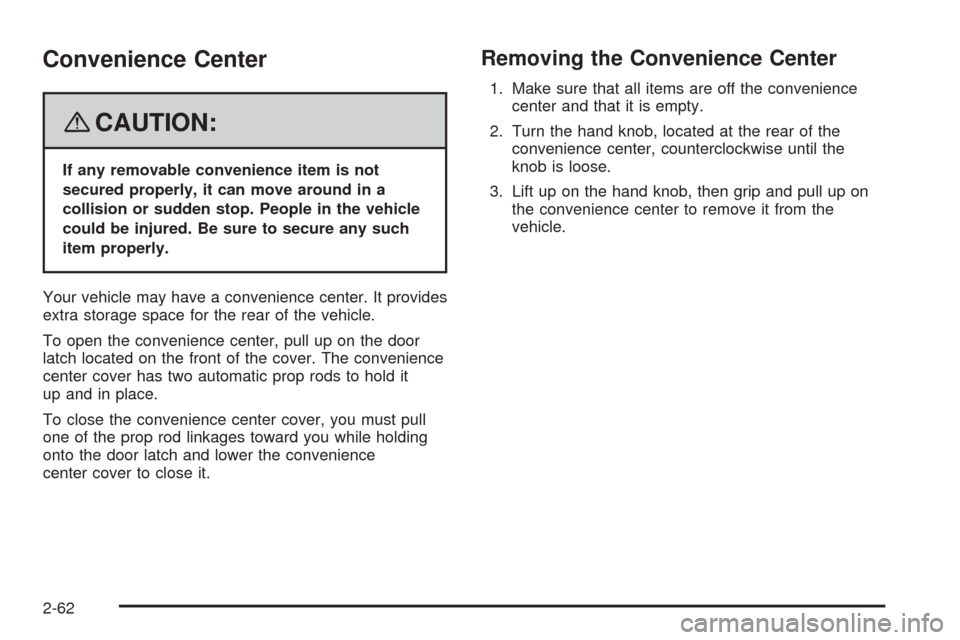
Your vehicle may have a convenience center. It provides
extra storage space for the rear of the vehicle.
To open the convenience center, pull up on the door
latch located on the front of the cover. The convenience
center cover has two automatic prop rods to hold it
up and in place.
To close the convenience center cover, you must pull
one of the prop rod linkages toward you while holding
onto the door latch and lower the convenience
center cover to close it.
Removing the Convenience Center
1. Make sure that all items are off the convenience
center and that it is empty.
2. Turn the hand knob, located at the rear of the
convenience center, counterclockwise until the
knob is loose.
3. Lift up on the hand knob, then grip and pull up on
the convenience center to remove it from the
vehicle.
2-62
Page 166 of 476
Hazard Warning Flashers
The hazard warning ashers let you warn the police and
others that you have a problem. The front and rear
turn signal lamps will ash on and off.
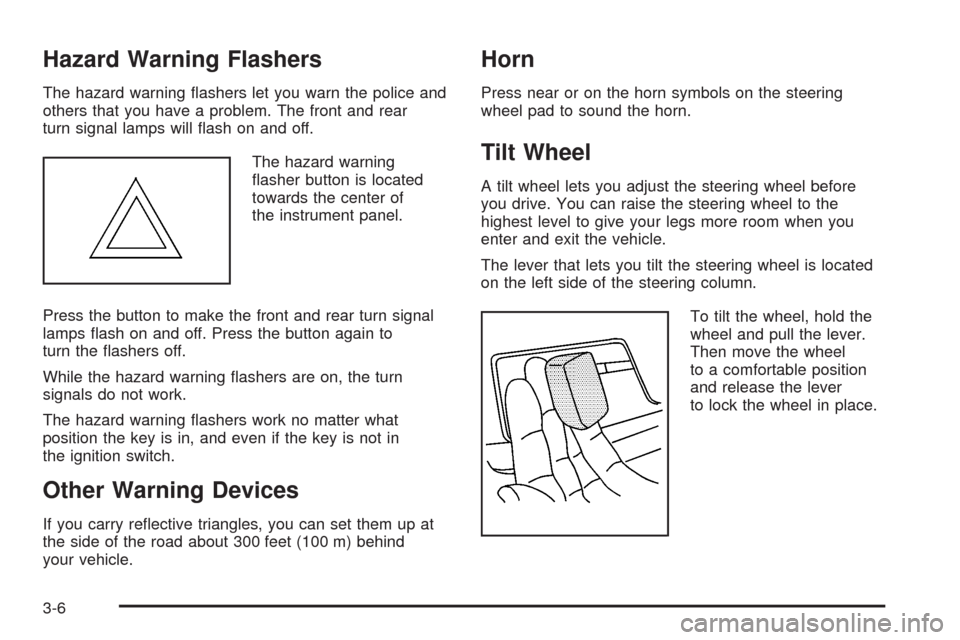
The hazard warning
asher button is located
towards the center of
the instrument panel.
Press the button to make the front and rear turn signal
lamps ash on and off. Press the button again to
turn the ashers off.
While the hazard warning ashers are on, the turn
signals do not work.
The hazard warning ashers work no matter what
position the key is in, and even if the key is not in
the ignition switch.
Other Warning Devices
If you carry reective triangles, you can set them up at
the side of the road about 300 feet (100 m) behind
your vehicle.
Horn
Press near or on the horn symbols on the steering
wheel pad to sound the horn.
Tilt Wheel
A tilt wheel lets you adjust the steering wheel before
you drive. You can raise the steering wheel to the
highest level to give your legs more room when you
enter and exit the vehicle.
The lever that lets you tilt the steering wheel is located
on the left side of the steering column.
To tilt the wheel, hold the
wheel and pull the lever.
Then move the wheel
to a comfortable position
and release the lever
to lock the wheel in place.
3-6
Page 168 of 476
To signal a lane change, just raise or lower the lever
until the arrow starts to ash. Hold it there until you
complete your lane change. The lever will return by
itself when you release it.
As you signal a turn or a lane change, if the arrow
ashes faster than normal, a signal bulb may be burned
out and other drivers will not see your turn signal.
If a bulb is burned out, replace it to help avoid an
accident. If the arrows do not go on at all when you
signal a turn, check for burned-out bulbs and check the
fuse. SeeBulb Replacement on page 5-42andFuses
and Circuit Breakers on page 5-100.
If you have a trailer towing option with added wiring for
the trailer lamps, the signal indicator will ash at a normal
rate even if a turn signal bulb is burned out. Check the
front and rear turn signal lamps regularly to make sure
they are working.
Turn Signal On Chime
If either turn signal is left on for more than
3/4 mile (1.2 km), a chime will sound to let the driver
know to turn it off. If you need to leave the signal on for
more than 3/4 mile (1.2 km), turn off the signal and then
turn it back on.
Headlamp High/Low-Beam Changer
To change the headlamps from low beam to high beam,
push the turn signal/multifunction lever away from you.
When the high beams are
on, this light will appear
on the instrument
panel cluster.
To change the headlamps from high beam to low beam,
pull the turn signal/multifunction lever toward you.
Flash-to-Pass
When the headlamps are off, pull the lever toward you
to momentarily turn on the high beams. This will signal
that you are going to pass. When you release the lever,
they will turn off.
3-8
Page 172 of 476
Setting Cruise Control
{CAUTION:
If you leave your cruise control on when you
are not using cruise, you might hit a button
and go into cruise when you do not want to.
You could be startled and even lose control.
Keep the cruise control switch off until you
want to use cruise control.
1. Push the button at the end of the cruise control
lever to turn the cruise control on.
2. Accelerate to the desired speed.
3. Push down on the cruise control lever and release
it. This will set the speed in cruise control.
4. Remove your foot from the accelerator pedal.This symbol will appear
on the instrument panel
cluster when the cruise
control is set.
This symbol will disappear when the brakes are applied
or the cruise control is cancelled. It will reappear
when the set cruise speed is resumed.
Resuming a Set Speed
If the cruise control is set at a desired speed and then
the brakes are applied, the cruise control shuts off.
But the cruise control does not need to be reset.
Once the vehicle is traveling approximately
25 mph (40 km/h) or more, the cruise control lever can
be pushed upward toward the plus (resume/accelerate)
position to return to the preset cruise speed.
The vehicle will return to and stay at the preset cruise
speed. If the cruise control lever is pushed up and
held toward the plus (resume/accelerate) position, the
vehicle speed will increase until the lever is released
or the brakes are applied. Do not continue to hold
the lever in the plus (resume/accelerate) position,
unless a faster speed is desired.
3-12
Page 173 of 476
Increasing Speed While Using Cruise
Control
There are two ways to go to a higher speed:
Use the accelerator pedal to get to the higher speed.
Push up on the cruise control lever toward the plus
(resume/accelerate) position, then release the lever
and take your foot off the accelerator pedal. The
vehicle will now cruise at the higher speed.
Push up and hold the cruise control lever toward
the plus (resume/accelerate) position until the
vehicle reaches the desired speed. Then release
the cruise control lever. To increase the vehicle’s
speed in very small amounts, push up briey on the
cruise control lever and release it. Each time this
is done, the vehicle will speed up approximately
one mph (1.6 km/h).
The acceleration feature will only work after the cruise
control speed has been set by pushing the cruise control
lever down to the set position.
Reducing Speed While Using Cruise
Control
There are two ways to reduce the vehicle’s speed while
using cruise control:
Push the cruise control lever downward toward the
minus (set/coast/decelerate) position until a lower
speed is reached, then release it.
To slow down in very small amounts, push the
cruise control lever downward toward the minus
(set/coast/decelerate) position briey. Each time this
is done, the vehicle will slow down approximately
one mph (1.6 km/h).
Passing Another Vehicle While Using
Cruise Control
Use the accelerator pedal to increase the vehicle’s
speed. When you take your foot off the pedal, the
vehicle will slow down to the cruise control speed
set earlier.
3-13
Page 193 of 476
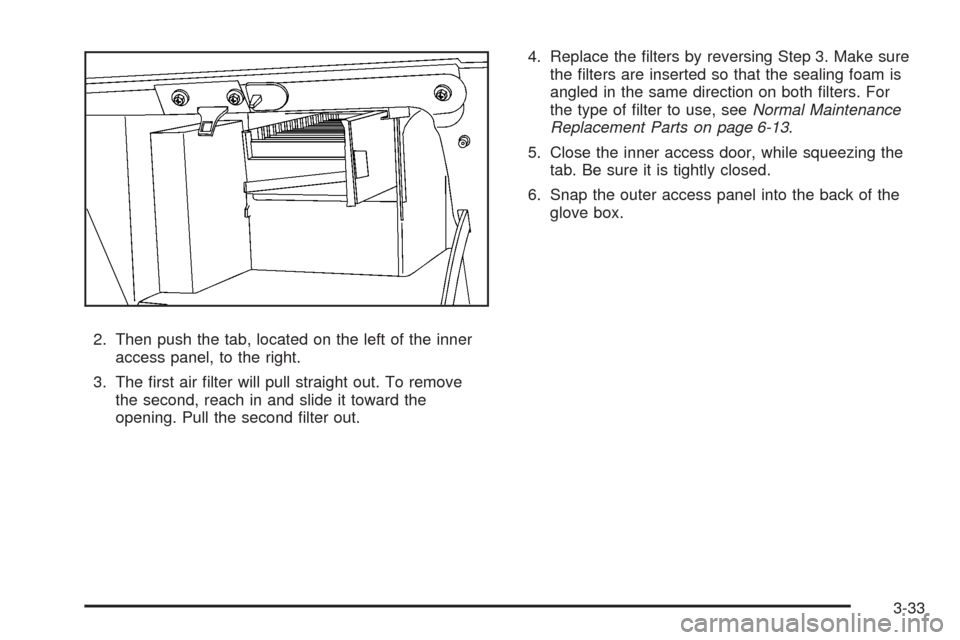
2. Then push the tab, located on the left of the inner
access panel, to the right.
3. The rst air lter will pull straight out. To remove
the second, reach in and slide it toward the
opening. Pull the second lter out.4. Replace the lters by reversing Step 3. Make sure
the lters are inserted so that the sealing foam is
angled in the same direction on both lters. For
the type of lter to use, seeNormal Maintenance
Replacement Parts on page 6-13.
5. Close the inner access door, while squeezing the
tab. Be sure it is tightly closed.
6. Snap the outer access panel into the back of the
glove box.
3-33