fuel CHEVROLET VENTURE 1998 User Guide
[x] Cancel search | Manufacturer: CHEVROLET, Model Year: 1998, Model line: VENTURE, Model: CHEVROLET VENTURE 1998Pages: 474, PDF Size: 25.26 MB
Page 212 of 474
This will be detected by the system and cause the light
to turn on.
If you experience one or more of these conditions,
change the fuel brand you use. It
will require at least one
full tank of the proper fuel to turn the light off.
If none of the above steps have made the light turn off,
have your dealer or qualified service center check the
vehicle. Your dealer has the proper test equipment and
diagnostic tools to
fix any mechanical or electrical
problems that may have developed.
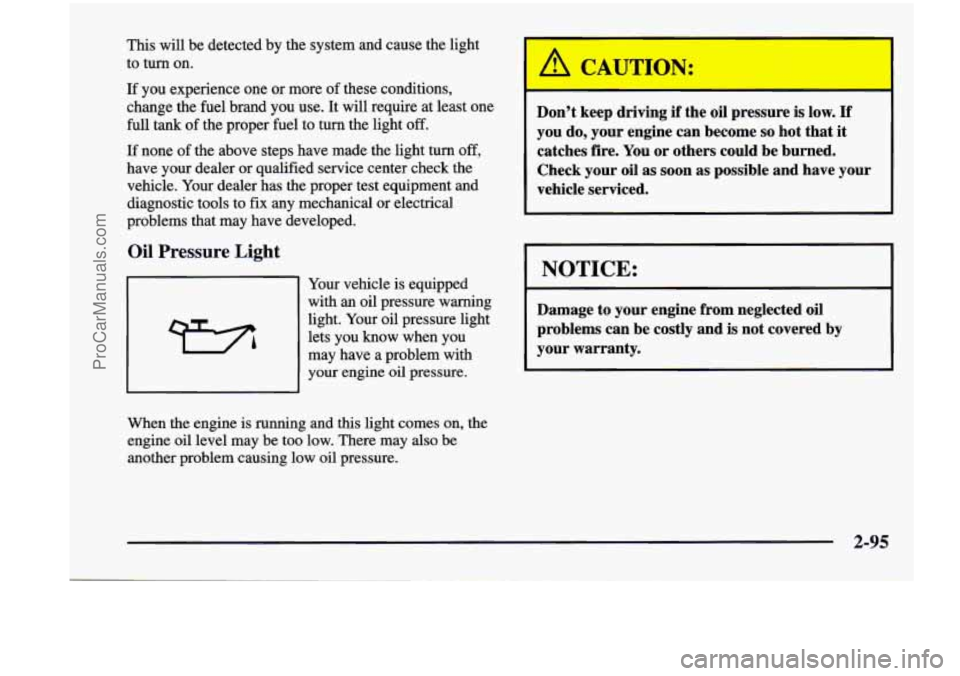
Oil Pressure Light
Your vehicle is equipped
with an oil pressure warning
light. Your oil pressure light
lets you know when you
may have a problem with
your engine
oil pressure.
When the engine is running and this light comes on, the
engine oil level may be too low. There may
also be
another problem causing low oil pressure. Don’t
keep driving if the
oil pressure is low. If
you do, your engine can become so hot that it
catches fire. You or others could be burned.
Check your
oil as soon as possible and have your
vehicle serviced.
NOTICE:
r
Damage to your engine from neglected oil
problems can be costly and
is not covered by
your warranty.
2-95
ProCarManuals.com
Page 214 of 474
Fr. __ Gage
E
EQ
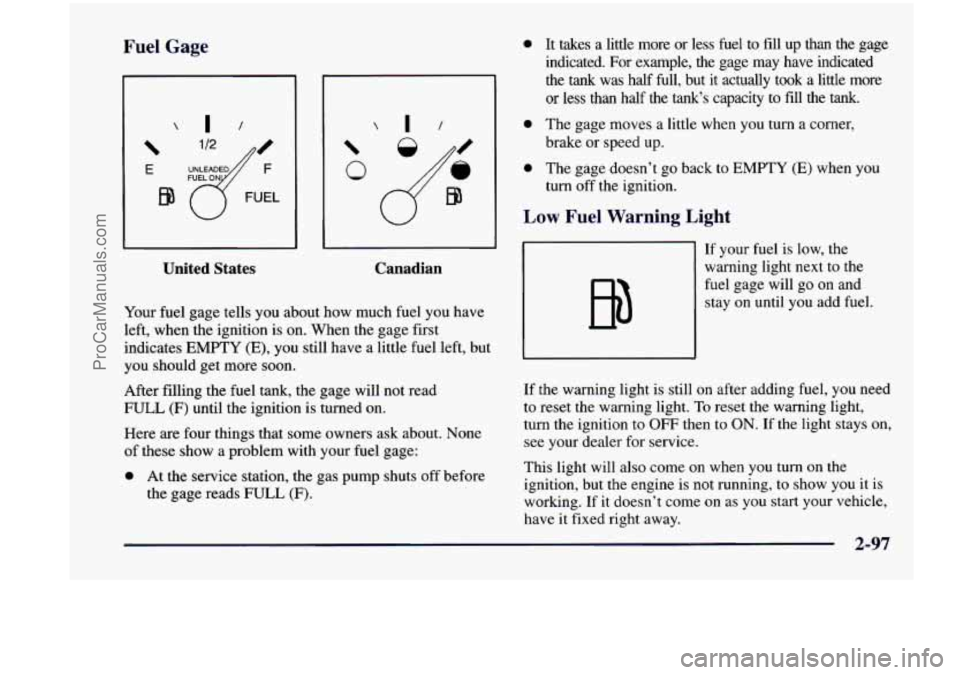
United States Canadian
Your fuel
gage tells you about how much fuel you have
left, when the ignition is on. When the gage first
indicates
EMPTY (E), you still have a little fuel left, but
you should get more soon.
After filling the fuel tank, the gage will not read
FULL
(F) until the ignition is turned on.
Here
are four things that some owners ask about. None
of these show a problem with your fuel gage:
0 At the service station, the gas pump shuts off before
the gage reads FULL
(F).
0 It takes a little more or less fuel to fill up than the gage
indicated.
For example, the gage may have indicated
the
tank was half Eull, but it actually took a little more
or less than half the tank‘s capacity to fill the tank.
0 The gage moves a little when you turn a corner,
brake or speed up.
0 The gage doesn’t go back to EMPTY (E) when you
turn off the ignition.
Low Fuel Warning Light
If your fuel is low, the
warning light next to the
fuel gage will go on and stay on until you add fuel.
If the warning light is still on after adding fuel, you need
to reset the warning light.
To reset the warning light,
turn the ignition to OFF then to
ON. If the light stays on,
see your dealer for service.
This light will also come on when you turn on the
ignition, but the engine is not running, to show you
it is
working. If it doesn’t come on as you start your vehicle,
have it fixed right away.
2-97
ProCarManuals.com
Page 217 of 474
Error Displays
An error of the vehicle’s speed sensor or fuel sender
In the absence of vehicle communications, a double
will
cause
-E- to be displayed.
dash
“--” is displayed.
Trip Computer
There are five trip computer displays which may be
stepped through by pushing the MODE button. The
information will appear in the following order:
Average Fuel Economy (AVG ECON): This shows
the average fuel economy since the last reset.
0 Instantaneous Fuel Economy (INST ECON): This
shows fuel economy for the most recent second
of driving.
Trip Range (RANGE): This shows the estimated
distance that can be traveled with the remaining fuel.
The fuel economy used to calculate range
is based on
the last few hours
of driving.
Trip Fuel Used (FUEL USED): This shows me
accumulated fuel used since the last reset.
Average Speed (AVG SPEED): This shows the
average speed since the last reset.
Resetting the Trip Computer
Press and hold the MODE and E/M buttons for at least
two seconds. The reset is acknowledged with the display
showing all segments on for a period
of half a second. A
reset can only be done in AVG ECON, FUEL USED
and AVG SPEED displays. Resetting affects all three
displays regardless of which display you are
in.
2-100
ProCarManuals.com
Page 222 of 474
w.
+# DEFOG: This setting directs air to the windshield
and through the floor ducts. This mode is particularly
useful during cold or inclement weather because of your
vehicle’s larger windshield area.
the windshield and side window vents.
DEFROST: This setting directs most of the air to
Mode Buttons
e RECIRC: Press this button (the light will glow)
to limit the amount
of fresh air entering your vehicle by
recirculating much of the air inside your vehicle. You
may use this setting to limit odors entering your vehicle.
Press the OUTSIDE AIR button (the light on the RECIRC button will go
off) to let outside air circulate
into the vehicle.
OUTSIDE AIR: Press this button (the light will
glow) to send outside air into your vehicle. Using this
setting while trying to defrost or defog the windows will
help clear the vents of moisture. Press the RECIRC
button (the light on the
OUTSIDE AIR button will go
off) to limit outside air entering the vehicle. When the
DEFOG
or DEFROST setting is selected, the system
will automatically go to OUTSIDE AIR mode.
Air Conditioning
On very hot days, your vehicle will cool down more
quickly and economically if you open the windows long
enough to let hot, inside air escape. For all settings,
adjust the temperature control knob and fan speed
as desired.
To get maximum cooling or a quick cool-down on very
hot days, press the A/C and RECIRC buttons (the lights
will glow) and turn the temperature knob to the left
(toward the blue area). Adjust the mode
knob to direct
the air to the desired location. This setting should not be
used for long periods
of time because the air may
become too cold and dry. Push the A/C button again (the
light will go off) to turn
off the air conditioning.
When the air conditioner compressor is on, you may sometimes notice slight changes
in your vehicle’s engine
performance and power. This is normal. The system
is
designed to help fuel economy while it maintains the
desired cooling level.
The air conditioner removes moisture from the air,
so
you may sometimes notice water dripping from under
your vehicle’s engine compartment when it is idling or
after it has been turned off. This is normal.
3-3
ProCarManuals.com
Page 276 of 474
The exit speed is usually posted.
Reduce your speed according to your speedometer, not
to your sense of motion. After driving for any distance
at higher speeds, you may tend to think you
are going
slower than
you actually are.
Before Leaving on a Long Trip
Make sure you’re ready. Try to be well rested. If you
must
start when you’re not fresh -- such as after a day’s
work
-- don’t plan to make too many miles that first part
of the journey. Wear comfortable clothing and shoes you
can easily drive in.
Is your vehicle ready for a long trip? If you keep it
serviced and maintained, it’s ready to go.
If it needs
service, have
it done before starting out. Of course,
you’ll find experienced and able service experts in
Chevrolet dealerships all across North America. They’ll
be ready and willing to help if
you need it. Here
are some things you can check before a trip:
0
0
0
0
0
0
0
Windshield Washer Fluid: Is the reservoir full? Are
all windows clean inside and outside?
Wiper Blades: Are they in good shape?
Fuel, Engine Oil, Other Fluids: Have you checked
all levels?
Lamps: Are they all working? Are the lenses clean?
Tires: They are vitally important to a safe,
trouble-free trip. Is the tread good enough for
long-distance driving? Are the tires all inflated to the
recommended pressure?
Weather Forecasts: What’s the weather outlook
along your route? Should
you delay your trip a short
time to avoid a major storm system?
Maps: Do you have up-to-date maps?
4-23
ProCarManuals.com
Page 283 of 474
Run your engine only as long as you must. This saves
fuel. When you run the engine, make it go a little faster
than just idle. That is, push the accelerator slightly. This
uses less fuel for the heat that you get and
it keeps the
battery charged.
You will need a well-charged battery to
restart the vehicle, and possibly for signaling later on with your headlamps. Let the heater run for a while.
Then, shut the engine off and close the window almost
all the way to preserve the heat. Start the engine again
and repeat this only when you feel really uncomfortable
from the cold. But do it as little as possible. Preserve the
fuel as long
as you can. To help keep warm, you can get
out of the vehicle and do some fairly vigorous exercises
every half hour or so until help comes.
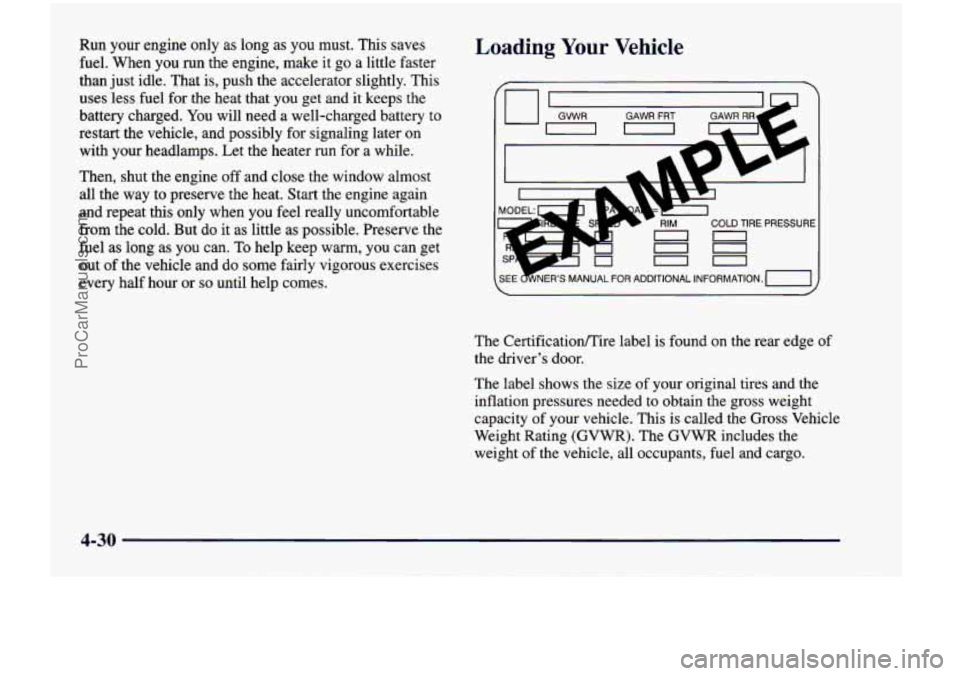
Loading Your Vehicle
COLD TIRE PRESSURE
00
00
on
The Certificationire label is found on the rear edge of
the driver’s door.
The label shows the size of your original tires and the
inflation pressures needed to obtain the gross weight
capacity of your vehicle. This
is called the Gross Vehicle
Weight Rating (GVWR). The GVWR includes the
weight of the vehicle, all occupants, fuel and cargo.
4-30
ProCarManuals.com
Page 286 of 474
Towing a Trailer
A CAUTION:
If you don’t use the correct equipment and drive
properly, you can lose control when
you pull a
trailer. For example, if the trailer is too heavy, the
brakes may not work well
-- or even at all. You
and your passengers could be seriously injured.
Pull
a trailer only if you have followed all the
steps in this section.
Ask your dealer for advice
and informatinn about towing a trailer with
your vehicl-
NOTICE:
Pulling a trailer improperly can damage your
vehicle and result in costly repairs not covered by
your warranty.
To pull a trailer correctly, follow
the advice in this
part, and see your dealer for
important information about towing a trailer
with your vehicle. Your
vehicle can tow a trailer.
To identify what the
vehicle trailering capacity is for your vehicle, you
should read the information in “Weight of the Trailer”
that appears later in this section. But trailering
is
different than just driving your vehicle by itself.
Trailering means changes in handling, durability and
fuel economy. Successful, safe trailering takes correct
equipment, and it has to be used properly.
That’s the reason for this section. In
it are many
time-tested, important trailering tips and safety rules.
Many of these are important for your safety and that of
your passengers.
So please read this section carefully
before you pull a trailer.
Load-pulling components such as the engine, transaxle,
wheel assemblies and tires are forced to work harder
against the drag of the added weight. The engine is
required to operate at relatively higher speeds and under
greater loads, generating extra heat. What’s more, the
trailer adds considerably to wind resistance, increasing
the pulling requirements.
4-33
ProCarManuals.com
Page 336 of 474
Section 6 Service and Appearance Care
Here you will find information about the care of your vehicle. This section begins with service and fuel information,
and then it shows how to check important fluid and lubricant levels. There is also technical information about your
vehicle, and
a part devoted to its appearance care.
6- 18
6-2 1
6-24
6-25
6-26
6-30
6-3
1
6-39 6-2
Service
6-3 Fuel
6-7 Filling a Portable Fuel Container
6-
8 Checking Things Under the Hood
6-11 Engine Oil
6-15 Air Cleaner
6-16 Passenger Compartment Air Filter
Replacement
Automatic Transaxle Fluid
Engine Coolant
Radiator Pressure Cap
Windshield Washer Fluid
Brakes
Battery
Bulb Replacement
Windshield Wiper Blade Replacement 6-40
6-48
6-48
6-52
6-54
6-54
6-55
6-56
6-57
6-64
6-65
6-65
6-66
6-66
6-66 Tires
Appearance
Care
Cleaning the Inside of Your Vehicle
Cleaning the Outside of Your Vehicle
Underbody Maintenance Chemical Paint Spotting
Appearance Care Materials Chart
Vehicle Identification Number (VIN)
Electrical System
Replacement Bulbs
Capacities and Specifications
Engine Specifications
Vehicle Dimensions
Normal Maintenance Replacement Parts
Air Conditioning Refrigerants
ProCarManuals.com
Page 338 of 474
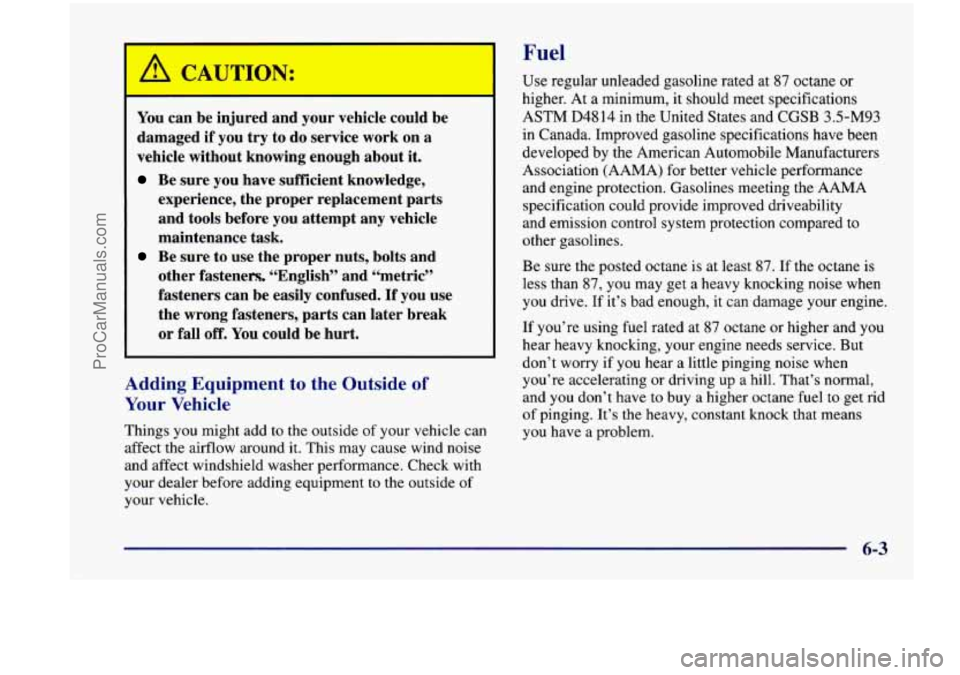
Fuel
L
You can be injured and your ve :le could be
damaged if you try to do service work on a
vehicle without knowing enough about
it.
Be sure you have sufficient knowledge,
experience, the proper replacement parts
and tools before you attempt any vehicle
maintenance task.
Be sure to use the proper nuts, bolts and
other fasteners, “English” and “metric”
fasteners can be easily confused.
If you use
the wrong fasteners, parts can later break
or fall
off. You could be hurt.
Adding Equipment to the - hide of
Your Vehicle
Things you might add to the outside of your vehicIe can
affect the airflow around
it. This may cause wind noise
and affect windshield washer performance. Check with
your dealer before adding equipment to the outside
of
your vehicle. Use regular unleaded gasoline rated at
87 octane
or
higher. At
a minimum, it should meet specifications
ASTM
D4814 in the United States and CGSB 3.5-M93
in Canada. Improved gasoline specifications have been
developed by the American Automobile Manufacturers
Association (AAMA) for better vehicle performance
and engine protection. Gasolines meeting the
AAMA
specification could provide improved driveability
and emission control system protection compared to
other gasolines.
Be sure the posted octane is at least 87. If the octane is
less than 87,
you may get a heavy knocking noise when
you drive. If it’s bad enough, it can damage your engine.
If you’re using fuel rated at
87 octane or higher and you
hear heavy knocking, your engine needs service. But
don’t worry if you hear a little pinging noise when
you’re accelerating or driving up
a hill. That’s normal,
and you don’t have
to buy a higher octane fuel to get rid
of pinging. It’s the heavy, constant knock that means
you have
a problem.
ProCarManuals.com
Page 339 of 474
If your vehicle is certified to meet California Emission
Standards (indicated on the underhood emission control
label),
it is designed to operate on fuels that meet
California specifications. If such fuels are not available
in states adopting California emissions standards, your
vehicle will operate satisfactorily on fuels meeting
federal specifications, but emission control system
performance may be affected. The malfunction indicator
lamp on your instrument panel may turn on and/or your
vehicle may fail a smog-check test. If
this occurs, return
to your authorized Chevrolet dealer for diagnosis to
determine the cause of failure. In the event it is
determined that the cause of the condition is the type
of
fuels used, repairs may not be covered by your warranty.
Some gasolines that are not reformulated for low
emissions contain an octane-enhancing additive called
methylcyclopentadienyl manganese tricarbonyl
(MMT);
ask your service station operator whether or not his fuel
contains MMT. General Motors does not recommend the
use of such gasolines. If fuels containing
MMT are used,
spark plug life may be reduced and your emission
control system performance may be affected. The
malfunction indicator lamp on your instrument panel
may turn on.
If this occurs, return to your authorized
Chevrolet dealer for service.
To provide cleaner air, all gasolines in the United States
are now required to contain additives that will help
prevent deposits from forming in your engine and fuel
system, allowing your emission control system to
function properly. Therefore, you should not have to
add anything to the fuel. In addition, gasolines
containing oxygenates, such as ethers and ethanol, and
reformulated gasolines may be available in your area to
help clean the air. General Motors recommends that you
use these gasolines
if they comply with the
specifications described earlier.
NOTICE:
Your vehicle was not designed for fuel that
contains methanol. Don’t use it. It can corrode
metal parts in your fuel system and also damage
plastic and rubber parts. That damage wouldn’t
be covered under your warranty.
6-4
ProCarManuals.com