lock CHEVROLET VENTURE 1998 Workshop Manual
[x] Cancel search | Manufacturer: CHEVROLET, Model Year: 1998, Model line: VENTURE, Model: CHEVROLET VENTURE 1998Pages: 474, PDF Size: 25.26 MB
Page 141 of 474
Arming with the Remote Keyless Entry Transmitter
Your alarm system will arm when you use your remote
keyless entry transmitter to lock the doors, if the key is
not in the ignition. The security light will turn on to let
you know the system is arming. After all doors and the
liftgate
are closed and locked, the security light will
begin flashing at
a very slow rate to let you know the
system is armed.
Arming with Your Key
Your alarm system will arm when you use your key to
lock the doors. The security light will
turn on to let you
know the system is arming. After all doors and the
liftgate are closed and locked, the security light will
begin flashing at
a very slow rate to let you know the
system
is armed. If you would like your key not to
arm the system, see “Locks and Lighting Choices”
in the Index.
Arming Confirmation
If remote unlock confirmation is on (see “Locks and
Lighting Choices”
in the Index), your parking lamps
will flash briefly to let you know when your alarm
system has armed.
Disarming with the Remote Keyless
Entry Transmitter
Your alarm system will disarm when you use your
remote keyless entry transmitter to unlock the doors.
The security light will stop flashing to let you know the
system is no longer armed.
Disarming with Your Key
Your alarm system will disarm when you use your key
to unlock the doors. The security light will stop flashing
to let you know the system is no longer armed. If you
would like your key not to disarm the alarm system,
see “Locks and Lighting Choices” in the Index.
2-24
ProCarManuals.com
Page 142 of 474
Nuisance Alarms
If you experience nuisance alarms (alarms which are
not caused by the opening of a door or the liftgate and
are not desirable), you may need to reduce the damage
detection sensitivity. Try programming the Content
Theft-Deterrent to Mode
1.
If you continue to experience nuisance alarms, you
may want to try turning off damage detection by
programming your Content Theft-Deterrent to Mode
2.
If you are still having trouble with nuisance alarms,
you can turn off the Content Theft-Deterrent system by
programming your Content Theft-Deterrent to Mode
3.
See “Locks and Lighting Choices” in the Index for more
information. See your dealer or qualified technician
for service.
New Vehicle 4LBreak-In’’
NOTICE:
Your vehicle doesn’t need an elaborate
“break-in.” But it will perform better in the long
run
if you follow these guidelines:
0 Don’t drive at any one speed -- fast or
slow
-- for the first 500 miles (805 km).
Don’t make full-throttle starts.
200 miles (322 km) or so. During this time
your new brake linings aren’t yet broken
in. Hard stops with new linings can mean
premature wear and earlier replacement.
Follow this breaking-in guideline every
time you get new brake linings.
See “Towing a ’Ikailer” in the Index for
more information.
Avoid making hard stops for the first
0 Don’t tow a trailer during break-in.
2-25
ProCarManuals.com
Page 143 of 474
Ignition Positions
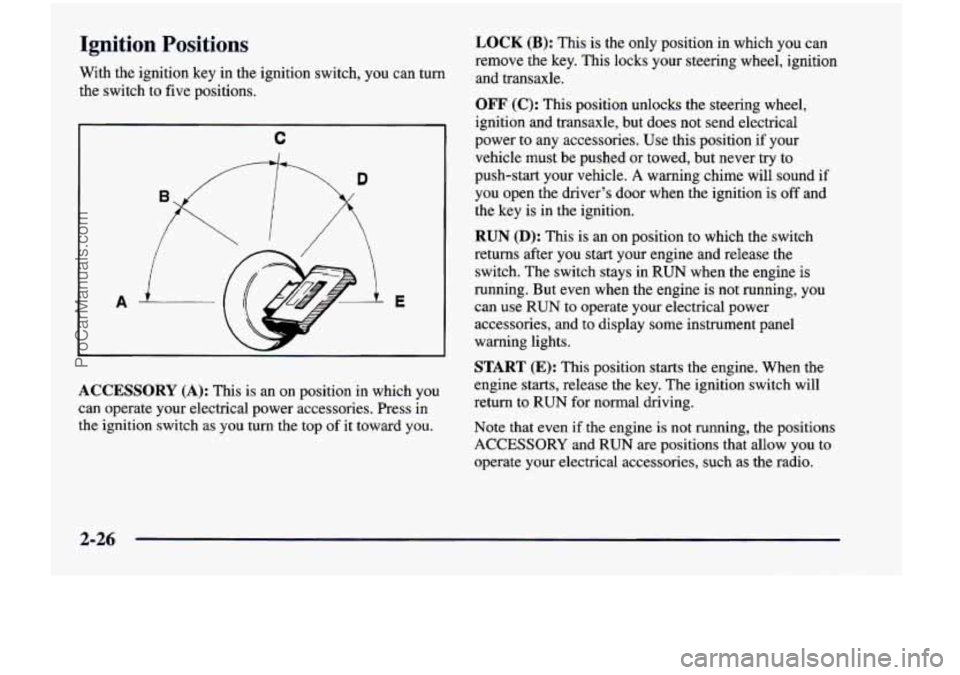
With the ignition key in the ignition switch, you can turn
the switch to five positions.
C
A E
ACCESSORY
(A): This is an on position in which you
can operate your electrical power accessories. Press in
the ignition switch as you
turn the top of it toward you.
LOCK (B): This is the only position in which you can
remove the key. This locks your steering wheel, ignition
and transaxle.
OFF (C): This position unlocks the steering wheel,
ignition and transaxle, but does not send electrical
power to any accessories. Use this position if your
vehicle must be pushed or towed, but never try to
push-start your vehicle.
A warning chime will sound if
you open the driver’s door when the ignition is off and
the key is
in the ignition.
RUN (D): This is an on position to which the switch
returns after you start your engine and release
the
switch. The switch stays in RUN when the engine is
running. But even when the engine
is not running, you
can use
RUN to operate your electrical power
accessories, and
to display some instrument panel
warning lights.
START (E): This position starts the engine. When the
engine starts, release
the key. The ignition switch will
return
to RUN for normal driving.
Note that even if
the engine is not running, the positions
ACCESSORY and RUN are positions that allow you to
operate your electrical accessories, such as the radio.
2-26
ProCarManuals.com
Page 144 of 474
NOTICE:
If your key seems stuck in LOCK and you can’t
turn it, be sure you are using the correct key;
if
so, is it all the way in? If it is, then turn the
steering wheel left and right while you turn the
key hard. But turn
the key only with your hand.
NOTICE:
Don’t try to shift to PARK (P) if your Chevrolet
is moving.
If you do, you could damage the
transaxle. Shift to
PARK (P) only when your
vehicle is stopped.
Using a tool to force
it could break the key or the
ignition switch.
If none of this works, then your ignition key to START. When the engine starts, let
vehicle needs service.
go of the key. The idle speed will go down as your
1.
Without pushing the accelerator pedal, turn your
I engine gets warm.
Starting Your Engine
Move your shift lever to PARK (P) or NEUTRAL (N).
Your engine won’t start in any other position -- that’s a
safety feature.
To restart when you’re already moving,
use
NEUTRAL (N) only.
NOTICE:
Holding your key in START for longer than
15 seconds at a time will cause your battery to
be drained much sooner. And the excessive heat
can damage your starter motor.
2-27
ProCarManuals.com
Page 147 of 474
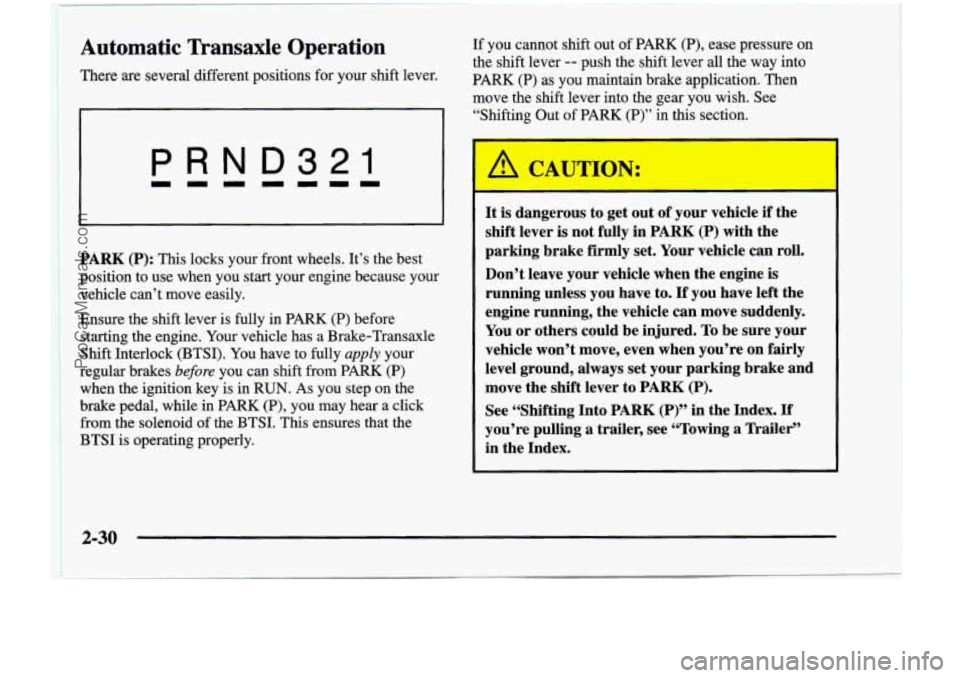
Automatic Transaxle Operation
There are several different positions for your shift lever. If you
cannot shift out of PARK (P), ease pressure on
the shift lever
-- push the shift lever all the way into
PARK
(P) as you maintain brake application. Then
move the shift lever into the gear you wish. See
I( “Shifting Out of PARK (P)” in this section.
I
PRND321
PARK (P): This locks your front wheels. It’s the best
position to use when you start your engine because your
vehicle can’t move easily.
Ensure the shift lever is fully in PARK (P) before
starting the engine. Your vehicle has
a Brake-Transaxle
Shift Interlock (BTSI). You have to fully
apply your
regular brakes
before you can shift from PARK (P)
when the ignition key is in RUN. As you step on the
brake pedal, while in PARK
(P), you may hear a click
from the solenoid of the BTSI. This ensures that the
BTSI is operating properly.
I
It is dangerous to get out of your vehicle if the
shift lever is not fully in
PARK (P) with the
parking brake firmly
set. Your vehicle can roll.
Don’t leave your vehicle when the engine
is
running unless you have to. If you have left the
engine running, the vehicle can move suddenly.
You or others could be injured. To be sure your
vehicle won’t move, even when you’re
on fairly
level ground, always set your parking brake and
move the shift lever to
PARK (P).
See “Shifting Into PARK (P)” in the Index. If
you’re pulling a trailer, see “Towing a Trailer‘’
in the Index.
ProCarManuals.com
Page 153 of 474
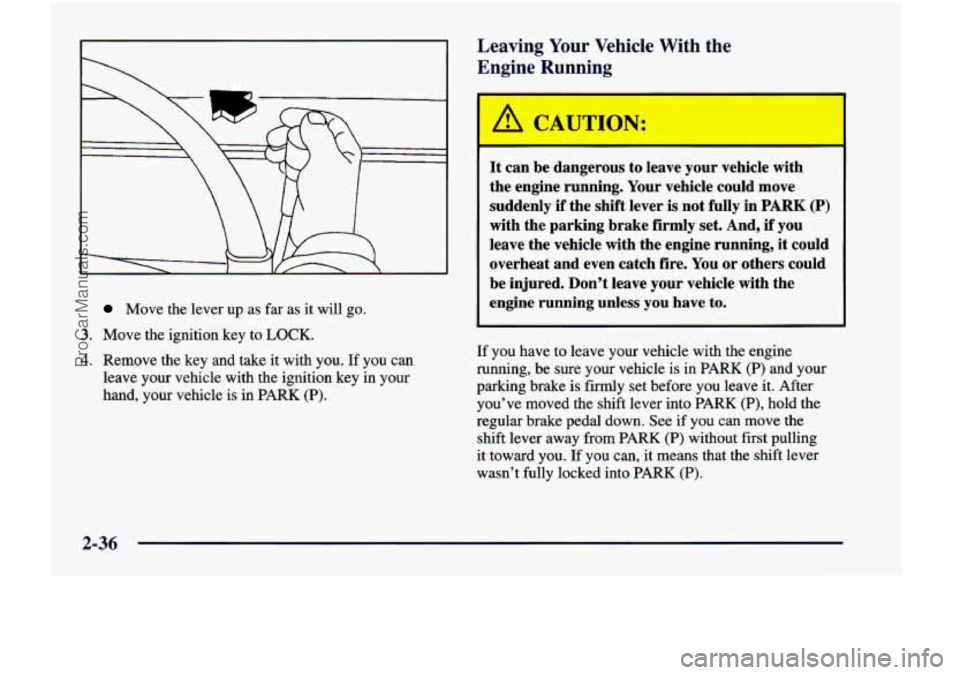
Move the lever up as far as it will go.
3. Move the ignition key to LOCK.
4. Remove the key and take it with you. If you can
leave your vehicle with the ignition key in your
hand, your vehicle
is in PARK (P).
Leaving Your Vehicle With the
Engine Running
It can be dangerous to leave your vehicle with
the engine running. Your vehicle could move
suddenly
if the shift lever is not fully in PARK (P)
with the parking brake firmly set. And, if you
leave the vehicle with the engine running,
it could
overheat and even catch fire. You or others could
be injured. Don’t leave your vehicle with the
engine running unless
you have to.
If you have to leave your vehicle with the engine
running, be sure your vehicle
is in PARK (P) and your
parking brake is firmly set before you leave it. After
you’ve moved the shift lever into PARK
(P), hold the
regular brake pedal down. See if you
can move the
shift lever away from PARK
(P) without first pulling
it toward you. If you can, it means that the shift lever
wasn’t fully locked into PARK
(P).
2-36
ProCarManuals.com
Page 154 of 474
Torque Lock Shifting Out of PARK (P)
If you are parking on a hill and you don’t shift your
transaxle into PARK (P) properly, the weight of the
vehicle may put
too much force on the parking pawl in
the transaxle. You may find it difficult to pull the shift
lever out
of PARK (P). This is called “torque lock.” To
prevent torque lock, set the parking brake and then shift
into PARK
(P) properly before you leave the driver’s
seat.
To find out how, see “Shifting Into PARK (P)” in
the Index.
When you are ready to drive, move the shift lever out
of PARK
(P) before you release the parking brake.
If torque lock does occur, you may need to have another
vehicle push yours a little uphill
to take some of the
pressure
from the parking pawl in the transaxle, so
you can pull the shift lever out of PARK (P). Your
vehicle has a Brake-Transaxle Shift Interlock
(BTSI). You have to fully apply your regular brakes
before you can shift from PARK (P) when the ignition
is in
RUN.
As you step on the brake pedal, while in PARK (P),
you may hear a click from the solenoid of the BTSI.
This ensures that the BTSI is operating properly. See
“Automatic Transaxle Operation” in the Index.
If you cannot shift out
of PARK (P), ease pressure
on the shift lever
-- push the shift lever all the way
into PARK
(P) as you maintain brake application. Then
move the shift lever into the gear you want. If you ever
hold the brake pedal down but still can’t shift out of
PARK
(P), try this:
1. Turn the ignition key to OFF.
2. Apply and hold the brake until the end of Step 4.
3. Shift to NEUTRAL (N).
4. Start the engine and then shift to the drive gear
you want.
5. Have the vehicle fixed as soon as you can.
2-37
ProCarManuals.com
Page 157 of 474

Locks and Lighting Choices
Your vehicle’s locks and lighting systems can be programmed \
with several different features. The features you can
program depend
on the options that came with your vehicle. The following chart shows \
the features that can be
programmed. To determine which features your vehicle is equipped with, follow the steps listed for entering the
programming mode.
Number
of Chimes
Sounded
2
3
4
Delayed
Illurnma
-
tion/
Exit
Lighting Automatic
Door Locks
X
Fea ~
Last Door
Closed
Locking/
Lockout
Deterrent
X
X
X
Are ~-
Remote
Driver’s
Door
Unlock
Control
X
X X X X
1
Remote
Confirma
-
Arming/ Unlock Theft
Theft
Lock/ Content Content
tion Disarming
2-40
ProCarManuals.com
Page 158 of 474
Entering Programming Mode
To program features, your vehicle must be in the
programming mode. Follow these steps:
1.
2.
3.
4.
5.
The Content Theft-Deterrent system (if equipped)
must be disarmed. See “Content Theft-Deterrent
System” in this section.
Remove the
BCM PRGRM fuse from the instrument
panel fuse block, located to the right of the glove
box. (See “Fuses and Circuit Breakers” in the Index.)
Close the driver’s door.
Turn the ignition switch towards you to
ACCESSORY.
Count the number of chimes you hear. You will
hear two to four chimes depending on the features
your vehicle is equipped with. Refer to the chart
shown previously.
You can now program your choices.
To exit the programming mode, follow the steps
listed under “Exiting Programming Mode” later in
this section.
Delayed Illumination and Exit Lighting
With Delayed Illumination, the interior lamps will stay
on for about
25 seconds after all the doors and the
liftgate are closed.
With Exiting Lighting, the interior lamps will come on
and stay on for about
25 seconds whenever you remove
the key from the ignition.
To customize these features to your preference, see
“Programmable Modes” following.
Programmable Modes
Your vehicle can be programmed to one of the
following modes.
Mode 1: Both Features Off (The interior lamps will
turn on or
off at the same instant that a door is opened
or closed.)
Mode 2: Delayed Illumination Only (The interior lamps
will stay on for about
25 seconds after all the doors and
liftgate are closed, or until you lock the doors.)
Mode 3: Exit Lighting Only (The interior lamps
will come on whenever you remove the key from the
ignition and stay on for about
25 seconds, or until you
lock the doors.)
2-41
ProCarManuals.com
Page 159 of 474
Mode 4: Both Features On (This combines Modes 2
and 3.)
Vehicles are delivered programmed in Mode 4.
To change the mode:
1. Follow the instructions for “Entering Programming
Mode” listed previously.
2. Turn the interior lamps dial all the way to the right and then back slightly to the left.
3. Count the number of chimes you hear. The number
of chimes tells you which mode your vehicle
is in.
You
can change the mode by turning the interior
lamps dial all the way to the right and then back
slightly to the left.
4. Repeat Step 2 until you hear the number of chimes
that matches the mode you want.
The mode you selected is now set. You
can either exit
the programming mode by following the instructions
later in this section or program the next feature available
on your vehicle.
Automatic Door Locks
With Automatic Door Locks, all doors will
automatically lock when you shift out of
PARK (P) and
automatically unlock when the ignition
is turned to OFF.
To customize these features to your preference, see
“Programmable Modes” following.
Programmable Modes
Your vehicle can be programmed to one of the
following modes.
Mode 1: Both Features Off (Automatic door locking
and unlocking
is disabled. You will always need to
lock your doors manually before driving to increase
occupant safety.)
Mode 2: Automatic Door Locking Only
The automatic door unlock feature is turned off.
0 Shift out of PARK (P) with the ignition on and the
Mode 3: Automatic Unlocking with the Ignition Off
driver’s door closed; all doors will lock automatically.
Turn off the ignition with the transaxle
in PARK (P);
Shift out of PARK (P) with the ignition on and the
all doors will unlock automatically.
driver’s door closed;
all doors will lock automatically,
2-42
.. .
ProCarManuals.com