door lock CHEVROLET VENTURE 1998 Owners Manual
[x] Cancel search | Manufacturer: CHEVROLET, Model Year: 1998, Model line: VENTURE, Model: CHEVROLET VENTURE 1998Pages: 474, PDF Size: 25.26 MB
Page 13 of 474
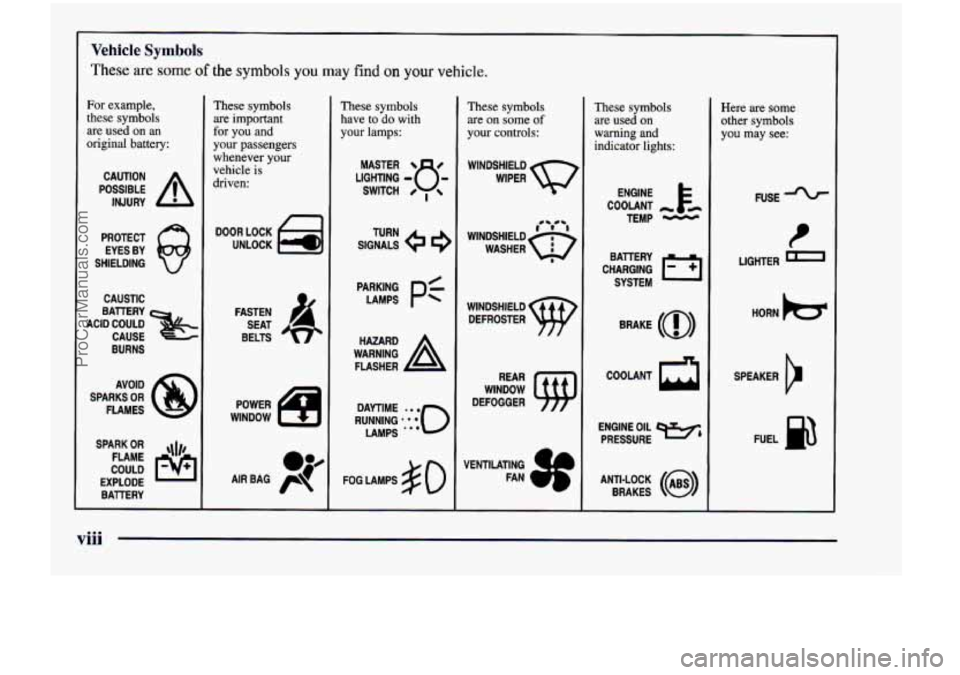
Vehicle Symbols
These are some of the symbols you may find on your vehicle.
For example,
these symbols
are used on an
original battery:
POSSIBLE A
CAUTION
INJURY
PROTECT EYES BY
SHIELDING
Q
CAUSTIC
BURNS AVOID
SPARKS
OR
FLAMES
SPARK
OR ,\I/,
COULD FLAME
EXPLODE BA'ITERY
These symbols
are important
for you and
your passengers
whenever your
vehicle is
driven:
DOOR LOCK
UNLOCK
FASTEN SEAT
BELTS
POWER
WlNDOW
These symbols
have to do with
your lamps:
SIGNALS e
TURN
FOG LAMPS
& 0
These symbols
are on some of
your controls:
WINDSHIELD WIPER
WINDSHIELD DEFROSTER
WINDOW
DEFOGGER
VENTILATING FAN
These symbols
are used on
warning and
indicator lights:
COOLANT -
TEMP -
CHARGING I-1
BAllERY
SYSTEM
BRAKE
(0)
COOLANT
a
ENGINE OIL e,
PRESSURE
ANTI-LOCK
(@)
BRAKES
Here are some
other symbols
you may see:
FUSE
LIGHTER m
HORN b
SPEAKER
cr
FUEL B
viii
ProCarManuals.com
Page 54 of 474
How to Wear Safety Belts Properly
Adults
This part is only for people of adult size.
Be aware that there are special things to know about safety
belts
and children. And there are different rules for smaller
children and babies.
If a child will be riding in your
vehicle, see the part of
hs manual called “Children.”
Follow those rules for everyone’s protection.
First, you’ll want to know which restraint systems your
vehicle has.
We’ll start with the driver position.
Driver Position
This part describes the driver’s restraint system.
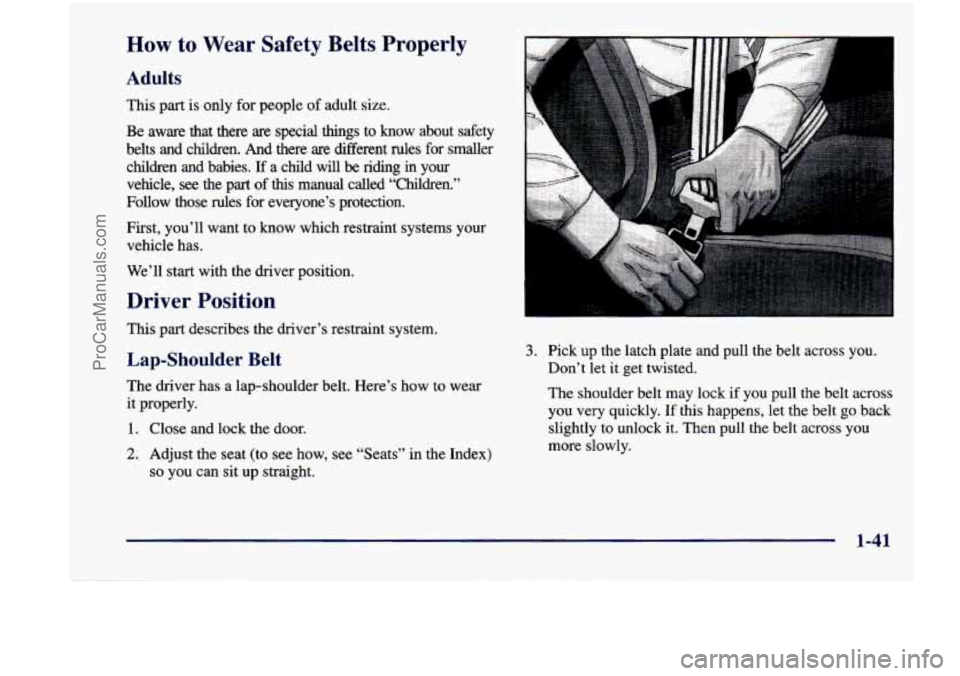
Lap-Shoulder Belt
The driver has a lap-shoulder belt. Here’s how to wear
it properly.
1. Close and lock the door.
2. Adjust the seat (to see how, see “Seats” in the Index)
so you can sit up straight.
3. Pick up the latch plate and pull the belt across you.
Don’t let it get twisted.
The shoulder belt
may lock if you pull the belt across
you very quickly. If this happens, let the belt go back
slightly to unlock it. Then pull the belt across you
more slowly.
1-41
ProCarManuals.com
Page 67 of 474
A CAUTION:
If something is between an occupant and an air
bag, the bag might not inflate properly or
it
might force the object into that person. The path
of an inflating air bag must be kept clear. Don’t
put anything between an occupant and an air
bag, and don’t attach or put anything on the
steering wheel hub or on or near any other air
bag covering and don’t let seat covers block the
inflation path
of a side impact air bag.
When
should an air bag inflate?
The driver’s and right front passenger’s frontal air bags
are designed to inflate in moderate to severe frontal or
near-frontal crashes. The frontal air bags are designed to
inflate only
if the impact speed is above the system’s
designed “threshold level.” If your vehicle goes straight into a wall that doesn’t move
or deform, the threshold
level is about
9 to 15 mph (14 to 24 km/h). The
threshold level can vary, however, with specific vehicle
design,
so that it can be somewhat above or below this
range.
If your vehicle strikes something that will move
or deform, such as a parked car, the threshold level will
be higher. The driver’s and right front passenger’s
frontal air bags are not designed to inflate in rollovers,
side impacts, or rear impacts, because inflation would
not help the occupant.
The driver’s and right front passenger’s side impact air
bags are designed to inflate in moderate
to severe side
crashes involving a front door.
A side impact air bag
will inflate if the crash severity is above the system’s
designed “threshold level.” The threshold level can
vary
with specific vehicle design. Side impact air bags are not
designed to inflate in frontal or near-frontal impacts,
rollovers or rear impacts, because inflation would not
help the occupant.
A side impact air bag will only
deploy on the side
of the vehicle that is struck.
1-54
ProCarManuals.com
Page 118 of 474

0 Section 2 Features and Controls
Here you can learn about the many standard and optional features on your vehicle, and i\
nformation on starting,
shifting and braking. Also explained are the instrument panel and the warning systems that tell you if everything is
working properly
-- and what to do if you have a problem.
2-2
2-4
2-8
2-12
2-13
2- 14
2-20
2-22
2-23
2-25 2-26
2-27
2-29
2-30
2-34
2-35
2-37 Keys
Door Locks
Keyless Entry System (Option)
Switchbanks
Sliding Door
Power Sliding Door (Option)
Liftgate
Theft
Content Theft-Deterrent (Option)
New Vehicle “Break-In”
Ignition Positions
Starting Your Engine
Engine Coolant Heater (If Equipped)
Automatic Transaxle Operation
Parking Brake Shifting Into PARK
(P)
Shifting Out of PARK (P) 2-38
2-38
2-39
2-40
2-50
2-53
2-60
2-6 1
2-65
2-66
2-78
2-7
8
2-80 2-82
2-86
2-98 Parking
Over Things That Burn
Engine Exhaust
Running Your Engine While You’re Parked
Locks and Lighting Choices
Windows Turn SignaVMultifunction Lever
Exterior Lamps
Interior Lamps
Mirrors
Storage Compartments
Sun Visors
Accessory Inflator System (Option)
Accessory Power Outlet Instrument Panel
Warning Lights, Gages and Indicators
Driver Information Center (DIC) (Option)
2-1
ProCarManuals.com
Page 120 of 474
The master key can be
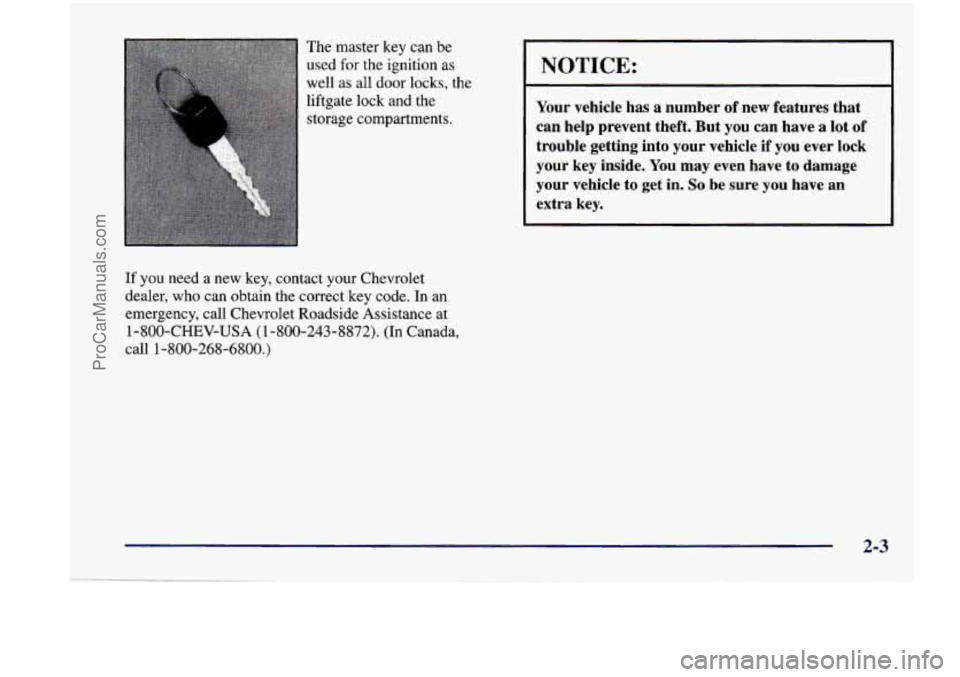
used
for the ignition as
well as all door locks, the
liftgate lock and the
storage compartments.
If you need a new key, contact your Chevrolet
dealer, who can obtain the correct key code. In an
emergency, call Chevrolet Roadside Assistance at
1-800-CHEV-USA (1-800-243-8872). (In Canada,
call 1-800-268-6800.)
NOTICE:
Your vehicle has a number of new features that
can help prevent theft. But you can have
a lot of
trouble getting into your vehicle if you ever lock
your key inside. You may even have to damage
your vehicle to get in.
So be sure you have an
extra key.
2-3
ProCarManuals.com
Page 121 of 474
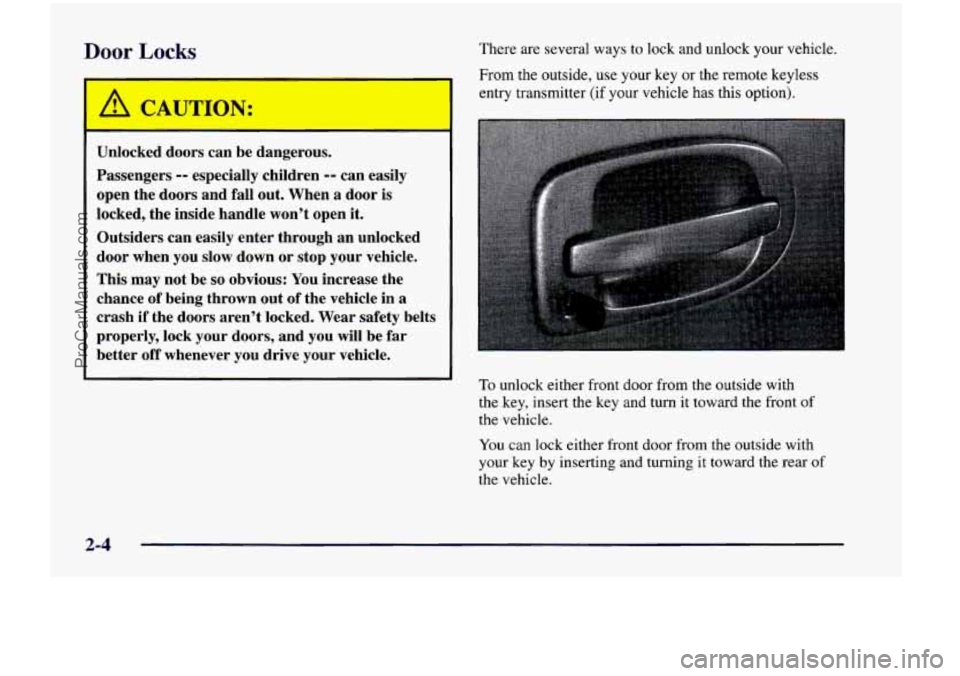
Door Locks
I A CAUTION:
Unlocked doors can be dangerous.
Passengers
-- especially children -- can easily
open the doors and fall out. When
a door is
locked, the inside handle won’t open it.
Outsiders can easily enter through an unlocked
door when you slow down or stop your vehicle.
This may not be
so obvious: You increase the
chance of being thrown out
of the vehicle in a
crash if the doors aren’t locked. Wear safety belts
properly, lock your doors, and you will be far
better
off whenever you drive your vehicle. There are several ways
to lock and unlock your vehicle.
From the outside,
use your key or the remote keyless
entry transmitter (if your vehicle has this option).
To unlock either front door from the outside with
the key, insert the key and turn
it toward the front of
the vehicle.
You can lock either front door from the outside with
your key by inserting and turning
it toward the rear of
the vehicle.
2-4
ProCarManuals.com
Page 122 of 474
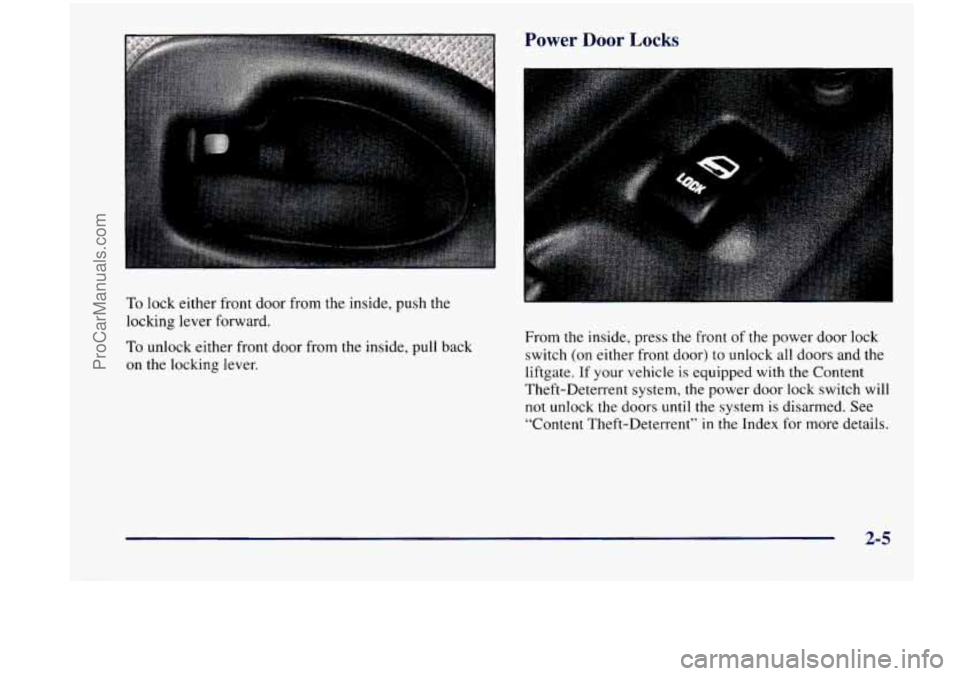
Power Door Locks
To lock either front door from the inside, push the
locking lever forward.
To unlock either front door from the inside, pull back
on
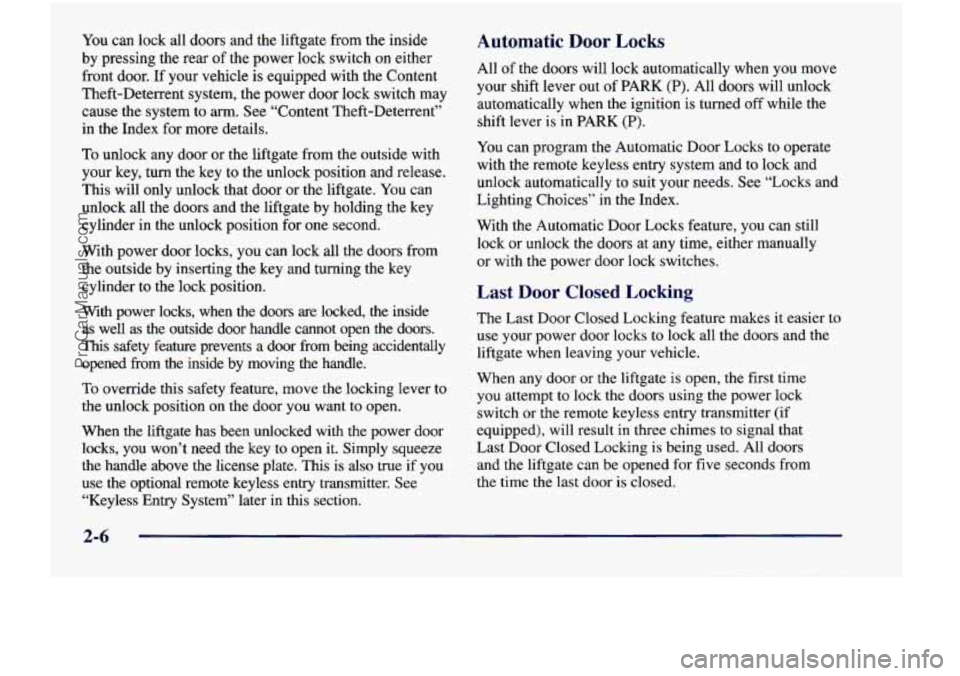
the locking lever. From the inside, press the
front of the power
door lock
switch (on either front door)
to unlock all doors and the
liftgate.
If your vehicle is equipped with the Content
Theft-Deterrent system, the power door lock switch will
not unlock the doors until the system is disarmed. See
“Content Theft-Deterrent”
in the Index for more details.
2-5
ProCarManuals.com
Page 123 of 474
You can lock all doors and the liftgate from the inside
by pressing the rear
of the power lock switch on either
front door. If your vehicle is equipped with the Content
Theft-Deterrent system, the power door lock switch may
cause the system to
arm. See “Content Theft-Deterrent”
in the Index for more details.
To unlock any door or the liftgate from the outside with
your key,
turn the key to the unlock position and release.
This will only unlock that door or the liftgate. You can
unlock all the doors and the liftgate by holding the key
cylinder in the unlock position for one second.
With power door locks, you can lock all the doors from
the outside by inserting the key and turning the key
cylinder to the lock position.
With power locks, when the doors are locked, the inside
as well as the outside door handle cannot open the doors.
This safety feature prevents a door from being accidentally
opened from the inside by moving the handle.
To override this safety feature, move the locking lever to
the unlock position on the door you want to open.
When the liftgate has been unlocked with the power door
locks, you won’t need the key to open it. Simply squeeze
the handle above the license plate. This is also true if you
use the optional remote keyless entry transmitter. See “Keyless Entry System” later
in this section.
Automatic Door Locks
All of the doors will lock automatically when you move
your shift lever out of PARK
(P). All doors will unlock
automatically when the ignition is turned off while the
shift lever is
in PARK (P).
You can program the Automatic Door Locks to operate
with
the remote keyless entry system and to lock and
unlock automatically to suit your needs. See “Locks and
Lighting Choices” in the Index.
With the Automatic Door Locks feature, you can still
lock or unlock the doors at any time, either manually
or with the power door lock switches.
Last Door Closed Locking
The Last Door Closed Locking feature makes it easier to
use your power door locks to lock all the doors and the
liftgate when leaving your vehicle.
When any door or the liftgate
is open, the first time
you attempt
to lock the doors using the power lock
switch or the remote keyless entry transmitter
(if
equipped), will result in three chimes to signal that
Last Door Closed Locking is being used. All doors
and the liftgate can be opened for five seconds from
the time the last door is closed.
2-6
ProCarManuals.com
Page 124 of 474
Five seconds after the last door is closed, all the doors
will lock. You can lock the doors immediately by
using the power door lock switch or the remote
keyless entry transmitter.
If the ignition is in RUN or ACCESSORY, this feature
will not lock the doors.
To turn the Last Door Closed Locking feature off or on,
see “Locks and Lighting Choices” in the Index.
Sliding Door Delayed Locking
If the sliding door is open when you use your power
door locks to lock the vehicle, the sliding door is
not locked. Normally the Last Door Closed Locking
feature will be used to lock the sliding door after it
has been closed.
When the ignition
is on or if the Last Door Closed
Locking feature
has been overridden or programmed to
be
off, the Sliding Door Delayed Locking feature will
lock your sliding door for you. Three seconds after the
sliding door is closed, all the doors will lock. If you
have the dual sliding doors, all doors
will lock three
seconds after both sliding doors are closed.
Lockout Deterrent
The Lockout Deterrent feature makes it difficult for you
to lock your keys in your vehicle. If the driver’s door
is
open while the keys are in the ignition, you will not be
able to use your power door lock
to lock the vehicle.
If you don’t leave the keys in the ignition or if you
use the manual door lock, you could still lock your keys
in your vehicle. Always remember to take your keys
with you.
To turn this feature off or on, see “Locks and Lighting
Choices” in the Index.
T IQ= - lg Your Vehicle
If you are leaving the vehicle, take your keys, open your
door and set the locks from the inside. Then get out and
close the door.
2-7
ProCarManuals.com
Page 125 of 474
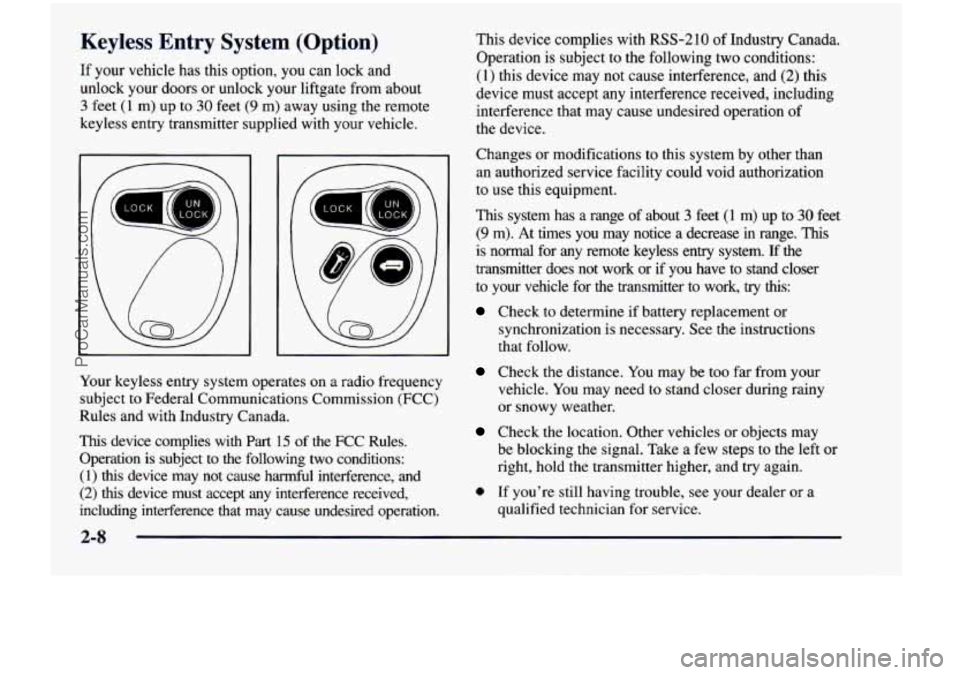
Keyless Entry System (Option)
If your vehicle has this option, you can lock and
unlock your doors or unlock your liftgate from about
3 feet (1 m) up to 30 feet (9 m) away using the remote
keyless entry transmitter supplied with your vehicle.
' UN '
a
E
Your keyless entry system operates on a radio frequency subject
to Federal Communications Commission (FCC)
Rules and with Industry Canada.
This device complies with
Part 15 of the FCC Rules.
Operation is subject to the following
two conditions:
(1) this device may not cause harmful interference, and
(2) this device must accept any interference received,
including interference that may cause undesired operation. This device complies with RSS-210
of Industry Canada.
Operation is subject to the following two conditions:
(1) this device may not cause interference, and (2) this
device must accept any interference received, including
interference that may cause undesired operation of
the device.
Changes or modifications to this system by other than
an authorized service facility could void authorization
to use this equipment.
This system has
a range of about 3 feet (1 m) up to 30 feet
(9 m). At times you may notice a decrease in range. This
is normal for any remote keyless entry system. If the
transmitter does not work or if you have to stand closer
to your vehicle for the transmitter to work,
try this:
Check to determine if battery replacement or
synchronization is necessary.
See the instructions
that follow.
Check the distance. You may be too far from your
vehicle. You may need
to stand closer during rainy
or snowy weather.
Check the location. Other vehicles or objects may
be blocking the signal. Take a few steps
to the left or
right, hold the transmitter higher, and try again.
0 If you're still having trouble, see your dealer or a
qualified technician for service.
2-8
ProCarManuals.com