fuel CHEVROLET VENTURE 2004 1.G Owners Manual
[x] Cancel search | Manufacturer: CHEVROLET, Model Year: 2004, Model line: VENTURE, Model: CHEVROLET VENTURE 2004 1.GPages: 516, PDF Size: 3.33 MB
Page 1 of 516
Seats and Restraint Systems........................... 1-1
Front Seats
............................................... 1-3
Rear Seats
............................................... 1-6
Safety Belts
.............................................1-27
Child Restraints
.......................................1-53
Air Bag Systems
......................................1-92
Restraint System Check
..........................1-102
Features and Controls..................................... 2-1
Keys
........................................................ 2-3
Doors and Locks
....................................... 2-9
Windows
.................................................2-24
Theft-Deterrent Systems
............................2-27
Starting and Operating Your Vehicle
...........2-31
Mirrors
....................................................2-45
OnStar
®System
......................................2-47
HomeLink®Transmitter
.............................2-48
Storage Areas
.........................................2-52
Vehicle Personalization
.............................2-62
Instrument Panel............................................. 3-1
Instrument Panel Overview
.......................... 3-4
Climate Controls
......................................3-26
Warning Lights, Gages, and Indicators
........3-36
Message Center
.......................................3-50
Driver Information Center (DIC)
..................3-58Audio System(s)
.......................................3-61
Driving Your Vehicle....................................... 4-1
Your Driving, the Road, and Your Vehicle
..... 4-1
Towing
...................................................4-33
Service and Appearance Care.......................... 5-1
Service
..................................................... 5-3
Fuel
......................................................... 5-4
Checking Things Under
the Hood
.............................................5-10
All-Wheel Drive
........................................5-48
Bulb Replacement
....................................5-50
Windshield Wiper Blade Replacement
.........5-56
Tires
......................................................5-58
Appearance Care
.....................................5-97
Vehicle Identication
...............................5-104
Electrical System
....................................5-105
Capacities and Specications
...................5-113
Maintenance Schedule..................................... 6-1
Maintenance Schedule
................................ 6-2
Customer Assistance and Information.............. 7-1
Customer Assistance and Information
........... 7-2
Reporting Safety Defects
...........................7-12
Index................................................................ 1
2004 Chevrolet Venture Owner ManualM
Page 117 of 516
Remote Power Sliding Door Operation
If your vehicle has the power sliding door, your
remote keyless entry transmitter will have a button that
has a van symbol on it. Press it to open or close the
sliding door. SeePower Sliding Door (PSD) on
page 2-16.
If your vehicle has the dual power sliding doors, your
remote keyless entry transmitter will have two buttons
that have a van symbol on them. The van symbol on the
left is for the driver’s side sliding door and the van
symbol on the right is for the passenger’s side sliding
door. SeePower Sliding Door (PSD) on page 2-16.
If the power sliding door(s) is locked, rst unlock
all doors, then press the van symbol to open the power
sliding door(s). The parking lamps will ash when
the right button with the van symbol is pressed and they
will not ash when the left button with the van symbol
is pressed. Press the van symbol again to close
the sliding door(s). SeePower Sliding Door (PSD) on
page 2-16for more information.
You can operate the power sliding door(s) with the
remote keyless entry transmitter only when the power
sliding door override switch(es) on the overhead console
is turned off. SeePower Sliding Door (PSD) on
page 2-16.If your vehicle’s fuel ller door is opened, the driver’s side
power sliding door will not open completely. Do not try to
force the door. Once the fuel ller door is closed, the
driver’s side sliding door can be opened normally.
Matching Transmitter(s) to Your
Vehicle
Each remote keyless entry transmitter is coded to
prevent another transmitter from unlocking your vehicle.
If a transmitter is lost or stolen, a replacement can
be purchased through your dealer. Remember to bring
any remaining transmitters with you when you go to
your dealer. When the dealer matches the replacement
transmitter to your vehicle, any remaining transmitters
must also be matched. Once your dealer has coded the
new transmitter, the lost transmitter will not unlock
your vehicle. Each vehicle can have a maximum of four
transmitters matched to it.
See your dealer to match transmitters to another vehicle.
2-7
Page 123 of 516
Lockout Protection
The lockout protection feature makes it difficult for you
to lock your keys in your vehicle. If the driver’s door
is open while the keys are in the ignition, a chime will
sound and you will not be able to use your power
door lock switch to lock the vehicle.
If you don’t leave the keys in the ignition or if you use the
manual door lock, you could still lock your keys in your
vehicle. Always remember to take your keys with you.
To turn this feature off or on, seeVehicle
Personalization on page 2-62.
Leaving Your Vehicle
If you are leaving the vehicle, take your keys, open your
door and set the locks from the inside. Then get out
and close the door.
Dual Sliding Doors
To open either sliding door from outside the vehicle, pull
the handle out and then pull the door toward the rear.
If you slide the door all the way back, the door will rest in
a detent position.
To move the door forward, you must rst pull the door
past the open detent position.
The driver’s side sliding door is designed to open only a
little if the fuel door is open. If this ever happens, don’t try
to force the sliding door. Just close the driver’s side
sliding door. Then when the fuel ller door is closed, the
driver’s side sliding door can be opened normally.
2-13
Page 129 of 516
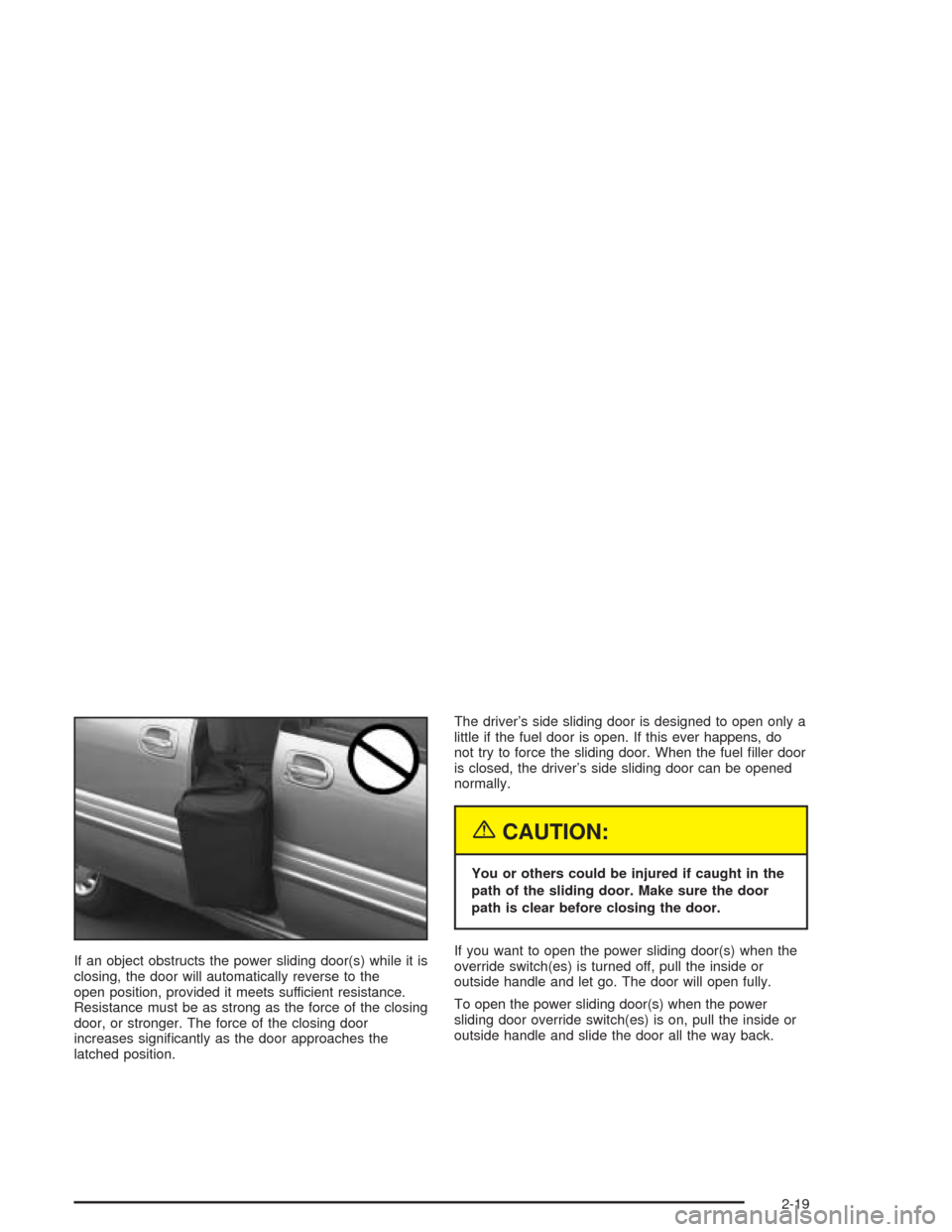
If an object obstructs the power sliding door(s) while it is
closing, the door will automatically reverse to the
open position, provided it meets sufficient resistance.
Resistance must be as strong as the force of the closing
door, or stronger. The force of the closing door
increases signicantly as the door approaches the
latched position.The driver’s side sliding door is designed to open only a
little if the fuel door is open. If this ever happens, do
not try to force the sliding door. When the fuel ller door
is closed, the driver’s side sliding door can be opened
normally.
{CAUTION:
You or others could be injured if caught in the
path of the sliding door. Make sure the door
path is clear before closing the door.
If you want to open the power sliding door(s) when the
override switch(es) is turned off, pull the inside or
outside handle and let go. The door will open fully.
To open the power sliding door(s) when the power
sliding door override switch(es) is on, pull the inside or
outside handle and slide the door all the way back.
2-19
Page 139 of 516
PASS-Key®III
Your PASS-Key®III system operates on a radio
frequency subject to Federal Communications
Commission (FCC) Rules and with Industry Canada.
This device complies with Part 15 of the FCC Rules.
Operation is subject to the following two conditions:
1. this device may not cause harmful interference, and
2. this device must accept any interference received,
including interference that may cause undesired
operation.
This device complies with RSS-210 of Industry Canada.
Operation is subject to the following two conditions:
1. this device may not cause interference, and
2. this device must accept any interference received,
including interference that may cause undesired
operation of the device.
Changes or modications to this system by other than
an authorized service facility could void authorization to
use this equipment.
PASS-Key
®III uses a radio frequency transponder in
the key that matches a decoder in your vehicle.
PASS-Key®III Operation
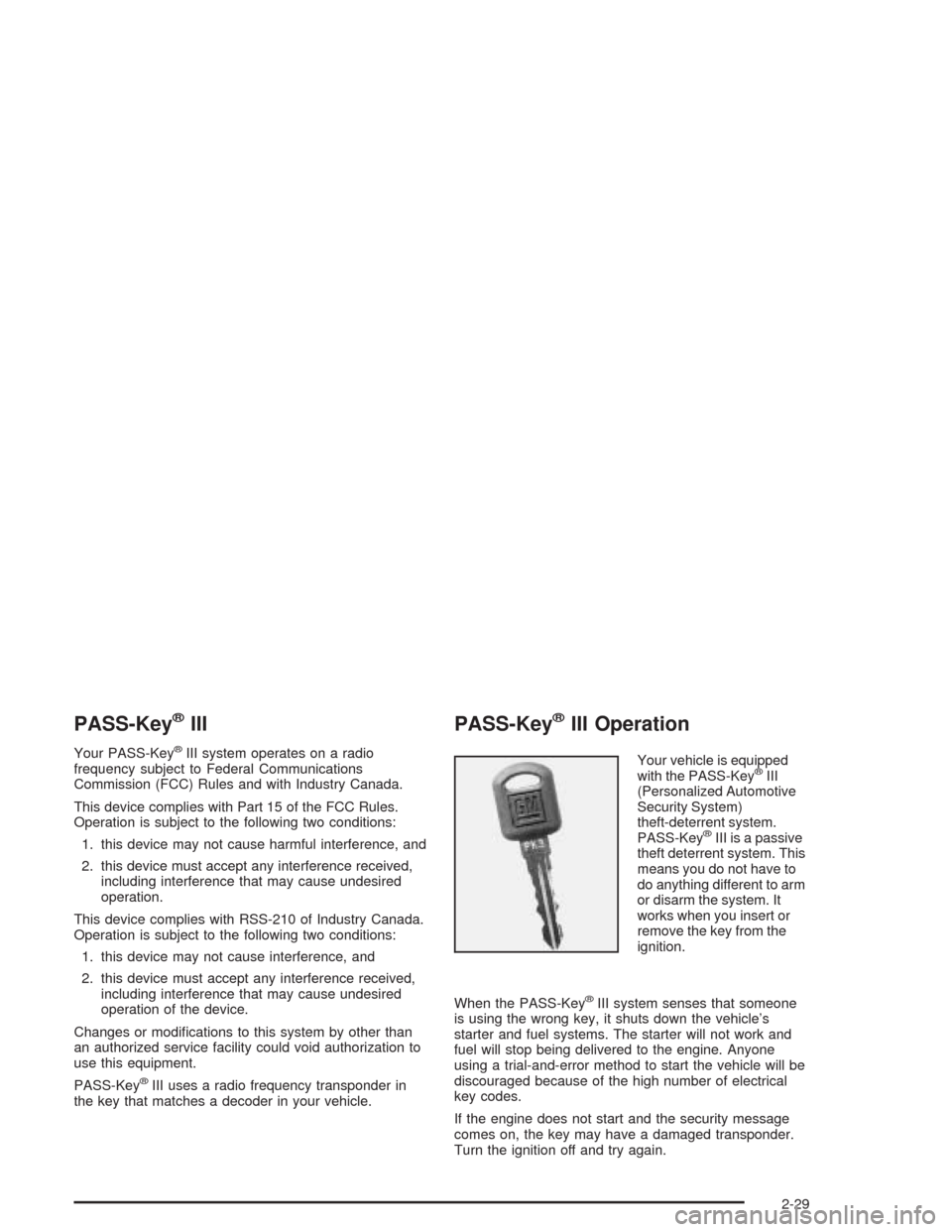
Your vehicle is equipped
with the PASS-Key®III
(Personalized Automotive
Security System)
theft-deterrent system.
PASS-Key
®III is a passive
theft deterrent system. This
means you do not have to
do anything different to arm
or disarm the system. It
works when you insert or
remove the key from the
ignition.
When the PASS-Key
®III system senses that someone
is using the wrong key, it shuts down the vehicle’s
starter and fuel systems. The starter will not work and
fuel will stop being delivered to the engine. Anyone
using a trial-and-error method to start the vehicle will be
discouraged because of the high number of electrical
key codes.
If the engine does not start and the security message
comes on, the key may have a damaged transponder.
Turn the ignition off and try again.
2-29
Page 144 of 516
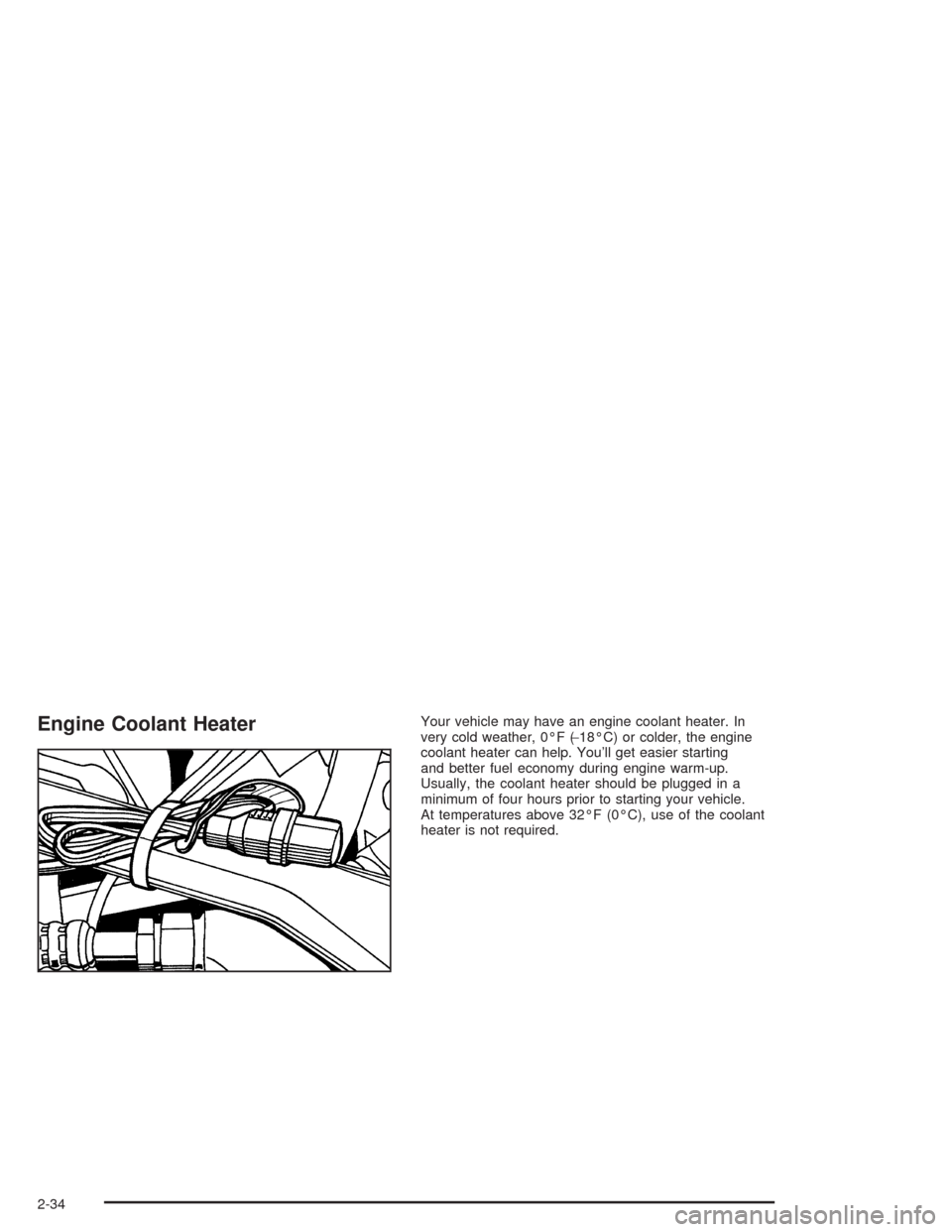
Engine Coolant HeaterYour vehicle may have an engine coolant heater. In
very cold weather, 0°F (−18°C) or colder, the engine
coolant heater can help. You’ll get easier starting
and better fuel economy during engine warm-up.
Usually, the coolant heater should be plugged in a
minimum of four hours prior to starting your vehicle.
At temperatures above 32°F (0°C), use of the coolant
heater is not required.
2-34
Page 148 of 516
Warm-Up Shift
Your vehicle has a computer controlled transaxle
designed to warm up the engine faster when the outside
temperature is 35°F (2°C) or colder. You may notice
that the transaxle will shift at a higher vehicle speed until
the engine is warmed up. This is a normal condition
designed to provide heat to the passenger compartment
and defrost the windows more quickly. SeeClimate
Control System on page 3-21for more information.
THIRD (3):This position is also used for normal driving,
but it offers more power and lower fuel economy than
AUTOMATIC OVERDRIVE (D).
Here are some times you might choose THIRD (3)
instead of AUTOMATIC OVERDRIVE (D):
When driving on hilly, winding roads
When towing a trailer, so there is less shifting
between gears
When going down a steep hill
SECOND (2):This position gives you more power but
lower fuel economy than THIRD (3). You can use
SECOND (2) on hills. It can help control your speed as
you go down steep mountain roads, but then you
would also want to use your brakes off and on.Notice:Driving in SECOND (2) for more than
25 miles (40 km) or at speeds over 55 mph (90 km/h)
may damage the transaxle. Also, shifting into
SECOND (2) at speeds above 65 mph (105 km/h) can
cause damage. Drive in THIRD (3) or AUTOMATIC
OVERDRIVE (D) instead of SECOND (2).
Notice:If your vehicle seems to start up rather
slowly, or if it seems not to shift gears as you go
faster, something may be wrong with a transaxle
system sensor. If you drive very far that way, your
vehicle can be damaged. So, if this happens, have
your vehicle serviced right away. Until then, you can
use SECOND (2) when you are driving less than
35 mph (55 km/h) and THIRD (3) for higher speeds.
FIRST (1):This position gives you even more power but
lower fuel economy than SECOND (2). You can use it
on very steep hills, or in deep snow or mud. If the
shift lever is put in FIRST (1), the transaxle will not
downshift into rst gear until the vehicle is going slow
enough.
Notice:Spinning the tires or holding the vehicle in
one place on a hill using only the accelerator
pedal may damage the transaxle. If you are stuck,
do not spin the tires. When stopping on a hill,
use the brakes to hold the vehicle in place.
2-38
Page 183 of 516
Instrument Panel Overview...............................3-4
Hazard Warning Flashers................................3-6
Other Warning Devices...................................3-7
Horn.............................................................3-7
Tilt Wheel.....................................................3-7
Turn Signal/Multifunction Lever.........................3-8
Exterior Lamps.............................................3-16
Interior Lamps..............................................3-18
Switchbanks.................................................3-21
Instrument Panel Switchbank..........................3-21
Overhead Console Switchbank.......................3-22
Ultrasonic Rear Parking Assist (URPA)............3-22
Accessory Power Outlets...............................3-25
Climate Controls............................................3-26
Climate Control System.................................3-26
Outlet Adjustment.........................................3-29
Rear Climate Control System
(Without Entertainment System)...................3-29
Rear Climate Control System
(With Entertainment System).......................3-32
Passenger Compartment Air Filter...................3-34Warning Lights, Gages, and Indicators............3-36
Instrument Panel Cluster................................3-37
Speedometer and Odometer...........................3-39
Tachometer.................................................3-40
Safety Belt Reminder Light.............................3-41
Air Bag Readiness Light................................3-41
Brake System Warning Light..........................3-42
Anti-Lock Brake System Warning Light.............3-43
Traction Control System (TCS) Warning Light . . .3-43
Engine Coolant Temperature Gage..................3-44
Malfunction Indicator Lamp.............................3-45
Fuel Gage...................................................3-49
Message Center.............................................3-50
Service Traction System Warning Message......3-50
Traction Active Message................................3-51
Engine Coolant Temperature Warning
Message..................................................3-52
Charging System Indicator Message................3-52
Low Oil Pressure Message............................3-53
Change Engine Oil Message..........................3-54
Power Sliding Door Warning Message.............3-54
Section 3 Instrument Panel
3-1
Page 184 of 516
Door Ajar Warning Message...........................3-55
Rear Hatch Ajar Warning Message..................3-56
PASS-Key
®III Security Message....................3-56
All-Wheel Drive Disable Warning Message.......3-57
Low Fuel Warning Message...........................3-57
Driver Information Center (DIC).......................3-58
Audio System(s).............................................3-61
Setting the Time for Radios without Radio
Data Systems (RDS)..................................3-61
Setting the Time for Radios with Radio Data
Systems (RDS).........................................3-61
AM-FM Radio...............................................3-62
Radio with CD (Base Level)...........................3-65
Radio with CD (MP3)....................................3-76
Radio with Six-Disc CD.................................3-93Entertainment System..................................3-108
Rear Seat Audio (RSA)
(Without Entertainment System).................3-116
Rear Seat Audio (RSA)
(With Entertainment System).....................3-118
Theft-Deterrent Feature
(Non-RDS Radios)...................................3-119
Theft-Deterrent Feature
(RDS Radios)..........................................3-119
Audio Steering Wheel Controls......................3-120
Radio Reception.........................................3-121
Care of Your CDs and DVDs........................3-121
Care of Your CD and DVD Player.................3-122
Fixed Mast Antenna....................................3-122
XM™ Satellite Radio Antenna System............3-122
Section 3 Instrument Panel
3-2
Page 209 of 516
The right knob can also be used to select defog or
defrost mode. For more information, see “Defogging and
Defrosting” later in this section.
9(Fan):Turn the left knob clockwise or
counterclockwise to increase or decrease the fan speed.
Turn the knob to OFF to turn off the fan. The fan must be
turned on for the air conditioning compressor to operate.
:(Outside Air):Press this button to turn the
outside air mode on or off. When this mode is on,
outside air will circulate throughout your vehicle. When
this mode is on, an indicator light in the button will
come on to let you know that it is activated. The outside
air mode can be used with all modes, but it cannot
be used with the recirculation mode.
?(Recirculation):This mode keeps outside air
from coming in the vehicle. It can be used to prevent
outside air and odors from entering your vehicle or help
heat or cool the air inside your vehicle more quickly.
Press this button to turn the recirculation mode on or off.
When the button is pressed, an indicator light will
come on. The air-conditioning compressor also comes
on. The recirculation mode can be used with vent
and bi-level modes, but it cannot be used with oor,
defog, defrost or outside air modes.Temperature Control:Turn the center knob clockwise
or counterclockwise to increase or decrease the air
temperature inside your vehicle.
#A/C (Air Conditioning):Press this button to turn
the air-conditioning system on or off. When A/C is
pressed, an indicator light in the button will come on to
let you know that air conditioning is activated.
You may notice a slight change in engine performance
when the air-conditioning compressor shuts off and
turns on again. This is normal. The system is designed
to make adjustments to help with fuel economy while
still maintaining the selected temperature.
On hot days, open the windows to let hot inside air
escape; then close them. This helps to reduce the time
it takes for your vehicle to cool down. It also helps
the system to operate more efficiently.
The air-conditioning system removes moisture from the
air, so you may sometimes notice a small amount of
water dripping underneath your vehicle while idling
or after turning off the engine. This is normal.
3-27