warning CHEVROLET VOLT 2011 Owners Manual
[x] Cancel search | Manufacturer: CHEVROLET, Model Year: 2011, Model line: VOLT, Model: CHEVROLET VOLT 2011Pages: 516, PDF Size: 6.61 MB
Page 339 of 516
Black plate (37,1)Chevrolet Volt Owner Manual - 2011
Driving and Operating 9-37
Regenerative Braking
Regenerative braking takes some of
the energy from the moving vehicle
and turns it back into electrical
energy. This energy is then stored
back into the high voltage battery
system, contributing to increased
energy efficiency.
The hydraulic disc brakes work with
the regenerative braking to ensure
effective braking, such as when a
high braking demand is requested.
The braking system is
computer controlled and
blends the regenerative braking
with the conventional hydraulic disc
brakes to meet any requirements
for deceleration. The controllerinterprets the braking request
and uses regenerative braking,
conventional hydraulic braking, or a
combination of both as necessary.
Because the controller applies the
hydraulic brakes through its high
pressure accumulator, you may
occasionally hear the motor‐driven
pump when it recharges the system.
This is normal.
See
Warning Lights, Gauges,
and Indicators on page 5‑9 and
Driver Information Center (DIC) on
page 5‑43. In the event of a
controller problem, the brake pedal
may be harder to push and the
stopping distance may be longer.
Ride Control Systems
Traction Control
System (TCS)
The vehicle has a Traction Control
System (TCS) that limits wheel
spin. The system operates if it
senses that one or both of the drive
wheels are spinning or beginning to
lose traction. When this happens,
the system brakes the spinning
wheel(s) and/or reduces power
to limit wheel spin.
The system may be heard or felt
while it is working, but this is
normal.
To assist with directional control
of the vehicle, TCS comes on
automatically whenever the vehicle
is started and cannot be turned off.
Page 340 of 516
Black plate (38,1)Chevrolet Volt Owner Manual - 2011
9-38 Driving and Operating
When the vehicle is started
and begins to move, the system
performs several diagnostic checks
to ensure there are no problems.
The system may be heard or
felt while it is working. This is
normal and does not mean there
is a problem with the vehicle.
The system should initialize
before the vehicle reaches 32 km/h
(20 mph). In some cases, it may
take approximately 3.2 km (2 mi) of
driving before the system initializes.
The Traction Control System may
activate on dry or rough roads or
under conditions such as heavy
acceleration while turning or abrupt
changes in output from the electric
drive unit. When this happens,
a reduction in acceleration may
be noticed, or a noise or vibration
may be heard. This is normal.
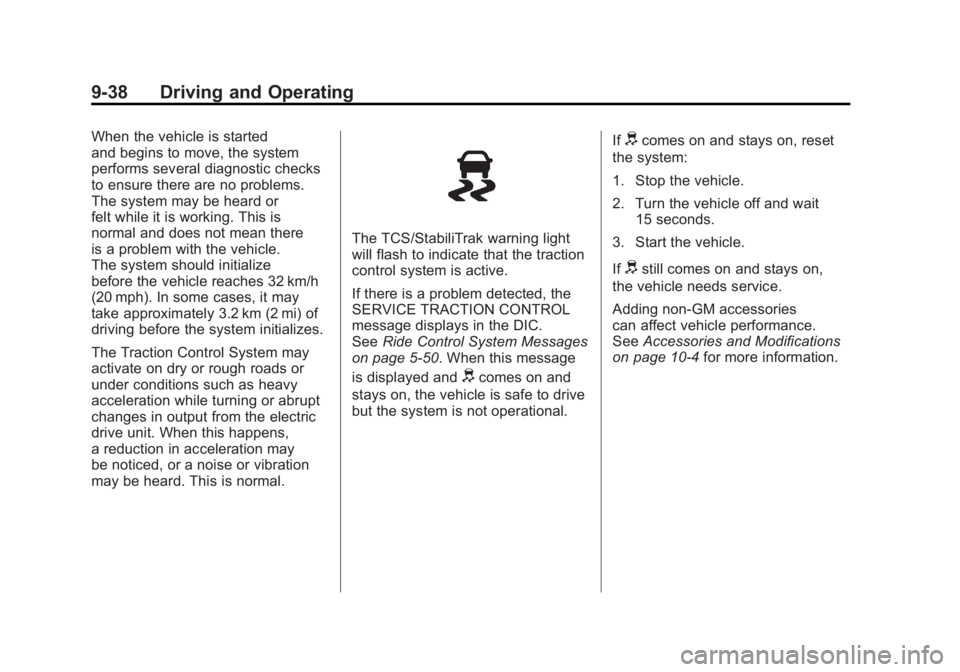
The TCS/StabiliTrak warning light
will flash to indicate that the traction
control system is active.
If there is a problem detected, the
SERVICE TRACTION CONTROL
message displays in the DIC.
SeeRide Control System Messages
on page 5‑50. When this message
is displayed and
dcomes on and
stays on, the vehicle is safe to drive
but the system is not operational. If
dcomes on and stays on, reset
the system:
1. Stop the vehicle.
2. Turn the vehicle off and wait 15 seconds.
3. Start the vehicle.
If
dstill comes on and stays on,
the vehicle needs service.
Adding non‐GM accessories
can affect vehicle performance.
See Accessories and Modifications
on page 10‑4 for more information.
Page 342 of 516
Black plate (40,1)Chevrolet Volt Owner Manual - 2011
9-40 Driving and Operating
Ifdcomes on and stays on, reset
the system:
1. Stop the vehicle.
2. Turn the vehicle off and wait 15 seconds.
3. Start the vehicle.
If
dstill comes on and stays on,
the vehicle needs service.
If cruise control is being used when
StabiliTrak activates, the cruise
control will automatically disengage.
Press the cruise control button to
reengage when road conditions
allow. See Cruise Control on
page 9‑40 for more information.
Cruise Control
The cruise control lets the vehicle
maintain a speed of about 40 km/h
(25 mph) or more without keeping
your foot on the accelerator. Cruise
control does not work at speeds
below 40 km/h (25 mph).
With the Traction Control
System (TCS) or Electronic
Stability Control (ESC), the system
may begin to limit wheel spin
while you are using cruise control.
If this happens, the cruise control
will automatically disengage.
SeeTraction Control System (TCS)
on page 9‑37 orElectronic Stability
Control (ESC) on page 9‑39.
{WARNING
Cruise control can be dangerous
where you cannot drive safely at
a steady speed. So, do not use
the cruise control on winding
roads or in heavy traffic.
Cruise control can be dangerous
on slippery roads. On such roads,
fast changes in tire traction can
cause excessive wheel slip, and
you could lose control. Do not use
cruise control on slippery roads.
Page 345 of 516
Black plate (43,1)Chevrolet Volt Owner Manual - 2011
Driving and Operating 9-43
Ending Cruise Control
There are three ways to end cruise
control:
.Step lightly on the brake pedal;
when cruise control disengages,
the indicator light will not be lit.
.Press*.
.Press1to turn the cruise
control system off completely.
The cruise control cannot be
resumed.
Erasing Speed Memory
The cruise control set speed
is erased from memory by
pressing
1or if the vehicle
is turned off.
Object Detection
Systems
Ultrasonic Parking Assist
For vehicles with the Ultrasonic
Front and Rear Parking Assist
(UFRPA) system, it assists the
driver with parking and avoiding
objects. UFRPA operates at
speeds less than 8 km/h (5 mph).
The sensors on the front and rear
bumper detect objects up to 1.2 m
(4 ft) in front of the vehicle, 2.5 m
(8 ft) behind the vehicle, and at
least 25.4 cm (10 in) off the ground.
{WARNING
The Ultrasonic Front and Rear
Parking Assist (UFRPA) system
does not replace driver vision.
It cannot detect:
.Objects that are below the
bumper, underneath the
vehicle, or if they are too
close or far from the vehicle.
.Children, pedestrians,
bicyclists, or pets.
If you do not use proper care
before moving forward and while
backing; vehicle damage, injury,
or death could occur. Even with
UFRPA, always check in front of
the vehicle before moving forward
and behind the vehicle before
backing up. While moving forward
and backing, be sure to look for
objects and check the vehicle
mirrors.
Page 348 of 516
Black plate (46,1)Chevrolet Volt Owner Manual - 2011
9-46 Driving and Operating
Rear Vision
Camera (RVC)
The vehicle may have a Rear Vision
Camera (RVC) system. Read this
entire section before using it.
The RVC system can assist
the driver when backing up by
displaying a view of the area
behind the vehicle.
{WARNING
The Rear Vision Camera (RVC)
system does not replace driver
vision. RVC does not:
.Detect objects that are
outside the camera's field
of view, below the bumper,
or underneath the vehicle.
.Detect children, pedestrians,
bicyclists, or pets.(Continued)
WARNING (Continued)
Do not back the vehicle by only
looking at the RVC screen, or use
the screen during longer, higher
speed backing maneuvers or
where there could be cross-traffic.
Your judged distances using the
screen will differ from actual
distances.
If you do not use proper care
before backing up, you could
hit a vehicle, child, pedestrian,
bicyclist, or pet, resulting in
vehicle damage, injury, or death.
Even though the vehicle has
the RVC system, always check
carefully before backing up by
checking behind and around the
vehicle.
How the System Works
When the vehicle is shifted
into R (Reverse), the image
of the area behind the vehicle
appears in the center stack
display with the message CHECK
SURROUNDINGS FOR SAFETY.
The previous screen displays
when the vehicle is shifted out of
R (Reverse) after approximately
10 seconds.
To cancel the delay, do one of the
following:
.Press a button on the
infotainment system.
.Shift into P (Park).
.Reach a vehicle speed of
8 km/h (5 mph).
Page 357 of 516
Black plate (55,1)Chevrolet Volt Owner Manual - 2011
Driving and Operating 9-55
A portable charge cord used to
charge the vehicle high voltage
battery is stored under the rear
luggage compartment.
The charge cord used to charge the
vehicle is a high‐powered electrical
device. During normal operation, the
AC wall plug of the charge cord may
feel warm. The AC wall plug must fit
tightly into an AC outlet that is in
good condition.
{WARNING
Using the charge cord with a
worn or damaged AC outlet
may cause burns or start a fire.
Periodically, check the AC wall
plug and charge cord while the
vehicle is charging. If the AC wall
plug feels hot, unplug the charge
cord and have the AC outlet
replaced by a qualified electrician.
Replace the charge cord if the AC
wall plug or cord are damaged.
Do not use an AC outlet that is
worn or damaged.
{WARNING
An extension cord should not
be used to charge the vehicle.
Use of an extension cord may
increase the risk of electric
shock or other hazards.
If an extension cord is used
because of limited access
to 120V AC power, use the
following safeguards:
The 120V AC outlet should be
GFCI protected.
The extension cord should be:
.GFCI protected.
.12 or 14 gage, 3 conductor.
.Rated for outdoor.
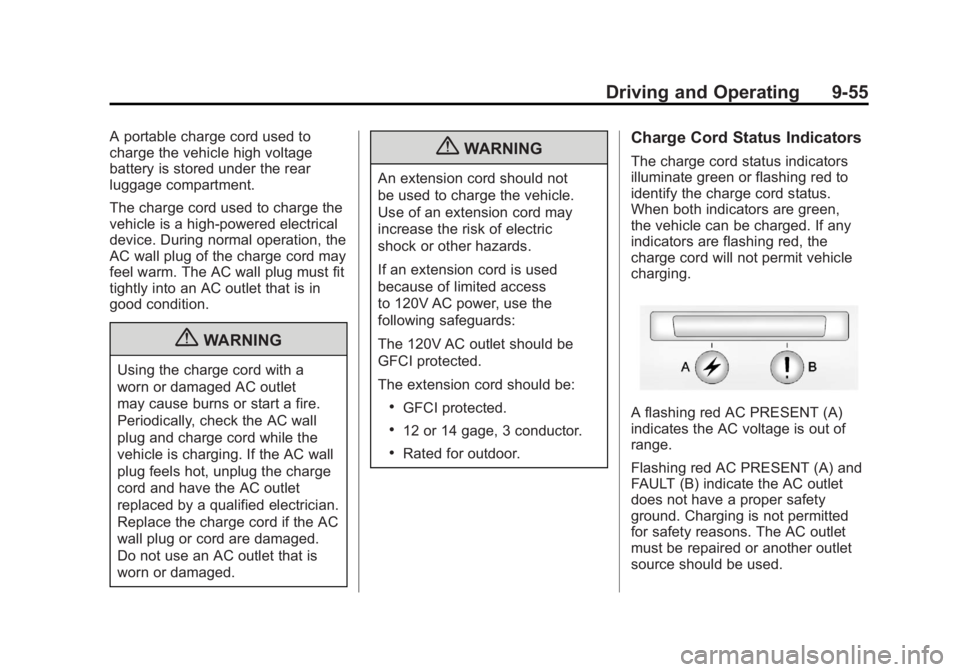
Charge Cord Status Indicators
The charge cord status indicators
illuminate green or flashing red to
identify the charge cord status.
When both indicators are green,
the vehicle can be charged. If any
indicators are flashing red, the
charge cord will not permit vehicle
charging.
A flashing red AC PRESENT (A)
indicates the AC voltage is out of
range.
Flashing red AC PRESENT (A) and
FAULT (B) indicate the AC outlet
does not have a proper safety
ground. Charging is not permitted
for safety reasons. The AC outlet
must be repaired or another outlet
source should be used.
Page 362 of 516
Black plate (60,1)Chevrolet Volt Owner Manual - 2011
9-60 Driving and Operating
Some gasolines that are
not reformulated for low
emissions can contain an
octane-enhancing additive
called methylcyclopentadienyl
manganese tricarbonyl (MMT);
ask the attendant where you buy
gasoline whether the fuel contains
MMT. We recommend against
the use of such gasolines. Fuels
containing MMT can reduce spark
plug life and affect emission
control system performance.
The malfunction indicator lamp
might turn on. If this occurs,
return to your dealer for service.Filling the Tank
{WARNING
Fuel vapor burns violently and a
fuel fire can cause bad injuries.
To help avoid injuries to you and
others, read and follow all the
instructions on the fuel pump
island. Turn off the vehicle when
refueling. Do not smoke near
fuel or when refueling the vehicle.
Do not use cellular phones.
Keep sparks, flames, and
smoking materials away from
fuel. Do not leave the fuel pump
unattended when refueling the
vehicle. This is against the law
in some places. Do not re-enter
the vehicle while pumping fuel.
Keep children away from the
fuel pump; never let children
pump fuel.The fuel system on this vehicle
requires a refueling process to
control evaporative emissions.
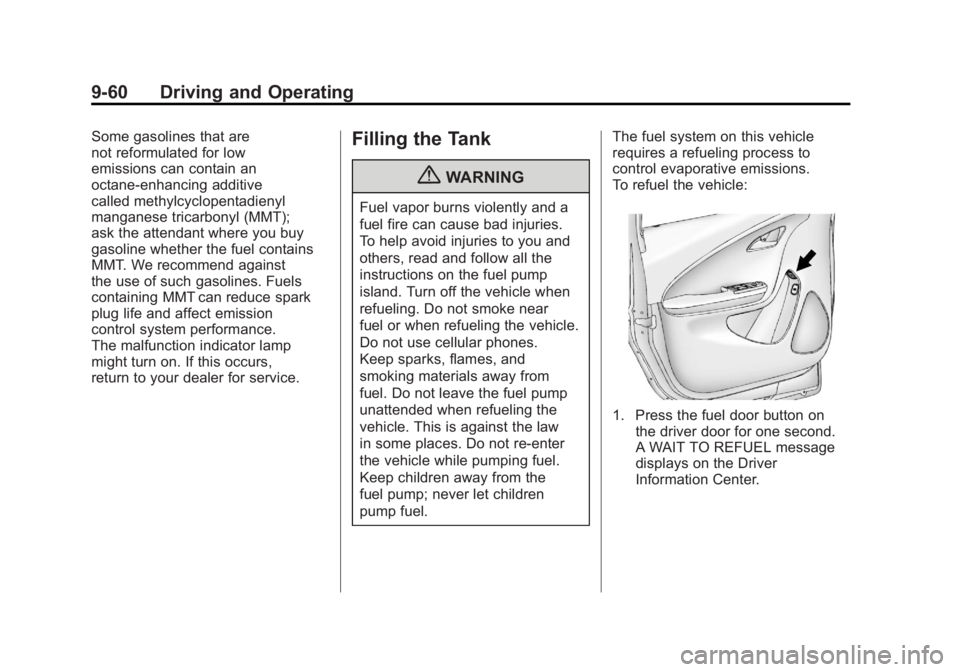
To refuel the vehicle:
1. Press the fuel door button on
the driver door for one second.
A WAIT TO REFUEL message
displays on the Driver
Information Center.
Page 363 of 516
Black plate (61,1)Chevrolet Volt Owner Manual - 2011
Driving and Operating 9-61
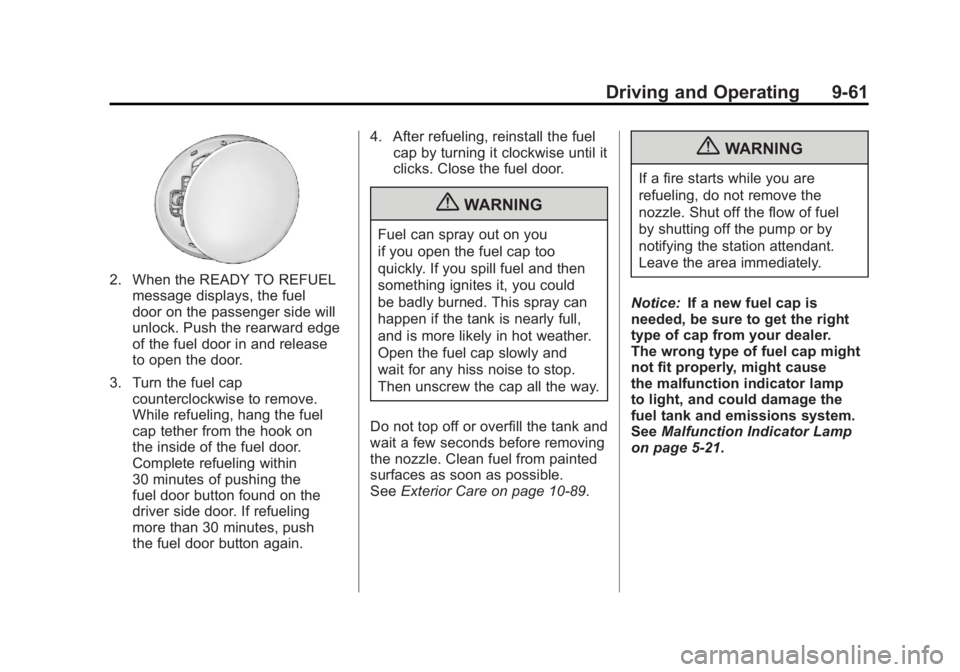
2. When the READY TO REFUELmessage displays, the fuel
door on the passenger side will
unlock. Push the rearward edge
of the fuel door in and release
to open the door.
3. Turn the fuel cap counterclockwise to remove.
While refueling, hang the fuel
cap tether from the hook on
the inside of the fuel door.
Complete refueling within
30 minutes of pushing the
fuel door button found on the
driver side door. If refueling
more than 30 minutes, push
the fuel door button again. 4. After refueling, reinstall the fuel
cap by turning it clockwise until it
clicks. Close the fuel door.
{WARNING
Fuel can spray out on you
if you open the fuel cap too
quickly. If you spill fuel and then
something ignites it, you could
be badly burned. This spray can
happen if the tank is nearly full,
and is more likely in hot weather.
Open the fuel cap slowly and
wait for any hiss noise to stop.
Then unscrew the cap all the way.
Do not top off or overfill the tank and
wait a few seconds before removing
the nozzle. Clean fuel from painted
surfaces as soon as possible.
See Exterior Care on page 10‑89.
{WARNING
If a fire starts while you are
refueling, do not remove the
nozzle. Shut off the flow of fuel
by shutting off the pump or by
notifying the station attendant.
Leave the area immediately.
Notice: If a new fuel cap is
needed, be sure to get the right
type of cap from your dealer.
The wrong type of fuel cap might
not fit properly, might cause
the malfunction indicator lamp
to light, and could damage the
fuel tank and emissions system.
See Malfunction Indicator Lamp
on page 5‑21.
Page 364 of 516
Black plate (62,1)Chevrolet Volt Owner Manual - 2011
9-62 Driving and Operating
Filling a Portable Fuel
Container
{WARNING
Never fill a portable fuel
container while it is in the vehicle.
Static electricity discharge from
the container can ignite the fuel
vapor. You can be badly burned
and the vehicle damaged if this
occurs. To help avoid injury to
you and others:
.Dispense fuel only into
approved containers.
.Do not fill a container while
it is inside a vehicle, in a
vehicle's trunk, pickup bed,
or on any surface other than
the ground.(Continued)
WARNING (Continued)
.Bring the fill nozzle in contact
with the inside of the fill
opening before operating the
nozzle. Contact should be
maintained until the filling
is complete.
.Do not smoke while
pumping fuel.
.Do not use a cellular phone
while pumping fuel.
Towing
General Towing
Information
The vehicle is neither designed nor
intended to tow a trailer or another
vehicle.
For information on towing a disabled
vehicle, seeTowing the Vehicle on
page 10‑84. For information on
towing the vehicle behind another
vehicle such as a motor home,
see Recreational Vehicle Towing on
page 10‑87.
Page 367 of 516

Black plate (1,1)Chevrolet Volt Owner Manual - 2011
Vehicle Care 10-1
Vehicle Care
General Information
General Information . . . . . . . . . . 10-3
California Proposition65 Warning . . . . . . . . . . . . . . . . . 10-3
California Perchlorate Materials Requirements . . . . 10-3
Accessories and Modifications . . . . . . . . . . . . . . . 10-4
Lifting the Vehicle . . . . . . . . . . . . 10-5
Vehicle Checks
Doing Your Own Service Work . . . . . . . . . . . . . . . 10-8
Hood . . . . . . . . . . . . . . . . . . . . . . . . 10-9
Engine Compartment Overview . . . . . . . . . . . . . . . . . . 10-10
Engine Oil . . . . . . . . . . . . . . . . . . 10-12
Engine Oil Life System . . . . . 10-15
Engine Air Cleaner/Filter . . . . 10-16 Cooling System (Engine) . . . 10-18
Cooling System (High
Voltage Battery) . . . . . . . . . . . 10-19
Cooling System (Power Electronics and Charger
Modules) . . . . . . . . . . . . . . . . . . 10-20
Engine Coolant . . . . . . . . . . . . . 10-21
Engine Overheating . . . . . . . . 10-23
Power Steering Fluid . . . . . . . 10-24
Washer Fluid . . . . . . . . . . . . . . . 10-24
Brakes . . . . . . . . . . . . . . . . . . . . . 10-25
Brake Fluid . . . . . . . . . . . . . . . . . 10-26
Battery . . . . . . . . . . . . . . . . . . . . . 10-28
Propulsion System Start Check . . . . . . . . . . . . . . . . . . . . . 10-29
Electrical Drive Unit Shift Lock Control Function
Check . . . . . . . . . . . . . . . . . . . . . 10-30
Park Brake and P (Park) Mechanism Check . . . . . . . . 10-30
Wiper Blade Replacement . . . . . . . . . . . . . . 10-31
Headlamp Aiming
Headlamp Aiming . . . . . . . . . . 10-32
Bulb Replacement
Bulb Replacement . . . . . . . . . . 10-34
Halogen Bulbs . . . . . . . . . . . . . . 10-34
Headlamps . . . . . . . . . . . . . . . . . 10-34
Back-Up Lamps . . . . . . . . . . . . 10-35
License Plate Lamp . . . . . . . . 10-36
Replacement Bulbs . . . . . . . . . 10-37
Electrical System
High Voltage Devices andWiring . . . . . . . . . . . . . . . . . . . . . 10-37
Electrical System Overload . . . . . . . . . . . . . . . . . . 10-37
Engine Compartment Fuse Block . . . . . . . . . . . . . . . . . . . . . 10-38
Instrument Panel Fuse Block (Left Side) . . . . . . . . . . . . . . . . 10-42
Instrument Panel Fuse Block (Right Side) . . . . . . . . . . . . . . . 10-43
Rear Compartment Fuse Block . . . . . . . . . . . . . . . . . . . . . 10-45