DIC CHEVROLET VOLT 2011 Owner's Manual
[x] Cancel search | Manufacturer: CHEVROLET, Model Year: 2011, Model line: VOLT, Model: CHEVROLET VOLT 2011Pages: 516, PDF Size: 6.61 MB
Page 340 of 516
Black plate (38,1)Chevrolet Volt Owner Manual - 2011
9-38 Driving and Operating
When the vehicle is started
and begins to move, the system
performs several diagnostic checks
to ensure there are no problems.
The system may be heard or
felt while it is working. This is
normal and does not mean there
is a problem with the vehicle.
The system should initialize
before the vehicle reaches 32 km/h
(20 mph). In some cases, it may
take approximately 3.2 km (2 mi) of
driving before the system initializes.
The Traction Control System may
activate on dry or rough roads or
under conditions such as heavy
acceleration while turning or abrupt
changes in output from the electric
drive unit. When this happens,
a reduction in acceleration may
be noticed, or a noise or vibration
may be heard. This is normal.
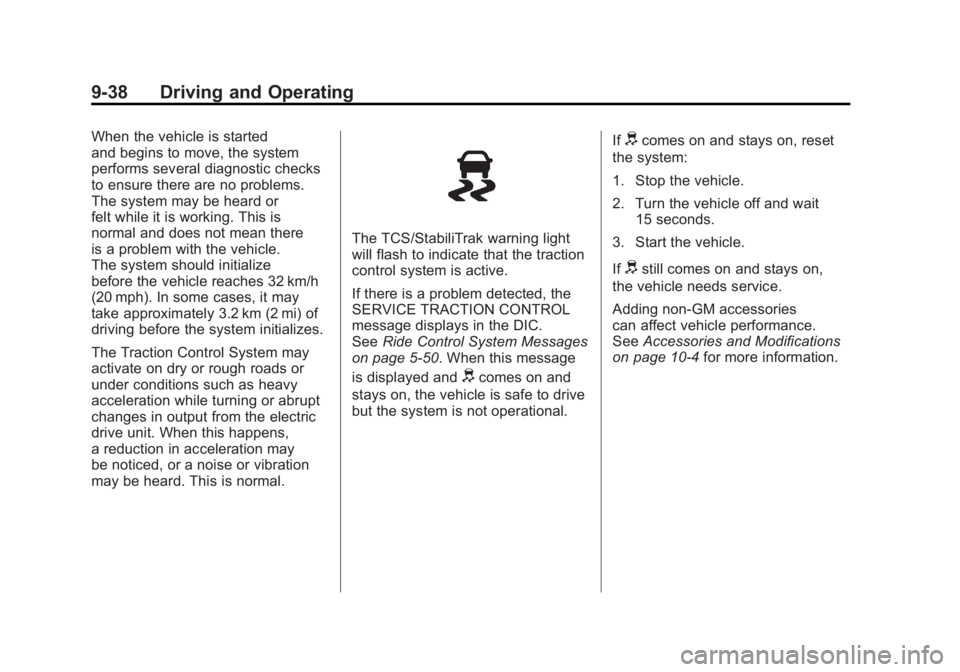
The TCS/StabiliTrak warning light
will flash to indicate that the traction
control system is active.
If there is a problem detected, the
SERVICE TRACTION CONTROL
message displays in the DIC.
SeeRide Control System Messages
on page 5‑50. When this message
is displayed and
dcomes on and
stays on, the vehicle is safe to drive
but the system is not operational. If
dcomes on and stays on, reset
the system:
1. Stop the vehicle.
2. Turn the vehicle off and wait 15 seconds.
3. Start the vehicle.
If
dstill comes on and stays on,
the vehicle needs service.
Adding non‐GM accessories
can affect vehicle performance.
See Accessories and Modifications
on page 10‑4 for more information.
Page 341 of 516
Black plate (39,1)Chevrolet Volt Owner Manual - 2011
Driving and Operating 9-39
Electronic Stability
Control (ESC)
The vehicle has an Electronic
Stability Control system called
StabiliTrak. It is an advanced
computer‐controlled system that
assists with directional control of the
vehicle in difficult driving conditions.
StabiliTrak comes on automatically
whenever the vehicle is started and
cannot be turned off.
The system may be heard or felt
while it is working, but this is
normal.StabiliTrak activates when the
computer senses a difference
between the intended path and
the direction the vehicle is actually
traveling. StabiliTrak selectively
applies braking pressure to help
steer the vehicle in the intended
direction.
When the vehicle is started
and begins to move, the system
performs several diagnostic checks
to ensure there are no problems.
The system may be heard or
felt while it is working. This is
normal and does not mean there
is a problem with the vehicle.
The system should initialize
before the vehicle reaches 32 km/h
(20 mph). In some cases, it may
take approximately 3.2 km (2 mi) of
driving before the system initializes.
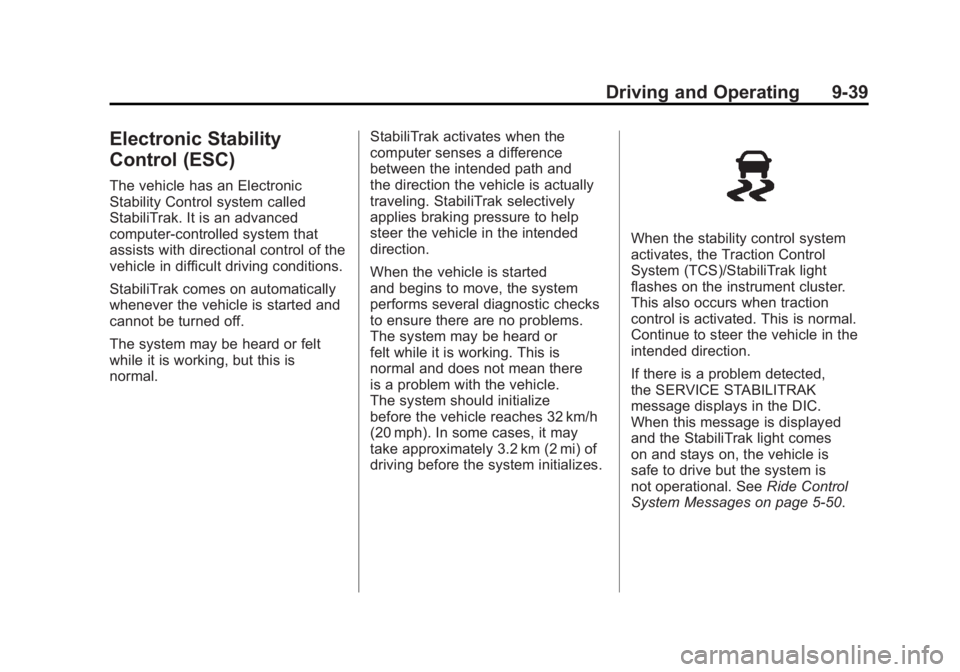
When the stability control system
activates, the Traction Control
System (TCS)/StabiliTrak light
flashes on the instrument cluster.
This also occurs when traction
control is activated. This is normal.
Continue to steer the vehicle in the
intended direction.
If there is a problem detected,
the SERVICE STABILITRAK
message displays in the DIC.
When this message is displayed
and the StabiliTrak light comes
on and stays on, the vehicle is
safe to drive but the system is
not operational. See
Ride Control
System Messages on page 5‑50.
Page 343 of 516
Black plate (41,1)Chevrolet Volt Owner Manual - 2011
Driving and Operating 9-41
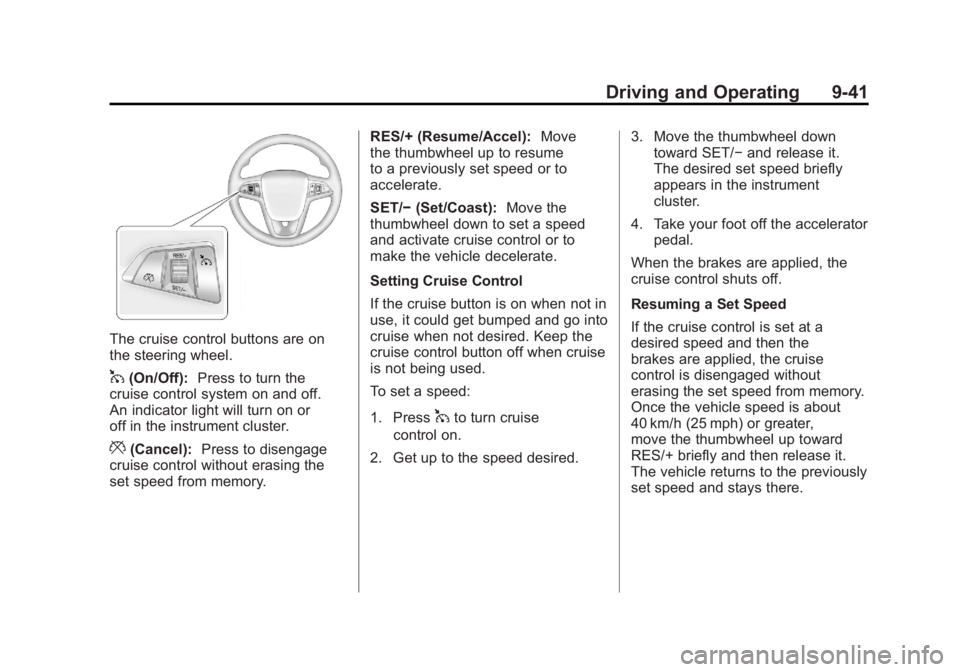
The cruise control buttons are on
the steering wheel.
1(On/Off):Press to turn the
cruise control system on and off.
An indicator light will turn on or
off in the instrument cluster.
*(Cancel): Press to disengage
cruise control without erasing the
set speed from memory. RES/+ (Resume/Accel):
Move
the thumbwheel up to resume
to a previously set speed or to
accelerate.
SET/− (Set/Coast): Move the
thumbwheel down to set a speed
and activate cruise control or to
make the vehicle decelerate.
Setting Cruise Control
If the cruise button is on when not in
use, it could get bumped and go into
cruise when not desired. Keep the
cruise control button off when cruise
is not being used.
To set a speed:
1. Press
1to turn cruise
control on.
2. Get up to the speed desired. 3. Move the thumbwheel down
toward SET/− and release it.
The desired set speed briefly
appears in the instrument
cluster.
4. Take your foot off the accelerator pedal.
When the brakes are applied, the
cruise control shuts off.
Resuming a Set Speed
If the cruise control is set at a
desired speed and then the
brakes are applied, the cruise
control is disengaged without
erasing the set speed from memory.
Once the vehicle speed is about
40 km/h (25 mph) or greater,
move the thumbwheel up toward
RES/+ briefly and then release it.
The vehicle returns to the previously
set speed and stays there.
Page 345 of 516
Black plate (43,1)Chevrolet Volt Owner Manual - 2011
Driving and Operating 9-43
Ending Cruise Control
There are three ways to end cruise
control:
.Step lightly on the brake pedal;
when cruise control disengages,
the indicator light will not be lit.
.Press*.
.Press1to turn the cruise
control system off completely.
The cruise control cannot be
resumed.
Erasing Speed Memory
The cruise control set speed
is erased from memory by
pressing
1or if the vehicle
is turned off.
Object Detection
Systems
Ultrasonic Parking Assist
For vehicles with the Ultrasonic
Front and Rear Parking Assist
(UFRPA) system, it assists the
driver with parking and avoiding
objects. UFRPA operates at
speeds less than 8 km/h (5 mph).
The sensors on the front and rear
bumper detect objects up to 1.2 m
(4 ft) in front of the vehicle, 2.5 m
(8 ft) behind the vehicle, and at
least 25.4 cm (10 in) off the ground.
{WARNING
The Ultrasonic Front and Rear
Parking Assist (UFRPA) system
does not replace driver vision.
It cannot detect:
.Objects that are below the
bumper, underneath the
vehicle, or if they are too
close or far from the vehicle.
.Children, pedestrians,
bicyclists, or pets.
If you do not use proper care
before moving forward and while
backing; vehicle damage, injury,
or death could occur. Even with
UFRPA, always check in front of
the vehicle before moving forward
and behind the vehicle before
backing up. While moving forward
and backing, be sure to look for
objects and check the vehicle
mirrors.
Page 346 of 516
Black plate (44,1)Chevrolet Volt Owner Manual - 2011
9-44 Driving and Operating
How the System Works
UFRPA comes on automatically
when the shift lever is moved into
R (Reverse). The front and rear
sensors are automatically turned on.
After the vehicle is shifted out of
R (Reverse), the rear sensors are
turned off and the front sensors
stay on until the vehicle is above a
speed of 8 km/h (5 mph). The front
sensors may also be turned on by
pressing the park assist button
in the overhead console without
shifting into R (Reverse) while the
vehicle is traveling at a low speed.
See“Turning the System On and
Off” later in this section.
When the vehicle is in N (Neutral),
the system may be active. If the
vehicle is in a car wash, the sensors
may detect objects in the car wash.
See “Turning the System On and
Off” later in this section to turn the
system off. High-toned beeps from the front
speakers are for objects detected
near the front bumper. Low-toned
beeps from the rear speakers are
for objects detected near the rear
bumper. The interval between the
beeps becomes shorter as the
vehicle gets closer to the obstacle.
When the distance is less than
30 cm (12 in) the beeps are
continuous.
To be detected, objects must be at
least 25.4 cm (10 in) off the ground
and below hood or hatch level.
Objects must also be within
1.2 m (4 ft) in front of the vehicle
and 2.5 m (8 ft) from the rear
bumper. This distance may be less
during warmer or humid weather.
PARK ASSIST OFF displays on
the Driver Information Center (DIC)
to indicate that UFRPA is off.
The message disappears after
a short period of time.
Objects Detected by Both the
Front and Rear Sensors
If objects are detected at the
same time near both the front and
rear bumpers while backing up,
the beeps only sound to indicate
that objects are close to the rear
bumper.
If an object comes within 0.3 m (1 ft)
of the front bumper while the vehicle
is backing up and at the same time
there is another object further than
0.3 m (1 ft) from the rear bumper,
then the beeps only sound to
indicate the object that is closer
to the front bumper.
Page 347 of 516
Black plate (45,1)Chevrolet Volt Owner Manual - 2011
Driving and Operating 9-45
Turning the System On and Off
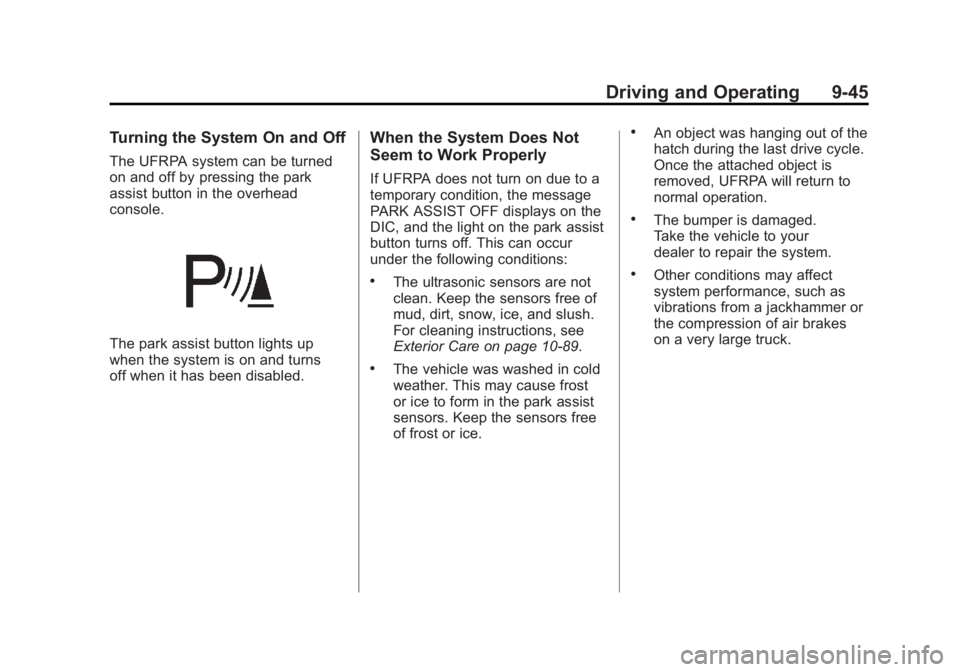
The UFRPA system can be turned
on and off by pressing the park
assist button in the overhead
console.
The park assist button lights up
when the system is on and turns
off when it has been disabled.
When the System Does Not
Seem to Work Properly
If UFRPA does not turn on due to a
temporary condition, the message
PARK ASSIST OFF displays on the
DIC, and the light on the park assist
button turns off. This can occur
under the following conditions:
.The ultrasonic sensors are not
clean. Keep the sensors free of
mud, dirt, snow, ice, and slush.
For cleaning instructions, see
Exterior Care on page 10‑89.
.The vehicle was washed in cold
weather. This may cause frost
or ice to form in the park assist
sensors. Keep the sensors free
of frost or ice.
.An object was hanging out of the
hatch during the last drive cycle.
Once the attached object is
removed, UFRPA will return to
normal operation.
.The bumper is damaged.
Take the vehicle to your
dealer to repair the system.
.Other conditions may affect
system performance, such as
vibrations from a jackhammer or
the compression of air brakes
on a very large truck.
Page 352 of 516
Black plate (50,1)Chevrolet Volt Owner Manual - 2011
9-50 Driving and Operating
In cold weather conditions, ice
may form around the charge port
door. The charge port door may
not open on the first attempt.
Remove ice from the area and
repeat attempting to open the
charge port door.
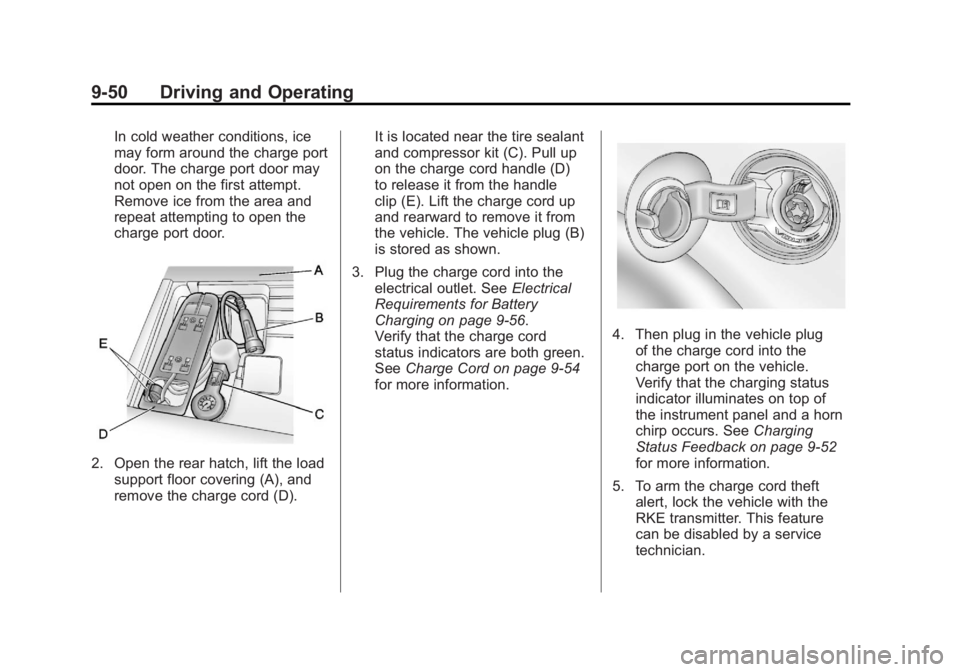
2. Open the rear hatch, lift the loadsupport floor covering (A), and
remove the charge cord (D). It is located near the tire sealant
and compressor kit (C). Pull up
on the charge cord handle (D)
to release it from the handle
clip (E). Lift the charge cord up
and rearward to remove it from
the vehicle. The vehicle plug (B)
is stored as shown.
3. Plug the charge cord into the electrical outlet. See Electrical
Requirements for Battery
Charging on page 9‑56.
Verify that the charge cord
status indicators are both green.
See Charge Cord on page 9‑54
for more information.
4. Then plug in the vehicle plug of the charge cord into the
charge port on the vehicle.
Verify that the charging status
indicator illuminates on top of
the instrument panel and a horn
chirp occurs. See Charging
Status Feedback on page 9‑52
for more information.
5. To arm the charge cord theft alert, lock the vehicle with the
RKE transmitter. This feature
can be disabled by a service
technician.
Page 354 of 516
Black plate (52,1)Chevrolet Volt Owner Manual - 2011
9-52 Driving and Operating
Delayed Charging
Override
To temporarily override a delayed
charge event, unplug the charge
cord from the charge port and then
plug it back in within five seconds.
A single horn chirp will sound and
charging will begin immediately.
To cancel a temporary override,
unplug the charge cord, wait for
10 seconds, and then plug the
charge cord back in. A double horn
chirp will sound and charging will
be delayed.
See“Programmable Charging” in
Charging on page 5‑33 for advance
charge scheduling options.
Charging Status
Feedback
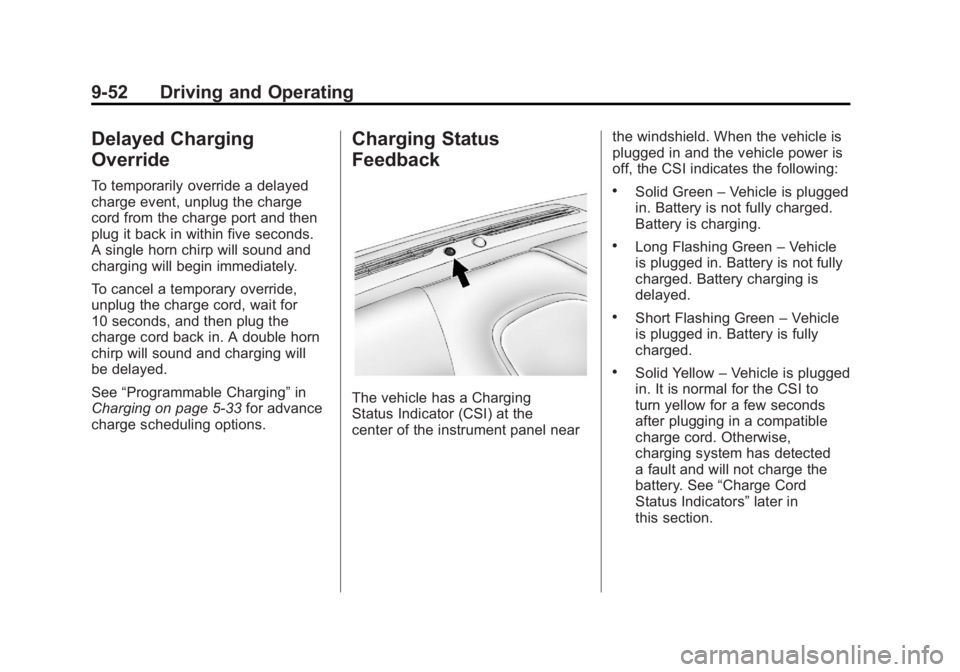
The vehicle has a Charging
Status Indicator (CSI) at the
center of the instrument panel near the windshield. When the vehicle is
plugged in and the vehicle power is
off, the CSI indicates the following:
.Solid Green
–Vehicle is plugged
in. Battery is not fully charged.
Battery is charging.
.Long Flashing Green –Vehicle
is plugged in. Battery is not fully
charged. Battery charging is
delayed.
.Short Flashing Green –Vehicle
is plugged in. Battery is fully
charged.
.Solid Yellow –Vehicle is plugged
in. It is normal for the CSI to
turn yellow for a few seconds
after plugging in a compatible
charge cord. Otherwise,
charging system has detected
a fault and will not charge the
battery. See “Charge Cord
Status Indicators” later in
this section.
Page 355 of 516
Black plate (53,1)Chevrolet Volt Owner Manual - 2011
Driving and Operating 9-53
The system may be thermally
conditioning the battery during
any of the states above, requiring
electrical energy to be transferred
to the vehicle.
If the vehicle is plugged in and
vehicle power is on, the CSI will be
on solid green. The same is true
during a remote start if the vehicle
is plugged in.
If the vehicle is plugged in and the
CSI is off, a charging fault has been
detected. See“Charge Cord Status
Indicators” later in this section.
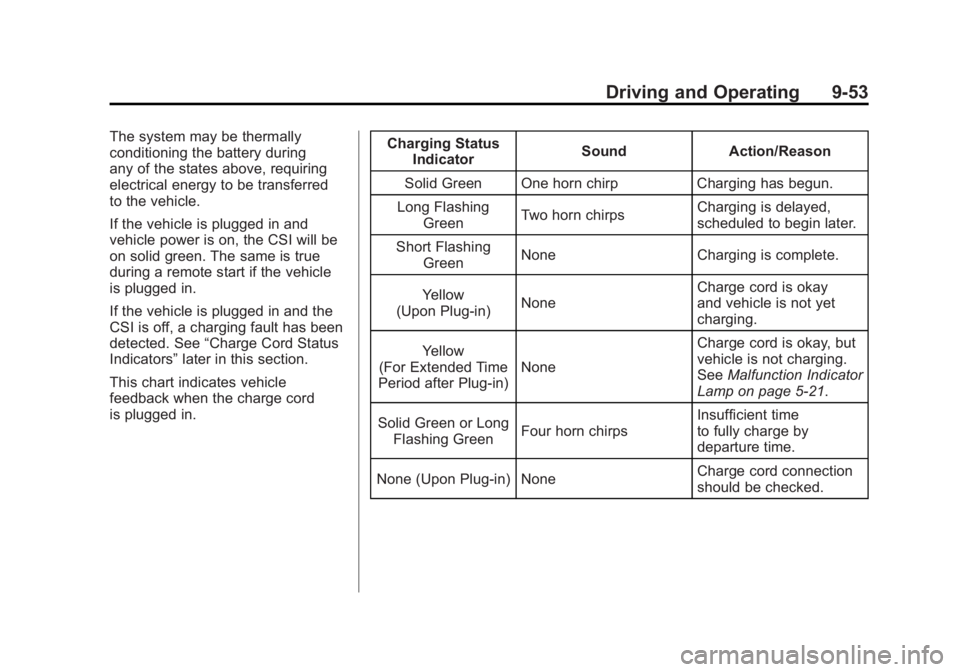
This chart indicates vehicle
feedback when the charge cord
is plugged in. Charging Status
Indicator Sound Action/Reason
Solid Green One horn chirp Charging has begun.
Long Flashing Green Two horn chirps Charging is delayed,
scheduled to begin later.
Short Flashing Green None Charging is complete.
Yellow
(Upon Plug‐in) None Charge cord is okay
and vehicle is not yet
charging.
Yellow
(For Extended Time
Period after Plug‐in) None Charge cord is okay, but
vehicle is not charging.
See
Malfunction Indicator
Lamp on page 5‑21.
Solid Green or Long Flashing Green Four horn chirps Insufficient time
to fully charge by
departure time.
None (Upon Plug‐in) None Charge cord connection
should be checked.
Page 356 of 516
Black plate (54,1)Chevrolet Volt Owner Manual - 2011
9-54 Driving and Operating
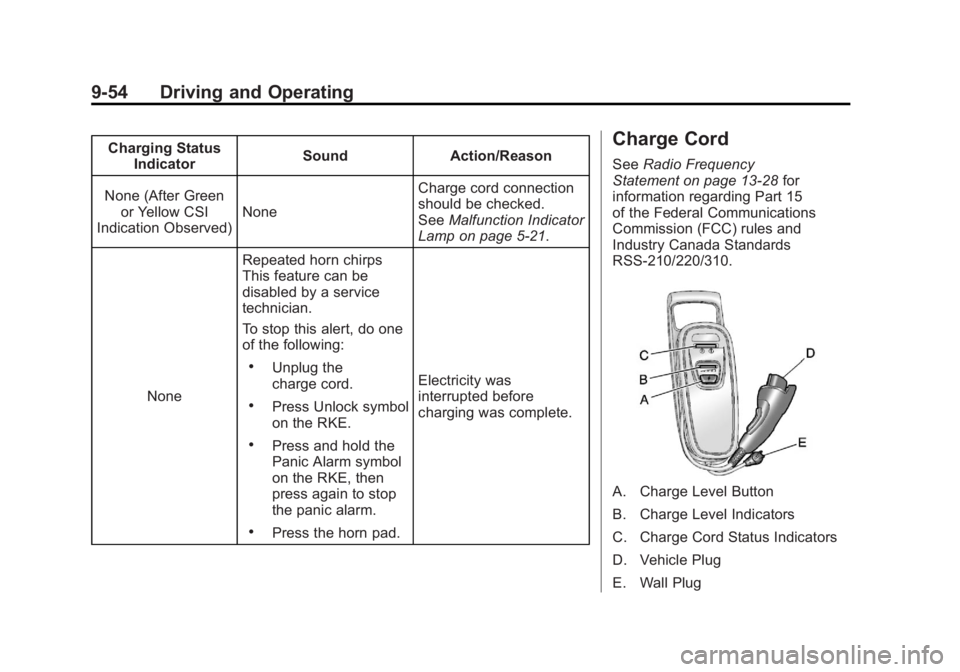
Charging StatusIndicator Sound Action/Reason
None (After Green or Yellow CSI
Indication Observed) None Charge cord connection
should be checked.
See
Malfunction Indicator
Lamp on page 5‑21.
None Repeated horn chirps
This feature can be
disabled by a service
technician.
To stop this alert, do one
of the following:
.Unplug the
charge cord.
.Press Unlock symbol
on the RKE.
.Press and hold the
Panic Alarm symbol
on the RKE, then
press again to stop
the panic alarm.
.Press the horn pad. Electricity was
interrupted before
charging was complete.
Charge Cord
See
Radio Frequency
Statement on page 13‑28 for
information regarding Part 15
of the Federal Communications
Commission (FCC) rules and
Industry Canada Standards
RSS-210/220/310.
A. Charge Level Button
B. Charge Level Indicators
C. Charge Cord Status Indicators
D. Vehicle Plug
E. Wall Plug